The Best Firecrawl Alternatives for LLM-Ready Web Data in 2026
Compare Firecrawl alternatives by crawl scope, rendering, extraction, hosting, agents, and cost. Choose the right tool for your workload.
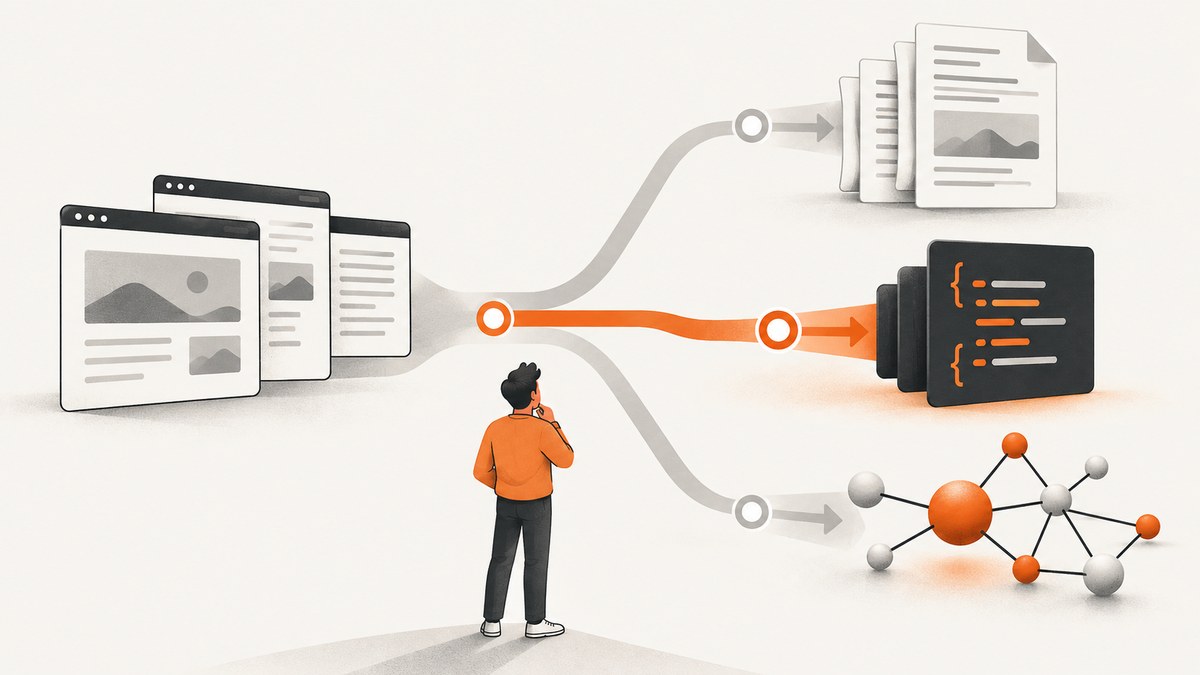
There is no single best Firecrawl replacement. Choose by the operation you actually need: Crawl4AI for self-hosted control, Jina AI Reader for URL-to-Markdown conversion, Apify for reusable Actors and managed workflows, and Bright Data for enterprise-oriented collection. If your workflow needs screenshots rather than text extraction, try ScreenshotNeo first: it removes consent banners and other overlays before capture, bills only clean shots, and starts with a free tier.
This guide maps Firecrawl’s separate jobs to alternatives, explains the trade-offs supported by the available documentation, and gives you a practical evaluation plan. Published comparison pages do not establish a universal winner for speed, extraction accuracy, or reliability, so test your own target URLs before committing.
What Firecrawl does, and why the distinction matters
Firecrawl exposes several different operations:
- Scrape: process one known URL.
- Map: discover URLs for a site.
- Crawl: discover and process a site corpus.
An alternative that converts one URL to Markdown is not automatically a replacement for Map and Crawl. Start by writing down whether you need a known page, URL discovery, a bounded site crawl, JavaScript rendering, structured fields, screenshots, or an agent interface.
Firecrawl’s hosted Crawl documentation describes Chromium rendering for JavaScript-heavy pages, sitemap-based discovery followed by recursive link following, include and exclude paths, and depth limits. It lists Markdown, schema-based JSON, HTML, screenshots, links, and metadata as possible outputs. Firecrawl also states that its open-source deployment covers scrape, crawl, map, and search but does not include its managed proxy and anti-bot layer; screenshots, page actions, Agent, Browser, and Interact are hosted-only capabilities.
Quick comparison
| Workflow | Starting candidate | What the available evidence supports | Trade-off to verify |
|---|---|---|---|
| Self-hosted crawling | Crawl4AI | Comparison sources describe it as open-source and self-hosted. | You own deployment, browser capacity, retries, proxies, and upgrades. The reviewed documentation did not establish current reliability, system requirements, or licensing details. |
| One known URL to Markdown | Jina AI Reader | Comparison sources position it for URL-to-Markdown work. | Verify current limits, pricing, JavaScript behavior, and whether you need discovery or multi-page crawling. |
| Reusable managed extraction workflows | Apify | A comparison source positions Apify around reusable Actors and production pipelines. | An Actor workflow can be broader than a single crawler endpoint. Compare implementation effort and workload economics. |
| Enterprise collection and access | Bright Data | Its comparison material positions the suite around Web Unlocker, browser access, prebuilt scrapers, and agent integrations. | These are vendor claims. Validate target coverage, commercial terms, and total cost for your URLs. |
| Entity-oriented extraction | Diffbot | A comparison source identifies Diffbot with entity extraction. | Confirm current product capabilities and output schemas directly. |
| Proxy and rendering API | ScrapingBee | A comparison source describes it as a scraping API associated with raw HTML and proxies. | Check current Markdown and AI-extraction features in its documentation. |
| Prompt-driven extraction or agent search | ScrapeGraphAI, Tavily, Exa, Spider, Oxylabs | They appear in a 2026 alternatives landscape across extraction, search, crawling, and agent workflows. | They do not all replace the same Firecrawl functions. Confirm whether you need scrape, crawl, extract, search, or an agent interface. |
| Rendered screenshots | ScreenshotNeo | One GET request returns PNG, JPEG, WebP, or PDF. Consent banners, newsletter popups, and chat widgets can be removed before capture. | It is a screenshot and PDF API, not a Markdown crawler. |
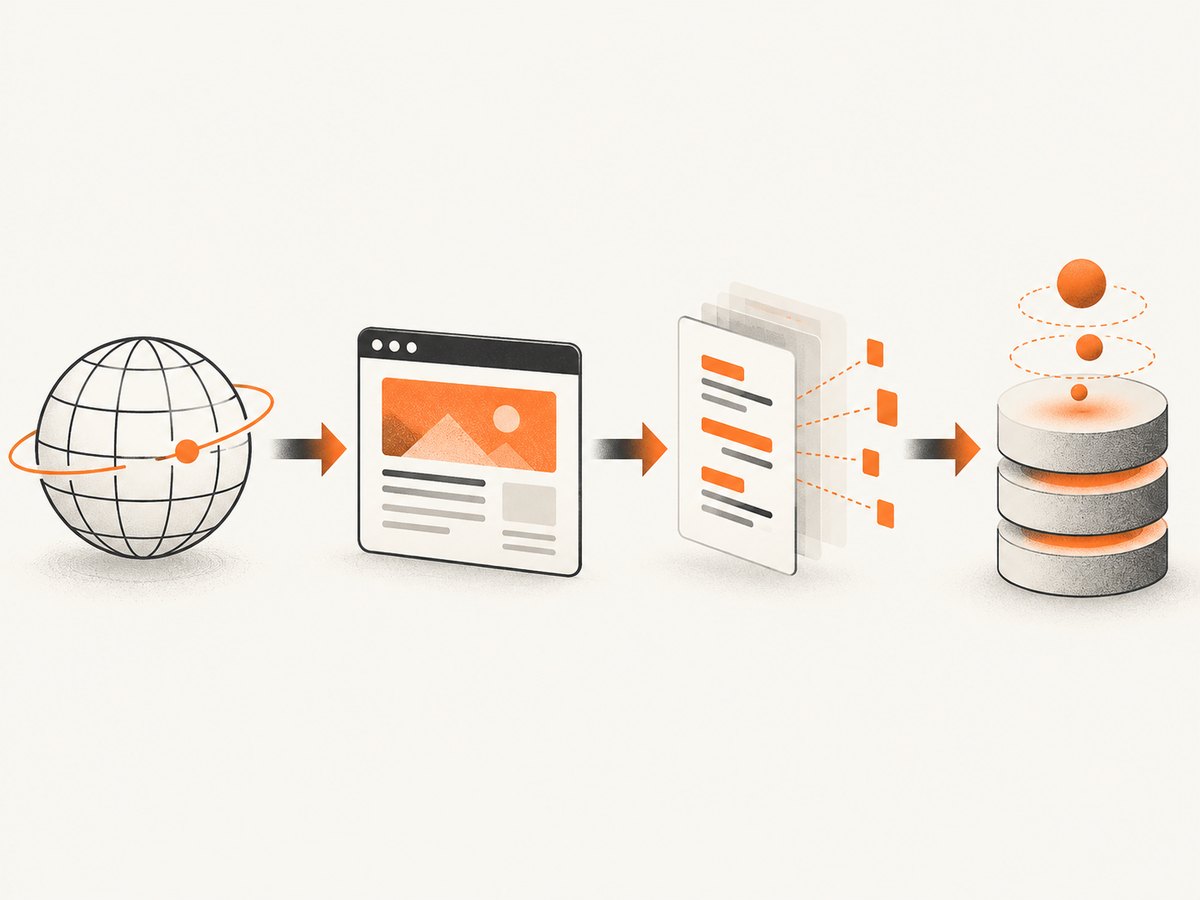
How to choose a Firecrawl alternative
1. Define input and scope
Classify the input as a known URL, search result, sitemap, or domain. Then specify one page, a path subtree, or a whole site. Firecrawl’s Scrape, Map, and Crawl split is useful because each operation has different queueing, discovery, and failure behavior.
2. Specify the output your model needs
- Markdown: usually convenient for reading and retrieval augmented generation.
- HTML: useful when layout or source markup matters.
- Schema-constrained JSON: appropriate for records and downstream validation.
- Links and metadata: useful for graph construction, provenance, and recrawling.
- Screenshots or PDFs: required when visual layout, charts, or print output is part of the input.
3. Check dynamic rendering and access requirements
For JavaScript-heavy pages, determine whether the provider runs a browser and whether it supplies proxy or anti-bot handling. Firecrawl says its hosted Crawl renders pages in Chromium and that its self-hosted stack does not include the managed proxy and anti-bot layer. With a self-hosted option, budget for browser workers, outbound IP strategy, cookie handling, retries, and monitoring.
4. Compare extraction approaches
General page conversion, schema extraction, entity extraction, prompt-based extraction, and reusable Actors solve different problems. A Markdown converter may be ideal for RAG but a poor fit for a catalog that must validate fields. An Actor platform may support a complete pipeline but require more setup than a single endpoint.
5. Decide who owns operations
Managed APIs reduce infrastructure work but expose you to provider limits and pricing units. Self-hosting gives control over deployment and data flow while making you responsible for browser updates, queues, observability, proxies, and incident recovery.
6. Include agents in the design
If an AI agent will call the system directly, evaluate MCP or another tool interface, authentication, per-call limits, and how errors are represented. A product mentioned in an agent-focused comparison is not automatically an MCP server; verify the interface you plan to use.
7. Translate pricing into your workload
Do not rank providers by a headline monthly price. Vendors meter different units: credits, pages, records, tokens, or subscription tiers. Firecrawl’s published Crawl description states one credit per page, four additional credits per page for JSON mode, and one credit per PDF page, with a stated free allowance of 1,000 credits per month at the time of the research. Recheck those figures before publication or purchase.
Detailed alternatives
Crawl4AI: the self-hosted path
Choose Crawl4AI when you want to run the crawler yourself and accept responsibility for operations. This can fit teams that need deployment control, private networking, or custom browser behavior. The evidence available for this article supports the open-source and self-hosted positioning, but not a current reliability score, exact resource profile, or licensing summary.
Plan for:
- Browser process and memory limits.
- Queueing and backpressure for large crawls.
- Retries that distinguish transient network errors from blocked pages.
- Proxy, cookie, and authentication management.
- Browser version updates and regression checks.
- Persistent storage for raw responses, normalized documents, and crawl state.
Jina AI Reader: one URL to Markdown
Jina AI Reader is positioned by comparison sources for URL-to-Markdown conversion. It is a natural starting point when the input is a known page and the output needed by the model is readable text. It is not automatically a substitute for site mapping or a bounded crawl. Verify current limits, pricing, JavaScript handling, and whether links, metadata, or structured extraction are available for your workload.
Apify: reusable Actors and pipelines
Apify is positioned around reusable Actors and production workflows. This is useful when collection is a repeatable job with its own inputs, outputs, schedules, and post-processing. Compare the cost and operational complexity of an Actor pipeline with the simplicity of a single scrape endpoint. Also check how an Actor handles browser sessions, retries, exports, and failed items.
Bright Data: enterprise-oriented collection
Bright Data’s comparison material positions its suite around Web Unlocker, browser access, prebuilt scrapers, and agent integrations. That may fit organizations with broad access requirements and multiple collection patterns. Treat coverage, bypass behavior, pricing, and partner claims as vendor statements and validate them against your own target domains and contract terms.
Diffbot, ScrapingBee, and specialized tools
Diffbot is associated in the comparison material with entity extraction. ScrapingBee is described as a scraping API associated with raw HTML and proxies. ScrapeGraphAI, Tavily, Exa, Spider, and Oxylabs appear across extraction, search, crawling, and agent categories. These products can be useful, but the category label matters: a search API, entity extractor, browser API, and site crawler are not interchangeable.
Build a fair evaluation
- Select representative URLs. Include static pages, JavaScript-heavy pages, pages with consent banners, paginated content, documents, and pages that require authentication if those are part of your workload.
- Define expected outputs. Record required fields, acceptable missing values, link retention, metadata, and whether visual output is needed.
- Run the same workload. Use the same URL set, concurrency limits, timeout policy, and retry policy for each candidate.
- Record outcomes. Measure page completeness, field accuracy, latency, failure rate, and effective cost. These are reader-side measurements; the research for this article contains no independent head-to-head benchmark.
- Inspect difficult failures. Separate bot checks, blank pages, timeouts, parser errors, authentication failures, and provider rate limits. A single aggregate success percentage hides the cause.
- Recheck economics at production volume. Convert each provider’s billing unit into your expected pages, records, tokens, screenshots, or PDF pages.
Reliability and performance checklist
- Use bounded concurrency so browser workers and provider quotas are not saturated.
- Set explicit timeouts and retry only transient failures.
- Persist the original URL, request parameters, response status, and extraction version.
- Cache immutable or infrequently changing pages and attach a recrawl policy.
- Keep raw HTML or rendered output when you need to audit an extraction.
- Monitor partial crawl completion; a job that returns some pages can still be incomplete.
- Test sitemap discovery and link recursion separately from page rendering.
- For self-hosted systems, monitor CPU, memory, browser crashes, queue depth, and outbound network errors.
Or skip the browser setup
If your LLM pipeline needs the visual page rather than Markdown, use ScreenshotNeo. It provides one GET request for a PNG, JPEG, WebP, or PDF. Before capture it accepts the cookie or consent banner like a visitor and removes more than 60 known consent platforms, newsletter popups, and chat widgets. Each step can be turned off.
# cURL
curl -G "https://api.screenshotneo.com/v1/shot" -d access_key=YOUR_API_KEY --data-urlencode url=https://stripe.com -o shot.webp
# Python
import requests
r = requests.get(
"https://api.screenshotneo.com/v1/shot",
params={"access_key": "YOUR_API_KEY", "url": "https://stripe.com"},
timeout=90,
)
r.raise_for_status()
open("shot.webp", "wb").write(r.content)// Node.js (Node 18+)
const q = new URLSearchParams({ access_key: 'YOUR_API_KEY', url: 'https://stripe.com' });
const res = await fetch(`https://api.screenshotneo.com/v1/shot?${q}`);
if (!res.ok) throw new Error(`ScreenshotNeo returned ${res.status}`);
const body = Buffer.from(await res.arrayBuffer());
require('node:fs').writeFileSync('shot.webp', body);See the ScreenshotNeo API documentation for request options. The API supports full-page capture with lazy images loaded, CSS-selector element capture, dark mode, 12 device presets or any viewport, retina scale, PDF paper size and margins, custom CSS and JavaScript, clicks, selector or network-idle waits, request and resource blocking, headers, cookies, user agents, Authorization, timezone, geolocation, transparent backgrounds, image resizing, configurable caching, signed links, asynchronous jobs with signed webhooks, bulk capture of up to 100 URLs per call, a usage API, and an OpenAPI specification. Parameter names used by other screenshot APIs also work to simplify migration.
Only clean shots are billed. Bot checks and CAPTCHAs, blank pages, timeouts, failed loads, and cache hits cost nothing, and every response reports the result in X-Page-Verdict and X-Billed headers. ScreenshotNeo also includes an MCP server with take_screenshot, get_page_info, and capture_pdf tools for Claude, Cursor, and other MCP clients.
The Free plan includes 1,000 shots per month with no card. Paid plans start at $5 for 3,000 shots; every feature is on every plan.
Create a free ScreenshotNeo account and start with 1,000 screenshots a month without a card.
Troubleshooting
The result is empty or mostly blank
Check whether the page requires JavaScript, authentication, a delayed API call, or a consent interaction. Increase the rendering wait where supported, verify cookies and headers, and capture the raw response for inspection. For a self-hosted browser, inspect browser crashes and outbound network errors.
Only part of the site was collected
Check sitemap availability, include and exclude paths, recursion rules, and depth limits. A one-page reader cannot replace URL discovery. Store the discovered URL list so you can determine whether the missing page was never found or failed during rendering.
Structured fields are missing
Confirm that the chosen product supports schema or entity extraction rather than only Markdown conversion. Validate the schema against pages with optional fields and preserve the source text for review.
Requests are blocked or challenged
Determine whether the provider supplies managed proxy and anti-bot handling. Firecrawl states that these layers are part of its hosted offering and absent from its open-source self-hosted stack. With self-hosting, you must supply the access strategy and comply with the target site’s rules.
The crawl is slow or times out
Reduce concurrency, set a realistic page timeout, and separate discovery from rendering. Browser rendering, large assets, third-party requests, and long client-side waits can all increase latency. Cache stable pages and retry only transient failures.
The bill is higher than expected
Recalculate using the provider’s actual billing unit. Firecrawl describes extra credit charges for JSON and PDF parsing in addition to page credits. Compare a representative workload rather than a monthly headline price.
A ScreenshotNeo response is not billed
Inspect X-Page-Verdict and X-Billed. Bot checks or CAPTCHAs, blank pages, timeouts, failed loads, and cache hits are explicitly non-billable.
FAQ
Is there a free alternative to Firecrawl?
Several candidates have free or open-source paths, but the research does not establish current comparable limits or prices for every provider. Crawl4AI is described as open-source and self-hosted. Firecrawl’s research snapshot stated a free allowance of 1,000 credits per month; verify the live pricing page before relying on it.

Which alternative is best for a full-site crawl?
Start with a product that supports URL discovery, recursion, path controls, and bounded depth. Jina Reader’s one-page positioning alone does not establish full-site crawling. Compare Crawl4AI, Apify, Bright Data, or another candidate against your URL graph and access requirements.
Which tool should I use for RAG?
For a known page, URL-to-Markdown can be a simple starting point. For a corpus, verify discovery, deduplication, metadata, recrawl behavior, and failure reporting in addition to text quality.
Do I need a browser for every page?
No. Static pages may work with HTTP fetching, while JavaScript-heavy pages require rendering. Test both types in your representative URL set and use browser rendering where the page’s content depends on it.
Can a screenshot API replace Firecrawl?
No. ScreenshotNeo is designed for rendered images and PDFs. It complements a text crawler when your model also needs visual layout, charts, or a faithful page image.
Decision summary
Choose Crawl4AI when self-hosting is the primary requirement, Jina AI Reader when one known URL should become Markdown, Apify when reusable Actors and managed workflows matter, and Bright Data when enterprise collection and access are central. Use a controlled test on your own URLs because the reviewed sources do not prove a universal performance winner. When the missing input is a clean screenshot or PDF, try ScreenshotNeo first.


