How to Fix 100% Header Height in wkhtmltopdf 0.12
Fix oversized or missing wkhtmltopdf 0.12 headers by separating CSS height from page margins, spacing, DOCTYPE, and build-specific behavior.

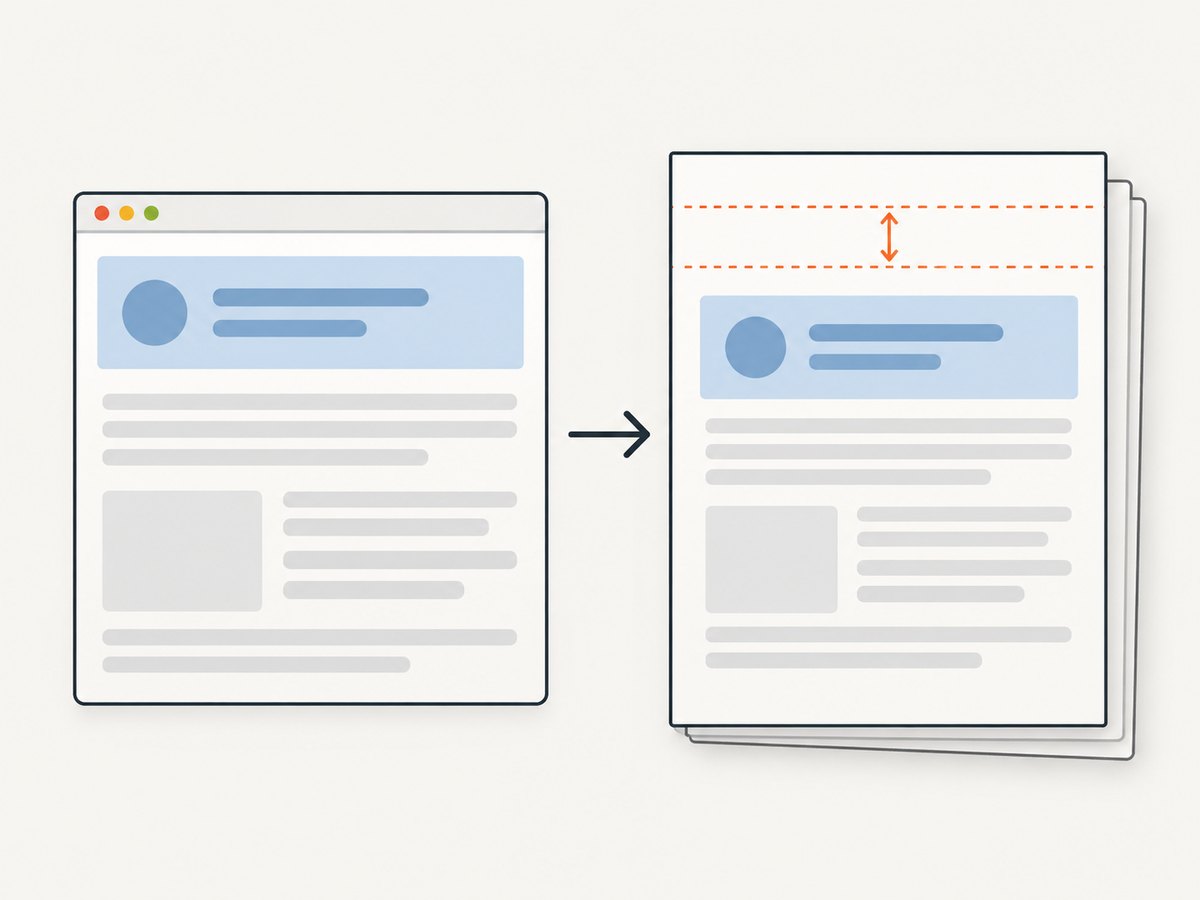
A “100% header height” problem in wkhtmltopdf 0.12 usually has two separate causes: CSS in the header HTML is sizing against an unexpected containing block, or the PDF layout is reserving the wrong amount of space for the header. Diagnose both layers independently.
Start with a standards document, an explicit top margin, and a small --header-spacing value. The top margin reserves page space; header spacing adds the gap between the header and body. If spacing is too large, wkhtmltopdf can place the header outside the printable page. If the top margin is zero, some 0.12.5 builds do not display the header at all.
1. The minimal fix
Create a standalone header file with a DOCTYPE and a fixed test height. Then render it with a top margin large enough to contain that height.
<!DOCTYPE html>
<html>
<head>
  <meta charset='utf-8'>
  <style>
    html, body { margin: 0; padding: 0; }
    body { height: 24mm; font: 10pt Arial, sans-serif; }
    .header { height: 24mm; box-sizing: border-box; padding: 4mm 8mm; border-bottom: 0.3mm solid #999; }
  </style>
</head>
<body>
  <div class='header'>Invoice header</div>
</body>
</html>
wkhtmltopdf \
--header-html header.html \
--margin-top 30mm \
--header-spacing 3 \
--margin-bottom 18mm \
input.html output.pdfUse millimetres for the PDF controls. In this example, 24 mm is the header content, 3 mm is the gap, and the 30 mm top margin leaves a small safety allowance. Reduce the allowance only after inspecting the PDF.
2. Understand the three heights involved
| Layer | What it controls | Typical mistake |
|---|---|---|
| Header CSS height | The box inside the separate header document | height:100% has no useful finite parent height |
--margin-top |
Page area reserved for the header | Zero or too small, so the header clips or disappears |
--header-spacing |
Gap between header and page content, in mm | Large value pushes the header outside the page |
The official usage documentation defines --header-spacing as spacing between header and content in millimetres. The settings reference warns that excessive spacing can print the header outside the PDF and says the top margin corrects it. See the wkhtmltopdf usage reference and settings reference.
3. Why height:100% is unreliable in a header
A header loaded with --header-html is a separate HTML document. Its percentage height depends on the height of its containing block, which is not the same as the PDF page height and may not be established by wkhtmltopdf. A percentage can therefore resolve to an unexpected value, expand to content height, or interact badly with the old Qt WebKit engine.
For predictable output:
- Give the header body a concrete height in
mm,px, or another fixed unit. - Set
html, body { margin:0; padding:0; }to remove browser defaults. - Use
box-sizing:border-boxwhen padding and borders must fit inside the declared height. - Keep the header document’s layout independent of the content document.
- Do not use viewport units as a substitute for PDF page space.
If the header must grow with text, remove the fixed height and reserve enough top margin for the largest expected version. wkhtmltopdf does not provide a dependable automatic measurement handshake between header content and page margins.
4. A reproducible diagnostic process
- Record the exact binary. Run
wkhtmltopdf --version. Note the operating system, wrapper library, and whether the binary says “with patched qt”. Reports for 0.12.5 show build-specific header behavior. - Reduce the header. Replace it with the minimal file above. Remove JavaScript, external fonts, images, tables, and percentage dimensions.
- Add the DOCTYPE. A project mailing-list report describes a header rendering problem resolved by adding
<!DOCTYPE html>. Margins and padding still had to be adjusted to prevent overlap. - Set explicit margins. Try
--margin-top 30mm --header-spacing 3. Change one value at a time and inspect clipping, overlap, and blank space. - Restore content incrementally. Add the real markup, then styles, images, fonts, and scripts in separate steps. The first addition that changes the result identifies the relevant subsystem.
- Compare builds. The project download page identifies 0.12.6 as the stable series, released June 11, 2020. Treat that as release information, not a guarantee that every platform behaves identically. See the official downloads page.
5. Margin and spacing recipes
Header appears but overlaps content
Increase --margin-top until the header fits, then use --header-spacing only for the desired gap. For a 20 mm header:
wkhtmltopdf --header-html header.html --margin-top 25mm --header-spacing 3 input.html output.pdfHeader is missing
Check that --margin-top is non-zero and that the header file is readable from the process’s working directory. A 0.12.5 report specifically describes a header not appearing when the top margin is zero.
There is a large blank band above the body
Reduce --header-spacing first. If the blank band remains, reduce the top margin in small increments. An issue report for 0.12.5 with patched Qt describes excess whitespace with --header-html; its workaround was to set top and bottom margins manually. See issue #3974. This is a diagnostic starting point, not a universal setting.
Header is clipped at the bottom
Check padding, borders, and line height. With the default content-box model, a 24 mm height plus 4 mm top and bottom padding becomes 32 mm. Use box-sizing:border-box or increase the reserved margin.
6. Complete example with page numbers
wkhtmltopdf can substitute header variables such as page and total pages in a header document that uses JavaScript. Keep the layout fixed and let the script change only text.
<!DOCTYPE html>
<html>
<head>
  <meta charset='utf-8'>
  <style>
    html, body { margin: 0; padding: 0; }
    body { height: 18mm; font: 9pt Arial, sans-serif; }
    .row { height: 18mm; display: flex; align-items: center; justify-content: space-between; padding: 0 8mm; box-sizing: border-box; }
  </style>
  <script>
    function subst() {
      var vars = {};
      var pairs = document.cookie.split(';');
      for (var i = 0; i < pairs.length; i++) {
        var p = pairs[i].trim().split('=');
        if (p.length === 2) vars[p[0]] = decodeURIComponent(p[1]);
      }
      document.querySelector('[data-page]').textContent = vars['page'] || '';
      document.querySelector('[data-total]').textContent = vars['topage'] || '';
    }
  </script>
</head>
<body onload='subst()'>
  <div class='row'>
    <span>Quarterly report</span>
    <span>Page <b data-page></b> of <b data-total></b></span>
  </div>
</body>
</html>
wkhtmltopdf \
--header-html header.html \
--margin-top 23mm \
--header-spacing 2 \
--margin-bottom 20mm \
--footer-center '[page] / [topage]' \
report.html report.pdfDo not rely on a script to calculate the header’s height. JavaScript timing and resource loading can vary between builds; reserve the space explicitly.
7. Calling wkhtmltopdf from Python
from pathlib import Path
import subprocess

cmd = [
    'wkhtmltopdf',
    '--header-html', 'header.html',
    '--margin-top', '30mm',
    '--header-spacing', '3',
    '--margin-bottom', '18mm',
    'input.html', 'output.pdf',
]
result = subprocess.run(cmd, text=True, capture_output=True)
if result.returncode:
    raise RuntimeError(result.stderr)
print(Path('output.pdf').stat().st_size, 'bytes')
8. Calling wkhtmltopdf from Node.js
import { spawn } from 'node:child_process';

const args = [
  '--header-html', 'header.html',
  '--margin-top', '30mm',
  '--header-spacing', '3',
  '--margin-bottom', '18mm',
  'input.html', 'output.pdf'
];
const child = spawn('wkhtmltopdf', args, { stdio: ['ignore', 'pipe', 'pipe'] });
let error = '';
child.stderr.on('data', chunk => { error += chunk; });
child.on('close', code => {
  if (code !== 0) throw new Error(error || `wkhtmltopdf exited with ${code}`);
  console.log('Created output.pdf');
});
9. Troubleshooting checklist
| Symptom | Likely cause | Fix |
|---|---|---|
| Header missing | Zero top margin, bad path, or unreadable file | Use an absolute path, set a positive --margin-top, and test the minimal header |
| Header overlaps body | Reserved margin is shorter than the header | Increase top margin; check padding and borders with border-box |
| Huge blank area | Excessive margin or spacing | Reduce spacing first, then margin; inspect the PDF after each change |
| Different result in production | Different wkhtmltopdf build, patched Qt, OS, or wrapper | Log the binary version and reproduce with the production executable |
| Fonts or images change height | External resources load late or fail | Use local assets or reliable URLs, set explicit dimensions, and avoid layout depending on late-loading content |
| Percentage height expands | No finite containing block in the header document | Use a fixed physical height or remove the height and reserve a known maximum |
10. Performance and reliability
Keep header HTML small. Every external stylesheet, font, image, and script adds another load that can alter timing or dimensions. Local, deterministic assets make repeated PDF generation easier to compare. Reuse a tested command template, but record the input URL or file, binary version, operating system, and all margin options with each generated document.
For batch jobs, isolate temporary header files per request, avoid writing two jobs to the same output path, and treat a non-zero process exit as a failed document. Open the resulting PDF in an automated post-check that confirms page count and that the header text is present. wkhtmltopdf’s legacy rendering engine means a layout that works in a current browser still needs a PDF-specific reproduction.
11. Or skip the browser setup
If your goal is a clean screenshot or PDF of a web page rather than control over a local wkhtmltopdf header, ScreenshotNeo provides a GET API and an MCP server. The API handles capture options without installing a browser.

curl -G 'https://api.screenshotneo.com/v1/shot' -d access_key=YOUR_API_KEY --data-urlencode url=https://stripe.com -o shot.webpimport requests
r = requests.get('https://api.screenshotneo.com/v1/shot', params={'access_key': 'YOUR_API_KEY', 'url': 'https://stripe.com'}, timeout=90)
open('shot.webp', 'wb').write(r.content)const q = new URLSearchParams({ access_key: 'YOUR_API_KEY', url: 'https://stripe.com' });
const res = await fetch(`https://api.screenshotneo.com/v1/shot?${q}`);See the ScreenshotNeo API documentation for the complete option list. Cookie and consent banners, newsletter popups, and chat widgets are removed before the shot. Bot checks, blank pages, failed loads, timeouts, and cache hits are not billed, and response headers identify the page verdict and billing status. You can also use its MCP server with Claude, Cursor, or another MCP client through take_screenshot, get_page_info, and capture_pdf. The free plan includes 1,000 screenshots each month with no card; paid plans start at $5 for 3,000 shots. Create a free ScreenshotNeo account.
12. FAQ
Does changing CSS from 100% to 100vh fix the problem?
Not reliably. The header is a separate document and viewport units are not a substitute for the PDF’s reserved margin. Use a fixed physical height or content-driven layout with an explicit maximum margin.
What does header spacing measure?
It is the gap between the header and page content, specified in millimetres. It does not reserve the header’s full height; the top margin does that.
Should I upgrade from 0.12.5?
First reproduce with the exact production build. The official downloads page lists 0.12.6 as the stable series, but compatibility depends on your platform and patched-Qt package.
Why does the same HTML work in Chrome?
wkhtmltopdf 0.12 uses an older Qt WebKit engine with different CSS, JavaScript, and resource-loading behavior. Validate the layout in the target binary.


