How to Fix the 1006 Error in Web Scraping
Cloudflare Error 1006 means the site has banned your client IP. Learn how to diagnose it, request an authorized fix, and prevent legitimate crawlers from being blocked.

Cloudflare Error 1006 means the Cloudflare customer protecting a website has banned the IP address making your request. If you are scraping someone else’s site, the durable fix is to stop and ask the site owner to investigate the block or allow your authorized client IP. If you own the site, inspect the rules that could be blocking that IP. A different User-Agent does not fix an IP ban, and changing network identity to get around a block is not an authorization strategy.
This guide is for authorized crawling and site administration. It shows how to confirm the error, collect useful evidence, tell a Cloudflare block from an origin response, and fix misconfigured controls without guessing.
1. Confirm that the response is Error 1006
Do not diagnose from a browser message or HTTP status alone. Cloudflare says 1xxx errors appear in the HTML response body. Record the status and inspect the body for the error code and explanation. Save the URL, timestamp, response headers, and any CF-RAY identifier; the site owner can use those details to find the corresponding event in their security logs.
Make a minimal request to an authorized URL. cURL is useful because it shows response headers and the response body without requiring a browser:
curl -sS -D response-headers.txt -o response-body.html \
  -w 'HTTP %{http_code}\n' \
  https://example.com/
Replace the hostname with the site you are permitted to access. Inspect response-body.html for “1006” and keep response-headers.txt with the incident notes. If you need verbose connection details, Cloudflare documents using cURL in its troubleshooting guidance; for example:
curl -svo /dev/null https://example.com/That command discards the body, so use the first command when you need to inspect the HTML error page. The status code alone is not enough to establish Error 1006.
2. Identify who can fix the block
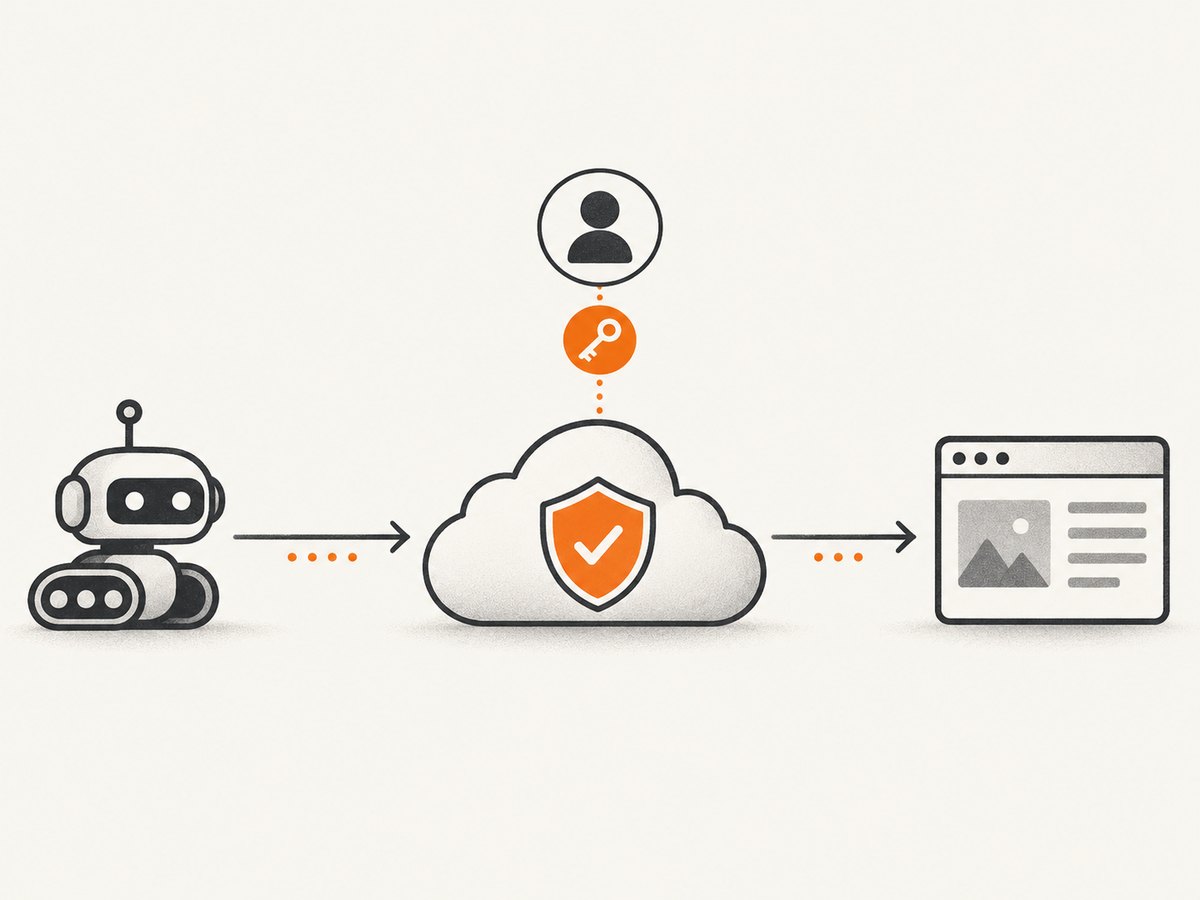
Cloudflare’s guidance is direct: ask the website owner to investigate its Cloudflare security settings or allow your client IP address. Cloudflare support cannot override a block configured by the customer. The next step depends on whether you administer the protected site.
If you operate the scraper
- Pause requests to the affected host. Repeating requests from a banned address is unlikely to help and may create more security events.
- Check that you have permission to crawl the site, and review its terms, published access policy, and
robots.txt. - Send the site owner the timestamp, URL, source IP, HTTP status, response body, response headers, and CF-RAY value if present. Ask them to confirm whether the block is intentional and, if appropriate, allowlist your stable client IP.
- Resume only after the owner confirms the intended access path. Agree on pacing and any paths or data that should remain off limits.
If you administer the site
Search the Cloudflare security events for the request time, client IP, host, path, and Ray ID. Determine which rule or integration made the decision before editing policy. Review IP Access rules, Zone Lockdown, custom security rules, rate limits, and any origin-side firewall or anti-bot module. Change the narrowest rule that explains the event, then verify with one controlled request from the authorized client.
Cloudflare recommends reviewing crawler controls when legitimate crawlers are blocked: check for origin anti-bot modules, avoid blocking verified crawler IPs or user agents, test robots.txt, and ensure rate limits do not unintentionally apply. Follow Cloudflare’s [crawler guidance](https://developers.cloudflare.com/bots/concepts/bot/verified-bots/) and your own site policy when deciding which crawlers to permit.
3. Use a diagnostic decision path
- Does the HTML body identify 1006? If yes, treat it as a Cloudflare IP ban and take the owner/operator path above. If not, preserve the response and investigate the actual status and message instead of assuming it is 1006.
- Is the source IP authorized? If you do not own the site, get confirmation from its owner. If you do, verify the IP seen by Cloudflare; a NAT gateway, proxy, cloud runner, or egress change can mean it differs from the address you expected.
- Can the owner find a matching security event? Use the timestamp, URL, client IP, and CF-RAY identifier. If there is no matching edge event, investigate origin logs, DNS, and intermediary network behavior.
- Does an authorized origin comparison change the result? Site administrators can use Cloudflare’s documented origin-testing approach to distinguish proxy-layer behavior from origin behavior. Keep the comparison within systems you control; bypassing the site’s edge from an outside scraper is not an appropriate diagnostic shortcut.
- Did the failure follow a policy change or a request burst? Review rule deployments, rate-limit events, and error-heavy traffic around the timestamp. Restore the intended policy or adjust the matching rule with a narrow scope.
Cloudflare provides [troubleshooting guidance for 1xxx errors](https://developers.cloudflare.com/support/troubleshooting/http-status-codes/cloudflare-1xxx-errors/) and [instructions for testing origin connectivity](https://developers.cloudflare.com/dns/zone-setups/partial-setup/setup/). Use the current documentation for your zone configuration.
4. Understand the controls that may be involved
| Control | What to inspect | Appropriate response |
|---|---|---|
| IP Access or Zone Lockdown | Whether the client address or path matches an explicit deny or a restricted zone rule. | Correct an unintended match or have the owner add a narrowly scoped allow rule for an approved client. |
| Custom security rules | Rule expression, action, order, and event details for the request. | Adjust the specific rule only after confirming the intended access policy. |
| Origin anti-bot module | Whether a server, plugin, or security product blocks the request after it passes Cloudflare. | Configure the origin control to permit legitimate, verified crawler traffic where policy allows. |
| User-Agent blocking | Rules matching a User-Agent header, including legacy rules. | Review the rule separately. Cloudflare recommends custom rules for specific agents. A User-Agent change alone does not resolve an IP ban. |
| Rate limiting | Request frequency, burst patterns, repeated error responses, and the rule’s counting key. | Set policy for the site’s intended traffic and communicate an acceptable crawl rate to approved clients. |
robots.txt and crawler policy |
Whether the crawler follows published instructions and whether rules conflict with the site’s desired access. | Correct site configuration when it mistakenly disallows a legitimate crawler; crawlers should respect the published policy. |
Cloudflare documents User-Agent Blocking and rate limiting as separate controls. Rate limits can help prevent scraping, including policies that respond to repeated error traffic. Those protections may also affect legitimate crawlers if configured too broadly. See the primary documentation for [User-Agent rules](https://developers.cloudflare.com/waf/tools/user-agent-blocking/) and [rate limiting](https://developers.cloudflare.com/waf/rate-limiting-rules/).
5. What will not reliably fix Error 1006
- Changing only the User-Agent: this may matter if a User-Agent rule caused a block, but Error 1006 specifically indicates an IP ban. Ask the owner to check the actual rule and event.
- Rotating proxies or switching IPs: a proxy does not grant permission or change the owner’s policy. Do not use network rotation to evade a ban. A stable, owner-approved egress address is easier to authorize and diagnose.
- Deleting cookies or changing browser fingerprints: these actions do not remove an IP ban. They can also make a request less consistent with an approved integration.
- Increasing retries or request speed: repeated or fast requests can add load and may trigger rate limits. Pause, diagnose, and agree on a rate before resuming.
- Assuming every 403 is Error 1006: several controls and application layers can return denials. Read the body and correlate the request with owner-side logs.
6. Make authorized crawling more reliable
Once access is approved, reliability depends on a stable identity and predictable behavior, not stealth. Keep a documented egress IP where practical, send a truthful identifying User-Agent if the owner requests one, use conservative pacing, cache responses when permitted, and avoid repeatedly fetching unchanged pages. Respect the site’s robots instructions and any owner-provided endpoint, schedule, or volume limits.
Build the crawler to distinguish access denials from transient failures. Store status, timestamp, host, path, request identifier, and a small diagnostic excerpt from error bodies. Stop or open an alert on repeated 1006 responses instead of retrying indefinitely. Retry only errors that the owner’s policy identifies as transient, with bounded attempts and backoff. A retry policy should never turn a confirmed denial into a mechanism for continuing access.
For site owners, stage security-rule changes carefully and verify them from an approved test client. Monitor both Cloudflare events and origin logs, because an origin module can block traffic independently of edge rules. If allowing a crawler, scope the exception by the narrowest combination of IP, path, and purpose that fits the site’s policy, and periodically review that exception.
7. Capture screenshots without building browser infrastructure
If your task is to capture a visual record of a page you are allowed to access, a screenshot API can avoid running and maintaining your own browser capture setup. It does not override a site’s Cloudflare policy: use it only for pages accessible under the site’s rules. ScreenshotNeo is a website screenshot API and MCP server for developers. A GET request returns a PNG, JPEG, WebP, or PDF; see the [ScreenshotNeo site](https://screenshotneo.com) and [API documentation](https://screenshotneo.com/docs/) for request options.

DIY: capture a page with Playwright in Node.js
For an authorized page, install Playwright and its Chromium browser:
npm install playwright
npx playwright install chromium
Save this as capture.mjs, then run node capture.mjs https://example.com. The script captures a full-page PNG and waits for the page’s load event. It uses a finite timeout and closes the browser even if navigation fails.
import { chromium } from 'playwright';

const target = process.argv[2];
if (!target) throw new Error('Usage: node capture.mjs https://example.com');

const browser = await chromium.launch({ headless: true });
try {
  const page = await browser.newPage({ viewport: { width: 1440, height: 900 } });
  const response = await page.goto(target, {
    waitUntil: 'load',
    timeout: 30_000
  });
  if (!response || !response.ok()) {
    throw new Error(`Navigation returned ${response?.status() ?? 'no response'}`);
  }
  await page.screenshot({ path: 'page.png', fullPage: true });
} finally {
  await browser.close();
}
Use a URL you are authorized to capture. If the target returns an access-denied page, stop and resolve access with its owner rather than trying to evade the control. For pages whose content updates after load, wait for a known selector or a short, justified delay; avoid a long fixed sleep when a specific readiness condition is available.
cURL, Python, and Node.js with ScreenshotNeo
Or skip the browser setup. The API supports capture configuration for full-page screenshots, element selection, viewport and device presets, dark mode, retina scale, wait conditions, custom CSS or JavaScript, headers, cookies, and more. The examples below use the supplied API shape and an accessible example URL.
curl -G "https://api.screenshotneo.com/v1/shot" \
  -d access_key=YOUR_API_KEY \
  --data-urlencode url=https://stripe.com \
  -o shot.webp
import requests
r = requests.get(
"https://api.screenshotneo.com/v1/shot",
params={"access_key": "YOUR_API_KEY", "url": "https://stripe.com"},
timeout=90,
)
r.raise_for_status()
open("shot.webp", "wb").write(r.content)const q = new URLSearchParams({
access_key: 'YOUR_API_KEY',
url: 'https://stripe.com'
});
const res = await fetch(`https://api.screenshotneo.com/v1/shot?${q}`);
if (!res.ok) throw new Error(`Screenshot request failed: ${res.status}`);
await Bun.write('shot.webp', res);Keep the API key in a server-side environment variable in production; do not expose it in browser code or a public repository. The cURL and Python requests use the documented request parameters; the Node.js example assumes a modern runtime with fetch and Bun’s file writer. In another Node runtime, write the response bytes with that runtime’s filesystem API.
ScreenshotNeo can accept consent banners and remove 60+ known consent platforms, newsletter popups, and chat widgets before a capture; each step can be turned off. Only clean shots are billed: bot checks/CAPTCHAs, blank pages, timeouts, failed loads, and cache hits cost nothing, and responses identify outcomes with X-Page-Verdict and X-Billed. Its MCP server offers take_screenshot, get_page_info, and capture_pdf for AI agents. The free plan includes 1,000 shots a month with no card; paid plans start at $5 for 3,000 shots. Every feature is on every plan. These capabilities help with authorized captures; they do not grant access to pages blocked by their owners.
Sign up for 1,000 free screenshots a month, with no card required.
8. Troubleshooting common cases
| Symptom | Likely cause | Next step |
|---|---|---|
| HTTP 403, but no 1006 in the body | A different Cloudflare rule, origin control, or application denial. | Save the body and headers; ask the owner to correlate the event and identify the blocking layer. |
| 1006 appears only from a hosted runner | The runner’s egress IP may differ from the approved address or be subject to an IP rule. | Confirm the observed client IP with the site owner and request authorization for that stable address. |
| Changing User-Agent makes no difference | The block is based on IP, as indicated by Error 1006, or another rule still matches. | Stop experimenting with headers and ask the owner to inspect the matching security event. |
| Browser works but scraper fails | The requests may use different network egress, cookies, or request patterns; the browser result does not prove the scraper is authorized. | Compare only with owner approval, share request details, and ask which client behavior is permitted. |
| Requests began failing after a burst | A rate limit or related security policy may have triggered. | Pause traffic, let the owner review events, and agree on a conservative crawl schedule before restarting. |
| Owner finds no Cloudflare event | The denial could come from the origin or another intermediary, or the timestamp/IP details may be wrong. | Verify UTC timestamp, source IP, hostname, and path; compare edge and origin logs on systems you administer. |
9. Performance, reliability, and cost considerations
For a scraper operator, the least costly first action is usually to stop retries and send a complete diagnostic report. Unbounded retries consume compute, increase request volume, and obscure the original event. Owner-side investigation may take coordination time, but it addresses the actual policy decision. A proxy service is only a conditional network option for an authorized, approved setup; it does not replace permission or rule review and may add cost and another failure point.
For site owners, a narrow, testable rule adjustment is easier to monitor than a broad exception. Rate limits and bot controls protect the site, so evaluate the specific crawler’s purpose, load, and permitted paths before changing them. For screenshot capture, running Playwright entails browser installation, runtime resources, and maintenance; an API trades that setup for request-based usage. ScreenshotNeo’s listed tiers are Free: 1,000 shots/month; Starter: $5 for 3,000; Growth: $15 for 15,000; Pro: $39 for 60,000; Scale: $99 for 250,000; and Business: $249 for 1,000,000. Yearly billing gives two months free. Check the [documentation](https://screenshotneo.com/docs/) for capture parameters and the usage API when estimating your workflow.
10. FAQ
Can Cloudflare support remove Error 1006 for a visitor?
Cloudflare’s guidance says the website owner controls the security setting. Ask that owner to investigate the block or allow the authorized client IP.
Does Error 1006 mean my scraper has been permanently banned?
The error identifies an IP ban, but the page alone does not tell you its duration or the owner’s intent. Only the site owner can confirm the rule and whether access can be restored.
Should I retry a 1006 response later?
Do not keep retrying a confirmed denial. Save the evidence, pause the job, and obtain owner guidance before resuming.
Can I use a screenshot API on a site returning Error 1006?
Use screenshot tools only for pages you are authorized to access. A capture API is not a way to bypass the target’s access controls; ask the site owner to resolve the block first.


