How to Fix 406 Errors and Empty PDFs With Python pdfkit
Diagnose HTTP 406 responses and blank or incomplete wkhtmltopdf output with a reproducible pdfkit workflow, asset checks, fixes, and alternatives.
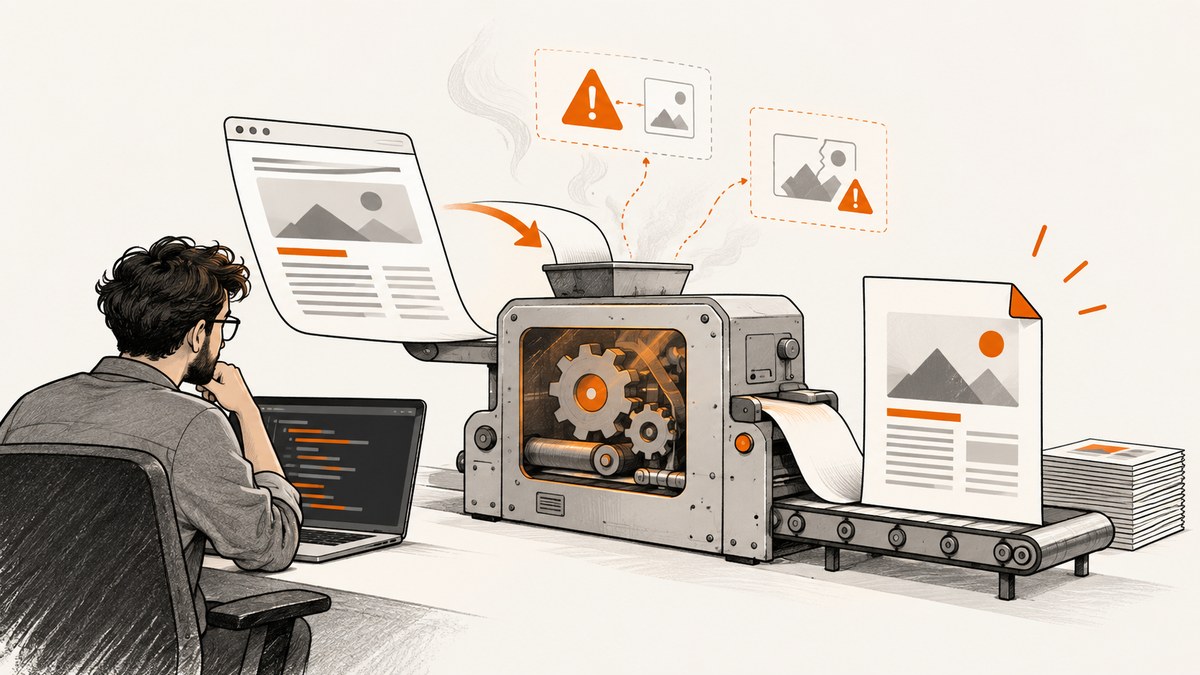
Short answer: a 406 is an HTTP content-negotiation response, while an empty PDF usually means that wkhtmltopdf could not load the page, one or more required assets, or local files. Start by capturing verbose renderer output, identify the exact URL that returned 406, inspect CSS and image requests separately, verify local-file permissions, and record the exact wkhtmltopdf binary and version. Then reproduce pdfkit’s generated command outside Python.
pdfkit is a Python wrapper around the wkhtmltopdf executable. The wrapper does not render HTML itself. That distinction matters: changing Python code cannot repair a blocked stylesheet, an unauthenticated image request, a local-file access restriction, or a renderer build with different capabilities. The pdfkit README recommends verbose output and direct command reproduction when output is unexpected.
1. Capture a reproducible failure first
Do not begin by guessing an Accept header or disabling SSL checks. Preserve the input, command, stderr, and environment so every change can be compared.
- Record whether the input is a URL, a local file, or an HTML string.
- Save the requested URL, redirects, response status, and every failed asset URL shown by wkhtmltopdf.
- Record the operating system,
pdfkitversion,wkhtmltopdf --version, and the resolved executable path. - Run the same input in a browser or HTTP client, then compare the renderer request with the successful request.
import pdfkit

url = "https://example.com/invoice/123"
options = {
    "enable-local-file-access": None,
}

pdf = pdfkit.from_url(url, False, options=options, verbose=True)
with open("invoice.pdf", "wb") as output:
    output.write(pdf)
When you need to inspect the exact command, construct a PDFKit object. Its command() method exposes the executable and arguments that pdfkit assembled.
import pdfkit

config = pdfkit.configuration(wkhtmltopdf="/usr/local/bin/wkhtmltopdf")
job = pdfkit.PDFKit(
    "https://example.com/invoice/123",
    "url",
    options={"enable-local-file-access": None},
    configuration=config,
    verbose=True,
)
print(" ".join(job.command()))
job.to_pdf("invoice.pdf")
Copy the printed command into a shell and run it directly. If it fails identically, the evidence points toward the source page, network access, renderer, or deployment environment rather than only the Python wrapper. The project also documents from_url, from_file, from_string, binary configuration, and command-line debugging in its README.
2. Understand what a 406 means
HTTP 406 means that the requested resource cannot provide a representation acceptable under the request’s Accept headers. The HTTP/1.1 status-code specification hosted by the W3C defines it this way. A 406 does not tell you whether the main document, a stylesheet, an image, a redirect target, a proxy, or another intermediary generated the response.
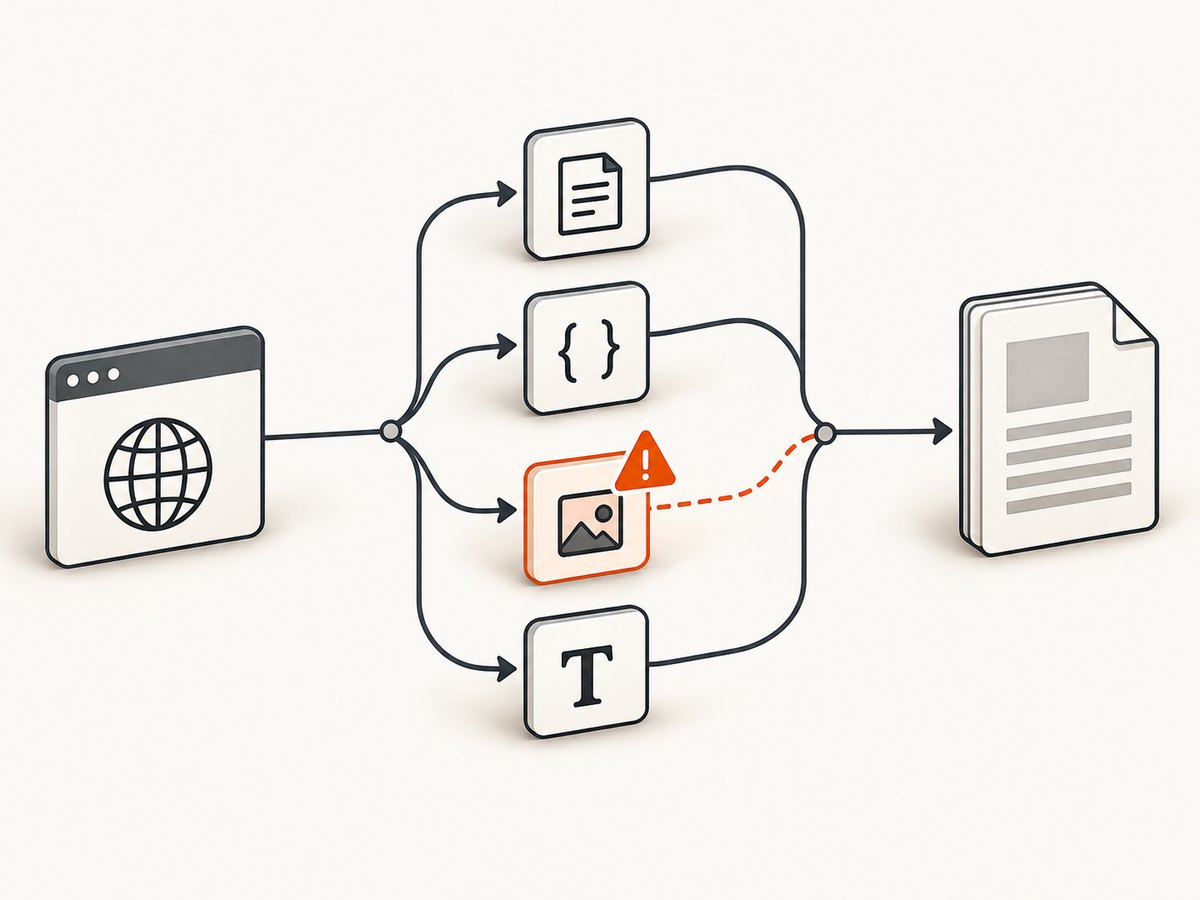
Find the exact request returning 406 before changing headers. A page can return 200 while its CSS or image returns 406, leaving wkhtmltopdf with little or no visible content.
import requests

url = "https://example.com/invoice/123"
r = requests.get(url, allow_redirects=True, timeout=30)
print(r.status_code, r.url)
print(r.headers.get("content-type"))
print(r.headers.get("location"))
Compare that request with the renderer’s request. If the endpoint requires a particular representation, authentication, or tenant header, add only the values documented by that service. pdfkit accepts repeatable custom headers and cookies:
import pdfkit

options = {
    "custom-header": [
        ("Accept", "text/html,application/xhtml+xml"),
        ("X-Tenant", "billing"),
    ],
    "cookie": [
        ("session", "REDACTED_SESSION_VALUE"),
    ],
    "custom-header-propagation": None,
}

pdfkit.from_url(
    "https://example.com/invoice/123",
    "invoice.pdf",
    options=options,
    verbose=True,
)
Header propagation can affect subresource requests. Verify the deployed wkhtmltopdf build’s supported flags with wkhtmltopdf --extended-help; option behavior can differ between packages.
3. Diagnose empty and incomplete PDFs
Remote assets
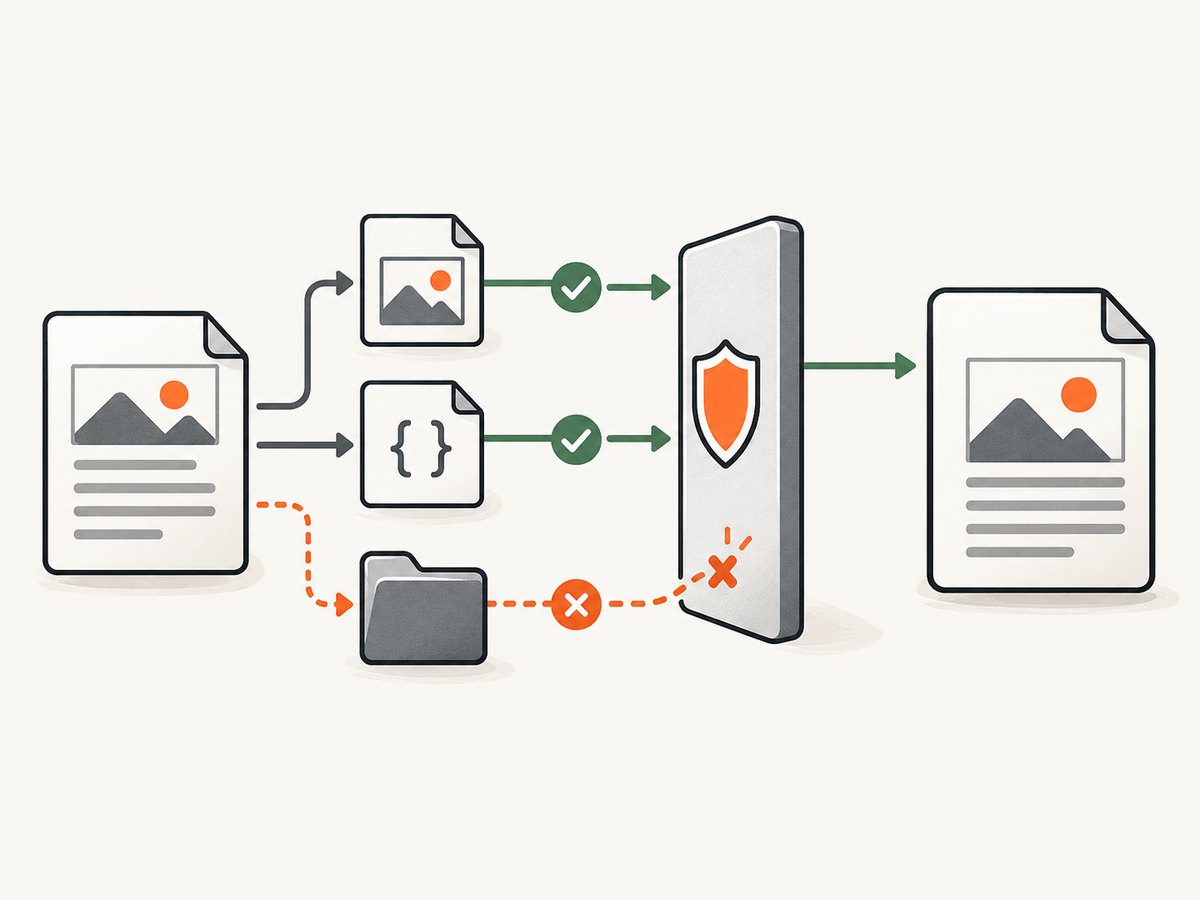
Inspect every referenced stylesheet, font, image, script, and iframe. A browser may supply cookies, redirects, a user agent, or JavaScript behavior that wkhtmltopdf does not. Test an asset URL directly with the same authentication and headers used by the renderer.
import requests
from bs4 import BeautifulSoup
from urllib.parse import urljoin

page_url = "https://example.com/invoice/123"
html = requests.get(page_url, timeout=30).text
soup = BeautifulSoup(html, "html.parser")

urls = []
for tag, attr in (("link", "href"), ("img", "src"), ("script", "src")):
    urls.extend(urljoin(page_url, node[attr]) for node in soup.find_all(tag) if node.get(attr))

for asset in urls:
    response = requests.get(asset, timeout=30, allow_redirects=True)
    print(response.status_code, response.headers.get("content-type"), asset)
This is an inspection aid, not a guarantee that requests will match wkhtmltopdf exactly. Use the renderer’s stderr as the authoritative list of failures for that run.
Local files and permissions
For HTML that references local CSS, images, or fonts, verify that every path exists from the renderer’s working context. wkhtmltopdf documents local-file access controls and an allow-list option in its usage reference. Depending on the build, local access may be restricted unless explicitly enabled.
from pathlib import Path
import pdfkit

root = Path("/srv/invoices/123").resolve()
html = (root / "index.html").resolve()
assert html.exists()

options = {
    "enable-local-file-access": None,
    "allow": str(root),
}
pdfkit.from_file(str(html), "invoice.pdf", options=options, verbose=True)
Use absolute, normalized paths and check the operating-system account running the service. A Windows 10 issue report for wkhtmltopdf 0.12.6 described blocked local image access and an about:blank ProtocolUnknownError; conversion worked after local image references were removed. Treat that report as a clue for similar logs, not as proof of a universal cause.
Load-error handling
The renderer provides --load-error-handling for page failures and --load-media-error-handling for failed media. These settings can help characterize or tolerate a failure, but ignoring an error can also produce a PDF with missing content.
options = {
    "load-error-handling": "abort",
    "load-media-error-handling": "abort",
    "javascript-delay": 1000,
}
pdfkit.from_url("https://example.com/report", "report.pdf", options=options, verbose=True)
Use skip only when missing media is acceptable and you have verified the resulting document. A delay is useful for a page that renders after JavaScript, but it does not fix a blocked request.
4. Compare inputs and environments one axis at a time
| Axis | What to compare | What it can reveal |
|---|---|---|
| Input type | from_url, from_file, from_string |
Network, path, or HTML parsing differences |
| Assets | Remote versus local CSS, images, fonts | Authentication, redirects, or file-access failures |
| Request identity | Browser/client versus wkhtmltopdf | Cookies, headers, proxy, or user-agent differences |
| Execution | Shell command versus pdfkit | Wrapper configuration or executable mismatch |
| Build | OS package, binary path, exact version | Feature and patched-Qt differences |
Keep verbose stderr for every run and change one variable at a time. Check the executable selected by the Python process:
import shutil
import subprocess
import pdfkit

print(shutil.which("wkhtmltopdf"))
print(subprocess.run(["wkhtmltopdf", "--version"], text=True, capture_output=True).stdout)
print(pdfkit.configuration().wkhtmltopdf)
The pdfkit repository is marked deprecated and warns that some Debian and Ubuntu packages lack patched-Qt functionality, including headers, footers, outlines, and tables of contents. That can explain an option discrepancy, but the cited material does not establish that replacing a build fixes every 406 or blank PDF.
5. Common errors and precise fixes
| Symptom | Likely location | Next action |
|---|---|---|
| 406 on the main URL | Origin, proxy, or negotiation rule | Capture headers, redirects, and the exact Accept requirements; compare with a successful client request. |
| Page is 200 but PDF is blank | CSS, images, fonts, JavaScript, or iframe | Inspect stderr and request each asset independently. |
Blocked access to file |
Local-file policy or permissions | Use absolute paths, verify service-account permissions, and check --allow and local-file settings. |
| Works in browser, fails in service | Binary, environment, proxy, or certificate | Print the resolved binary and version; run the generated command as the service user. |
| Images missing but text exists | Media request or media-load handling | Check image status, cookies, redirects, and load-media-error-handling. |
| HTTPS route fails behind nginx | Redirect, proxy, certificate, or route policy | Inspect proxy logs and the complete redirect chain. An issue report describes a 403 in one wkhtmltopdf 0.12.6 patched-Qt/Ubuntu Focal setup; it is unresolved evidence, not a general diagnosis. |
6. Make the Python job reliable
- Set explicit timeouts around any preflight HTTP checks and bound renderer runtime at the process level.
- Write output to a temporary file, verify that it is non-empty, then atomically rename it.
- Log the URL, input mode, binary path, version, options, stderr, and output byte count.
- Retry only transient network failures. Do not blindly retry deterministic 406 responses.
- Keep secrets out of logs when using cookies or authorization headers.
- Pin the renderer build in deployment and compare it during upgrades.
from pathlib import Path
import os
import tempfile
import pdfkit

output = Path("invoice.pdf")
options = {"load-error-handling": "abort", "load-media-error-handling": "abort"}

with tempfile.NamedTemporaryFile(suffix=".pdf", delete=False) as tmp:
    temporary_path = Path(tmp.name)

try:
    pdfkit.from_url("https://example.com/invoice/123", str(temporary_path), options=options, verbose=True)
    if temporary_path.stat().st_size == 0:
        raise RuntimeError("renderer produced an empty PDF")
    os.replace(temporary_path, output)
finally:
    temporary_path.unlink(missing_ok=True)
7. Performance, reliability, and cost considerations
Rendering time is dominated by page load, JavaScript, network assets, and the renderer process. Reusing a long-lived Python worker can reduce process startup overhead, but isolate jobs if a renderer crash could affect unrelated requests. Preflight checks add a request but make failures easier to classify.
For predictable output, serve assets from stable URLs or package them as local files with explicit access rules. Avoid treating a larger JavaScript delay as a universal fix; it increases latency and still cannot load an inaccessible asset. When a page is authenticated, pass the minimum cookies or headers required and rotate them according to your application’s session policy.
8. cURL and Node.js diagnostics
Use cURL to inspect negotiation and redirects without involving pdfkit:
curl -i -L \
  -H 'Accept: text/html,application/xhtml+xml' \
  'https://example.com/invoice/123'
The equivalent Node.js check is:
const res = await fetch('https://example.com/invoice/123', {
  redirect: 'follow',
  headers: { Accept: 'text/html,application/xhtml+xml' }
});
console.log(res.status, res.url, res.headers.get('content-type'));
9. Or skip the browser setup
When your goal is a clean screenshot or PDF endpoint rather than maintaining a browser-rendering stack, ScreenshotNeo provides a GET API. See the ScreenshotNeo API documentation for the complete option set.
curl -G "https://api.screenshotneo.com/v1/shot" -d access_key=YOUR_API_KEY --data-urlencode url=https://stripe.com -o shot.webpimport requests
r = requests.get("https://api.screenshotneo.com/v1/shot", params={"access_key": "YOUR_API_KEY", "url": "https://stripe.com"}, timeout=90)
open("shot.webp", "wb").write(r.content)const q = new URLSearchParams({ access_key: 'YOUR_API_KEY', url: 'https://stripe.com' });
const res = await fetch(`https://api.screenshotneo.com/v1/shot?${q}`);ScreenshotNeo accepts cookie and consent banners before capture and removes more than 60 known consent platforms, newsletter popups, and chat widgets; each step can be disabled. Bot checks, blank pages, timeouts, failed loads, and cache hits are not billed, and the response identifies the page verdict and billing result with X-Page-Verdict and X-Billed headers. It also offers an MCP server with take_screenshot, get_page_info, and capture_pdf tools for AI agents.
Features include full-page capture with lazy images, CSS-selector element capture, dark mode, device presets, custom viewports, retina scale, PDF paper and margin controls, custom CSS and JavaScript, click and wait actions, request blocking, headers, cookies, user agents, authorization, timezone, geolocation, transparent backgrounds, resizing, TTL caching, signed links, asynchronous webhooks, bulk capture, usage reporting, and an OpenAPI specification. The free plan includes 1,000 screenshots per month with no card; paid plans start at $5 for 3,000.
Create a free ScreenshotNeo account and start with 1,000 screenshots a month at no charge.
10. FAQ
Does a 406 always come from the page URL?
No. A stylesheet, image, redirect target, proxy, or other intermediary can return it. Identify the failing request in renderer output.
Should I force Accept: */*?
Only when the endpoint documents that behavior and you have verified the result. A guessed header can hide the real negotiation or authentication problem.
Will enable-local-file-access fix every empty PDF?
No. It applies to local resources. Remote assets can still fail because of status codes, cookies, redirects, proxy access, or renderer limitations.
Why does the shell command work while Python fails?
The Python process may resolve a different binary, working directory, environment, or option spelling. Print PDFKit.command() and the configured executable path.
Is wkhtmltopdf still actively maintained?
The pdfkit repository marks the wrapper deprecated. Record the renderer build and validate supported options in your own deployment before relying on package defaults.


