How to Fix Black Mapbox Screenshots With html2canvas
Fix black Mapbox captures by separating WebGL export, map readiness, html2canvas limits, cross-origin assets, and browser canvas constraints.
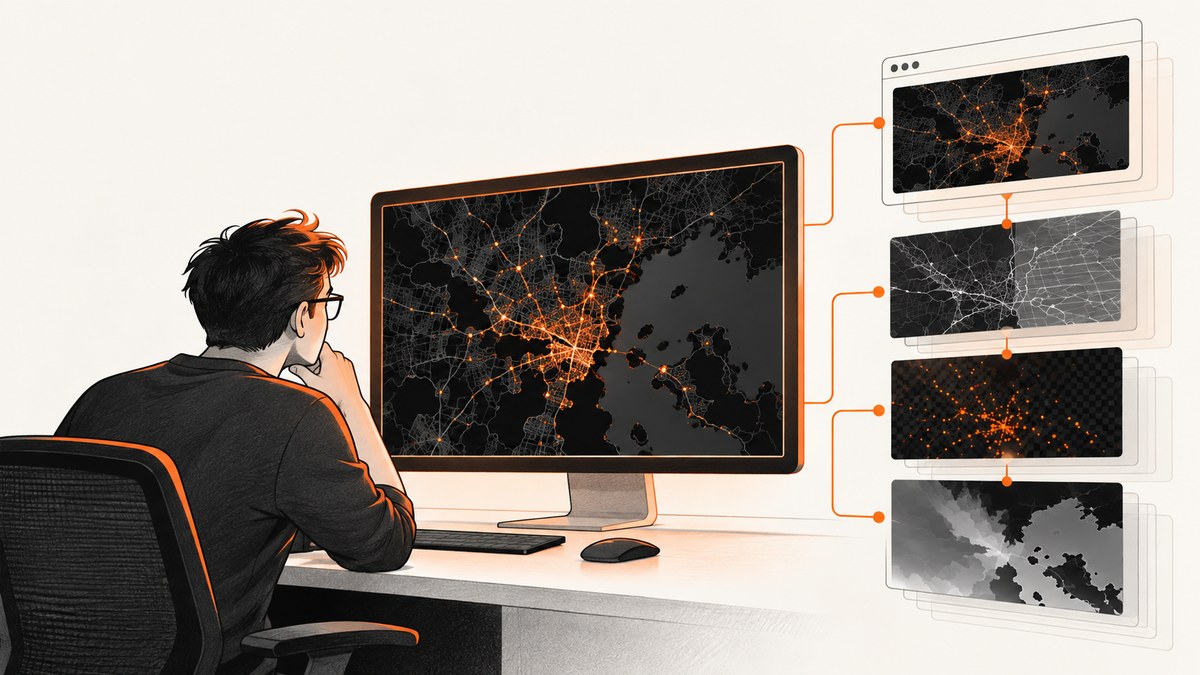
A black Mapbox screenshot usually has more than one possible cause. The fastest way to isolate it is to test the Mapbox WebGL canvas directly, verify that the map has finished rendering, and only then investigate html2canvas. When you construct the map, set preserveDrawingBuffer: true if you need to export the WebGL canvas with map.getCanvas().toDataURL(). Mapbox GL JS defaults this option to false for performance.
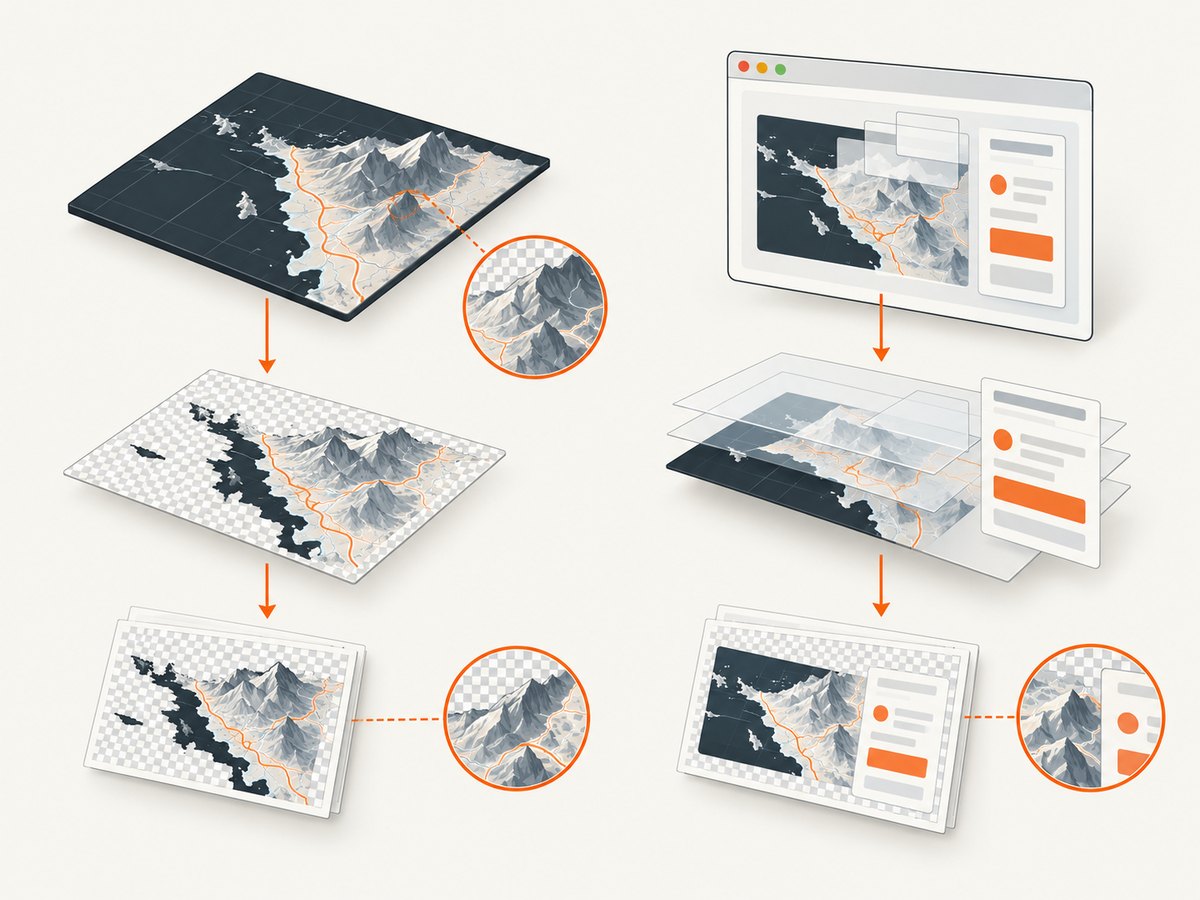
That setting is not a universal fix for html2canvas. html2canvas rebuilds an image from DOM information; it does not capture the browser’s actual screen pixels. A direct Mapbox export can work while an html2canvas result remains black or incomplete. Cross-origin resources, map readiness, browser canvas limits, and WebGL runtime differences must be checked separately.
Use this diagnostic order
- Open the page normally and confirm that the map renders correctly.
- Construct Mapbox with
preserveDrawingBuffer: truewhen you intend to export its canvas. - Wait until the map is ready and tile activity has settled.
- Export
map.getCanvas()directly and inspect the PNG. - Run html2canvas separately. If direct export works but html2canvas is black, debug the DOM reconstruction path.
- Check cross-origin images and canvases, output dimensions, browser, graphics device, and WebGL support.
Mapbox documents that preserveDrawingBuffer: true allows the map canvas to be exported with map.getCanvas().toDataURL(), and that the default is false as a performance optimization. See the Mapbox GL JS Map options. html2canvas describes its result as a DOM-based reconstruction rather than an actual screenshot in its documentation.
1. Construct the Mapbox map for export
Set the option when the map is created. Changing it after construction will not retroactively make an existing WebGL context exportable.
import mapboxgl from 'mapbox-gl';

mapboxgl.accessToken = 'YOUR_MAPBOX_ACCESS_TOKEN';

const map = new mapboxgl.Map({
  container: 'map',
  style: 'mapbox://styles/mapbox/streets-v12',
  center: [-74.006, 40.7128],
  zoom: 10,
  preserveDrawingBuffer: true
});
The option keeps the drawing buffer available after WebGL presents a frame. It can reduce rendering performance, which is why Mapbox leaves it disabled by default. Enable it on the map instance used for export rather than assuming every map needs it.
2. Wait for a rendered map before capturing
A capture that starts while the style, fonts, sprites, or tiles are still loading can contain an empty or partially rendered map. The load event tells you that the initial style load completed. The idle event is a useful diagnostic readiness signal after the map has no ongoing transitions or requests, but it is not a universal guarantee for every application or custom source.
function onceIdle(map) {
  return new Promise((resolve) => {
    if (map.loaded() && map.isStyleLoaded()) {
      resolve();
      return;
    }
    map.once('idle', resolve);
  });
}

await onceIdle(map);

// Give layout and a final browser paint a chance to complete.
await new Promise(requestAnimationFrame);
await new Promise(requestAnimationFrame);
If your page changes the camera, adds a source, or toggles layers immediately before capture, perform those operations first and wait again. For animated maps, stop the animation or capture at a known frame. Record the browser and Mapbox GL JS versions while diagnosing because WebGL behavior can vary by runtime and graphics device.
3. Test direct WebGL export before html2canvas
This test answers a narrow question: can the Mapbox canvas itself be read? It does not test html2canvas.
await onceIdle(map);

const canvas = map.getCanvas();
const pngDataUrl = canvas.toDataURL('image/png');

const link = document.createElement('a');
link.href = pngDataUrl;
link.download = 'mapbox-direct.png';
link.click();
Interpret the result:
- Direct export is a valid map image: Mapbox rendering and WebGL readback work. Focus on html2canvas’s reconstruction, excluded elements, CSS, or other page content.
- Direct export is black or empty: Check
preserveDrawingBuffer, readiness, WebGL support, style and tile errors, and cross-origin content. - Direct export throws a security error: A cross-origin resource may have tainted the canvas. See the cross-origin section below.
4. Capture the page with html2canvas
Once direct export is healthy, try html2canvas with explicit options. The library reads DOM styles and supported elements and paints its own canvas. It does not copy the browser’s composited pixels, so CSS effects, WebGL surfaces, cross-origin images, pseudo-elements, filters, and unsupported features can differ from what you see on screen.
import html2canvas from 'html2canvas';

await onceIdle(map);

const target = document.querySelector('#map-page');
if (!target) throw new Error('Capture target #map-page was not found');

const rendered = await html2canvas(target, {
  backgroundColor: '#ffffff',
  useCORS: true,
  allowTaint: false,
  logging: true,
  scale: window.devicePixelRatio,
  imageTimeout: 15000,
  width: target.scrollWidth,
  height: target.scrollHeight,
  windowWidth: target.scrollWidth,
  windowHeight: target.scrollHeight,
  onclone: (clonedDocument) => {
    const clonedMap = clonedDocument.querySelector('#map');
    if (clonedMap) clonedMap.style.visibility = 'visible';
  }
});

document.body.appendChild(rendered);
useCORS asks the browser to request images with CORS mode; it cannot grant permission when the image server does not send an appropriate Access-Control-Allow-Origin header. Keep allowTaint: false while debugging so a tainted image fails clearly instead of producing unreadable output. Use onclone to adjust the cloned document without changing the live page.
Capture only the map or the surrounding page
Capturing the Mapbox canvas element is a different operation from capturing a wrapper containing controls, legends, and other DOM. Start with the smallest target that reproduces the problem:
const mapOnly = await html2canvas(document.querySelector('#map'), {
  useCORS: true,
  backgroundColor: null,
  scale: 1
});

const pageWithControls = await html2canvas(document.querySelector('#map-page'), {
  useCORS: true,
  backgroundColor: '#fff',
  scale: 1
});
If the map-only result is correct but the wrapper is black, inspect an overlay, CSS stacking context, transform, filter, or another canvas in the wrapper. If both are black while direct export works, the runtime may not expose the WebGL surface through html2canvas’s rendering path.
5. Cross-origin images and tainted canvases
Map tiles, sprites, markers, raster sources, and custom images can come from different origins. Browser security rules prevent JavaScript from reading pixel data from a canvas that contains resources without suitable CORS permission. html2canvas documents cross-origin restrictions as a reason images may be missing or a canvas may not be readable.
- Inspect the browser Network panel for tile, sprite, glyph, and marker requests.
- Check response headers for
Access-Control-Allow-Originwhere your application needs pixel readback. - Use same-origin proxying for resources you control when permitted by your architecture.
- Set
useCORS: trueonly when the server is configured for CORS; the option alone cannot fix a server policy. - Remove custom images one at a time to find the resource that taints the canvas.
Do not treat a successful visual display as proof that pixel export is allowed. The browser can display an image while still refusing to expose its pixels to JavaScript.
6. Check canvas dimensions and scale
html2canvas creates a new canvas. A large scale, full-page dimensions, or a high device pixel ratio can push that canvas beyond the browser or graphics platform’s supported width, height, or total area. The result can be blank, cropped, or partially painted. Limits vary by browser, operating system, GPU, and available memory.
Reduce variables during diagnosis:
const diagnosticCanvas = await html2canvas(target, {
  scale: 1,
  width: Math.min(target.clientWidth, 3000),
  height: Math.min(target.clientHeight, 3000),
  windowWidth: target.clientWidth,
  windowHeight: target.clientHeight
});
Then increase one dimension or the scale at a time. For long pages, capture sections and stitch them in a server-side image workflow, or export the map and page content separately. Avoid assuming that a desktop screenshot size will work on every browser or device.
7. Verify WebGL and Mapbox errors
Mapbox GL JS renders maps with WebGL and the current product documentation requires WebGL2. A page can load while WebGL is unavailable, disabled, or running with a failing graphics driver.
const gl2 = document.createElement('canvas').getContext('webgl2');
console.log('WebGL2 available:', Boolean(gl2));

map.on('error', (event) => {
  console.error('Mapbox error:', event.error);
});

map.on('styledata', () => console.log('style data received'));
map.on('sourcedata', (event) => {
  if (event.isSourceLoaded) console.log('source loaded:', event.sourceId);
});
Use the browser’s WebGL diagnostics and test another browser or machine to separate application bugs from a graphics runtime problem. Capture the console and Network panel output along with the black image so the failure is reproducible.
Common errors and fixes
| Symptom | Likely cause | Fix |
|---|---|---|
Direct toDataURL() is black |
preserveDrawingBuffer was omitted or the capture ran before rendering. |
Create the map with preserveDrawingBuffer: true; wait for readiness and test again. |
| Direct export works; html2canvas is black | html2canvas cannot reproduce the WebGL surface or related DOM state. | Capture the canvas alone, then the wrapper; inspect html2canvas limitations and browser differences. |
| Blank or partial image at large size | Canvas width, height, area, scale, or memory limit. | Use scale: 1, smaller dimensions, or sectioned captures. |
SecurityError from toDataURL |
A cross-origin image or canvas tainted the bitmap. | Configure CORS, proxy permitted assets, or remove the offending resource. |
| Tiles missing but controls appear | Capture happened during tile loading or a source failed. | Wait for a settled map, inspect map.on('error'), and verify tile responses. |
| Map is black only in headless Chrome | Different WebGL/GPU behavior, flags, viewport, or timing. | Compare headed and headless runs, log browser versions, wait for idle, and test a software or compatible WebGL runtime. |
| Only a transformed or hidden map fails | CSS transform, visibility, clipping, or stacking context in the cloned DOM. | Use a minimal target and adjust the clone with onclone. |
8. A repeatable debugging checklist
- Record Mapbox GL JS, html2canvas, browser, operating system, viewport, and device pixel ratio.
- Save a normal browser screenshot for comparison.
- Confirm WebGL2 is available.
- Listen for Mapbox
error,styledata, and source events. - Construct a fresh map with
preserveDrawingBuffer: true. - Wait for
idleafter camera, style, and source changes. - Export
map.getCanvas().toDataURL(). - Capture the canvas alone with html2canvas.
- Capture the wrapper with html2canvas.
- Retry at scale 1 and smaller dimensions.
- Inspect CORS headers and remove custom images incrementally.
- Repeat in another browser or graphics environment.
9. Performance, reliability, and cost considerations
preserveDrawingBuffer: true can cost rendering performance. Use it only on map instances that need export, and avoid capturing on every animation frame. Wait for one settled state, capture once, and release large image data when finished.
html2canvas is CPU and memory intensive because it reconstructs a DOM tree and paints a new bitmap. Full-page captures multiply that work. Keep the target small, choose a deliberate scale, and avoid simultaneous captures. For automated jobs, set explicit timeouts, collect console and network logs, and retry only transient page-load failures.
Reliability depends on the page and runtime: map style availability, tile responses, fonts, browser WebGL support, CORS policy, and output dimensions all matter. There is no single preserveDrawingBuffer setting that guarantees every html2canvas capture.
Or skip the browser setup
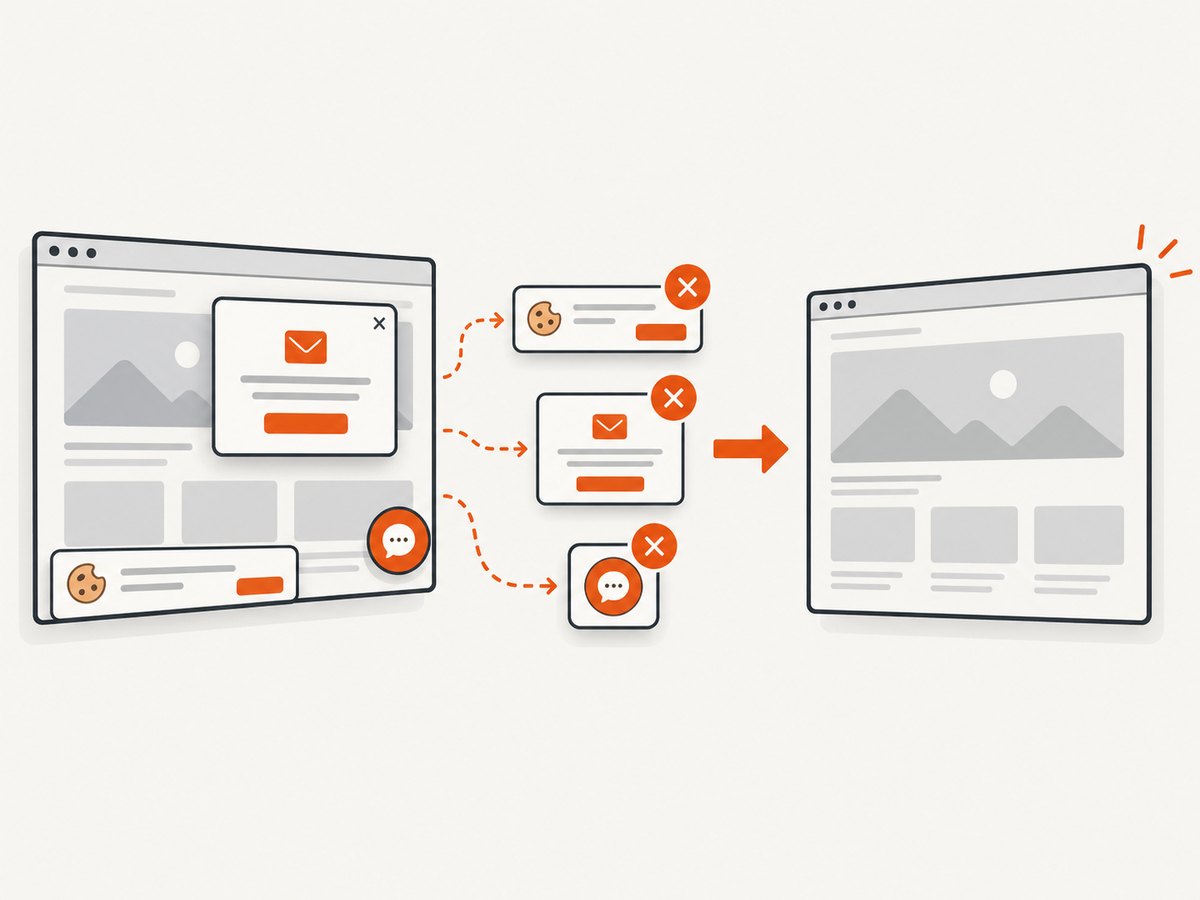
If you need a clean screenshot from a URL rather than a browser debugging project, ScreenshotNeo provides a website screenshot API and MCP server. Its capture pipeline accepts cookie and consent banners and removes more than 60 known consent platforms, newsletter popups, and chat widgets before the shot. Bot checks, blank pages, timeouts, failed loads, and cache hits are not billed, and response headers identify the page verdict and whether it was billed.
See the ScreenshotNeo API documentation for the complete option set. A basic request is:
curl -G "https://api.screenshotneo.com/v1/shot" -d access_key=YOUR_API_KEY --data-urlencode url=https://stripe.com -o shot.webpimport requests
r = requests.get(
"https://api.screenshotneo.com/v1/shot",
params={"access_key": "YOUR_API_KEY", "url": "https://stripe.com"},
timeout=90,
)
r.raise_for_status()
open("shot.webp", "wb").write(r.content)const q = new URLSearchParams({
access_key: 'YOUR_API_KEY',
url: 'https://stripe.com'
});
const res = await fetch(`https://api.screenshotneo.com/v1/shot?${q}`);
if (!res.ok) throw new Error(`Screenshot failed: ${res.status}`);
const bytes = new Uint8Array(await res.arrayBuffer());
await Bun.write('shot.webp', bytes);ScreenshotNeo supports PNG, JPEG, WebP, and PDF output, full-page capture with lazy images loaded, CSS-selector element capture, dark mode, device presets or custom viewports, retina scale, custom CSS and JavaScript, click and wait conditions, request and resource blocking, headers, cookies, user agents, Authorization, timezone, geolocation, transparent backgrounds, resizing, cache TTLs, signed links, asynchronous jobs with signed webhooks, bulk capture of up to 100 URLs per call, a usage API, and an OpenAPI specification. It also provides an MCP server with take_screenshot, get_page_info, and capture_pdf tools for Claude, Cursor, and other MCP clients.
There is a free plan with 1,000 screenshots per month and no card. Paid plans start at $5 for 3,000 shots; every feature is available on every plan. Create a free ScreenshotNeo account and try the API without adding a card.
FAQ
Does preserveDrawingBuffer: true fix every black html2canvas image?
No. It enables Mapbox’s documented direct canvas export path. html2canvas uses DOM reconstruction, so its result can still differ because of WebGL handling, CORS, CSS, timing, or canvas limits.
Should I use the load or idle event?
Use load for initial style readiness and consider idle after camera, source, or layer changes. Treat idle as a practical diagnostic signal, not a universal guarantee.
Why does the map display normally but fail when exported?
Displaying pixels does not grant JavaScript permission to read them. A cross-origin resource can taint a canvas, and WebGL drawing buffers may not be preserved for later readback.
Can I solve this by increasing html2canvas’s scale?
Increasing scale improves nominal resolution but also increases memory and canvas dimensions. Start at scale 1, confirm correctness, and increase gradually.
When is a URL screenshot API a better fit?
Use one when you need repeatable screenshots of pages and do not want to maintain browser, WebGL, timing, popup, and cookie-banner handling. ScreenshotNeo is an option when clean shots and usage-based billing matter.


