How to Fix Blank Images in IMGKit
Diagnose blank IMGKit output and missing embedded images with practical checks for wkhtmltoimage, paths, Xvfb, and HTML resources.
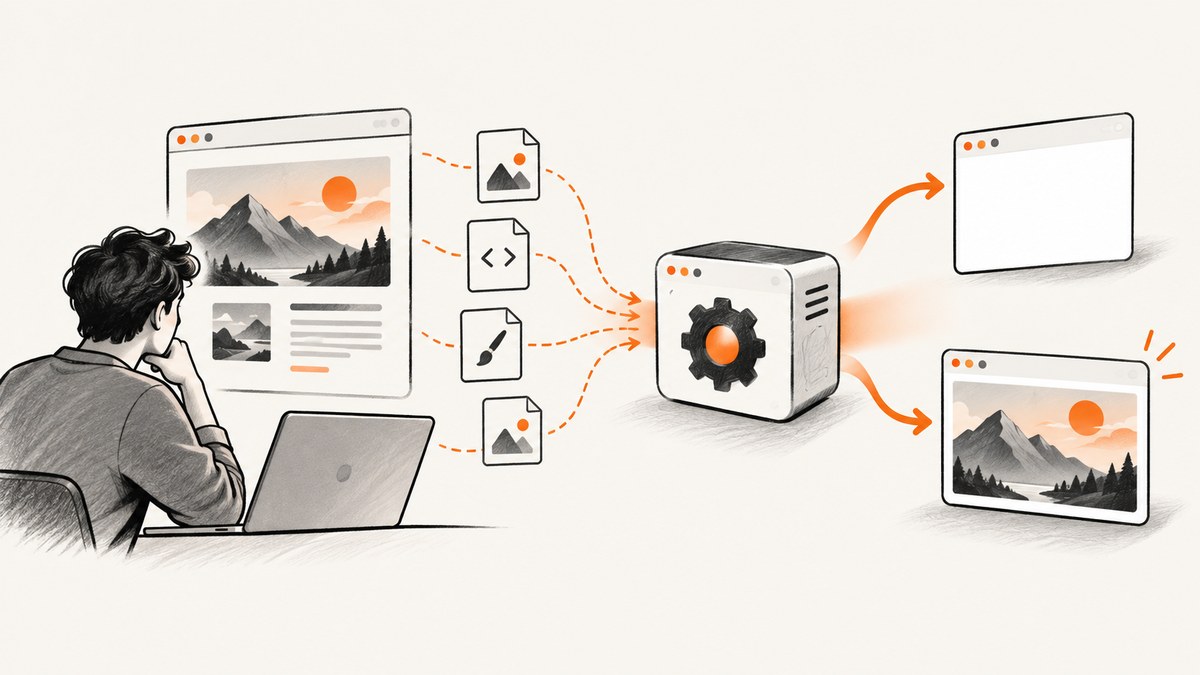
When IMGKit produces a blank image, first determine which failure you have:
- The entire output is blank: the renderer did not load or paint the document.
- The page renders but embedded images are missing: the HTML loaded, but one or more image resources did not.
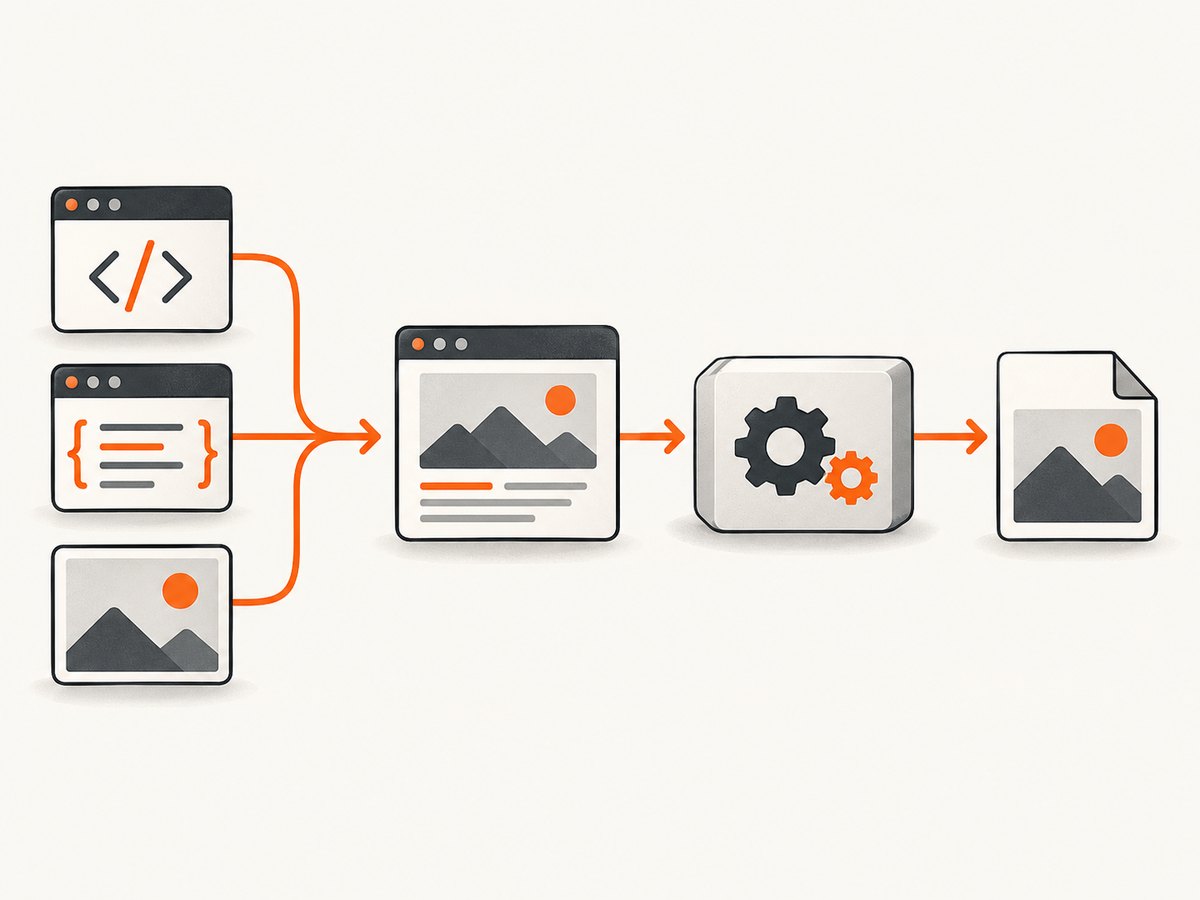
IMGKit is a wrapper around wkhtmltoimage. The reliable fix is to inspect that executable, run its failing command directly, then verify the HTML and every asset from the renderer’s point of view. Python IMGKit can render a URL, file, or HTML string and lets you configure the renderer path; the Ruby IMGKit gem has its own API and configuration. Do not assume that a fix for one package applies to the other.
1. Identify the package and symptom
“IMGKit” commonly means the Python package or the Ruby gem. Confirm the language, package version, operating system, wkhtmltoimage version, input type, and whether text appears in the output. A useful bug report includes all of those details plus the complete stderr output.
| Symptom | Most useful first check |
|---|---|
| Completely white or transparent image | Run wkhtmltoimage directly and check the executable path and display environment. |
Text and layout render, but <img> is empty |
Resolve each image URL or file path from the process running the renderer. |
| Works locally, fails on a server | Compare PATH, permissions, fonts, network access, and Xvfb availability. |
| Only one page fails | Reduce that HTML to a minimal document and add resources back one at a time. |
2. Verify wkhtmltoimage is installed
Python IMGKit does not render by itself. It starts the wkhtmltoimage executable. Check that the binary exists in the same environment as your application:
wkhtmltoimage --version
which wkhtmltoimage
On Windows, use where wkhtmltoimage. If the command is missing, install a compatible wkhtmltopdf distribution that includes wkhtmltoimage, or provide its absolute path in IMGKit configuration. The Python project’s documentation also allows the configuration to point at xvfb-run when a headless display is required. Keep the exact binary path in deployment configuration instead of relying on a developer workstation’s PATH.
Python: explicit configuration
import imgkit

config = imgkit.config(
    wkhtmltoimage='/usr/local/bin/wkhtmltoimage'
)

imgkit.from_string(
    '<html><body><h1>Hello</h1></body></html>',
    'hello.png',
    config=config
)
Use the real path for your image. If your server requires a virtual display, configure the wrapper according to the installed IMGKit version and test xvfb-run wkhtmltoimage --version separately. Xvfb is conditional: many environments render without it, while some minimal headless servers do not.
Ruby: confirm the binary and configuration
require 'imgkit'

kit = IMGKit.new(
  '<html><body><h1>Hello</h1></body></html>',
  format: :png,
  'quiet' => false
)
File.binwrite('hello.png', kit.to_png)
Set the executable location using the Ruby gem’s documented configuration mechanism when it is not on PATH. Keep diagnostic output enabled while investigating; suppressing stderr makes a blank result much harder to explain.
3. Run the failing renderer command directly
Python IMGKit’s troubleshooting guidance recommends running the command shown in the exception. Copy it exactly into a shell, remove any output-suppression option only if necessary, and preserve both stdout and stderr:
wkhtmltoimage --format png input.html output.png 2>renderer-error.log
cat renderer-error.log
Direct execution separates wrapper errors from renderer errors. Look for “command not found,” permission failures, network errors, unsupported options, display errors, and segmentation faults. Some wkhtmltoimage versions have been reported to fail with segmentation faults. Record the version and the smallest input that reproduces it before changing several variables at once.
4. Test with the smallest possible HTML
Start with visible text and no CSS, JavaScript, or images. Then add one dependency at a time:
from imgkit import from_string

html = '''<!doctype html>
<html><body><p>Renderer probe</p></body></html>'''
from_string(html, 'probe.png')
If this is blank, the problem is below your page’s assets: executable discovery, permissions, display setup, or a renderer crash. If it works, add your stylesheet, then one image, then scripts. This reduction is a diagnostic method rather than a promise that every page feature is supported by your wkhtmltoimage build.
5. Fix missing embedded images
A page can render perfectly while its images remain blank. Check every src and CSS url() reference from the renderer’s filesystem and network namespace.
Use resolvable URLs
A relative path such as images/logo.png needs a meaningful base URL. Rendering an HTML string without a base can leave the renderer unable to locate it. Prefer an absolute HTTPS URL when the server can reach it, or generate a file:// URL with an absolute path for local assets.
from pathlib import Path
import imgkit

asset = Path('/srv/app/assets/logo.png').resolve().as_uri()
html = f'''<html><body>
<img src="{asset}" width="240" alt="Logo">
</body></html>'''

options = {
    'enable-local-file-access': None,
    'quiet': False,
}
imgkit.from_string(html, 'logo.png', options=options)
Only enable local-file access when your application intentionally renders trusted local content. Verify that the account running the service can read the file and every parent directory. A path that works in an interactive shell may fail inside a container, worker, or service account.
Check remote resources
From the same host or container, request the image URL and inspect the status, redirects, certificate, and content type:
curl -I -L https://example.com/assets/photo.jpg
Authentication, private DNS, outbound firewall rules, hotlink protection, and a URL that returns HTML instead of an image can all produce an empty rectangle. If the page requires headers or cookies, provide them through the renderer’s supported options, or use a signed, short-lived asset URL. Do not diagnose a remote resource from your laptop when the renderer runs elsewhere.
Do not rely on slash changes alone
A wkhtmltoimage issue reported a blank rectangle for local images on Windows 10 with version 0.12.6 after several path spellings were tried. That report did not establish a confirmed fix. Treat path syntax as one check among permissions, local-file policy, URL encoding, and renderer version; changing slashes alone is not a guaranteed repair.
6. Headless servers and Xvfb
Some Linux servers have no display. If the renderer reports a display or platform error, run a direct probe under Xvfb:
xvfb-run --auto-servernum wkhtmltoimage --version
xvfb-run --auto-servernum wkhtmltoimage input.html output.png
If that succeeds, configure Python IMGKit to use the documented Xvfb option or invoke your application under the virtual display. If the direct command works without Xvfb, do not add it merely because the server is headless. Extra process layers can obscure the real error.
7. Options that affect a blank result
Change one option at a time and keep a known-good baseline.
| Option or area | Why it matters |
|---|---|
| Executable path | The wrapper may be calling a missing or different binary. |
quiet |
Silencing stderr hides the reason for a failed render. |
| Local-file access | Local images can be blocked unless the build and options permit them. |
| Input type | URL, file, and string inputs resolve relative resources differently. |
| JavaScript and delay | Images inserted after load may need JavaScript enabled and a sufficient delay. |
| Viewport and quality | An image may be outside the viewport or appear transparent against its background. |
| Output format | Confirm the file extension and requested format match what your viewer supports. |
When JavaScript creates the image element, wait for a deterministic condition if your wrapper supports it rather than adding an arbitrary long delay. Also check whether CSS hides the element with display:none, zero dimensions, opacity, or a white image on a transparent background.
8. A repeatable diagnostic checklist
- Write down Python or Ruby, package version, OS, and wkhtmltoimage version.
- Run
wkhtmltoimage --versionand locate the exact executable. - Render plain text from a minimal HTML string.
- Run the failing command directly with stderr preserved.
- Test one local image using an absolute path and verify permissions.
- Test one public image URL from the renderer’s host.
- Check local-file policy, headers, cookies, and JavaScript timing.
- Try Xvfb only when the environment reports a display problem.
- Compare the working minimal case with the failing document and keep the smallest reproduction.
Or skip the browser setup
If your goal is a dependable website screenshot rather than maintaining wkhtmltoimage, ScreenshotNeo provides a GET API that returns PNG, JPEG, WebP, or PDF. It handles the browser environment for you, including full-page captures with lazy images loaded, element selection, custom CSS and JavaScript, waits, device presets, cookies, headers, geolocation, and more. See the ScreenshotNeo API documentation for all options.
curl -G "https://api.screenshotneo.com/v1/shot" -d access_key=YOUR_API_KEY --data-urlencode url=https://stripe.com -o shot.webpimport requests
r = requests.get("https://api.screenshotneo.com/v1/shot", params={"access_key": "YOUR_API_KEY", "url": "https://stripe.com"}, timeout=90)
open("shot.webp", "wb").write(r.content)const q = new URLSearchParams({ access_key: 'YOUR_API_KEY', url: 'https://stripe.com' });
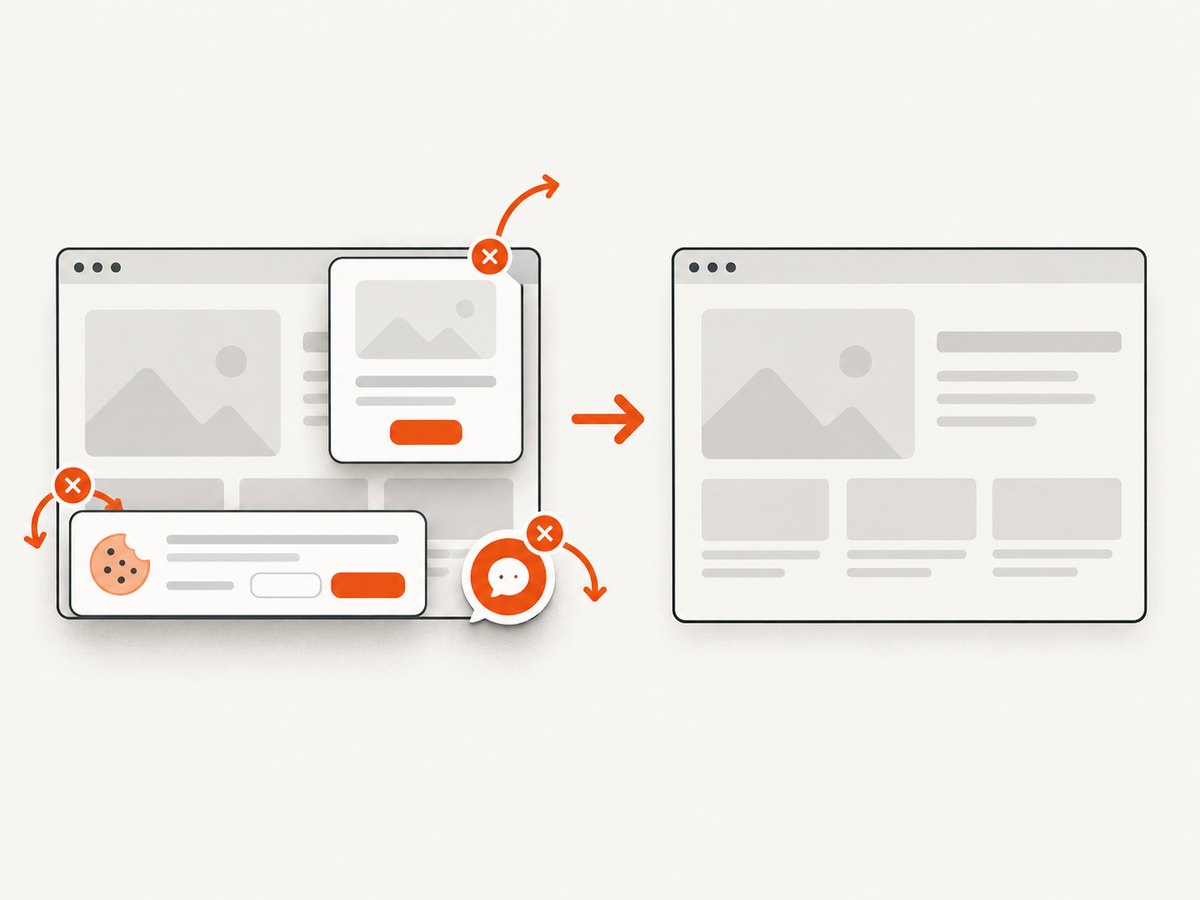
const res = await fetch(`https://api.screenshotneo.com/v1/shot?${q}`);Cookie and consent banners, newsletter popups, and chat widgets are removed before the shot. Bot checks, blank pages, failed loads, timeouts, and cache hits are not billed, and response headers identify the page verdict and billing status. An MCP server provides take_screenshot, get_page_info, and capture_pdf tools for Claude, Cursor, and other MCP clients. The free plan includes 1,000 screenshots each month with no card; paid plans start at $5 for 3,000 shots.
Create a free ScreenshotNeo account and try the API without a card.
Performance, reliability, and cost
For IMGKit, rendering time includes process startup, page loading, JavaScript execution, and image decoding. Reuse a worker where your integration allows it, keep HTML small, avoid unnecessary third-party resources, and set an application timeout longer than the renderer’s normal load time. Cache stable inputs at your application layer, but invalidate the cache when assets or styles change.
Reliability improves when the binary version is pinned, fonts and libraries are installed in the same image as the application, and a health check renders a tiny fixture. Log the input URL, output format, renderer version, duration, exit status, and stderr. Never retry a deterministic malformed HTML input indefinitely; retry transient network failures with a bounded backoff.
IMGKit itself does not provide a universal price or success guarantee. Your operational cost comes from compute, storage, network traffic, and maintenance of the rendering environment. ScreenshotNeo instead bills only clean shots and exposes X-Page-Verdict and X-Billed response headers, which lets an application account for each request.
Troubleshooting common errors
“No wkhtmltoimage executable found”
Cause: the binary is absent or outside PATH. Fix: install it in the runtime image or set the absolute path in IMGKit configuration, then verify with the same service account.
“Exit with code 1” and no useful message
Cause: stderr was suppressed or the wrapper hid the command. Fix: enable diagnostic output, copy the exact command, and run it directly.
“QXcbConnection” or display errors
Cause: a headless process attempted to use a display. Fix: test under Xvfb and configure it only if that resolves the direct command.
Text renders but images do not
Cause: an unresolved relative path, unreadable local file, blocked remote URL, redirect, or incorrect content type. Fix: test one absolute local URI and one reachable remote URL from the renderer environment.
A blank rectangle appears only on Windows
Cause: the reported wkhtmltopdf issue shows that local-image failures can be version and environment specific. Fix: capture the exact Windows and renderer versions, verify permissions and URL encoding, and reduce the document before choosing a workaround.
The renderer crashes or segfaults
Cause: a renderer-version defect, unsupported page feature, or resource combination. Fix: reproduce with minimal HTML, preserve stderr, and compare against a pinned alternative build. Avoid claiming a particular upgrade fixes every crash.
FAQ
Is a blank image always an IMGKit bug?
No. It can be a missing executable, display setup, unreadable local file, blocked network request, or a page that paints content asynchronously.
Should I switch from Python IMGKit to the Ruby gem?
Choose the package that matches your application language. Both delegate to wkhtmltoimage, but their configuration and error surfaces differ.
Why does the same HTML work in a browser?
A desktop browser has different fonts, permissions, JavaScript behavior, network access, and display capabilities. Reproduce from the renderer’s host and account.
Can I fix every local-image issue by changing the path?
No. Confirm the path, permissions, local-file policy, URL encoding, and renderer version together.
When should I use an API instead?
Use a screenshot API when you want a maintained browser environment, predictable handling of consent UI and failed pages, or integration with AI agents through MCP.
For further investigation, consult the Python IMGKit documentation, the Ruby IMGKit documentation, and the archived wkhtmltopdf local-image issue report. These sources explain the wrapper configuration and document the environment-specific nature of some failures.


