How to Fix Blank PDFs from jsPDF and html2canvas in Ionic on Android
Diagnose blank or clipped Ionic Android PDFs by isolating html2canvas, canvas limits, CORS, CSS, and jsPDF integration failures.
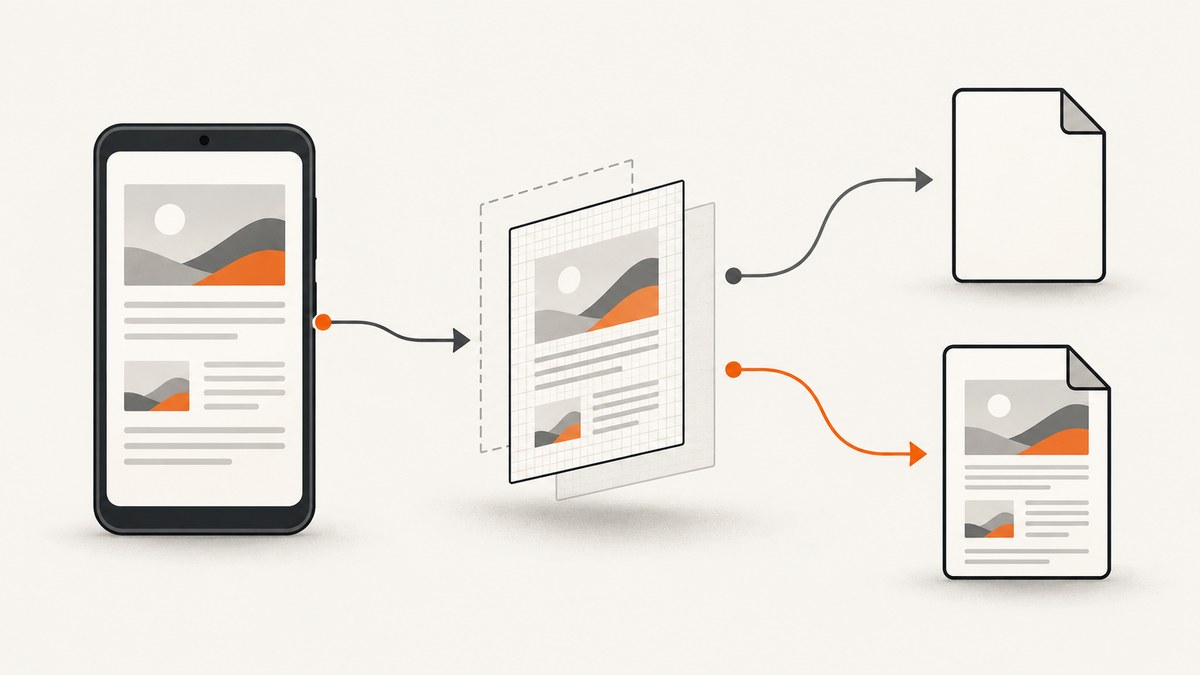
A blank PDF usually means one stage of a two-stage pipeline lost the page: html2canvas failed to render the DOM, or jsPDF failed to place an otherwise valid canvas into the document. Diagnose those stages separately. First capture the target element with html2canvas and inspect the canvas. If the canvas is blank or clipped, fix dimensions, cross-origin assets, CSS, or browser limits. If the canvas is correct but the PDF is blank, test jsPDF and its HTML module imports independently.
There is no universal Android fix. The trigger depends on your Ionic version, Android System WebView, jsPDF and html2canvas versions, document size, CSS, and asset origins. The sequence below gives you a reproducible path to the failing stage.
1. Reproduce the smallest possible capture
Start with a plain element containing text and a local image. Do not begin with your complete form, custom fonts, remote images, transforms, or animations. Confirm that the element exists and has nonzero dimensions at capture time.
npm install html2canvas jspdf
import html2canvas from 'html2canvas';
import { jsPDF } from 'jspdf';

export async function exportElement() {
  const target = document.querySelector('#invoice');
  if (!target) throw new Error('Missing #invoice element');

  // Log the dimensions before capture.
  console.table({
    clientWidth: target.clientWidth,
    clientHeight: target.clientHeight,
    scrollWidth: target.scrollWidth,
    scrollHeight: target.scrollHeight
  });

  const canvas = await html2canvas(target, {
    backgroundColor: '#ffffff',
    windowWidth: target.scrollWidth,
    windowHeight: target.scrollHeight,
    useCORS: true,
    allowTaint: false,
    scale: Math.min(window.devicePixelRatio || 1, 2)
  });

  // Inspect this before involving jsPDF.
  document.body.appendChild(canvas);
  console.log('canvas', canvas.width, canvas.height);

  const pdf = new jsPDF({ orientation: 'p', unit: 'mm', format: 'a4' });
  const pageWidth = pdf.internal.pageSize.getWidth();
  const pageHeight = (canvas.height * pageWidth) / canvas.width;
  pdf.addImage(canvas.toDataURL('image/jpeg', 0.92), 'JPEG', 0, 0, pageWidth, pageHeight);
  pdf.save('invoice.pdf');
}
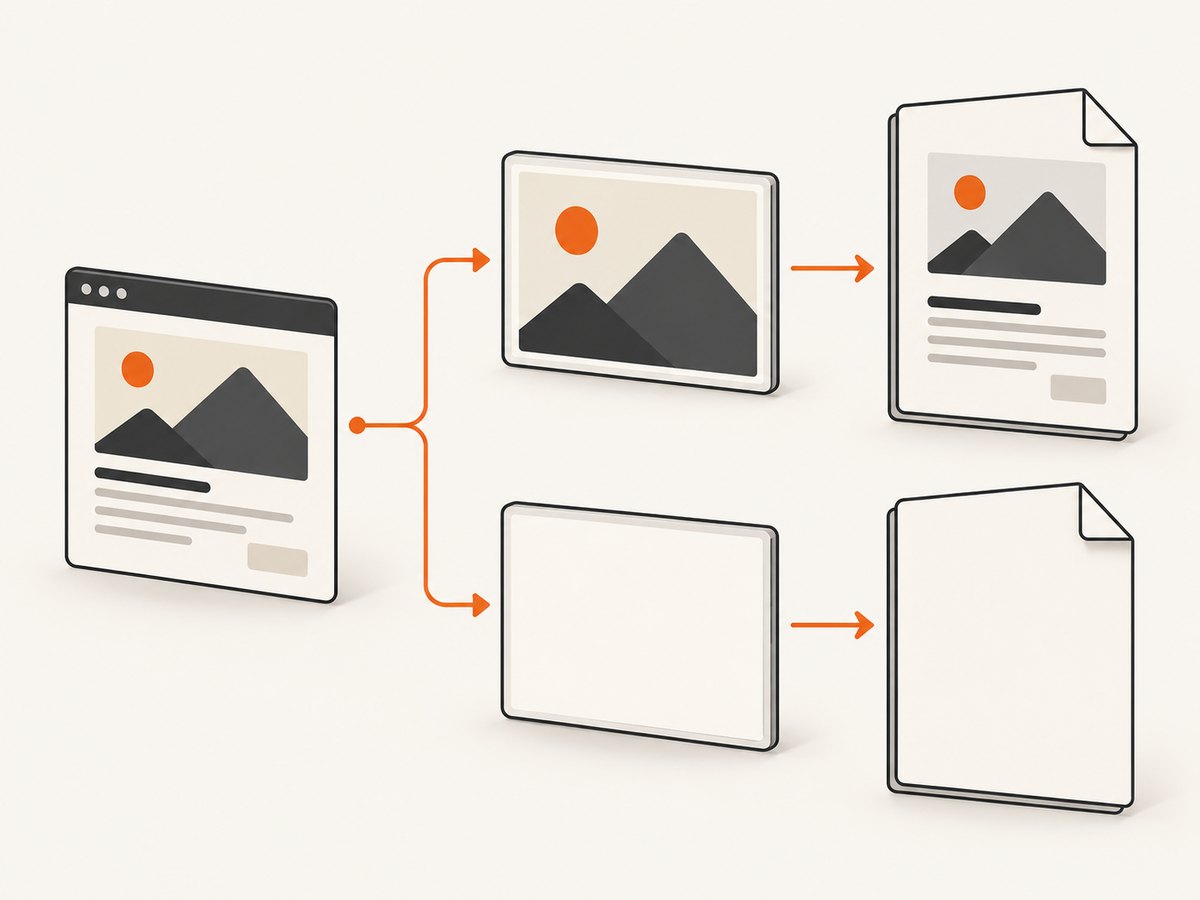
If the appended canvas is blank, stop debugging jsPDF and work on DOM capture. If it contains the page but the PDF is blank, continue with the jsPDF checks in section 5. Remove the temporary canvas after diagnosis.
2. Make full-page Ionic content measurable
A frequent Android symptom is a PDF containing only the visible viewport. An Ionic forum report describes this behavior in an older Ionic v3 setup; it is an anecdotal, version-specific report rather than a rule for current Ionic or Android releases. Compare clientHeight with scrollHeight. A scrollable container may have a small client height while its content is much taller.
const target = document.querySelector('#long-form');
const width = target.scrollWidth;
const height = target.scrollHeight;

const canvas = await html2canvas(target, {
  windowWidth: width,
  windowHeight: height,
  width,
  height,
  scrollX: 0,
  scrollY: 0,
  backgroundColor: '#fff'
});
Capture after Ionic has finished layout, images have loaded, and fonts are ready. In an Angular component this can mean waiting until the view is rendered and then adding a short, measured delay rather than capturing during the first change-detection pass.
await document.fonts?.ready;
await new Promise(resolve => requestAnimationFrame(() => requestAnimationFrame(resolve)));
For very long documents, capture sections separately and add each image to a PDF page. A single giant canvas can exceed platform limits even when the DOM itself displays correctly.
3. Fix cross-origin images and fonts
html2canvas cannot read pixels from an image that would taint the canvas. Its default allowTaint: false skips such images. The project FAQ explains that useCORS: true only works when the image server sends a compatible Access-Control-Allow-Origin response; a client option cannot override a server’s CORS policy. See the html2canvas FAQ.
- Try a same-origin image first. If it appears, the capture pipeline works.
- Configure the asset host to return
Access-Control-Allow-Originfor your app’s origin (or a controlled wildcard where appropriate). - Keep
crossorigin="anonymous"on images loaded before capture and useuseCORS: true. - Use a same-origin proxy when you cannot change the remote server.
- Check CSS background images as well as
<img>elements.
<img src="https://assets.example.test/logo.png" crossorigin="anonymous" alt="Company logo">
Do not assume that a successful network request means canvas access is allowed. Inspect the response headers and test with one remote asset at a time.
4. Reduce unsupported CSS and canvas limits
html2canvas reconstructs a rendering from the DOM; it does not use the browser’s compositor screenshot. The project states that every CSS property must be implemented manually, so full CSS support is not possible. During diagnosis, remove filters, complex transforms, blend modes, sticky positioning, and experimental effects. Add them back in small groups.
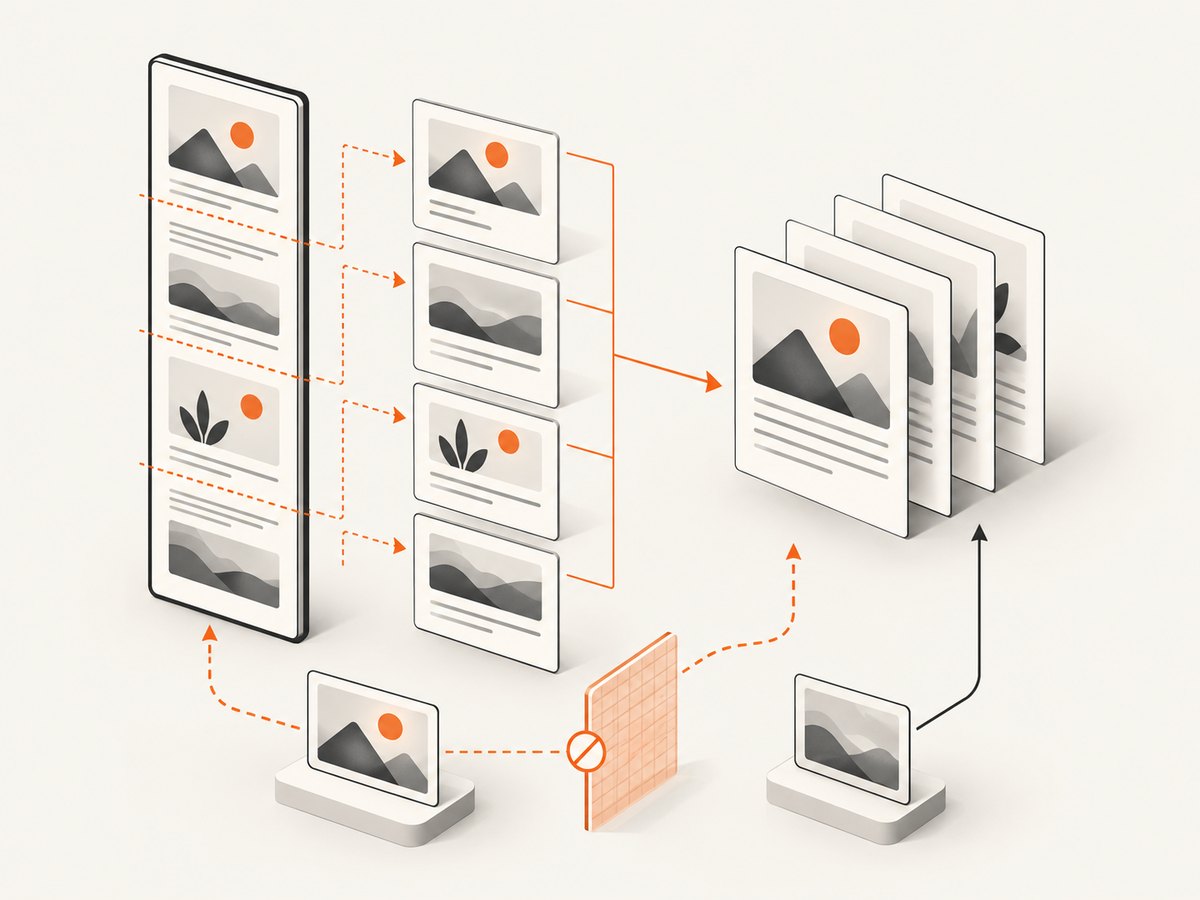
Canvas size limits vary by browser, GPU, operating system, and WebView. The FAQ gives rough evergreen-browser examples of about 32,767 pixels for a maximum dimension and about 268 megapixels for Chrome/Chromium, with different estimates for Firefox. These are not fixed Android limits. Exceeding a limit can silently produce a blank or partially rendered canvas without an exception.
- Log
canvas.width,canvas.height, and their product. - Reduce the target to one section. If that works, split the document.
- Lower
scaleto 1 while diagnosing. A device-pixel-ratio scale of 3 triples each dimension and multiplies total pixels by nine. - Use pagination: render a section, add it to a PDF page, then release the canvas before rendering the next section.
const scale = 1; // raise after correctness is established
const canvas = await html2canvas(target, {
  scale,
  width: target.scrollWidth,
  height: target.scrollHeight,
  windowWidth: target.scrollWidth,
  windowHeight: target.scrollHeight
});
5. Verify jsPDF independently
The jsPDF README documents the npm import import { jsPDF } from 'jspdf' and explains that doc.html() depends on html2canvas. Test jsPDF with known text, then with the already-inspected canvas. This separates PDF assembly from DOM rendering.
import { jsPDF } from 'jspdf';

const doc = new jsPDF();
doc.text('jsPDF is working', 20, 20);
doc.save('jsPDF-smoke-test.pdf');
const doc = new jsPDF({ unit: 'mm', format: 'a4' });
const image = canvas.toDataURL('image/png');
doc.addImage(image, 'PNG', 10, 10, 190, (canvas.height * 190) / canvas.width);
doc.save('canvas-test.pdf');
If those tests pass but doc.html() fails, check your bundler and optional dependencies. Keep jsPDF and html2canvas versions explicit in the reproduction. A jsPDF issue opened on 2023-05-15 reports a blank page with jsPDF 2.5.1, html2canvas 1.4.1, and pdf.html(document.body, ...); it documents a reported symptom, not a confirmed universal fix. String HTML passed to the html module also involves DOMPurify according to the README.
import { jsPDF } from 'jspdf';
import 'jspdf/dist/polyfills.es.js';

const doc = new jsPDF();
doc.html(document.querySelector('#invoice'), {
  callback: finished => finished.save('invoice.pdf'),
  x: 10,
  y: 10,
  width: 190,
  windowWidth: document.querySelector('#invoice').scrollWidth
});
For a UMD build, jsPDF documents const { jsPDF } = window.jspdf. Do not mix a UMD global with an ESM import in the same path without checking which constructor your code is calling.
6. Android and Ionic diagnostic checklist
- Record Ionic, jsPDF, html2canvas, Android version, Android System WebView/Chrome version, device model, and target dimensions.
- Compare the minimal case on desktop and on the actual Android device.
- Confirm the selector resolves after Ionic navigation and conditional rendering.
- Wait for fonts, images, and lazy content; disable animations during capture.
- Capture the canvas before calling any PDF API.
- Test a short document, then increase content gradually.
- Check whether the failure is blank output, missing remote assets, or viewport clipping.
7. Common errors and fixes
| Symptom | Likely cause | Fix |
|---|---|---|
| Canvas is completely blank | Selector missing, zero dimensions, unsupported layout, or canvas limit | Log the element and scroll dimensions; capture a small plain element; lower scale |
| Text appears but logos do not | Cross-origin image without CORS | Use same-origin assets, server CORS plus useCORS, or a proxy |
| Only visible viewport appears | Capture window matches client dimensions | Use scroll dimensions for windowWidth/windowHeight; paginate long content |
| Canvas looks correct, PDF page is blank | jsPDF import, html module, or image insertion problem | Run text smoke test, then addImage; verify package imports and versions |
| PDF is clipped on the right | Image width exceeds page width or wrong aspect calculation | Compute height from the chosen page width and margins |
| Android works for short pages only | Canvas dimension or area ceiling | Split into sections, release canvases, and keep scale conservative |
| Intermittent missing content | Capture races with fonts, images, lazy loading, or animations | Await fonts, wait for images, disable motion, and capture after layout settles |
8. Performance, reliability, and cost decisions
Client-side rendering consumes the device’s memory. Pixel count grows with width, height, and scale, so reducing scale often fixes Android failures faster than changing PDF settings. JPEG reduces output size for photographic pages; PNG preserves sharp text and transparency but can be larger. Measure your own documents because fidelity and file size depend on content.
For reliable exports, use deterministic page sections, explicit dimensions, same-origin assets where possible, and a capture queue that prevents several large canvases from existing at once. Save diagnostic metadata with failures: dimensions, scale, elapsed time, and whether the canvas or PDF stage failed.
If the requirement is a website screenshot or PDF rather than a private Ionic DOM, a server capture avoids shipping browser setup to every Android device. Keep credentials off the client and handle HTTP failures explicitly.
Or skip the browser setup
ScreenshotNeo is a website screenshot API and MCP server. One GET request returns a PNG, JPEG, WebP, or PDF. It removes cookie and consent banners, newsletter popups, and chat widgets before capture. Bot checks, blank pages, timeouts, failed loads, and cache hits cost nothing, and response headers report the page verdict and billing status.
See the ScreenshotNeo API documentation for all options, including full-page lazy-image capture, CSS-element capture, dark mode, device presets and custom viewports, retina scale, PDF paper size and margins, custom CSS and JavaScript, clicks, selector waits, network idle, request blocking, headers, cookies, user agents, authorization, timezone, geolocation, transparent backgrounds, resizing, TTL caching, signed links, async webhooks, bulk capture, usage, and OpenAPI compatibility.
cURL
curl -G "https://api.screenshotneo.com/v1/shot" \
  -d access_key=YOUR_API_KEY \
  --data-urlencode url=https://stripe.com \
  -o shot.webp
Python
import requests

r = requests.get(
    "https://api.screenshotneo.com/v1/shot",
    params={"access_key": "YOUR_API_KEY", "url": "https://stripe.com"},
    timeout=90,
)
r.raise_for_status()
open("shot.webp", "wb").write(r.content)
Node.js
const q = new URLSearchParams({
  access_key: 'YOUR_API_KEY',
  url: 'https://stripe.com'
});
const res = await fetch(`https://api.screenshotneo.com/v1/shot?${q}`);
if (!res.ok) throw new Error(`HTTP ${res.status}`);
const bytes = Buffer.from(await res.arrayBuffer());
require('fs').writeFileSync('shot.webp', bytes);
An MCP server provides take_screenshot, get_page_info, and capture_pdf tools to Claude, Cursor, and other MCP clients. The Free plan includes 1,000 shots per month with no card; paid plans start at $5 for 3,000 shots. Every feature is on every plan. Create a free ScreenshotNeo account.
9. FAQ
Why does a browser preview work while Android produces a blank PDF?
WebView canvas limits, timing, GPU behavior, and asset CORS responses can differ from desktop. Reproduce the smallest case on the target device and inspect the canvas before PDF generation.
Should I always set useCORS: true?
Use it when the image server sends the required CORS header. It cannot grant permission to a server that does not opt in.
Is a blank page proof that jsPDF is broken?
No. A blank canvas, an oversized canvas, a missing optional dependency, and an image insertion error can all produce a blank PDF. Stage the tests.
Can I safely rely on the FAQ’s canvas dimensions as Android limits?
No. Those figures are rough browser examples and vary by platform and device. Treat them as warning signs and split large captures.
When should I replace client-side capture?
Consider a server API when documents are large, assets are remote, exports must be consistent across devices, or maintaining WebView-specific rendering is more work than the document feature warrants.


