How to Fix Blank PDFs Generated by pdfmake
Diagnose blank pdfmake PDFs by checking document definitions, browser assets, fonts, API versions, output handling, and page-break layout.
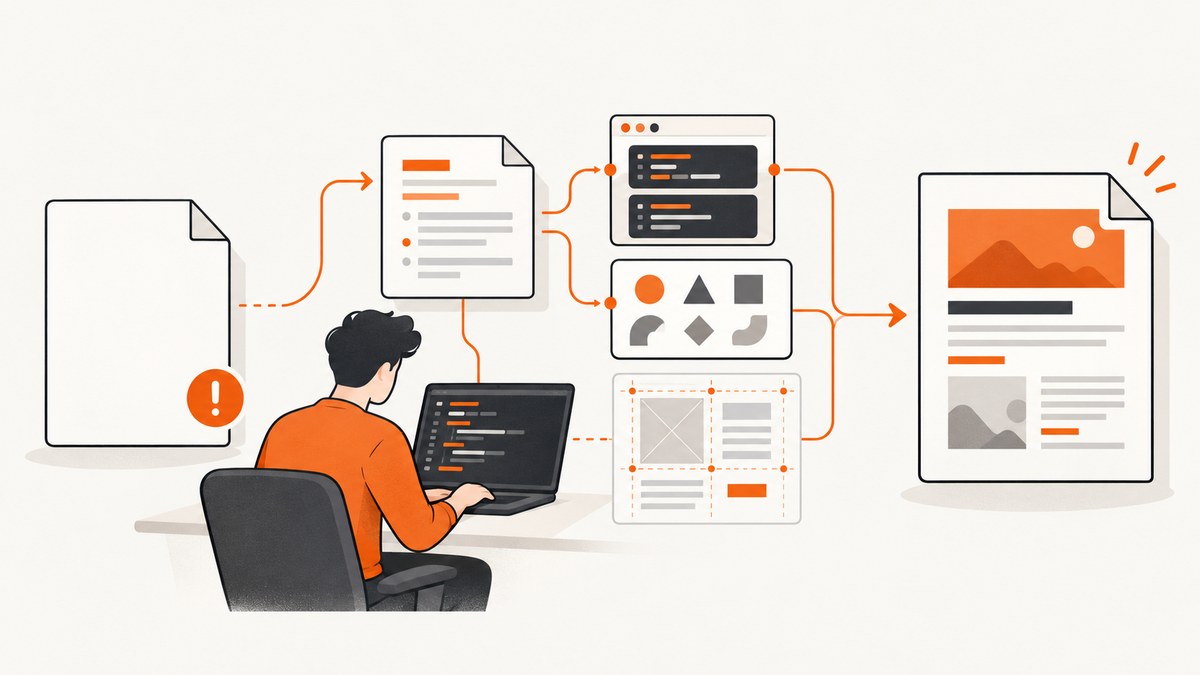
A blank pdfmake PDF usually means the failure is in one of four layers: the document definition contains no renderable content, browser assets or fonts did not load, the code uses an API that does not match the installed pdfmake version, or a complex layout creates an empty page. Start with the smallest possible document, verify the scripts and fonts, then add your real content and layout features one at a time.
pdfmake is declarative: the object passed to pdfMake.createPdf(docDefinition) describes what gets laid out. The project’s minimal example is { content: 'This is an sample PDF printed with pdfMake' } (official repository). If that object does not produce visible text, debugging your table, images, or page breaks is premature.
1. Reproduce the problem with a minimal document
Replace your application document temporarily with this browser example. It separates pdfmake generation from your data mapping and layout code.
<!doctype html>
<html>
  <head>
    <meta charset="utf-8">
    <title>pdfmake smoke test</title>
    <script src="https://cdnjs.cloudflare.com/ajax/libs/pdfmake/0.2.10/pdfmake.min.js"></script>
    <script src="https://cdnjs.cloudflare.com/ajax/libs/pdfmake/0.2.10/vfs_fonts.min.js"></script>
  </head>
  <body>
    <button id="download">Download test PDF</button>
    <script>
      document.getElementById('download').addEventListener('click', () => {
        const docDefinition = {
          content: [
            { text: 'pdfmake smoke test', fontSize: 20, bold: true },
            { text: 'If you can read this, generation and the default font work.' }
          ]
        };
        pdfMake.createPdf(docDefinition).download('smoke-test.pdf');
      });
    </script>
  </body>
</html>
The client-side setup requires both pdfmake.min.js and vfs_fonts.js; the latter contains the default Roboto font definition (client-side setup documentation). Open the browser console and network panel while loading this page. A 404, content-security-policy error, or script exception means pdfMake is unavailable or incomplete.
2. Inspect the document definition before calling pdfMake
Log the exact value passed to createPdf, not the source object you intended to build. A common bug is returning { content: [] } after a filter, mapping an undefined property, or passing a Promise instead of its resolved value.
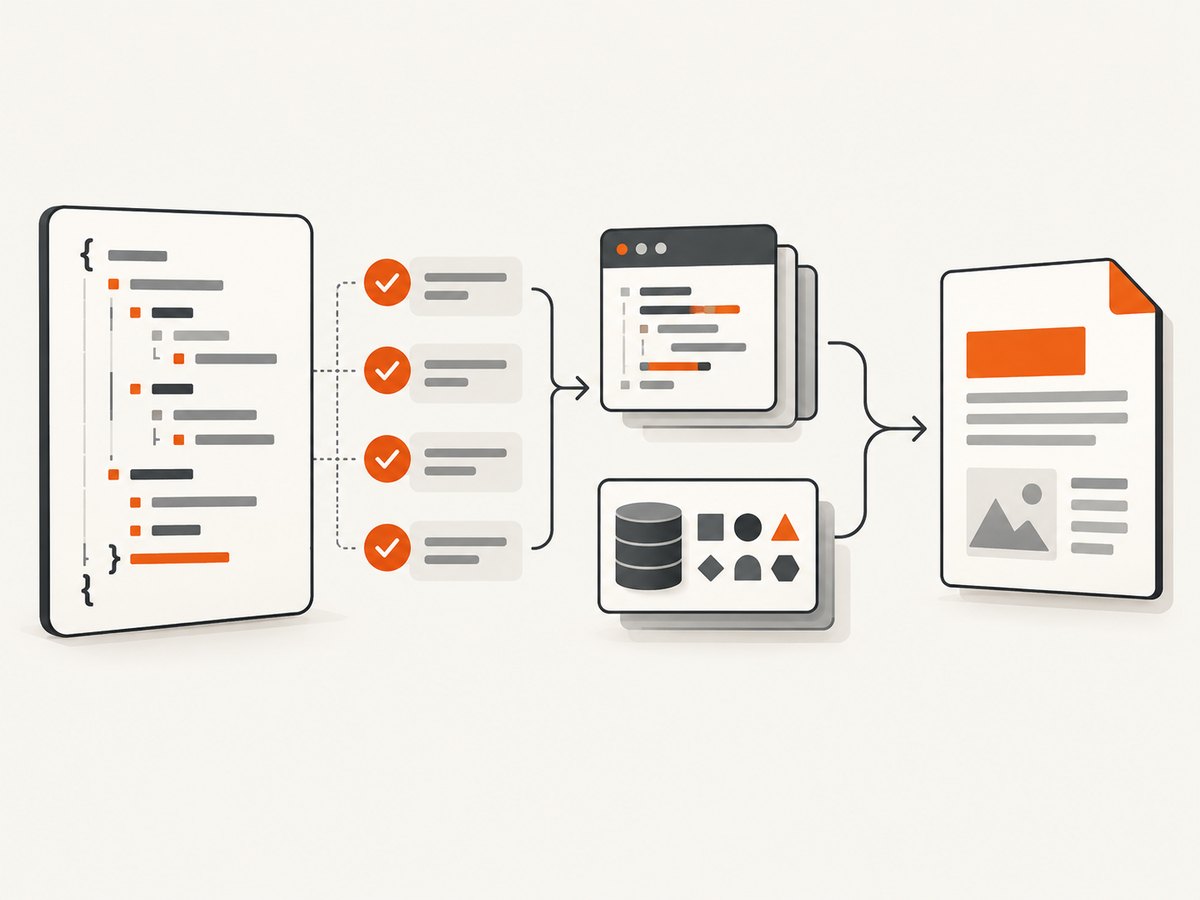
function buildDoc(rows) {
  const content = rows
    .filter(row => row && row.name)
    .map(row => ({ text: String(row.name), margin: [0, 0, 0, 8] }));

  return {
    pageSize: 'A4',
    content
  };
}

const docDefinition = buildDoc(data);
console.log('docDefinition:', JSON.stringify(docDefinition, null, 2));
if (!docDefinition || !Array.isArray(docDefinition.content) || docDefinition.content.length === 0) {
  throw new Error('The document definition has no content');
}
pdfMake.createPdf(docDefinition).download('report.pdf');
Check these details:
docDefinitionis an object, not a string, DOM node, or unresolved Promise.contentis present and contains text, an image, a table, a stack, or another supported node.- Conditional branches do not replace content with
null,undefined, or an empty array. - Values are serializable and have the types pdfmake expects. Convert numbers and dates to strings when your data layer can return null or objects.
Keep the smoke-test document and your production document side by side. If the smoke test works, add your content in stages: plain text, then tables, then images, then custom fonts and page-layout options.
3. Verify browser assets and load order
For a browser build, load pdfmake before your application code invokes it, and load the matching VFS file. The scripts must come from the same installed version. A partially loaded or mixed build can fail before a PDF is written.
| Check | What to inspect | Typical fix |
|---|---|---|
| Global object | typeof pdfMake in the console |
Fix the script URL, bundler import, or load order. |
| Network response | Status and response body for both scripts | Fix a 404, blocked CDN, CSP rule, or incorrect base path. |
| Version match | Package version and script version | Use files generated from the same pdfmake release. |
| Runtime exceptions | Console stack trace before download | Fix the first exception; later PDF symptoms are often secondary. |
If your site uses a bundler, import the package according to that tool’s documentation rather than also adding a CDN global. Two copies of pdfmake can leave your code calling one instance while fonts are registered on another.
4. Check fonts and the virtual file system
Roboto is pdfmake’s default font. The official VFS guide explains that vfs_fonts.js embeds fonts and other files, and that custom fonts must be generated or supplied in the VFS, registered under a family name, and referenced by that name in the document definition (VFS and custom fonts documentation).
pdfMake.fonts = {
  Roboto: {
    normal: 'Roboto-Regular.ttf',
    bold: 'Roboto-Medium.ttf',
    italics: 'Roboto-Italic.ttf',
    bolditalics: 'Roboto-MediumItalic.ttf'
  },
  Inter: {
    normal: 'Inter-Regular.ttf',
    bold: 'Inter-Bold.ttf',
    italics: 'Inter-Italic.ttf',
    bolditalics: 'Inter-BoldItalic.ttf'
  }
};

const docDefinition = {
  defaultStyle: { font: 'Inter' },
  content: [{ text: 'Custom font check' }]
};

pdfMake.createPdf(docDefinition).download('font-check.pdf');
Use the exact file names present in the VFS. Register every style you use; if a bold or italic face is missing, pdfmake may fail while resolving the style. During installation, a VFS kept under node_modules can be replaced, and framework caches can hide a newly generated file. Store generated VFS assets in an app-owned directory and clear the relevant build cache after changing them.
To isolate fonts, remove defaultStyle.font and any per-node font property. If the PDF works with the default Roboto font, the document content is valid and your custom VFS or registration is the next layer to repair.
5. Match the output API to your installed version
pdfmake documentation differs between releases. The 0.1 methods guide shows callback-style methods such as getBlob and getBuffer, while 0.3 documentation uses Promise-based methods such as getBlob(). Read the methods page for the version in your lockfile instead of copying an example from another release (0.1 methods, 0.3 methods).
// Promise-style usage shown in newer documentation
const pdf = pdfMake.createPdf(docDefinition);
const blob = await pdf.getBlob();
const url = URL.createObjectURL(blob);
window.open(url, '_blank');

// Callback-style usage shown in older documentation
pdfMake.createPdf(docDefinition).getBlob(blob => {
  const url = URL.createObjectURL(blob);
  window.open(url, '_blank');
});
Do not treat a callback/promise mismatch as proof that pdfmake generated empty bytes. First confirm the method exists and that your callback or await path runs. Save the resulting Blob or buffer to disk and inspect its size. A nonzero, readable file points to display or download handling; a zero-length result points back to generation, assets, or fonts.
6. Separate generation from display and download
Popup blockers can make a valid PDF appear missing. In older browser flows, the official methods guide recommends opening a window before the asynchronous response and passing that window to open. This distinguishes browser-window handling from document generation.
const target = window.open('', '_blank');
if (!target) throw new Error('The browser blocked the PDF window');

pdfMake.createPdf(docDefinition).getBlob(blob => {
  const url = URL.createObjectURL(blob);
  target.location = url;
});
For a download, use the documented download() method for your version. For an embedded preview, create an object URL from the Blob and assign it to an iframe. Revoke object URLs after the viewer no longer needs them to avoid retaining large files in memory.
7. Isolate blank pages caused by layout options
A PDF containing your content plus an unexpected empty page is a different symptom from a completely empty file. Remove layout features one at a time:
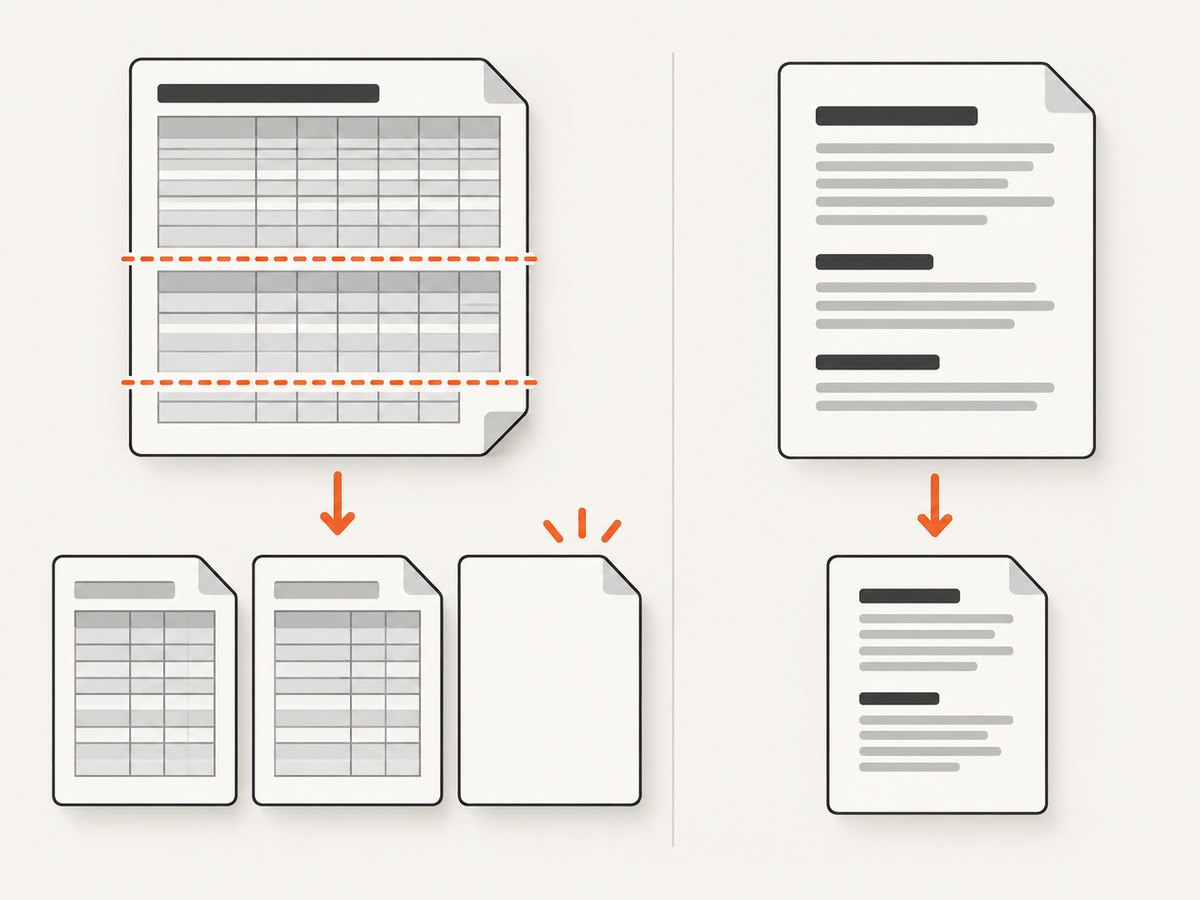
- Remove custom
pageBreakvalues. - Remove table
headerRows. - Remove
dontBreakRows. - Replace the table with a short text node.
- Add each option back while generating a uniquely named file.
The project changelog records a specific extra-blank-page fix involving headerRows, dontBreakRows, and a cell pageBreak used together (changelog). Check whether your installed release includes that fix, then simplify the layout if you cannot upgrade immediately. This interaction does not explain every blank PDF.
const diagnosticTable = {
  table: {
    headerRows: 1,
    widths: ['*', 'auto'],
    body: [
      [{ text: 'Name', bold: true }, { text: 'Total', bold: true }],
      ['Example', '42']
    ]
  },
  layout: 'lightHorizontalLines'
};

const docDefinition = {
  content: [
    { text: 'Before layout options', pageBreak: 'before' },
    diagnosticTable
  ]
};
Also check for content that is technically present but outside the visible page: negative margins, oversized fixed-height canvases, white text on a white background, and images with invalid dimensions can look blank in a viewer.
8. Common errors and fixes
| Symptom | Likely cause | Fix |
|---|---|---|
pdfMake is not defined |
Script failed, wrong import, or code ran too early | Check network responses and execute after the scripts load. |
| PDF opens but has no text | Empty or filtered content |
Log the final definition and add a literal text node. |
| Font-related exception | Missing VFS file, family, or style | Restore vfs_fonts.js, verify file names, and register all styles. |
| Works in one environment only | Different package versions or cached assets | Compare lockfiles, script URLs, and clear the build cache. |
| Download does nothing | Popup blocker or incorrect output method | Open a window from the click handler and use the version-matched method. |
| Extra blank page | Page-break and table-row options interact | Remove pageBreak, headerRows, and dontBreakRows individually; upgrade if the changelog fix applies. |
| Images make output blank | Invalid data URL, inaccessible image, or unsupported format | Generate a text-only PDF, then add one known-good data URL and validate each image. |
9. A repeatable debugging checklist
- Record the pdfmake version from your package lockfile.
- Run the literal one-line document definition.
- Confirm both browser scripts load successfully and match that version.
- Log the final document definition immediately before generation.
- Use default Roboto before testing custom fonts.
- Use the output method documented for your version.
- Save a Blob or buffer and inspect its byte size.
- Remove tables, images, page breaks, and custom layout options, then reintroduce them one at a time.
- Keep the smallest failing document as a regression fixture.
10. Performance, reliability, and cost considerations
Large tables and embedded images increase browser memory use. Build data in chunks, avoid duplicating large base64 strings, and render only the columns required for the PDF. If generation blocks the interface, run it from a worker-compatible architecture or queue the work on your server, provided your pdfmake setup supports that environment.
For reliable output, pin pdfmake, its VFS assets, and your browser bundle to known versions. Validate generated files in automated checks by asserting a nonzero byte length and opening the PDF with a parser in your pipeline. Keep page-layout options explicit so an upgrade does not silently change pagination.
pdfmake itself does not charge per generated document; your costs are the browser or server resources, storage, and any font or hosting services you operate. If you need repeatable screenshots or PDFs of live websites rather than PDFs assembled from data, a screenshot API can remove browser orchestration from your application.
Or skip the browser setup
ScreenshotNeo returns a screenshot or PDF from one GET request, so you do not need to maintain a headless-browser setup for website captures. See the ScreenshotNeo API documentation for all options.
curl -G "https://api.screenshotneo.com/v1/shot" -d access_key=YOUR_API_KEY --data-urlencode url=https://stripe.com -o shot.webpimport requests
r = requests.get("https://api.screenshotneo.com/v1/shot", params={"access_key": "YOUR_API_KEY", "url": "https://stripe.com"}, timeout=90)
open("shot.webp", "wb").write(r.content)const q = new URLSearchParams({ access_key: 'YOUR_API_KEY', url: 'https://stripe.com' });
const res = await fetch(`https://api.screenshotneo.com/v1/shot?${q}`);Cookie banners, newsletter popups, and chat widgets are removed before the shot. Bot checks, blank pages, failed loads, timeouts, and cache hits are not billed, and response headers report the page verdict and billing result. An MCP server provides take_screenshot, get_page_info, and capture_pdf tools for Claude, Cursor, and other MCP clients. The Free plan includes 1,000 screenshots each month with no card; paid plans start at $5 for 3,000 shots, and every feature is available on every plan.
Create a free ScreenshotNeo account to get started.
FAQ
Why does pdfmake create a file that opens as a blank page?
First verify the final document definition has content, then test with the default Roboto font and the smallest text-only document. After that, isolate page-break and table options.
Can a missing font make every page blank?
Yes, an unregistered family or missing VFS asset can stop layout. Remove custom font settings to confirm, then register the family and every style you use.
Should I use 0.1 or 0.3 examples?
Use the documentation matching the version in your project. The output APIs differ, including callback-based and Promise-based methods.
How do I tell a generation problem from a popup blocker?
Retrieve a Blob or buffer and inspect its size. A nonzero result means generation completed; debug the window, download, or viewer path.
Does the extra blank-page bug affect all blank PDFs?
No. The documented issue concerns a particular combination of headerRows, dontBreakRows, and cell pageBreak. Treat it as a layout-specific diagnosis.


