How to Fix Bootstrap CSS Not Loading in WKHTMLTOPDF with Pechkin
Resolve missing Bootstrap styles in Pechkin by checking CSS paths, local-file access, permissions, network loading, and renderer compatibility.

Bootstrap styles usually disappear in a Pechkin PDF because wkhtmltopdf cannot resolve or read the stylesheet that the browser used. Inspect the final HTML sent to Pechkin, replace application-relative paths with an absolute URL or readable local file, verify permissions and local-content settings, then test whether the remaining problem is renderer compatibility.
1. Inspect the exact HTML sent to Pechkin
Start with the generated HTML string, not the Razor or browser source. Confirm that the Bootstrap <link> is present and that its href is usable by the conversion process.
var html = RenderRazorViewToString("Invoice", model);
File.WriteAllText("debug.html", html);

// Look for a real URL or an absolute file URI.
Console.WriteLine(html);
Paths such as ~/Content/bootstrap.css and /Content/bootstrap.css may be meaningful to ASP.NET while remaining meaningless to wkhtmltopdf. For a minimal diagnostic document, include one obvious rule and one element using it:
<!doctype html>
<html>
<head>
  <meta charset="utf-8">
  <link rel="stylesheet" href="https://example.test/bootstrap.css">
  <style>.probe { background: #d00; color: #fff; padding: 20px; }</style>
</head>
<body><div class="probe btn btn-primary">CSS probe</div></body>
</html>
If the inline .probe rule renders but Bootstrap does not, the conversion works and the external stylesheet path or access policy is the first suspect.
2. Use an unambiguous stylesheet location
Remote stylesheet
Use a fully qualified HTTP or HTTPS URL when the conversion host can reach it:

<link rel="stylesheet" href="https://your-host.example/assets/bootstrap.css">From the same server and account that runs Pechkin, check DNS, TLS, redirects, authentication and the response body for that exact URL. A stylesheet that loads in your desktop browser may be unreachable from a worker, container or restricted production host.
Local stylesheet
Resolve the file to a physical path and use the local-file mechanism supported by your wrapper. Verify that the file exists in the deployed environment and that the process identity can read it. Relative paths depend on the document base and working directory, so they are fragile in services and scheduled jobs.
wkhtmltopdf documents local-file controls such as --disable-local-file-access and --enable-local-file-access; its library settings expose the corresponding load.blockLocalFileAccess setting. These controls do not repair an incorrect path or missing permissions. See the usage documentation and library settings.
Inline CSS
For a small, controlled stylesheet, read the file and insert its contents into a <style> element. A Pechkin example follows this pattern; confirm method names against your installed wrapper because APIs differ between versions.
var cssPath = Path.Combine(AppDomain.CurrentDomain.BaseDirectory,
                           "Content", "bootstrap.css");
var bootstrapCss = File.ReadAllText(cssPath);
var html = $"<html><head><style>{bootstrapCss}</style></head>"
         + "<body>...</body></html>";
Inlining avoids a second resource request, but increases the HTML size and can complicate caching and source inspection.
3. Configure Pechkin and wkhtmltopdf deliberately
Pechkin is a .NET wrapper around wkhtmltopdf. The NuGet registry lists Pechkin 0.5.8.1 and .NET Framework compatibility; your application may use another fork or version, so check the package and native binary actually deployed (NuGet package record).
var global = new GlobalSettings
{
    ColorMode = ColorMode.Color,
    Orientation = Orientation.Portrait,
    PaperSize = PaperKind.A4
};

var objects = new ObjectSettings
{
    HtmlContent = html,
    WebSettings = { DefaultEncoding = "utf-8" }
};

// The exact local-content method/property depends on the Pechkin API version.
// Enable it only when local files are required, then verify file permissions.
// objects.LoadSettings.BlockLocalFileAccess = false;
Do not copy a setting name blindly from another wrapper. Confirm the generated command line or native settings for your package. Keep JavaScript enabled only when the page needs it; JavaScript timing can otherwise make a conversion appear nondeterministic. The wkhtmltopdf settings reference describes JavaScript and load-error options.
4. Complete C# conversion example
This example uses an absolute local CSS path and embeds the file, which avoids URL-base ambiguity. Adapt the Pechkin construction to the API version in your project.
using System;
using System.IO;
using System.Text;

public byte[] ConvertInvoice(string bodyHtml)
{
    var root = AppDomain.CurrentDomain.BaseDirectory;
    var cssPath = Path.Combine(root, "Content", "bootstrap.css");
    if (!File.Exists(cssPath))
        throw new FileNotFoundException("Bootstrap CSS was not deployed", cssPath);

    var css = File.ReadAllText(cssPath, Encoding.UTF8);
    var document = $@"<!doctype html>
<html><head>
  <meta charset='utf-8'>
  <style>{css}</style>
</head><body>{bodyHtml}</body></html>";

    var global = new GlobalSettings {
        ColorMode = ColorMode.Color,
        Orientation = Orientation.Portrait,
        PaperSize = PaperKind.A4
    };
    var page = new ObjectSettings {
        HtmlContent = document
    };
    page.WebSettings.DefaultEncoding = "utf-8";

    using (var converter = new SynchronizedConverter(new PdfTools()))
    {
        return converter.Convert(new HtmlToPdfDocument {
            GlobalSettings = global,
            Objects = { page }
        });
    }
}
If your wrapper does not expose these types, keep the diagnostic sequence and map the equivalent settings from its documentation.
5. Distinguish loading failures from rendering differences
A loaded stylesheet can still produce a different layout because wkhtmltopdf uses an older WebKit-based renderer. Do not assume a particular Bootstrap release is defective without a reduced test. First prove loading with a distinctive rule, then test the specific grid, flex, utility or component you need.
- Loading failure: missing or invalid
href, inaccessible local file, blocked network request, TLS/authentication failure or unreadable response. - Rendering difference: the CSS was loaded, but the renderer does not lay out a feature as a modern browser does.
- Timing problem: JavaScript changes the DOM after the capture begins; wait for a selector or delay only when the page requires it.
6. Troubleshooting checklist
| Symptom | Likely cause | Fix |
|---|---|---|
| All Bootstrap classes are ignored | Relative, tilde or application-relative URL | Use an absolute URL, a verified file URI or inline CSS. |
| Inline rules work; linked CSS does not | Resource request failed | Request the exact URL from the conversion host and inspect redirects, TLS and status. |
| Local CSS works on a developer machine only | Different working directory or service-account permissions | Resolve an absolute deployed path and grant read access to the worker identity. |
| Error mentions blocked local file | Local-file access policy is enabled | Use the wrapper’s supported local-content setting and verify the resolved path. |
| PDF has some styles but broken layout | Renderer compatibility or unsupported CSS feature | Reduce the document and test the required rule independently. |
| Styles appear intermittently | Network or JavaScript timing | Prefer local or inline CSS; wait for a selector or required delay. |
| Conversion fails with little detail | Missing diagnostics | Capture renderer messages and record versions, OS, HTML, CSS and settings. |
7. Make failures reproducible
Record the Pechkin package and native wkhtmltopdf version, operating system and version, generated HTML, relevant CSS, resource locations, conversion settings and load warnings. The upstream issue-reporting guidance asks for the renderer version, operating system/version and a detailed HTML/CSS/JS case. A single issue report about local-file access is evidence of one environment, not proof that the option is generally broken; treat archived issue discussions accordingly.
8. Performance, reliability and cost considerations
- Inlining removes stylesheet requests but increases every document’s input size.
- A local, versioned stylesheet avoids CDN latency, DNS failures and changing remote content.
- Reuse a long-lived converter where your wrapper supports it, but isolate conversions if native-library thread safety is uncertain.
- Set an explicit conversion timeout and log the URL, document size and renderer messages.
- Cache immutable CSS and templates; invalidate the cache when Bootstrap or your overrides change.
- Keep a tiny visual regression document containing the exact components your PDF uses.
9. Or skip the browser setup
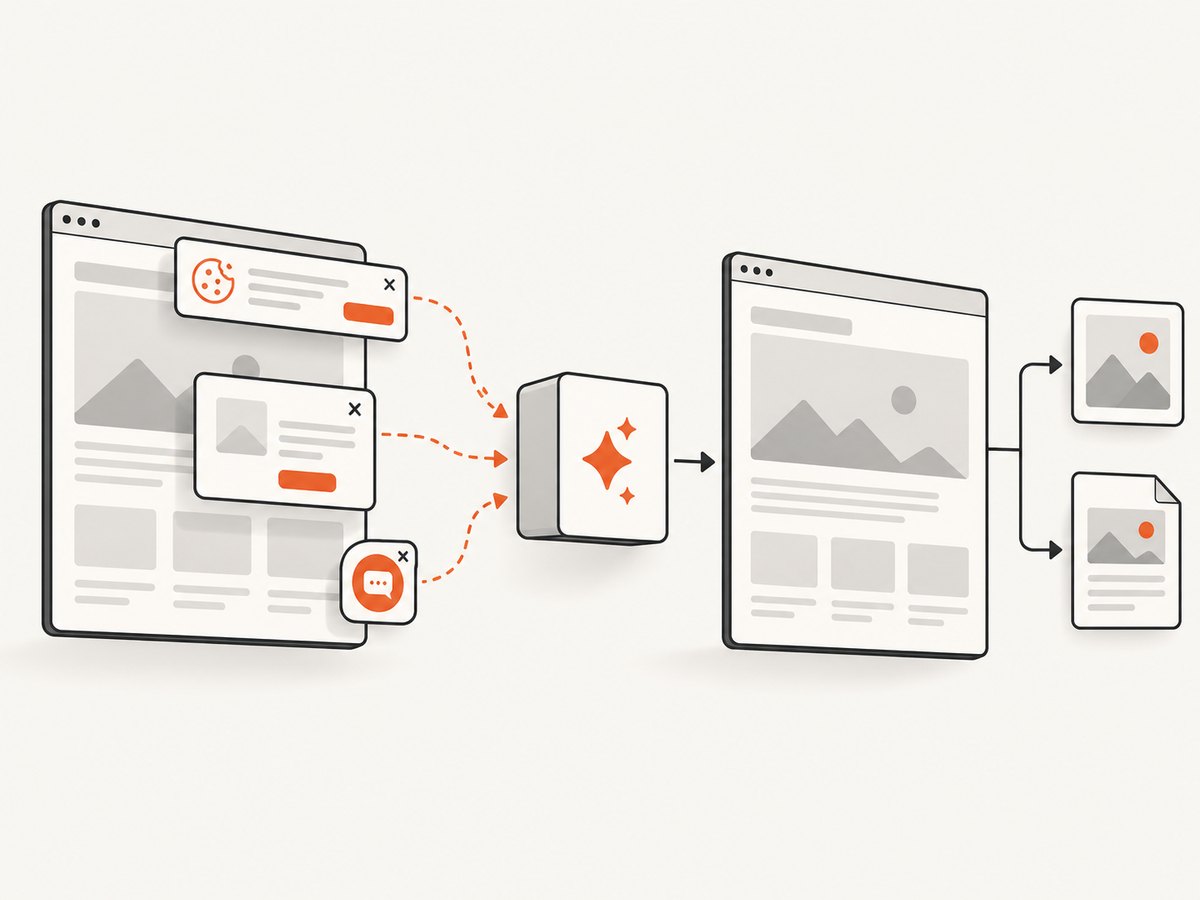
If your requirement is a reliable webpage capture or PDF rather than a Pechkin-specific conversion, ScreenshotNeo provides a single API request. It accepts consent banners before capture and removes more than 60 known consent platforms, newsletter popups and chat widgets. Bot checks, blank pages, failed loads, timeouts and cache hits are not billed, and response headers identify the page verdict and billing result. It can return PNG, JPEG, WebP or PDF and also offers an MCP server for AI agents.
See the ScreenshotNeo API documentation for all options. Basic PDF capture:
curl -G "https://api.screenshotneo.com/v1/shot" \
  -d access_key=YOUR_API_KEY \
  --data-urlencode url=https://example.com \
  -d format=pdf \
  -o page.pdf
import requests
r = requests.get(
"https://api.screenshotneo.com/v1/shot",
params={"access_key": "YOUR_API_KEY", "url": "https://example.com", "format": "pdf"},
timeout=90,
)
r.raise_for_status()
open("page.pdf", "wb").write(r.content)const q = new URLSearchParams({
access_key: 'YOUR_API_KEY',
url: 'https://example.com',
format: 'pdf'
});
const res = await fetch(`https://api.screenshotneo.com/v1/shot?${q}`);
if (!res.ok) throw new Error(`HTTP ${res.status}`);
require('fs').writeFileSync('page.pdf', Buffer.from(await res.arrayBuffer()));Free use includes 1,000 screenshots each month with no card; paid plans start at $5 for 3,000 shots. Create a free ScreenshotNeo account.
FAQ
Why does the page look correct in Chrome?
Chrome and the wkhtmltopdf process may resolve different bases, use different network credentials or run under different filesystem permissions. Compare the exact HTML and resource request environment.
Should I always inline Bootstrap?
No. Inline CSS is useful when local access or network loading is unreliable. A verified absolute local or remote URL is easier to maintain for larger stylesheets.
Does enabling local-file access fix every missing stylesheet?
No. It only changes a local-resource policy. The path must still exist, be correctly referenced and be readable by the conversion process.
How do I know whether Bootstrap loaded?
Add a distinctive temporary rule, inspect renderer messages and compare a minimal document containing one known Bootstrap component.


