How to Fix Bootstrap Span Layout Issues in wkhtmltopdf PDFs
Trace broken Bootstrap spans in wkhtmltopdf by checking the loaded version, grid markup, renderer build, viewport, and overflow one step at a time.

When Bootstrap columns or legacy spans shift, wrap, or clip in a wkhtmltopdf PDF, first identify the Bootstrap version and stylesheet the HTML actually loads. Then validate the grid structure and widths, reproduce the problem with the exact wkhtmltopdf binary and operating system, and test PDF viewport and scaling settings one at a time. There is no universal CSS fix: the right cause may be mismatched Bootstrap markup, overflow, or the renderer’s older WebKit stack.
This guide focuses on diagnosis you can reproduce. It distinguishes legacy .spanN classes from newer .col-*-N classes, provides a minimal test, and explains when a renderer change may be worth evaluating.
1. Identify the Bootstrap version and stylesheet
Do not start by copying a grid fix from documentation until you know which Bootstrap CSS is present in the document being converted. Bootstrap class names and grid systems differ between releases. A template may contain old .spanN markup while loading a newer stylesheet, or the opposite. In either case, the classes may not receive the styles you expect.
- Inspect the HTML input passed to wkhtmltopdf, not only the source template. If another tool assembles the final HTML, inspect that output.
- Find stylesheet references and identify their version from the URL, package lockfile, bundle metadata, or CSS header.
- Search the markup for grid class families such as
.spanNor.col-*-N. Compare those classes with the loaded CSS. - Check that the stylesheet can be read by the wkhtmltopdf process. A browser session with a warm cache or authenticated assets can hide a missing stylesheet in the PDF environment.
Bootstrap’s documented grid uses a 12-column layout with containers, rows, and columns. The exact class names depend on the version. Its v5.1 CSS Grid documentation describes a separate experimental, opt-in CSS Grid system, which is another reason not to infer the framework version from a class name alone. See the [Bootstrap grid documentation](https://getbootstrap.com/docs/4.6/layout/grid/) and [Bootstrap v5.1 CSS Grid documentation](https://getbootstrap.com/docs/5.1/layout/css-grid/).
2. Validate the grid structure and arithmetic
Before investigating PDF-specific behavior, make sure the grid is valid for the Bootstrap version in use. The familiar structure is a container holding a row, with columns as immediate children of that row. A nested row belongs inside a column when you need a nested grid.
<div class="container">
  <div class="row">
    <div class="col-8">Main content</div>
    <div class="col-4">Sidebar</div>
  </div>
</div>
This example uses a modern class family; it is not a drop-in replacement for legacy .spanN markup. Use the class names documented for your actual version. Check the following:
- Container: Is the grid inside the expected
.containeror.container-fluid? - Row: Do the columns belong to a row, rather than sitting directly inside a container or an unrelated wrapper?
- Column widths: Do the intended spans fit the 12-column grid at the active breakpoint? If widths exceed 12, wrapping may be expected.
- Nested content: Is a nested row placed inside a column? Does any custom CSS change the row’s margins or the column’s padding?
- Breakpoint assumptions: Does the markup rely on responsive classes that behave differently at the viewport width used for PDF generation?
Use a minimal row with visible borders and short labels to tell a grid arithmetic issue from clipping or scaling. A complex report can make a wrong span sum look like a renderer defect.
3. Make a minimal reproduction with the same renderer
Reduce the input until it contains the offending row, the Bootstrap stylesheet, and only the CSS and JavaScript required to reproduce the issue. Keep the same command, binary, operating system, fonts, and relevant options used for the failing PDF. Removing unrelated content helps reveal whether the cause is grid markup, another stylesheet rule, missing assets, or the rendering environment.

Record the exact wkhtmltopdf version and operating system/version alongside the minimal HTML, CSS, and JavaScript. The project’s bug-report guidance asks for those details and a minimal reproduction. The project’s [downloads page](https://wkhtmltopdf.org/downloads.html) lists 0.12.6 as its stable series, released June 11, 2020, and notes differences between Qt builds and distribution packages. Record the actual binary in use rather than relying on a wrapper or package name.
wkhtmltopdf --version
uname -a
wkhtmltopdf --extended-help
Commands and available switches can vary by build. Save the output with the reproduction. If a wrapper invokes wkhtmltopdf, confirm the path and arguments it passes; a locally checked binary may not be the one used by the application.
4. Test viewport and scaling settings separately
wkhtmltopdf renders through Qt WebKit. Its project status page says: “Qt 4 (which wkhtmltopdf uses) hasn’t been supported since 2015, the WebKit in it hasn’t been updated since 2012.” That older rendering foundation makes differences from a current browser plausible. Treat the PDF renderer as the environment that must be checked, rather than assuming a current desktop browser preview is decisive. Read the [wkhtmltopdf status page](https://wkhtmltopdf.org/status.html).
Viewport width and smart shrinking can affect layout. The manual describes smart shrinking as a WebKit strategy that changes the pixel-to-DPI ratio. For a controlled comparison, use the same minimal HTML and change one setting at a time. Keep the generated files and note the exact command for each output.
# Baseline: render with the current command and save the PDF.
wkhtmltopdf input.html baseline.pdf

# Example comparison: request a wider viewport.
wkhtmltopdf --viewport-size 1280x900 input.html viewport-1280.pdf

# Separate comparison: disable smart shrinking if supported by this build.
wkhtmltopdf --disable-smart-shrinking input.html no-smart-shrinking.pdf
These are comparison examples, not recommended settings for every document. Check wkhtmltopdf --extended-help and the [manual](https://wkhtmltopdf.org/usage/wkhtmltopdf.txt) for options supported by your exact build. If an option is unavailable, do not silently assume it was applied. Compare column positions, wrapping, clipping, and page breaks between PDFs.
5. Investigate overflow only when the affected content uses it
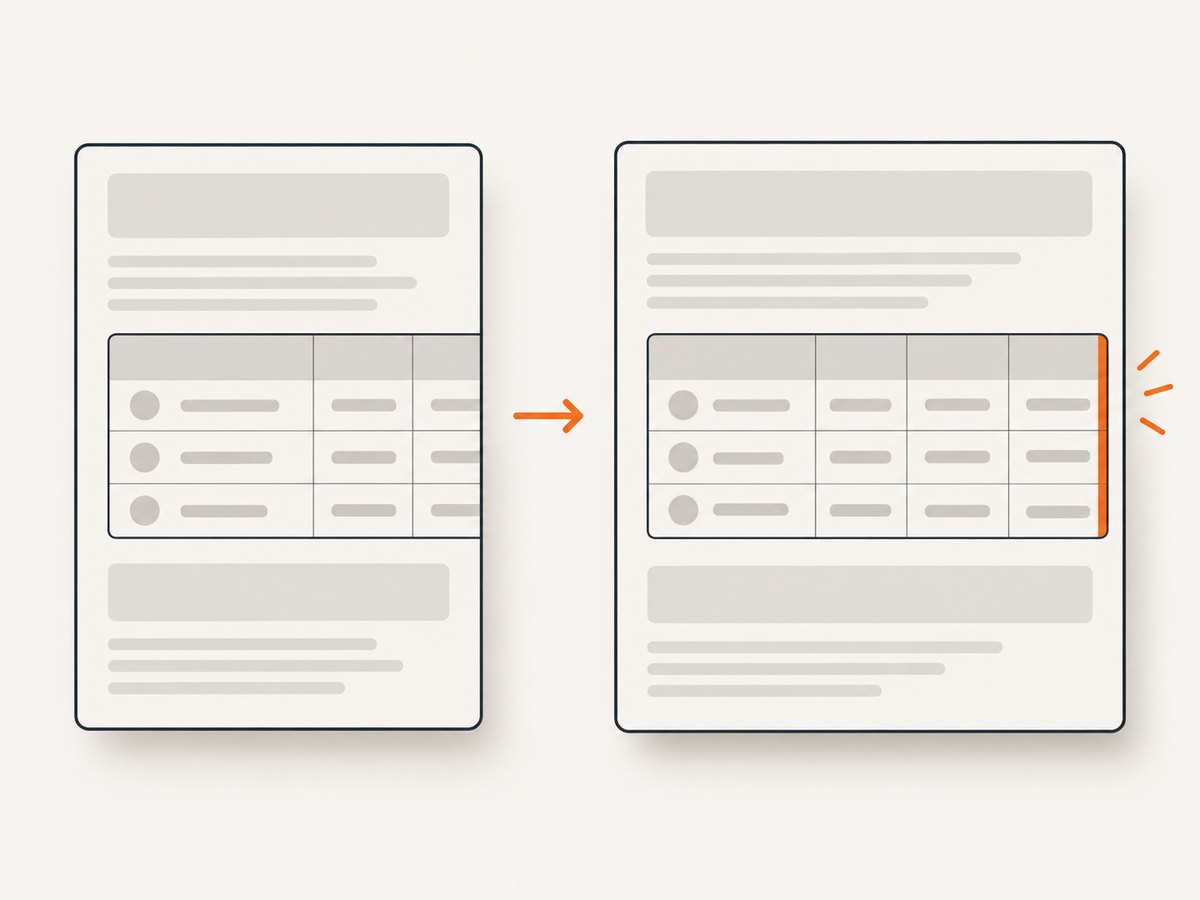
If the broken area is inside Bootstrap’s .table-responsive wrapper, overflow behavior is a focused thing to investigate. A user report for a Bootstrap 4.2.1 responsive table describes changing overflow-x from auto to visible as a workaround. That report concerns one table case; it does not establish a general fix for legacy .spanN classes or all Bootstrap columns. See the [reported issue](https://github.com/wkhtmltopdf/wkhtmltopdf/issues/1524).
/* Controlled experiment for a responsive table wrapper only. */
.table-responsive {
  overflow-x: visible;
}
Try this only if the affected content is in that wrapper. Compare the result and check whether content that was previously clipped now overlaps adjacent content or extends beyond the page. Keep or remove the override based on the actual output, not on the fact that it changed something.
6. Choose whether to keep debugging or compare renderers
If the minimal reproduction depends on layout or scripting behavior that the old rendering stack does not handle as required, compare another renderer using the same HTML and acceptance criteria. The wkhtmltopdf project names WeasyPrint and commercial Prince for controlled report generation, and Puppeteer for dynamic-JavaScript pages. These tools target different needs; the dossier does not establish a universal winner or current feature and cost comparison.
Evaluate whether the replacement supports the specific CSS in use, whether the page depends on dynamic JavaScript, how its rendering engine is maintained, how it deploys on your operating system, and its licensing and cost. If you rely on browser-specific print behavior, include those details in the minimal reproduction. A migration decision should be based on your document and deployment constraints.
Or skip the browser setup
If your immediate need is a clean capture of a public page, [ScreenshotNeo](https://screenshotneo.com) can return a screenshot or PDF through one API request. This is a hosted capture option; it does not fix Bootstrap markup in your wkhtmltopdf installation. See the [ScreenshotNeo API docs](https://screenshotneo.com/docs/) for request options.
curl -G "https://api.screenshotneo.com/v1/shot" \
  -d access_key=YOUR_API_KEY \
  --data-urlencode url=https://example.com \
  -o shot.webp
Cookie banners, newsletter popups, and chat widgets are removed before the shot, and each step can be turned off. Bot checks, blank pages, timeouts, failed loads, and cache hits cost nothing; response headers report the page verdict and billing status. An MCP server lets Claude, Cursor, and other MCP clients take screenshots. The free plan includes 1,000 shots per month with no card; paid plans start at $5 for 3,000. ScreenshotNeo also supports PDF output. [Create a free account](https://screenshotneo.com/account/sign-up/) to try 1,000 screenshots a month with no card.
Troubleshooting checklist
| Symptom | Likely cause | What to check |
|---|---|---|
.spanN or .col-*-N has no expected width |
Markup and loaded Bootstrap CSS use different class conventions, or the CSS did not load. | Inspect the final HTML, stylesheet URL/version, and asset availability in the renderer process. |
| Columns wrap onto another line | Span arithmetic exceeds the 12-column grid, the row/column structure is wrong, or the active viewport triggers different responsive rules. | Reduce to one row, total the intended spans, and compare at a recorded viewport. |
| Layout differs from a current browser | The old Qt WebKit renderer may handle CSS differently; fonts or assets may also differ. | Use the same minimal reproduction and exact binary. Check missing resources and the renderer’s supported options. |
| Content disappears at the right edge | Overflow clipping or page scaling may be involved. | Check whether the content is inside .table-responsive; test overflow only there. Compare viewport and smart-shrinking settings separately. |
| A command-line switch appears to do nothing | The build may not support it, or a wrapper may invoke a different binary or override arguments. | Check extended help and version output for the exact executable used by the application. |
| PDF changes between machines | Different binary builds, OS packages, fonts, or asset access can change rendering. | Record OS/version, exact wkhtmltopdf version/build, fonts, input files, and command for each environment. |
Performance, reliability, and cost considerations
For repeatable output, keep the input HTML, linked assets, renderer version, operating system, fonts, viewport, and command options stable. A change to any of these can alter line wrapping or pagination. A small reproduction is quicker to inspect than repeatedly rendering a large report with unrelated content.
When rendering fails intermittently, verify that the process can access every stylesheet, font, image, and script it needs. If the document depends on JavaScript, distinguish a page that has not finished rendering from a CSS layout defect. Record output and command details for both successful and failed runs so comparisons remain meaningful.
Cost depends on the renderer and deployment you choose; the cited project documentation does not provide a current cost comparison for alternatives. Account for implementation and operational needs, licensing, and the work required to validate every report template. If evaluating a hosted capture API, consider its billing behavior and required output format separately from the cost of maintaining a local PDF pipeline.
Frequently asked questions
Are Bootstrap .spanN classes interchangeable with .col-*-N?
No. They come from different Bootstrap class conventions. Confirm the loaded version and use markup that matches its stylesheet.
Is overflow-x: visible the fix for Bootstrap spans in wkhtmltopdf?
It is a narrow experiment reported for a Bootstrap 4.2.1 responsive table wrapper. It is not evidence of a general fix for grid columns.
Should I switch to Puppeteer?
Consider it when the page needs dynamic JavaScript, which the wkhtmltopdf project identifies as a Puppeteer use case. Validate the same minimal reproduction and assess deployment and licensing needs before switching.
Why does the PDF not match Chrome?
wkhtmltopdf uses an older Qt WebKit foundation. Differences are plausible, so the PDF produced by the exact deployed binary is the relevant result for this issue.


