How to Fix Browsershot Errors on Laravel Forge Servers
Diagnose Browsershot failures on Laravel Forge by tracing the PHP runtime, Node, Puppeteer, Chrome, Linux libraries, and output permissions.
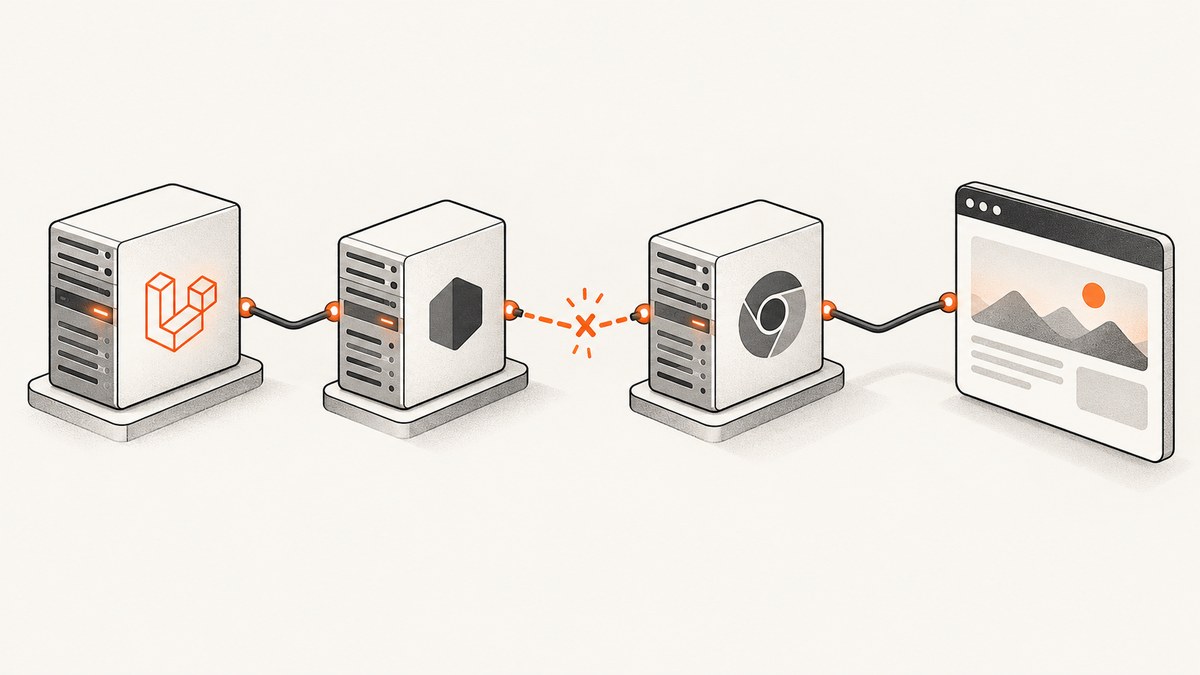
When Browsershot fails on a Laravel Forge server, capture the complete exception, generated command, exit code, standard error, working directory, and identity of the PHP process first. Then locate the failing stage: Node discovery, Puppeteer module resolution, Chrome installation or cache discovery, browser launch and Linux libraries, or output writing. Fix the stage named by the evidence; SSH success alone does not prove a queue worker or PHP-FPM can run the same command.
Browsershot renders pages or HTML into images and PDFs using Node, Puppeteer, and headless Chrome. Each dependency must be installed and visible to the same runtime user and environment that runs the Laravel job. [Spatie’s current Browsershot v4 requirements](https://spatie.be/index.php/docs/browsershot/v4/requirements) specify Node 22.0 LTS or later and Puppeteer 23.0 or later. Its Forge installation recipe is specifically for provisioned Ubuntu 24.04. Check that page for the exact commands and dependencies for your package version and Ubuntu release before changing a server.
1. Capture the failing runtime context
Before reinstalling anything, save the full exception and the command Browsershot attempted. Record standard error, exit code, current working directory, and the user running the PHP process. For a web request, identify the PHP-FPM worker; for queued work, identify the queue worker and how it was started. A command that works in an interactive SSH login may fail in a worker because its PATH, user, environment, or home directory differs.
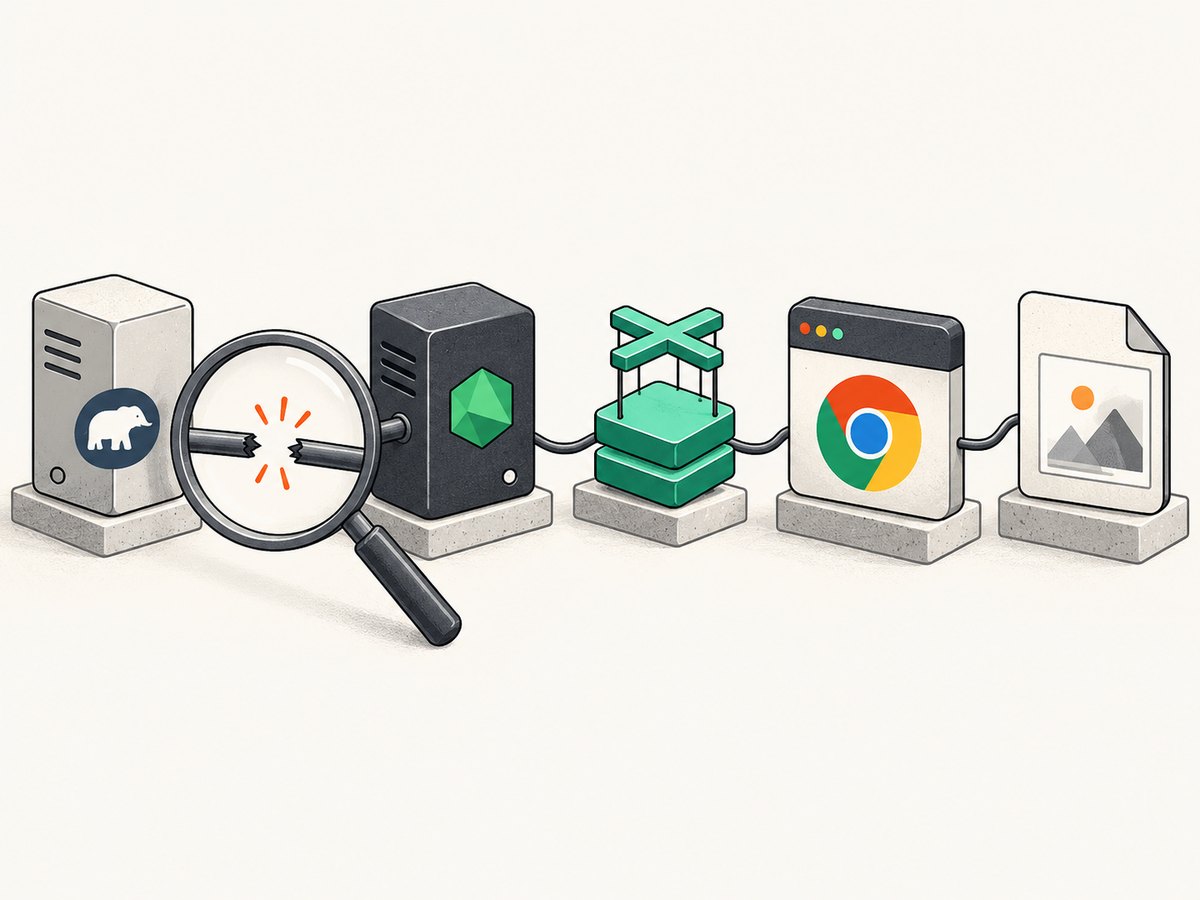
Log enough context to compare the environments without dumping secrets. Avoid logging full environment variables: they may contain credentials. Record selected values and executable results instead. Run checks in the relevant runtime context (for example, in a temporary diagnostic job using the same queue), then remove the diagnostic code.
whoami
pwd
printf 'PATH=%s\n' "$PATH"
command -v node || true
command -v npm || true
node -v 2>&1 || true
npm -v 2>&1 || true
When PHP launches Browsershot, capture the thrown exception and inspect Laravel’s application and worker logs for the generated command and stderr. Keep the complete error, not just its final line: the earlier part often names the missing executable, module, shared library, or output path.
2. Match the installed versions to Browsershot
Check the installed Composer package version and the requirements for that major version. Do not combine old blog or forum commands with current Browsershot requirements. For v4, Spatie currently specifies Node 22.0 LTS or later and Puppeteer 23.0 or later. Its Forge recipe targets Ubuntu 24.04, and it gives a different audio-library package name for Ubuntu 22.04. Those details make the server’s OS release and the installed package version essential diagnostic facts.
On the server, inspect the OS release and software versions in the same deployment/runtime context used by the application:
cat /etc/os-release
node -v
npm -v
composer show spatie/browsershot
If the runtime has a different Node than your deployment shell, correct the runtime selection or configure Browsershot with the intended absolute binary path. Validate the exact major versions after every deployment or runtime change.
3. Diagnose by error signature
Node or npm is missing, or the wrong version is running
“node: command not found,” an executable-not-found exception, or an unexpected version points to Node discovery or PATH. Check Node from the PHP or worker runtime, not only from your SSH login. Browsershot documents setNodeBinary and setNpmBinary for explicit executable paths, and setIncludePath to extend the process PATH.
use Spatie\Browsershot\Browsershot;

Browsershot::url('https://example.com')
    ->setNodeBinary('/usr/bin/node')
    ->setNpmBinary('/usr/bin/npm')
    ->save(storage_path('app/example.png'));
Replace those sample paths with paths verified on your server. If Node is installed under a version manager, determine whether that manager initializes for the service user; an absolute binary path can avoid relying on an interactive shell’s initialization.
“Cannot find module ‘puppeteer’”
This means Node started, but could not resolve Puppeteer from the module locations available to the Browsershot script. Determine whether Puppeteer was installed project-locally or globally, which user installed it, and what module location the running process sees. An npm install run as root or on a developer workstation does not by itself make that module available to a Forge worker.
Use Browsershot’s documented setNodeModulePath when Puppeteer is installed in a separate known directory. For example:
Browsershot::url('https://example.com')
    ->setNodeModulePath('/home/forge/example.com/node_modules')
    ->save(storage_path('app/example.png'));
Use the real directory containing the expected Node modules. Confirm the path exists and is readable by the process user. Keep Node, Puppeteer, and the Browsershot version aligned with the relevant Spatie requirements.
“Could not find Chrome” or a missing browser cache
Check that the browser install completed, then establish where Puppeteer expects its cache and where Chrome was installed. A cache under /root/.cache/puppeteer will not automatically be available to a worker running as another user. Check the home directory and permissions for the actual PHP or queue user, and avoid assuming a successful install under one account is usable by another.
If Chrome is installed elsewhere, Browsershot supports setChromePath to specify an alternate executable:
Browsershot::url('https://example.com')
    ->setChromePath('/path/to/chrome')
    ->save(storage_path('app/example.png'));
Substitute the verified executable path. Do not use a path copied from another server without checking that the file exists and is executable by the runtime user.
“Failed to launch the browser process” or a missing .so library
Read the full stderr. If it names a missing shared library, the operating system’s dynamic loader could not find a required dependency. Install the OS package that supplies that library for the server’s Ubuntu release. For example, the reported error “libatk-1.0.so.0: cannot open shared object file” identifies a library-loading problem, not a missing Puppeteer module.
Follow the dependency list in the current [Spatie v4 requirements](https://spatie.be/index.php/docs/browsershot/v4/requirements) for the specific supported Ubuntu recipe. Do not copy an Ubuntu 22.04 package list onto Ubuntu 24.04 without checking package naming; the official instructions explicitly distinguish at least one dependency. After installing dependencies, retry as the application runtime user.
Chromium flags are not a substitute for missing libraries. Browsershot provides addChromiumArguments, but add a flag only when it addresses a diagnosed launch or rendering problem. An individual report showing --no-sandbox and --disable-setuid-sandbox does not establish those flags are required or appropriate on every server. Consider the server’s security model before changing sandbox behavior.
“For some reason Chrome did not write a file at example.pdf.”
If Chrome starts but the output is empty or missing, verify the destination directory and permissions for the actual process user. Check that the parent directory exists and is writable, and check temporary-file locations and the Puppeteer cache for readability and ownership issues. Confirm the exact output path and whether a concurrent job might be writing to the same filename. Use a unique path for each job when outputs could overlap.
This symptom does not identify one universal cause. A community report describes a resolution involving Node selection and Puppeteer cache permissions, but treat it as a clue to inspect both paths, not as a guaranteed fix.
4. Follow the official Forge setup for your OS and version
Once the diagnostic points to missing software, follow the versioned official instructions. Spatie’s current Forge section is specifically for provisioned Ubuntu 24.04. It shows checking Node and npm, installing Puppeteer, installing Chrome with Puppeteer’s browser command, and installing system libraries. The page also notes an AppArmor-related “No usable sandbox!” case on Ubuntu 23.10 or newer and describes a system-level adjustment. Apply that adjustment only after confirming the exact condition applies and considering its implications for the host.
Do not run a remembered command sequence blindly. First confirm the installed Browsershot major version, Node and Puppeteer versions, Ubuntu release, install user, and cache location. Then use the matching official recipe, which may change over time. Older documentation snippets and community posts can refer to different major versions or operating system releases.
Browsershot’s repository describes the package as using Puppeteer with headless Chrome to convert web pages or HTML into images and PDFs. It mentions older v2 and v1 alternatives, but those are not routine fixes for current deployment failures: v2 is described as unmaintained and v1 relies on abandoned PhantomJS. [Repository](https://github.com/spatie/browsershot).
5. Configure paths and options deliberately
These documented controls help when the installation is valid but the runtime cannot find it:
| Method | Use when |
|---|---|
setNodeBinary |
Node is installed but absent from the service PATH, or a specific binary must be selected. |
setNpmBinary |
npm is installed at a nonstandard path. |
setIncludePath |
You need to augment the child process PATH so commands resolve. |
setNodeModulePath |
Puppeteer lives in a known alternate Node modules directory. |
setChromePath |
The intended Chrome/Chromium executable is installed at a nondefault location. |
addChromiumArguments |
A specific browser argument is needed for a diagnosed issue. |
For example, to pass an argument as documented by Spatie, supply the argument name and optional value:
Browsershot::url('https://example.com')
    ->addChromiumArguments([
        'font-render-hinting' => 'none',
    ])
    ->save(storage_path('app/example.png'));
Spatie gives font rendering as one possible use for custom arguments. Don’t add a collection of flags copied from an unrelated issue: extra flags complicate diagnosis and can affect security or behavior.
6. Troubleshooting checklist
- Save the complete exception, attempted command, exit code, stderr, working directory, and runtime user.
- Confirm the Laravel execution path: PHP-FPM, queue worker, scheduler, or another process.
- Check that runtime’s PATH, Node version, npm version, and executable paths.
- Confirm installed Browsershot, Node, and Puppeteer versions against the current versioned requirements.
- For a module error, confirm Puppeteer’s actual install directory and Node module resolution path.
- For a Chrome error, check install completion, executable location, cache location, and ownership for the runtime user.
- For a launch error, read stderr for a missing library and match its OS package to the Ubuntu release.
- For a missing output, verify the output directory, runtime permissions, temporary files, cache, and filename collisions.
- Change one relevant variable at a time, then retry the same job and retain its new logs.
7. Reliability, performance, and cost
Browser rendering runs a separate Node and Chrome process, so a successful web request does not prove the browser can launch or write files. Long-running captures should be handled in a queue suited to the job’s runtime, with a timeout that accommodates the page and rendering work. Distinguish a Laravel job timeout from a browser launch failure in logs. Avoid running many simultaneous captures without considering the memory and CPU available to the server; each capture adds browser work, and resource pressure can appear as slow or failed jobs.

For reliability, use stable, explicit executable and module paths where service PATH differences are the issue, ensure the runtime account can read the cache and write the destination, and revisit the current requirements when upgrading the package or OS. For cost, local Browsershot does not add a per-screenshot API charge, but the server still consumes compute, memory, storage, and maintenance time. If screenshots are a core workload, include the operational cost of maintaining Node, Puppeteer, Chrome, and OS libraries in the hosting decision.
Or skip the browser setup
If your goal is a screenshot and you do not want to maintain Node, Puppeteer, Chrome, and their server dependencies, ScreenshotNeo is a screenshot API and MCP server for developers. One GET request returns a screenshot or PDF. Its clean-shot process accepts cookie and consent banners like a visitor, then removes 60+ known consent platforms, newsletter popups, and chat widgets before capture; each step can be turned off. Bot checks, CAPTCHAs, blank pages, timeouts, failed loads, and cache hits cost nothing, and response headers report the page verdict and billing status.
ScreenshotNeo API documentation · ScreenshotNeo
curl -G "https://api.screenshotneo.com/v1/shot" -d access_key=YOUR_API_KEY --data-urlencode url=https://stripe.com -o shot.webpimport requests
r = requests.get(
"https://api.screenshotneo.com/v1/shot",
params={"access_key": "YOUR_API_KEY", "url": "https://stripe.com"},
timeout=90,
)
open("shot.webp", "wb").write(r.content)const q = new URLSearchParams({ access_key: 'YOUR_API_KEY', url: 'https://stripe.com' });
const res = await fetch(`https://api.screenshotneo.com/v1/shot?${q}`);ScreenshotNeo also offers an MCP server with take_screenshot, get_page_info, and capture_pdf tools for Claude, Cursor, and other MCP clients. The Free plan includes 1,000 screenshots a month with no card; paid plans start at $5 for 3,000. Sign up for 1,000 free screenshots a month, no card required.
FAQ
Why does Browsershot work over SSH but fail in a Laravel queue?
The SSH shell and queue worker can run as different users with different PATH values, home directories, permissions, and process environments. Diagnose and configure the worker’s context.
Should I always add --no-sandbox on Forge?
No. Use the actual launch error and the host’s security configuration to decide whether a sandbox-related change applies. A flag seen in an individual report is not a universal requirement.
Can I fix Chrome discovery by reinstalling Browsershot?
Not necessarily. Browsershot, Puppeteer, the Chrome executable, and Puppeteer’s cache are separate pieces. Identify which path or dependency is missing before reinstalling.
What details help someone diagnose a server-specific failure?
Share the full exception and stderr, exit code, Browsershot/Node/Puppeteer versions, Ubuntu release, runtime user, and relevant executable, module, cache, and output paths. Redact credentials and private URLs.


