How to Fix Capybara Poltergeist Render Hangs with PhantomJS
Diagnose Capybara and Poltergeist hangs by tracing whether the wait belongs to test synchronization, page resources, or PhantomJS communication.

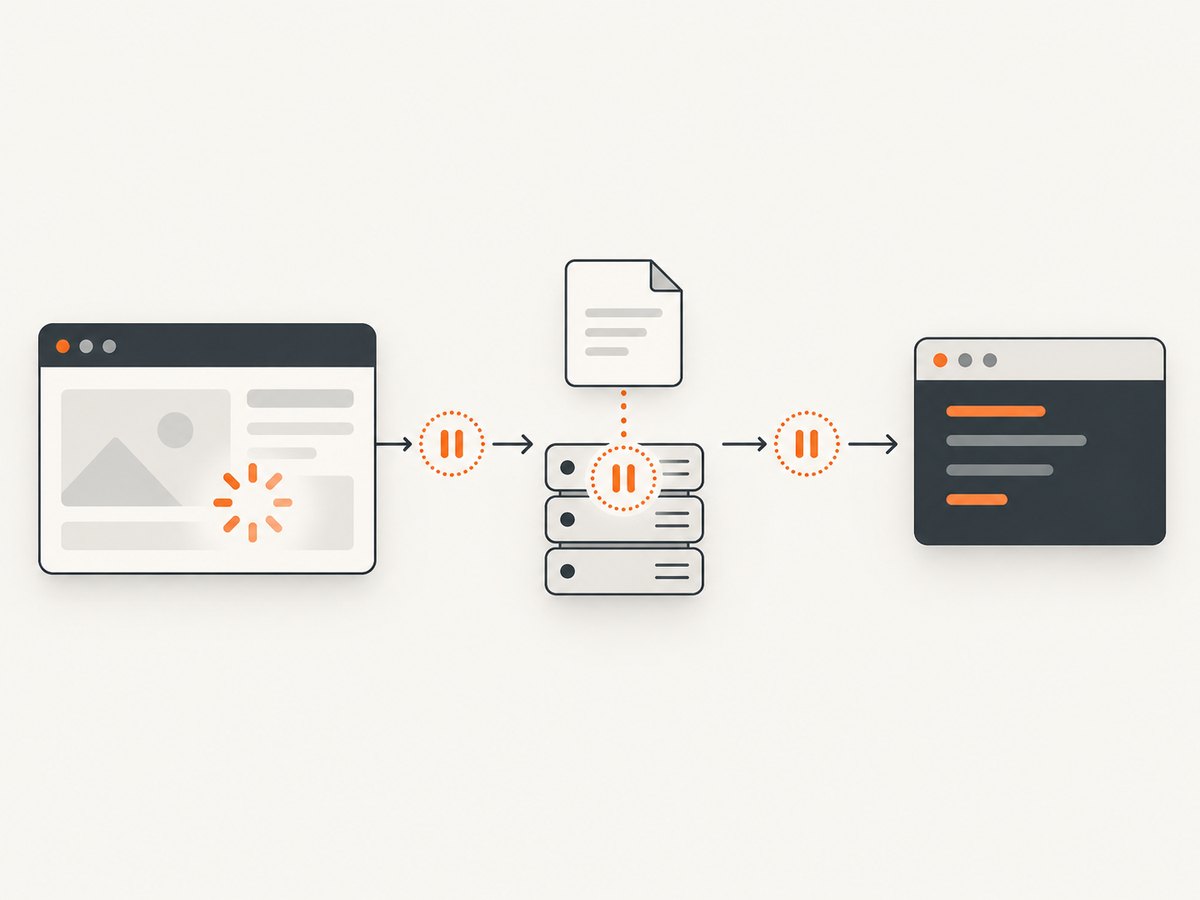
A Capybara test that appears to hang during a screenshot or render call does not, by that fact alone, identify the cause. The wait may be in Capybara synchronization, in the page or one of its resources, or in Poltergeist waiting for PhantomJS to answer a driver command. Diagnose those layers separately before changing timeouts.
This guide is for maintaining an existing Ruby suite that uses Capybara, Poltergeist, and PhantomJS. The project’s README documents Poltergeist’s :timeout as the number of seconds it waits for a response while communicating with PhantomJS, with a documented default of 30 seconds. That is a driver communication timeout; it does not prove that asynchronous page work has finished. [Poltergeist README]
1. Identify which operation and wait are stuck
First record the exact Ruby call at which progress stops. Common examples include save_screenshot, page.driver.render_base64, a Capybara matcher, or a navigation. Record whether it eventually raises, whether PhantomJS exits or crashes, or whether the process never returns. These outcomes point to different evidence; a screenshot call can merely be where an earlier page or driver problem becomes visible.
| Failure layer | What is waiting | Useful first evidence |
|---|---|---|
| Test synchronization | The test expects an asynchronous page condition that has not become true. | The matcher or action immediately before render; whether the expected DOM state eventually appears. |
| Page or resource loading | Navigation or application activity is waiting on a request, script, image, or other resource. | Network traffic, the URL, a partial screenshot, and browser output. |
| Driver communication | Poltergeist sent a command and is waiting for PhantomJS to respond. | Poltergeist timeout or exception, debug output, process state, and a full stack trace. |
Keep the failing URL and the smallest reproducible test with your notes. Avoid describing the failure simply as “render hangs”: include the method name and the point where the last log line appears.
2. Enable Poltergeist diagnostics
Configure the driver with debug output and retain both the Ruby-side logs and PhantomJS output. The README notes that some PhantomJS debug output goes to standard output for technical reasons, so collecting only a test framework’s usual error stream can omit useful lines. Capture the complete exception and stack trace as well.
require "capybara/poltergeist"

Capybara.register_driver :poltergeist_debug do |app|
  Capybara::Poltergeist::Driver.new(
    app,
    debug: true,
    timeout: 30
  )
end

Capybara.default_driver = :poltergeist_debug
The explicit timeout: 30 above makes the documented default visible; it is not a recommended universal setting. Check the configuration syntax against the installed Poltergeist version and your suite’s existing driver setup before replacing it. If your suite already registers a driver, add the diagnostic option there rather than defining a competing default.
When debugging, run the single failing test in a way that preserves both output streams. Don’t discard standard output or truncate logs at the first exception. Note timestamps around navigation and the render operation so you can tell whether the pause begins before the driver command or after it.
3. Inspect the page and network at the failure point
Poltergeist provides page.driver.network_traffic for inspecting requests, and supports screenshots through save_screenshot and base64 rendering through render_base64. Use these tools to establish whether the page is blank, partially rendered, or already visually complete when the test stalls. A screenshot can help describe the state, but it does not by itself establish that all asynchronous work or network requests have completed.
# Place near the point where the test appears to stall.
puts "Current URL: #{page.current_url}"

page.driver.network_traffic.each do |request|
  puts request
end

page.save_screenshot("tmp/poltergeist-debug.png")
Adapt the output formatting to the request objects exposed by your installed version. Preserve the resulting request details and screenshot with the test logs. If one request appears unfinished, compare runs and determine whether the same host or resource is involved. Poltergeist’s README recommends URL whitelisting or blacklisting when slow external resources are involved; use that only after evidence points to the relevant resource, and document the behavioral effect of excluding it. [Poltergeist README]
4. Test synchronization separately from driver timeout
Poltergeist’s troubleshooting guidance describes flaky tests as synchronization problems and points to Capybara’s asynchronous JavaScript guidance. If the test moves to rendering before the application reaches the state it needs, wait for that actual state. Increasing a driver communication timeout can make the test wait longer without making the expected condition happen.
# Prefer waiting for the condition the test actually needs.
expect(page).to have_selector("#report-ready", visible: true)
page.save_screenshot("tmp/report.png")
Choose a stable application-specific selector or assertion. Avoid fixed sleeps as a general synchronization strategy: they can waste time on fast runs and still fail when slower runs need longer. This snippet is illustrative; use the selectors and assertion style available in your application and installed Capybara version.
Only adjust Poltergeist’s :timeout when logs show that a driver command is taking longer to receive a response and a longer response window is appropriate for the test. Its documented 30-second default concerns driver-to-PhantomJS communication, not a universal Capybara wait duration. The available project guidance does not establish one timeout value for every Capybara version or application.
5. Compare resource and PhantomJS symptoms carefully
A historical PhantomJS issue reports a sporadic page-load hang with PhantomJS 2.1.1 on Debian Jessie. The report associates the incident with a failed resource load and includes the message QIODevice::write (QTcpSocket): device not open. Treat this as a symptom to compare against your own platform, version, and logs—not as the explanation for every render hang. [PhantomJS issue tracker]
If your output has a similar signature, capture the failing URL, resource traffic, PhantomJS version, OS, and whether the issue reproduces with that resource isolated. If it does not, do not force the diagnosis. A stalled driver command, an application synchronization race, and a resource-load problem can look alike from the test runner’s last printed line.
6. Check process, memory, fonts, and CI differences
Collect environment evidence before changing CI configuration. The Poltergeist README warns that sessions not explicitly quit can contribute to memory exhaustion, and notes that missing fonts can cause differences between CI and local output. Record memory or process growth, session lifecycle, font availability, and whether the same test behaves differently on the same URL in each environment. These are investigation paths, not established causes in an individual failure. [Poltergeist README]
- Verify tests and helpers clean up sessions according to the suite’s driver lifecycle.
- Compare the Ruby, Capybara, Poltergeist, PhantomJS, and operating system versions between local and CI runs.
- Check whether external hosts or resource timing differ in CI.
- Record font availability when the problem is a visual mismatch rather than a process hang.
- Keep the failing URL, memory and process observations, and exact reproduction steps together.
7. Choose a timeout change, workaround, or migration using evidence
Use the diagnosis to choose the smallest relevant change. A test synchronization issue calls for waiting on the application condition. A slow external resource may justify investigating a URL allowlist or blocklist. A driver response timeout may justify changing :timeout after confirming that the command is progressing slowly rather than stuck. A PhantomJS crash or repeatable engine defect may make a browser-engine change more appropriate than accumulating local workarounds.
Poltergeist’s repository was archived on November 27, 2020 and is read-only. The PhantomJS installer project describes its package as deprecated because PhantomJS development had been suspended. That maintenance status should factor into the cost of recurring failures and the ability to patch the underlying stack. [Poltergeist repository] [PhantomJS installer repository]
The Poltergeist README names Cuprite, a headless Chrome project, as a migration lead. Treat it as something to evaluate against your Ruby, Capybara, application JavaScript, and CI setup; the cited material does not establish a current compatibility matrix or guarantee a drop-in migration. Compare the failure’s reproducibility, whether it follows a resource or PhantomJS itself, maintenance needs, suite compatibility, and the effort of migration against the recurring cost of failures. [Poltergeist README]
8. Prepare a useful bug report
If the failure appears to belong to Poltergeist or PhantomJS, make the report reproducible. The Poltergeist README asks for a minimal test, exact reproduction steps, debug output, screenshots, a stack trace, Poltergeist and PhantomJS versions, and operating-system details. Include the precise render method, the final log line, and whether the process raises, crashes, or never returns. [Poltergeist README]
- Reduce the failure to the smallest test and URL that still reproduces it.
- Capture both Ruby and PhantomJS output without dropping standard output.
- Attach network observations and a screenshot of the failure state.
- List dependency versions and OS name/version.
- State what changed between a passing and failing run, if known.
Or skip the browser setup
If you need a website screenshot outside the legacy test suite, ScreenshotNeo is a website screenshot API and MCP server from Yorker Media. A single GET request returns a PNG, JPEG, WebP, or PDF. It does not diagnose or repair a Poltergeist test, but it can avoid setting up PhantomJS for a separate screenshot workflow.

For example, save a WebP screenshot with cURL:
curl -G "https://api.screenshotneo.com/v1/shot" -d access_key=YOUR_API_KEY --data-urlencode url=https://stripe.com -o shot.webpPython:
import requests

r = requests.get(
    "https://api.screenshotneo.com/v1/shot",
    params={"access_key": "YOUR_API_KEY", "url": "https://stripe.com"},
    timeout=90,
)
open("shot.webp", "wb").write(r.content)
Node.js:
const q = new URLSearchParams({ access_key: 'YOUR_API_KEY', url: 'https://stripe.com' });
const res = await fetch(`https://api.screenshotneo.com/v1/shot?${q}`);
if (!res.ok) throw new Error(`Screenshot request failed: ${res.status}`);
const bytes = new Uint8Array(await res.arrayBuffer());
await import('node:fs/promises').then(fs => fs.writeFile('shot.webp', bytes));
See the ScreenshotNeo API documentation for request options and response details. Cookie and consent banners are accepted and removed before capture, along with known newsletter popups and chat widgets; each step can be turned off. Bot checks and CAPTCHAs, blank pages, failed loads, timeouts, and cache hits cost nothing, with X-Page-Verdict and X-Billed headers indicating the result. Its MCP server provides take_screenshot, get_page_info, and capture_pdf for AI agents. The free plan includes 1,000 screenshots a month without a card; paid plans start at $5 for 3,000 shots.
Sign up for 1,000 free screenshots a month, with no card required.
Frequently asked questions
Does a hang at save_screenshot prove the screenshot code is broken?
No. It identifies where the delay is visible. Check synchronization, page/resource loading, and driver communication before attributing the cause.
Should I raise the timeout above 30 seconds?
Only when evidence shows a driver command needs a longer response window. The documented default is not a universal page-load or Capybara synchronization setting.
Is the Debian Jessie PhantomJS issue the cause of my failure?
Not without matching evidence. It is a historical report specific to PhantomJS 2.1.1 on Debian Jessie and a failed resource-load symptom.
Is Cuprite guaranteed to replace Poltergeist without changes?
No such guarantee is established by the cited material. Test it against your suite and environment before planning a migration.


