How to Fix CasperJS on JavaScript-Driven Webpages
Fix CasperJS timing failures by waiting for real page state, inspecting the DOM safely, and diagnosing timeouts in legacy PhantomJS scripts.

CasperJS often appears to fail on JavaScript-driven pages because the script treats the first page load as the final page state. The browser may have received the initial HTML while the application is still fetching data, building components, opening a modal, or replacing placeholder content.
The practical fix is to wait for the condition your next action actually needs. Use waitForSelector() when an element must exist, waitForText() when text proves that data arrived, waitUntilVisible() when a hidden node is not enough, and waitFor() for a custom predicate. Use evaluate() to inspect the page DOM from inside the page context. Always make timeout behavior explicit.
This guide applies to legacy CasperJS and PhantomJS projects. The CasperJS project repository says that CasperJS is no longer actively maintained, so a correct wait can fix a timing assumption without making an old runtime compatible with every modern website.
Why CasperJS reads a page too early
“Page loaded” has no universal meaning. It might mean that the DOM-ready event fired, that network requests ended, that application code completed, or that every element needed by your task is rendered. Those states can occur at different times.
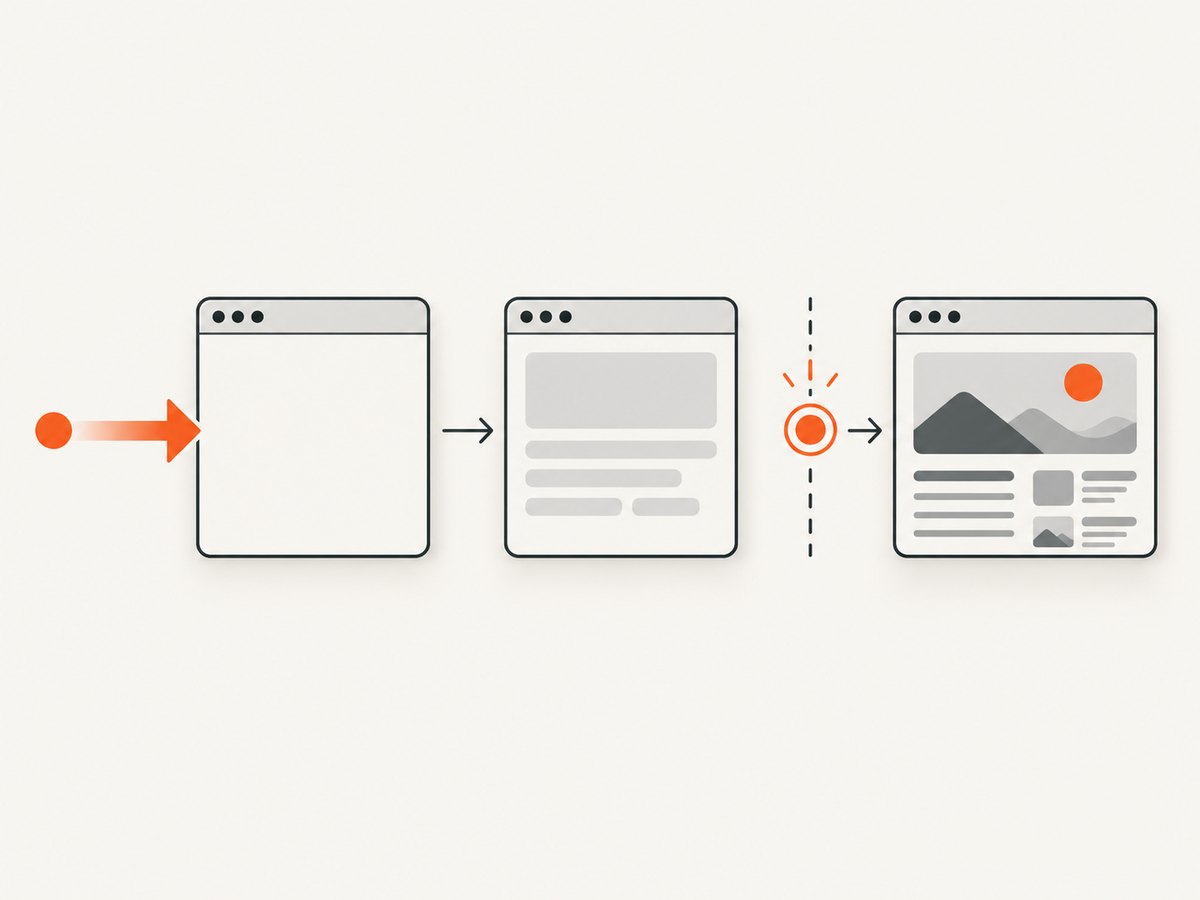
A single-page application commonly returns a shell such as a root element, loading spinner, and JavaScript bundles. The results you want arrive later through XHR or fetch requests. If CasperJS runs getHTML(), queries a selector, or clicks a button immediately after start(), it may see only the shell.
Define readiness in terms of the next operation:
- A result list exists: wait for
.results. - A request finished and a known message appears: wait for text such as “27 results”.
- A modal is usable: wait until its dialog is visible.
- No stable selector or text exists: evaluate a predicate such as a count, data attribute, or removal of a loading marker.
Choose the wait API that matches the state
| API | What it observes | Use it when |
|---|---|---|
waitForSelector(selector) |
A matching element exists | The next action needs a node in the DOM |
waitForText(text) |
Expected text appears | Rendered content is the reliable signal |
waitUntilVisible(selector) |
An element is visible | The node may exist while hidden by CSS |
waitFor(test, then, onTimeout, timeout) |
Your custom boolean test | Readiness depends on application state |
The CasperJS module documentation describes a 5,000 millisecond default for waitFor(). Set a deliberate timeout for the page you operate and use the timeout callback as a diagnostic branch. A longer timeout should give a known-slow page more time; it should not hide a wrong selector or a broken runtime.
Minimal working fix
Replace the URL, selector, and text with conditions from the site you automate. This pattern waits for a result container, reads it inside the page, and exits clearly if the condition never arrives.
var casper = require('casper').create({
    waitTimeout: 10000,
    pageSettings: {
        javascriptEnabled: true
    }
});

casper.start('https://example.com/');

casper.waitForSelector('.results', function () {
    var result = this.evaluate(function () {
        var node = document.querySelector('.results');
        return node ? node.innerText : '';
    });
    this.echo(result);
}, function () {
    this.echo('Timed out waiting for .results');
    this.exit(1);
}, 10000);

casper.run();
The success callback runs only after the selector exists. The timeout callback prevents the script from continuing with an empty value. The evaluate() function runs in the opened page, similar to code entered in the browser console.
Inspect the DOM through evaluate()
CasperJS code and page JavaScript run in different contexts. PhantomJS provides a sandboxed page context for evaluate(). Arguments and return values must be simple serializable values. Functions, closures, and DOM nodes do not cross the boundary.
Return a simple value
var count = casper.evaluate(function () {
    return document.querySelectorAll('.result-card').length;
});
this.echo('Result count: ' + count);
Pass a serializable argument
var selector = '.result-card';
var visibleCount = casper.evaluate(function (css) {
    var nodes = document.querySelectorAll(css);
    var visible = 0;
    for (var i = 0; i < nodes.length; i++) {
        var style = window.getComputedStyle(nodes[i]);
        if (style.display !== 'none' && style.visibility !== 'hidden') {
            visible++;
        }
    }
    return visible;
}, selector);
Use a custom readiness predicate
casper.waitFor(function checkReady() {
    return this.evaluate(function () {
        var loading = document.querySelector('.loading');
        var cards = document.querySelectorAll('.result-card');
        return !loading && cards.length > 0;
    });
}, function onReady() {
    this.echo('Results are rendered');
}, function onTimeout() {
    this.echo('Results did not render before the timeout');
    this.exit(1);
}, 15000);
Keep CasperJS-side variables outside the page function only when you pass them as arguments. Do not reference a CasperJS closure from inside evaluate(); it is not available in the sandbox.
Wait for text, visibility, or a modal
Text that proves data arrived
casper.waitForText('Report ready', function () {
    this.echo('The report is ready to download');
}, function () {
    this.echo('The expected status text never appeared');
    this.exit(1);
}, 12000);
An element that exists but starts hidden
casper.waitUntilVisible('#checkout-dialog', function () {
    this.click('#checkout-dialog button.confirm');
}, function () {
    this.echo('Checkout dialog was not visible');
    this.exit(1);
}, 10000);
Content inside a modal
When the application creates a modal after a click, wait for the modal or a child inside it before reading. The CasperJS FAQ documents dynamic content and modal examples as practical uses for these waits.
casper.click('#open-details');
casper.waitForSelector('.modal .details', function () {
    var details = this.evaluate(function () {
        return document.querySelector('.modal .details').innerText;
    });
    this.echo(details);
}, function () {
    this.echo('Details modal did not open');
    this.exit(1);
}, 10000);
A repeatable debugging sequence
- Confirm JavaScript is enabled. CasperJS page settings list
javascriptEnabled, withtrueas the default. Set it explicitly while diagnosing. - Inspect the initial DOM. Save or print a page snapshot before the wait. If the target is absent, determine whether it is injected later, located in a frame, or represented by a different class.
- Pick one observable readiness condition. Prefer a selector, expected text, visibility, or a custom predicate over an arbitrary sleep.
- Wait before every dependent action. A successful navigation does not imply that a later modal, table, or chart exists.
- Log the timeout branch. Include the URL, selector or predicate name, and elapsed timeout. Exit nonzero in batch jobs.
- Check frames. A selector in an iframe is not in the top-level document. Verify the frame structure and switch context using the capabilities available in your CasperJS version.
- Check runtime compatibility. Modern syntax, APIs, TLS behavior, certificates, and browser features may exceed PhantomJS. A wait cannot repair an unsupported runtime.
Common errors and fixes
| Symptom | Likely cause | Fix |
|---|---|---|
| Selector timeout, but a human sees the element | Wrong selector, iframe, or client-side rendering has not completed | Inspect the DOM, verify the frame, and wait for a post-render selector |
| Text wait never completes | Text changes, is split across nodes, or is localized | Wait for a stable element or evaluate a normalized text predicate |
| Element exists but click fails | It is hidden, covered, disabled, or not yet interactive | Use waitUntilVisible(), then verify state and overlays |
evaluate() returns undefined |
No explicit return or a non-serializable value was returned | Return a string, number, boolean, array, or plain object |
| Works locally, fails in CI | Different timing, network, viewport, or PhantomJS installation | Log the timeout branch, set an explicit timeout, and compare page settings |
| Blank page or script errors | Unsupported browser feature, certificate issue, or blocked resource | Read console/network diagnostics and assess whether the legacy runtime can support the site |
Timing, reliability, and performance
State-based waits usually finish sooner than a large fixed delay because they continue as soon as the required condition is true. They also make failures meaningful: a timeout identifies the missing state rather than producing a screenshot or scrape of a loading shell.

Choose a timeout from observed page behavior and operational consequences. For a fast internal page, 5–10 seconds may be sufficient. For a remote report that regularly takes longer, use a larger value and record the duration. Keep the predicate cheap: query one selector or a small set of attributes instead of serializing the entire DOM on every poll.
For reliability, make waits idempotent and avoid relying on animation duration. Prefer a stable data attribute over a generated class. Capture the URL and relevant state on timeout. If the task can be retried, retry navigation deliberately and avoid submitting forms twice.
CasperJS and PhantomJS are legacy tools. The repository maintenance label means you should treat compatibility as a project constraint. If the page depends on browser capabilities PhantomJS lacks, moving to a maintained browser automation stack may be the durable fix.
Or skip the browser setup
If your goal is a clean image or PDF rather than browser scripting, ScreenshotNeo provides a website screenshot API and MCP server. It accepts one GET request and can return PNG, JPEG, WebP, or PDF. Before capture it accepts cookie or consent banners and removes more than 60 known consent platforms, newsletter popups, and chat widgets. Each step can be disabled.
Only clean shots are billed. Bot checks or CAPTCHAs, blank pages, timeouts, failed loads, and cache hits cost nothing, and the response reports the result through X-Page-Verdict and X-Billed headers.
See the ScreenshotNeo API documentation for all options. A basic call is:
curl -G "https://api.screenshotneo.com/v1/shot" \
  -d access_key=YOUR_API_KEY \
  --data-urlencode url=https://stripe.com \
  -o shot.webp
Python
import requests

r = requests.get(
    "https://api.screenshotneo.com/v1/shot",
    params={"access_key": "YOUR_API_KEY", "url": "https://stripe.com"},
    timeout=90,
)
r.raise_for_status()
open("shot.webp", "wb").write(r.content)
Node.js
const q = new URLSearchParams({
  access_key: 'YOUR_API_KEY',
  url: 'https://stripe.com'
});
const res = await fetch(`https://api.screenshotneo.com/v1/shot?${q}`);
if (!res.ok) throw new Error(`HTTP ${res.status}`);
const data = Buffer.from(await res.arrayBuffer());
require('fs').writeFileSync('shot.webp', data);
ScreenshotNeo supports full-page capture with lazy images loaded, CSS-element capture, dark mode, 12 device presets or any viewport, retina scale, PDF paper sizes and margins, custom CSS and JavaScript, clicks, selector or network-idle waits, blocked ads and resource types, custom headers and cookies, user agents and Authorization, timezone and geolocation, transparent backgrounds, resizing, selectable-TTL caching, signed links, asynchronous jobs with signed webhooks, bulk capture of up to 100 URLs per call, a usage API, and an OpenAPI specification. Parameter names used by other screenshot APIs also work to simplify migration.
An MCP server exposes take_screenshot, get_page_info, and capture_pdf to Claude, Cursor, and other MCP clients. The Free plan includes 1,000 shots per month without a card; paid plans start at $5 for 3,000 shots. Create a free ScreenshotNeo account to try the API.
FAQ
Should I use a fixed sleep instead of a wait?
Use a state-based wait whenever possible. A sleep can be too short for a slow run and waste time on a fast run. It also does not identify what the application failed to render.
Can evaluate() return a DOM element?
No. Return serializable data such as text, counts, booleans, arrays, or plain objects, then use that result in CasperJS.
Does increasing waitTimeout make modern sites work?
No. It only allows the condition more time to appear. Unsupported JavaScript, browser APIs, certificates, or network behavior require a runtime change or a different capture method.
What if the page is ready but the selector keeps changing?
Find a stable semantic attribute, container, text fragment, or application state and use that in a custom predicate. Avoid generated class names that change between builds.


