How to Fix CasperJS Resource Loading Failures with HTTP Status 0
HTTP status 0 is a symptom, not a diagnosis. Capture CasperJS resource events to separate timeouts, network failures, server responses, and script aborts.
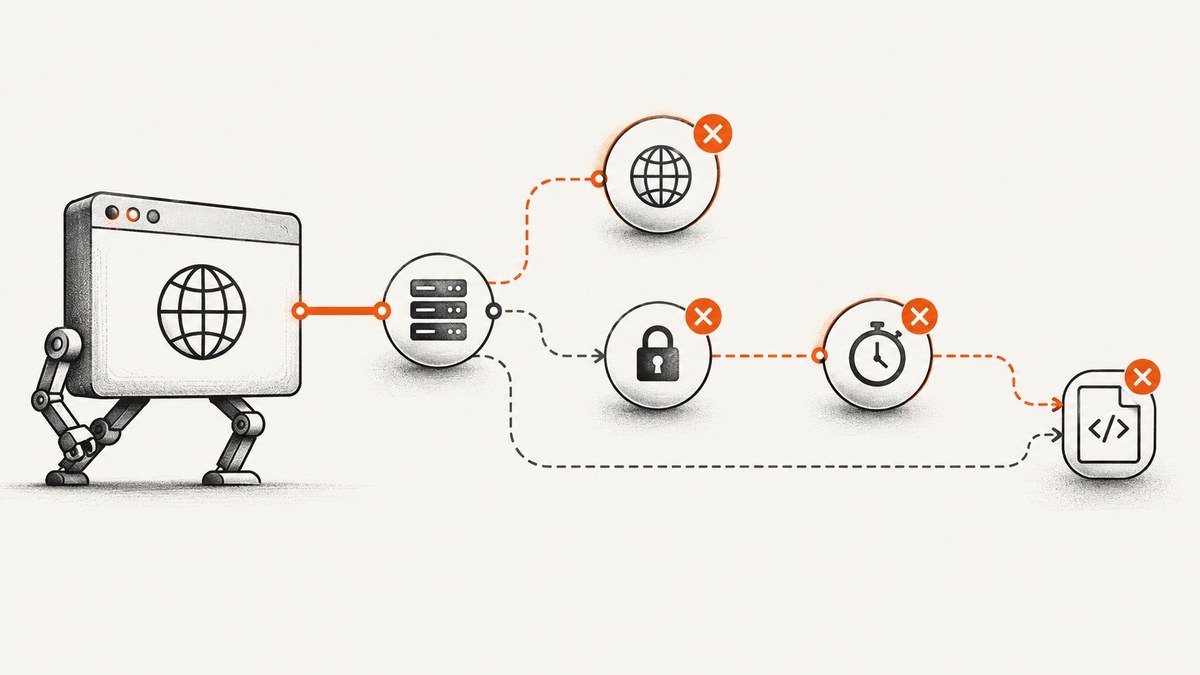
CasperJS reporting HTTP status 0 does not mean a server returned an HTTP response with status zero. It usually means the browser engine did not produce a usable response that CasperJS could expose. The number alone cannot tell you whether DNS, TLS, a timeout, a server behavior, or your own script caused the failure.
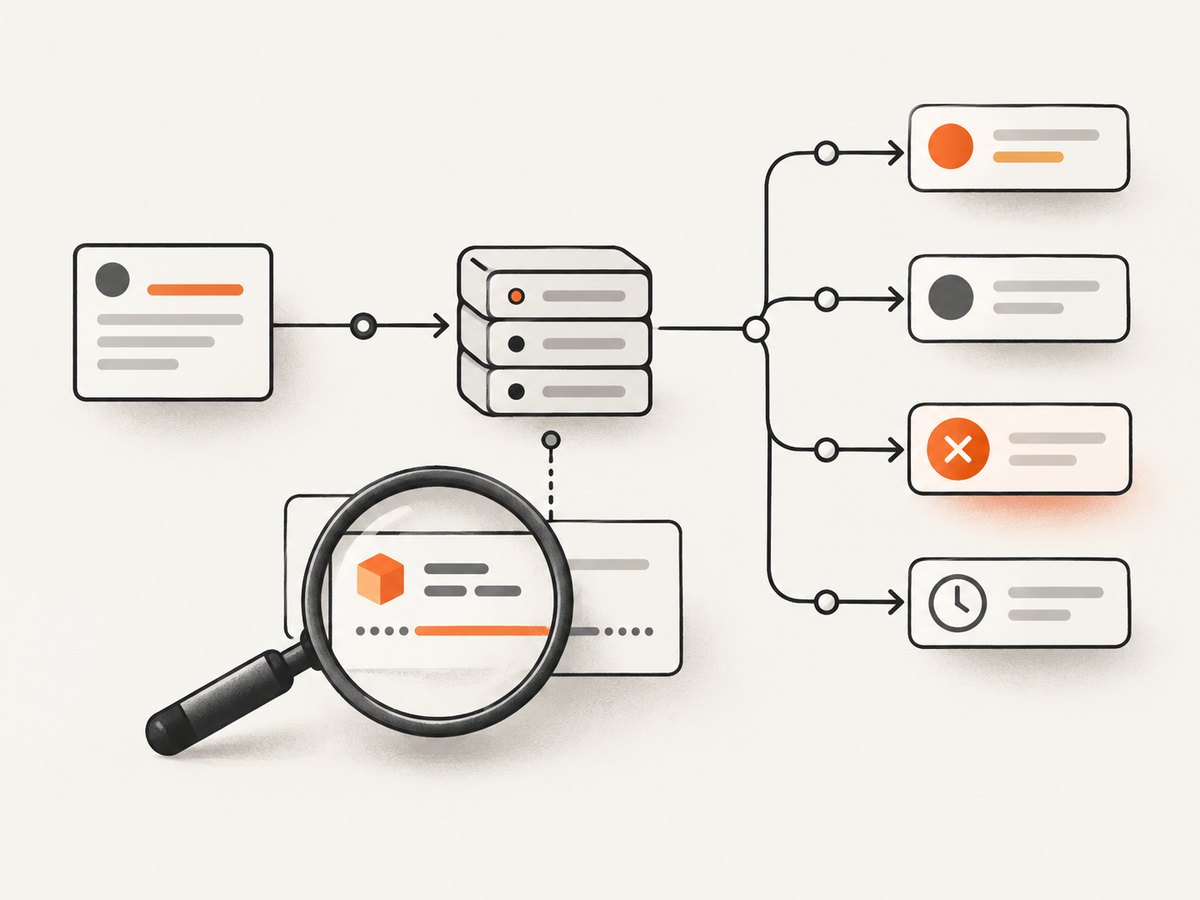
Capture both resource.received and resource.error before navigation starts. The received event shows response data such as URL and status; the error event shows an error code, message, URL, and resource ID. Those fields let you choose the next diagnostic branch.
1. Add resource logging before navigation
Run this diagnostic script with the same CasperJS, PhantomJS, or SlimerJS versions and settings as the failing job. It is a diagnostic pattern; check event payload details against your installed versions.
var casper = require('casper').create({
    verbose: true,
    logLevel: 'debug'
});

casper.on('resource.requested', function (requestData) {
    this.echo('REQUEST ' + requestData.id + ' ' + requestData.method + ' ' + requestData.url);
});

casper.on('resource.received', function (resource) {
    this.echo('RECEIVED ' + resource.id + ' ' + resource.status + ' ' + resource.url);
});

casper.on('resource.error', function (error) {
    this.echo('RESOURCE ERROR ' + error.id + ' ' + error.errorCode +
        ' ' + error.errorString + ' ' + error.url, 'ERROR');
});

casper.start('https://example.invalid/');
casper.run();
Register listeners before casper.start() or any navigation call. Save the complete event sequence for the affected URL. Remove credentials, cookies, authorization values, and sensitive query parameters before sharing logs.
| Event | What to record | What it tells you |
|---|---|---|
resource.requested |
ID, method, URL | What the page attempted to fetch |
resource.received |
ID, status, URL | Whether a response was exposed to CasperJS |
resource.error |
ID, errorCode, errorString, URL | Why the browser reported a resource failure |
resource.timeout |
Resource identity and timing | Whether CasperJS stopped waiting for the resource |
2. Interpret status 0 from the evidence
Status 0 is a client-side symptom label. Treat it as “no usable HTTP response was available” until the surrounding events prove otherwise.
| Observed evidence | Likely branch | Next action |
|---|---|---|
resource.error with a network or TLS error |
DNS failure, refused connection, certificate negotiation, proxy, or connectivity problem | Test resolution and TLS from the same machine and inspect the exact error fields |
resource.timeout and no received event |
Resource exceeded settings.resourceTimeout |
Compare elapsed time with the configured timeout; increase it only when the resource is expected to be slow |
| Request event followed by an intentional abort | Your request handler cancelled the resource | Search for networkRequest.abort() and resource-request callbacks |
| URL changes during the request | Your script rewrote the destination | Search for networkRequest.changeUrl() and log the URL before and after changes |
| A received event with a non-2xx status | The server did return an HTTP response | Debug the HTTP status, redirect chain, authentication, or application response separately from status 0 |
Do not infer the cause from the number alone. Browser environments can use zero when no usable response exists; it is not an official HTTP status code. CasperJS’s event and API documentation describes the resource callbacks and timeout behavior (CasperJS API documentation).
3. Check for script-driven aborts and URL rewrites
CasperJS exposes the underlying network request through resource callbacks. A handler can abort a request or change its URL. PhantomJS documents that aborting a request invokes the resource-error callback (PhantomJS resource request documentation).
casper.page.onResourceRequested = function (requestData, networkRequest) {
    if (/\.doubleclick\.net|googletagmanager\.com/.test(requestData.url)) {
        this.echo('ABORTING ' + requestData.url);
        networkRequest.abort();
    }
};
This kind of filtering can be deliberate, but it also explains a status-0 report for a resource your own code cancelled. Search the whole script for:
networkRequest.abort()networkRequest.changeUrl()casper.page.onResourceRequestedresource.requestedandresource.errorhandlers that invoke request controls
Temporarily disable the matching branch, rerun with logging, and compare the event sequence. Keep the filter only if the request is intentionally unnecessary.
4. Check timeout configuration and timing
CasperJS provides a resource.timeout event and the settings.resourceTimeout setting. When the timeout is reached, CasperJS stops waiting for that resource and page work continues. That is a separate branch from a completed HTTP error response.
var casper = require('casper').create({
    verbose: true,
    logLevel: 'debug',
    pageSettings: {
        loadImages: true
    }
});

casper.settings.resourceTimeout = 30000;

casper.on('resource.timeout', function (resource) {
    this.echo('TIMEOUT ' + resource.id + ' ' + resource.url, 'WARNING');
});
Raise the timeout only when your captured timings show a slow resource that should finish. A larger value cannot repair a wrong URL, an unreachable host, a certificate problem, an intentional abort, or a server that rejects the request.
5. Correlate the URL with independent network checks
Use the exact URL from the event log and test it from the same host, container, proxy, and account context as CasperJS. Record the time, operating system, CasperJS version, PhantomJS or SlimerJS version, proxy settings, and DNS configuration.
cURL
curl -v -L --connect-timeout 10 --max-time 60 \
  'https://example.com/resource'
Inspect DNS resolution, the TLS handshake, redirects, response headers, and the final status. A successful cURL request does not prove PhantomJS will behave identically, because the clients can use different TLS stacks, user agents, proxies, and certificate stores.
Python
import requests

url = "https://example.com/resource"
try:
    response = requests.get(url, timeout=(10, 60), allow_redirects=True)
    print(response.status_code, response.url)
    print(response.headers)
except requests.RequestException as exc:
    print(type(exc).__name__, exc)
Node.js
const url = 'https://example.com/resource';
const controller = new AbortController();
const timer = setTimeout(() => controller.abort(), 60_000);

try {
  const response = await fetch(url, { redirect: 'follow', signal: controller.signal });
  console.log(response.status, response.url);
} catch (error) {
  console.error(error.name, error.message);
} finally {
  clearTimeout(timer);
}
Use these checks to separate a host-wide DNS, routing, or TLS failure from a problem confined to the legacy browser runtime. Also inspect server and proxy logs at the same timestamp; they can show whether the request arrived.
6. Verify redirects, authentication, and request context
Log every requested URL, not just the page URL. A page can load while a script, stylesheet, font, iframe, or API request fails after a redirect. Check:
- HTTP to HTTPS redirects and redirect loops
- Hosts that require an
Authorizationheader or cookie - Signed URLs that expired before the request
- Proxy authentication and environment variables
- Certificate chains trusted by PhantomJS or SlimerJS
- User-agent or origin checks that reject the legacy browser
- Content security or firewall rules affecting only subresources
Do not “fix” a failing resource by hiding the status. Preserve the URL, error code, and timing so later runs remain diagnosable.
7. A repeatable troubleshooting checklist
- Install the diagnostic listeners before the first navigation.
- Capture request, received, error, and timeout events for the same run.
- Redact secrets and retain the exact failing URL and resource ID.
- Search for request aborts and URL rewrites.
- Compare timeout timestamps with
settings.resourceTimeout. - Test DNS, connectivity, TLS, redirects, and authentication from the same machine.
- Compare CasperJS and PhantomJS or SlimerJS versions and proxy settings.
- Check server, load balancer, and proxy logs.
- Only then change a timeout, request filter, certificate store, or browser setting.
8. Common errors and fixes
| Symptom | Cause to investigate | Fix |
|---|---|---|
| Error code identifies a name-resolution failure | DNS cannot resolve the host from the runtime | Fix resolver configuration or use the correct hostname; verify from the same container |
| TLS or certificate error | Legacy certificate store, protocol mismatch, or interception proxy | Repair the trust/proxy setup and verify the certificate chain; avoid disabling verification as a blind fix |
| Only slow resources show status 0 | Resource timeout | Measure the resource and adjust settings.resourceTimeout when justified |
| Only analytics or ad URLs fail | Intentional filtering or third-party blocking | Review onResourceRequested and abort rules |
| URL in the error differs from the original URL | Redirect or changeUrl() |
Log each URL transition and inspect redirect responses |
| Failure occurs only in CI | Different DNS, proxy, certificates, sandbox, or clock | Compare runtime versions and network configuration with a working host |
| Page appears complete but one asset failed | Noncritical subresource error | Identify whether the asset is needed; fix its network path or handle it explicitly |
9. Performance, reliability, and cost considerations
Verbose resource logging adds I/O and can expose sensitive URLs, so enable it for diagnosis and reduce it afterward. Keep request IDs and timestamps so you can correlate failures without dumping response bodies.
Raising timeouts improves tolerance for slow resources but increases wall-clock time and can make a stuck job consume workers longer. Prefer targeted timeouts and fail-fast handling for resources that are optional.
Retries help only for transient network failures. Retry with a bounded count and backoff after recording the original error; do not retry deterministic certificate errors, bad URLs, or requests your script intentionally aborts. Cache or skip nonessential third-party assets when your page does not require them.
CasperJS is no longer actively maintained. The CasperJS repository states, “CasperJS is no longer actively maintained.” That status affects compatibility planning, but it does not prove that age caused a particular status-0 failure. Preserve the evidence, repair the immediate issue, and separately decide whether a maintained browser automation stack is required (CasperJS GitHub repository).
10. Or skip the browser setup
If the goal is a clean screenshot rather than maintaining a legacy browser capture stack, ScreenshotNeo provides a single HTTP request. Its API handles the capture and returns PNG, JPEG, WebP, or PDF. See the ScreenshotNeo documentation for all options.

curl -G "https://api.screenshotneo.com/v1/shot" -d access_key=YOUR_API_KEY --data-urlencode url=https://example.com -o shot.webpimport requests
r = requests.get("https://api.screenshotneo.com/v1/shot", params={"access_key": "YOUR_API_KEY", "url": "https://example.com"}, timeout=90)
open("shot.webp", "wb").write(r.content)const q = new URLSearchParams({ access_key: 'YOUR_API_KEY', url: 'https://example.com' });
const res = await fetch(`https://api.screenshotneo.com/v1/shot?${q}`);Cookie banners, newsletter popups, and chat widgets are removed before the shot. Bot checks, blank pages, failed loads, timeouts, and cache hits are not billed, and response headers report the page verdict and billing result. An MCP server provides take_screenshot, get_page_info, and capture_pdf tools for Claude, Cursor, and other MCP clients. The Free plan includes 1,000 screenshots each month with no card; paid plans start at $5 for 3,000 shots.
Create a free ScreenshotNeo account to try the API.
11. FAQ
Is HTTP status 0 a real HTTP status?
No. It is a browser or client-side indication that no usable response was exposed.
Should I always increase the resource timeout?
No. Increase it only when timeout events and timing show a legitimately slow resource.
Can a server return status 0?
Not as a standard HTTP response code. A server response should have an HTTP status such as 200, 404, or 500; status 0 usually means the client lacks a usable response.
Why does the page finish when a resource fails?
CasperJS can continue page work after a resource timeout or error. Decide whether the failed resource is required for your capture or workflow.
Does CasperJS being unmaintained prove it caused my failure?
No. It is a maintenance and compatibility risk, not a diagnosis. Use the captured event data and independent network checks.


