How to Fix Chrome Startup Crashes with ChromeDriver 2.32
Diagnose ChromeDriver 2.32 startup crashes by separating browser, driver, privilege, binary, and harness problems with commands and fixes.
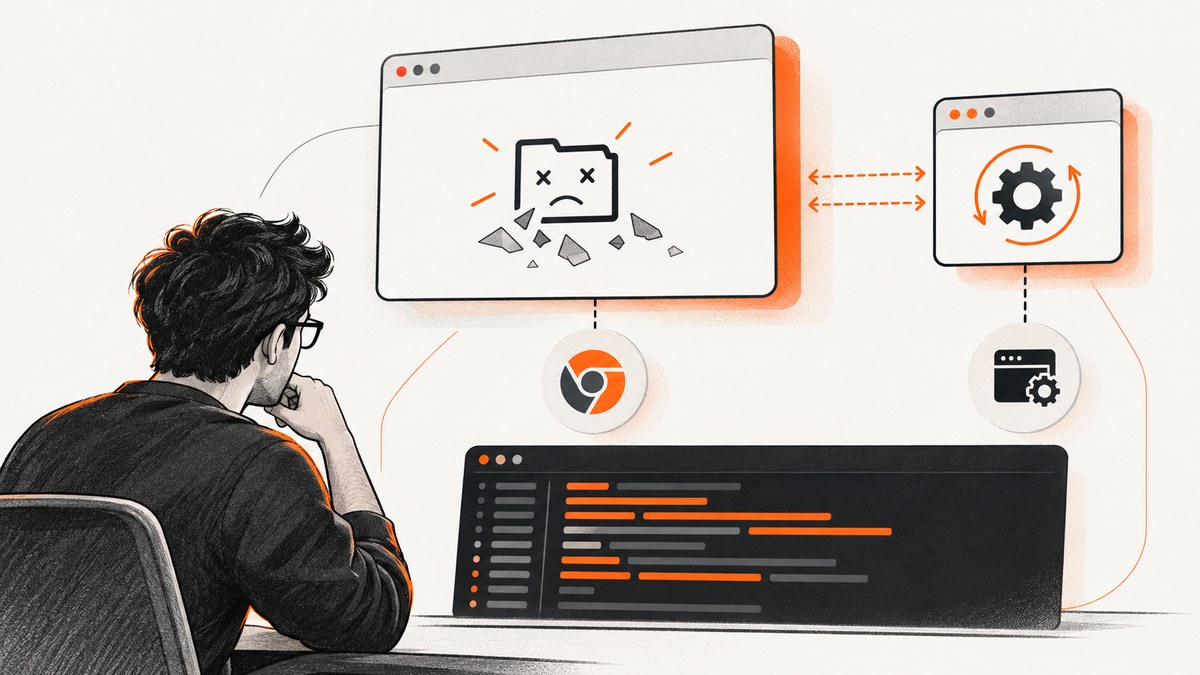
ChromeDriver 2.32 does not provide a universal fix for Chrome startup crashes. The reliable approach is to identify which layer fails: Chrome itself, the ChromeDriver binary, the browser-driver version pairing, the operating-system account, or the test harness.
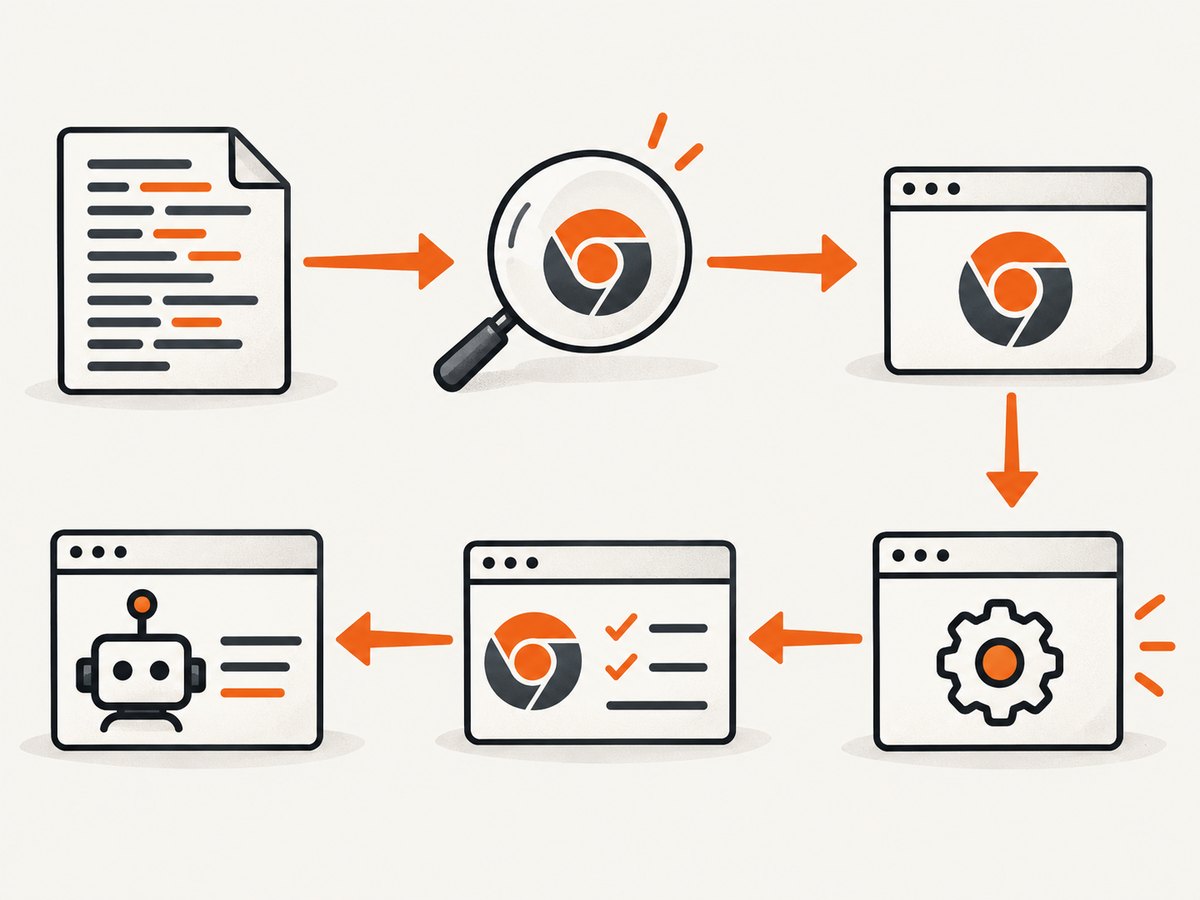
Start by recording the exact Chrome executable and arguments used by the test. Launch that same executable manually under the same account. If it crashes outside WebDriver, repair the browser or machine environment first. If it launches manually, investigate ChromeDriver, compatibility, and the harness. ChromeDriver 2.32 is a historical release whose notes describe specific WebDriver fixes, not a general startup-crash remedy.
1. Capture the facts before changing anything
A computer can contain multiple Chrome installations. The browser visible on the desktop may not be the binary used by automation. ChromeDriver’s startup guide recommends checking chromedriver.log to confirm the binary path and then running the test directly from a normal user command prompt.
- Record the Chrome version from the binary used by the test.
- Record the ChromeDriver version:
chromedriver --version. - Enable verbose logging and save it to a known file.
- Copy the binary path, user-data directory, and command-line switches from the log or test configuration.
- Note the operating-system user, working directory, environment variables, and whether a CI service or IDE starts the process.
chromedriver --version
chromedriver --verbose --log-path=chromedriver.log
Do not infer compatibility from the Chrome icon or from a version shown in a different profile. The path in the driver log is the one that matters. See the official ChromeDriver startup troubleshooting guide.
2. Launch the same Chrome binary without WebDriver
Use the path reported by the log, the same operating-system account, and the same switches supplied by the test. Add a temporary user-data directory so an existing locked or corrupt profile does not affect the experiment.
Linux
/opt/google/chrome/google-chrome \
  --user-data-dir=/tmp/chrome-driver-debug \
  --remote-debugging-port=9223 \
  --disable-extensions \
  --no-first-run \
  --no-default-browser-check
Windows
"C:\\Program Files\\Google\\Chrome\\Application\\chrome.exe" ^
  --user-data-dir="%TEMP%\\chrome-driver-debug" ^
  --remote-debugging-port=9223 ^
  --disable-extensions ^
  --no-first-run ^
  --no-default-browser-check
macOS
/Applications/Google\\ Chrome.app/Contents/MacOS/Google\\ Chrome \
  --user-data-dir=/tmp/chrome-driver-debug \
  --remote-debugging-port=9223 \
  --disable-extensions \
  --no-first-run \
  --no-default-browser-check
If Chrome fails in this direct launch, stop changing ChromeDriver. Check memory pressure, restart Chrome or the computer, inspect antivirus or unwanted software, and reinstall Chrome if necessary. Those are the general recovery steps in Google Chrome Help.
If direct launch succeeds, repeat the test from a normal terminal rather than only through an IDE, scheduled task, container entrypoint, or CI service. This reveals failures caused by a harness, service account, working directory, or environment variable.
3. Check the execution user on Linux
ChromeDriver documentation identifies running Chrome as root as a common cause of immediate startup crashes on Linux. Configure the test to run as a regular user with a writable home directory and profile directory.
id
whoami
echo "$HOME"
ls -ld "$HOME" /tmp
Do not treat --no-sandbox as the normal solution. The official guide says that workaround is unsupported and highly discouraged. Fix the account, permissions, container user, and profile location instead. If a service launches the test, inspect its configured User=, container user, or equivalent setting.
4. Verify Chrome and ChromeDriver compatibility
Before selecting a different driver, identify the browser generation. For Chrome 114 and older, the official version-selection guide says ChromeDriver should match Chrome’s major, minor, and build numbers. For Chrome 115 and newer, selection uses Chrome for Testing releases and official JSON endpoints.
That means a ChromeDriver 2.32 executable cannot be assumed to work with a current Chrome installation. The 2.32 announcement does not establish a universal Chrome support range in the material available for this guide. Treat it as a version-specific historical binary and verify a documented pairing before relying on it.
# Record both values for your incident report
chromedriver --version
# Use the actual browser binary to obtain its version
/opt/google/chrome/google-chrome --version
Read the official version-selection documentation for the browser generation you actually run. Do not downgrade or upgrade randomly: a change can hide the original cause while creating a new compatibility problem.
5. Reproduce with a minimal WebDriver session
Once Chrome launches directly and the versions are plausible, remove application code from the experiment. Start one driver, create one session, navigate to a simple page, and quit. Keep the binary path and switches explicit.
Python example
from selenium import webdriver
from selenium.webdriver.chrome.options import Options

chrome = Options()
chrome.binary_location = "/opt/google/chrome/google-chrome"
chrome.add_argument("--user-data-dir=/tmp/chrome-driver-minimal")
chrome.add_argument("--disable-extensions")
chrome.add_argument("--no-first-run")
chrome.add_argument("--no-default-browser-check")

# Selenium versions used with ChromeDriver 2.32 commonly accepted
# executable_path and chrome_options. Adjust the constructor only if
# your Selenium package requires a Service object.
driver = webdriver.Chrome(
    executable_path="/usr/local/bin/chromedriver",
    chrome_options=chrome,
)
try:
    driver.get("https://example.com")
    print(driver.title)
finally:
    driver.quit()
Run this file directly from a normal user shell. If it works there but fails in the full suite, compare environment variables, profile reuse, parallel sessions, test hooks, and the process launcher.
6. Understand what ChromeDriver 2.32 changed
The ChromeDriver 2.32 announcement lists targeted changes: clicking behavior affected by page scrolling in Chrome 61 and later, cookie deletion in Chrome 62 and later, a spec-compliant new-session handshake, retrieval of default prompt text in Chrome 62 and later, automation-extension loading updates on macOS and Windows, updated WebDriver atoms, additional script endpoints, and removal of a GLIBC 2.18 dependency.
Those notes describe WebDriver behavior and packaging changes. They are not evidence that 2.32 fixes every Chrome crash during startup. Select it only when its browser pairing and operating environment are appropriate. Read the historical 2.32 release announcement for the exact change list.
7. Troubleshooting common startup errors
| Symptom | Likely cause | Fix |
|---|---|---|
| Chrome crashes when launched directly | Broken installation, profile, memory pressure, antivirus interference, or unwanted software | Use a temporary profile, close other applications, restart, inspect security software, and reinstall Chrome if needed. |
| Chrome starts manually but not in the test | Different binary, switches, account, environment, or harness | Copy the path and arguments from chromedriver.log; run the script directly from a normal terminal. |
| Failure occurs only as root on Linux | Unsupported privileged execution | Run ChromeDriver and Chrome as a regular user with writable home and profile directories. |
session not created or version mismatch |
Driver and browser versions are incompatible | Apply the official matching rule for Chrome 114 and older, or Chrome for Testing selection for 115 and newer. |
| Works once, then crashes on the next run | Locked or corrupted profile, stale Chrome process, or reused user-data directory | Quit all Chrome processes, use a fresh temporary profile per run, and avoid parallel reuse of one profile. |
| Only CI fails | Different user, display/session, permissions, filesystem, resource limits, or launcher | Log identity, paths, arguments, and environment in CI; reproduce with the same service account from a shell. |
| Crash appears after adding flags | An argument changes security, graphics, profile, or networking behavior | Remove flags, add them one at a time, and retain only those required by the test. |
8. Use a disciplined isolation checklist
- Binary: Does the path in
chromedriver.logmatch the binary you inspected? - Direct launch: Does that binary start with the same switches outside WebDriver?
- Identity: Is the process running as root or another restricted service account?
- Profile: Is the user-data directory writable, unused, and isolated per session?
- Compatibility: Does the driver follow the browser generation’s official selection rule?
- Harness: Does a minimal script work when started directly?
- Resources: Are memory, disk, shared memory, and file permissions sufficient?
Change one variable at a time and keep the verbose log for each attempt. A useful incident record contains the Chrome version, ChromeDriver version, binary path, arguments, user, operating system, launch command, and the first fatal log message.
9. Performance, reliability, and maintenance
Startup diagnostics are faster when each experiment uses one browser and one fresh profile. Reusing a profile can save setup time but introduces locks and state leakage. Parallel sessions need separate user-data directories and enough memory; otherwise an apparent driver crash can be resource exhaustion.
Keep the browser and driver selection in configuration rather than hard-coding a historical binary into every test. Pin versions when reproducibility matters, but schedule deliberate compatibility updates. Capture driver logs on failure and delete temporary profiles after successful runs. Avoid adding broad flags merely because they appear in old CI examples.
ChromeDriver 2.32 itself has no special cost advantage: the relevant costs are engineering time, machine resources, and maintenance of an old browser-driver pairing. If your goal is simply to obtain screenshots rather than run browser interactions, starting and maintaining ChromeDriver may be unnecessary.
Or skip the browser setup
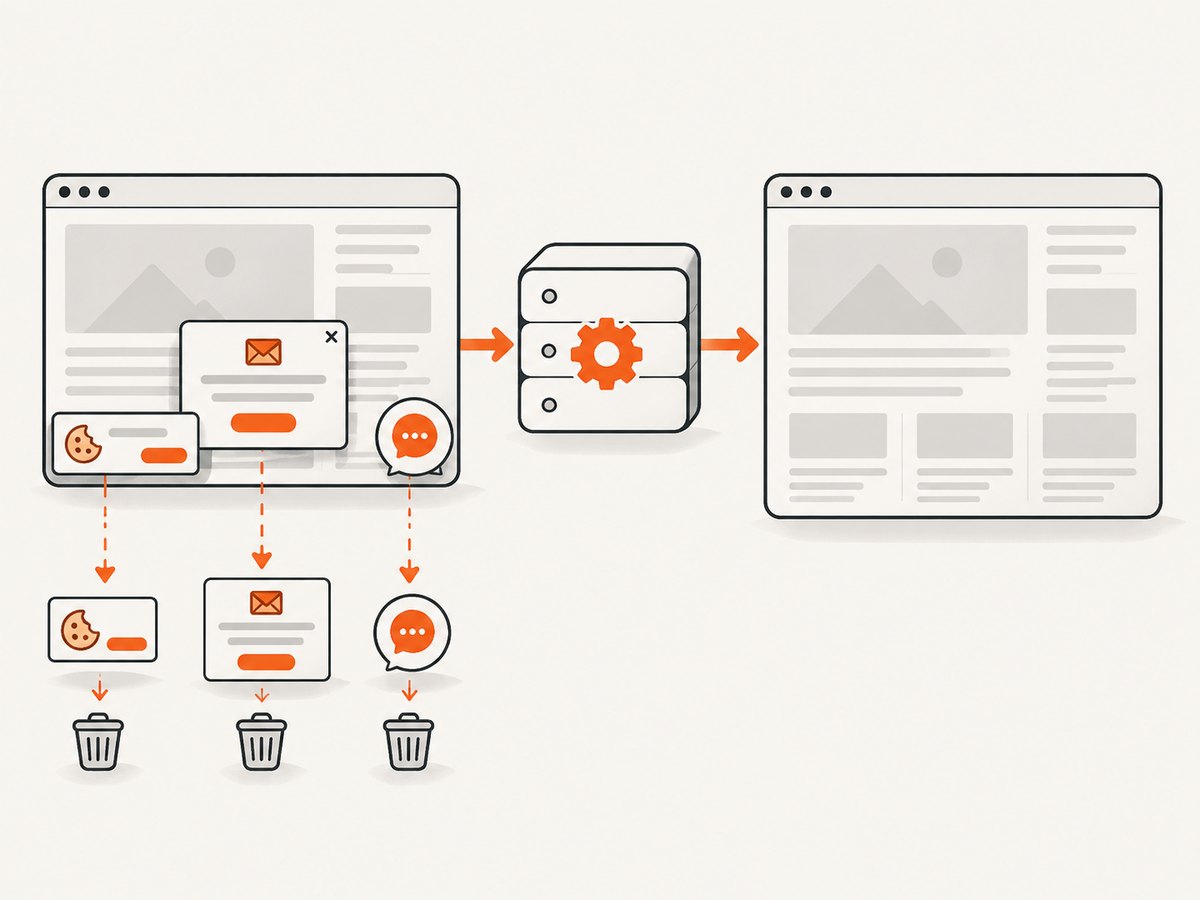
For screenshot capture, ScreenshotNeo provides a single GET request that returns PNG, JPEG, WebP, or PDF. Cookie and consent banners, newsletter popups, and chat widgets are removed before capture. Bot checks, blank pages, timeouts, failed loads, and cache hits are not billed, and response headers report the page verdict and billing status. Its MCP server provides take_screenshot, get_page_info, and capture_pdf tools for Claude, Cursor, and other MCP clients.
See the ScreenshotNeo API documentation for parameters and response details.
cURL
curl -G "https://api.screenshotneo.com/v1/shot" \
  -d access_key=YOUR_API_KEY \
  --data-urlencode url=https://stripe.com \
  -o shot.webp
Python
import requests

r = requests.get(
    "https://api.screenshotneo.com/v1/shot",
    params={"access_key": "YOUR_API_KEY", "url": "https://stripe.com"},
    timeout=90,
)
r.raise_for_status()
open("shot.webp", "wb").write(r.content)
Node.js
const q = new URLSearchParams({ access_key: 'YOUR_API_KEY', url: 'https://stripe.com' });
const res = await fetch(`https://api.screenshotneo.com/v1/shot?${q}`);
if (!res.ok) throw new Error(`HTTP ${res.status}`);
const fs = await import('node:fs/promises');
await fs.writeFile('shot.webp', Buffer.from(await res.arrayBuffer()));
ScreenshotNeo includes full-page capture with lazy images loaded, CSS-selector element capture, dark mode, device presets and custom viewports, retina scale, PDF options, custom CSS and JavaScript, clicks, selector or network-idle waits, request blocking, headers, cookies, user agents, authorization, timezone, geolocation, transparent backgrounds, resizing, configurable caching, signed links, asynchronous jobs with signed webhooks, bulk capture for up to 100 URLs per call, a usage API, and an OpenAPI specification.
There is a free plan with 1,000 screenshots per month and no card. Paid plans start at $5 for 3,000 screenshots; yearly billing gives two months free. Create a free ScreenshotNeo account.
FAQ
Does reinstalling ChromeDriver 2.32 fix the crash?
Only if the driver installation itself is damaged and the browser pairing is valid. First prove whether the same Chrome binary crashes when launched directly.
Is --no-sandbox a safe permanent fix?
No. ChromeDriver documentation calls it unsupported and highly discouraged. Run under a regular Linux user instead.
Why does the desktop Chrome work while automation fails?
Automation may use another binary, profile, account, working directory, or set of switches. The driver log and a direct launch using those exact values expose the difference.
Should I keep using ChromeDriver 2.32 with a current Chrome?
Do so only when an official compatibility path supports the pairing. Chrome 115 and newer use Chrome for Testing selection guidance, while older versions use the documented matching rule.
Can ScreenshotNeo replace WebDriver for browser testing?
No. It is designed to return screenshots or PDFs through an API and MCP tools. Use WebDriver when you need interactive assertions, clicks, form submissions, or full browser control.


