How to Fix Incorrect HTML-to-PDF Formatting with chromedp in Go
Fix chromedp PDF layout problems by checking page readiness, print CSS, Page.printToPDF options, and browser versions in a repeatable order.
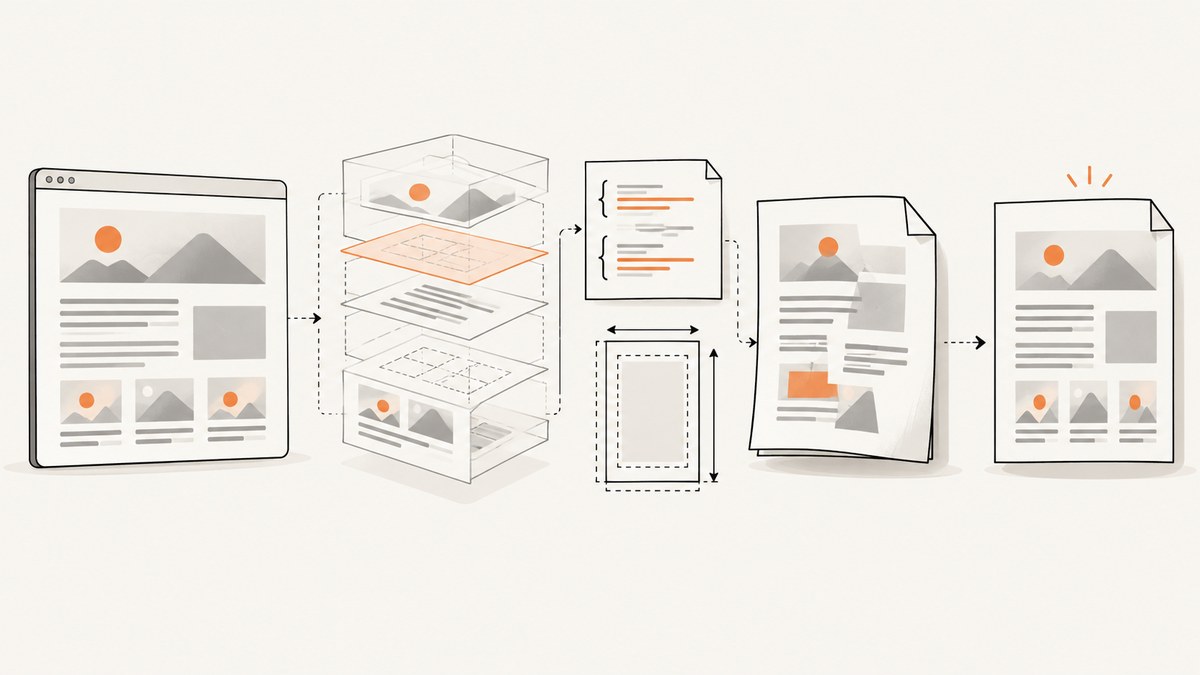
Incorrect HTML-to-PDF formatting in chromedp usually comes from one of four layers: the page’s print CSS, content that was not ready when printing began, the Page.printToPDF parameters, or differences between the browser/runtime used locally and in deployment. Fix the layers in that order, changing one variable at a time.
chromedp drives Chrome or Chromium through the Chrome DevTools Protocol. Its PDF operation is the Page domain’s printToPDF command, exposed in Go through github.com/chromedp/cdproto/page. The upstream project and PDF example are documented in the chromedp repository and its PDF example.
1. Reproduce the exact rendering environment
Before changing code, record the inputs that can change layout:
- Go version and operating system
chromedpandcdprotomodule versions- Exact Chrome or Chromium version and launch flags
- Container or VM image, installed fonts, and locale
- HTML URL or file, authentication state, cookies, and custom headers
- Viewport size, PDF options, and the generated PDF
Save the final DOM and a screenshot from the same run. If local and deployed PDFs differ, compare these values before editing CSS. Protocol bindings follow the browser protocol, so mismatched browser and module versions are a reasonable diagnostic axis; a historical chromedp discussion raised this concern, but it does not prove that any current version pair is incompatible.
2. Make sure the page is ready before printing
Navigation returning only means that the browser completed the navigation step. Client-rendered content, fonts, images, and stylesheets may still be loading. Use an application-specific readiness condition in production.
package main

import (
    "context"
    "fmt"
    "os"
    "time"

    "github.com/chromedp/cdproto/page"
    "github.com/chromedp/chromedp"
)

func main() {
    ctx, cancel := chromedp.NewContext(context.Background())
    defer cancel()

    var pdf []byte
    targetURL := "https://example.com/invoice/123"

    err := chromedp.Run(ctx,
        chromedp.Navigate(targetURL),
        chromedp.WaitVisible("#invoice-ready", chromedp.ByID),
        chromedp.ActionFunc(func(ctx context.Context) error {
            var err error
            pdf, _, err = page.PrintToPDF().
                WithPrintBackground(true).
                WithPreferCSSPageSize(true).
                Do(ctx)
            return err
        }),
    )
    if err != nil {
        panic(err)
    }
    if err := os.WriteFile("output.pdf", pdf, 0o644); err != nil {
        panic(err)
    }
    fmt.Println("wrote output.pdf")
    _ = time.Second // remove this import if you do not add a timeout below
}
Replace #invoice-ready with an element your application adds only after data, fonts, and images are ready. Other useful readiness checks include waiting for a loading spinner to disappear, waiting for a known element’s text, or evaluating a global such as window.renderComplete === true. A fixed sleep can help diagnose a race, but it is a fragile production condition because network speed varies.
3. Inspect print CSS separately from screen CSS
PDF generation uses the print presentation. Review @media print and @page rules independently from the screen layout. MDN’s printing guide covers print media and page setup.
@page {
  size: A4 portrait;
  margin: 14mm 12mm 16mm;
}

@media print {
  .navigation, .cookie-banner, .interactive-controls {
    display: none !important;
  }

  .report {
    width: auto;
    overflow: visible;
  }

  .avoid-break {
    break-inside: avoid;
  }
}
Check these common causes:
- A desktop fixed width is wider than the paper, so content is scaled or clipped.
overflow: hiddenhides content that extends past a box.- Print rules hide headings, backgrounds, or data that the screen shows.
- Long tables split in the middle of rows or are wider than the page.
- Fonts are unavailable in the container, changing line breaks and page count.
- Images have not loaded, have no intrinsic dimensions, or are blocked.
- Sticky and fixed elements overlap content in print.
Use Chrome print preview or a browser screenshot with print media emulation to compare the print presentation with the screen presentation. If the preview is already wrong, changing Go options will not repair the CSS.
4. Set Page.printToPDF parameters deliberately
The generated cdproto/page source exposes controls for orientation, paper dimensions, margins, backgrounds, scale, page ranges, headers and footers, and CSS page-size preference. Protocol paper dimensions and margins use inches.
| Symptom | Settings to inspect | Likely correction |
|---|---|---|
| Content is cropped or unexpectedly scaled | PaperWidth, PaperHeight, margins, orientation, scale |
Match the intended paper and reduce fixed widths; change one value at a time. |
| CSS page size is ignored | PreferCSSPageSize |
Enable it when @page { size: ... } should control dimensions. |
| Colors or background blocks disappear | PrintBackground |
Set WithPrintBackground(true). |
| Header/footer is missing or overlaps content | DisplayHeaderFooter, templates, top/bottom margins |
Enable display and reserve enough margin for the templates. |
| Only some pages are needed | PageRanges |
Use ranges such as 1-3 after confirming the full document’s page count. |
The documented defaults are 8.5 × 11 inches, 1 cm margins on each edge, and backgrounds disabled. Do not rely on defaults when reproducibility matters.
pdf, _, err := page.PrintToPDF().
    WithLandscape(false).
    WithPaperWidth(8.27).       // A4 width in inches
    WithPaperHeight(11.69).     // A4 height in inches
    WithMarginTop(0.55).
    WithMarginBottom(0.63).
    WithMarginLeft(0.47).
    WithMarginRight(0.47).
    WithPrintBackground(true).
    WithScale(1).
    WithPreferCSSPageSize(true).
    Do(ctx)
Use either CSS page sizing or protocol paper sizing intentionally. With PreferCSSPageSize enabled, CSS dimensions are preferred. Otherwise, content is fitted to the protocol dimensions and may be scaled.
5. Headers, footers, page breaks, and long documents
Header and footer templates use separate HTML fragments and require DisplayHeaderFooter. Reserve vertical space with top and bottom margins. For stable breaks, use modern fragmentation properties such as break-before, break-after, and break-inside; keep legacy page-break-* rules where older stylesheets still depend on them.
pdf, _, err := page.PrintToPDF().
    WithDisplayHeaderFooter(true).
    WithHeaderTemplate(``).
    WithFooterTemplate(` / `).
    WithMarginTop(0.8).
    WithMarginBottom(0.7).
    Do(ctx)
When tables split badly, repeat the table header with thead { display: table-header-group; }, remove oversized cells, and avoid forcing a table into a fixed-width container. A single unbreakable element can force a blank page or overflow; allow wrapping and use break-inside: avoid only for blocks that can reasonably fit on one page.
6. A complete diagnostic workflow
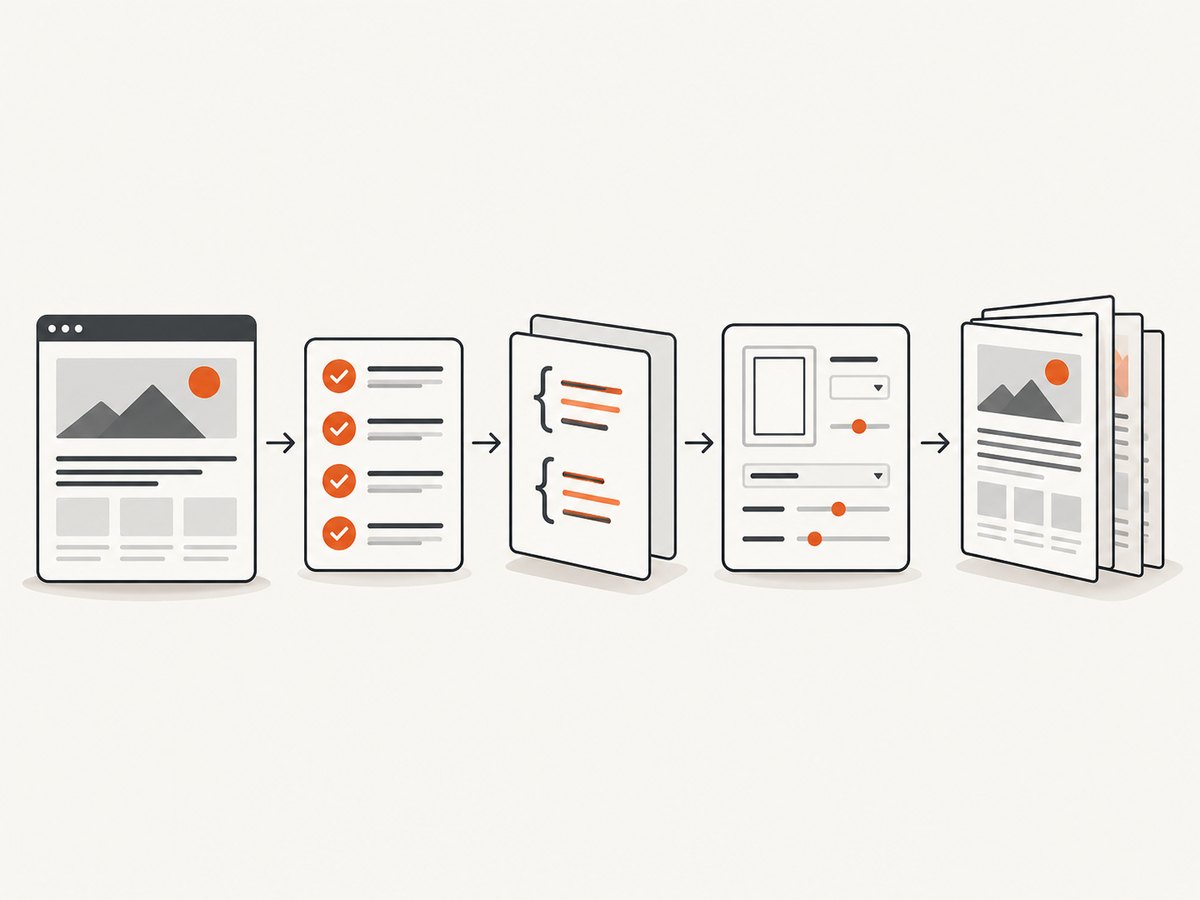
- Capture the environment. Pin or record browser and module versions, fonts, OS/container, URL, HTML, and options.
- Save the final DOM. Confirm that data, stylesheets, fonts, and images exist in the DOM immediately before printing.
- Verify readiness. Replace arbitrary sleeps with a selector, state flag, or application event.
- Check print CSS. Inspect
@media print,@page, widths, overflow, and break rules. - Make options explicit. Set paper size, orientation, margins, scale, background, and CSS-size preference.
- Change one variable. Keep a known-good output and alter only one setting per comparison.
- Compare deployments. Reproduce with the same browser build, fonts, resources, viewport, and credentials.
7. Troubleshooting common errors
| Error or symptom | Cause | Fix |
|---|---|---|
context deadline exceeded |
Navigation, resource loading, or a readiness condition never completed. | Set a realistic context timeout, inspect blocked requests, and use a readiness condition that can fail clearly. |
| PDF is blank | Printing happened before client rendering, the page navigated to an error state, or content is hidden in print CSS. | Save the final DOM, wait for application readiness, and inspect @media print. |
| Images are missing | Requests failed, images are lazy-loaded, authentication is absent, or printing started too early. | Wait for image completion, provide required cookies or headers, and verify resource URLs from the same environment. |
| Fonts change line wrapping | The deployed image lacks the required font or the font request is blocked. | Install and load the same fonts, then wait for document.fonts.ready before printing. |
| Backgrounds disappear | Background graphics are disabled by default. | Use WithPrintBackground(true) and confirm print CSS permits the backgrounds. |
| Content is clipped | Fixed width, overflow, paper mismatch, margins, or scale. | Inspect computed print dimensions, remove restrictive overflow, and align CSS and protocol page sizing. |
| Header/footer overlaps body | Template display is enabled without sufficient margins. | Increase top or bottom margins and simplify template height. |
| Local output differs from CI | Different Chrome build, fonts, OS packages, viewport, resources, or module versions. | Compare exact versions and run both environments with the same inputs. |
| Protocol command errors | Browser and generated protocol bindings may not align, or the browser was launched with incompatible settings. | Check pinned chromedp/cdproto versions against the installed browser and reproduce with a supported build. |
8. Reliability, performance, and cost considerations
- Reliability: use a bounded context timeout, explicit readiness, deterministic fonts, and captured diagnostics (URL, console errors, final DOM, browser version).
- Performance: reuse a browser process when safe, create isolated contexts per job, avoid unnecessary waits, and print only after the page is ready. Large images, web fonts, and client-side data dominate rendering time.
- Repeatability: pin the container image and browser, keep CSS page dimensions explicit, and compare PDFs in CI when layout regressions matter.
- Security: treat target URLs and supplied HTML as untrusted. Restrict outbound access where appropriate and avoid exposing credentials in logs or templates.
- Cost: self-hosted chromedp cost is your compute, browser maintenance, and operational work. A hosted API trades browser setup for per-capture pricing and service limits.
9. Or skip the browser setup
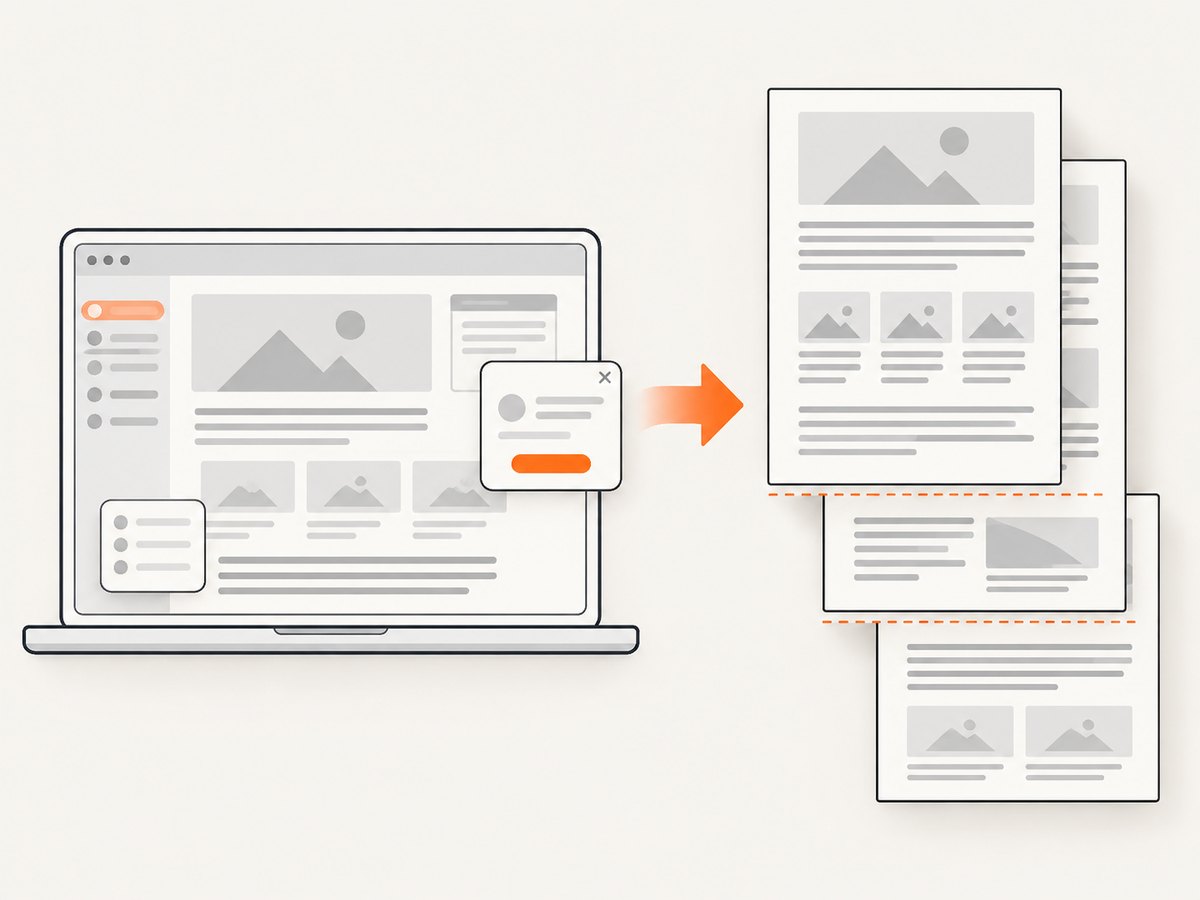
ScreenshotNeo provides a website capture API and MCP server. It can return PNG, JPEG, WebP, or PDF from one request, so you do not need to package Chrome and chromedp for a basic capture. Cookie and consent banners, newsletter popups, and chat widgets are removed before the shot. Bot checks, blank pages, failed loads, timeouts, and cache hits are not billed; response headers identify the page verdict and billing result. Its MCP server lets Claude, Cursor, and other MCP clients call take_screenshot, get_page_info, and capture_pdf.
See the ScreenshotNeo documentation for all options. A PDF request can be made with the same endpoint:
curl -G "https://api.screenshotneo.com/v1/shot" -d access_key=YOUR_API_KEY --data-urlencode url=https://example.com/invoice/123 -d format=pdf -o invoice.pdfimport requests
r = requests.get(
"https://api.screenshotneo.com/v1/shot",
params={"access_key": "YOUR_API_KEY", "url": "https://example.com/invoice/123", "format": "pdf"},
timeout=90,
)
r.raise_for_status()
open("invoice.pdf", "wb").write(r.content)const q = new URLSearchParams({
access_key: 'YOUR_API_KEY',
url: 'https://example.com/invoice/123',
format: 'pdf'
});
const res = await fetch(`https://api.screenshotneo.com/v1/shot?${q}`);
if (!res.ok) throw new Error(`HTTP ${res.status}`);
const fs = await import('node:fs/promises');
await fs.writeFile('invoice.pdf', Buffer.from(await res.arrayBuffer()));Every feature is available on every plan: the free plan includes 1,000 shots each month with no card; paid plans start at $5 for 3,000 shots. Create a free ScreenshotNeo account.
10. FAQ
Should I use PreferCSSPageSize?
Enable it when your document owns its paper dimensions through @page. Leave it off when the service or caller must enforce a protocol paper size.
Why does navigation succeed while the PDF is incomplete?
Navigation does not guarantee that client-side rendering, fonts, images, or API requests have finished. Wait for a page-specific readiness signal.
Are chromedp and Chrome version mismatches always the cause?
No. They are one diagnostic axis among CSS, readiness, resources, and print parameters. Compare versions when environments differ, but verify the page layers first.
Why are my CSS backgrounds absent?
The protocol disables background graphics by default. Set WithPrintBackground(true) and check print-specific CSS.
When is a hosted screenshot API a better fit?
Use one when maintaining browser binaries, fonts, readiness logic, and PDF operations is more work than the capture pipeline warrants. ScreenshotNeo is an option when you want those browser concerns handled behind an API or MCP server.


