How to Fix ChromeDriver System Property Configuration Errors
Fix ChromeDriver path, permission, version, Selenium Manager, proxy, and startup errors with reliable Java examples and diagnostics.
ChromeDriver system-property errors mean Selenium cannot resolve a usable ChromeDriver executable. Fix them by making the real executable discoverable, checking permissions, matching Chrome and ChromeDriver versions, and separating driver-discovery failures from Chrome startup failures.
Quick fix
- Find the actual ChromeDriver executable, not just its containing folder.
- Give Selenium an absolute path before creating
ChromeDriver, or provide aChromeDriverService. - Make the driver executable and confirm it starts with its
--versioncommand. - Use compatible Chrome and ChromeDriver versions.
- On current Selenium releases, remove the hard-coded path and let Selenium Manager resolve the driver.
Selenium supports driver discovery through PATH, a Service object, or Selenium Manager. The official documentation describes the “unable to locate driver” error and these discovery mechanisms in detail: Selenium driver installation documentation.
What the error means
The historical Java error is:
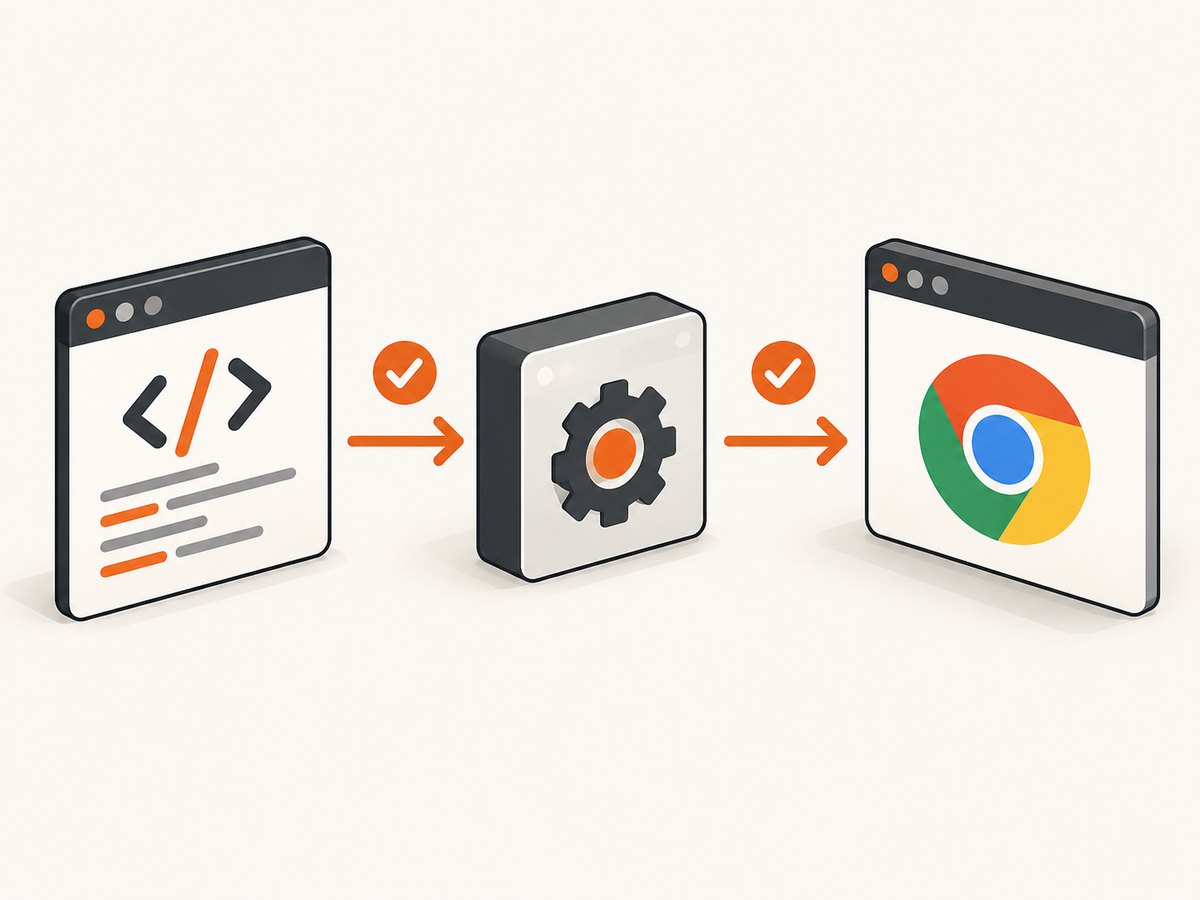
The path to the driver executable must be set by the webdriver.chrome.driver system propertyIt means Selenium tried its available discovery methods and did not find a runnable ChromeDriver. It does not necessarily mean Chrome itself is missing. A wrong filename, a directory supplied instead of a file, missing execute permission, an incompatible driver, or a blocked Selenium Manager download can produce related failures.
Fix 1: Set an absolute Java system property
Use this method when you manage the driver binary yourself, need a pinned binary in CI, or are maintaining an older Selenium setup. Set the property before new ChromeDriver().
import org.openqa.selenium.WebDriver;
import org.openqa.selenium.chrome.ChromeDriver;

public class ScreenshotExample {
    public static void main(String[] args) {
        System.setProperty(
            "webdriver.chrome.driver",
            "/absolute/path/to/chromedriver"
        );

        WebDriver driver = new ChromeDriver();
        try {
            driver.get("https://example.com");
            System.out.println(driver.getTitle());
        } finally {
            driver.quit();
        }
    }
}
Chrome for Developers documents the same configuration pattern in its ChromeDriver getting-started guide. The value must identify the executable file itself:
- Windows:
C:\\tools\\chromedriver.exe - macOS:
/Users/me/tools/chromedriver - Linux:
/opt/webdrivers/chromedriver
Use an absolute path so the result does not depend on the process working directory. In a container or CI runner, verify that the path exists inside that runtime, not only on your development machine.
Fix 2: Use ChromeDriverService
A Service object makes the selected binary explicit and gives you a place to configure the service log.
import java.io.File;
import org.openqa.selenium.WebDriver;
import org.openqa.selenium.chrome.ChromeDriver;
import org.openqa.selenium.chrome.ChromeDriverService;

public class ServiceExample {
    public static void main(String[] args) {
        ChromeDriverService service = new ChromeDriverService.Builder()
            .usingDriverExecutable(new File("/absolute/path/to/chromedriver"))
            .withLogFile(new File("chromedriver.log"))
            .build();

        WebDriver driver = new ChromeDriver(service);
        try {
            driver.get("https://example.com");
            System.out.println(driver.getTitle());
        } finally {
            driver.quit();
        }
    }
}
Use either the system property or the Service object for a manually selected binary. Keeping one source of truth avoids debugging a property that is silently overridden by another setup path.
Fix 3: Put ChromeDriver on PATH
Place the executable in a directory on the account’s PATH, then start a new shell or process.
# Linux/macOS
which chromedriver
chromedriver --version

# Windows PowerShell
Get-Command chromedriver
chromedriver.exe --version
If which or Get-Command finds nothing, Selenium cannot use PATH discovery. A service account, IDE, Docker image, and CI runner may each have a different PATH.
Fix 4: Let Selenium Manager resolve the driver
Selenium Manager is Selenium’s official driver manager and has shipped with Selenium releases since 4.6. With a current Selenium binding, this is often enough:
import org.openqa.selenium.WebDriver;
import org.openqa.selenium.chrome.ChromeDriver;

public class ManagerExample {
    public static void main(String[] args) {
        WebDriver driver = new ChromeDriver();
        try {
            driver.get("https://example.com");
            System.out.println(driver.getTitle());
        } finally {
            driver.quit();
        }
    }
}
Selenium invokes Manager when you do not supply a driver. It detects the browser, resolves a compatible driver, and caches downloads by default under ~/.cache/selenium. See the Selenium Manager documentation for configuration and debug options.
When Selenium Manager is the better choice
- Developer laptops where Chrome updates regularly.
- Ephemeral CI workers where maintaining a binary is unnecessary.
- Projects that use current Selenium versions and permit driver downloads.
When a pinned Service is safer
- Offline or restricted build environments.
- Regulated builds that require an approved binary checksum.
- Reproducible test images where browser and driver versions are fixed together.
Check the executable itself
- Confirm the path points to a regular file.
- Run the binary directly with
--version. - On Linux or macOS, add execute permission if needed:
chmod +x /absolute/path/to/chromedriver. - Check that the process account can read and execute the file.
- On Windows, check that security software or a downloaded-file block has not prevented execution.
# Linux/macOS
ls -l /absolute/path/to/chromedriver
file /absolute/path/to/chromedriver
/absolute/path/to/chromedriver --version

# Windows PowerShell
Get-Item C:\\tools\\chromedriver.exe
C:\\tools\\chromedriver.exe --version
If the direct command fails, Selenium cannot fix that binary. Repair the download, permissions, architecture, or security policy first.
Match Chrome and ChromeDriver versions
ChromeDriver and Chrome must be compatible. A typical mismatch reports that the driver supports one Chrome version while the installed browser is another. Selenium’s Chrome WebDriver documentation covers this requirement.
- Read the installed browser version from Chrome’s About page or your operating system package manager.
- Read the driver version with
chromedriver --version. - Update both together, or remove the manual binary and let Selenium Manager select a compatible driver.
- Ensure the CI image has not updated Chrome while retaining an older cached driver.
Do not solve a version mismatch by changing only the system property. The property controls discovery; it does not make incompatible binaries compatible.
Diagnose Selenium Manager downloads and proxies
Manager needs to detect the browser and, when necessary, reach the driver distribution service. Network restrictions, authentication proxies, DNS failures, or a read-only cache can stop that process.
- Inspect Selenium Manager debug output to see browser detection, cache lookup, and driver discovery.
- Check that the process can write to
~/.cache/selenium, or configure an appropriate cache location. - Configure proxy settings when required. Selenium Manager supports configuration through
se-config.toml, command-line arguments, and environment variables such asSE_PROXY. - In a locked-down CI environment, preinstall a verified driver and use a Service object instead of relying on a download.
A manager error is different from a missing system property: the driver may be discoverable in principle, but Manager could not download or cache it.
Separate driver errors from Chrome startup crashes
If Selenium finds the driver but Chrome immediately exits, investigate startup separately:
- Launch Chrome directly under the same user and environment as the test.
- Enable ChromeDriver service logging and preserve the log as a CI artifact.
- Check display availability for Linux workers, profile-directory locks, sandbox policy, and file-system permissions.
- Compare the command-line flags and environment between a local run and the failing worker.
Google’s Chrome startup troubleshooting guidance says the --no-sandbox workaround is unsupported and highly discouraged. Treat it as an environment investigation clue, not a standard fix.
Complete Java diagnostic example
import java.io.File;
import org.openqa.selenium.WebDriver;
import org.openqa.selenium.chrome.ChromeDriver;
import org.openqa.selenium.chrome.ChromeDriverService;

public class DriverDiagnostics {
    public static void main(String[] args) {
        String driverPath = System.getenv("CHROMEDRIVER_PATH");
        if (driverPath == null || driverPath.isBlank()) {
            throw new IllegalStateException("Set CHROMEDRIVER_PATH to the ChromeDriver executable");
        }

        File executable = new File(driverPath);
        if (!executable.isFile() || !executable.canExecute()) {
            throw new IllegalStateException("ChromeDriver is missing or not executable: " + driverPath);
        }

        ChromeDriverService service = new ChromeDriverService.Builder()
            .usingDriverExecutable(executable)
            .withLogFile(new File("chromedriver.log"))
            .build();

        WebDriver driver = new ChromeDriver(service);
        try {
            driver.get("https://example.com");
            System.out.println("Title: " + driver.getTitle());
        } finally {
            driver.quit();
        }
    }
}
This fails early with a useful message instead of producing Selenium’s generic discovery error later.
Common errors and fixes
| Error or symptom | Likely cause | Fix |
|---|---|---|
| “The path to the driver executable must be set…” | No driver on PATH, no Service, and no usable Manager result. | Set an absolute executable path, add the binary to PATH, or upgrade Selenium and use Manager. |
| “Unable to locate driver for chrome” | Selenium could not find a driver by any enabled mechanism. | Check PATH and the Service path; inspect Manager logs and network access. |
| “This version of ChromeDriver only supports Chrome version X” | Browser and driver versions are incompatible. | Update them together or let Selenium Manager choose the driver. |
| “Permission denied” or “cannot execute” | Missing execute bit, wrong ownership, blocked download, or incompatible binary. | Run --version, fix permissions, and download the correct platform binary. |
| Property appears correct but error remains | Property is set after new ChromeDriver(), points to a directory, or is different in the runtime environment. |
Set it first, print the resolved path, and verify it inside the same process/container. |
| Driver starts, Chrome closes immediately | Chrome startup, profile, display, sandbox, or environment failure. | Launch Chrome under the same account, enable logs, and follow startup diagnostics. |
| Manager cannot download a driver | Proxy, DNS, firewall, certificate, or cache-permission problem. | Configure SE_PROXY, fix egress and certificates, or preinstall a pinned driver. |
| Works locally but fails in CI | Different PATH, browser version, architecture, user, or filesystem. | Print browser/driver versions and paths in CI and validate the binary before Selenium starts. |
CI and container checklist
- Install Chrome and ChromeDriver for the same architecture.
- Record both versions in every failing job.
- Use an absolute path or a known PATH in the image.
- Run
chromedriver --versionas the same user that runs tests. - Preserve ChromeDriver logs.
- Decide whether Manager downloads are allowed; configure proxy and cache access accordingly.
- Keep browser updates and pinned driver updates in the same change.
- Call
driver.quit()in afinallyblock so failed tests do not leave stale processes.

Performance, reliability, and cost considerations
Manual binaries avoid a Manager download during a run but add maintenance whenever Chrome changes. Selenium Manager reduces maintenance and uses a cache, while its first resolution requires network access unless the needed driver is already cached. A prebuilt CI image gives predictable startup and version control; a frequently updated browser image requires a matching driver strategy.
Driver configuration does not make page loading deterministic. Tests can still vary because of network latency, external services, animations, cookies, and dynamic content. Use explicit waits for application conditions and collect driver logs when failures are intermittent.
ChromeDriver and Selenium are software components; there is no separate per-screenshot service cost in this setup. Your costs are the compute, browser infrastructure, network traffic, and any external test or proxy services you operate.
Or skip the browser setup
If your goal is a clean image or PDF rather than browser automation, ScreenshotNeo returns a screenshot from one GET request. See the ScreenshotNeo API documentation.
curl -G "https://api.screenshotneo.com/v1/shot" -d access_key=YOUR_API_KEY --data-urlencode url=https://stripe.com -o shot.webpimport requests
r = requests.get("https://api.screenshotneo.com/v1/shot", params={"access_key": "YOUR_API_KEY", "url": "https://stripe.com"}, timeout=90)
open("shot.webp", "wb").write(r.content)const q = new URLSearchParams({ access_key: 'YOUR_API_KEY', url: 'https://stripe.com' });
const res = await fetch(`https://api.screenshotneo.com/v1/shot?${q}`);Cookie banners, newsletter popups, and chat widgets are removed before the shot. Bot checks, blank pages, failed loads, timeouts, and cache hits are not billed, and response headers identify the page verdict and billing status. An MCP server provides take_screenshot, get_page_info, and capture_pdf tools for Claude, Cursor, and other MCP clients. The Free plan includes 1,000 screenshots per month with no card; paid plans start at $5 for 3,000 shots. Create a free ScreenshotNeo account.
FAQ
Do I still need System.setProperty with Selenium 4?
Not when Selenium Manager can resolve a compatible driver. If you supply a manual driver, set the property before constructing the driver or use a Service object.
Can the property contain a relative path?
It can, but an absolute path is safer because the working directory differs between IDEs, services, containers, and CI jobs.
Should I download ChromeDriver from a random binary mirror?
Use an official or approved source and verify the platform, architecture, and version. A binary that starts is not automatically compatible or trustworthy.
Why does changing --no-sandbox sometimes appear to help?
It can mask an environment problem, but Google describes the workaround as unsupported and highly discouraged. Diagnose the account, permissions, display, and container configuration instead.
What should I log when asking for help?
Include Selenium version, Chrome version, ChromeDriver version, operating system and architecture, the resolved executable path, the exact exception, and the ChromeDriver service log.


