How to Fix “Click Succeeded but Load Failed” in Browser Automation
A click is only input. Learn how to wait for the right URL, event, or UI state in Playwright and Selenium without hiding real failures.
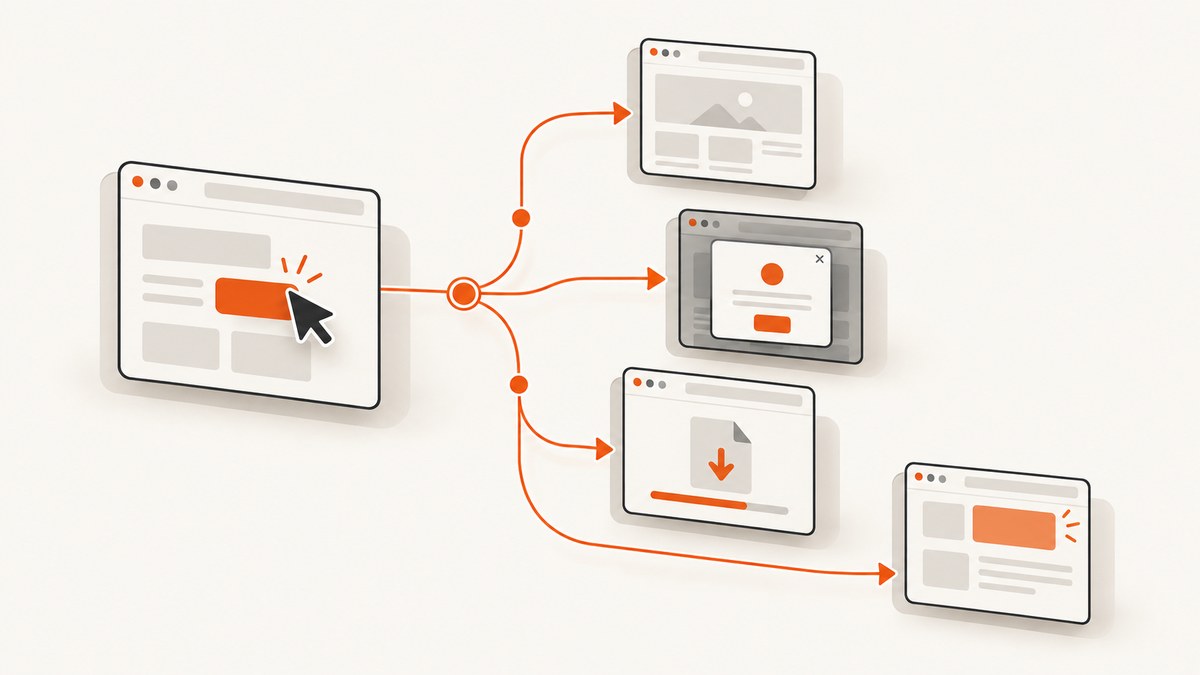
Short answer: a successful click proves that the browser dispatched the input. It does not prove that navigation finished, a single-page app rendered its next view, a popup opened, a download started, or an API request succeeded. Synchronize with the outcome you actually expect, then assert that outcome.
In Playwright, wait for the destination or state explicitly when a click can have multiple outcomes. In Selenium, use an explicit wait for the destination URL, document state, or a stable element. Treat a timeout as evidence that your synchronization target may be wrong before increasing the timeout.
1. Identify what “load” means for this click
Before changing code, write down the expected result:
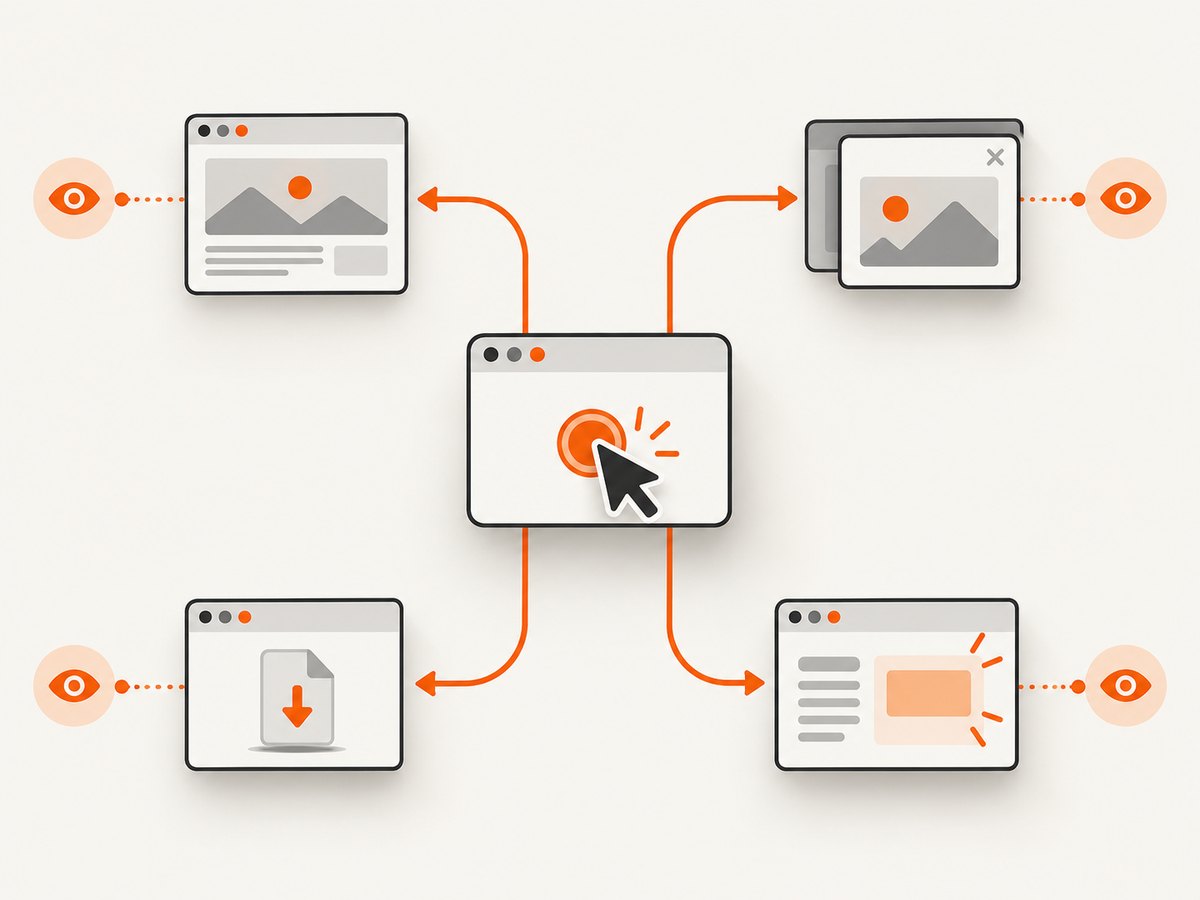
- Full navigation: the URL changes and a new document loads.
- SPA route change: the URL or view changes without a document navigation.
- In-page update: a panel, table, or status element changes.
- Popup or new tab: a separate page is created.
- Download: a file event occurs instead of a usable page.
- API action: the click sends a request and the UI updates later.
Record the URL before and after the action. Then choose a wait that observes the expected result rather than a generic “page loaded” condition.
2. Playwright: wait for the intended navigation or state
Playwright waits for initiated navigations by default, but an explicit URL or event wait is safer when redirects, multiple navigations, or SPA behavior are possible. Its navigation milestones include commit, domcontentloaded, and load. See the Page API and navigation guide.
Destination URL after a click
import { test, expect } from '@playwright/test';

test('opens the login page', async ({ page }) => {
  await page.goto('https://example.com/account');

  await Promise.all([
    page.waitForURL('**/login'),
    page.getByRole('link', { name: 'Sign in' }).click(),
  ]);

  await expect(page).toHaveURL(/\/login$/);
  await expect(page.getByRole('heading', { name: /log in/i })).toBeVisible();
});
Register the wait before the click when you combine an event promise with the action. Use a URL pattern that matches the final destination, including redirects.
Choose a less strict lifecycle milestone
await page.goto('https://example.com', { waitUntil: 'domcontentloaded' });
await page.getByRole('button', { name: 'Continue' }).click({
  noWaitAfter: true,
});
await page.waitForURL('**/dashboard', { waitUntil: 'commit' });
Use commit when the response has started and you only need the new document to exist, domcontentloaded when the DOM is parsed, and load when dependent resources must finish. A useful interface can be ready before load; waiting for the strictest milestone can create unnecessary timeouts.
SPA route or stable element
await page.getByRole('button', { name: 'Open settings' }).click();
await expect(page).toHaveURL(/\/settings/);
await expect(page.getByRole('heading', { name: 'Settings' })).toBeVisible();
For an in-page update, wait for the changed element or text:
await page.getByRole('button', { name: 'Save' }).click();
await expect(page.getByRole('status')).toHaveText(/saved/i);
await expect(page.locator('[data-testid="profile-name"]')).toHaveText('Ada');
Popup, download, and response outcomes
// New tab or popup
const popupPromise = page.waitForEvent('popup');
await page.getByRole('link', { name: 'Open report' }).click();
const popup = await popupPromise;
await popup.waitForLoadState('domcontentloaded');
await expect(popup).toHaveTitle(/report/i);

// Download
const downloadPromise = page.waitForEvent('download');
await page.getByRole('button', { name: 'Export CSV' }).click();
const download = await downloadPromise;
await download.saveAs('report.csv');

// API request triggered by a click
const responsePromise = page.waitForResponse(
  response => response.url().endsWith('/api/save') && response.request().method() === 'POST'
);
await page.getByRole('button', { name: 'Save' }).click();
const response = await responsePromise;
expect(response.ok()).toBeTruthy();
Inspect failures and status codes
page.on('requestfailed', request => {
  console.log('REQUEST FAILED', request.url(), request.failure()?.errorText);
});

page.on('response', response => {
  if (response.status() >= 400) {
    console.log('HTTP ERROR', response.status(), response.url());
  }
});
A 404 or 503 is still an HTTP response, so it does not necessarily appear as a requestfailed event. Assert the response status or page content separately. See the BrowserContext API.
3. Selenium: replace implicit assumptions with explicit waits
Selenium URL-navigation commands use a page-load strategy tied to document.readyState. A click that causes navigation is not governed by the same URL-navigation wait, and ready state does not cover every JavaScript-rendered change. Use explicit waits from the Selenium waits documentation.
Wait for a destination URL and element (Python)
from selenium import webdriver
from selenium.webdriver.common.by import By
from selenium.webdriver.support.ui import WebDriverWait
from selenium.webdriver.support import expected_conditions as EC

options = webdriver.ChromeOptions()
options.page_load_strategy = 'normal'  # 'eager' or 'none' are also available

driver = webdriver.Chrome(options=options)
wait = WebDriverWait(driver, 30)

try:
    driver.get('https://example.com/account')
    driver.find_element(By.LINK_TEXT, 'Sign in').click()

    wait.until(EC.url_matches(r'.*/login$'))
    wait.until(EC.visibility_of_element_located((By.CSS_SELECTOR, 'h1')))
finally:
    driver.quit()
normal waits for the normal page-load completion, eager returns earlier at an interactive document state, and none returns without waiting for page load. These options change the baseline navigation wait; they do not replace an explicit wait for the result of a click. See Selenium’s driver options.
Wait for an SPA state or a request-driven result
from selenium.webdriver.support import expected_conditions as EC

# Route change
wait.until(EC.url_contains('/settings'))

# Stable destination element
wait.until(EC.visibility_of_element_located((By.CSS_SELECTOR, '[data-testid="settings-ready"]')))

# Text or status update
wait.until(EC.text_to_be_present_in_element(
    (By.CSS_SELECTOR, '[role="status"]'), 'Saved'
))
For custom readiness signals, wait on a condition that returns a truthy value:
wait.until(lambda d: d.execute_script(
    "return window.appReady === true"
))
Handle a new window or download
old_handles = set(driver.window_handles)
driver.find_element(By.LINK_TEXT, 'Open report').click()
wait.until(lambda d: len(set(d.window_handles) - old_handles) == 1)
new_handle = (set(driver.window_handles) - old_handles).pop()
driver.switch_to.window(new_handle)
wait.until(EC.title_contains('Report'))
Browser download completion is usually best verified through the download directory and filesystem state, because WebDriver does not expose a universal download event.
4. Why the click appears successful but loading fails
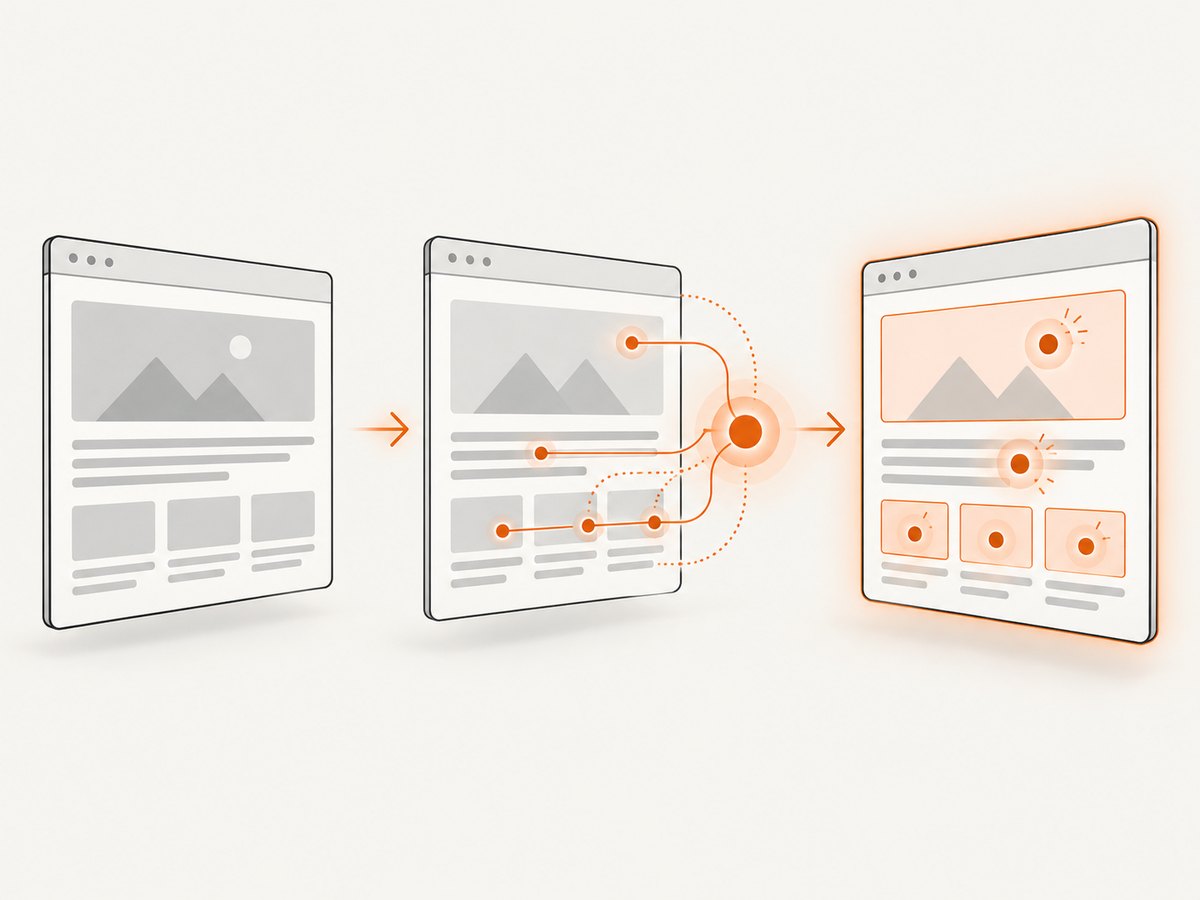
The click triggered a different outcome
A link may open a popup, start a download, update the current view, or submit an API request. Waiting only for the current page’s load event will time out even though the action worked. Observe the corresponding popup, download, response, URL, or DOM change.
The URL is not what your test expects
Authentication redirects, locale routing, trailing slashes, hash fragments, and intermediate consent pages can change the final URL. Log the URL immediately after the click and assert a pattern that represents the final destination.
The application is hydrated late
A server-rendered control can be visible before JavaScript attaches its event listener. Playwright documents that an action may be ignored in this situation, while Selenium notes that readyState does not represent all asynchronous JavaScript changes. Wait for the application’s ready signal or a stable destination element, and verify that the control is interactive.
A request failed or returned an error page
Inspect failed requests, console errors, and response status codes. A blocked script, DNS failure, certificate problem, or policy restriction can prevent the next state. A 4xx or 5xx page may load normally at the network layer, so assert that the page contains the expected success state.
5. A repeatable diagnostic workflow
- Log the URL and relevant state before clicking.
- Classify the expected outcome: navigation, popup, download, in-page change, or API response.
- Register the expected wait or event before the click when your framework requires it.
- Click once and capture the immediate URL, page count, and console or request errors.
- Assert a destination URL or stable element instead of a generic load timeout.
- Check lifecycle milestones and failed requests; check HTTP status separately.
- For SPAs, wait for the framework’s ready signal or rendered destination element.
- Only then tune action or navigation timeouts.
6. Troubleshooting table
| Symptom | Likely cause | Fix |
|---|---|---|
| Click returns but URL never changes | SPA update, popup, download, or blocked handler | Wait for the resulting element, popup, download, or response; inspect console errors. |
| Playwright times out waiting for navigation | Wrong URL pattern or no document navigation | Use waitForURL only for route changes; otherwise wait for the stable UI state. |
| Selenium continues before the page is usable | Async rendering or hydration after readyState |
Wait for a destination element or application-ready condition. |
| Timeout occurs only in CI | Slower resources, missing dependencies, or environment differences | Capture logs and failed requests, then set a realistic explicit timeout for the known event. |
| Page shows an error but no failed request event | HTTP 404/503 completed successfully as a response | Assert status and error-page content separately from request-failure events. |
| Click is ignored on a visible control | Hydration has not attached listeners | Wait for the app-ready signal or interact after the control becomes enabled. |
| Longer timeout hides the problem | Synchronization target is incorrect | Identify the expected event first; increase timeout only for that event. |
7. Performance, reliability, and cost
- Prefer a specific URL, response, or element wait. It usually finishes sooner and produces a clearer failure than waiting for every resource.
- Use
domcontentloadedorcommitwhen the test does not need images, fonts, or analytics to finish. - Keep explicit waits bounded and log the observed URL, status, and event when they expire.
- Use one readiness condition per action outcome; stacking unrelated sleeps makes tests slower and less reliable.
- When a page depends on third-party resources, record which request failed before retrying. Blind retries can hide deterministic application defects.
- Retries help transient infrastructure failures, but they should not replace assertions for the destination state.
8. Or skip the browser setup
If your goal is a clean image or PDF after an interaction-heavy page has settled, ScreenshotNeo provides a website screenshot API and MCP server. It accepts cookie and consent banners before capture and removes more than 60 known consent platforms, newsletter popups, and chat widgets; each step can be turned off. Bot checks, blank pages, timeouts, failed loads, and cache hits are not billed, and the response identifies the result with X-Page-Verdict and X-Billed headers.
Read the ScreenshotNeo documentation for all options, including full-page and element capture, device presets, custom CSS and JavaScript, clicks, waits, blocked requests, headers, cookies, geolocation, PDF output, caching, signed links, async jobs, bulk capture, and usage reporting.
cURL
curl -G "https://api.screenshotneo.com/v1/shot" -d access_key=YOUR_API_KEY --data-urlencode url=https://stripe.com -o shot.webpPython
import requests
r = requests.get("https://api.screenshotneo.com/v1/shot", params={"access_key": "YOUR_API_KEY", "url": "https://stripe.com"}, timeout=90)
open("shot.webp", "wb").write(r.content)
Node.js
const q = new URLSearchParams({ access_key: 'YOUR_API_KEY', url: 'https://stripe.com' });
const res = await fetch(`https://api.screenshotneo.com/v1/shot?${q}`);
An MCP server also lets Claude, Cursor, and other MCP clients use take_screenshot, get_page_info, and capture_pdf. The Free plan includes 1,000 shots per month with no card; paid plans start at $5 for 3,000 shots. Create a free ScreenshotNeo account.
9. FAQ
Should I always wait for load?
No. Choose the earliest milestone that guarantees the state your test needs. For many applications that is commit, domcontentloaded, or a specific element.
Why did Selenium’s get() wait but my click did not?
URL navigation commands use the configured page-load strategy. A click-result navigation still needs an explicit wait for its URL or destination state.
Is a 503 a network failure?
It is an HTTP error response. The request can complete successfully at the network layer, so check the response status and page content in addition to failed-request events.
When should I increase a timeout?
After confirming the expected event and destination. A larger timeout cannot fix a wrong URL pattern, missing popup listener, blocked request, or hydration issue.


