How to Fix Cloudflare Blocking Access to Your Website
Identify whether Cloudflare or your origin blocked the request, then use the Ray ID, Security Events, and the matching rule to fix access safely.
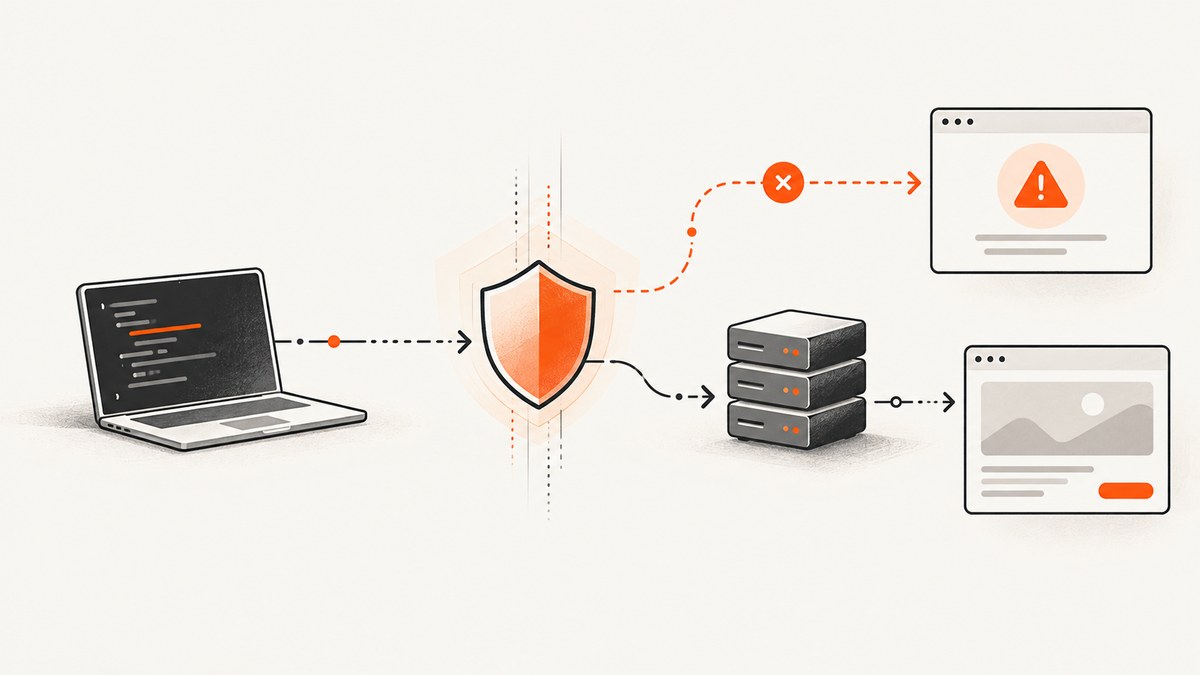
Start by identifying who controls the website. If you are a visitor, Cloudflare usually cannot remove the block for you; capture the complete error page, including the error code and Cloudflare Ray ID, then send it to the site owner with what you were doing and when. If you own the site, use the Ray ID or visitor IP in Cloudflare Security Events, find the rule that acted, and make the narrowest safe change.
A Cloudflare-branded 1020 page means a firewall rule denied the request. A 403 without Cloudflare branding generally comes from the origin server. Other 1xxx codes, rate limiting, and an ISP-level block require different investigation. Do not change unrelated security controls until the event log shows what actually matched.
1. Confirm what kind of block you have
Record the exact status, wording, branding, and identifiers before refreshing the page. A screenshot is useful because challenge pages can disappear and the Ray ID is the fastest way for an owner to find the event.
| What you see | What it usually means | First action |
|---|---|---|
| Error 1020 / Access denied | A Cloudflare firewall rule denied the request. | Give the owner the Ray ID or search Security Events with it. |
| Cloudflare-branded 403 | A WAF rule or another Cloudflare security feature may have denied access. | Inspect the matching Security Events record. |
| Unbranded 403 | The origin web server returned the denial. | Check origin permissions, authentication, and application logs. |
| Error 1015 | A rate-limiting rule applied its mitigation. | Wait for the mitigation window, then have the owner review the rate rule. |
| Error 1005 | An ASN ban blocked the request. | Have the owner inspect ASN or country controls. |
| Error 1010 | A browser signature rule blocked the request. | Have the owner review the browser-signature rule. |
| Connectivity fails for many Cloudflare sites | An ISP-level block of a shared Cloudflare IP may be involved. | Contact the ISP; changing a site rule will not restore that connectivity. |
Cloudflare’s documentation describes 1020 as access denied by a firewall rule (Error 1020). Its 403 guidance says an unbranded 403 is returned directly by the origin. The 1xxx index explains why the exact code matters.
2. If you are a visitor: collect evidence and contact the owner
- Capture the entire error page. Include the numeric code, Cloudflare branding, Ray ID, and displayed time.
- Write down the URL, the action that triggered the block, and whether you were signed in.
- Record your approximate local time and, if possible, your public IP address. Do not send credentials, cookies, or private form data.
- Send the screenshot and details to the site owner or support address. Cloudflare’s 1020 guidance specifically tells visitors to provide the owner a screenshot.
Trying a different browser can help distinguish a browser-specific challenge from a broad rule, but it does not fix an owner’s firewall decision. A VPN can also change the IP or ASN that the rule sees and may make the request look more automated. Do not repeatedly refresh a rate-limited page; that can extend the mitigation window.
What a useful report looks like
URL: https://example.com/account
Error: 1020 Access denied
Ray ID: [copy exactly from the page]
Approximate UTC time: 2026-09-30 14:20
Action: Submitted the sign-in form
Browser/device: Chrome on macOS
Network: Home ISP (no VPN)
3. If you own the site: investigate the event before changing a rule
- Ask the visitor for the exact page, Ray ID, approximate time, IP address if available, and action they were taking.
- Open Cloudflare Security Events. Search by Ray ID first; if it is unavailable, search by visitor IP and a time range that includes the event.
- Convert the timestamp shown to UTC into the timezone used by your dashboard search. A correct event with an incorrect time range can look like a missing event.
- Open the matching record and identify the product and rule that acted: custom rule, WAF Managed Rule, IP Access Rule, rate limiting, bot control, or another control.
- Read the rule expression and every field it evaluates. Confirm that the visitor’s request actually meets the condition.
- Choose the smallest change that fixes the legitimate request. Test the intended path and at least one request that should remain protected.
Cloudflare lists malicious traffic, DDoS threats, bursts of requests, bot-like automation, and public blocklists as possible causes. They are hypotheses, not proof. The event record and the exact error identify the control that needs review.

4. Make a targeted exception instead of a broad bypass
Cloudflare IP Access Rules can allow, block, or challenge by IP, ASN, or country. Cloudflare recommends custom rules for IP- and geography-based controls. Be careful with an allow action: Cloudflare notes that allowing an IP or ASN through IP Access Rules bypasses custom rules, rate limiting rules, and WAF Managed Rules. That can grant more access than the single request you intended to repair.
Prefer a narrowly scoped expression that includes the affected path, method, or trusted integration, and document why it exists. If a vendor monitor or search crawler was blocked, verify its bot status and the matching fields before adding an exception. Custom block or challenge rules can unintentionally affect known bots and monitoring services.
Rate limiting decisions
A rate-limiting rule combines an expression, the characteristics used for counting, a measurement period, a request threshold, and a mitigation duration. Review each part against the real traffic pattern. Cloudflare cautions that counters can take a few seconds to update and that these rules are not designed to guarantee an exact number of requests reaches the origin. Do not disable unrelated WAF protections to solve a rate-rule false positive.
5. Verify the origin when the page is an unbranded 403
An unbranded response means the origin web server, application, reverse proxy, or authentication layer returned the status. Check origin access logs at the event time, upstream authorization middleware, web-server location rules, and any allowlist of Cloudflare IP ranges. Compare a request through the public hostname with a request made directly to the origin only if your operational policy permits it. The fix belongs in the origin configuration, not in Cloudflare Security Events.
6. Capture a blocked page for support or incident records
A reproducible capture preserves the code and Ray ID even when the visitor cannot export the page. A local browser can save the HTML and an image:
import { chromium } from 'playwright';

const browser = await chromium.launch();
const page = await browser.newPage({
  viewport: { width: 1440, height: 1000 },
  userAgent: 'Mozilla/5.0 (compatible; SupportCapture/1.0)'
});
await page.goto('https://example.com/account', { waitUntil: 'domcontentloaded', timeout: 45000 });
await page.screenshot({ path: 'cloudflare-error.png', fullPage: true });
await page.content().then(html => require('fs').writeFileSync('cloudflare-error.html', html));
await browser.close();
Use this only for pages you are allowed to access. A challenge, CAPTCHA, or bot check may prevent automation; do not attempt to defeat it. The purpose is to preserve the visible diagnostic details for the owner.
7. Or skip the browser setup
ScreenshotNeo provides a website screenshot API and MCP server. One request returns a PNG, JPEG, WebP, or PDF. It accepts the consent banner like a visitor and removes more than 60 known consent platforms, newsletter popups, and chat widgets before capture; each step can be turned off. Bot checks, CAPTCHAs, blank pages, timeouts, failed loads, and cache hits cost nothing, and the response reports the result through X-Page-Verdict and X-Billed headers.

See the ScreenshotNeo API documentation for the full option list. The basic call is:
curl -G "https://api.screenshotneo.com/v1/shot" -d access_key=YOUR_API_KEY --data-urlencode url=https://stripe.com -o shot.webpimport requests
r = requests.get("https://api.screenshotneo.com/v1/shot", params={"access_key": "YOUR_API_KEY", "url": "https://stripe.com"}, timeout=90)
open("shot.webp", "wb").write(r.content)
const q = new URLSearchParams({ access_key: 'YOUR_API_KEY', url: 'https://stripe.com' });
const res = await fetch(`https://api.screenshotneo.com/v1/shot?${q}`);
For a Cloudflare incident, preserve the response headers and the image together. ScreenshotNeo supports full-page capture with lazy images loaded, CSS-selector element capture, dark mode, 12 device presets or any viewport, retina scale, custom CSS and JavaScript, clicks, waits for a selector, delay or network idle, blocked ads or resource types, custom headers, cookies, user agent and Authorization, timezone, geolocation, transparent backgrounds, resizing, a caller-selected cache TTL, signed links, asynchronous jobs with signed webhooks, bulk capture of up to 100 URLs per call, a usage API, and an OpenAPI specification. PDF output supports paper size, margins, landscape, and page ranges. HTML/CSS can also be rendered to an image.
An MCP server supplies take_screenshot, get_page_info, and capture_pdf tools to Claude, Cursor, and other MCP clients. That lets an AI agent collect the visible error page and page metadata as part of an investigation without you maintaining browser infrastructure.
There are 1,000 screenshots per month on the free plan with no card. Paid plans start at $5 for 3,000 shots; yearly billing gives two months free. Create a free ScreenshotNeo account to capture diagnostic pages.
8. Reliability, performance, and cost considerations
- Evidence first: Save the Ray ID and timestamp before retries. A later request can match a different rule.
- Retry carefully: Repeated requests can trigger rate limiting. Use exponential backoff in monitoring clients and stop after a small number of attempts.
- Cache awareness: If a capture service caches a result, confirm the cache status when diagnosing a changing challenge page. ScreenshotNeo does not bill cache hits.
- Scope: Capture the full page when the code may be below the fold; capture a selector when you only need the diagnostic panel. Element capture reduces the artifact size.
- Dynamic pages: Wait for a known selector or network idle rather than using an arbitrary long delay. Block nonessential resources only after confirming they are not needed for the error details.
- Privacy: Remove authorization headers and cookies from shared examples. Use signed links when an image must be embedded publicly.
- Cost: With ScreenshotNeo, only clean shots are billed. Failed loads, blank pages, bot checks, CAPTCHAs, timeouts, and cache hits are reported and free.
9. Troubleshooting checklist
| Symptom | Likely cause | Fix |
|---|---|---|
| No Security Events result | Wrong time conversion, Ray ID copied incorrectly, or the request never reached the zone. | Search a wider UTC range by IP; check DNS and ISP-level symptoms. |
| 1020 returns after an allow rule | Another rule or a different hostname/path is matching. | Inspect the newest event and verify the request URL and rule order. |
| Only one browser is blocked | Browser-signature, cookie, or bot criteria. | Compare the event fields; review Error 1010 and bot-related rules. |
| Everyone is blocked | Broad IP, ASN, country, WAF, or origin rule. | Find the shared expression in Security Events; roll back only the implicated change. |
| Visitors see 1015 | Rate threshold or mitigation duration is too aggressive for legitimate traffic. | Review counting characteristics and window; do not promise exact request counts. |
| Screenshot is blank | Timeout, bot check, blocked resources, or content rendered after capture. | Use a selector wait or network-idle wait, allow required resources, and inspect verdict headers. |
| Cloudflare page is not shown | The origin returned an unbranded 403. | Check origin logs, application authorization, and reverse-proxy rules. |
10. FAQ
Can Cloudflare support remove a 1020 block?
No. Error 1010 documentation says the site owner performed the block and Cloudflare support cannot override the customer’s security settings. Contact the website owner.
Should I use a VPN to bypass the error?
A VPN changes the IP or ASN presented to the site and may trigger a different rule. It does not correct the owner’s configuration and can make diagnosis harder.
Is every 403 caused by Cloudflare?
No. An unbranded 403 is generally returned by the origin server. Check branding and origin logs before editing Cloudflare rules.
Why did a trusted monitor get blocked?
A custom block or challenge expression can match known bots or monitoring traffic. Inspect bot status and the exact fields in the matching event before creating an exception.
What should I change first as a site owner?
Change only the control shown in the matching Security Events record, scope the exception as tightly as possible, and test both the legitimate request and a request that should remain protected.
Summary
Visitors should preserve the complete Cloudflare page and ask the site owner to investigate. Owners should search Security Events by Ray ID or IP, account for UTC, identify the exact rule, and make a targeted change. Distinguish 1020, 403, 1015, other 1xxx errors, origin denials, and ISP-level blocks before choosing a remedy. When you need a repeatable diagnostic artifact, ScreenshotNeo can capture the page or expose it to an MCP-enabled agent, with free usage available at the free sign-up page.


