How to Fix Corrupted html2canvas Images When Uploading Them to PHP
Trace corrupted html2canvas uploads from browser export through PHP decoding, with runnable multipart and data URL examples, CORS checks, and fixes.

When an html2canvas image looks corrupted after upload to PHP, first determine whether the browser exported bad bytes or the server changed good bytes. Save and inspect the browser output locally, then compare its size and hash with the server file. For new implementations, send a Blob with multipart FormData; in PHP validate the upload and move or copy its temporary file. If you must send a data URL, validate its image MIME prefix, remove everything through the first comma, strictly decode the remaining base64, and write the decoded bytes.
There are two independent failure zones: html2canvas rendering/export and HTTP/PHP transport/storage. Fix them in that order. A successful HTTP response does not prove the image is valid, and a plausible base64 string does not prove the canvas was exportable or complete.
1. Prove which side is corrupt
- Render the element and export a local Blob or data URL.
- Open the local image. Check whether it is blank, clipped, or visually correct.
- Record the Blob byte length and, if possible, a SHA-256 hash before upload.
- On the server, record the received temporary-file size and hash before moving it, then compare with the stored file.
- If local output is already wrong, investigate rendering, CORS, fonts, and dimensions. If local output is good but the PHP bytes differ, investigate request encoding, PHP parsing, size limits, and storage.
PNG files begin with a recognizable PNG signature; checking the first bytes can rule out a text response or accidental HTML error page saved with a .png extension. Hash equality between the client Blob and final server file proves that the byte transport and write path preserved the image. A mismatch narrows the fault to upload handling or decoding.
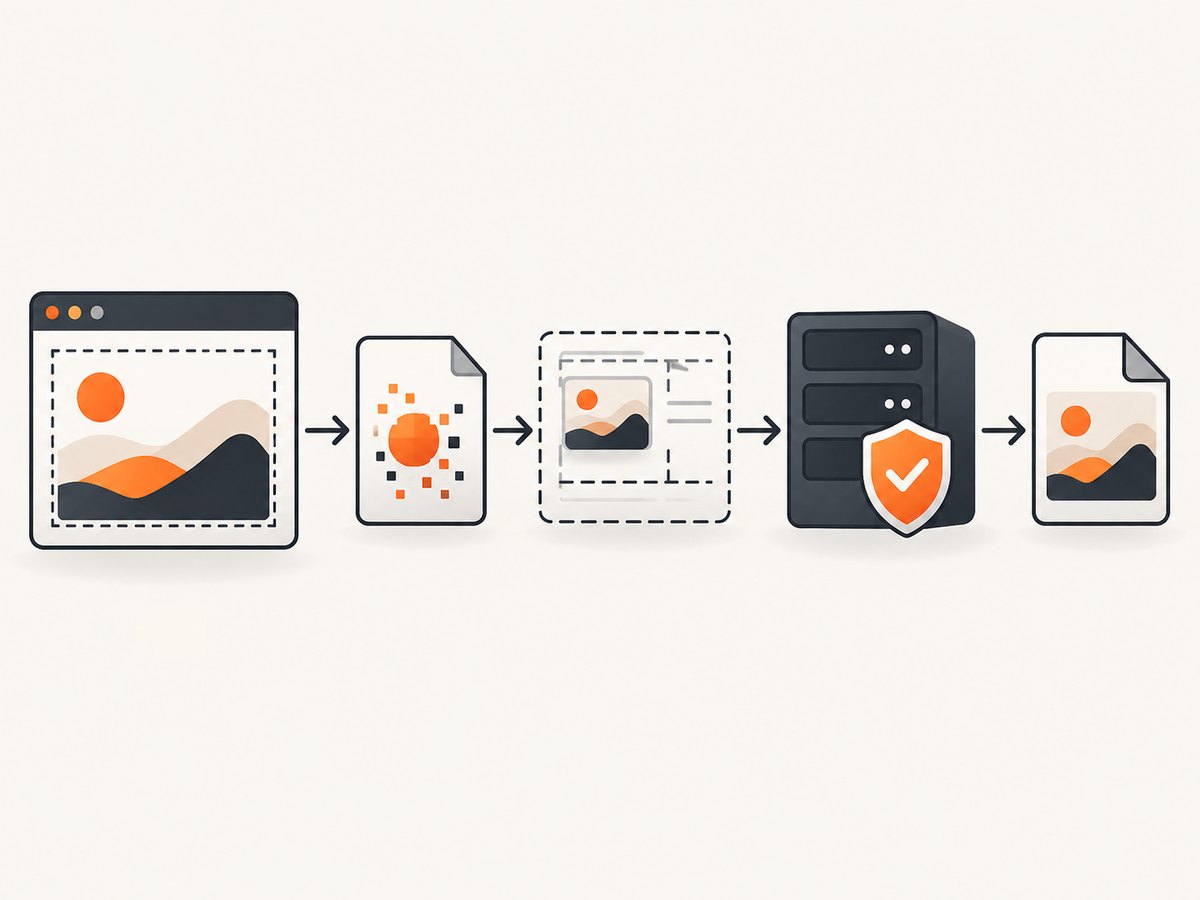
2. Understand what html2canvas produces
html2canvas reconstructs a representation of the DOM from information available to JavaScript; it is not a native browser screenshot. Unsupported CSS, resource loading timing, and cross-origin restrictions can therefore produce output different from what the user sees. Its documentation describes the reconstruction model and same-origin constraints: html2canvas documentation.
Wait for the target content, images, and fonts before rendering. Then export only after the html2canvas promise resolves. If a source image is cross-origin, the browser may display it while still preventing canvas export. The html2canvas FAQ explains that the library cannot override browser content policy restrictions and describes CORS and proxy approaches: html2canvas FAQ.
3. Recommended path: upload a Blob with FormData
A Blob avoids materializing the entire encoded image as a large base64 string. Multipart upload also lets PHP handle the file as an uploaded temporary file. MDN recommends generally preferring toBlob() over toDataURL(), which encodes the full image into an in-memory string and can encounter URL-size and memory concerns: MDN: toDataURL().
Browser code
// Assumes html2canvas and the target element are available.
async function captureAndUpload(element) {
  const canvas = await html2canvas(element, {
    useCORS: true,
    windowWidth: element.scrollWidth,
    windowHeight: element.scrollHeight
  });

  const blob = await new Promise((resolve, reject) => {
    canvas.toBlob(result => {
      if (result) resolve(result);
      else reject(new Error('Canvas export returned a null Blob'));
    }, 'image/png');
  });

  const form = new FormData();
  form.append('image', blob, 'capture.png');

  const response = await fetch('/upload.php', {
    method: 'POST',
    body: form
  });
  if (!response.ok) throw new Error(`Upload failed: ${response.status}`);
  return response.text();
}
Do not manually set Content-Type: multipart/form-data on this fetch. The browser must add the boundary parameter used to separate fields. The server endpoint below accepts only a successful uploaded file, checks its actual detected MIME type, imposes an example size ceiling, and stores it under a controlled filename.
PHP receiver for multipart uploads
<?php
declare(strict_types=1);

$maxBytes = 20 * 1024 * 1024; // Set to a limit appropriate for your app.
$upload = $_FILES['image'] ?? null;

if (!$upload || !isset($upload['error'], $upload['tmp_name'], $upload['size'])) {
    http_response_code(400);
    exit('missing image upload');
}
if ($upload['error'] !== UPLOAD_ERR_OK) {
    http_response_code(400);
    exit('upload failed with code ' . (int)$upload['error']);
}
if (!is_uploaded_file($upload['tmp_name'])) {
    http_response_code(400);
    exit('invalid upload');
}
if ((int)$upload['size'] <= 0 || (int)$upload['size'] > $maxBytes) {
    http_response_code(413);
    exit('image size is not allowed');
}

$finfo = new finfo(FILEINFO_MIME_TYPE);
$mime = $finfo->file($upload['tmp_name']);
$extensions = ['image/png' => 'png', 'image/jpeg' => 'jpg', 'image/webp' => 'webp'];
if (!isset($extensions[$mime])) {
    http_response_code(415);
    exit('unsupported image type');
}

$directory = __DIR__ . '/uploads';
if (!is_dir($directory) && !mkdir($directory, 0750, true) && !is_dir($directory)) {
    http_response_code(500);
    exit('could not create upload directory');
}
$destination = $directory . '/capture-' . bin2hex(random_bytes(8)) . '.' . $extensions[$mime];
if (!move_uploaded_file($upload['tmp_name'], $destination)) {
    http_response_code(500);
    exit('could not store upload');
}
http_response_code(201);
echo 'stored';
The example deliberately chooses its own destination name rather than trusting the client filename. In production, authorize the caller, apply your retention policy, and keep uploads outside a publicly executable directory where appropriate. MIME detection is a useful validation step, not a substitute for application-level access control or safe file serving.
4. If necessary, send and decode a data URL
Data URLs are convenient for small captures and simple JSON APIs, but base64 expands the payload and creates a large string in browser memory. JSON body limits may also be lower than expected. Do not truncate the string, URL-decode it as if it were query data, HTML-escape it, or send only a substring guessed from a fixed prefix length.
Browser sender
const canvas = await html2canvas(element, { useCORS: true });
const dataUrl = canvas.toDataURL('image/png');
const response = await fetch('/upload-data-url.php', {
  method: 'POST',
  headers: { 'Content-Type': 'application/json' },
  body: JSON.stringify({ image: dataUrl })
});
if (!response.ok) throw new Error(`Upload failed: ${response.status}`);
PHP JSON receiver
<?php
declare(strict_types=1);

$body = file_get_contents('php://input');
$input = json_decode($body, true);
$dataUrl = is_array($input) ? ($input['image'] ?? '') : '';

if (!is_string($dataUrl) || !preg_match('#^data:image/(png|jpeg|webp);base64,#i', $dataUrl, $match)) {
    http_response_code(400);
    exit('invalid image data URL');
}
$comma = strpos($dataUrl, ',');
if ($comma === false) {
    http_response_code(400);
    exit('missing data URL payload');
}
$payload = substr($dataUrl, $comma + 1);
$bytes = base64_decode($payload, true);
if ($bytes === false || $bytes === '') {
    http_response_code(400);
    exit('invalid base64 image payload');
}

$finfo = new finfo(FILEINFO_MIME_TYPE);
$mime = $finfo->buffer($bytes);
$expected = [
    'png' => 'image/png',
    'jpeg' => 'image/jpeg',
    'webp' => 'image/webp'
][strtolower($match[1])];
if ($mime !== $expected) {
    http_response_code(415);
    exit('declared image type does not match payload');
}

$directory = __DIR__ . '/uploads';
if (!is_dir($directory) && !mkdir($directory, 0750, true) && !is_dir($directory)) {
    http_response_code(500);
    exit('could not create upload directory');
}
$path = $directory . '/capture-' . bin2hex(random_bytes(8)) . '.' . strtolower($match[1]);
if (file_put_contents($path, $bytes, LOCK_EX) === false) {
    http_response_code(500);
    exit('could not write image');
}
http_response_code(201);
echo 'stored';
Strict base64_decode(..., true) rejects characters outside the base64 alphabet instead of silently ignoring them. The MIME marker is checked against the decoded bytes, so a PNG label cannot be used to smuggle unrelated content through this endpoint. For an application that only accepts PNG, narrow the regular expression and mapping to PNG.
5. Fix CORS and tainted canvases
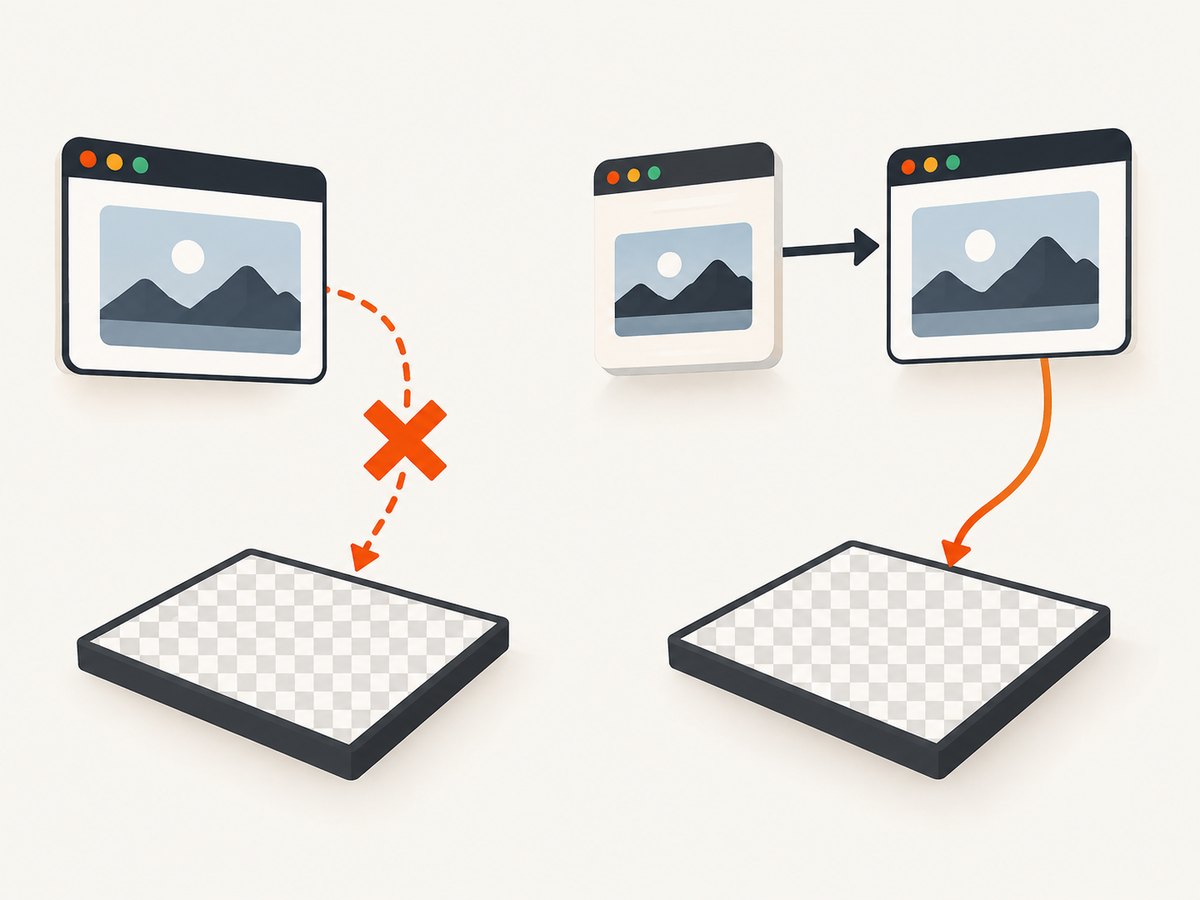
Set useCORS: true when loading images only if the image host allows your page origin with an appropriate Access-Control-Allow-Origin response header. The option asks the browser to use CORS-enabled image loading; it does not grant permission. If you control the asset host, configure the header there. Otherwise, use a server-side proxy that fetches permitted assets and serves them from your origin, or use same-origin image URLs.
A canvas containing a disallowed cross-origin image is tainted. Export calls such as toDataURL() can throw a SecurityError; the export is blocked by browser policy before PHP receives anything. See the official html2canvas CORS FAQ and the MDN SecurityError note. If CORS cannot be arranged, exclude the offending image or capture a version of the page that uses a same-origin asset.
6. Wait for content, fonts, and images
Start rendering after the page has reached the state you intend to capture. A page’s load event may not mean lazy images or web fonts are ready. For a controlled target, await fonts and image decoding before calling html2canvas:
await document.fonts.ready;
await Promise.all(
  [...element.querySelectorAll('img')].map(img => {
    if (img.complete) return Promise.resolve();
    return new Promise(resolve => {
      img.addEventListener('load', resolve, { once: true });
      img.addEventListener('error', resolve, { once: true });
    });
  })
);
const canvas = await html2canvas(element, { useCORS: true });
Waiting cannot make a failed image load succeed, so inspect failed image URLs separately. The listener example avoids hanging on broken images; it lets rendering continue, after which the missing image should be addressed or accepted as intentional.
7. Choose capture dimensions and scale carefully
Large canvas dimensions can exceed browser-specific limits or consume substantial memory. Browsers may produce blank or partially rendered canvases when limits are exceeded; the html2canvas FAQ gives rough, platform-dependent guidance rather than one universal maximum. Reduce the captured region, lower scale, or split a long page into sections. For content that extends beyond the viewport, the FAQ recommends setting windowWidth and windowHeight to the element’s scroll dimensions where suitable: canvas size guidance.
const canvas = await html2canvas(element, {
  useCORS: true,
  scale: 1, // lower than the device-pixel default when memory is constrained
  windowWidth: element.scrollWidth,
  windowHeight: element.scrollHeight
});
Increasing scale can improve detail but increases pixel count and memory demand quickly. A capture four times wider and four times taller uses sixteen times as many pixels. Choose dimensions based on the required output size, and avoid capturing off-screen content that the user does not need.
8. Transport, limits, and reliability checklist
- Multipart limits: check PHP’s
upload_max_filesizeandpost_max_size, plus limits imposed by a reverse proxy, web server, or hosting platform. The request can fail or arrive without the expected file if any layer rejects its size. - JSON limits: data URLs are larger than the original binary image. Check body-size limits and memory constraints for both PHP and upstream infrastructure.
- Disk and permissions: verify the destination directory exists or can be created, has suitable permissions, and has free space. Check the return value from every write or move operation.
- Timeouts: rendering large pages and transmitting large images take time. Keep timeouts proportionate to the expected image size, and return an explicit error instead of a success response when a stage fails.
- Retries: retry only transient network or server errors. Use a request identifier or idempotency strategy if retrying could store duplicate files.
- Input validation: enforce an application-specific maximum byte size, validate detected type, generate server-side filenames, and authenticate uploads.
- Diagnostics: log request ID, reported size, detected MIME, upload error code, and write outcome. Avoid logging the full data URL or image bytes.
9. Common errors and fixes
| Symptom | Likely cause | Fix |
|---|---|---|
SecurityError on export |
Canvas is tainted by a cross-origin image without valid CORS permission. | Configure the image host’s CORS response, use a same-origin proxy, or remove that asset. |
PHP reports missing $_FILES entry |
Wrong multipart field name, manually set multipart Content-Type without a boundary, or request size rejected. | Match the field name, let fetch set Content-Type, and inspect PHP and proxy limits. |
Stored file begins with data:image or is unreadable |
The literal data URL was written or decoded without removing its prefix. | Extract the substring after the first comma and strictly base64-decode it. |
| Base64 decode fails | Payload was truncated, transformed, or includes unexpected whitespace/characters. | Check request-body integrity and extract exactly the payload. Do not URL-decode or trim arbitrary content. |
| File is HTML or JSON despite a PNG extension | An error response body was stored as if it were the image. | Check HTTP status before reading/saving; inspect magic bytes and server response handling. |
| Image is blank or clipped before upload | Rendering occurred before resources were ready, CSS is unsupported, or canvas dimensions exceeded browser limits. | Wait for fonts/images, inspect unsupported features, reduce area/scale, or set window dimensions from scroll dimensions. |
| PHP returns upload error code 1 or 2 | PHP or form upload limit was exceeded. | Raise appropriate configured limits within server capacity, or reduce capture size/use Blob upload. |
file_put_contents() fails |
Directory is missing, unwritable, or storage is full. | Check permissions and available space; create the directory safely and check the function result. |
10. Performance and cost tradeoffs
Blob multipart is generally the efficient path: it avoids a base64 string and lets the browser stream a file-like part. Data URL JSON is straightforward but uses more memory and bandwidth for the encoded string, and it creates pressure on request-size and PHP memory limits. Very large captures cost more CPU and memory in the browser, consume more transfer time, and require more server storage. Reduce capture area and scale before increasing infrastructure limits.
For repeated identical captures, application caching can avoid re-rendering and re-uploading. If uploads are retained, account for storage growth and establish deletion rules. Keep failures visible through status codes and concise server logs so a failed upload cannot be mistaken for a successful image save.
11. Or skip the browser setup
If the task is to capture a website URL rather than preserve an interactive page state in the current browser, ScreenshotNeo provides a one-request screenshot API. It returns PNG, JPEG, WebP, or PDF and has an MCP server for AI agents.
curl -G "https://api.screenshotneo.com/v1/shot" -d access_key=YOUR_API_KEY --data-urlencode url=https://stripe.com -o shot.webpSee the ScreenshotNeo API documentation for request options. With this route, cookie banners are accepted and removed before capture, along with supported popups and chat widgets; bot checks, blank pages, and failed loads are never billed. The MCP server lets AI agents take screenshots. The free plan includes 1,000 screenshots a month with no card, and paid plans start at $5 for 3,000 screenshots.
Sign up for ScreenshotNeo’s free 1,000 screenshots a month, with no card required.
12. FAQ
Can I fix a corrupted upload by changing the filename extension?
No. An extension does not convert bytes. Validate the actual file type and fix the stage that changed or produced the bytes.
Should I base64-decode a multipart upload?
No. Multipart file uploads arrive as binary data in PHP’s temporary upload file. Base64 decoding applies only when the request actually contains a base64 payload such as a data URL.
Does a 200 response mean my image is valid?
Only if your endpoint verifies the upload and checks each write operation before returning success. Open or inspect the stored file as well during diagnosis.
When should I use html2canvas versus a screenshot API?
Use html2canvas when you need to capture a DOM element in the current client context. For a URL-based capture without setting up browser rendering and upload handling, use a screenshot API such as ScreenshotNeo.


