How to Fix CORS Errors in Laravel and Vue html2canvas Exports
Fix missing images and tainted canvases in Laravel and Vue html2canvas exports with CORS headers, safe proxies, and working code.

Short answer: find the exact image request that fails, make the server that owns that image return an Access-Control-Allow-Origin value for your Vue origin, and call html2canvas with useCORS: true. Laravel headers help only when Laravel serves the image or API response. If the image comes from a CDN or third-party host, change that host or route the image through a locked-down same-origin proxy. A browser cannot be instructed to ignore CORS.
There are two different failure points. html2canvas may skip an image while it builds its canvas, or it may draw the image and then refuse toBlob()/toDataURL() because the canvas is tainted. The diagnosis is the same: identify the image’s final URL and response headers first.
1. Understand what html2canvas is doing
html2canvas walks the DOM and recreates a canvas from the properties it understands; it does not capture the browser’s compositor output. Unsupported CSS, web fonts, filters, videos, and very large canvases can therefore produce a result that differs from the visible page. Cross-origin pixels add the browser’s canvas security rules on top of those rendering limits.
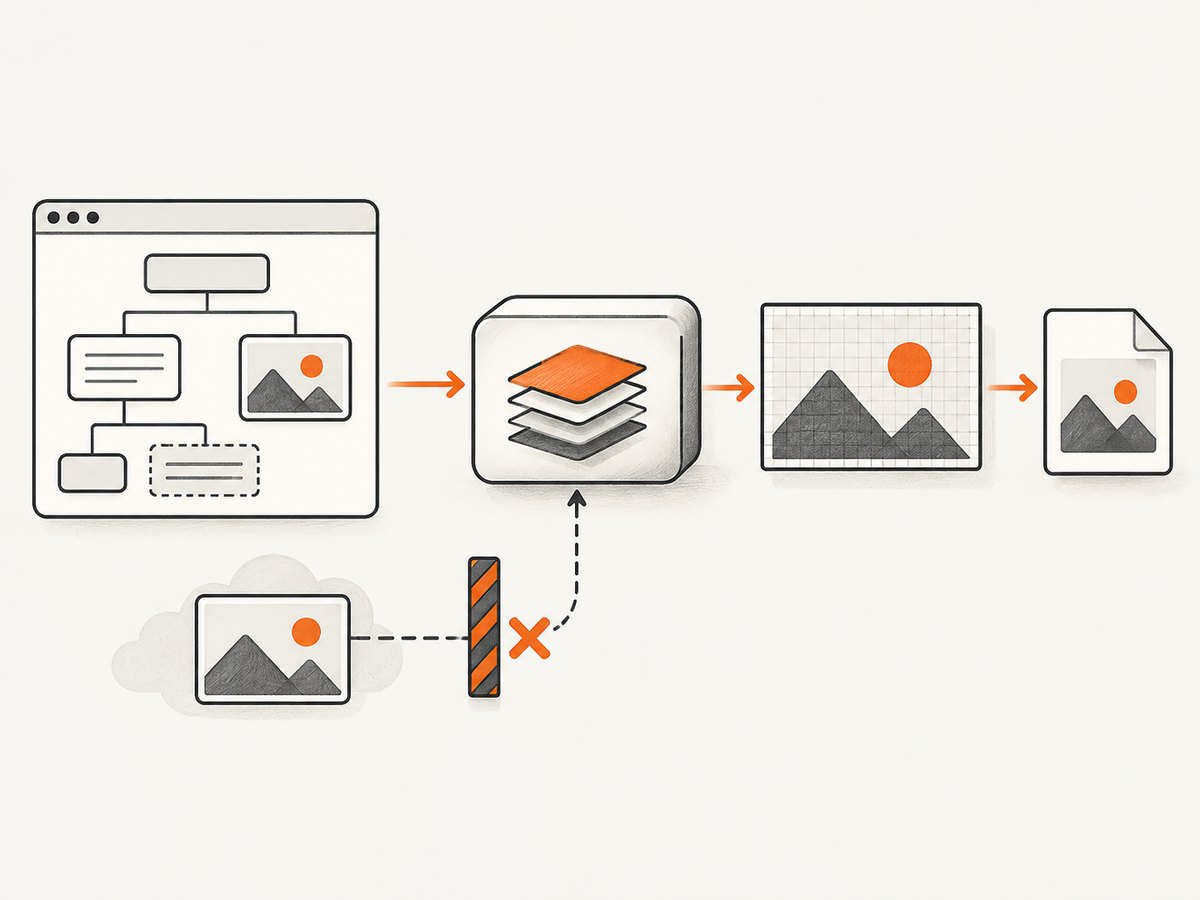
When an image is fetched from another origin without CORS approval, drawing it into a canvas taints that canvas. The browser then blocks pixel reads and export methods. html2canvas keeps allowTaint false by default and normally skips unsafe images rather than weakening the policy. See the project’s FAQ and MDN’s CORS-enabled image guide.
2. Diagnose the failing origin before changing code
- Open DevTools, reproduce the export, and note every image request marked blocked, failed, or cancelled.
- Copy the final URL after redirects. Compare its scheme, host, and port with the page URL; any difference is cross-origin.
- In the Network response, check status,
Content-Type, redirects, andAccess-Control-Allow-Origin. A Laravel API request and a CDN image request are often different origins. - Check the console for a tainted-canvas
SecurityErrorwhentoBlobortoDataURLruns. That confirms export-time contamination, not necessarily a failed page request.
Test the image directly with a request that includes the browser origin:
curl -i -H "Origin: https://app.example.com" https://cdn.example.com/images/logo.pngThe response must grant the requesting origin (or an appropriate wildcard for non-credentialed public assets). If the request redirects, the final image response also needs a compatible CORS policy. For credentialed requests, the server must return the explicit origin and Access-Control-Allow-Credentials: true; a wildcard origin cannot be combined with credentials.
3. Configure the image server you control
Set CORS on the server that returns the bytes. For an object store or CDN, configure its CORS rule and ensure the CDN forwards the Origin request header and varies its cache by Origin when responses differ. For an Nginx image location, a minimal public-asset example is:
location /images/ {
    add_header Access-Control-Allow-Origin "https://app.example.com" always;
    add_header Vary "Origin" always;
}
Use your framework or storage provider’s equivalent configuration. Do not add this header only to a Laravel JSON route while the browser is loading an image from another host. Avoid reflecting arbitrary origins; allow the specific development, staging, and production origins you operate.
4. Enable CORS loading in Vue
Install the library and capture a component ref. useCORS requests images with CORS mode; it does not add permission to a remote server. The onError callback gives you a useful log while you fix the response headers.
npm install html2canvas<script setup>
import { ref } from 'vue'
import html2canvas from 'html2canvas'
const exportArea = ref(null)
async function exportImage() {
const canvas = await html2canvas(exportArea.value, {
useCORS: true,
allowTaint: false,
imageTimeout: 15000,
onError: (error) => console.warn('html2canvas resource failed:', error.message),
})
const blob = await new Promise((resolve) => canvas.toBlob(resolve, 'image/png'))
if (!blob) throw new Error('Canvas export returned no image data')
const link = document.createElement('a')
link.download = 'export.png'
link.href = URL.createObjectURL(blob)
link.click()
URL.revokeObjectURL(link.href)
}
</script>
<template>
<button type="button" @click="exportImage">Export</button>
<section ref="exportArea">…your exportable markup…</section>
</template>For images rendered by Vue, set crossorigin="anonymous" before the request starts:
<img src="https://cdn.example.com/images/logo.png" crossorigin="anonymous" alt="Logo">Do not set allowTaint: true as a fix. It permits unsafe pixels to enter the canvas, after which export can still fail; it does not change the server’s policy.
5. Configure Laravel when Laravel serves the resource
Laravel’s CORS middleware handles preflight requests. Laravel 12 documents publishing its configuration with:
php artisan config:publish corsThen edit config/cors.php to match the routes and origins in your application:
return [
    'paths' => ['api/*', 'images/*'],
    'allowed_methods' => ['GET', 'OPTIONS'],
    'allowed_origins' => [
        'https://app.example.com',
        'http://localhost:5173',
    ],
    'allowed_origins_patterns' => [],
    'allowed_headers' => ['Content-Type', 'X-Requested-With', 'Authorization'],
    'exposed_headers' => [],
    'max_age' => 0,
    'supports_credentials' => false,
];
Keep the path list narrow and clear cached configuration after changes with php artisan config:clear (or rebuild your deployment’s config cache). If you use cookies or HTTP authentication, set supports_credentials to true, list the exact origin, and configure the browser request accordingly. A Laravel CORS change cannot alter a response generated by S3, Cloudinary, another Laravel installation, or a third-party image URL.
6. Use a same-origin proxy only when you can secure it
If the image owner cannot add your origin, html2canvas supports a proxy option. Your proxy fetches an allowlisted remote URL and returns the bytes from your own origin, so the browser sees a same-origin response.
const canvas = await html2canvas(exportArea.value, {
  useCORS: true,
  proxy: '/image-proxy',
})
Implement the endpoint as a controlled fetch service: accept only validated HTTPS URLs, restrict destination hosts and paths, set connection and response-size limits, allow only image media types, disable forwarding of ambient credentials, and prevent redirects to private IP ranges. Add rate limits and logging. An unrestricted “fetch any URL” endpoint is an SSRF and bandwidth-abuse risk. If you cannot enforce those controls, remove the proxy option and fix the image host instead.
7. Options that affect export quality and reliability
| Option | Use | Practical note |
|---|---|---|
useCORS |
Attempt CORS image loads | Requires response permission from the image server. |
allowTaint |
Allow unsafe pixels | Leave false when you need a downloadable blob. |
proxy |
Load through same origin | Use a restricted proxy only. |
imageTimeout |
Bound image waiting time | Increase for slow assets; zero disables the timeout. |
scale |
Control output density | Higher values improve detail but increase memory and canvas dimensions. |
windowWidth/windowHeight |
Set the layout viewport | Useful for deterministic responsive rendering. |
width, height, x, y |
Capture a region | Use with a measured element or scroll position. |
backgroundColor |
Set a solid background | Use null for transparency where supported. |
ignoreElements |
Skip nodes | Return true for videos, ads, or controls that should not appear. |
onclone |
Adjust the cloned document | Hide transient UI without changing the live page. |
foreignObjectRendering |
Ask the browser to render foreign objects | Browser support varies; it is not a CORS bypass. |
logging |
Enable diagnostic output | Turn it on while investigating resource failures. |
Wait for fonts and application data before invoking html2canvas. For lazy images, scroll them into view or assign their final src first. A loading spinner hidden by a timeout can otherwise become part of the export.
8. Separate CORS errors from other incomplete exports
- Blank or partial image: reduce
scale, capture a smaller region, or split a very tall page. Browser canvas width, height, and area limits vary by browser and device. - Wrong layout or missing shadows: check whether the CSS property is implemented by html2canvas; it reconstructs supported styles instead of copying compositor pixels.
- Web fonts not present: wait for
document.fonts.readyand confirm the font response itself is allowed by CORS. - Export throws
SecurityError: find every cross-origin image, including CSS background images and SVGs containing external references. One unsafe draw taints the whole canvas. - Works locally but fails in production: compare the exact origin, HTTPS scheme, redirects, CDN cache headers, and credential mode. Development and production origins are separate allowlist entries.
9. A repeatable troubleshooting checklist
- Reproduce with DevTools open and save the console error.
- List each missing image and its final response URL.
- Verify
Access-Control-Allow-Originon the image response, not just the API response. - Add
crossorigin="anonymous"to markup that loads cross-origin images before settingsrc. - Set
useCORS: trueand keepallowTaint: false. - Retry with one known-good same-origin image. If that works, the remaining issue is resource policy.
- If headers are correct, test a smaller capture and lower
scaleto rule out canvas limits. - If a proxy is necessary, allowlist destinations and inspect its response content type and status.
10. Performance, reliability, and cost decisions
Every image adds a network request and decode cost. Resize source images, avoid exporting hidden galleries, and capture only the element users need. A lower scale reduces memory pressure; a higher scale improves print detail. Cache immutable assets with a long browser/CDN lifetime, but make sure CORS headers survive cached responses. For repeatable jobs, wait for network completion and fonts explicitly rather than sleeping for an arbitrary number of milliseconds.
Client-side exports consume the user’s CPU and memory and can be interrupted by a background tab. A server-side capture is easier to queue, retry, and archive. Keep the browser method for interactive, user-local exports; use a service when you need consistent output for many URLs or devices.
Or skip the browser setup
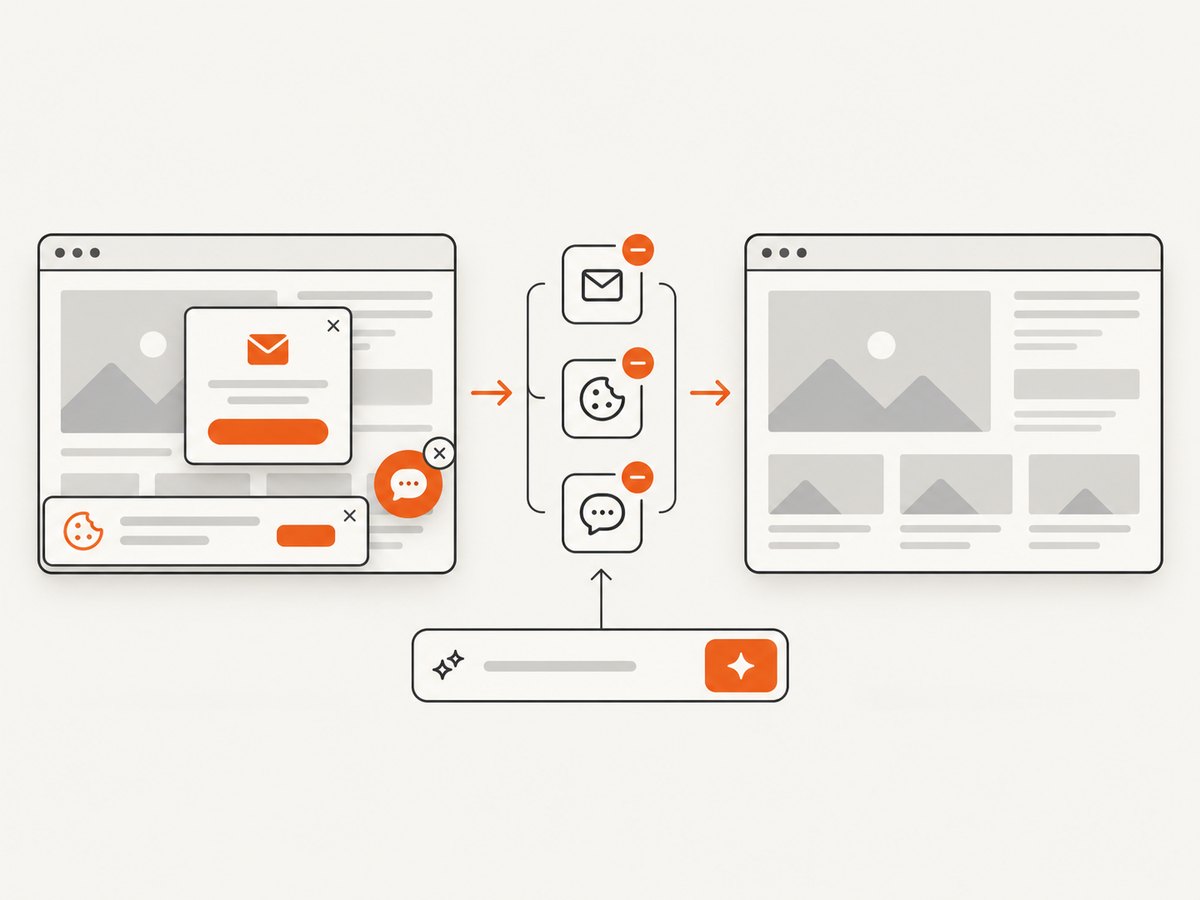
ScreenshotNeo takes a URL and returns a PNG, JPEG, WebP, or PDF from one request. Before capture it accepts cookie and consent banners and removes more than 60 known consent platforms, newsletter popups, and chat widgets; each step can be turned off. Bot checks and CAPTCHAs, blank pages, timeouts, failed loads, and cache hits are not billed, and response headers identify the page verdict and whether it was billed.
See the complete option list and authentication details in the ScreenshotNeo documentation. The same endpoint supports full-page lazy-image capture, CSS-selector element capture, dark mode, device presets or custom viewports, retina scale, custom CSS and JavaScript, clicks, selector or network-idle waits, request blocking, headers, cookies, user agents, authorization, timezone, geolocation, transparent backgrounds, resizing, chosen-TTL caching, signed links, asynchronous jobs with signed webhooks, bulk capture of up to 100 URLs per call, usage reporting, and an OpenAPI specification.
cURL
curl -G "https://api.screenshotneo.com/v1/shot" -d access_key=YOUR_API_KEY --data-urlencode url=https://laravel.com -o shot.webpPython
import requests
r = requests.get("https://api.screenshotneo.com/v1/shot", params={"access_key": "YOUR_API_KEY", "url": "https://laravel.com"}, timeout=90)
r.raise_for_status()
open("shot.webp", "wb").write(r.content)
Node.js
const q = new URLSearchParams({ access_key: 'YOUR_API_KEY', url: 'https://laravel.com' });
const res = await fetch(`https://api.screenshotneo.com/v1/shot?${q}`);
if (!res.ok) throw new Error(`Screenshot failed: ${res.status}`);
const fs = await import('node:fs/promises');
await fs.writeFile('shot.webp', Buffer.from(await res.arrayBuffer()));
ScreenshotNeo also provides an MCP server with take_screenshot, get_page_info, and capture_pdf tools for Claude, Cursor, and other MCP clients. The Free plan includes 1,000 shots per month with no card; paid plans start at $5 for 3,000 shots, and every feature is available on every plan. Create a free ScreenshotNeo account and try the same URL without configuring a browser, proxy, or CORS headers.
FAQ
Does adding mode: 'no-cors' fix the export?
No. An opaque fetch response cannot be read for canvas pixels. The image server must grant CORS or your controlled proxy must serve it from the page’s origin.
Why does the image display normally but disappear in the export?
Displaying an image does not require pixel access. html2canvas needs permission to draw and read those pixels, so a missing CORS header can affect only the export.
Should I put CORS headers on every Laravel route?
No. Configure the paths that serve cross-origin assets or API responses and keep the allowed origins specific. Third-party hosts need their own configuration.
Can html2canvas capture a page exactly like a screenshot?
No. It reconstructs supported DOM and CSS into a canvas. For browser-level rendering, use a server-side screenshot service such as ScreenshotNeo.


