How to Fix Cropped Background Images in dom-to-image Screenshots
Diagnose CSS background crops, capture bounds, loading failures, and browser rasterization issues in dom-to-image exports.
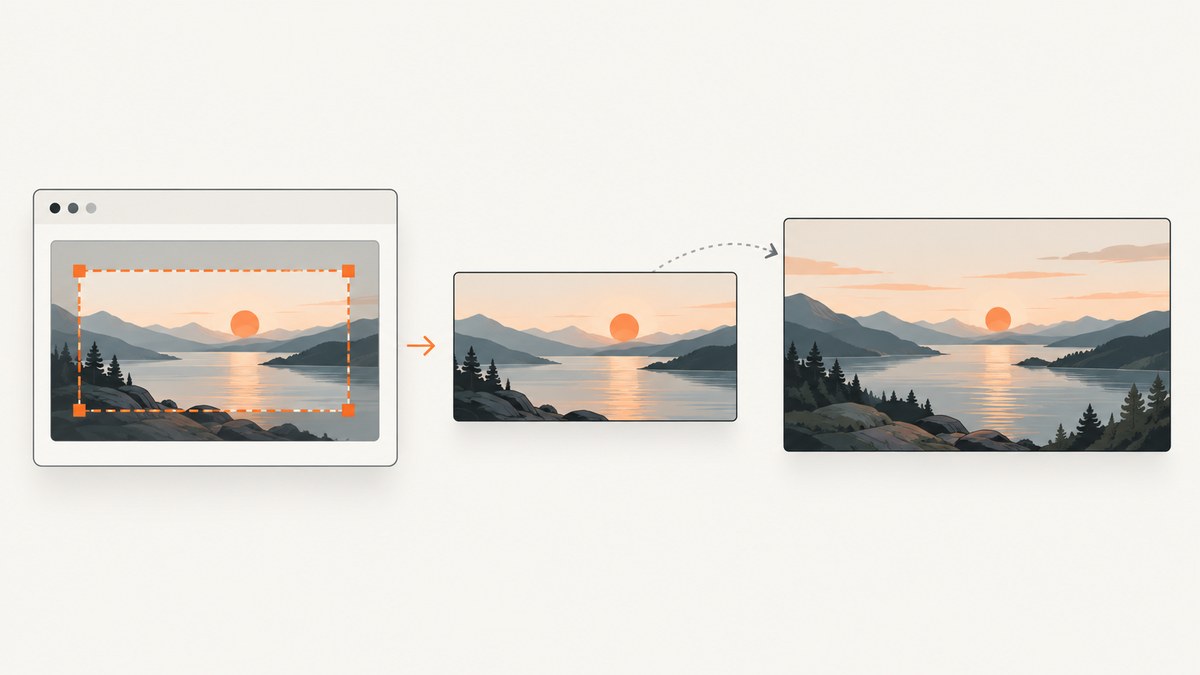
Short answer: A cropped background in a dom-to-image export usually comes from one of two boundaries: CSS is cropping the source inside the element (often background-size: cover), or the exported node/canvas is smaller than the region you intended to capture. Compare the live element with the output, inspect computed background styles, and then set capture dimensions that match the target. Also rule out a failed background fetch and browser problems rasterizing SVG foreignObject.
1. Identify which boundary is being cropped
Open the page and compare the selected element to the PNG produced by dom-to-image:
- Crop inside the element: the output has the correct outer size, but a different part of the photo is visible. This is controlled by
background-size,background-position, and repeat rules. - Crop at the outer edge: the whole card, section, or page ends early. You captured the wrong node, or the requested width/height is too small.
- Background missing: the image resource was not available to the clone, or the browser could not rasterize the generated SVG. This is a loading/embedding issue, not a
covercrop.
2. How dom-to-image renders a background
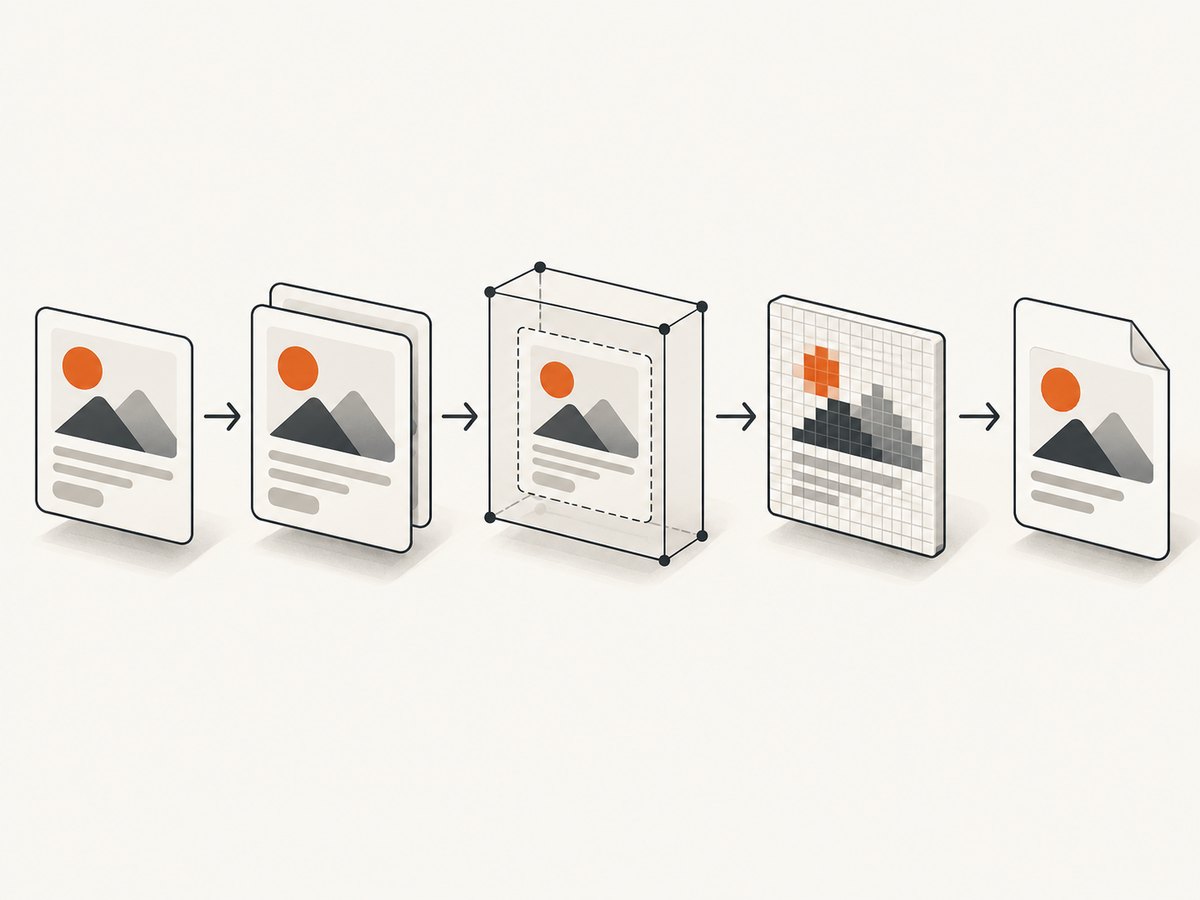
The library clones the DOM node recursively, copies computed styles, recreates pseudo-elements, embeds web fonts and images (including images used by CSS background), serializes the clone inside an SVG foreignObject, and rasterizes that SVG through an off-screen canvas. A failure at any stage can look like a crop. The width and height options change the dimensions applied to the cloned node before rendering; they do not change how CSS fits a background image.
3. A repeatable diagnosis
- Capture the intended node. Log the node and its rendered dimensions. A child element is a common accidental target.
- Read the computed rules. Check
background-image,background-size,background-position, andbackground-repeat, not only the stylesheet source. - Compare output dimensions. Read the generated image dimensions and compare them with
getBoundingClientRect()and the intended export size. - Verify the resource. Open the background URL directly, check the browser network panel, and make sure the page can fetch it before cloning.
- Isolate browser rendering. Because the raster path uses SVG
foreignObject, try the same capture in another supported browser environment and inspect the intermediate SVG if your setup exposes it. - Confirm the package. Check your lockfile and version.
dom-to-image-moreis a related fork with its own documented behavior; do not copy its options into the original package without checking.
4. Fix CSS that intentionally crops the image
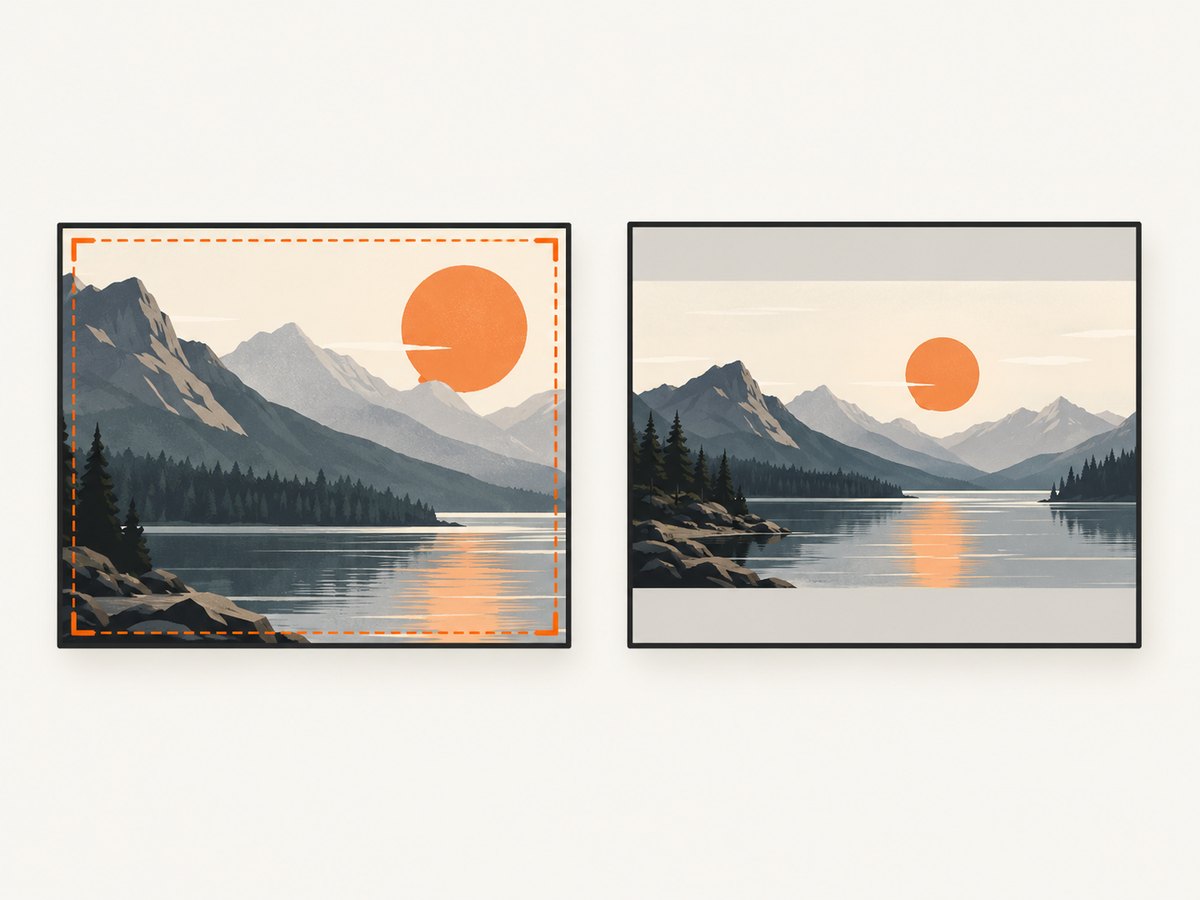
background-size: cover scales the source until the box is filled. If the source and box have different aspect ratios, some source pixels must fall outside the box. To show the complete image, use contain and choose a background color for the remaining space:
.hero {
  width: 800px;
  height: 450px;
  background-image: url("/images/hero.jpg");
  background-size: contain;
  background-position: center;
  background-repeat: no-repeat;
  background-color: #111;
}
If you want a crop but the focal point is wrong, keep cover and move the image:
.hero {
  background-size: cover;
  background-position: 50% 20%; /* show more of the upper part */
}
For a predictable, uncropped source, set an explicit size that matches the box (for example, background-size: 800px 450px) or use an <img> with object-fit. These changes alter the page itself, so apply them only when that is the visual result you want.
5. Fix the exported boundary with width and height
When the entire element is clipped, pass dimensions to the capture call. Measure the node first so the values include the intended width and height:
import domtoimage from "dom-to-image";

const node = document.querySelector("#invoice");
if (!node) throw new Error("#invoice was not found");

const rect = node.getBoundingClientRect();
const png = await domtoimage.toPng(node, {
  width: Math.ceil(rect.width),
  height: Math.ceil(rect.height)
});

const link = document.createElement("a");
link.download = "invoice.png";
link.href = png;
link.click();
Use the element’s actual rendered size, or deliberately larger values when the design requires a larger export. Setting width and height cannot reveal pixels that CSS has already placed outside the background box.
6. Minimal runnable reproduction
This page lets you switch between an intentional cover crop and a complete contain image, then export the card. Install the package with your normal JavaScript package manager and serve the file from a local HTTP server.
<!doctype html>
<html>
<head>
  <meta charset="utf-8">
  <style>
    #card { width: 640px; height: 360px; padding: 24px; color: white;
      background-image: url("https://picsum.photos/id/1015/1200/800");
      background-size: cover; background-position: center; }
    #card.contain { background-size: contain; background-repeat: no-repeat;
      background-color: #20242a; }
  </style>
</head>
<body>
  <button id="mode">Show whole image</button>
  <button id="save">Export PNG</button>
  <div id="card"><h1>Background test</h1></div>
  <script type="module">
    import domtoimage from "https://cdn.jsdelivr.net/npm/dom-to-image@2.6.0/src/dom-to-image.js";
    const card = document.querySelector("#card");
    document.querySelector("#mode").onclick = () => card.classList.toggle("contain");
    document.querySelector("#save").onclick = async () => {
      const rect = card.getBoundingClientRect();
      const dataUrl = await domtoimage.toPng(card, {
        width: Math.ceil(rect.width), height: Math.ceil(rect.height)
      });
      const a = document.createElement("a");
      a.download = "background-test.png"; a.href = dataUrl; a.click();
    };
  </script>
</body>
</html>
For production, pin the package version in your lockfile and avoid relying on a CDN at capture time.
7. Troubleshooting common failures
| Symptom | Cause to check | Fix |
|---|---|---|
| Photo is present, but the visible subject is wrong | cover or an unexpected position |
Adjust background-size/background-position; use contain for the whole source. |
| Right or bottom edge of the card is missing | Wrong node or undersized export dimensions | Select the intended ancestor and pass measured width/height. |
| Background is blank | URL failed, resource was blocked, or embedding failed | Check the network panel, URL response, redirects, and whether the image is available before capture. |
| Only some backgrounds fail | Different resource types, URLs, or timing | Compare computed styles and wait until the image has loaded before calling the library. |
| Output differs by browser | SVG foreignObject rasterization differences |
Reproduce in a known working browser environment and inspect the intermediate SVG. |
| Suggested option is rejected | Code targets dom-to-image-more or another fork |
Confirm the installed package and consult that package’s own documentation. |
| Large export is cut off or fails | Canvas or browser surface limits | Capture a smaller region, reduce scale, or split a long page into sections. |
8. Reliability, performance, and cost
- Wait for fonts and background images before cloning; otherwise the clone can faithfully capture an incomplete state.
- Capture only the required node. Large subtrees cost more time and memory because styles, images, and fonts are copied and embedded.
- Use explicit dimensions and stable layout styles to avoid changes caused by responsive breakpoints or late-loading content.
- For repeated exports, cache the source data and avoid rebuilding the page between captures. Handle rejected promises and retry only transient loading failures.
- The browser library itself has no ScreenshotNeo billing. If you move capture to an API, account for request volume, output size, and caching policy.
9. Or skip the browser setup
ScreenshotNeo captures a rendered URL with one request. Cookie and consent banners, newsletter popups, and chat widgets are removed before the shot. Bot checks, blank pages, timeouts, failed loads, and cache hits are not billed, and response headers identify the page verdict and billing status. Its MCP server provides take_screenshot, get_page_info, and capture_pdf for Claude, Cursor, and other MCP clients.
See the ScreenshotNeo API docs for all options. This is a URL capture rather than a DOM-node export, so use it when the complete rendered page (or a configured element) is what you need:
curl -G "https://api.screenshotneo.com/v1/shot" -d access_key=YOUR_API_KEY --data-urlencode url=https://stripe.com -o shot.webpimport requests
r = requests.get("https://api.screenshotneo.com/v1/shot", params={"access_key": "YOUR_API_KEY", "url": "https://stripe.com"}, timeout=90)
open("shot.webp", "wb").write(r.content)const q = new URLSearchParams({ access_key: 'YOUR_API_KEY', url: 'https://stripe.com' });
const res = await fetch(`https://api.screenshotneo.com/v1/shot?${q}`);Every feature is available on every plan: 1,000 screenshots per month free with no card; paid plans start at $5 for 3,000. Create a free ScreenshotNeo account.
10. FAQ
Does changing width reveal the entire background?
No. It changes the cloned node’s dimensions. CSS fitting still decides which source pixels appear inside that box.
Should I always replace cover with contain?
No. Keep cover when filling the box matters; use contain when showing the complete source matters.
Why does the live page work while the export does not?
The export has an extra clone, resource-embedding, SVG, and canvas pipeline. A failed fetch or browser rasterization difference can occur even when normal painting succeeds.
Is advice for dom-to-image-more valid for dom-to-image?
Only after checking the package and version. The fork documents additional behavior that should not be assumed in the original library.


