How to Fix Cucumber Step Definition Parameter Count Errors
Fix Cucumber arity mismatches by counting expression parameters, regex captures, and trailing tables, then aligning your step-definition signature.

Direct answer: A Cucumber step-definition parameter count error means the matched step expression produced a different number of arguments than the step-definition method or function accepts. Count the values produced by the exact expression Cucumber matched, then make the callable signature match. Count {int} and other output parameters in Cucumber Expressions, count capturing groups in regular expressions, and add a trailing data table or doc string argument when the step has one.
The most common source of confusion is using the counting rules for one syntax while writing the other. In a Cucumber Expression, parentheses make text optional and do not create an argument. In a regular expression, parentheses create capturing groups and each capture becomes an argument. Cucumber documents this as an arity mismatch: the method parameter count must match the expression’s capture groups, or Cucumber throws an error. See the Cucumber API reference, Cucumber Expressions documentation, and the official FAQ.
What Cucumber passes to a step definition
When Cucumber runs a scenario, it performs three relevant operations:
- It finds a step definition whose expression matches the text after
Given,When, orThen. - It extracts values from typed Cucumber Expression parameters or regular-expression capture groups.
- It calls your method or function with those extracted values, followed by a data table or doc string if the step includes one.
For example, this step contains one output parameter:
Given I have 12 cukes@Given("I have {int} cukes")
public void iHaveCukes(int count) {
// count == 12
}The expression contributes one argument, so the method accepts one argument. The words “I have” and “cukes” are literal text and do not count. The variable name in your method is irrelevant; only the expression’s output parameters determine arity.
Step 1: Identify the exact definition and syntax
Start with the complete step text and the definition Cucumber says it matched. Do not debug from a shortened feature sentence or from a definition you think should match. An undefined step has no match at all; an ambiguous step has multiple matches; an arity mismatch means a match was found but the callable received the wrong number of arguments.
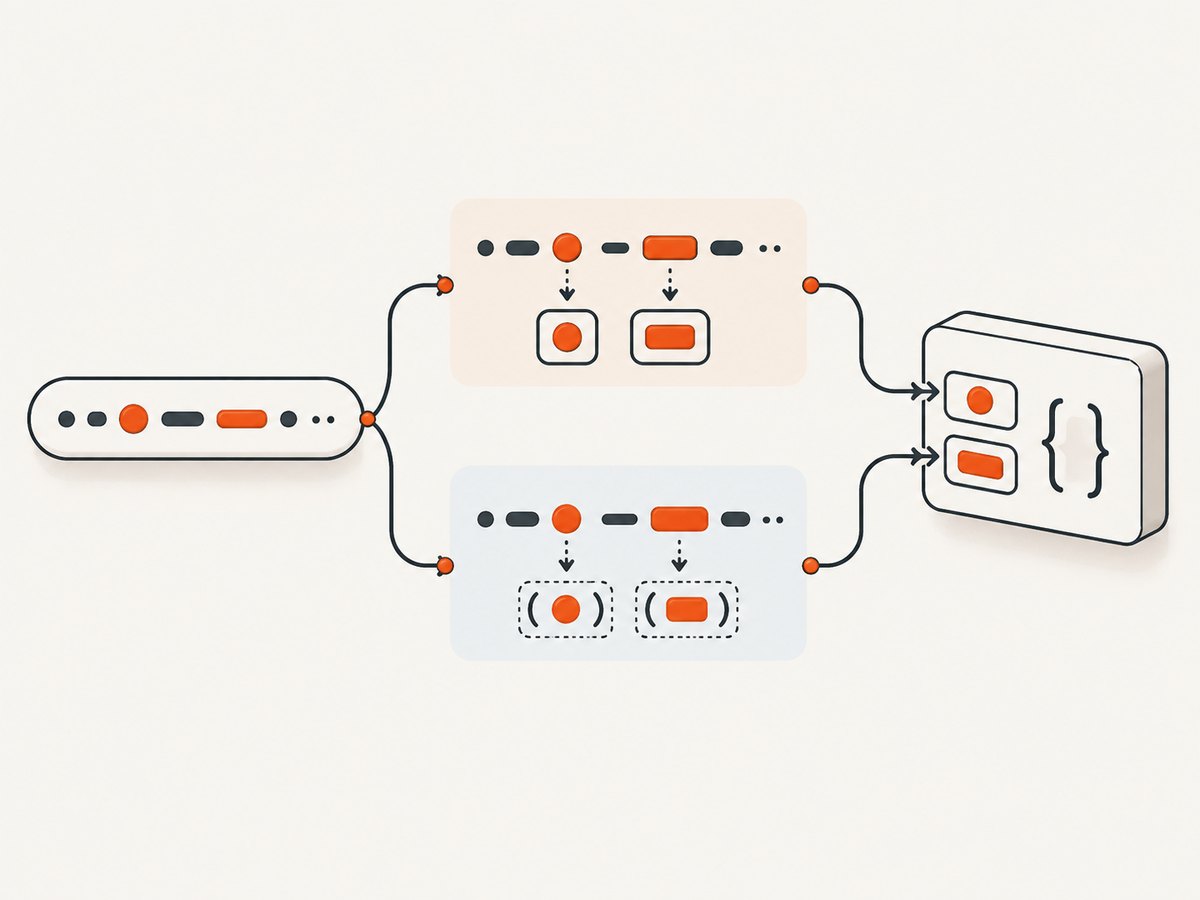
Next, determine whether the definition is a Cucumber Expression or a regular expression. A Cucumber Expression usually contains placeholders such as {int}, {float}, {string}, or a custom parameter name. A regular expression commonly starts with delimiters such as /^...$/ in JavaScript or is passed as a regex object in another language.
Do not mix the syntaxes in one definition. A pattern containing {int} is not a regular expression, and a pattern containing regex capture syntax is not automatically interpreted as a Cucumber Expression.
Step 2: Count Cucumber Expression parameters
Count every output parameter in the expression. Built-in parameters such as {int}, {float}, {word}, and {string} each contribute one argument. A custom parameter such as {person} also contributes one argument after its transformer runs.
Given I deposit 125.50 dollars into the account@Given("I deposit {float} dollars into the account")
public void deposit(float amount) {
// one expression parameter
}Two parameters produce two arguments:
@When("I transfer {int} dollars from {word} to {word}")
public void transfer(int amount, String source, String destination) {
    // amount, source, destination
}
If the method accepts only two arguments, Cucumber cannot call it. If it accepts four, the extra argument is not filled automatically. Remove the unused placeholder or change the signature.
The optional-text trap
In a Cucumber Expression, parentheses indicate optional text. They do not capture a value:
Given I have (some )cukesThis expression accepts both “I have cukes” and “I have some cukes” and supplies zero parameters. The following definition therefore takes no argument:
@Given("I have (some )cukes")
public void iHaveCukes() {
    // no captured value
}
To capture a value, use an output parameter explicitly:
@Given("I have {int} cukes")
public void iHaveCukes(int count) {
}
Step 3: Count regular-expression capture groups
With a regular expression, every capturing group contributes an argument. In this example, (\d+) is one capture:
Given I have 12 cukes@Given("^I have (\\d+) cukes$")
public void iHaveCukes(String countText) {
int count = Integer.parseInt(countText);
}An additional capturing group adds another argument, even if you never use its value:
@Given("^I have (\\d+) (cukes|cookies)$")
public void haveItems(String countText, String itemType) {
}
If parentheses only group alternatives and should not produce a value, use a non-capturing group where your regex engine supports it:
^I have (\\d+) (?:cukes|cookies)$This pattern supplies one argument instead of two. Be careful when converting an expression to a regex: parentheses that were optional text in a Cucumber Expression become captures in a regex unless you write them as non-capturing groups.
Step 4: Add data tables and doc strings
A Gherkin data table is supplied as a final argument after expression parameters. It is not counted as a capture inside the expression, but your method still needs to accept it.
When I create the following users:
  | name  | role  |
  | Ada   | admin |
  | Linus | user  |
@When("I create the following users:")
public void createUsers(DataTable table) {
List<Map<String, String>> users = table.asMaps();
}With one expression parameter and a table, the table remains last:
When I create {int} users:
  | name  | role  |
  | Ada   | admin |
@When("I create {int} users:")
public void createUsers(int expectedCount, DataTable table) {
}Doc strings follow the same idea: expression arguments come first and the doc string is passed as the trailing argument according to your language binding’s API.
Runnable examples in common Cucumber implementations
Java
import io.cucumber.java.en.Given;

public class AccountSteps {
    @Given("I have {int} cukes")
    public void haveCukes(int count) {
        if (count < 0) {
            throw new IllegalArgumentException("count must be non-negative");
        }
    }
}
JavaScript
const { Given } = require('@cucumber/cucumber');

Given('I have {int} cukes', function (count) {
  if (count < 0) throw new Error('count must be non-negative');
});

Given(/^I have (\\d+) cukes$/, function (countText) {
  const count = Number.parseInt(countText, 10);
});
Ruby
Given('I have {int} cukes') do |count|
  raise 'count must be non-negative' if count < 0
end

Given(/^I have (\d+) cukes$/) do |count_text|
  count = Integer(count_text, 10)
end
Custom parameter types and conversion errors
Parameter-count errors and conversion errors are separate. A custom parameter type first matches text and then transforms it. If the parameter type is missing, registered too late, or its transformer does not match the implementation’s expected signature, you may see a conversion or registration error even after the argument count is correct.
@ParameterType("red|green|blue")
public Color color(String value) {
    return Color.valueOf(value.toUpperCase());
}

@Given("the light is {color}")
public void lightIs(Color color) {
}
The expression above contributes one argument: the converted Color. If the custom parameter’s regular expression contains captures, check your language binding’s parameter-type documentation because transformer arity can depend on those captures. Register the type before Cucumber loads the step definitions.
A systematic troubleshooting checklist
- Copy the exact step text. Include punctuation, optional words, and quoted values.
- Find the matched definition. Confirm the error is not caused by a different definition than the one you edited.
- Identify the syntax. Decide whether it is a Cucumber Expression or regex.
- Count outputs. Count each Cucumber Expression parameter or each regex capture group.
- Inspect parentheses. In expressions they mark optional text; in regexes they capture unless written non-capturing.
- Check trailing arguments. Add a data table or doc string parameter in the position required by your binding.
- Check custom types. Verify registration and transformer signatures after arity is correct.
- Run one scenario. Re-run only the failing scenario and read the complete exception, including the matched expression.
Common errors, causes, and fixes
| Symptom | Likely cause | Fix |
|---|---|---|
| Arity mismatch: expected 1, got 0 | The expression has one output parameter, but the method has no argument. | Add the parameter or remove the placeholder. |
| Expected 2, got 1 | A regex contains two capturing groups. | Add the second method argument or change an incidental group to (?:...). |
| Expected 0, got 1 | A method expects an argument that the expression does not produce. | Remove the unused argument; literal words do not become values. |
| Correct count, conversion fails | A value cannot be converted to the declared type. | Check built-in or custom parameter conversion and registration. |
| Undefined step | No definition matches the step. | Fix the expression text or add a definition; changing arity will not create a match. |
| Ambiguous step | More than one definition matches. | Make patterns distinct, then fix the selected definition’s count. |
Choosing Cucumber Expressions or regular expressions
| Criterion | Cucumber Expressions | Regular expressions |
|---|---|---|
| Readability | Usually clearer for business-readable steps. | Can become dense as matching rules grow. |
| Typed values | Built-in placeholders convert common values. | Usually starts with strings that you convert. |
| Matching flexibility | Good for normal step language and custom types. | Fine-grained regex control. |
| Arity risk | Count explicit output parameters. | Every accidental capture changes arity. |
Use Cucumber Expressions for most readable, typed steps. Choose a regular expression when you need matching behavior that an expression cannot express, and make grouping non-capturing unless the group is intentionally an argument.
Reliability and maintenance practices
- Keep one clear responsibility per step definition.
- Prefer descriptive parameter names that reflect domain meaning.
- Use custom parameter types for repeated domain values instead of parsing strings in every step.
- Review regex changes for new capturing groups.
- Keep data-table handling at the end of the signature.
- Use a small scenario that exercises each custom parameter type.
- When upgrading a Cucumber implementation, check its current language-specific API because exception wording and callable conventions can vary by version.

Or skip the browser setup
If your test workflow also needs rendered screenshots of application pages, ScreenshotNeo can return an image or PDF from one GET request without maintaining browser-launch code. The API accepts a URL and supports PNG, JPEG, WebP, and PDF output. See the ScreenshotNeo documentation for all options.
curl -G "https://api.screenshotneo.com/v1/shot" -d access_key=YOUR_API_KEY --data-urlencode url=https://stripe.com -o shot.webpimport requests
r = requests.get("https://api.screenshotneo.com/v1/shot", params={"access_key": "YOUR_API_KEY", "url": "https://stripe.com"}, timeout=90)
open("shot.webp", "wb").write(r.content)const q = new URLSearchParams({ access_key: 'YOUR_API_KEY', url: 'https://stripe.com' });
const res = await fetch(`https://api.screenshotneo.com/v1/shot?${q}`);Cookie and consent banners, newsletter popups, and chat widgets are removed before the shot. Bot checks, blank pages, failed loads, timeouts, and cache hits are not billed, and response headers identify the page verdict and billing status. An MCP server provides take_screenshot, get_page_info, and capture_pdf tools for Claude, Cursor, and other MCP clients. The free plan includes 1,000 screenshots each month with no card; paid plans start at $5 for 3,000 shots.
Create a free ScreenshotNeo account and start with the 1,000 monthly shots.
Performance, reliability, and cost notes
For Cucumber itself, arity checking happens at invocation time, so fixing the signature removes the immediate failure but does not validate the behavior of the step. Keep scenarios focused and avoid hiding conversion or table-mapping failures behind broad exception handling.
For screenshot capture in CI, use explicit waits when the page has asynchronous content, reuse caching when the same URL is captured repeatedly, and select an appropriate viewport or device preset. ScreenshotNeo supports full-page capture with lazy images loaded, element selection, custom CSS and JavaScript, request blocking, cookies and headers, timezone and geolocation, resizing, signed links, asynchronous jobs, bulk capture of up to 100 URLs per call, and a usage API. Choose the smallest wait that makes the page deterministic and inspect verdict and billing headers when diagnosing failures.
FAQ
Does a literal number in the step count as an argument?
No. Only an output parameter such as {int} or a regex capture supplies an argument.
Do optional words in parentheses create a parameter?
Not in a Cucumber Expression. Parentheses make text optional. In a regular expression, ordinary parentheses capture.
Can I solve an arity error by adding unused parameters?
Only after confirming the matched expression and its outputs. Unused parameters can hide a wrong definition or an accidental regex capture.
Is a data table part of the expression count?
No, but it is still passed as a trailing argument and must be represented in the step signature.
Why did the error change after I fixed the count?
The next check may now be running. For example, a correctly counted custom parameter can still fail registration or conversion. Fix errors in order: matching, arity, conversion, then step behavior.


