How to Fix cy.intercept() Not Working in GitHub Actions
Fix Cypress intercepts that pass locally but fail in GitHub Actions with a step-by-step checklist, CI examples, matcher debugging, caching fixes, and reliable waits.
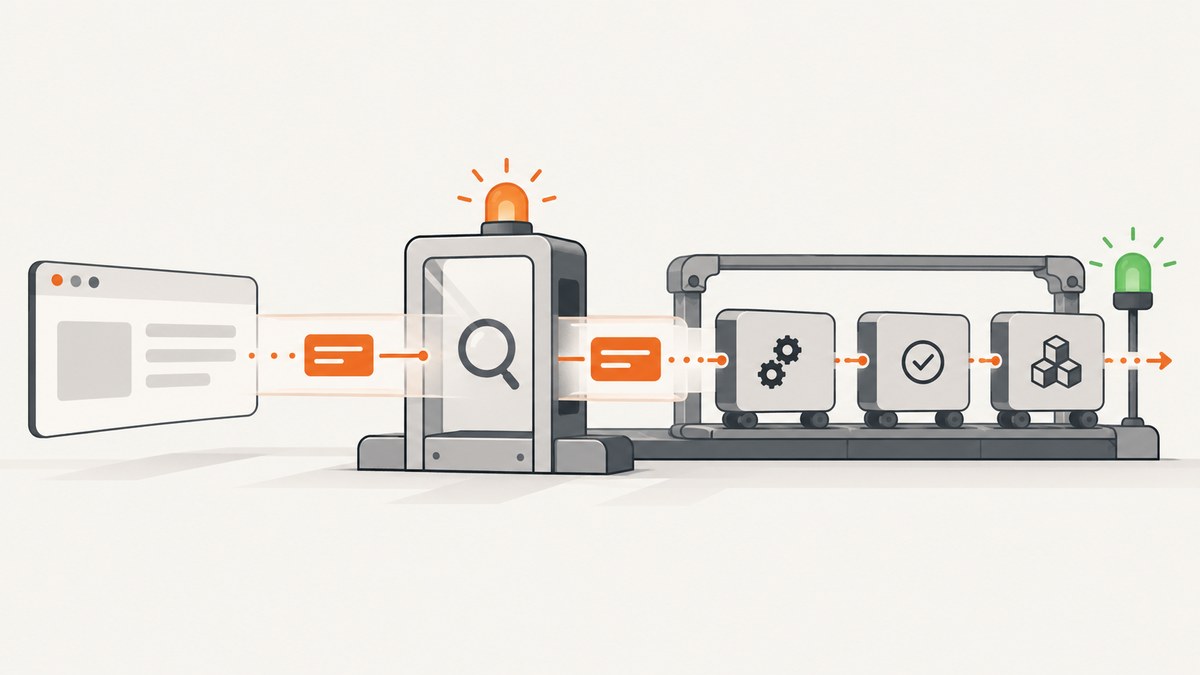
If cy.intercept() works on your machine but times out or never matches in GitHub Actions, start with the request lifecycle. Register the route before the action that triggers the request, match the method and URL the browser really sends, alias it, and wait on that alias. Then check caching, request origin, test isolation, and whether the CI workflow starts Cypress before the application server is ready.
Cypress documents that cy.intercept() intercepts requests at the network layer. That means it can observe browser application traffic only when a network request is actually sent. A cached response, a Node-side cy.request(), or a request made before route registration will not behave like the request you see locally. See the cy.intercept() API reference and Cypress’s network interception guidance for the version used by your project.
1. Use the deterministic intercept pattern first
This is the smallest reliable end-to-end pattern. Adapt the method and URL to the request your application sends.
beforeEach(() => {
  cy.intercept('GET', '**/api/users*').as('getUsers')
})

it('loads users', () => {
  cy.visit('/')

  cy.wait('@getUsers').then(({ request, response }) => {
    expect(request.method).to.equal('GET')
    expect(response?.statusCode).to.equal(200)
  })
})
The important order is:
- Define the intercept.
- Assign an alias.
- Visit the page or perform the click, type, submit, or route change that causes the request.
- Wait for the alias.
- Assert on the yielded request, response, or error.
A route registered after cy.visit() cannot catch a request that already completed. Waiting for a visible element alone can hide a race; cy.wait('@getUsers') synchronizes with the request-response cycle and produces a more specific failure.
2. Confirm the request is actually sent
Before changing the matcher, prove that the browser makes a network request in the failing CI run. Open the Cypress Routes display and Command Log, and inspect the browser’s network activity when possible. Look for:
- The exact HTTP method:
GET,POST,PUT,PATCH, orDELETE. - The complete host and path.
- Query parameters, including parameters added by the application at runtime.
- Whether the request is cross-origin or made by a different application host.
- Whether the page loaded data from a service worker or browser cache instead.
A broad matcher is useful while diagnosing a mismatch:
cy.intercept('**/api/users*').as('users')Once that matches, make the final test precise:
cy.intercept({
  method: 'GET',
  hostname: 'api.example.test',
  pathname: '/api/users',
  query: { page: '1' }
}).as('getUsers')
Cypress supports exact URLs, glob patterns, regular expressions, and route matcher objects. If you omit the method, the route can match all HTTP methods, which is a useful isolation step but less explicit for a finished test.
Match query strings deliberately
These two routes have different behavior:
// Matches any query string after /search
cy.intercept('GET', '**/search*').as('search')

// Matches the route only when the query is exactly represented
cy.intercept({
  method: 'GET',
  pathname: '/search',
  query: { q: 'cypress' }
}).as('search')
If the application adds a cache-busting value, feature flag, or encoded parameter in GitHub Actions, an exact URL can fail while a pathname or glob matcher succeeds. Inspect the actual request before tightening the route.
3. Check registration, aliases, and test isolation
Routes are cleared before each test. A route declared in one test does not remain available for the next test, and browser context isolation can reset application state as well. Put shared setup in a loaded support file or in beforeEach.
// cypress/support/e2e.js
beforeEach(() => {
  cy.intercept('GET', '**/api/config').as('getConfig')
})
Then verify that the configuration points to the support file you edited. A common CI-only mistake is committing a different cypress.config.js, using a different testing type, or placing setup in a file that is not loaded by the GitHub Actions command.
Do not depend on a previous test to visit the application, create a session, or establish an intercept. Each test should establish the route and state it needs.
4. Distinguish browser requests from cy.request()
cy.intercept() observes requests made by the application in the browser. cy.request() runs from Cypress’s Node process, so it is not browser-originated traffic and will not appear as a browser network request for an intercept to catch.
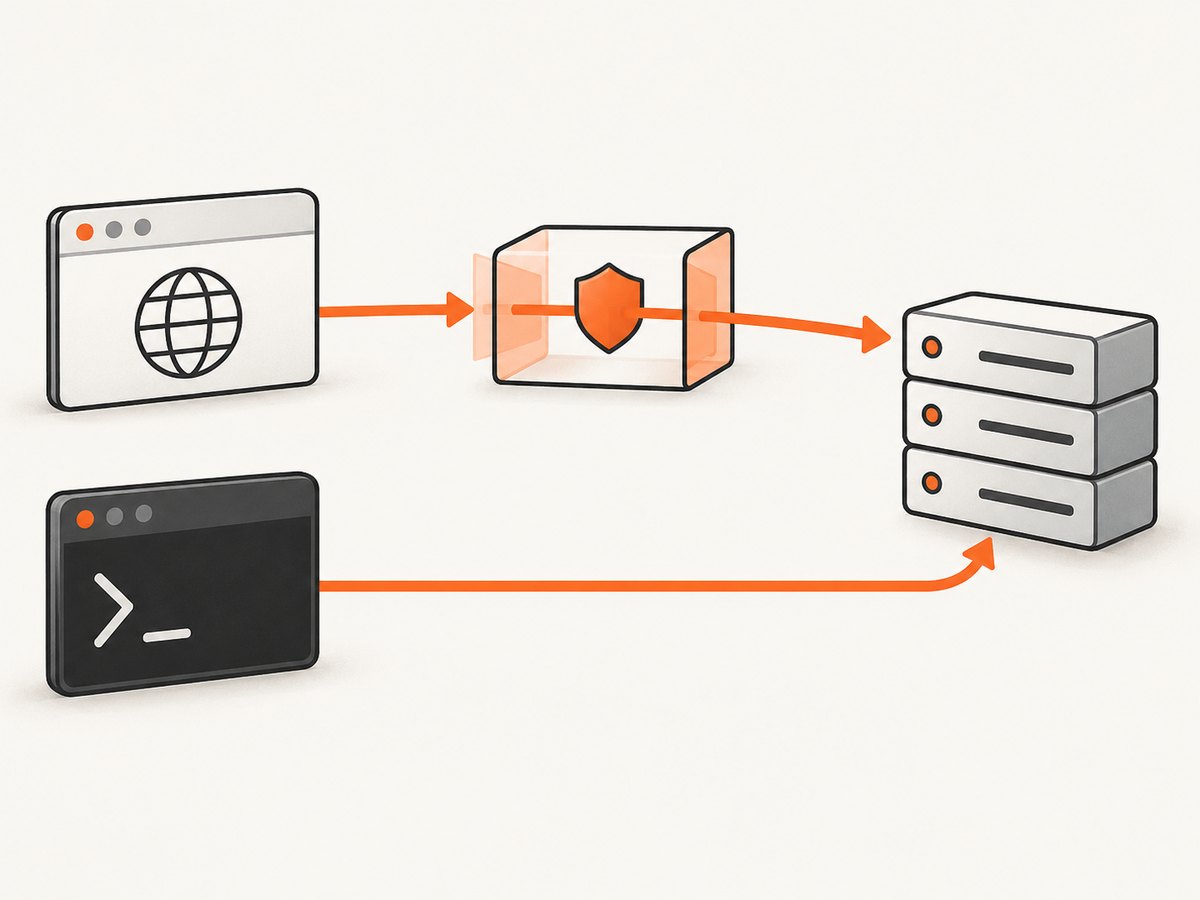
// Browser application traffic: intercept and wait
cy.intercept('POST', '**/api/login').as('login')
cy.get('form').submit()
cy.wait('@login')

// Node-side API call: use cy.request directly
cy.request('POST', 'http://localhost:3000/api/health')
  .its('status')
  .should('eq', 200)
Choose the command based on what you are testing. Use an intercept when the browser’s request, response, or UI behavior is the subject. Use cy.request() when you need a direct API call from the test runner.
5. Eliminate browser cache and service-worker surprises
Cypress lists cached responses as a reason an intercept may not fire: a cache hit never reaches the network layer. A test can therefore pass locally after a fresh load and fail in CI, or do the reverse, depending on browser state and headers.
Possible fixes include:
- Disable cache headers in the test server for test builds.
- Remove relevant cache headers with a top-level intercept when that is appropriate for the application.
- Clear application state and unregister service workers between tests if they serve the response.
- Assert on the request itself rather than assuming a page update proves a network call occurred.
cy.intercept('GET', '**/api/users*', (req) => {
  req.on('before:response', (res) => {
    res.headers['cache-control'] = 'no-store'
  })
}).as('getUsers')
Use this only for a test environment where changing response headers is acceptable. If the app intentionally uses a service worker, test that behavior separately from a test that needs a fresh network request.
6. Make GitHub Actions wait for the application server
Starting a server in the background and immediately launching Cypress creates a race. The process can exist while the port is still closed, migrations are running, or the application is returning errors. A request may never be sent, making the intercept look broken.
Use a readiness URL with wait-on and start-server-and-test, or use the official Cypress GitHub Action’s start and wait-on options.
# package.json
{
  "scripts": {
    "dev:test": "npm run build && npm run start:test",
    "start:test": "node server.js",
    "cy:run": "cypress run",
    "test:e2e": "start-server-and-test dev:test http://localhost:3000 cy:run"
  }
}
# .github/workflows/e2e.yml
name: e2e
on:
push:
pull_request:
jobs:
cypress:
runs-on: ubuntu-latest
steps:
- uses: actions/checkout@v4
- uses: actions/setup-node@v4
with:
node-version: 20
cache: npm
- run: npm ci
- run: npm run build
- uses: cypress-io/github-action@v7
with:
start: npm run start:test
wait-on: http://localhost:3000/health
browser: chrome
Use a health endpoint that returns success only when the application can serve the page and its required dependencies are ready. If the workflow uses a different port, base URL, environment file, or command than local development, verify those values first.
7. Inspect the yielded interception instead of guessing
Waiting on an alias gives you the request, response, and possible network error.
cy.wait('@getUsers', { timeout: 30000 }).then((interception) => {
  expect(interception.request.url).to.include('/api/users')

  if (interception.error) {
    throw new Error(`Network error: ${interception.error.message}`)
  }

  expect(interception.response).to.exist
  expect(interception.response.statusCode).to.eq(200)
})
You can wait on multiple aliases when a page has independent requests:
cy.intercept('GET', '**/api/users*').as('users')
cy.intercept('GET', '**/api/teams*').as('teams')
cy.visit('/')
cy.wait(['@users', '@teams'])
If a response handler is slow, remember that Cypress’s native interception guidance says responseTimeout does not apply to response handlers. Set a timeout on cy.wait() when you need to bound the wait for the aliased request.
8. Stub or observe: choose the behavior intentionally
An intercept can observe a real response, stub a response, modify a request, or fail a request. A stub makes a UI test deterministic; an observed response checks integration with the real test backend.
// Observe the real response
cy.intercept('GET', '**/api/users*').as('getUsers')

// Stub a known fixture
cy.intercept('GET', '**/api/users*', { fixture: 'users.json' }).as('getUsers')

// Modify a request header
cy.intercept('GET', '**/api/users*', (req) => {
  req.headers['x-test-run'] = 'github-actions'
}).as('getUsers')
Do not silently stub the route when the purpose of the test is to verify that the CI deployment serves the API correctly. Conversely, do not depend on a remote service for a unit-like UI test when a fixture expresses the intended response.
Common errors and fixes
| Symptom | Likely cause | Fix |
|---|---|---|
cy.wait('@alias') times out immediately |
The route was registered after the trigger, or the alias name differs. | Register before visit() or the action and use the exact alias. |
| Route appears registered but never matches | Method, host, path, or query does not match. | Temporarily use a broad glob, inspect the real request, then tighten the matcher. |
| Works on a fresh local run, fails on repeat | Browser cache or a service worker served the response. | Disable cache for the test server, clear state, or remove cache headers in a test-only intercept. |
| Network tab has no request | The response came from cache, the UI did not trigger the action, or the app failed before the call. | Assert the trigger, inspect console errors, and verify server readiness. |
Intercept sees nothing from cy.request() |
The request originates in Node. | Assert on cy.request() directly; use cy.intercept() for browser traffic. |
| Only CI fails with connection errors | Cypress started before the app was ready, or CI uses a different URL. | Add wait-on, check the health endpoint, and print the effective base URL. |
| Shared intercept works in one test only | Routes are cleared before every test or support setup is not loaded. | Use beforeEach and verify the configured support file. |
| Behavior changed after a Cypress upgrade | Native interception and response handling can vary by version. | Read the interception guide for the installed Cypress version and update assertions accordingly. |
9. A repeatable GitHub Actions debugging checklist
- Print the Cypress version, browser, base URL, and relevant environment variables in the job log.
- Confirm the workflow installs the lockfile dependencies with
npm cior the equivalent package-manager command. - Confirm the application process starts and the readiness URL returns success before Cypress runs.
- Register every required intercept in
beforeEachor before the triggering command. - Use the exact alias in
cy.wait(); check for spelling and test ordering errors. - Compare the actual method, hostname, pathname, and query with the route matcher.
- Check whether a cache, service worker, or preloaded data means no network request is sent.
- Confirm the request is browser traffic rather than a Node-side
cy.request(). - Inspect the yielded interception for response status, request URL, and network error.
- Review the Cypress version’s native interception documentation after an upgrade.

10. Performance, reliability, and cost considerations
Interception itself is usually cheaper than adding arbitrary delays because the test proceeds when the request completes. Prefer an alias wait to cy.wait(5000); fixed sleeps make fast runs slower and still fail when CI is slower than the chosen delay.
Use a specific matcher once debugging is complete. A very broad route can match an unrelated request and make a test pass for the wrong reason. For pages with parallel calls, wait on the aliases that represent the state under test rather than every request made by the page.
Keep CI setup deterministic: pin the Cypress action version your project has approved, use a stable Node version, cache dependencies through the supported setup action, and collect screenshots, videos, and command logs from failed runs. If a test relies on a real backend, make its readiness and data state explicit. If it tests UI behavior, a fixture can reduce latency and external failure modes.
Or skip the browser setup
If your goal is to capture a page for a CI artifact, visual review, or documentation instead of exercising browser network behavior, ScreenshotNeo provides a single screenshot API request. Its consent handling accepts cookie banners and removes more than 60 known consent platforms, newsletter popups, and chat widgets before capture; each step can be turned off. Bot checks, blank pages, timeouts, failed loads, and cache hits are not billed, and the response reports the result in X-Page-Verdict and X-Billed headers.
See the ScreenshotNeo API documentation for all options, including full-page and element capture, device presets, dark mode, custom CSS and JavaScript, waits, blocked resources, headers, cookies, geolocation, caching, async jobs, bulk capture, PDFs, and signed links.
curl -G "https://api.screenshotneo.com/v1/shot" -d access_key=YOUR_API_KEY --data-urlencode url=https://stripe.com -o shot.webpimport requests
r = requests.get(
"https://api.screenshotneo.com/v1/shot",
params={"access_key": "YOUR_API_KEY", "url": "https://stripe.com"},
timeout=90,
)
r.raise_for_status()
open("shot.webp", "wb").write(r.content)const q = new URLSearchParams({ access_key: 'YOUR_API_KEY', url: 'https://stripe.com' });
const res = await fetch(`https://api.screenshotneo.com/v1/shot?${q}`);
if (!res.ok) throw new Error(`Screenshot failed: ${res.status}`);
const bytes = await res.arrayBuffer();
// Write bytes with your runtime's file API.ScreenshotNeo also includes an MCP server with take_screenshot, get_page_info, and capture_pdf tools for Claude, Cursor, and other MCP clients. The free plan includes 1,000 screenshots per month with no card; paid plans start at $5 for 3,000. Create a free ScreenshotNeo account.
FAQ
Should I register an intercept in beforeEach or beforeEach test action?
Use beforeEach for shared routes and register immediately before the triggering action for routes specific to one scenario. In both cases, registration must happen before the request is sent.
Can cy.intercept() wait for a request without stubbing it?
Yes. Define the route without a static response, alias it, and call cy.wait('@alias'). Cypress will observe the real request and response.
Why does a broad glob work while my exact URL fails?
The application may add a query parameter, use a different hostname, encode a value, or use another HTTP method. Inspect the actual request and then use a route matcher object for the fields that matter.
Does increasing the wait timeout fix a missing intercept?
Only when the request is valid but slow. A timeout cannot make a cached response, a Node-side request, or an already completed request match an intercept.
Which Cypress GitHub Action should I use?
The research dossier references cypress-io/github-action@v7 and recommends checking the current official guide because action versions can change. Pin the version your repository has reviewed and use its start and wait-on options when they fit your workflow.


