How to Fix Cypress When It Cannot Find Any Elements
Resolve Cypress “element not found” errors by checking selectors, rendering, iframes, retries, timeouts, and actionability.
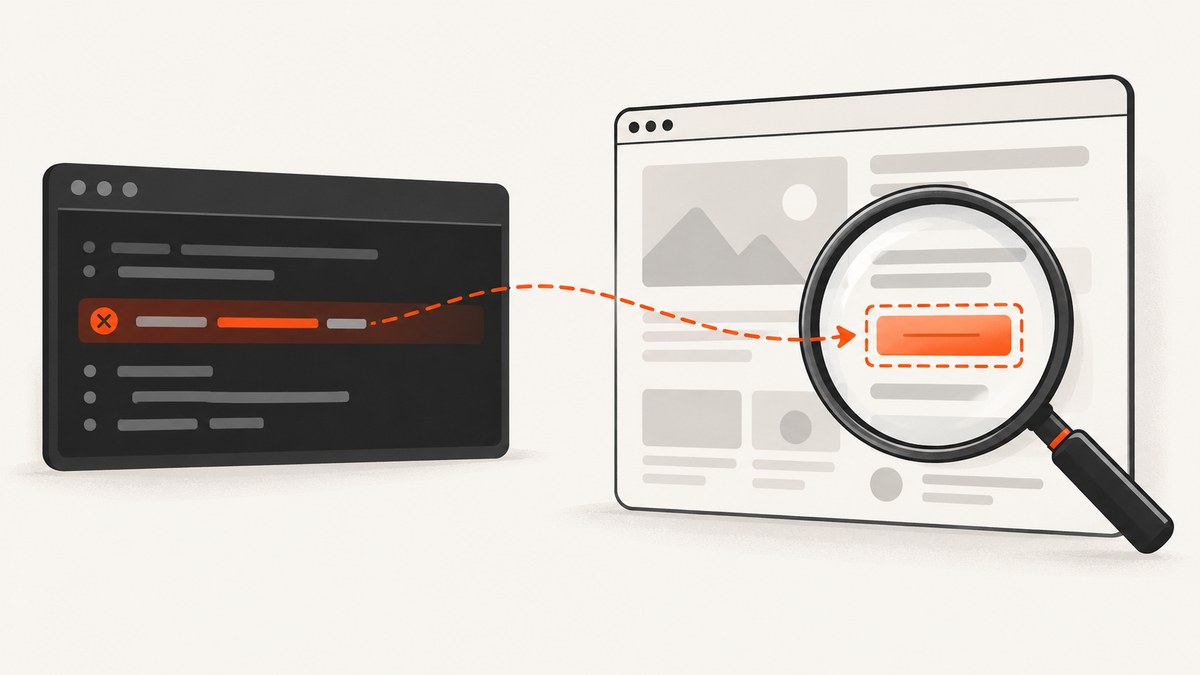
Start with the selector and the document Cypress is actually querying. Cypress retries cy.get() until matching elements exist or the applicable timeout expires. If the selector is wrong, the element is in an iframe, the application failed to render, or the element never becomes available, increasing the timeout will not solve the failure.
A typical error looks like this:
Timed out retrying after 4000ms: Expected to find element: '[data-cy=todo-item]', but never found it.The timeout shown is the configured default or a command-level override. Use the following sequence to isolate the cause.
1. Confirm the selector matches the rendered markup
cy.get(selector) searches the application-under-test document. Open the Cypress runner, inspect the DOM at the point of failure, and compare the live markup with the selector in the test.
cy.get('[data-cy=todo-item]').should('exist');Check for:
- Typos in classes, IDs, attributes, and values.
- A selector that targets a component before it is mounted.
- Markup that changed after a redesign.
- Selectors that depend on generated IDs or unstable class names.
- Shadow DOM or another document boundary.
Prefer stable test attributes when you control the application:
<button data-cy="save-profile">Save</button>

cy.get('[data-cy=save-profile]').click();
If the element should be unique, assert that explicitly:
cy.get('[data-cy=save-profile]')
  .should('have.length', 1)
  .and('be.visible');
2. Check whether the application is ready
The DOM may not have loaded, a framework may still be bootstrapping, an XHR request may be unanswered, or an animation may not have finished. Cypress retries a query and its chained assertions during this asynchronous work.
Wait on the application event that makes the element meaningful instead of adding an arbitrary sleep.
cy.intercept('GET', '/api/todos').as('getTodos');
cy.visit('/todos');
cy.wait('@getTodos');
cy.get('[data-cy=todo-item]').should('have.length', 3);
When the number of elements is part of the requirement, keep the assertion in the Cypress chain:
cy.get('[data-cy=todo-item]').should('have.length', 3);Cypress retries this assertion. An assertion inside .then() runs once after the callback receives its subject:
// Retryable
cy.get('[data-cy=todo-item]').should('have.length', 3);

// Runs once; it does not add retry behavior
cy.get('[data-cy=todo-item]').then(($items) => {
  expect($items).to.have.length(3);
});
Use a command-level timeout only when the delay is expected and legitimate:
cy.get('[data-cy=report-row]', { timeout: 10000 })
  .should('have.length.at.least', 1);
A longer timeout cannot correct a misspelled selector or an element that the application never creates.
3. Verify the document boundary
Ordinary cy.get() does not automatically search inside an iframe. If the element is in a same-origin iframe, query the iframe document after it loads.

cy.get('iframe[data-cy=payment]')
  .its('0.contentDocument.body')
  .should('not.be.empty')
  .then(cy.wrap)
  .find('[data-cy=card-number]')
  .should('be.visible');
For cross-origin content, browser security rules apply. Use the Cypress-supported cross-origin approach for the test architecture, or test the embedded application separately. Do not expect a selector in the parent document to find nodes inside an unrelated browsing context.
4. Separate missing elements from non-actionable elements
“No elements found” means the query returned no matching node. An actionability failure means Cypress found a node but could not interact with it because it was hidden, covered, disabled, animating, or otherwise not ready.
// Presence only
cy.get('[data-cy=submit]').should('exist');

// The test requires an interactable control
cy.get('[data-cy=submit]')
  .should('be.visible')
  .and('not.be.disabled')
  .click();
Use .should('be.visible') when visibility is the requirement. Avoid { force: true } unless bypassing actionability is explicitly what the test intends; it can hide a real layout or state bug.
5. Inspect application errors and malformed markup
If the selector appears correct, inspect the browser console, network panel, and Cypress runner for JavaScript exceptions, failed requests, and component errors. Malformed HTML can also prevent document.querySelector() from reaching elements that appear after the malformed portion of the document.
Useful diagnostic commands include:
cy.document().then((document) => {
  console.log(document.body.innerHTML);
});

cy.get('body').invoke('text').then(console.log);
Use these temporarily while diagnosing. Remove noisy logging after the failure is understood.
6. A minimal reproducible Cypress example
describe('todo list', () => {
  it('renders three todos', () => {
    cy.intercept('GET', '/api/todos', {
      statusCode: 200,
      body: [
        { id: 1, title: 'One' },
        { id: 2, title: 'Two' },
        { id: 3, title: 'Three' }
      ]
    }).as('getTodos');

    cy.visit('/todos');
    cy.wait('@getTodos');
    cy.get('[data-cy=todo-item]')
      .should('have.length', 3)
      .and('be.visible');
  });
});
This structure makes the readiness condition explicit, uses a stable selector, and keeps the count assertion retryable.
7. Troubleshooting checklist
| Symptom | Likely cause | Fix |
|---|---|---|
| Immediate failure with a typo-like selector | Selector does not match live markup | Inspect the rendered DOM and correct the selector; prefer stable data-cy attributes. |
| Element appears later in the runner | Late rendering, bootstrapping, XHR, or animation | Wait for the relevant request or state, then use a retryable assertion. |
| Longer timeout still fails | Wrong selector, wrong route, or app error | Check markup, URL, console errors, and network responses. |
| Element is visible in the page but Cypress cannot find it | Element is inside an iframe or another document | Query the iframe document using Cypress’s iframe guidance. |
| “Element is not visible” or “covered” | Node exists but is not actionable | Assert visibility, remove overlays, wait for animation, or fix the layout. |
Count assertion is flaky inside .then() |
Callback assertion runs once | Move the assertion into .should() or another retryable chain. |
| Elements after a section of HTML are missing | Malformed markup or application exception | Validate generated HTML and inspect console errors. |
8. Timeout, retry, and performance guidance
- Keep the default timeout when possible. Fast failures expose broken selectors and application errors sooner.
- Raise a timeout locally for known slow operations. Use
{ timeout: 10000 }on the affected command rather than slowing every query. - Wait on causes, not elapsed time. Network aliases and state assertions are more deterministic than fixed delays.
- Avoid repeated page reloads. They increase suite time and can make asynchronous failures harder to reproduce.
- Keep selectors specific. Broad selectors can match the wrong node or make later assertions ambiguous.
9. Capturing evidence when a failure is hard to reproduce
Record the failing command, selector, URL, test type, rendered markup, console errors, relevant network request, configured timeout, and whether the node is inside an iframe. A screenshot of the Cypress runner can show visual overlays and page state, but the DOM and request details are still needed to distinguish absence from actionability.

Or skip the browser setup
If you need a clean snapshot of a page while diagnosing a rendering problem, ScreenshotNeo provides a single HTTP request. Its consent handling accepts cookie banners and removes more than 60 known consent platforms, newsletter popups, and chat widgets before capture. Bot checks, blank pages, timeouts, failed loads, and cache hits are not billed, and the response identifies the result with X-Page-Verdict and X-Billed headers. The service also includes an MCP server for AI agents with take_screenshot, get_page_info, and capture_pdf tools.
See the ScreenshotNeo API documentation for all options.
cURL
curl -G "https://api.screenshotneo.com/v1/shot" -d access_key=YOUR_API_KEY --data-urlencode url=https://stripe.com -o shot.webpPython
import requests
r = requests.get("https://api.screenshotneo.com/v1/shot", params={"access_key": "YOUR_API_KEY", "url": "https://stripe.com"}, timeout=90)
open("shot.webp", "wb").write(r.content)
Node.js
const q = new URLSearchParams({ access_key: 'YOUR_API_KEY', url: 'https://stripe.com' });
const res = await fetch(`https://api.screenshotneo.com/v1/shot?${q}`);
ScreenshotNeo supports full-page and element captures, device presets, custom viewports, retina scale, dark mode, custom CSS and JavaScript, selector waits, delays, network-idle waits, request blocking, headers, cookies, user agents, timezone, geolocation, caching, signed links, asynchronous jobs, bulk capture, PDFs, and an API usage endpoint. Free accounts include 1,000 screenshots each month with no card; paid plans start at $5 for 3,000.
Create a free ScreenshotNeo account to get 1,000 screenshots per month with no card.
FAQ
Does Cypress search the entire browser?
No. cy.get() searches the application document for the current test. It does not automatically cross iframe boundaries.
Should I always increase defaultCommandTimeout?
No. Increase it only for operations that are expected to take longer. A wrong selector or failed application load will continue to fail.
Why does .should() fix a flaky count assertion?
Cypress retries chained assertions while the subject is being queried. An assertion inside .then() executes once.
What should I include in a Cypress issue report?
Include a minimal reproducible test, selector, rendered markup, test type, URL, timeout, console and network errors, and the complete Cypress error.


