How to Fix Cypress “cy” Command Errors Inside an onRequest Handler
Cypress callbacks run outside the command queue. Learn why cy.* fails in onRequest handlers and how to move work into a reliable test chain.
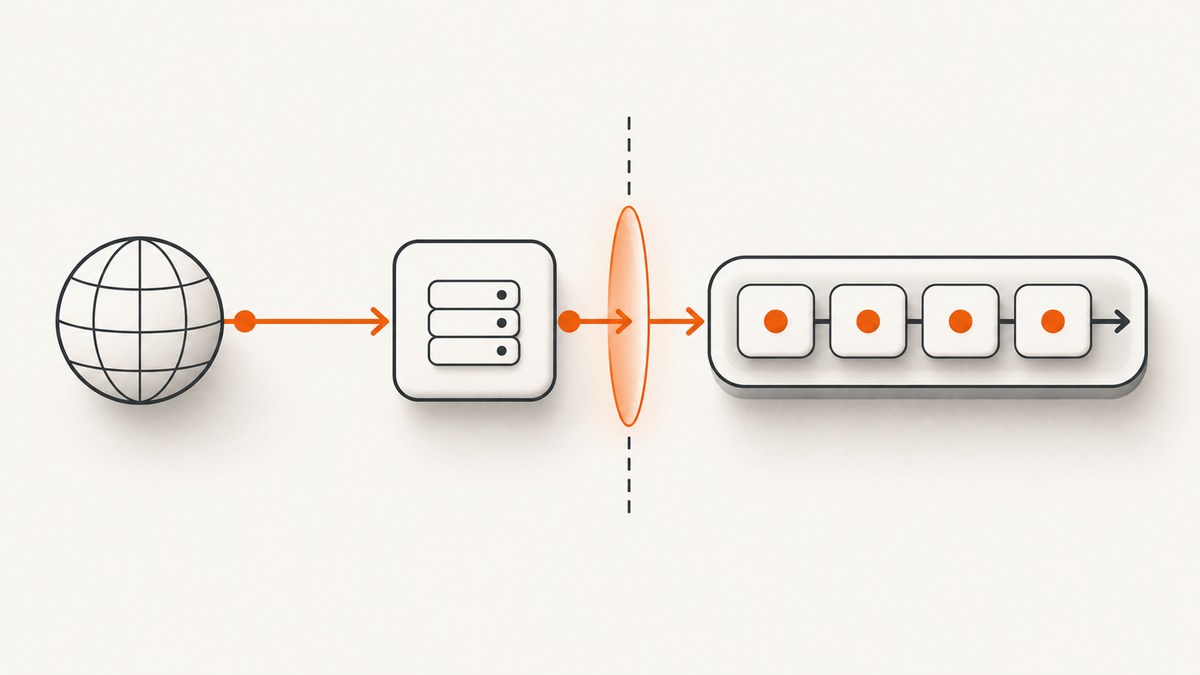
Direct answer: a Cypress onRequest-style callback runs outside Cypress’s normal command queue. Do not call cy.get(), cy.wait(), cy.task(), cy.request(), or other Cypress commands inside it. Keep the handler synchronous, inspect or modify the intercepted request with the provided req object, then pass data back to the test with an alias or a plain variable and continue with Cypress commands after the request.
Cypress documents this rule for event listeners: “Cypress.on callbacks run outside Cypress’s normal command queue. cy commands, assertions, and cy.task() are not supported inside these listeners.” Catalog of Events
Why the error happens
Cypress commands are queued for later execution by the test runner. An event callback or cy.intercept() route handler is invoked as ordinary JavaScript while Cypress is processing a browser or network event. That callback does not become part of the queue, so a cy.* call there either fails immediately, executes out of order, or produces a command-queue error.
The same boundary explains why await does not fix this. Cypress says its commands are not Promises and cannot be awaited; adding await does not move a callback into the Cypress queue. Introduction to Cypress
The minimal broken and corrected patterns
Broken: calling Cypress commands in the handler
cy.intercept('POST', '/users', (req) => {
  cy.task('recordRequest', req.body) // Error: this callback is outside the command queue
  cy.wait(1000)                      // Also unsupported here
  cy.get('[data-cy=status]')          // Browser commands cannot run here
}).as('createUser')
Correct: use request data in the handler and queue commands later
let capturedBody

cy.intercept('POST', '/users', (req) => {
  expect(req.body).to.include('Acme Company')
  req.headers['x-test-mode'] = 'true'
  capturedBody = req.body
  req.alias = 'createUser'
})

cy.get('[data-cy=submit]').click()
cy.wait('@createUser').then((interception) => {
  expect(interception.request.body).to.deep.equal(capturedBody)
  cy.task('recordRequest', interception.request.body)
})
The handler performs synchronous JavaScript and uses the interception API. The later cy.wait(), assertion, and cy.task() run in the test’s command chain, where Cypress can schedule them correctly. cy.intercept()

Know which callback you are using
| Callback | Runs in | Use it for | Do not do |
|---|---|---|---|
Cypress.on(...) |
Cypress event system, outside the command queue | Listening to runner or browser events | Call cy.*, Cypress assertions, or cy.task() |
cy.intercept(url, routeHandler) |
Network interception callback | Inspecting or changing req/res, stubbing, continuing, redirecting, or destroying a request |
Start a Cypress command chain inside the route handler |
Test body and .then() |
Normal Cypress command queue | Browser commands, waits, tasks, assertions, and follow-up work | Return a conflicting value while also queuing commands |
Some developers call a route handler an “onRequest handler.” Cypress’s API name is routeHandler. Event listeners and route handlers have different APIs, but both callback types share the command-queue restriction.
What belongs inside a route handler
A route handler receives an intercepted request. Use ordinary JavaScript and Chai’s synchronous expect assertions for work that can finish immediately.
cy.intercept('POST', '/users', (req) => {
  // Read request properties
  const email = req.body.email
  const auth = req.headers.authorization

  // Make synchronous changes
  req.headers['x-test-mode'] = 'true'
  req.body = { ...req.body, source: 'cypress' }

  // Stub the response, or allow the real request through
  if (email === 'blocked@example.com') {
    req.reply({ statusCode: 403, body: { error: 'blocked' } })
    return
  }

  req.continue((res) => {
    expect(res.statusCode).to.be.oneOf([200, 201])
    res.headers['x-seen-by-test'] = 'true'
  })
}).as('createUser')
Supported route APIs include:
req.reply()to stub or modify a response.req.continue(callback)to send the real request and inspect or modify its response.req.destroy()to force a network error.req.redirect()to return a redirect.req.on()to attach response lifecycle handlers.
Move asynchronous or Cypress work back to the test chain
Use an alias and cy.wait()
cy.intercept('POST', '/users', (req) => {
  req.alias = 'createUser'
})

cy.get('[data-cy=submit]').click()

cy.wait('@createUser').then((interception) => {
  expect(interception.request.body).to.have.property('email')
  cy.task('recordRequest', interception.request.body)
})
Assigning req.alias lets Cypress yield the interception object from cy.wait(). This is the cleanest handoff when the test needs request headers, body, URL, or response data.
Capture plain data, then consume it later
let requestBody

cy.intercept('POST', '/users', (req) => {
  requestBody = req.body
})

cy.get('[data-cy=submit]').click()
cy.wait('@createUser').then(() => {
  expect(requestBody).to.have.property('email')
  cy.task('recordRequest', requestBody)
})
Initialize shared variables before the request and read them only after the request has completed. For parallel or repeated requests, prefer an alias and the interception yielded by cy.wait() so values cannot overwrite one another.
Use .then() for dependent Cypress commands
cy.wait('@createUser').then((interception) => {
  const id = interception.response.body.id
  cy.get('[data-cy=user-id]').should('contain', id)
})
Do not make the route handler async merely to call Cypress commands. Cypress commands are scheduled by Cypress, not resolved as JavaScript Promises.
Response lifecycle details
When you need response work, use the intercept lifecycle instead of cy.wait() inside the callback:
cy.intercept('GET', '/api/profile', (req) => {
  req.on('before:response', (res) => {
    // Runs before response handlers; response changes can affect delivery
    res.headers['x-before-response'] = '1'
  })

  req.continue((res) => {
    expect(res.statusCode).to.equal(200)
    res.body = { ...res.body, observedBy: 'cypress' }
  })

  req.on('response', (res) => {
    // Runs after before:response and continue handlers, before delivery
    expect(res.headers).to.exist
  })

  req.on('after:response', (res) => {
    // Runs after delivery; changes cannot affect the browser response
    console.log('response delivered', res.statusCode)
  })
})
The response exposes body, headers, statusCode, and statusMessage. Changes to the supported response properties take effect only in lifecycle phases where Cypress permits them. See request events.
When to use cy.request()
Use cy.request() for direct API setup, data seeding, or endpoint verification from Cypress’s Node process. It must be called from the Cypress command chain and bypasses routes defined with cy.intercept(); it is not a replacement for a command inside an event callback.
beforeEach(() => {
  cy.request('POST', '/api/test-data', { name: 'fixture-user' })
})

it('loads the seeded user', () => {
  cy.visit('/users/fixture-user')
  cy.get('[data-cy=user-name]').should('contain', 'fixture-user')
})
Choose based on purpose: intercept to observe or mutate an application request, and cy.request() to make an independent direct HTTP call.
Common errors and fixes
| Error or symptom | Cause | Fix |
|---|---|---|
Cannot call cy.* outside a running Cypress test |
A Cypress command was called from an event or route callback. | Store data or use req/res APIs in the callback; call Cypress commands after cy.wait() in the test body. |
cy.task() never runs |
cy.task() was queued from a listener or route handler. |
Yield the interception, then call cy.task() in cy.wait(...).then(...). |
Adding await changes nothing |
Cypress commands are not Promises. | Remove await; use Cypress chaining and .then() for dependent work. |
| Assertion runs before the request | Data was checked immediately after registering the intercept. | Trigger the application request, then wait on its alias before asserting. |
| Expected alias is not found | The request never matched, or req.alias was assigned conditionally and the branch did not run. |
Check method, URL, query parameters, and timing. Assign a stable alias or wait on the correct route. |
| Request was changed but the app still sees old data | The mutation occurred after the request was sent or in an unsupported response phase. | Modify req.headers/req.body before req.continue(); modify responses during supported response events. |
| “Mixing async and sync code” or a return-value error | A callback queued a Cypress command and returned a different value. | Do not return a competing value. Move the command into the test chain and return only plain synchronous data where appropriate. |
| Multiple requests overwrite captured data | A shared variable is reused for concurrent requests. | Use aliases and inspect each interception from its corresponding cy.wait(). |
Performance, reliability, and maintenance
- Keep handlers fast: synchronous request inspection and small mutations add less uncertainty than browser commands or arbitrary delays.
- Wait on behavior: an intercept alias ties the test to the actual network event and is more reliable than a fixed
cy.wait(1000). - Use precise matchers: include the HTTP method and a stable path so unrelated traffic cannot consume the alias.
- Make repeated tests isolated: reset captured variables in each test or use the interception yielded by
cy.wait(). - Choose stubbing deliberately:
req.reply()makes tests deterministic;req.continue()verifies integration with the real service but depends on that service’s availability and data. - Keep side effects explicit: record, seed, or transform data after interception in the command chain, where Cypress retries and reports commands normally.
Debugging checklist
- Identify whether the failing function is a
Cypress.onlistener or acy.interceptroute handler. - Remove every
cy.*call and Cypress assertion command from that callback. - Replace command calls with synchronous JavaScript and
req/resoperations. - Assign an alias or capture plain data.
- Trigger the application request.
- Use
cy.wait('@alias')and.then()for follow-up commands. - Check that the matcher, request method, and URL actually match.
- Remove
awaitfrom Cypress command calls.

Or skip the browser setup
If your goal is a clean image or PDF of a web page rather than testing an application request, ScreenshotNeo provides a single HTTP capture request. Cookie and consent banners are accepted and removed before capture, along with more than 60 known consent platforms, newsletter popups, and chat widgets. Bot checks, blank pages, failed loads, timeouts, and cache hits are not billed, and response headers identify the page verdict and billing result. Its MCP server also lets Claude, Cursor, and other MCP clients call take_screenshot, get_page_info, and capture_pdf.
cURL
curl -G "https://api.screenshotneo.com/v1/shot" \
  -d access_key=YOUR_API_KEY \
  --data-urlencode url=https://stripe.com \
  -o shot.webp
Python
import requests

r = requests.get(
    "https://api.screenshotneo.com/v1/shot",
    params={"access_key": "YOUR_API_KEY", "url": "https://stripe.com"},
    timeout=90,
)
r.raise_for_status()
open("shot.webp", "wb").write(r.content)
Node.js
const q = new URLSearchParams({
  access_key: 'YOUR_API_KEY',
  url: 'https://stripe.com'
})
const res = await fetch(`https://api.screenshotneo.com/v1/shot?${q}`)
if (!res.ok) throw new Error(`Screenshot failed: ${res.status}`)
const data = Buffer.from(await res.arrayBuffer())
require('node:fs').writeFileSync('shot.webp', data)
See the ScreenshotNeo API documentation for the available capture options. You can select PNG, JPEG, or WebP; full-page or CSS-element captures; device presets or custom viewports; dark mode, retina scale, custom CSS and JavaScript, waits, request blocking, headers, cookies, user agents, geolocation, transparent backgrounds, resizing, caching, signed links, asynchronous jobs, bulk capture, and PDF output.
The Free plan includes 1,000 screenshots each month with no card. Paid plans start at $5 for 3,000 shots, and every feature is available on every plan. Create a free ScreenshotNeo account.
FAQ
Can I call cy.get() inside req.continue()?
No. The response callback is still part of the interception lifecycle, not the normal Cypress command queue. Capture response data there and use it after cy.wait().
Should I use a fixed delay instead of cy.wait('@alias')?
Use the alias whenever the test is waiting for a specific request. A fixed delay does not prove that the request completed and can make tests slower or flaky.
Can a route handler be declared async?
You may use ordinary JavaScript that your handler needs, but declaring it async does not make Cypress commands valid there and does not turn Cypress commands into awaitable Promises.
Does cy.request() trigger an intercept?
No. Cypress runs cy.request() from its Node process, and the command bypasses routes defined with cy.intercept().
Where should I put a database or file side effect?
Put it in a cy.task() called from the test chain after the interception is yielded. Keep the route handler limited to synchronous request and response handling.