How to Fix Database Connectivity Failures in Cypress Console Runs
Trace Cypress database failures to the right process, then fix Node tasks, CI networking, credentials, readiness, and test design.
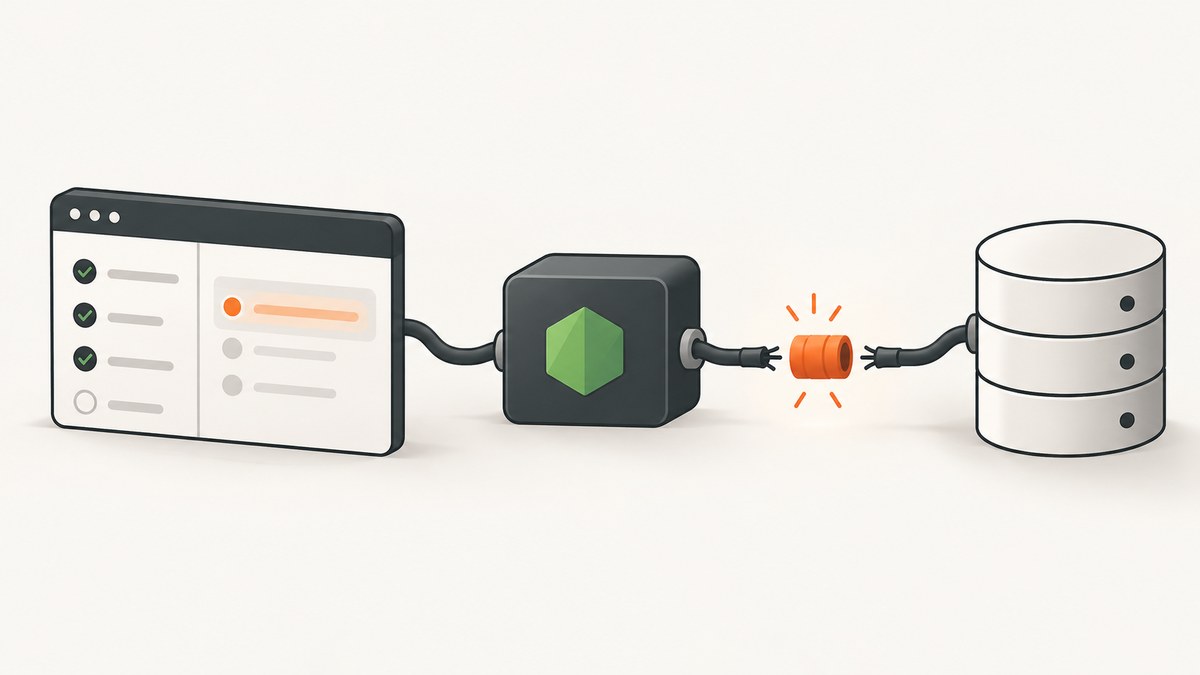
Database errors in a Cypress console run are fixed by identifying which process opened the connection, then checking that process’s host, credentials, dependencies, network route, and database readiness. A failure in cy.task() is diagnosed on the Node side; an application connection failure is diagnosed in the application environment; a Cypress browser or debugging connection error follows Cypress’s browser troubleshooting path.
1. Identify the process that owns the failed connection
Start with the complete terminal output and stack trace. Record:
- the exact error, including error code and stack;
- whether it occurs while Cypress loads configuration, during
cy.task(), while the application starts, or during a browser request; - the database engine and client library;
- the hostname and port as seen by the failing process;
- whether the run is local, containerized, or in CI;
- whether the same operation succeeds outside Cypress.
| Where it fails | Likely owner | Inspect first |
|---|---|---|
Config load or cy.task() |
Cypress’s Node process | Task registration, Node version, package install, environment variables, Node-to-database routing |
| Application startup or API request | Your backend service | Application configuration, service-to-database route, readiness, credentials, backend logs |
| Browser request or Cypress debugging connection | Cypress/browser network | Proxy, VPN, firewall, browser policy, localhost routing, browser launch options |
An ECONNREFUSED message alone does not prove that the database refused a connection. Cypress also documents browser debugging connection failures that can produce similar messages. Follow the path that generated the stack trace.
2. Fix a database connection made by cy.task()
cy.task() invokes a handler registered in setupNodeEvents. Cypress’s Node Events documentation explains that setupNodeEvents taps into the Node process outside the browser, which is why database clients belong there rather than in browser test code.
Example configuration using a generic client:
const { defineConfig } = require('cypress');
const db = require('./cypress/support/db');

module.exports = defineConfig({
  e2e: {
    setupNodeEvents(on, config) {
      on('task', {
        async resetDatabase() {
          await db.reset({
            host: config.env.DB_HOST,
            port: config.env.DB_PORT,
            user: config.env.DB_USER,
            password: config.env.DB_PASSWORD,
            database: config.env.DB_NAME
          });
          return null;
        },

        async seedDatabase(seedName) {
          await db.seed(seedName, {
            host: config.env.DB_HOST,
            port: config.env.DB_PORT,
            user: config.env.DB_USER,
            password: config.env.DB_PASSWORD,
            database: config.env.DB_NAME
          });
          return { seeded: seedName };
        }
      });

      return config;
    }
  }
});
describe('orders', () => {
beforeEach(() => {
cy.task('resetDatabase');
cy.task('seedDatabase', 'orders');
});
it('shows the seeded order', () => {
cy.visit('/orders');
cy.contains('Order complete').should('be.visible');
});
});Use the exact same task name in the test and configuration. A task handler must resolve to a value or null; resolving to undefined causes Cypress to fail the task because it can indicate that no handler was found. See the official cy.task() documentation.
Check the Node execution environment
setupNodeEvents runs in an independent child process using the Node version that launched Cypress, with the project as its working directory. Therefore:
- Install the database client in the project whose Cypress command is running.
- Check the Node version in the Cypress job, not only the version on your workstation.
- Resolve relative certificate, migration, and seed paths from the project directory.
- Print the presence of required variables without printing secrets.
- Confirm that the task process can resolve the database hostname and reach its port.
on('task', {
  diagnoseDb() {
    return {
      node: process.version,
      cwd: process.cwd(),
      hostPresent: Boolean(process.env.DB_HOST),
      userPresent: Boolean(process.env.DB_USER),
      passwordPresent: Boolean(process.env.DB_PASSWORD),
      databasePresent: Boolean(process.env.DB_NAME)
    };
  }
});
Run cy.task('diagnoseDb') once in a diagnostic test and compare local and CI output. Do not log passwords, tokens, or full connection strings.
3. Separate local failures from CI failures
If the same task succeeds locally but fails in a console or CI run, compare the environments systematically:
- Node version and package-lock or yarn-lock installation.
- Environment-variable names, scopes, and masking rules.
- Database hostname:
localhostinside a container points to that container, not the database service or host machine. - Network policy, VPN, firewall, security groups, and allowlists.
- Database readiness relative to application and Cypress startup.
- TLS certificates and file paths available to the CI worker.
Add a readiness check before starting Cypress. Use the database vendor’s client or a small Node script with the same variables as the task. Do not assume a fixed port or driver option without knowing the database engine.
node scripts/check-db.js
npx cypress run
For CI installation issues, Cypress recommends recording cache information and following the provider-specific CI guidance. For a failed test, Cypress Cloud Test Replay can show application state, network requests, and console logs around the run; database server logs are still required to prove whether the database accepted the connection.
4. Verify the network path from the failing process
Test connectivity from the same machine or container that runs the failing task. Check DNS resolution, route, firewall rules, proxy settings, VPN requirements, database allowlists, and TLS interception. A successful connection from your laptop does not establish that a CI worker or Cypress container can reach the same endpoint.
For browser-owned failures, Cypress lists proxies or VPNs intercepting localhost/127.0.0.1, firewalls, security software, browser policies, and custom browser launch arguments as possible causes. Testing with Electron can help distinguish browser-specific problems. Apply those checks only when the stack trace identifies Cypress’s browser or remote-debugging connection; they are not generic database fixes.
5. Choose the right data setup strategy
| Approach | Use it when | What it exercises | Failure boundary |
|---|---|---|---|
cy.intercept() |
The test needs a controlled frontend response and not real persistence | Browser and UI behavior against a stubbed request | Cypress test and browser setup |
cy.request() |
The backend exposes a supported seed or setup endpoint | Backend API behavior and Cypress-to-application access | Application/API network path |
cy.task() |
The test must reset, seed, or query the database directly | Database operations from Cypress’s Node process | Task registration, client, credentials, and Node-to-database network |
Cypress’s FAQ notes that cy.request() and cy.task() can seed data, while cy.intercept() can stub requests and avoid a database dependency. Use stubbing when persistence is outside the test’s purpose; retain a real database path when the test must verify persistence.
6. Prevent slow and unreliable tasks
Cypress waits for cy.task() to finish before running later commands. Keep reset and seed operations bounded and deterministic. Cypress warns that a long-running task can drastically slow a test run.
- Set a client connection timeout and a query or command timeout appropriate to your environment.
- Fail with the original error and context such as operation name and host, while redacting secrets.
- Close or reuse connections according to your client library’s documented lifecycle.
- Use isolated schemas, databases, or unique records when parallel CI workers can interfere.
- Make setup idempotent so retries do not create duplicate state.
- Run one readiness check rather than adding arbitrary sleeps.
7. Common errors and fixes
| Symptom | Common cause | Fix |
|---|---|---|
cy.task('name') failed or handler not found |
Name mismatch or task not registered in the active config | Match the exact task name, confirm the correct config file, and return a value or null. |
Task resolves to undefined |
Handler forgot a return value | Return the operation result or explicitly return null. |
ECONNREFUSED |
No service is listening at the host and port reachable from the failing process | Verify endpoint, service readiness, container networking, firewall rules, and database logs. |
ENOTFOUND or name-resolution error |
Hostname is unavailable in that environment | Check CI DNS, service names, network attachments, and spelling; test resolution inside the runner. |
| Authentication or authorization error | Wrong, missing, expired, or insufficient credentials | Compare variable names and secret scope; verify the account can access the selected database. |
| Works locally, fails only in CI | Different Node version, variables, route, certificates, or database readiness | Compare diagnostic output and run the same client check in CI. |
| Timeout during reset or seed | Database is starting, unreachable, locked, or the operation is too large | Wait for readiness, inspect server logs and locks, reduce setup scope, and configure bounded client timeouts. |
| Browser shows an API failure while task succeeds | Application backend, browser route, or service configuration is failing instead | Inspect application logs and browser network requests; do not change the database task until ownership is established. |
8. Debug logging checklist
Enable Cypress debug namespaces relevant to the failing subsystem, including cypress:server:task for task execution and the request or network namespaces for HTTP behavior. Capture the command, environment (without secrets), endpoint hostname, elapsed time, and the first causal error. Compare a local run with a CI run using the same test and configuration.
DEBUG=cypress:server:task npx cypress run --spec cypress/e2e/orders.cy.jsUse the namespace syntax documented for your Cypress version. Debug output is evidence about where execution stopped; it is not a substitute for database-side logs.
9. A repeatable incident workflow
- Save the complete stack trace and classify the failing process.
- Run a minimal connection or readiness check from that process’s host/container.
- Verify task registration, return values, Node version, installed client, and environment variables.
- Compare local and CI DNS, routes, firewall policy, certificates, and startup order.
- Inspect application and database logs at the same timestamp.
- Choose
cy.intercept(),cy.request(), orcy.task()based on what the test must prove. - Remove temporary secret logging and keep a bounded, repeatable setup path.

Or skip the browser setup
If your workflow also needs website screenshots for test evidence, visual regression, or CI artifacts, ScreenshotNeo provides a single HTTP request instead of maintaining browser launch and page-cleanup code. Its capture API accepts a URL and returns PNG, JPEG, WebP, or PDF.
curl -G "https://api.screenshotneo.com/v1/shot" -d access_key=YOUR_API_KEY --data-urlencode url=https://stripe.com -o shot.webpimport requests
r = requests.get("https://api.screenshotneo.com/v1/shot", params={"access_key": "YOUR_API_KEY", "url": "https://stripe.com"}, timeout=90)
open("shot.webp", "wb").write(r.content)const q = new URLSearchParams({ access_key: 'YOUR_API_KEY', url: 'https://stripe.com' });
const res = await fetch(`https://api.screenshotneo.com/v1/shot?${q}`);See the ScreenshotNeo API documentation for request options. Cookie and consent banners, newsletter popups, and chat widgets are removed before the shot. Bot checks, blank pages, failed loads, timeouts, and cache hits are not billed, and response headers identify the page verdict and billing result. An MCP server lets Claude, Cursor, and other MCP clients call take_screenshot, get_page_info, and capture_pdf. The Free plan includes 1,000 screenshots each month with no card; paid plans start at $5 for 3,000 shots. Create a free ScreenshotNeo account.
FAQ
Is every Cypress ECONNREFUSED a database problem?
No. Identify the process and stack trace first; Cypress browser debugging connections can produce a similar message.
Can browser test code open a database connection directly?
Database clients belong in Node-side code registered through setupNodeEvents. Use cy.task() for direct database work.
Should I increase Cypress’s task timeout immediately?
No. First determine whether the database is unreachable, unready, blocked, or executing an unexpectedly large operation. A larger timeout can hide the cause.
When is cy.intercept() the better fix?
Use it when the test needs a predictable frontend response and does not need to verify real persistence. It removes an unnecessary database dependency.
What information is needed for a database-specific diagnosis?
Provide the exact error and stack, database engine and client, endpoint as seen by the failing process, whether the app or a Cypress task opens the connection, and whether the failure is local-only or CI-only.


