How to Fix the Cypress elm[aelFn] Is Not a Function Error in afterAll
Diagnose Cypress's elm[aelFn] afterAll error with evidence-first debugging, scoped exception handling, teardown checks, and practical fixes.
Short answer: the message TypeError: elm[aelFn] is not a function is an uncaught browser exception that reaches Cypress while the suite is finishing. The public report that uses this exact text does not establish which library created elm or aelFn, so there is no confirmed one-line root-cause fix. Treat an uncaught:exception handler as a temporary, narrowly scoped mitigation while you capture the full stack and reduce the failure to a minimal reproduction.
The historical report used Cypress 9.3.1, @cypress/code-coverage 3.9.12, cypress-cucumber-preprocessor 4.3.1, Angular 13.0.1 and ngx-build-plus 13.0.1. Tests and coverage completed before the exception appeared in afterAll. Those versions describe that report; they are not current compatibility advice. Switching from ngx-build-plus to Angular’s regular dev server reportedly did not remove the error, which does not isolate a culprit.
What the error means
Cypress fails a running test when an uncaught application exception reaches the browser’s global error or unhandledrejection handling. Cypress documents this behavior in its common error messages reference. The string elm[aelFn] looks like a minified or transformed property access, but the report does not identify the throwing package. An error appearing in afterAll describes when Cypress surfaced it, not necessarily where the bad call was created.
Keep two questions separate:
- Diagnosis: what code invoked a non-function and why?
- Suppression: should this known exception be prevented from failing this test?
Returning false from an exception listener answers only the second question. It can make a test pass while the application is still broken.
Step 1: preserve the evidence
- Run the failing spec by itself. Save the complete Cypress runner output, browser console output, URL, test name, and the first stack frame in your own source or a dependency.
- Record versions for Cypress, browser, Node.js, Angular, the coverage plugin, the Cucumber preprocessor, bundler, and any code loaded by the page.
- Note whether the error is an
ErrorEventor an unhandled promise rejection. A rejected promise during teardown can be reported after assertions have already passed. - Run the same spec in a second supported browser or CI image. A difference is a clue about timing, transpilation, or a browser API; it is not proof of a package cause.
Capture uncaught errors without hiding them
Start with logging. Do not return false until you have a reproducible message and stack.
describe('checkout', () => {
  beforeEach(() => {
    cy.on('uncaught:exception', (err, runnable) => {
      console.error('uncaught exception', {
        message: err.message,
        stack: err.stack,
        test: runnable && runnable.fullTitle && runnable.fullTitle()
      })
      // No return value: Cypress keeps its normal failure behavior.
    })
  })

  it('submits an order', () => {
    cy.visit('/checkout')
    cy.get('[data-cy=submit]').click()
  })
})
The cy object is bound to one test. Cypress’s event documentation says listeners attached to cy are removed when that test ends. This makes it the safer place for a diagnostic listener.
Step 2: reduce to a minimal reproduction
- Copy only the failing spec to a new file and remove unrelated commands, fixtures, intercepts and custom commands.
- Keep the smallest application route that still produces the exception. Disable one plugin or app integration at a time, then restore it before changing the next factor.
- Run with coverage disabled, then with the preprocessor disabled, to classify the failure. A change in behavior is evidence for a follow-up investigation, not a diagnosis.
- Compare headed and headless runs and at least two browsers. Keep the exact command, commit, browser version and environment variables for each run.
- Inspect source maps and the compiled bundle around the stack frame. Search for code that treats a DOM element, component reference, or callback as callable.
Cypress recommends creating a minimal reproducible example and comparing browsers or environments when isolating failures. Apply that advice here rather than guessing from the short symbol name.
Step 3: inspect teardown and asynchronous work
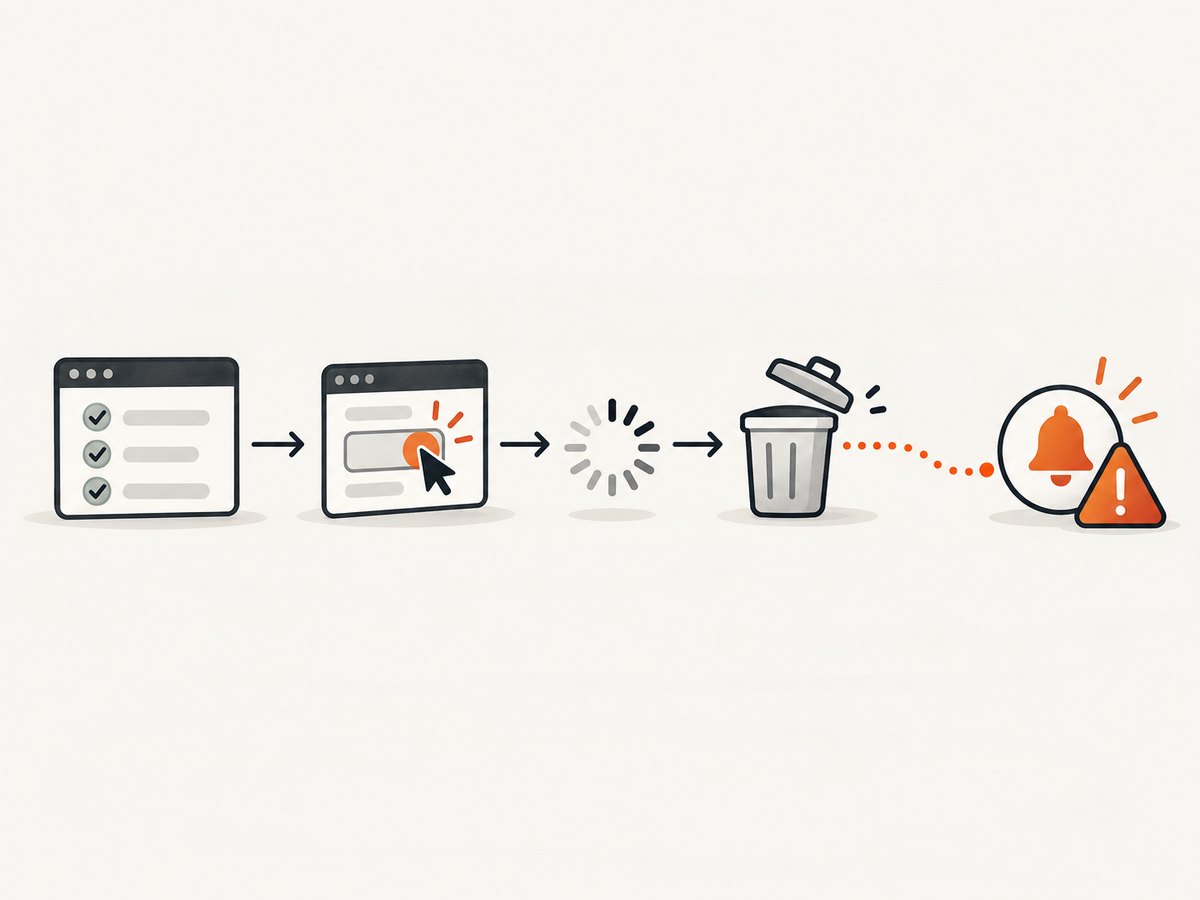
An afterAll hook often exposes work that started earlier: a timer, event listener, pending promise, coverage flush, or application subscription can fire after the page or fixture has been replaced. Audit every asynchronous operation that can outlive the test.
let timer
let unsubscribe

afterEach(() => {
  if (timer) clearTimeout(timer)
  if (unsubscribe) unsubscribe()
  timer = undefined
  unsubscribe = undefined
})

// Prefer a fresh state before the next test rather than a large afterAll cleanup.
beforeEach(() => {
  cy.visit('/dashboard')
})
Cypress’s best-practices guidance recommends cleaning state before a test instead of relying on after or afterEach cleanup. That is test-design guidance, not a proven fix for this exact exception. Make one teardown change at a time and check whether the stack changes.
Step 4: apply a narrowly scoped mitigation
If the complete stack proves that the exception is an expected third-party page defect and your test is specifically about another behavior, conditionally ignore the exact message for that test:
it('loads the report despite a known widget error', () => {
  cy.on('uncaught:exception', (err) => {
    if (err.message.includes('elm[aelFn] is not a function')) {
      // Temporary mitigation: Cypress will not fail this test for this error.
      return false
    }
    // Returning nothing keeps all other exceptions as failures.
  })

  cy.visit('/report')
  cy.get('[data-cy=report]').should('be.visible')
})
This adapts Cypress’s documented conditional-handler pattern to the reported message. It is not an official diagnosis or guaranteed fix. Keep the condition exact, add a ticket or comment with the stack, and review it after dependency updates.
Per-test versus global listeners
| Listener | Lifetime | Use | Risk |
|---|---|---|---|
cy.on |
Current test | Local diagnosis or one known page defect | Does not cover another test |
Cypress.on |
Global until removed | A deliberate suite-wide policy | Can hide unrelated failures and accumulate when registered repeatedly |
The historical answer used a global listener:
Cypress.on('uncaught:exception', (err) => {
  if (err.message.includes('elm[aelFn] is not a function')) return false
})
Use that form only from one controlled support entry point, never inside a hook that runs once per test. Remove the listener when the exception is fixed. Cypress documents that global Cypress listeners persist unless removed.
Common causes to investigate
- Stale asynchronous callback: a timer or promise runs after navigation. Cancel it or await the operation before teardown.
- DOM lifetime mismatch: code stores an element, then calls a method after the element was replaced. Re-query at the point of use and verify the expected API.
- Transformed or minified code:
elmandaelFnmay be shortened names. Use source maps and the unminified development bundle. - Plugin instrumentation: coverage or a preprocessor can alter load order. Toggle one integration in the minimal reproduction and compare stacks.
- Unhandled rejection: a promise rejection may surface after assertions. Add explicit awaits and rejection handling in application code.
- Browser-specific behavior: an API or event ordering differs by browser. Compare runs before changing application logic.
These are investigation categories, not findings from the report. The available evidence does not prove Cypress, Angular, the coverage plugin, the Cucumber preprocessor, or the dev server is the cause.
Troubleshooting checklist
| Symptom | Likely interpretation | Next action |
|---|---|---|
| Tests pass, error appears only at the end | Late callback or teardown work | Log stack; cancel timers and subscriptions; inspect promises. |
Returning false makes CI green |
Suppression worked, root cause remains | Keep the handler temporary and track the underlying defect. |
| Global handler hides new failures | Condition is too broad or listener is global | Move to cy.on and match the exact message. |
| Only one browser fails | Timing or browser API difference | Compare stack, network and console output across browsers. |
| Failure disappears with coverage off | Instrumentation changes timing or code shape | Inspect instrumented stack and verify plugin versions; do not assume plugin guilt. |
| Failure moves after dependency update | Different bundle or event order | Diff lockfiles and compiled output; reproduce on a clean install. |
Reliability and maintenance
Make the test fail loudly for unknown exceptions. Keep diagnostic logging in CI artifacts, including the browser console and video or screenshots when available. Pin or lock dependencies while investigating, then update one package at a time. A passing suite with a permanent global suppression is less reliable than a failing suite that identifies a real regression.
Or skip the browser setup
If your goal is collecting a clean image of a page for a report, visual diff, or documentation step, ScreenshotNeo provides a single HTTP request instead of maintaining browser capture code. It accepts consent banners like a visitor and removes more than 60 known consent platforms, newsletter popups and chat widgets before capture; each behavior can be turned off. Bot checks or CAPTCHAs, blank pages, timeouts, failed loads and cache hits are not billed, and response headers report the page verdict and whether it was billed. The service also has an MCP server with take_screenshot, get_page_info and capture_pdf tools for Claude, Cursor and other MCP clients.
curl -G "https://api.screenshotneo.com/v1/shot" -d access_key=YOUR_API_KEY --data-urlencode url=https://stripe.com -o shot.webpimport requests
r = requests.get("https://api.screenshotneo.com/v1/shot", params={"access_key": "YOUR_API_KEY", "url": "https://stripe.com"}, timeout=90)
open("shot.webp", "wb").write(r.content)const q = new URLSearchParams({ access_key: 'YOUR_API_KEY', url: 'https://stripe.com' });
const res = await fetch(`https://api.screenshotneo.com/v1/shot?${q}`);See the ScreenshotNeo API documentation for full options, including full-page or CSS-selector capture, device presets and custom viewports, dark mode, retina scale, PDF settings, custom CSS and JavaScript, clicks, waits, blocking rules, headers, cookies, user agents, authorization, timezone, geolocation, transparent backgrounds, resizing, cache TTL, signed links, asynchronous webhooks, bulk capture and usage reporting. Familiar parameter names from other screenshot APIs also work when switching.
Plans include 1,000 screenshots per month free with no card; paid plans start at $5 for 3,000. Every feature is on every plan, and annual billing gives two months free. Create a free ScreenshotNeo account.
FAQ
Is elm[aelFn] a Cypress bug?
The report does not prove that. It shows an uncaught application exception surfaced by Cypress during afterAll.
Can I ignore every uncaught exception?
That removes a safety check and can hide real regressions. Match only a documented, understood message and keep the handler local.
Will moving code out of afterAll fix it?
It may change timing, but no source confirms it fixes this error. Use it as an experiment after capturing the stack.
Why did changing the Angular dev server not help?
The report says it did not remove the error. That result only rules out one attempted change; it does not identify the cause.
Should I use cy.on or Cypress.on?
Prefer cy.on for one test or route. Use a global listener only for a deliberate, reviewed suite-wide policy.


