How to Fix Canceled Cypress Intercepted Requests with ERR_EMPTY_RESPONSE
Diagnose Cypress ERR_EMPTY_RESPONSE by separating route stubs, origin servers, proxies, malformed headers, and SSE streams.
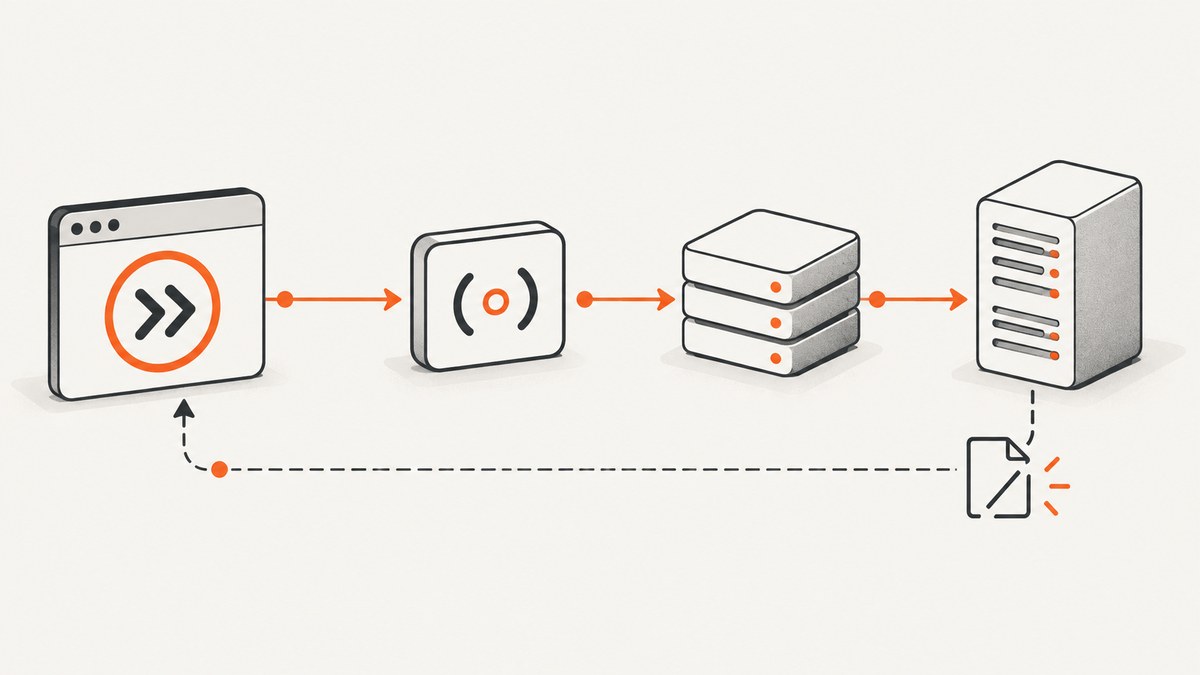
net::ERR_EMPTY_RESPONSE means the browser received no usable response. It does not prove that cy.intercept() caused the failure. Fix the correct layer by deciding whether the request should be stubbed or sent to the real service, then tracing the exchange through Cypress, the origin server, the proxy, response headers, and—when applicable—the streaming protocol.
This guide answers: “Why does my Cypress intercepted request get canceled with ERR_EMPTY_RESPONSE?”
1. Capture the exact environment first
Before changing configuration, record:
- Cypress package and binary versions from
npx cypress version. - Browser name and version, operating system, and headed versus headless mode.
- Request method, complete URL, port, path, query string, and whether application code or test code made the request.
- The complete
cy.intercept()matcher and handler, including aliases, asynchronous work, header edits, and route order. - Cypress Command Log and browser Network details: status, timing, request headers, response headers, and cancellation state.
- Application-server, reverse-proxy, DNS, and host-resolution logs for the same timestamp.
Cypress 16.0.0 changed browser interception behavior for Chrome, Chromium, and Edge. Advice for an older release may not transfer directly, so check the official Cypress changelog for the installed version.
2. Decide whether the request is stubbed or real
cy.intercept() can spy on a request, modify it, allow it through, or return a stub. The error string alone cannot identify which layer ended the exchange.
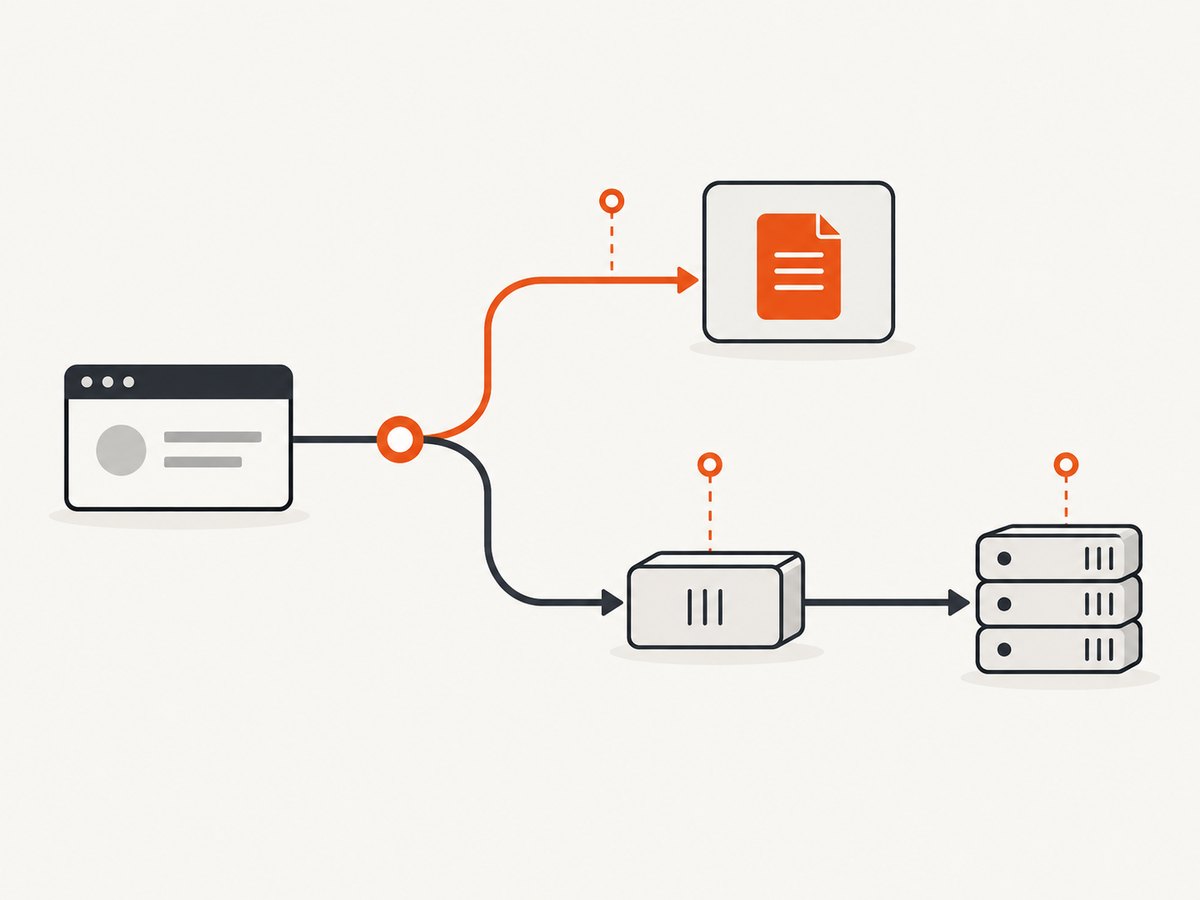
| Expected path | What success means | First checks |
|---|---|---|
| Stubbed | The handler returns a finite response. | Method, URL, matcher, route order, handler completion, response body, and headers. |
| Real origin | The request reaches the service and returns valid bytes and headers. | Direct reproduction, server logs, proxy path, host, port, and TLS. |
| Long-lived stream | The connection stays open and delivers events. | SSE framing, buffering, keep-alives, proxy timeouts, and separate stream tests. |
Keep a minimal reproduction containing only the failing request. Remove unrelated waits and intercepts while diagnosing.
3. Fix a stubbed request
Verify method and URL matching
A route that does not match cannot send the response you expect. Match the exact method and URL form used by the browser, including host, port, path, and query parameters.
cy.intercept('GET', '**/api/profile').as('profile');
cy.visit('/settings');
cy.wait('@profile').its('response.statusCode').should('eq', 200);
If the application sends POST, a GET route will not catch it. For more control, use a RouteMatcher:
cy.intercept({
  method: 'POST',
  pathname: '/api/search'
}, (req) => {
  req.reply({
    statusCode: 200,
    headers: { 'content-type': 'application/json' },
    body: { results: [] }
  });
}).as('search');
Consult the current cy.intercept() documentation for matcher fields and handler behavior.
Make the handler complete
A handler must call req.reply(), call req.continue(), or return without leaving an asynchronous branch unresolved. Avoid promises that never settle and exceptions thrown before the reply.
cy.intercept('GET', '**/api/orders', (req) => {
  req.reply({ statusCode: 200, body: { orders: [] } });
});
To inspect the real response while allowing it through:
cy.intercept('GET', '**/api/orders', (req) => {
  req.continue((res) => {
    expect(res.statusCode).to.be.oneOf([200, 304]);
  });
});
Remove risky mutations
Temporarily remove custom request and response headers, body rewrites, delays, and asynchronous token lookups. Reintroduce one change at a time. Cypress history includes fixes for empty-string request and response header handling, so version context matters when headers are edited.
Check route order and aliases
Multiple intercepts can match one request. Put the intended route where Cypress will select it, use a unique alias, and confirm the Command Log shows the expected route. A cy.wait() timeout means the expected interception was not observed; it is different from an empty response after a connection was attempted.
4. Test the real origin outside Cypress
If the request should pass through, reproduce the same method, URL, headers, cookies, and body in a normal browser or HTTP client.
curl -v -X GET 'http://localhost:4000/api/profile' \
  -H 'Accept: application/json'
Run the command from the same machine and shell environment used to launch Cypress. Containers, VPNs, proxy variables, and hosts files can make localhost resolve differently.
Inspect application and proxy logs
Look for an accepted connection followed by an immediate close, upstream reset, TLS failure, timeout, or proxy-generated error. Confirm that the server writes a status line, valid headers, and a body—or a correctly framed empty body.
Compare proxy and host settings
Compare HTTP_PROXY, HTTPS_PROXY, NO_PROXY, DNS, and hosts-file values between Cypress and your standalone client. Cypress issue #5895 describes a localhost API that worked outside Cypress but returned net::ERR_EMPTY_RESPONSE in the runner. A proposed HTTP_PROXY=localhost workaround was specific to that report, had a listener warning, and was followed by Cypress closure. Treat it as an investigation clue, not a general fix.
5. Validate raw response headers and bytes
If Cypress reports an internal proxy error, inspect the upstream response with curl -v or server/proxy logging. Header names cannot contain spaces or control characters. Cypress issue #28865 paired ERR_EMPTY_RESPONSE with an invalid header named expires containing a trailing space and an ERR_INVALID_HTTP_TOKEN error. The fix belongs in the server or intermediary that emitted the header.
Also verify:
Content-Lengthmatches the bytes sent, or use valid chunked transfer encoding.- Compression headers match the actual body and are not duplicated by a proxy.
- HTTP/2 and HTTP/1.1 translation is valid across every hop.
- The server does not close the socket before flushing headers.
- Middleware has not written a partial response and then thrown.
6. Treat retries as limited, version-specific behavior
Cypress’s 2019 article about Cypress 3.3.0 describes retrying some network failures and mentions retryOnNetworkFailure for cy.visit() and cy.request() in that release context. Retry may expose a transient connection problem, but it cannot repair a persistently unavailable server or malformed response. Verify support in your installed version before using it.
cy.request({
  url: '/health',
  retryOnNetworkFailure: true
}).its('status').should('eq', 200);
See Cypress’s release article. Do not use retries to hide deterministic matcher or header bugs.
7. Handle SSE and EventSource separately
Server-sent events are long-lived streams, not ordinary finite responses. Separate the request that creates backend data from the EventSource request that delivers events. A trigger can succeed while the stream fails because a proxy closes idle connections, buffering prevents flushes, or the server emits invalid framing.
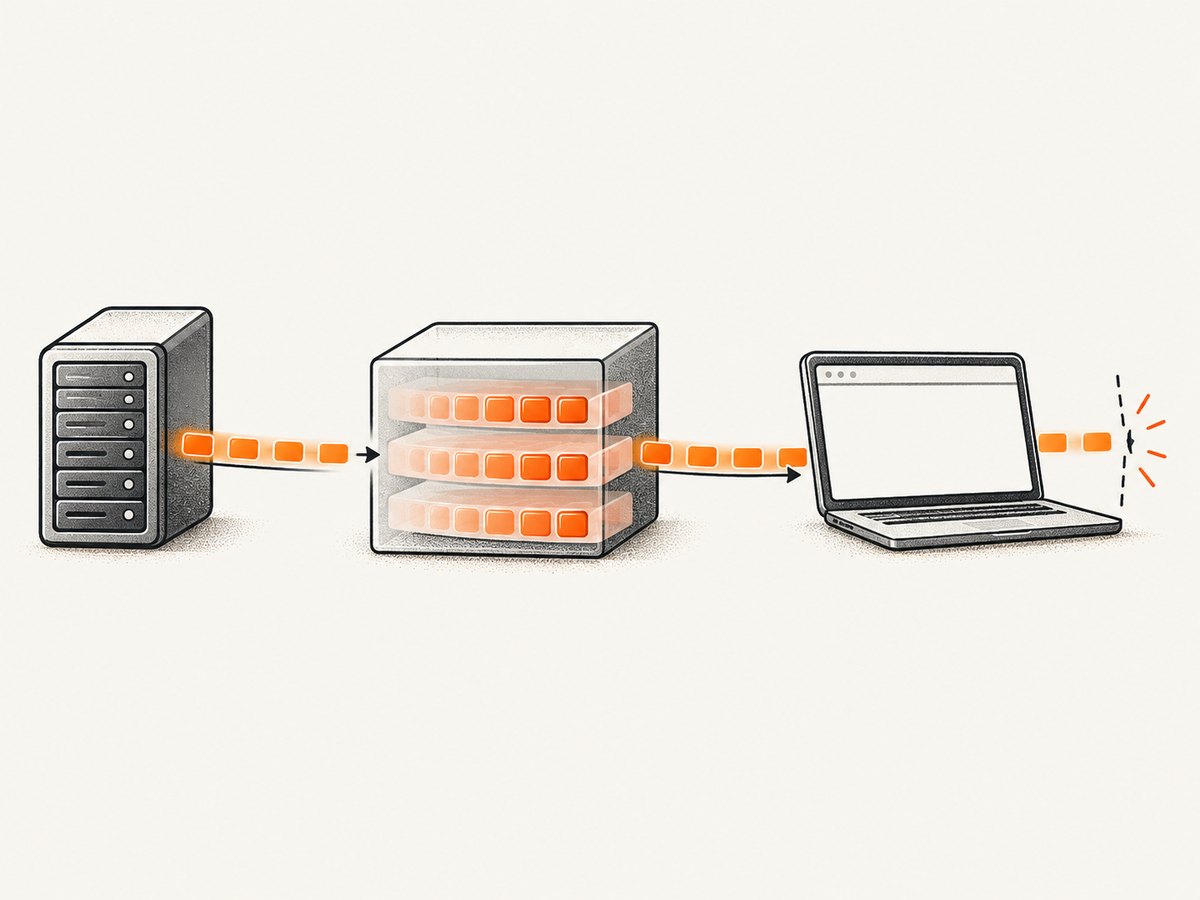
For a UI test, replace EventSource with a deterministic fake and assert rendering. Keep a separate integration test against the real stream. Cypress discussion #29537 describes this split as community advice, not a formal support guarantee.
cy.visit('/dashboard', {
  onBeforeLoad(win) {
    class FakeEventSource {
      constructor() {
        this.readyState = 1;
        setTimeout(() => this.onmessage?.({ data: JSON.stringify({ kind: 'ready' }) }), 0);
      }
      close() { this.readyState = 2; }
    }
    win.EventSource = FakeEventSource;
  }
});
cy.contains('ready').should('be.visible');
onBeforeLoad runs before application code; see the cy.visit() documentation. This fake proves UI behavior only. For the real stream, verify Content-Type: text/event-stream, flush each event, disable unintended proxy buffering, send keep-alives as needed, and set timeouts appropriate for a long-lived connection.
8. Use this decision tree
- Record evidence: versions, browser, method, URL, matcher, handler, Command Log, network details, and server/proxy logs.
- Confirm intent: stub, pass-through, or stream.
- Minimize: remove unrelated intercepts, waits, header edits, and asynchronous work.
- Reproduce outside Cypress: use a browser or
curlwith equivalent request details. - Inspect the failing layer: handler for stubs; origin/proxy for pass-through; framing and buffering for streams.
- Apply the smallest fix: correct the matcher, handler, server, proxy, invalid header, or stream implementation.
- Re-run with logs: preserve the evidence and Cypress version with the regression test.
9. Performance, reliability, and cost notes
- Performance: Keep matchers narrow and avoid expensive asynchronous work in handlers. Measure origin and proxy latency separately from Cypress command time.
- Reliability: Document Cypress and browser versions in CI. Use deterministic stubs for UI tests and a smaller integration suite for origin, proxy, and streaming behavior.
- Retries: Bound retries and log every attempt. A retry that passes does not prove the connection is healthy.
- Cost: Stubs avoid calls to your API provider; pass-through tests may consume provider quotas. Use a test endpoint or fixture policy appropriate to your service.
10. Or skip the browser setup
If you need a stable page image while documenting or debugging a flow, ScreenshotNeo provides one HTTP request. Before capture it accepts cookie and consent banners and removes more than 60 known consent platforms, newsletter popups, and chat widgets; each step can be turned off. Bot checks, blank pages, timeouts, failed loads, and cache hits are not billed, and response headers identify the page verdict and billing result. Its MCP server lets Claude, Cursor, and other MCP clients call take_screenshot, get_page_info, and capture_pdf.
See the ScreenshotNeo API documentation for all options.
cURL
curl -G "https://api.screenshotneo.com/v1/shot" -d access_key=YOUR_API_KEY --data-urlencode url=https://stripe.com -o shot.webpPython
import requests
r = requests.get("https://api.screenshotneo.com/v1/shot", params={"access_key": "YOUR_API_KEY", "url": "https://stripe.com"}, timeout=90)
open("shot.webp", "wb").write(r.content)
Node.js
const q = new URLSearchParams({ access_key: 'YOUR_API_KEY', url: 'https://stripe.com' });
const res = await fetch(`https://api.screenshotneo.com/v1/shot?${q}`);
ScreenshotNeo supports full-page capture with lazy images loaded, CSS-selected elements, dark mode, 12 device presets and custom viewports, retina scale, PDFs with paper size, margins, landscape and page ranges, custom CSS and JavaScript, clicks, waits, blocked ads/trackers/requests/resource types, custom headers/cookies/user agents/Authorization, timezone and geolocation, transparent backgrounds, resizing, selectable cache TTL, signed links, async jobs with signed webhooks, bulk capture of up to 100 URLs per call, usage APIs, and an OpenAPI specification.
1,000 screenshots per month are free with no card. Paid plans start at $5 for 3,000. Create your free ScreenshotNeo account.
11. Troubleshooting checklist
| Symptom | Likely layer | Action |
|---|---|---|
| Route never appears in Command Log | Matcher or route order | Check method, absolute URL, port, query, and alias. |
| Stub handler runs, then empty response | Handler | Remove async branches and header/body mutations; call req.reply() explicitly. |
| Works with curl, fails in Cypress | Proxy, host, or browser connection | Compare proxy variables, DNS, TLS, and server logs from the Cypress machine. |
| Proxy error cites invalid token/header | Upstream response | Inspect raw headers and remove spaces or control characters. |
| Trigger succeeds, EventSource fails | Streaming path | Check buffering, keep-alives, framing, and timeouts; test the stream separately. |
| Retry sometimes passes | Transient network issue | Capture every attempt and fix the unstable origin or proxy. |
12. FAQ
Does ERR_EMPTY_RESPONSE prove Cypress canceled the request?
No. It is a browser symptom. The origin, proxy, malformed headers, connection reset, or stream can be responsible.
Should I increase a cy.wait() timeout?
Only when the request exists and is slow. A wait timeout does not repair an empty response; verify the route and network path first.
Is HTTP_PROXY=localhost the fix?
No. It was a workaround proposed in one localhost issue and had side effects. Compare proxy settings and logs for your environment.
Can I use a fake EventSource in production-like tests?
Use it for deterministic UI tests. Keep a real-stream integration test for server and proxy correctness.
Which Cypress version should I assume?
None. Record the installed version and consult its changelog and command documentation, especially around Cypress 16 browser interception changes.


