How to Fix Cypress Rendering Problems in Chrome
Fix Cypress Chrome rendering differences by controlling headless mode, viewport, DPR, origins, browser binaries, and CI environments.

Cypress rendering problems in Chrome usually come from a mismatch in rendering mode, viewport, device-pixel ratio, browser binary, origin, or CI environment. Start by reproducing the failure in the same mode as CI, then make the viewport and browser explicit, collect screenshots and replay evidence, handle secondary origins with cy.origin(), and standardize Chrome, fonts, operating system, and scaling for visual comparisons.
1. Reproduce the exact Chrome rendering mode
cypress run runs Chrome-family browsers headlessly by default. Cypress documents a headless default screen size of 1280×720 and a device pixel ratio (DPR) forced to 1. These defaults can trigger different responsive breakpoints and produce different screenshot dimensions than a headed laptop run.
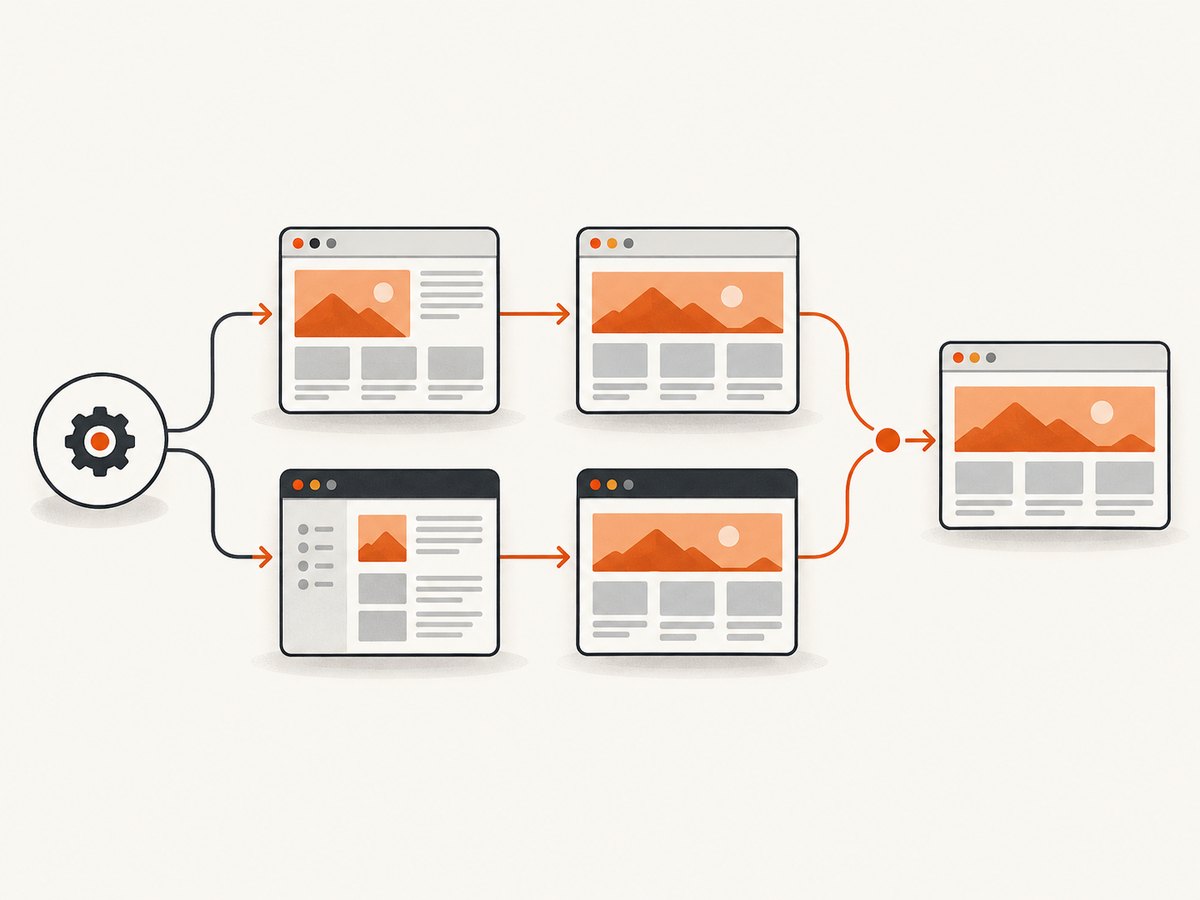
npx cypress run --headed --no-exit --browser chromeRun the failing spec once in normal headless mode and once with the command above. Compare:
- Whether the same elements are present.
- Which CSS breakpoint is active.
- Screenshot width, height, and pixel density.
- Console errors, network failures, and JavaScript exceptions.
- Whether the failure is a layout defect or an automation/origin defect.
For a repeatable diagnosis, record the Cypress version, Chrome channel and version, operating system, viewport, display scaling, installed fonts, and the command used to launch the test.
2. Set the viewport explicitly
Before a test issues cy.viewport(), Cypress uses a 1000×660 CSS-pixel viewport. That ordinary Cypress default is different from headless Chrome’s documented 1280×720 screen default, so responsive pages can render differently even when the test code is unchanged.
Set it in a test
describe('checkout layout', () => {
  beforeEach(() => {
    cy.viewport(1280, 720)
    cy.visit('/checkout')
  })

  it('shows the desktop summary', () => {
    cy.get('[data-testid="order-summary"]').should('be.visible')
  })
})
Set a project default
// cypress.config.js
const { defineConfig } = require('cypress')

module.exports = defineConfig({
  e2e: {
    viewportWidth: 1280,
    viewportHeight: 720,
    baseUrl: 'http://localhost:3000'
  }
})
Use the same dimensions for every screenshot or visual-diff job. Test mobile layouts with an explicit mobile-sized viewport, rather than relying on whatever dimensions the runner happens to provide.
3. Understand viewport size versus device pixel ratio
cy.viewport() changes CSS viewport dimensions. It does not simulate a different devicePixelRatio. A test can therefore have the expected CSS width while still producing different rasterized text, canvas output, image dimensions, or screenshot pixels.
If DPR is part of the defect, configure the browser launch environment and verify the resulting value inside the page:
it('records the rendering environment', () => {
  cy.viewport(1280, 720)
  cy.visit('/diagnostics')
  cy.window().then((win) => {
    cy.log(`innerWidth=${win.innerWidth}`)
    cy.log(`innerHeight=${win.innerHeight}`)
    cy.log(`devicePixelRatio=${win.devicePixelRatio}`)
  })
})
Do not infer DPR from screenshot dimensions alone. Check the browser value and keep the browser channel, operating system scaling, and capture process consistent.
4. Check responsive breakpoints and missing elements
When an element appears on a laptop but is missing in Cypress, first determine whether the page selected a mobile or tablet breakpoint. Inspect the computed layout at the test viewport and assert the intended state explicitly.
cy.viewport(1280, 720)
cy.visit('/dashboard')
cy.get('[data-testid="desktop-nav"]').should('be.visible')
cy.get('[data-testid="mobile-menu"]').should('not.be.visible')
Also check for:
- CSS media queries based on width, height, orientation, or pointer capability.
- JavaScript branches using
window.innerWidthormatchMedia(). - Images or fonts that have not finished loading when the assertion runs.
- Elements hidden by feature flags, authentication state, or test data.
- Animations that move content between the screenshot and the assertion.
Prefer stable application selectors such as data-testid and wait for a meaningful ready condition instead of adding a large arbitrary delay.
5. Handle cross-origin pages correctly
If a test visits or embeds a different origin, Cypress may lose automation control under the browser same-origin policy. Commands that operate on the secondary origin must run inside cy.origin().
cy.visit('https://shop.example.test/login')

cy.origin('https://accounts.example.test', () => {
  cy.get('input[name="email"]').type('user@example.test')
  cy.get('input[name="password"]').type('correct-horse-battery-staple')
  cy.get('button[type="submit"]').click()
})
Cypress v14 stopped injecting document.domain into HTML pages by default. Older workarounds that depended on that behavior may no longer apply. Treat each origin boundary as an explicit part of the test design, and verify redirects, cookies, and storage on both origins.
6. Collect evidence before changing Chrome flags
Failure screenshots, recorded videos, and Test Replay usually identify the cause faster than changing launch flags at random. Test Replay can expose the DOM, network requests, console logs, JavaScript errors, and element rendering at the point of failure.
// cypress.config.js
const { defineConfig } = require('cypress')

module.exports = defineConfig({
  video: true,
  screenshotOnRunFailure: true,
  e2e: {
    setupNodeEvents(on, config) {
      on('before:browser:launch', (browser, launchOptionsOrArgs) => {
        // Keep this hook for diagnostics or a narrowly justified browser option.
        // Return the object supplied by Cypress after any intentional change.
        return launchOptionsOrArgs
      })
      return config
    }
  }
})
Keep the original failing artifact when experimenting. A flag that makes one test pass can hide a real application problem or create a new difference between local and CI runs.
7. Verify the Chrome binary and CI installation
Cypress supports Chrome, Chrome for Testing, Chromium, and other Chrome-family channels. Select the intended binary explicitly and make sure that binary is installed in CI.
npx cypress run --browser chromeWhen Cypress cannot attach, inspect the browser discovery output and the CDP connection error. Common causes include a missing browser package, an unexpected channel name, incompatible permissions, or a Chrome process that exits before Cypress connects. Pin the browser image or installation method used by CI so local and remote runs use the same major version.
8. Make screenshots deterministic for visual comparisons
The same page can render slightly differently across operating systems, browser versions, display scaling, and installed fonts. Those differences can fail a pixel comparison even when the application did not change.
| Variable | How to control it | Why it matters |
|---|---|---|
| Rendering mode | Run headed and headless intentionally | Headless Chrome has documented screen and DPR defaults |
| Viewport | Set cy.viewport() or config dimensions |
Controls responsive breakpoints and layout width |
| Browser | Select and pin the Chrome-family binary | Rendering engines and font metrics change between versions |
| Operating system | Use the same CI image for comparisons | Font rasterization and system rendering differ |
| Fonts | Install the same font files and wait for them | Fallback fonts change line wrapping and element height |
| Scaling and DPR | Keep display scaling and browser settings fixed | Changes rasterization and screenshot pixels |
| Data and timing | Use deterministic fixtures and readiness checks | Async content and animations create pixel drift |
cy.visit('/reports')
cy.document().then((doc) => {
  return doc.fonts.ready
})
cy.get('[data-testid="report"]')
  .should('be.visible')
  .and('not.have.class', 'is-loading')
cy.screenshot('report-stable')
For teams that need identical rendering across machines, a cloud rendering service can provide a controlled browser environment. Keep the Cypress-generated artifacts as evidence of what the test runner actually saw.
9. A practical diagnostic checklist
- Re-run the failure with
npx cypress run --headed --no-exit --browser chrome. - Write down the browser channel, version, operating system, viewport, DPR, fonts, and scaling.
- Set
viewportWidthandviewportHeightor callcy.viewport()before visiting the page. - Check responsive breakpoints and JavaScript viewport checks.
- Wait for fonts, images, API data, and application-ready selectors.
- Use
cy.origin()for commands on a secondary origin. - Inspect screenshots, video, console errors, network requests, and Test Replay.
- Confirm the intended Chrome binary exists in CI and Cypress can connect to it.
- Repeat the visual comparison in a pinned environment.
10. Common errors, causes, and fixes
| Symptom or error | Likely cause | Fix |
|---|---|---|
| Layout looks mobile in CI | Viewport is narrower than the local run or a breakpoint changed | Set an explicit viewport and log innerWidth |
| Headed passes, headless fails | Headless screen/DPR defaults or timing differ | Reproduce both modes, compare artifacts, then standardize dimensions and readiness checks |
| Screenshot dimensions differ | Different viewport, DPR, browser, or display scaling | Pin all rendering variables and compare CSS dimensions separately from bitmap dimensions |
| Element is not found after redirect | Command ran across an origin boundary | Move secondary-origin commands into cy.origin() |
| Cross-origin security error | Same-origin policy blocks automation | Use cy.origin(), and verify the exact origin including scheme and port |
| Text wraps differently | Missing font or different font rasterization | Install the same fonts, wait for document.fonts.ready, and use the same OS image |
| Blank screenshot | Capture occurred before navigation or application rendering completed | Wait for a stable selector and inspect network and console errors |
| Images are missing | Network request, lazy loading, or interception failure | Inspect requests, scroll or trigger lazy loading, and wait for image completion |
| CDP connection or browser launch error | Wrong or missing Chrome binary, permissions, or an early browser exit | Install the intended channel, select it with --browser, and inspect launch logs |
| Flaky visual diff | Animation, asynchronous data, time, or non-deterministic content | Freeze fixtures and time where appropriate, wait for readiness, and disable motion in test CSS |
11. Performance and reliability considerations
Keep feedback fast
- Use a small diagnostic spec that visits only the failing route.
- Run one browser channel while investigating, then expand the matrix.
- Set targeted waits for selectors, network completion, or fonts instead of long fixed sleeps.
- Capture screenshots on failure and at a few meaningful checkpoints rather than every command.
Make CI repeatable
- Pin the Cypress and Chrome versions used for visual comparisons.
- Use one container or virtual machine image with fixed fonts and scaling.
- Persist screenshots, videos, console logs, and replay artifacts as build outputs.
- Separate a genuine application rendering failure from a runner installation failure.
Control cost
Repeated browser launches, full-page screenshots, videos, and cloud runs consume CI time and storage. Keep the first diagnostic run narrow, cache dependencies where your CI system supports it, and reserve full visual suites for the environments that need them.
12. Or skip the browser setup
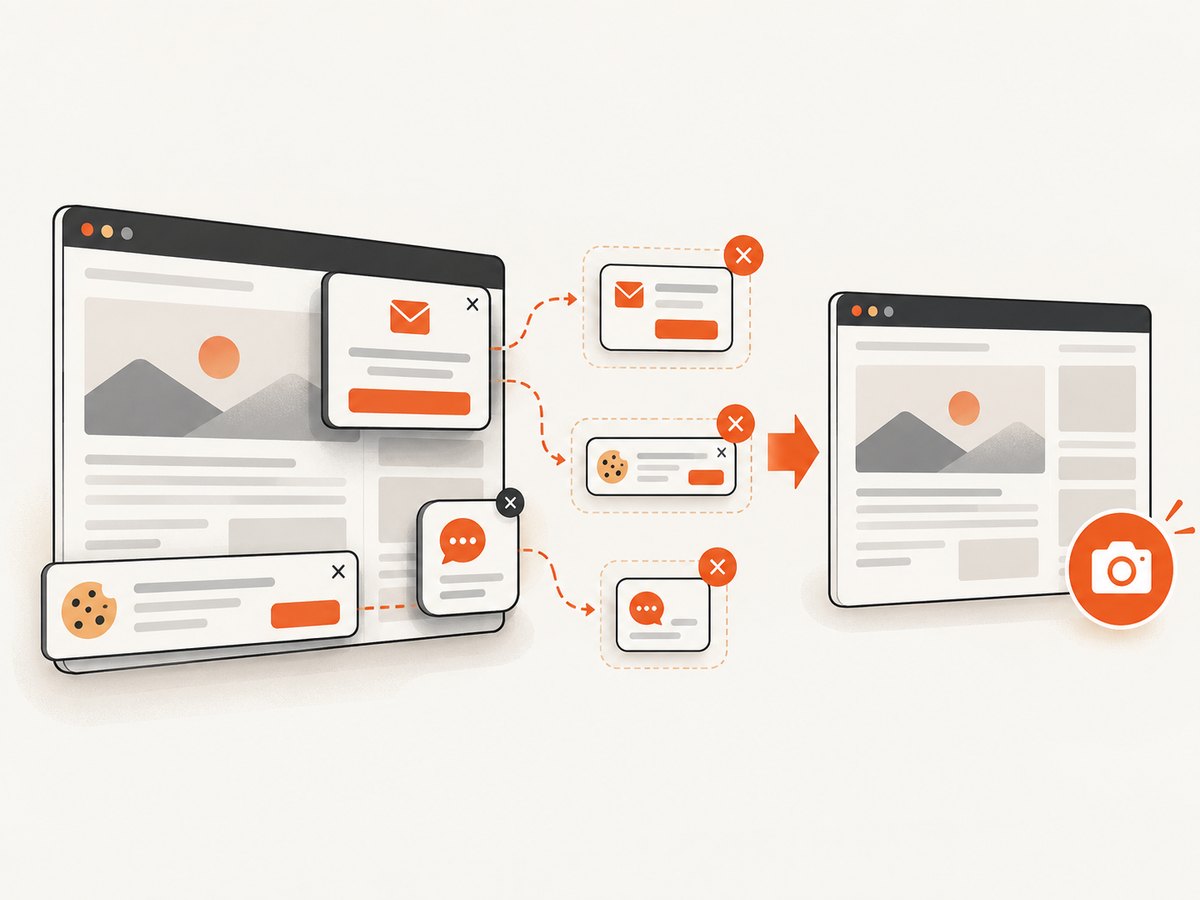
If the goal is a clean image of a URL rather than Cypress interaction itself, ScreenshotNeo provides a single screenshot request. Its capture pipeline accepts consent banners like a visitor and removes more than 60 known consent platforms, newsletter popups, and chat widgets before the shot; each step can be turned off. Bot checks, blank pages, timeouts, failed loads, and cache hits are not billed, and the response identifies the result with X-Page-Verdict and X-Billed headers. It also provides an MCP server with take_screenshot, get_page_info, and capture_pdf tools for AI agents.
cURL
curl -G "https://api.screenshotneo.com/v1/shot" \
  -d access_key=YOUR_API_KEY \
  --data-urlencode url=https://stripe.com \
  -o shot.webp
Python
import requests

r = requests.get(
    "https://api.screenshotneo.com/v1/shot",
    params={"access_key": "YOUR_API_KEY", "url": "https://stripe.com"},
    timeout=90,
)
r.raise_for_status()
open("shot.webp", "wb").write(r.content)
Node.js
const q = new URLSearchParams({
  access_key: 'YOUR_API_KEY',
  url: 'https://stripe.com'
});
const res = await fetch(`https://api.screenshotneo.com/v1/shot?${q}`);
if (!res.ok) throw new Error(`Screenshot failed: ${res.status}`);
const buffer = Buffer.from(await res.arrayBuffer());
require('node:fs').writeFileSync('shot.webp', buffer);
See the ScreenshotNeo API documentation for the available capture options, including full-page and element capture, dark mode, device presets or custom viewports, retina scale, PDF output, custom CSS and JavaScript, clicks, selector waits, delays, network idle, request blocking, headers, cookies, user agents, authorization, timezone, geolocation, transparent backgrounds, resizing, caching TTLs, signed links, asynchronous jobs and webhooks, bulk capture, usage reporting, and the OpenAPI specification. Parameter names used by other screenshot APIs also work to simplify migration.
The Free plan includes 1,000 screenshots per month with no card. Paid plans start at $5 for 3,000 shots; yearly billing gives two months free, and every feature is available on every plan. Create a free ScreenshotNeo account.
13. FAQ
Why is Cypress 1280 pixels wide in headless mode but 1000 pixels wide in my test?
They are different defaults: headless Chrome uses a documented 1280×720 screen default, while Cypress uses a 1000×660 viewport until cy.viewport() or project configuration changes it.
Does cy.viewport() change device pixel ratio?
No. It changes CSS viewport dimensions. Configure and verify browser DPR separately when pixel density affects the defect.
Should I always run Chrome headed in CI?
No. Run the mode your production checks require, but reproduce headless-only failures visibly to compare the two rendering paths.
What is the first sign of a cross-origin problem?
Commands fail after a redirect or embedded page moves to another origin. Put those commands in cy.origin() and verify the exact scheme, host, and port.
Can a pixel diff fail even when the application is unchanged?
Yes. Operating system, browser version, display scaling, installed fonts, viewport, DPR, animation, and asynchronous content can all alter pixels.


