How to Fix Cypress Screenshot replaceAll TypeErrors
Fix Cypress’s Windows replaceAll TypeError, uncover the original failure, and understand why a screenshot can exist even when the test fails.

Cypress can report Cannot read properties of undefined (reading 'replaceAll') while handling a failed test, especially on Windows. In the specific defect documented by Cypress, this is a secondary error raised while Cypress enhances the failure stack. It can hide the application or test error that actually caused the failure.
First, inspect the stack trace, Cypress version, and operating system. If the trace describes Cypress failure-stack enhancement on Windows, upgrade Cypress to 15.19.0 or later, rerun the test, and then diagnose the original failure if it remains. Cypress records the fix in its official changelog. Do not assume that every replaceAll TypeError has this cause.
What the error means
The message contains two clues that can refer to different problems:
- Undefined value: Cypress may be calling
replaceAllon a value that is unexpectedlyundefinedwhile preparing a failure stack. - JavaScript replacement rules: Your own code may be using
String.prototype.replaceAll()incorrectly. A regular expression passed toreplaceAllmust have the global flag, such as/foo/g.
The Cypress Windows defect and ordinary JavaScript misuse are separate diagnoses. Start with the call site in the stack trace before changing application code.
Fastest fix for the documented Cypress defect
- Record the operating system and Cypress version used by the failing run.
- Read the complete stack trace, including the first error printed before the
replaceAllmessage. - Check whether the trace points to Cypress failure-stack enhancement and the run is on Windows.
- Upgrade Cypress to version 15.19.0 or a later release.
- Run the same test again and compare the first reported failure, not only the screenshot output.
The release-note fix matters because the secondary TypeError could mask the original error. If the message appears on a fixed version, or the trace points into your application or test code, continue with the diagnosis below.
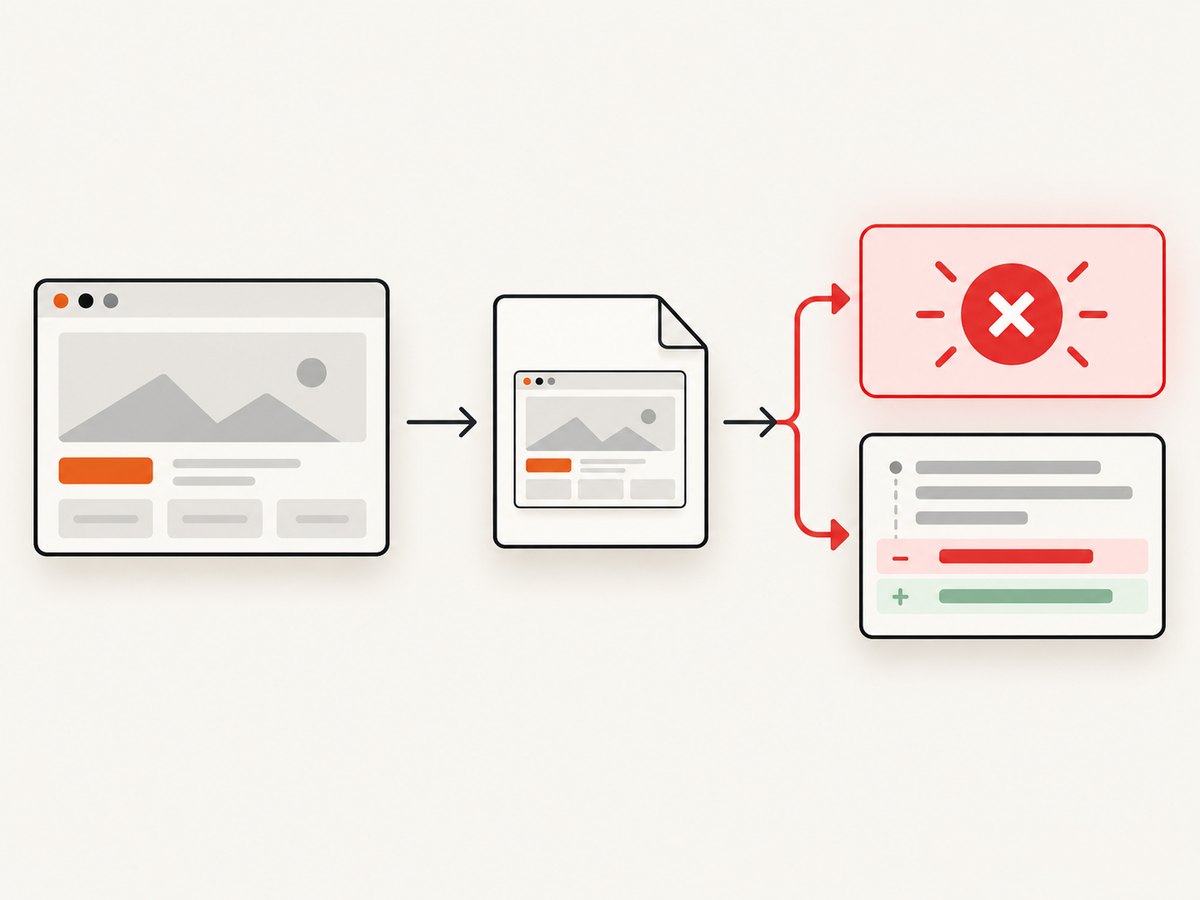
Why a screenshot can exist when the test fails
Cypress supports manual captures with cy.screenshot() and automatic screenshots when a test fails during cypress run or CI. Cypress documents screenshot capture as asynchronous, and screenshots are written to the configured screenshots folder, which defaults to cypress/screenshots.
That sequence permits a capture to finish before a later operation reports a failure. A file on disk proves that capture completed; it does not prove that the test passed. Keep the screenshot as evidence, then use the test runner output and the original stack trace to find the failure.
Typical failure sequence
- The test reaches a screenshot command or Cypress begins its automatic failure capture.
- The image is written to the screenshots directory.
- The test, application, or Cypress failure handling reports an error.
- On the affected Windows defect, Cypress raises a second
replaceAllTypeError while enhancing the stack.
Minimal Cypress reproduction and a useful capture
This example deliberately fails after taking a screenshot. It demonstrates why the image may be present even though the run is red.
describe('checkout', () => {
  it('captures the page before reporting the failure', () => {
    cy.visit('https://example.test/checkout')
    cy.screenshot('checkout-before-failure')

    // Replace this with the assertion that actually fails in your test.
    cy.get('[data-cy=confirmation]').should('be.visible')
  })
})
Use your real test URL and selectors. The important diagnostic fact is the order: capture is requested before the assertion completes. If the assertion fails, the screenshot can still be available under cypress/screenshots.
Separate Cypress’s defect from JavaScript replaceAll errors
JavaScript defines replaceAll on strings. A string pattern replaces every matching occurrence. When the pattern is a regular expression, that expression must be global. A non-global expression throws a TypeError.
const input = 'red red'

// Valid: string pattern
const a = input.replaceAll('red', 'blue')

// Valid: global regular expression
const b = input.replaceAll(/red/g, 'blue')

// Throws a TypeError: the regular expression is not global
const c = input.replaceAll(/red/, 'blue')
If the stack points to code like the last line, add the g flag or use a string pattern. If the stack points to Cypress internals while handling a Windows test failure, update Cypress first. Do not “fix” an application expression when Cypress is the caller.
Version and environment checklist
| Check | What to record | Why it matters |
|---|---|---|
| Cypress version | The exact version from the project and CI | The documented fix is in 15.19.0. |
| Operating system | Windows, macOS, or Linux; include the CI image when relevant | The changelog description identifies a Windows failure-stack path. |
| First error | The earliest application or assertion message | The secondary TypeError can hide this cause. |
| Call site | The file and line where replaceAll is called |
This distinguishes Cypress internals from test or application code. |
| Run mode | Interactive or cypress run/CI |
Automatic failure screenshots are documented for run and CI execution. |
| Screenshot path | The configured folder and generated filename | It confirms whether capture completed. |
The Cypress issue report that prompted discussion listed Cypress 12.8.1, Node 16.14.0, and Windows Server 2019 Datacenter. Those values describe one report, not universal compatibility requirements. Do not pin your project to those versions based on the report alone.
Upgrade Cypress safely
Update the package in the same dependency environment used by the failing run, commit the lockfile change, and rerun the smallest test that reproduces the error.
# npm
npm install --save-dev cypress@latest

# yarn
yarn add --dev cypress@latest

# pnpm
pnpm add --save-dev cypress@latest
If your organization requires a specific major version, install a version at or above 15.19.0 that is compatible with your project, then verify the resulting version:
npx cypress versionRun the failing spec in the same operating-system image and with the same browser and environment variables. A local upgrade does not prove that CI uses the upgraded package; inspect the CI install step and lockfile.
Preserve the original failure
When the secondary TypeError appears, save the complete terminal output and the Cypress report before rerunning. Compare:
- The first exception or failed assertion.
- The URL and application state at the time of capture.
- The test command and environment variables.
- The screenshot filename and timestamp, when available.
- The stack frame that first enters Cypress and the frame that first enters your code.
After upgrading, the visible error may change because Cypress no longer masks the original failure. That is progress: fix the application error, selector, network setup, or assertion identified by the restored stack.
Common errors and fixes
“I upgraded, but replaceAll still appears”
Confirm the running Cypress version with npx cypress version in the same directory and CI job that fails. Then inspect the stack. If the call originates in a spec, support file, application bundle, or helper, apply the JavaScript regular-expression rule or guard the value before calling a string method. If it still originates in Cypress internals, reduce the test to a reproducible case and include the full stack and environment in a Cypress report.
“The screenshot exists, so why is the test red?”
Screenshot capture and test completion are separate events. Cypress can capture on failure, and capture is asynchronous. Inspect the assertion and the first application error; do not use the image’s existence as a pass/fail signal.
“My regular expression worked with replace but fails with replaceAll”
replace accepts a non-global regular expression and replaces one match. replaceAll requires a global regular expression. Change /pattern/ to /pattern/g, or pass a string when a literal replacement is intended.
“The failure happens only in CI”
Compare the Cypress package, lockfile, operating system image, Node runtime, browser, and command between local and CI. The issue report’s Node and Windows values are not general requirements, so establish what CI actually runs before changing versions.
“The screenshot folder is empty”
Check whether the command reached capture, whether the run was interactive or headed, and which screenshots folder is configured. For a manual capture, verify that the test did not fail before cy.screenshot(). For an automatic capture, verify that the command is a run or CI execution where Cypress’s automatic failure screenshots apply.
Reliability and performance considerations
Keep screenshot names stable and meaningful so CI artifacts can be correlated with a test and attempt. Capture at the point where the failure state is visible, then let the assertion report independently. This produces useful evidence without treating image creation as a health check.
Because capture is asynchronous, allow Cypress to finish the command before immediately navigating away or ending the test. Avoid adding unrelated retries while diagnosing the TypeError: retries can produce multiple images and obscure which attempt contains the original failure.
For large suites, retain only the artifacts needed by your CI policy and make the screenshots folder an explicit artifact directory. Measure your own run time after changing capture frequency; the available Cypress evidence establishes asynchronous capture and failure behavior, but it does not provide a universal screenshot timing benchmark.
Or skip the browser setup
If your goal is a clean page image rather than Cypress test evidence, ScreenshotNeo provides a single HTTP request. It accepts consent banners before capture and removes more than 60 known consent platforms, newsletter popups, and chat widgets. Bot checks, blank pages, timeouts, failed loads, and cache hits are not billed, and response headers identify the page verdict and billing result.
See the ScreenshotNeo API documentation for all options. This cURL request returns a WebP image:
curl -G "https://api.screenshotneo.com/v1/shot" -d access_key=YOUR_API_KEY --data-urlencode url=https://stripe.com -o shot.webpPython:
import requests

r = requests.get(
    "https://api.screenshotneo.com/v1/shot",
    params={"access_key": "YOUR_API_KEY", "url": "https://stripe.com"},
    timeout=90,
)
r.raise_for_status()
open("shot.webp", "wb").write(r.content)
Node.js:
const q = new URLSearchParams({ access_key: 'YOUR_API_KEY', url: 'https://stripe.com' });
const res = await fetch(`https://api.screenshotneo.com/v1/shot?${q}`);
ScreenshotNeo also offers an MCP server with take_screenshot, get_page_info, and capture_pdf tools for Claude, Cursor, and other MCP clients. Plans include 1,000 screenshots per month free with no card; paid plans start at $5 for 3,000 screenshots. Every feature is available on every plan.
Create a free ScreenshotNeo account and use the free monthly allowance to capture pages without configuring a Cypress browser.
FAQ
Is this error always a Windows bug?
No. Cypress documents a Windows failure-stack defect fixed in 15.19.0, but a similar message can come from application or test code using replaceAll.
Does a saved screenshot mean the test passed?
No. Cypress can capture during a failed run, and capture is asynchronous.
Do I need to change Node to fix it?
The available evidence does not establish a universal Node requirement. Check the stack and Cypress version first.
What should I report if the upgrade does not help?
Include the complete stack, first error, Cypress version, operating system, run command, and a minimal reproducible test. Explain whether the call site is Cypress code or your own code.


