How to Fix Cypress Tests Being Skipped During cypress run
Learn why Cypress tests show pending, skipped, or no tests found during cypress run—and fix discovery, hooks, filters, and isolation.
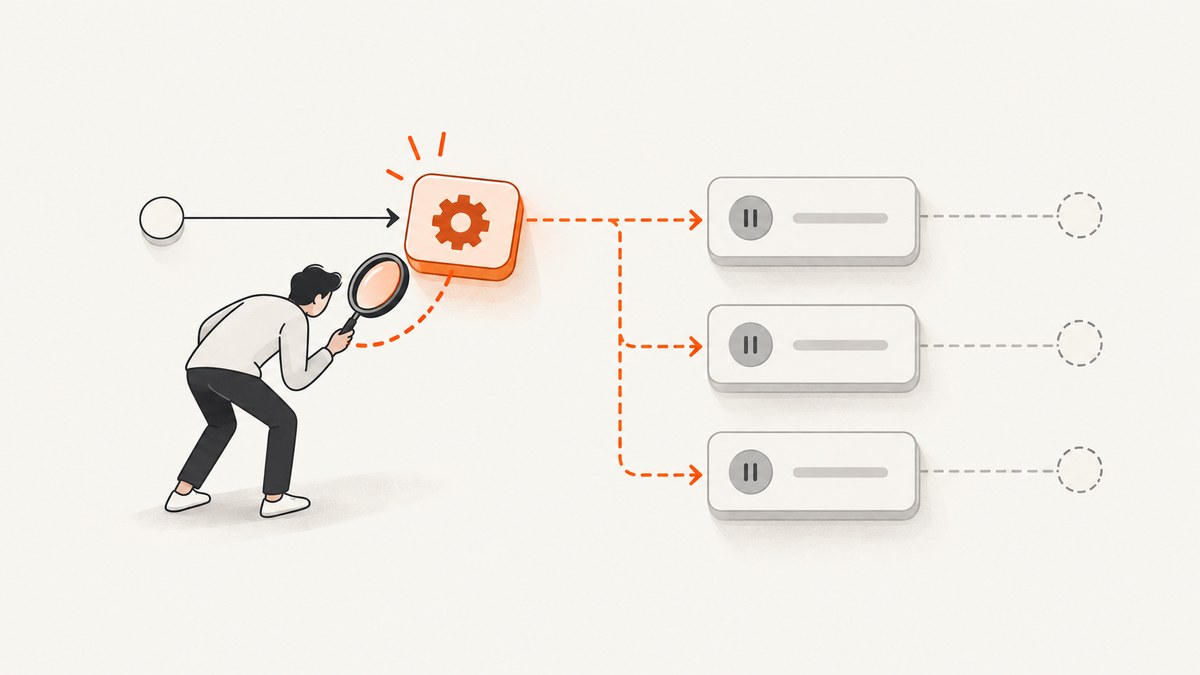
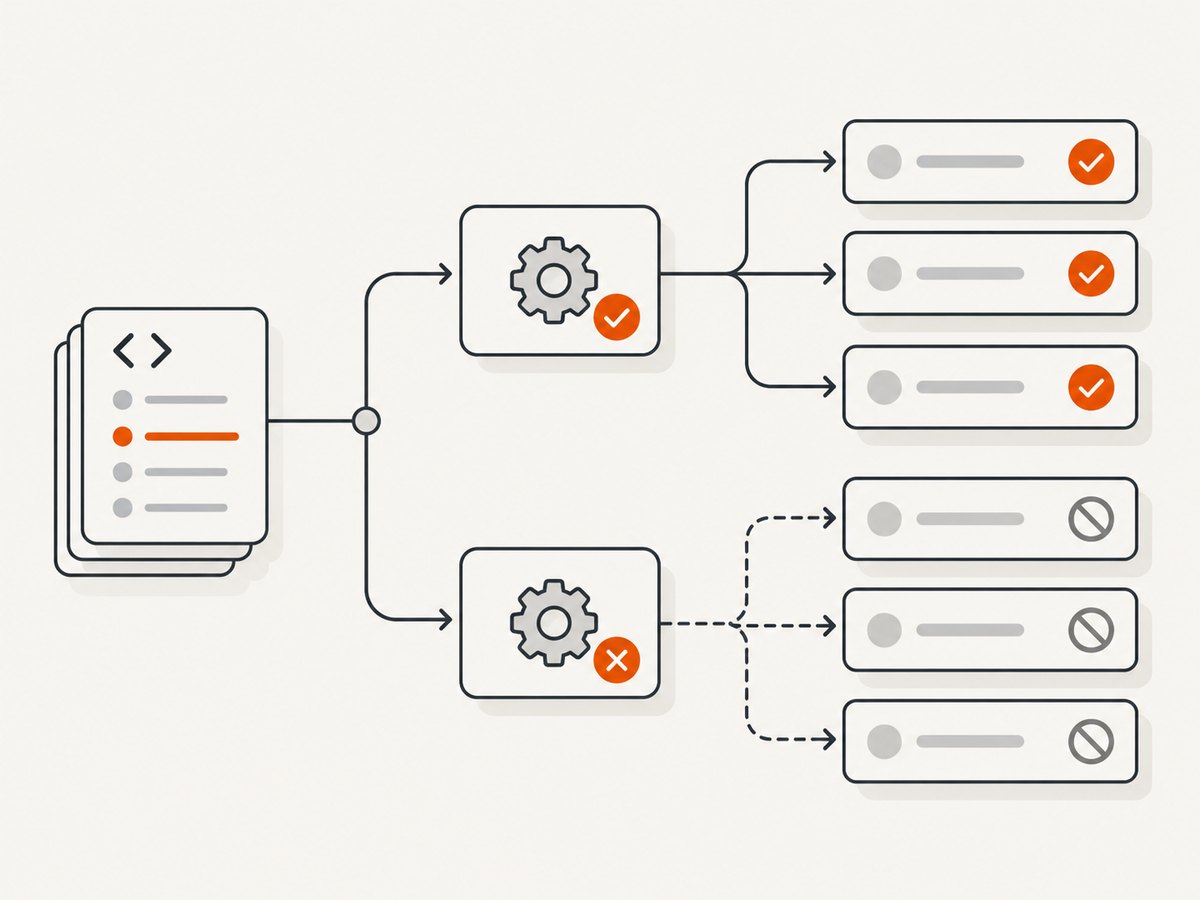
When cypress run reports skipped tests, first identify the status Cypress is showing. Pending means Cypress intentionally did not execute a test, usually because it has no body, uses it.skip()/xit(), or is restricted to another browser. Skipped means Cypress intended to run the test but could not because a shared before, beforeEach, or afterEach hook failed. If the spec does not appear at all, the problem is discovery or CLI selection, not a test failure.
1. Read the result before changing code
Open the terminal output, JUnit file, or reporter and find the first failure. A hook failure often makes every later test in the same suite look skipped, so the last skipped test is rarely the root cause. Cypress describes a pending test as one it intentionally does not run, while a skipped test is one it meant to run but could not because a shared hook failed.
| What you see | Typical scope | First check |
|---|---|---|
| Pending | One test or selected tests | it.skip, xit, empty callback, browser restriction, or tag filter |
| Skipped after a failure | Remaining tests in a suite/block | The first failing before, beforeEach, or afterEach |
| Spec absent / “no tests found” | Whole file | specPattern, excludeSpecPattern, and the --spec intersection |
2. Confirm Cypress can discover the spec
Cypress builds its candidate list from specPattern, removes matches from excludeSpecPattern, and then lets --spec narrow that remaining set. The default E2E pattern is cypress/e2e/**/*.cy.{js,jsx,ts,tsx}. Passing an exact path to --spec cannot resurrect a file excluded by configuration or outside the configured pattern. See the Cypress configuration reference.
Inspect the effective configuration
npx cypress info
npx cypress run --e2e --spec 'cypress/e2e/login.cy.ts'
Open cypress.config.js or cypress.config.ts and verify the testing type. A typical E2E setup is:
import { defineConfig } from 'cypress'

export default defineConfig({
  e2e: {
    specPattern: 'cypress/e2e/**/*.cy.{js,jsx,ts,tsx}',
    excludeSpecPattern: ['**/fixtures/**', '**/*.draft.cy.*'],
    baseUrl: 'http://localhost:3000'
  }
})
Common discovery mistakes include putting a file under cypress/integration in a current Cypress project, using .test.ts while the glob only accepts .cy.ts, placing component tests under the E2E directory, and excluding an entire folder with a broad glob. Run the exact command from the project root so relative paths resolve as expected.
Turn on resolution logs
DEBUG=cypress:cli,cypress:data-context:sources:FileDataSource,cypress:data-context:sources:ProjectDataSource npx cypress run --e2eThe debug namespaces show which configuration Cypress loaded, which files matched, and why a file was filtered. In PowerShell, set the variable with $env:DEBUG='cypress:cli,cypress:data-context:sources:FileDataSource,cypress:data-context:sources:ProjectDataSource' before running Cypress.
3. Remove intentional exclusions
Search the repository for markers that deliberately prevent execution:
rg "it\.skip|xit\(|describe\.skip|context\.skip|\.only\(" cypressReplace a temporary marker with a normal test when the work is ready:
describe('checkout', () => {
  it('accepts a valid card', () => {
    cy.visit('/checkout')
    cy.get('[data-cy=card-number]').type('4242424242424242')
    cy.get('[data-cy=submit]').click()
    cy.contains('Payment successful').should('be.visible')
  })
})
An empty callback such as it('later') is pending by design. A suite or test with a browser option can also be pending when you run a different browser. If you use @cypress/grep, inspect grep, grepFilterSpecs, and grepOmitFiltered: filtering can prevent a spec from loading or mark nonmatching tests as pending. Temporarily remove the tag filter and run the file directly to separate filtering from test behavior.
4. Repair the first failing shared hook
A failed before hook prevents the block from establishing its initial state; a failed beforeEach prevents the current test from starting; a failed afterEach can stop the next test from entering a clean state. Cypress then reports subsequent tests as skipped. Read the stack trace and fix the first rejected command, assertion, fixture, login, intercept, or cleanup action.
describe('account', () => {
  beforeEach(() => {
    cy.session('member', () => {
      cy.visit('/login')
      cy.get('[data-cy=email]').type(Cypress.env('E2E_EMAIL'))
      cy.get('[data-cy=password]').type(Cypress.env('E2E_PASSWORD'))
      cy.get('[data-cy=login]').click()
      cy.url().should('include', '/dashboard')
    })
  })

  it('shows invoices', () => {
    cy.visit('/invoices')
    cy.get('[data-cy=invoice-row]').should('have.length.greaterThan', 0)
  })
})
Make setup observable while debugging. Give network requests an alias and assert the response, validate that required environment variables exist, and use a targeted selector instead of a brittle text chain. Keep cleanup tolerant of already-deleted data. Once fixed, run only the affected test with it.only, then the spec, then the full suite. Remove .only before committing.
5. Account for test isolation
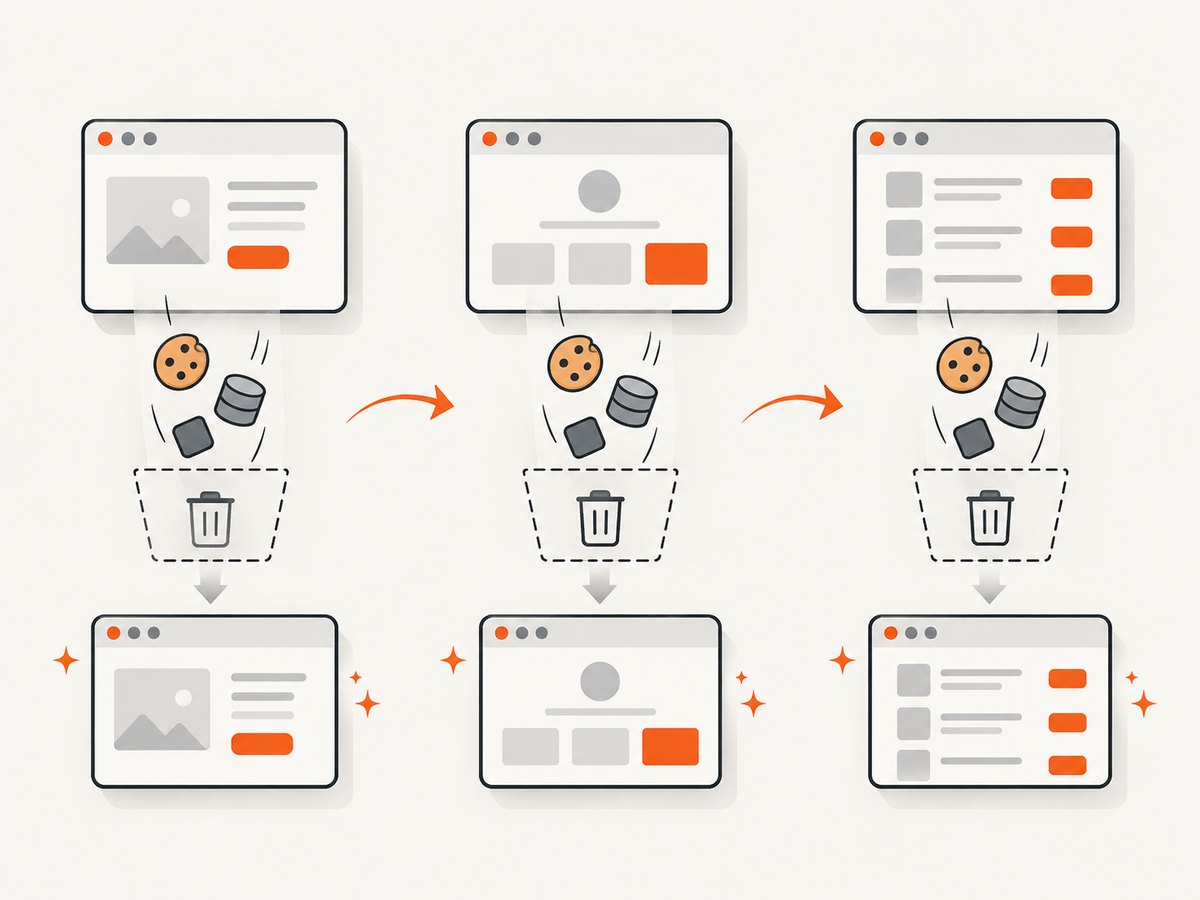
End-to-end test isolation is enabled by default. Before each test Cypress resets cookies, localStorage, sessionStorage, and the page context. A test that depends on a previous test’s login or data can therefore fail in its hook and cause later tests to skip. Cypress’s guidance is that tests should pass independently.
- Create required records in the test or a supported session helper.
- Use stable API setup tasks for data, then visit the UI under test.
- Do not rely on execution order or a mutated global variable.
- Use
cy.sessionfor reusable authentication state and validate the session.
If isolation is disabled for a legacy suite, treat that as a migration signal. Re-enable it in a small group, make each test establish its own state, and then remove the hidden dependency instead of increasing retries.
6. A repeatable diagnostic workflow
- Run the smallest command that reproduces the report:
npx cypress run --e2e --spec 'cypress/e2e/problem.cy.ts'. - Classify each item as pending, skipped, failed, or absent.
- If absent, inspect globs, excludes, testing type, and debug resolution logs.
- If pending, remove intentional markers and disable tag/browser filters for one run.
- If skipped, repair the first shared-hook failure and rerun the block.
- Run the affected test with
.onlyto verify independent setup. - Run the whole spec, then the complete
cypress runcommand used by CI.
7. Troubleshooting common errors
| Symptom | Cause | Fix |
|---|---|---|
No tests found |
File does not match specPattern, is excluded, or CLI path is outside the configured project. |
Correct the glob, move or rename the file, remove the exclude, and rerun with debug namespaces. |
| One test fails, all following tests skip | Shared hook failed. | Fix the first hook error; inspect login, fixtures, intercepts, and teardown. |
| Tagged tests show pending | Grep filtering removed nonmatching tests or specs. | Check grep options and run once without the filter. |
| Test is pending only in Chrome | Browser restriction on the test or suite. | Run the supported browser or remove/update the restriction. |
| Hook times out | Selector, route, server, or request never becomes ready. | Assert the server is reachable, alias the request, use a deterministic selector, and set a justified timeout. |
| Passes alone, fails in suite | State leaked between tests or setup depends on order. | Restore isolation and create state per test. |
8. CI, performance, and reliability
Keep discovery fast by using specific patterns and avoiding a repository-wide catchall. Split independent specs across CI workers only after each spec passes alone. A failing shared hook can create a large wave of skipped results, so fail fast on the first hook error and preserve screenshots, videos, and raw reporter output for diagnosis. Retries can reveal a transient race, but they should not hide deterministic setup failures.
Use a stable application URL, wait on aliased network calls rather than arbitrary sleeps, and keep fixture creation close to the test that needs it. Cache dependencies in CI, but never cache browser storage as a substitute for deterministic setup. The practical cost is CI time: narrowing a reproduction to one spec and one test reduces feedback time, while the final full run protects against order and isolation regressions.
9. Or skip the browser setup
If your workflow only needs a rendered page image for a report, visual check, or debugging artifact, ScreenshotNeo provides a one-request screenshot API. It accepts a URL and returns PNG, JPEG, WebP, or PDF. The request below is the shortest path; see the ScreenshotNeo API documentation for all options.
curl -G 'https://api.screenshotneo.com/v1/shot' -d access_key=YOUR_API_KEY --data-urlencode url=https://stripe.com -o shot.webpimport requests
r = requests.get('https://api.screenshotneo.com/v1/shot', params={'access_key': 'YOUR_API_KEY', 'url': 'https://stripe.com'}, timeout=90)
open('shot.webp', 'wb').write(r.content)const q = new URLSearchParams({ access_key: 'YOUR_API_KEY', url: 'https://stripe.com' });
const res = await fetch(`https://api.screenshotneo.com/v1/shot?${q}`);
if (!res.ok) throw new Error(`Screenshot failed: ${res.status}`);
const fs = await import('node:fs/promises');
await fs.writeFile('shot.webp', Buffer.from(await res.arrayBuffer()));Cookie and consent banners, newsletter popups, and chat widgets are removed before the shot; each cleanup step can be turned off. Bot checks or CAPTCHAs, blank pages, timeouts, failed loads, and cache hits are not billed, and response headers report the page verdict and billing result with X-Page-Verdict and X-Billed. An MCP server exposes take_screenshot, get_page_info, and capture_pdf to Claude, Cursor, and other MCP clients.
You can also capture full pages with lazy images loaded, a CSS-selected element, dark mode, device presets or a custom viewport, retina scale, PDFs with paper size, margins, landscape, and page ranges, HTML/CSS, custom JavaScript, clicks, waits, blocked resources, headers, cookies, user agents, authorization, timezone, geolocation, transparent backgrounds, resizing, TTL caching, signed links, async webhooks, bulk calls for up to 100 URLs, and usage data. Parameter names used by other screenshot APIs also work, which helps when switching.
There is a free tier of 1,000 screenshots per month with no card. Paid plans start at $5 for 3,000; yearly billing gives two months free, and every feature is on every plan. Create a free ScreenshotNeo account and use the free allowance to generate your first artifact.
10. FAQ
Why does Cypress call a test pending instead of skipped?
Pending is intentional: a marker, empty body, browser restriction, or filter tells Cypress not to run it. Skipped usually follows a failed shared hook.
Can --spec run a file outside specPattern?
No. The CLI argument narrows the configured candidate set; it does not override the pattern or exclusions.
Should I disable test isolation to stop skips?
No. Rebuild state in each test or a session helper. Disabling isolation can conceal order dependencies that will fail in CI.
What should I save from CI?
Keep the first hook failure, Cypress debug output, reporter data, and the exact command and browser used. Those details usually identify the scope quickly.


