How to Fix Cypress Visibility Errors Caused by Fixed and Overflowed Ancestors
Diagnose Cypress visibility failures by separating actionability, overflow clipping, and overlay coverage, then assert the behavior your test actually needs.
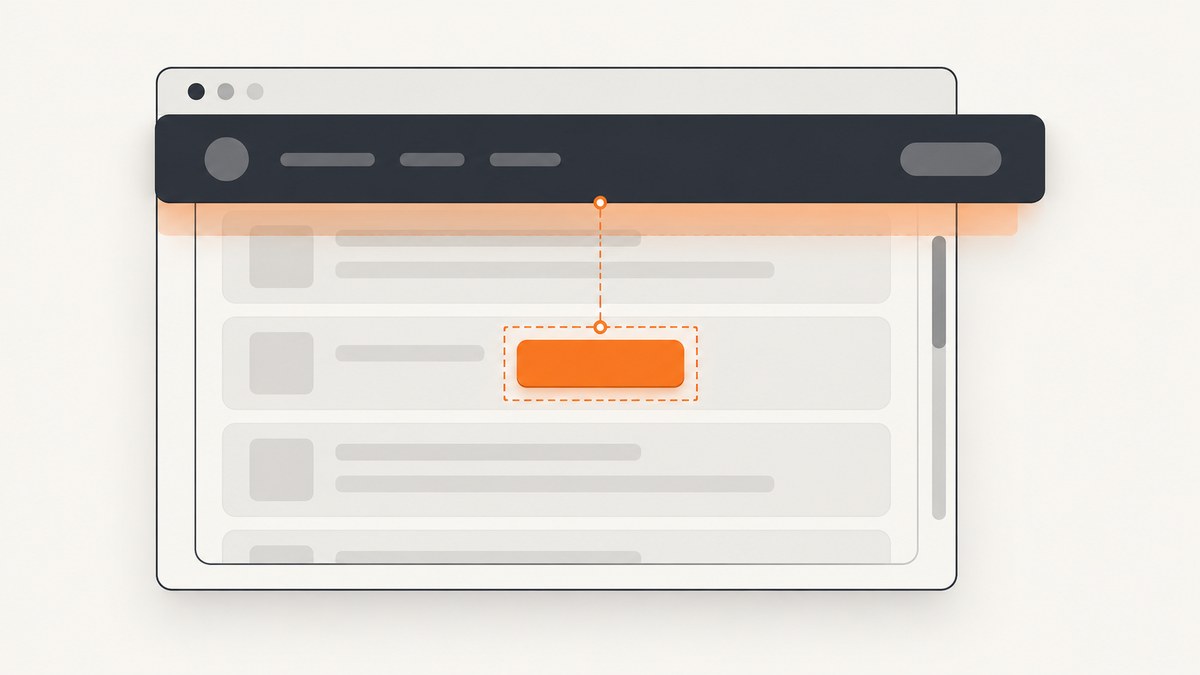
When Cypress reports that an element is not visible, first determine whether an action such as .click() failed or a visibility assertion such as should('be.visible') failed. Those checks answer different questions. An action command runs actionability checks and scrolls its subject into view; a visibility assertion follows the configured visibility strategy. The right fix depends on the Cypress version and whether the test cares about rendered geometry, current overlay coverage, or application state.
In Cypress 16, the default visibility strategy changed to the browser’s native Element.checkVisibility(). Under the modern strategy, overflow clipping alone does not necessarily make an element invisible. If your test means “outside this scrollport,” assert the element’s geometry against the scroll container. If it means “a person can click this point now,” test coverage separately.
1. Identify which visibility check failed
Start with the failed command and the installed Cypress version. Read the error and the command log: did Cypress reject an action, or did a visibility assertion return false? Check the installed version from the project root:
npx cypress versionThe distinction matters because Cypress actions wait for actionability and can scroll the target into view. Visibility assertions do not mean that an element is currently uncovered at a viewport coordinate. Cypress 16 uses the modern strategy by default; earlier versions and projects configured for legacy behavior can report different results.
If an action failed
For .click(), Cypress retries actionability checks until the command times out, scrolling the element into view along the way. A fixed or sticky header can interfere with where the target lands. Try a deliberate scroll alignment:
cy.get('[data-cy=save]').click({ scrollBehavior: 'center' })You can also set an alignment globally in the Cypress configuration:
// cypress.config.js
const { defineConfig } = require('cypress')

module.exports = defineConfig({
  e2e: {
    scrollBehavior: 'center',
  },
})
The documented default is top. Choose the alignment that leaves the target clear of your fixed or sticky UI. If the click still fails, inspect the actual page at the failure point: the overlay may be expected to disappear, may cover the target, or may reveal a genuine layout or application-state defect.
If should('be.visible') failed
Confirm the Cypress version and visibilityStrategy. Cypress 16’s modern strategy delegates to the browser’s checkVisibility() API after a zero-dimension guard. It recognizes browser visibility states such as hidden display, visibility, and content visibility. Its definition differs from the older ancestor-walking algorithm. In particular, overflow clipping and fixed or sticky coverage are not handled the same way as in legacy behavior.
2. Understand overflow ancestors and scrollports
Overflow creates one of the most common mismatches between an assertion and the intended behavior. The legacy algorithm treated clipping by overflow: hidden and content outside an overflow: auto or overflow: scroll ancestor as hidden. The modern strategy intentionally does not equate those conditions with hidden visibility. An offscreen child can still be rendered and have nonzero dimensions.
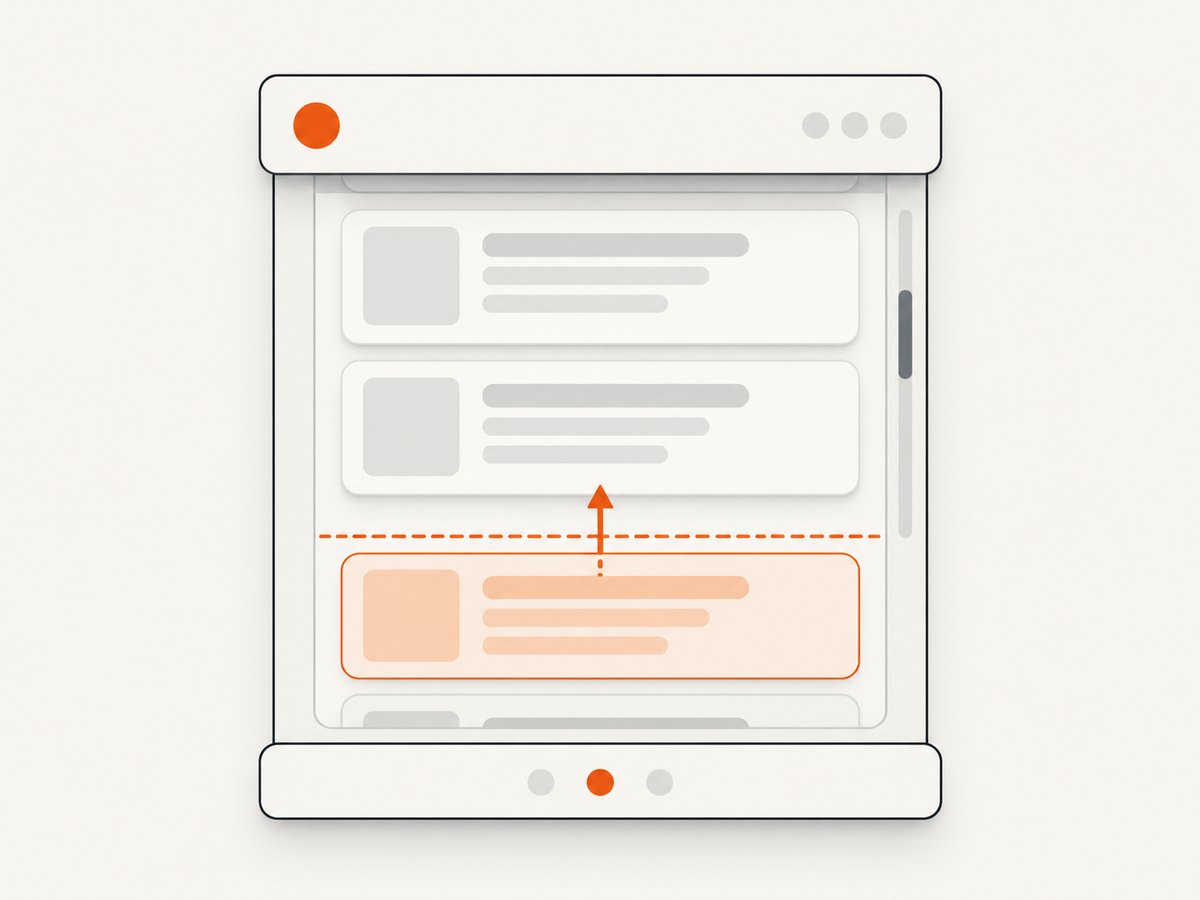
Search-query phrasing such as “Cypress element is not visible because it has an ancestor with overflow hidden” often points to this distinction. The CSS ancestor may clip what is painted, but the assertion’s meaning depends on the active strategy. Avoid changing application CSS until you know what behavior the test should establish.
Assert that an element is below a particular scrollport
If the requirement is specifically that a target lies below a container’s visible area, compare its bounding rectangle with the container rectangle:
cy.get('#scroll-container button').should(($el) => {
  const container = $el[0].closest('#scroll-container')

  expect(container, 'scroll container exists').not.to.be.null
  expect($el[0].getBoundingClientRect().top)
    .to.be.greaterThan(container.getBoundingClientRect().bottom)
})
This assertion checks geometry rather than Cypress’s general visibility semantics. Adapt the comparison to the case: a target may be above, to the left, or to the right of the scrollport. If you need full containment, compare all relevant edges; if partial visibility is acceptable, express that explicitly. Account for borders or a desired inset if the interface defines a smaller usable area than the container’s border box.
Assert the component’s closed state when that is the behavior
A collapsed panel may use overflow: hidden and max-height: 0 while its descendant retains nonzero dimensions. If your application marks the closed state with aria-hidden, assert that meaningful state:
cy.get('[data-cy=details-panel]')
  .should('have.attr', 'aria-hidden', 'true')
Use the state your component actually exposes. Do not add an attribute only to satisfy a test unless it accurately represents the component’s accessible and interactive state.
3. Test whether a fixed or sticky overlay covers the target
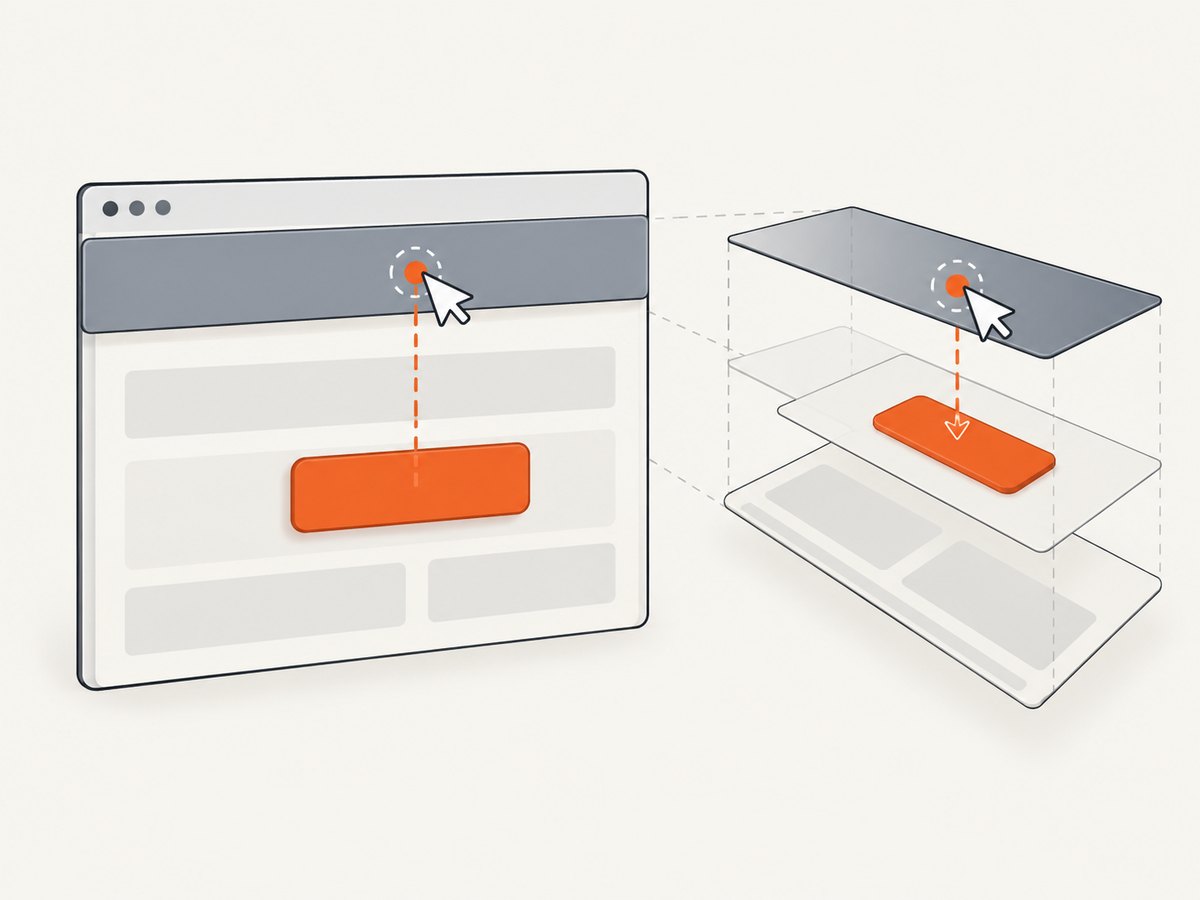
“Visible” and “uncovered at this point right now” are separate conditions. The modern visibility algorithm does not itself detect every overlay-coverage case. If your test needs to ensure a fixed or sticky control is uncovered at its current viewport location, use a hit test. The following helper checks the target’s center with document.elementFromPoint():
function isCovered($el) {
  const el = $el[0]
  const rect = el.getBoundingClientRect()
  const x = rect.left + rect.width / 2
  const y = rect.top + rect.height / 2

  // elementFromPoint uses viewport coordinates. A point outside the
  // viewport or with no hit target is not a successful uncovered check.
  if (x < 0 || y < 0 || x >= window.innerWidth || y >= window.innerHeight) {
    return true
  }

  const topElement = document.elementFromPoint(x, y)
  return !topElement || !(topElement === el || el.contains(topElement))
}

cy.get('[data-cy=save]').should(($el) => {
  expect(isCovered($el), 'target center is covered').to.equal(false)
})
This point test is suitable only when the requirement concerns the target’s current viewport position. It does not establish that an element below the fold will be unusable after Cypress scrolls it into view. A center hit test can also miss partial coverage near another part of a large target; sample multiple points or test the component state if that matches the behavior you need.
4. Choose an assertion that matches the behavior
| Test requirement | Use | What it tells you |
|---|---|---|
| The user can activate the control after scrolling | .click() and assert the resulting state |
Cypress actionability plus the application outcome |
| The element has rendered visible geometry | should('be.visible') under the project’s strategy |
The configured visibility definition |
| The element is outside a specific scrollport | Bounding-rectangle comparisons | Its position relative to that container |
| The target is uncovered at a current viewport point | elementFromPoint() hit test |
Which element is on top at the sampled point |
| A disclosure or panel is open or closed | Assert the component’s state, such as an ARIA attribute | The state the component exposes |
Prefer an end-to-end action and a meaningful result when the product behavior is “the user can save.” Prefer geometry or hit testing only when those specific layout conditions are themselves what you need to verify.
5. Treat legacy visibility as a migration bridge
Cypress provides visibilityStrategy: 'legacy' globally or at suite/test scope as a temporary migration aid. It restores the older algorithm’s behavior for cases including overflow clipping and certain fixed or sticky coverage checks. The option and legacy value are deprecated and scheduled for removal in a future major release, so do not make it the permanent meaning of a test.
// cypress.config.js — temporary compatibility setting
const { defineConfig } = require('cypress')

module.exports = defineConfig({
  e2e: {
    visibilityStrategy: 'legacy',
  },
})
You can scope configuration to a suite or test where supported by the Cypress version in use. Keep that scope narrow and document which assertions are being migrated. Prefer a test that states the intended geometry, coverage, or component state directly.
6. Common errors and fixes
| Symptom | Likely cause | Fix |
|---|---|---|
| “Element is not visible” on a click under a fixed header | The action’s scroll placement leaves the target covered, or the overlay is genuinely on top. | Try scrollBehavior: 'center'; inspect the failure state and correct the layout or overlay behavior if needed. |
should('be.visible') passes for a child clipped by overflow |
The project uses the modern strategy, which does not treat overflow clipping alone as hidden. | Assert the child’s geometry against the scrollport or assert the component’s closed state. |
An element outside overflow: auto is still visible |
Rendered geometry and location inside a scrollport are different questions. | Compare the element and container rectangles in the direction relevant to the layout. |
| A covered element passes a visibility assertion | Modern visibility is not a complete overlay hit test. | Use an elementFromPoint() assertion for current viewport coverage. |
| Legacy tests change after a Cypress upgrade | Cypress 16 changed the default visibility strategy. | Confirm the installed version and strategy; replace broad assumptions with behavior-specific assertions. |
force: true makes the failure disappear |
Forced actions bypass actionability and may conceal a real defect. | Use force only when bypassing actionability is deliberately part of the scenario; otherwise fix the layout, state, or scroll alignment. |
| Hit test says covered even though the target looks visible | The sample point may be outside the viewport, return null, or land on an overlay/descendant arrangement. | Log the rectangle and top element; choose an in-viewport point or sample more points according to the requirement. |
7. Improve reliability and keep the test fast
- Let Cypress retry. Use its normal retry behavior for actionability and assertions rather than fixed sleeps for a layout that may settle at different speeds.
- Wait for a real condition. If an overlay closes asynchronously, wait for its state or for the target’s expected geometry before clicking.
- Keep selectors stable. Use application-owned test selectors such as
data-cyrather than coupling the test to incidental layout classes. - Make geometry assertions local. Compare against the relevant scroll ancestor, not the whole page, and assert only the directional relationship the requirement needs.
- Use a hit test sparingly. It describes a point in the current viewport and can become brittle if the layout shifts. Use it when coverage is the behavior under test.
- Avoid arbitrary delays. A delay slows every run and does not prove that the overlay or layout reached the desired state.
For debugging, record the Cypress version, command that failed, visibility strategy, relevant ancestor overflow styles, target and ancestor rectangles, scroll position, and overlay state. Those details make a version mismatch or geometry issue much easier to distinguish from an application bug.
8. Or skip the browser setup
If you need a page screenshot to inspect a fixed header, overflow container, or overlay without configuring browser capture yourself, ScreenshotNeo provides a website screenshot API and MCP server. One GET request returns an image or PDF; the API supports PNG, JPEG, and WebP screenshots. See the ScreenshotNeo API documentation for parameters and configuration.
curl -G "https://api.screenshotneo.com/v1/shot" \
  -d access_key=YOUR_API_KEY \
  --data-urlencode url=https://stripe.com \
  -o shot.webp
import requests
r = requests.get(
"https://api.screenshotneo.com/v1/shot",
params={"access_key": "YOUR_API_KEY", "url": "https://stripe.com"},
timeout=90,
)
open("shot.webp", "wb").write(r.content)const q = new URLSearchParams({
access_key: 'YOUR_API_KEY',
url: 'https://stripe.com',
})
const res = await fetch(`https://api.screenshotneo.com/v1/shot?${q}`)
if (!res.ok) throw new Error(`Screenshot request failed: ${res.status}`)
const fs = await import('node:fs/promises')
await fs.writeFile('shot.webp', Buffer.from(await res.arrayBuffer()))ScreenshotNeo accepts cookie and consent banners like a visitor, then removes more than 60 known consent platforms, newsletter popups, and chat widgets before the shot; each step can be turned off. Bot checks, blank pages, timeouts, failed loads, and cache hits are not billed, and response headers report the page verdict and billing status. Its MCP server offers take_screenshot, get_page_info, and capture_pdf for Claude, Cursor, and other MCP clients. The free plan includes 1,000 screenshots per month with no card; paid plans start at $5 for 3,000 shots. Learn more at ScreenshotNeo, then sign up for 1,000 free screenshots a month with no card.
9. FAQ
Should I use force: true to fix a Cypress visibility error?
Only when the test intentionally bypasses actionability. A forced click can pass while the control remains covered or unusable, so it is usually a poor fix for a real-user interaction test.
Does be.visible mean a user can click the element?
No. Visibility, current point coverage, and successful interaction are different conditions. Choose the assertion or action that expresses the behavior under test.
Why did overflow-related assertions change after upgrading?
Cypress 16 changed the default visibility strategy to the browser’s native visibility API. Check the installed version and configured strategy before attributing the change to application CSS.
Can Cypress click an element outside a scroll container’s viewport?
Action commands scroll their subject into view as part of actionability. If the action still fails, inspect the resulting placement and any fixed or sticky overlay.
Official Cypress references
- Cypress
.click()API — actionability, scrolling,scrollBehavior, andforce. - Interacting with elements — modern and legacy visibility behavior, clipping, coverage, and assertions.
- Cypress configuration — defaults including visibility strategy and scroll behavior.


