How to Fix Cypress Visual Regression Tests Failing on Snapshots During Test Runs
Find the real cause of flaky Cypress visual snapshots, stabilize test state and rendering, and decide when a baseline should change.
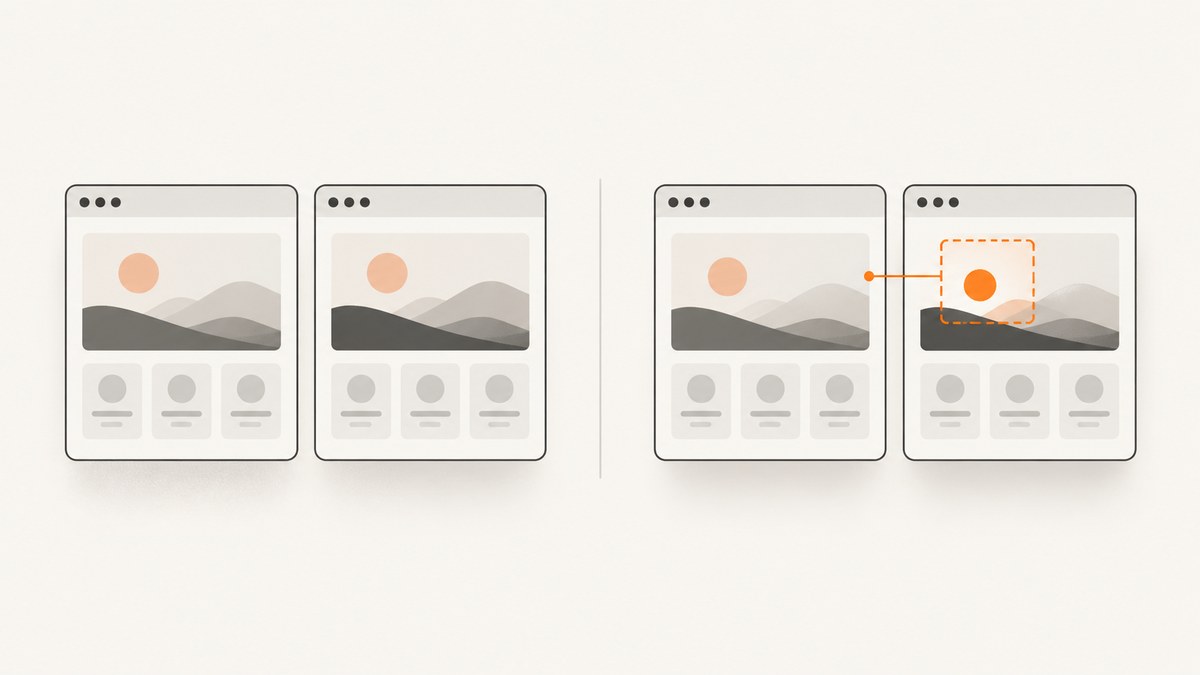
Start by treating a failed visual snapshot as evidence, not as a baseline-update request. A Cypress snapshot can fail because the application changed, because the test captured a different state, or because the rendering environment drifted. Inspect the diff, failure screenshot, video, browser metadata, viewport, and network state first. Then make the state deterministic and rerun. Update the baseline only after confirming that the visual change is intentional.
Cypress describes the same two broad causes: the application changed, or something else changed, such as test data, timing, fonts, or the rendering environment. The workflow below separates those causes and gives concrete Cypress code for each fix.
1. Classify the failure before changing anything
Most wasted time comes from approving a new baseline while the test is still flaky. Put the failure in one of these classes:
| Class | Typical signals | Correct response |
|---|---|---|
| Real application change | The same intentional CSS, layout, copy, or component behavior appears consistently across reruns. | Review the product change, then update the baseline with a clear commit. |
| Test-state nondeterminism | The changed pixels move between runs; timestamps, random IDs, async content, animations, or duplicate names are involved. | Control data, time, network completion, animation, and snapshot naming. |
| Rendering-environment drift | Only CI or only a particular browser, container, font set, viewport, or GPU differs. | Pin the browser and container, install identical fonts, and compare like-for-like renders. |
Open the changed-pixel image at its native size. A few text pixels around a clock suggest volatile data; a whole page shifted by several pixels suggests fonts or viewport dimensions; a missing icon or large blank region suggests an asset or network problem. Check the Cypress failure screenshot and video to see whether the UI was still loading when the snapshot ran.
2. Capture only after the UI reaches a proven state
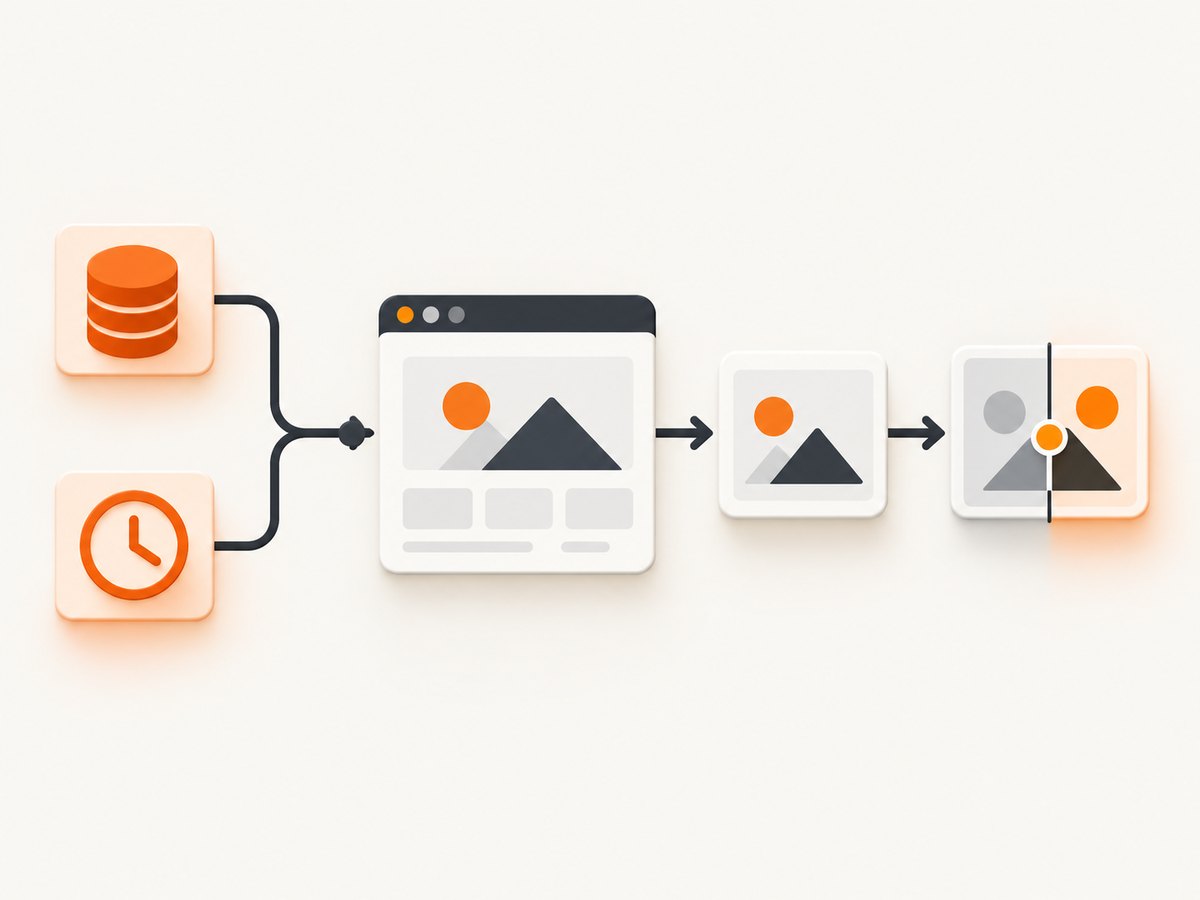
A snapshot should follow a functional assertion that proves the state under test is rendered. Cypress recommends taking a snapshot only after confirming that the page is done changing. Use an assertion, URL check, or completed network request instead of an arbitrary sleep.
describe('results page', () => {
  beforeEach(() => {
    cy.intercept('GET', '**/api/results*').as('results');
    cy.visit('/results');
  });

  it('shows loaded results', () => {
    cy.wait('@results').its('response.statusCode').should('eq', 200);
    cy.get('[data-test=results]').should('be.visible');
    cy.get('[data-test=results-item]').should('have.length.greaterThan', 0);
    cy.screenshot('results page - loaded');
  });
});
The same ordering applies when using a visual service such as Percy:
cy.get('.login-panel').should('be.visible');
cy.percySnapshot('login panel - loaded');
cy.screenshot() is asynchronous and takes time to complete, so do not start another state-changing action immediately after it when the next command depends on the file being written. Cypress documents this behavior in the screenshot command reference.
3. Remove timing races and animation frames
Replace cy.wait(1000) with a condition that represents completion. Intercept the request that drives the UI, wait for its response, then assert the DOM state. For transitions that are irrelevant to the visual assertion, disable them only in the visual-test environment.
beforeEach(() => {
  cy.intercept('POST', '**/api/cart').as('cart');
  cy.visit('/checkout');
  cy.document().then((doc) => {
    const style = doc.createElement('style');
    style.innerHTML = `*, *::before, *::after {
      animation-duration: 0s !important;
      animation-delay: 0s !important;
      transition: none !important;
      caret-color: transparent !important;
    }`;
    doc.head.appendChild(style);
  });
});

it('shows the submitted order', () => {
  cy.get('[data-test=submit-order]').click();
  cy.wait('@cart').its('response.statusCode').should('eq', 200);
  cy.get('[data-test=confirmation]').should('be.visible');
  cy.screenshot('checkout - confirmation');
});
Do not hide a real loading bug by adding a long delay. If the page sometimes needs more time, increase a command timeout for the specific assertion and find out why the state is late.
4. Make data and time deterministic
Seed a known database state or intercept API calls with fixtures. Freeze the clock for labels such as “today,” expiry dates, countdowns, and generated receipts. Remove irrelevant user-specific values from the captured region.
describe('invoice', () => {
  beforeEach(() => {
    cy.clock(new Date('2026-01-15T12:00:00Z').getTime());
    cy.intercept('GET', '**/api/invoice/123', {
      fixture: 'invoice.json'
    }).as('invoice');
    cy.visit('/invoice/123');
  });

  it('renders a stable invoice', () => {
    cy.wait('@invoice');
    cy.get('[data-test=invoice]').should('be.visible');
    cy.screenshot('invoice - fixed date');
  });
});
Freeze randomness at the boundary you control, or stub the endpoint that returns random IDs. Mask balances, advertising, rotating promotions, and account names when those values are outside the visual contract. A mask should not cover the component you are actually testing.
5. Keep browser, viewport, fonts, and assets identical
Local plugins compare images in your own machine or CI environment. That keeps files in your infrastructure, but rendering consistency is your responsibility. Pin the Cypress browser version and container image, install the same font packages, set explicit viewport dimensions and device-pixel settings, and avoid comparing a local baseline with a CI image produced by different software.
// cypress.config.js
const { defineConfig } = require('cypress');

module.exports = defineConfig({
  e2e: {
    baseUrl: 'http://localhost:3000',
    viewportWidth: 1280,
    viewportHeight: 800,
    screenshotOnRunFailure: true,
    video: true
  }
});
When a diff affects text wrapping or every glyph, check fonts before changing CSS. A missing webfont can make the whole layout reflow. Verify stylesheet, image, and font requests in CI logs. Hosted visual services can provide controlled infrastructure and multiple browser or viewport renders; local rendering requires you to reproduce that control yourself. Cypress lists both local plugins and hosted services in its visual testing guide.
6. Verify assets and network timing
Wait for the application state that depends on an image, stylesheet, or webfont. Inspect failed requests in the browser log and confirm that the test URL can reach every required origin from CI. Percy notes that asset discovery can begin before a resource is found; when that is the cause, increase its asset-discovery idle timeout, for example:
percy exec -t 350 -- npx cypress runUse the timeout only after confirming late asset discovery. A long global delay increases CI time and can still capture an intermediate state.
7. Give every snapshot a unique, stable name
Duplicate names can associate different screenshots with one baseline or make review ambiguous. Use the complete test purpose plus a short step suffix. For example:
cy.screenshot('Checkout submits order - 1 confirmation');
cy.screenshot('Checkout submits order - 2 receipt');
Every visual snapshot should have its own name. Include the viewport or state in the name when one test intentionally captures several variants. Also check screenshot path collisions when parallel CI workers write to a shared artifact directory.
8. Handle responsive branches deliberately
A mobile render is a different contract when responsive behavior intentionally removes or rearranges content. Set the viewport explicitly and assert only what belongs to that branch.
const widths = [375, 1280];

widths.forEach((width) => {
  it(`renders navigation at ${width}px`, () => {
    cy.viewport(width, 800);
    cy.visit('/dashboard');
    cy.get('[data-test=nav]').should('be.visible');

    if (width >= 768) {
      cy.get('[data-test=account-balance]').should('be.visible');
    }

    cy.screenshot(`dashboard navigation - ${width}px`);
  });
});
Compare desktop with desktop and mobile with mobile. Do not approve a diff because a desktop-only selector is absent on a phone-sized viewport.
9. Avoid full-page stitching surprises
Cypress stitches full-page captures while scrolling. A fixed or sticky header can therefore appear in multiple positions or be captured more than once. If the full page is required, temporarily change the sticky element to absolute positioning during capture and restore it afterward. If the visual requirement concerns one component, an element-level snapshot is usually more stable.
cy.get('[data-test=sticky-header]').invoke('css', 'position', 'absolute');
cy.screenshot('catalog - full page', { capture: 'fullPage' });
cy.get('[data-test=sticky-header]').invoke('css', 'position', 'sticky');
Prefer an element screenshot when surrounding page length, advertisements, or unrelated widgets should not affect the assertion.
10. Inspect Cypress output and choose the right scope
For each failure, save the changed-pixel image, actual image, expected image, browser and viewport metadata, Cypress failure screenshot, video, and relevant CI logs. Compare the smallest useful region first. Component-level checks reduce noise; full-page checks are appropriate for shell layout, navigation, and spacing relationships.
| Need | Best choice |
|---|---|
| One component’s visual contract | Element-level screenshot with fixed data and viewport |
| Page shell and responsive layout | Full-page screenshot at named desktop and mobile widths |
| Cross-browser rendering | Hosted service or separate pinned browser jobs |
| Private, repository-owned artifacts | Local image-diff plugin with controlled CI images |
11. Decide whether to update the baseline
- Confirm the product change is intentional and reviewed.
- Confirm the test reaches the same deterministic state on two consecutive runs.
- Confirm browser, viewport, fonts, assets, and device-pixel settings match the existing baseline.
- Review the diff at normal size and enlarged size.
- Update only the affected baseline and record why it changed.
If the cause is timing, data, assets, viewport logic, or environment drift, fix that cause and rerun first. A green run after blindly accepting a diff does not prove the test is correct.
12. Or skip the browser setup
For one-off page captures, regression fixtures, or a separate reference image pipeline, ScreenshotNeo provides a website screenshot API and MCP server. It accepts a URL and returns PNG, JPEG, WebP, or PDF. The request below captures a page without installing or managing a browser:
curl -G 'https://api.screenshotneo.com/v1/shot' -d access_key=YOUR_API_KEY --data-urlencode url=https://stripe.com -o shot.webpSee the ScreenshotNeo API documentation for the complete option list. The same call in Python is:
import requests
r = requests.get("https://api.screenshotneo.com/v1/shot", params={"access_key": "YOUR_API_KEY", "url": "https://stripe.com"}, timeout=90)
r.raise_for_status()
open("shot.webp", "wb").write(r.content)
Node.js:
const q = new URLSearchParams({ access_key: 'YOUR_API_KEY', url: 'https://stripe.com' });
const res = await fetch(`https://api.screenshotneo.com/v1/shot?${q}`);
if (!res.ok) throw new Error(`HTTP ${res.status}`);
const bytes = Buffer.from(await res.arrayBuffer());
require('fs').writeFileSync('shot.webp', bytes);
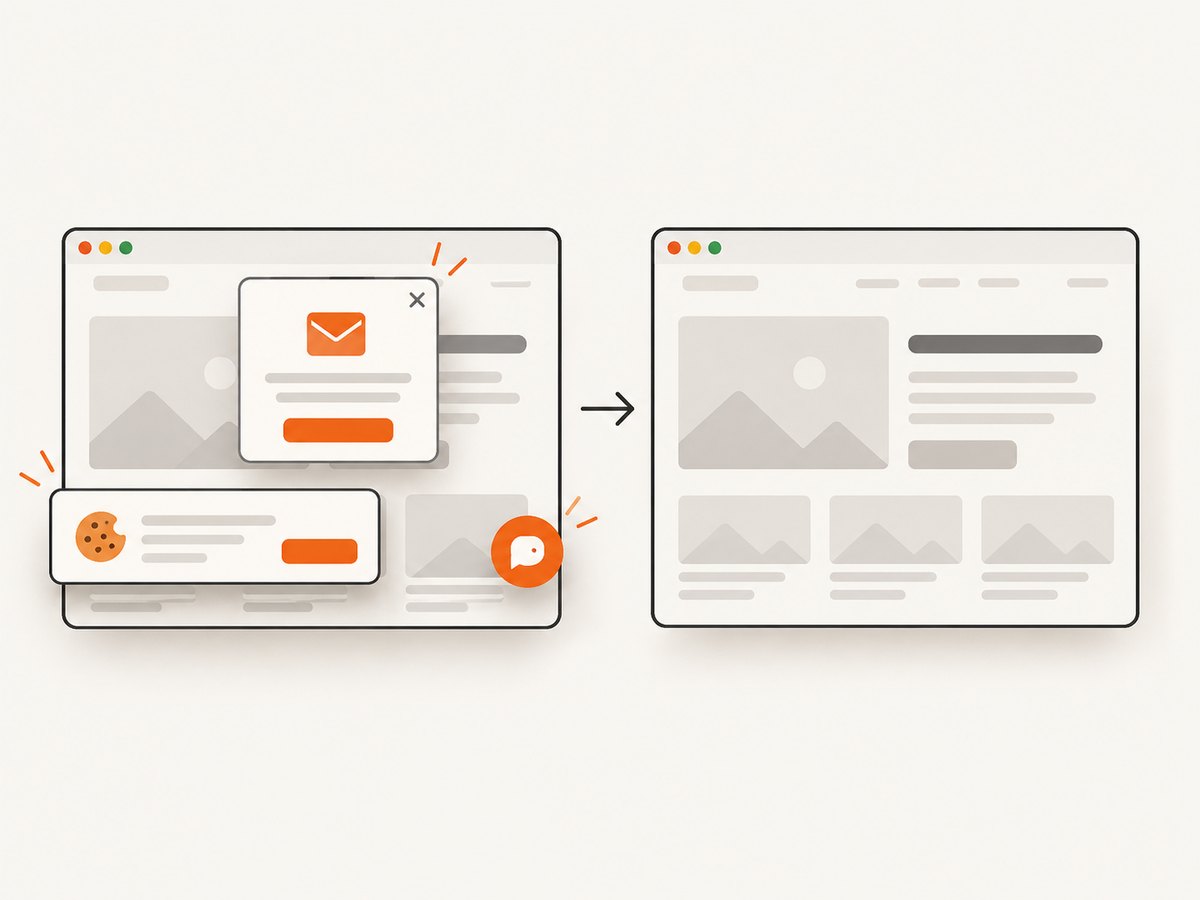
ScreenshotNeo removes cookie and consent banners, newsletter popups, and chat widgets before capture. Bot checks, blank pages, timeouts, failed loads, and cache hits are not billed; response headers identify the page verdict and whether the request was billed. Options include full-page capture with lazy images loaded, CSS-selector element capture, dark mode, device presets or custom viewports, retina scale, custom CSS and JavaScript, click and wait actions, hidden selectors, network-idle waits, blocked ads, trackers or resource types, custom headers, cookies, user agents and Authorization, timezone, geolocation, transparent backgrounds, resizing, TTL caching, signed links, asynchronous jobs with signed webhooks, bulk capture for up to 100 URLs, a usage API, and PDF output.
An MCP server exposes take_screenshot, get_page_info, and capture_pdf to Claude, Cursor, and other MCP clients. Every feature is available on every plan. The Free plan includes 1,000 shots per month with no card; paid plans start at $5 for 3,000 shots. Create a free ScreenshotNeo account to try it.
13. Performance, reliability, and cost notes
- Use element snapshots for focused checks; full-page stitching costs more time and is more sensitive to sticky content.
- Wait on the one request that controls the state instead of adding a fixed delay to every test.
- Cache stable fixtures and avoid loading unrelated third-party widgets in visual jobs.
- Run browser and font changes in a dedicated review so baseline updates have one clear cause.
- Hosted services add subscription and storage costs but can reduce maintenance for browser, font, and cross-browser consistency. Local plugins avoid service fees but require your team to manage images, artifacts, and environment pinning.
- With ScreenshotNeo, cache hits and failed or unusable captures are not billed, and a TTL you choose can reduce repeated captures.
14. Troubleshooting checklist
| Symptom | Likely cause | Fix |
|---|---|---|
| Diff changes on every run | Animation, random data, clock, or async state | Freeze time, stub data, disable transitions, and assert completion. |
| Text wraps differently everywhere | Font, browser, viewport, or device scale drift | Pin the image and browser, install fonts, and set viewport explicitly. |
| Large blank image region | Failed or late asset request | Inspect network logs, wait for the asset state, and verify CI access. |
| Two tests appear to share one baseline | Duplicate snapshot names or paths | Use unique names and check parallel artifact paths. |
| Sticky header repeats in full page | Scroll stitching captured fixed positioning | Temporarily use absolute positioning or capture the element. |
| Mobile assertion fails for missing content | Desktop-only responsive branch | Use a mobile-specific assertion and baseline. |
| ScreenshotNeo returns an unusable page | Bot check, timeout, blank page, or failed load | Inspect X-Page-Verdict, adjust waits or headers, and retry after confirming the target is reachable. |
FAQ
Should I use a pixel threshold?
Use thresholds only for known rendering noise after the test state and environment are deterministic. A threshold should not hide a shifted layout or missing asset.
Is a failed snapshot always a product bug?
No. It can represent intentional product work, nondeterministic state, or environment drift. Classify the diff before assigning ownership.
When is a full-page snapshot worth it?
Use it for page-shell and layout relationships. Use element-level snapshots for isolated components that should not depend on page length or third-party content.
Can I keep visual artifacts private?
Yes. Local plugins keep baselines and diffs in your repository or CI storage. Hosted services have their own storage and review controls, so check their configuration against your project requirements.
What should a good snapshot name contain?
Include the test purpose, state, and step when needed, such as Checkout submits order - 1 confirmation. Names should be unique and stable across runs.


