How to Fix Cypress Clicking the Wrong Element and Logging Out
Find why Cypress clicks the wrong control, then fix selectors, overlays, timing, hitboxes, shadow DOM, and unexpected logout navigation.
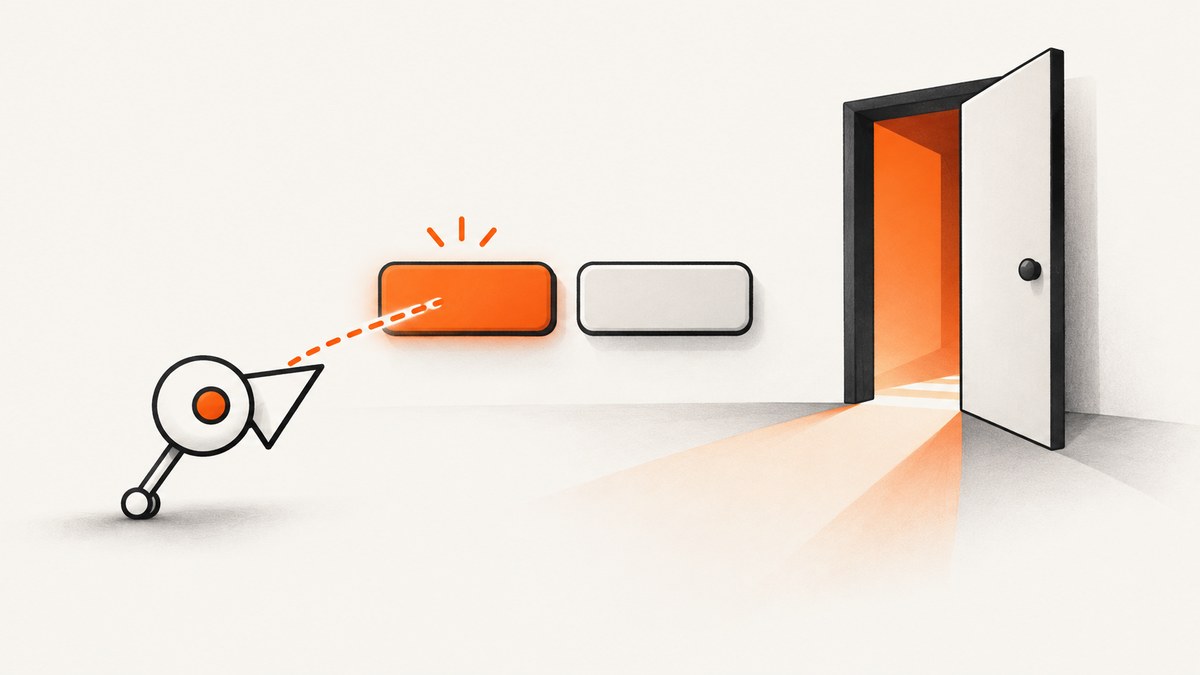
Start by proving what Cypress clicked. Confirm that your selector matches the intended element, inspect the click coordinates in the Cypress Command Log, check for an overlay or changing layout, wait for an application-ready signal, and then query the DOM again after the click. Treat the logout as an application-specific consequence until the matched element, hitbox, navigation, and network request show what caused it.
Cypress waits for an element to become actionable before a normal .click(). It checks conditions such as visibility, whether the element is attached, disabled state, animation, and coverage. Once the element is actionable, Cypress sends the click once; it does not retry the click because the action may already have changed the application. See the official cy.click() API and Cypress guidance on interacting with elements.
1. Confirm the selector and the matched element
A broad selector is the most common starting point for a wrong-element investigation. A selector such as button, .submit, or text shared by several controls can match an unrelated menu, account, or logout control after the page changes.
cy.get('[data-cy=save-profile]')
  .should('have.length', 1)
  .should('be.visible')
  .click()
Use a stable, purpose-built attribute such as data-cy when you control the application. Make the assertion about uniqueness before the action so a duplicate match fails at the point of discovery.
// Debug the current match before clicking
cy.get('[data-cy=account-action]').then(($els) => {
  cy.log(`matched ${$els.length} element(s)`)
  $els.each((index, el) => {
    cy.log(`${index}: ${el.outerHTML.slice(0, 300)}`)
  })
})
If the element is inside a component, scope the query to the component that owns the control:
cy.get('[data-cy=profile-panel]')
  .find('[data-cy=save-profile]')
  .should('have.length', 1)
  .click()
2. Inspect the click coordinates and hitbox
Cypress normally clicks the center of the element. A center point can be the wrong place when a child element, overlapping layer, sticky header, unusual shape, or transparent region changes which control receives the browser event.
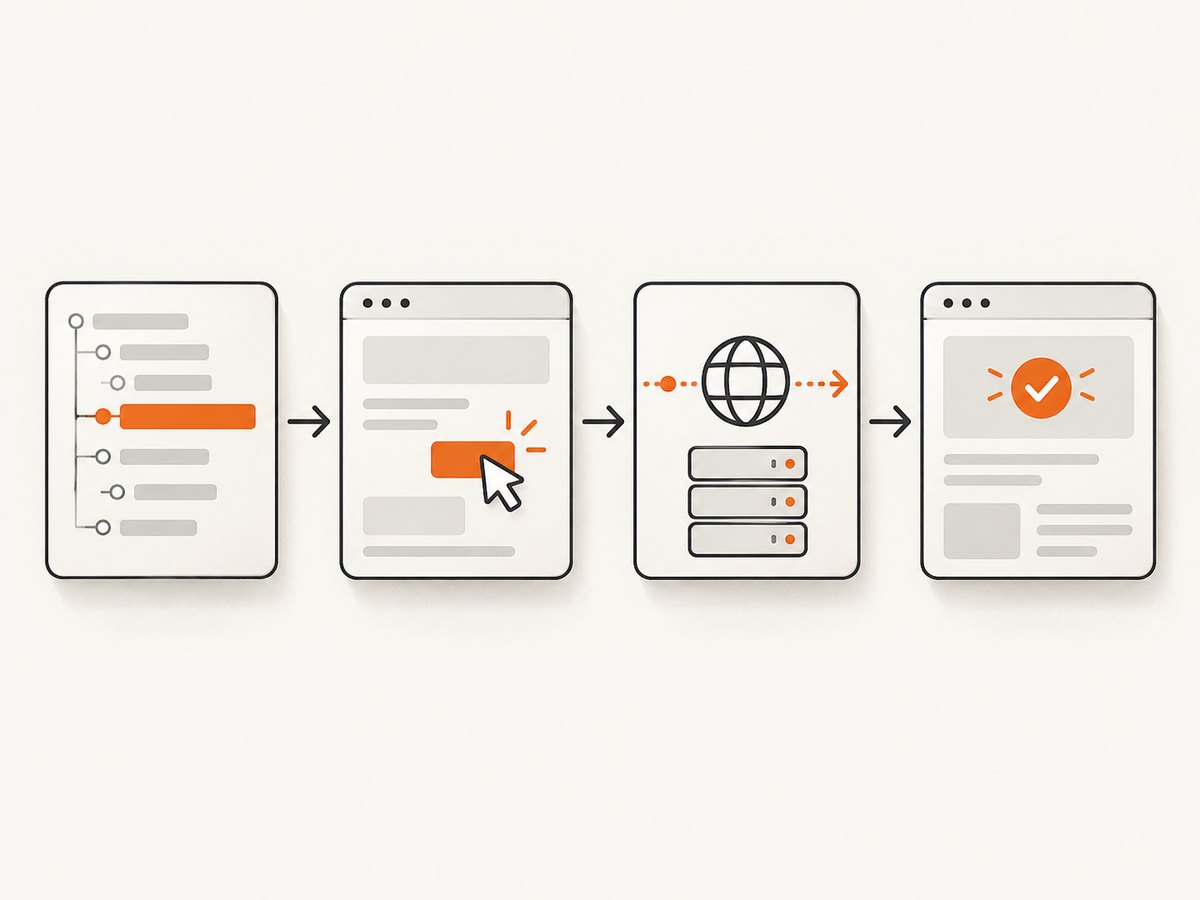
Open the click command in the Cypress Command Log and inspect its event coordinates and hitbox. Check:
- Whether the coordinates are inside the intended control.
- Whether a fixed or sticky element covers that point.
- Whether the layout moved between the query and the click.
- Whether the visible label belongs to a nested child with a different handler.
If the control is intentionally clicked away from its center, use a named position or element-relative coordinates:
// Named positions: top, topRight, right, bottomRight, bottom,
// bottomLeft, left, topLeft, or center
cy.get('[data-cy=menu-toggle]').click('top')

// Relative x and y coordinates from the element's top-left corner
cy.get('[data-cy=canvas-control]').click(12, 8)
Choose a position because the interface requires it and document the reason. Do not use coordinates to conceal an ambiguous selector or a moving layout.
3. Remove or handle overlays as a user would
A consent banner, modal, tooltip, loading layer, chat widget, or sticky header can cover the intended target. Cypress normally detects coverage and refuses the click. If the page is changing quickly, the element can also move after Cypress calculates actionability.
Handle the blocking UI through the same path a user would take:
cy.get('[data-cy=cookie-accept]')
  .should('be.visible')
  .click()

cy.get('[data-cy=checkout]')
  .should('be.visible')
  .click()
If the overlay is controlled by a request, wait for that request instead of adding a fixed sleep:
cy.intercept('GET', '/api/session').as('session')
cy.visit('/dashboard')
cy.wait('@session')
cy.get('[data-cy=settings]').click()
For an application loading indicator, wait for the observable state your application exposes:
cy.get('[data-cy=loading]').should('not.exist')
cy.get('[data-cy=save-profile]').click()
4. Wait for application readiness, not an arbitrary delay
Cypress retries queries and assertions while their conditions are not met, but a click is a side effect. Once it fires, Cypress does not repeat it. Register an intercept before the action when the relevant request is known, then wait on its alias and assert the resulting state.
cy.intercept('POST', '/api/profile').as('saveProfile')

cy.get('[data-cy=save-profile]')
  .should('be.enabled')
  .click()

cy.wait('@saveProfile')
  .its('response.statusCode')
  .should('eq', 200)

cy.get('[data-cy=save-success]').should('be.visible')
Use a meaningful signal such as a request completing, a loading indicator disappearing, or a class or attribute that the application sets. A command like cy.wait(1000) may hide a race on a fast machine and still fail on a slower run.
5. Re-query after a click that rerenders the DOM
A click can replace, detach, or rerender the subject. Cypress documents that it is unsafe to keep chaining commands that rely on the same subject after .click(). Start a fresh query chain after the action.
// Avoid relying on the old subject after the click
cy.get('[data-cy=save-profile]').click()
cy.get('[data-cy=profile-status]').should('contain', 'Saved')
When a framework recreates a row or menu, re-query by its stable selector rather than storing a DOM reference and asserting against it later.
6. Investigate the logout as a separate application symptom
The title alone does not prove that Cypress caused a logout. Determine whether the wrong control was clicked, whether the intended control sent a logout request, or whether a navigation and session change happened independently.
- Record the selector and the number of matched elements.
- Inspect the click coordinates and the element under that point.
- Watch the browser URL and navigation after the click.
- Inspect network requests for logout routes, session mutations, redirects, and failed authentication calls.
- Assert the authenticated state or intended result in a new query chain.
cy.intercept('POST', '/api/logout').as('logout')
cy.intercept('POST', '/api/profile').as('profileUpdate')

cy.get('[data-cy=save-profile]').click()
cy.wait('@profileUpdate')

// If logout is unexpected, make the failure explicit
cy.getCookie('session').should('exist')
cy.location('pathname').should('not.eq', '/logout')
Adapt the routes and assertions to your application. If logout is intentional for the scenario, wait on the logout request and assert the signed-out destination instead.
7. Check the Chrome shadow DOM edge case
Cypress documents a specific Chrome case in which cy.click() can click the wrong element when shadow DOM is involved. This is a narrow browser and DOM-context issue, not a general explanation for every wrong click. Confirm that the failing control is inside shadow DOM and that the failure occurs in Chrome before trying the documented position workaround.
// Documented workaround to try for the matching shadow-DOM case
cy.get('my-component')
  .shadow()
  .find('[data-cy=action]')
  .click('top')
If the workaround changes the result, keep the shadow-root scoping and add a regression assertion around the intended outcome.
8. Use click options deliberately
| Option or technique | Use it for | Risk |
|---|---|---|
click('top') or another named position |
A control whose center is not the correct hit point | Can mask a layout or overlay defect if chosen arbitrarily |
click(x, y) |
A deliberate point inside a canvas or custom control | Breaks when dimensions or layout change |
scrollBehavior |
Controlling where Cypress scrolls the element before actionability checks | May expose a fixed-header coverage problem that should be fixed in the UI |
waitForAnimations and animationDistanceThreshold |
Applications with known, measurable motion before interaction | Loosening animation checks can reintroduce timing races |
multiple: true |
Intentionally clicking every element in a matched collection | Dangerous for broad selectors; one unintended match can mutate the app |
force: true |
A documented case where the application intentionally requires bypassing actionability checks | Skips checks such as coverage and visibility and can hide the real bug |
// Use force only with a reason you can explain in the test
cy.get('[data-cy=offscreen-action]')
  .click({ force: true })
Cypress recommends dealing with a covering element as a user would before reaching for force: true. A forced click that makes the test green without explaining the overlay, selector, or timing problem is usually a brittle repair.
9. A complete diagnostic test pattern
describe('profile save', () => {
  it('saves the profile without signing out', () => {
    cy.intercept('GET', '/api/session').as('session')
    cy.intercept('POST', '/api/profile').as('profileUpdate')
    cy.intercept('POST', '/api/logout').as('logout')

    cy.visit('/profile')
    cy.wait('@session')

    cy.get('[data-cy=cookie-accept]').then(($button) => {
      if ($button.is(':visible')) cy.wrap($button).click()
    })

    cy.get('[data-cy=profile-form]').should('be.visible')
    cy.get('[data-cy=save-profile]')
      .should('have.length', 1)
      .should('be.visible')
      .should('be.enabled')
      .click()

    cy.wait('@profileUpdate').its('response.statusCode').should('eq', 200)
    cy.get('[data-cy=profile-status]').should('contain', 'Saved')
    cy.getCookie('session').should('exist')
    cy.location('pathname').should('not.eq', '/logout')
    cy.get('@logout.all').should('have.length', 0)
  })
})
The conditional cookie example is only appropriate when the banner is optional in the current environment. If the banner must always be handled, assert that it is present and click it directly so a changed consent flow fails loudly.
10. Troubleshooting common failures
| Symptom | Likely cause | Fix |
|---|---|---|
| Cypress says the element is covered | Modal, banner, sticky header, tooltip, or loading layer overlaps the hitbox | Dismiss or wait for the overlay using a visible application signal; inspect the Command Log coordinates |
| The selector matches two or more controls | Broad class, text, or tag selector | Add a stable data-cy selector, scope with .within() or .find(), and assert length one |
| The click works locally but fails in CI | Different timing, viewport, animation, browser, or fixed-position coverage | Wait on a request or loading state, record the viewport/browser, and inspect the hitbox in the failing run |
| The click hits a menu or logout control | Center point is covered or the layout moved | Fix the overlay/layout, choose a deliberate position only when required, and re-query after rerender |
Adding force: true makes it pass |
Actionability checks were bypassed | Find the covering element or readiness race; retain force only for a documented intentional case |
| The element becomes detached after clicking | Framework rerender replaced the subject | Start a new cy.get() chain after the click |
| The test unexpectedly lands on a logout route | Wrong control, logout request, redirect, or session failure | Intercept relevant routes, inspect the request and URL, and assert the session cookie and intended state |
| Only Chrome with shadow DOM fails | Documented Cypress shadow-DOM click edge case | Confirm the context and try the documented named-position workaround |
| A fixed sleep fixes the test intermittently | Unmodeled application readiness | Replace the delay with an intercept, loading-state assertion, or stable attribute |
11. Performance, reliability, and maintenance
- Keep selectors cheap and stable. Purpose-built attributes reduce retries and make failures easier to interpret.
- Wait on the smallest useful signal. Waiting for the relevant request or component state avoids both premature clicks and unnecessary test time.
- Control layout variables. Use a consistent viewport and browser when diagnosing coordinate and fixed-header issues, then test supported variants deliberately.
- Capture evidence on failure. Preserve the Command Log, screenshot, video, URL, matched-element count, and relevant network aliases in CI artifacts.
- Do not hide defects with force. Forced clicks can make a suite appear faster while allowing a real user-facing obstruction to remain.
- Assert the business result. A successful click command is not proof that the correct action happened; assert the response, state change, and session status.
12. Or skip the browser setup
If your goal is to capture a page for a test artifact, documentation image, or visual check rather than exercise a real user click, ScreenshotNeo provides a single HTTP request for a screenshot or PDF. Before capture it accepts cookie and consent banners as a visitor and removes more than 60 known consent platforms, newsletter popups, and chat widgets. Bot checks, blank pages, timeouts, failed loads, and cache hits are not billed, and each response identifies the result with X-Page-Verdict and X-Billed headers. Its MCP server also lets Claude, Cursor, and other MCP clients call take_screenshot, get_page_info, and capture_pdf.
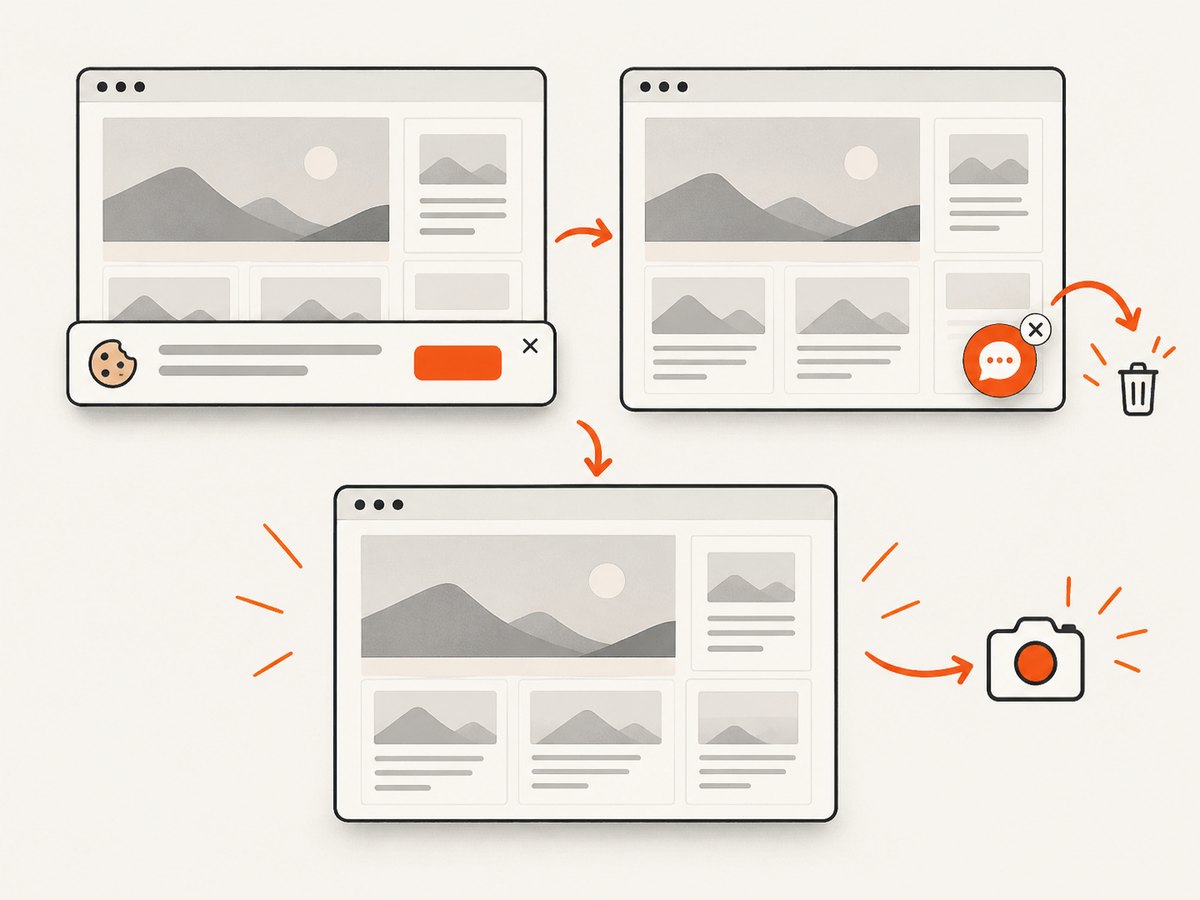
See the ScreenshotNeo API documentation for the request options and response details.
cURL
curl -G "https://api.screenshotneo.com/v1/shot" \
  -d access_key=YOUR_API_KEY \
  --data-urlencode url=https://stripe.com \
  -o shot.webp
Python
import requests

r = requests.get(
    "https://api.screenshotneo.com/v1/shot",
    params={"access_key": "YOUR_API_KEY", "url": "https://stripe.com"},
    timeout=90,
)
r.raise_for_status()
open("shot.webp", "wb").write(r.content)
Node.js
const q = new URLSearchParams({
  access_key: 'YOUR_API_KEY',
  url: 'https://stripe.com'
});
const res = await fetch(`https://api.screenshotneo.com/v1/shot?${q}`);
if (!res.ok) throw new Error(`Screenshot failed: ${res.status}`);
const buffer = Buffer.from(await res.arrayBuffer());
await import('node:fs/promises').then(fs => fs.writeFile('shot.webp', buffer));
ScreenshotNeo supports full-page capture with lazy images loaded, CSS-element capture, dark mode, device presets and custom viewports, retina scale, PDF output, custom CSS and JavaScript, click and wait conditions, request blocking, custom headers and cookies, timezone and geolocation, transparent backgrounds, resizing, configurable caching, signed links, asynchronous jobs with signed webhooks, bulk capture, usage reporting, and an OpenAPI specification. Parameter names used by other screenshot APIs also work, which can simplify migration.
The Free plan includes 1,000 screenshots each month with no card. Paid plans start at $5 for 3,000 screenshots; yearly billing gives two months free. Every feature is available on every plan. Create a free ScreenshotNeo account to start.
13. FAQ
Does Cypress randomly click the wrong element?
The result usually reflects a specific selector, hitbox, overlay, timing, rerender, or browser condition. Inspect the matched element and coordinates before calling it random.
Should I always click with force: true?
No. Force bypasses actionability checks, including coverage. Use it only when the application intentionally requires that behavior and the reason is documented.
Why does the test log out only after another click?
Inspect the event target, navigation, session cookie, and logout request. The click may have reached an account control, or the application may have changed session state independently.
What should I assert after clicking?
Assert the relevant request and resulting application state, then verify the session remains valid when logout is not expected.
When is a screenshot API useful for Cypress work?
Use one when you need page images or PDFs without driving a browser interaction yourself. Keep Cypress for behavior that must verify real clicks, keyboard input, navigation, and application state.


