How to Fix Dockerized Rails RSpec System Tests That Cannot Connect
Fix ERR_CONNECTION_REFUSED in Dockerized Rails system specs by tracing container networking, Capybara hosts, ports, and remote Selenium routes.
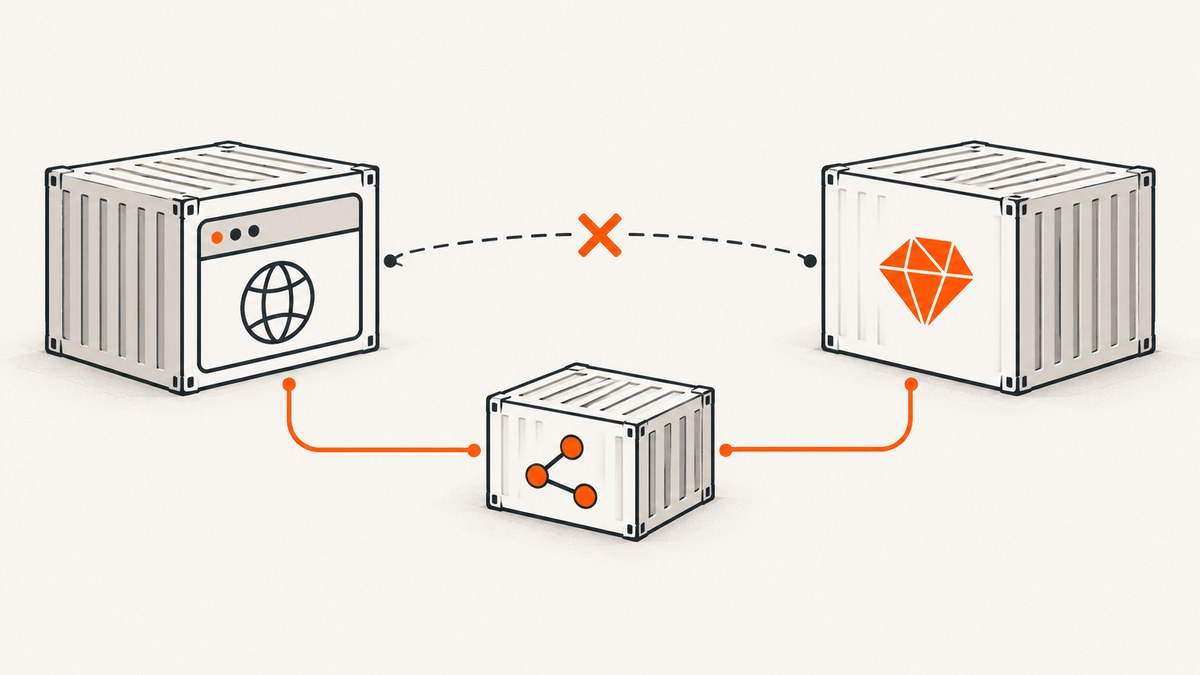
When a Dockerized Rails RSpec system test reports ERR_CONNECTION_REFUSED, connection refused, or simply cannot load the application, the browser is usually connecting to the wrong network namespace. A browser in one container treats localhost and 127.0.0.1 as its own container. It cannot reach a Rails process in another container through that address.
The reliable fix is to identify where each process runs, put the Rails and browser services on a reachable network, bind Capybara’s server to 0.0.0.0, and give the remote browser an application URL using the Rails Compose service name and container port. Keep the Selenium endpoint and the Rails application URL separate: one tells RSpec where the browser driver is; the other tells that browser where Rails is.
1. Understand the connection that is failing
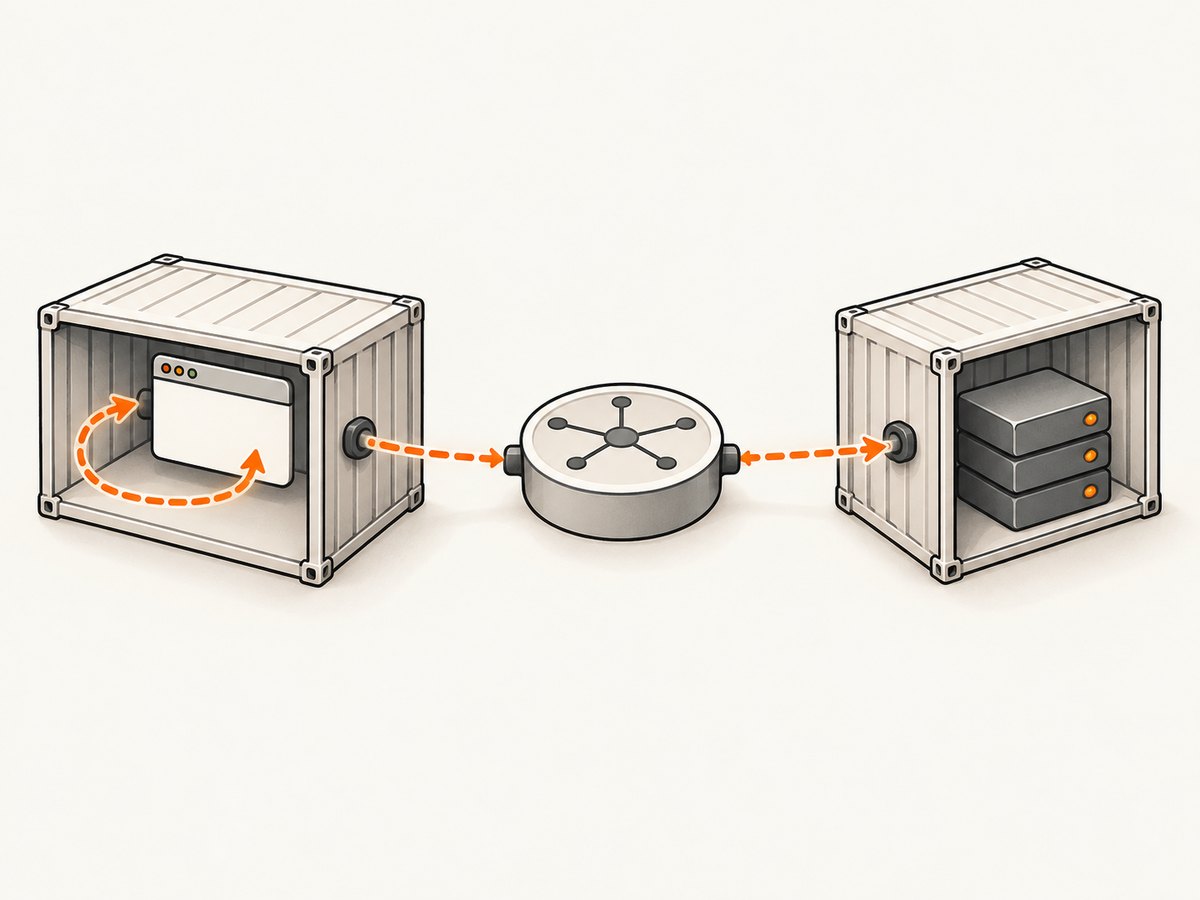
A system test can involve at least three separate processes:
| Process | What it does | Address it needs |
|---|---|---|
| RSpec test runner | Runs the example and talks to Capybara/Selenium | Selenium endpoint and test configuration |
| Rails test server | Serves the application under test | A listening interface and port |
| Browser or Selenium container | Actually requests the page URL | A route to the Rails container |
Write down the location of every process before changing configuration. Ask:
- Is Rails running on the host or in a Compose service?
- Is the browser local or in a Selenium/Chrome container?
- Which Docker networks contain each service?
- Which port does Capybara’s test server listen on inside the Rails container?
- Is the failing URL the Selenium remote URL or the Rails
app_host?
A published port such as 3000:3000 exposes a container port to clients outside the Docker network. It does not mean another container should use the host’s loopback address. Services on a shared Compose network normally reach one another through service-name DNS and the container-side port. See Docker’s Compose networking documentation for service discovery and port behavior.
2. Use the correct URL for a shared Compose network
Suppose your Compose file has a Rails service named web, and Capybara listens on port 3000 inside that service. The browser-facing URL is:
http://web:3000Replace both values with the names and ports in your project. The name must be the Compose service name (or a configured network alias), not a container IP. Docker can assign a different IP after a container is recreated, while service-name DNS remains the intended stable route.
Do not automatically use the published host port for this internal request. If Rails is published as 3001:3000, another Compose service normally still connects to web:3000. The left side, 3001, is for clients outside the container network; the right side, 3000, is the port on which Rails listens inside the container.
3. Bind Capybara to a reachable interface
A server bound only to 127.0.0.1 can accept requests from inside its own container but not from a browser container. Rails’ remote system-test guidance uses:
Capybara.server_host = "0.0.0.0"
Capybara.app_host = "http://web:3000"
0.0.0.0 tells the test server to listen on the container’s network interfaces. It does not select the hostname the browser should visit; app_host still needs the address that routes from the browser container to Rails.
Choose a deterministic port when diagnosing the problem. A fixed port makes it easier to compare the Rails listener, Compose configuration, and browser URL:
# spec/support/system_test.rb
Capybara.server_port = 3000
Capybara.server_host = "0.0.0.0"
Capybara.app_host = "http://web:3000"
Only use this exact file and values if your RSpec setup loads it and your service is actually named web. Otherwise place equivalent settings in the system-spec support path your project loads.
4. Configure RSpec Rails in the file it actually loads
RSpec Rails system specs wrap Rails system-test behavior, but RSpec does not use the ApplicationSystemTestCase helper configuration in the same way as Rails’ built-in system tests. If changing that helper has no effect, the browser and Capybara settings are probably being loaded elsewhere.
A typical RSpec setup can require support files from rails_helper.rb:
# spec/rails_helper.rb
Dir[Rails.root.join("spec/support/**/*.rb")].sort.each { |f| require f }

RSpec.configure do |config|
  config.before(:each, type: :system) do
    driven_by :selenium, using: :headless_chrome, screen_size: [1400, 1400]
  end
end
Then keep the network-specific Capybara settings in the required support file:
# spec/support/system_test.rb
Capybara.server_port = 3000
Capybara.server_host = "0.0.0.0"
Capybara.app_host = "http://web:3000"
Your driver declaration may differ. The important distinction is that SELENIUM_REMOTE_URL locates Selenium, while Capybara.app_host is the URL that the browser opens after the driver starts.
5. Configure a remote Selenium browser
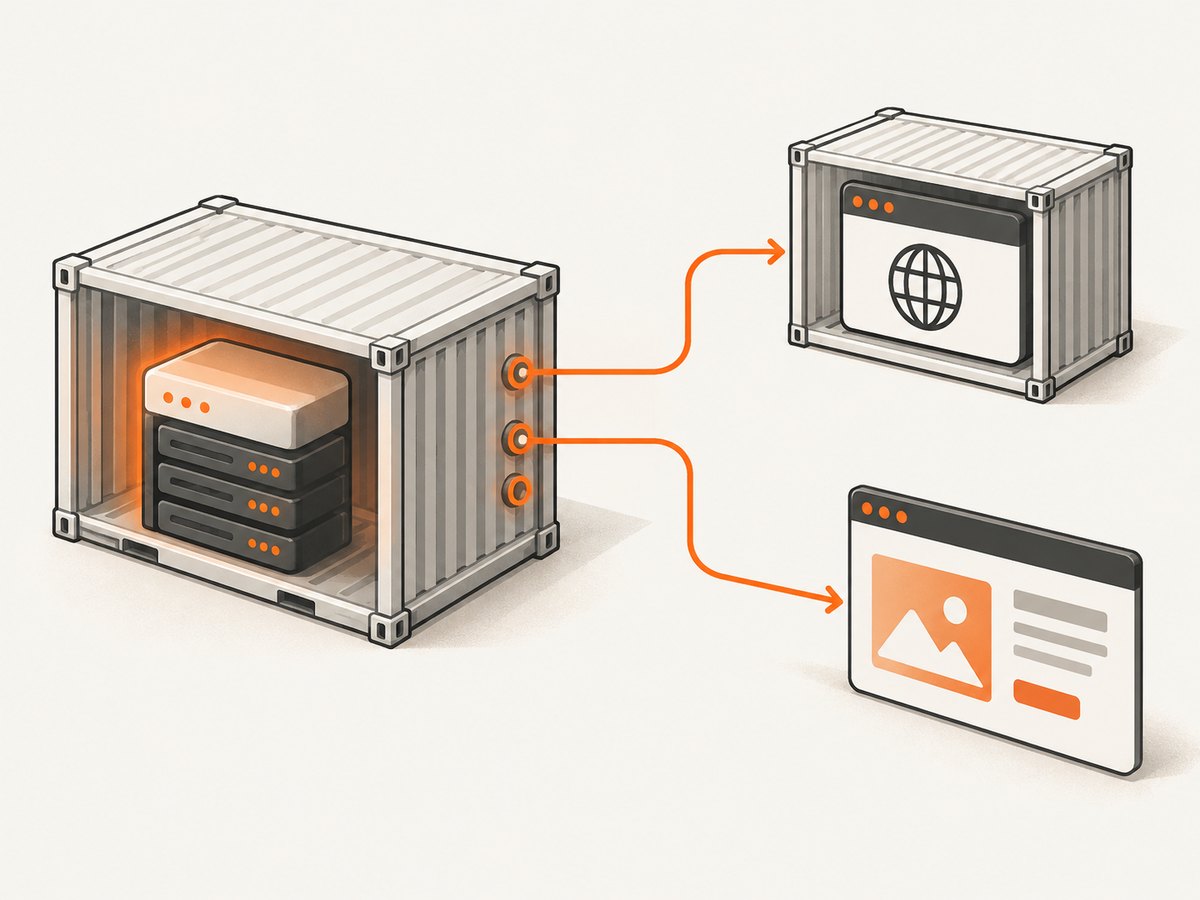
When Selenium runs in another container, point the driver at that service. The exact URL depends on your Compose service name and Selenium image. A configuration sketch is:
selenium_url = ENV["SELENIUM_REMOTE_URL"]

Capybara.server_host = "0.0.0.0"
Capybara.app_host = "http://web:3000"

if selenium_url
  Capybara.register_driver :remote_chrome do |app|
    options = Selenium::WebDriver::Chrome::Options.new
    options.add_argument("--headless=new")
    options.add_argument("--no-sandbox")
    options.add_argument("--disable-dev-shm-usage")

    Capybara::Selenium::Driver.new(
      app,
      browser: :chrome,
      url: selenium_url,
      options: options
    )
  end

  Capybara.default_driver = :remote_chrome
  Capybara.javascript_driver = :remote_chrome
end
Use the Selenium service hostname for SELENIUM_REMOTE_URL, and the Rails service hostname for app_host. They are often different values. Rails’ testing guide shows the same general pattern for remote browsers: select a remote Selenium driver and set an application host reachable by that browser.
6. Verify the Docker topology before running specs
- Inspect service status.
docker compose psConfirm that both Rails and Selenium are running.
- Inspect networks.
docker compose config
docker network ls
docker inspect <rails-container>
docker inspect <selenium-container>
Check that both containers share a network or have another deliberate route.
- Check published ports.
docker compose port web 3000This tells you the host mapping. It does not replace the container-side route for same-network traffic.
- Resolve the service name from the browser container.
docker compose exec selenium getent hosts webIf the command is unavailable, use the image’s DNS or networking tools.
- Test the Rails route from the browser container.
docker compose exec selenium curl -v http://web:3000/A refused connection indicates a listener, port, bind, or network problem. A successful HTTP response means the browser can route to Rails and the remaining issue is likely driver or application configuration.
- Check the Rails listener.
docker compose exec web ss -lntpLook for the expected port and an address such as
0.0.0.0:3000, rather than only127.0.0.1:3000.
Docker’s networking documentation covers network inspection and connectivity checks. Run these commands from the same container namespace as the browser whenever possible; a successful request from the host does not prove that the browser container has the same route.
7. If Rails runs on the host instead
A host gateway is for a different topology: Rails is on the host, while the browser is in a Linux container. Docker documents mapping host.docker.internal to host-gateway:
services:
  selenium:
    extra_hosts:
      - "host.docker.internal:host-gateway"
Rails must also listen on an interface reachable from the container, for example by binding to 0.0.0.0, and the browser-facing URL must use the host gateway and the host’s listening port:
Capybara.server_host = "0.0.0.0"
Capybara.app_host = "http://host.docker.internal:3000"
Do not use this arrangement when Rails is already a Compose service reachable by service name. Service DNS and a host gateway cross different boundaries and should not be interchanged.
8. Common errors and precise fixes
| Symptom | Likely cause | Fix |
|---|---|---|
ERR_CONNECTION_REFUSED at localhost |
Browser loopback points to the Selenium/browser container | Use the Rails service name and container port in app_host |
| Service name cannot be resolved | Containers are not on a shared network, or the name is wrong | Attach both services to the same Compose network and use the exact service name |
| Connection refused at the correct service name | Rails is stopped, listening on another port, or bound to loopback | Check logs and listeners; set server_host to 0.0.0.0 and match server_port |
| Host port works, container URL fails | Host publication was mistaken for an internal route | Use the container-side port for service-to-service traffic |
| Works until a container is recreated | A fixed container IP was used | Use Compose service-name DNS |
Changing ApplicationSystemTestCase changes nothing |
RSpec system specs do not load that helper’s configuration | Put Capybara and driver settings in the RSpec system-spec setup |
| Browser starts but visits the wrong URL | Selenium endpoint and Rails app_host were conflated |
Configure the remote driver URL separately from the application URL |
| Intermittent startup refusal | RSpec starts before Rails or Selenium is ready | Add a health check or readiness wait and inspect service logs before retrying |
9. A complete Compose-oriented example
This example shows the relationships, not a universal drop-in file. Adjust image names, commands, dependencies, and ports for your application:
services:
  web:
    build: .
    command: bundle exec rspec
    environment:
      RAILS_ENV: test
      SELENIUM_REMOTE_URL: http://selenium:4444/wd/hub
    networks:
      - testnet

  selenium:
    image: selenium/standalone-chrome
    networks:
      - testnet

networks:
  testnet:
# spec/support/system_test.rb
Capybara.server_port = 3000
Capybara.server_host = "0.0.0.0"
Capybara.app_host = "http://web:3000"
Capybara.register_driver :remote_chrome do |app|
options = Selenium::WebDriver::Chrome::Options.new
options.add_argument("--headless=new")
options.add_argument("--no-sandbox")
options.add_argument("--disable-dev-shm-usage")
Capybara::Selenium::Driver.new(
app,
browser: :chrome,
url: ENV.fetch("SELENIUM_REMOTE_URL"),
options: options
)
end
Capybara.default_driver = :remote_chrome
Capybara.javascript_driver = :remote_chromeThe key facts are visible in one place: both services share testnet, Selenium is addressed as selenium, Rails is addressed as web, and Rails listens on an interface reachable by the browser.
10. Reliability, startup order, and performance
Network correctness is necessary but does not guarantee reliable system tests. A container can be running while Rails is still booting, migrations are still executing, or Selenium is accepting connections before a browser session is ready. Use Compose health checks or an explicit readiness command that requests the Rails URL from the browser-side network.
Keep the route short: browser to Rails over the shared Docker network avoids unnecessary host NAT and removes ambiguity about which port is being used. Fixed service names also avoid DNS and IP churn caused by recreation. For parallel test jobs, give each job an isolated project/network or distinct server ports so one job cannot connect to another job’s Rails process.
When a test fails, preserve the browser’s requested URL, the Rails container logs, the Selenium logs, and the output of the in-container curl check. This separates application errors such as a 500 response from transport errors such as refusal or DNS failure.
11. Or skip the browser setup
If your goal is to capture a page image or PDF rather than exercise a full interactive system test, ScreenshotNeo removes the browser-container networking work. Its API accepts one GET request with a URL and returns a PNG, JPEG, WebP, or PDF. Cookie and consent banners, newsletter popups, and chat widgets are removed before capture; bot checks, blank pages, failed loads, timeouts, and cache hits are not billed, and the response reports the page verdict and billing status in X-Page-Verdict and X-Billed headers. Every plan includes the features, and an MCP server provides take_screenshot, get_page_info, and capture_pdf for AI agents.
See the ScreenshotNeo API documentation for authentication and options. A minimal call is:
curl -G "https://api.screenshotneo.com/v1/shot" -d access_key=YOUR_API_KEY --data-urlencode url=https://stripe.com -o shot.webpimport requests
r = requests.get(
"https://api.screenshotneo.com/v1/shot",
params={"access_key": "YOUR_API_KEY", "url": "https://stripe.com"},
timeout=90,
)
r.raise_for_status()
open("shot.webp", "wb").write(r.content)const q = new URLSearchParams({
access_key: 'YOUR_API_KEY',
url: 'https://stripe.com'
});
const res = await fetch(`https://api.screenshotneo.com/v1/shot?${q}`);
if (!res.ok) throw new Error(`Screenshot failed: ${res.status}`);
const data = Buffer.from(await res.arrayBuffer());
await fs.promises.writeFile('shot.webp', data);For Rails-side automation, call the same endpoint from a job or test helper and save the response body as an artifact. ScreenshotNeo supports full-page capture with lazy images, CSS-selector element capture, dark mode, device presets, custom viewport and retina scale, PDF paper and margin settings, custom CSS/JavaScript, clicks, waits, request blocking, headers, cookies, user agents, authorization, timezone, geolocation, transparent backgrounds, resizing, configurable caching, signed image links, asynchronous jobs with signed webhooks, bulk capture for up to 100 URLs, usage reporting, and an OpenAPI specification. Parameter names used by other screenshot APIs also work to ease migration.
Pricing is Free for 1,000 shots per month with no card, then Starter is $5 for 3,000, Growth $15 for 15,000, Pro $39 for 60,000, Scale $99 for 250,000, and Business $249 for 1,000,000. Yearly billing gives two months free. Sign up for 1,000 free screenshots a month with no card.
12. Short FAQ
Why does localhost work in a local browser but fail in Docker?
Each container has its own loopback interface. In a browser container, localhost means that browser container, not the Rails container and not automatically the Docker host.
Should I use the host-mapped port or the Rails container port?
For browser and Rails services on the same Compose network, use the Rails container port. Use the host-mapped port when the client is outside that network and the topology intentionally routes through the host.
Can I solve this by assigning a static container IP?
It may work temporarily, but recreated containers can receive new addresses. Compose service-name DNS is the normal stable route.
What does 0.0.0.0 change?
It makes the Rails test server listen on all container interfaces. You still need an app_host hostname and port that the remote browser can route to.
How do I tell a Rails error from a Docker connection error?
Run curl -v to the Rails service from inside the browser container. A refusal or DNS failure is transport; an HTTP response such as 404 or 500 means the request reached Rails and should be debugged as an application response.


