How to Fix dom-to-image in Safari with Multiple Images
Safari does not support dom-to-image’s foreignObject approach. Diagnose missing resources, then export SVG and rasterize it on a server.
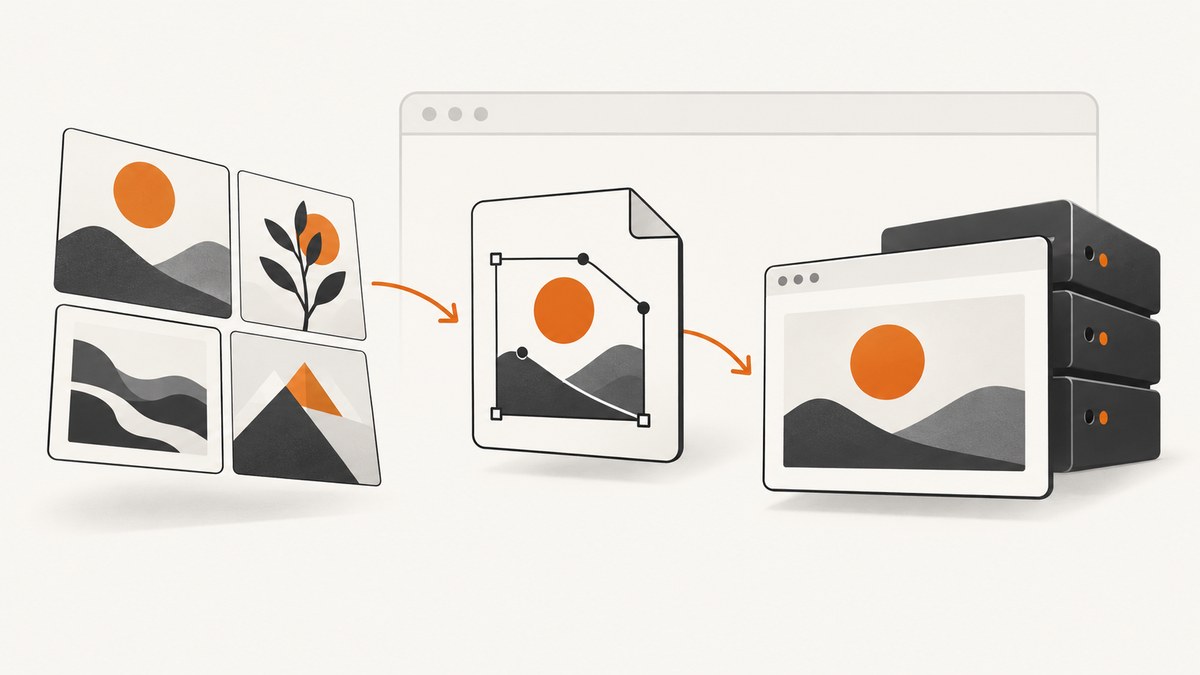
Direct answer: you cannot make client-side dom-to-image reliably supported in Safari by adding a delay, capturing twice, or changing image options. The project documents Safari as unsupported because Safari applies stricter security rules to SVG <foreignObject>. The maintained dom-to-image-more fork repeats that limitation and also reports inconsistent image-decode timing. Use the client-side checks below to find missing or blocked resources; when Safari output is required, call toSvg, send the SVG to a server-side renderer, and return PNG or JPEG from the server.
This distinction matters with multiple images. dom-to-image recursively clones the target node, copies computed styles, recreates pseudo-elements, embeds fonts, and embeds image URLs from <img> elements and CSS backgrounds. It serializes the clone into XML, places it in SVG <foreignObject>, and can load that SVG into an off-screen canvas for raster output. Every image and font is another resource that must be available and permitted by the browser.
1. Confirm the Safari limitation
The original project states that Safari is unsupported because of its stricter security model for <foreignObject>. See the dom-to-image documentation. The dom-to-image-more documentation carries the same warning and describes flaky image-decode timing. These are support limitations, not a promise that one timing tweak will repair every Safari release.
2. Make every image ready before capture
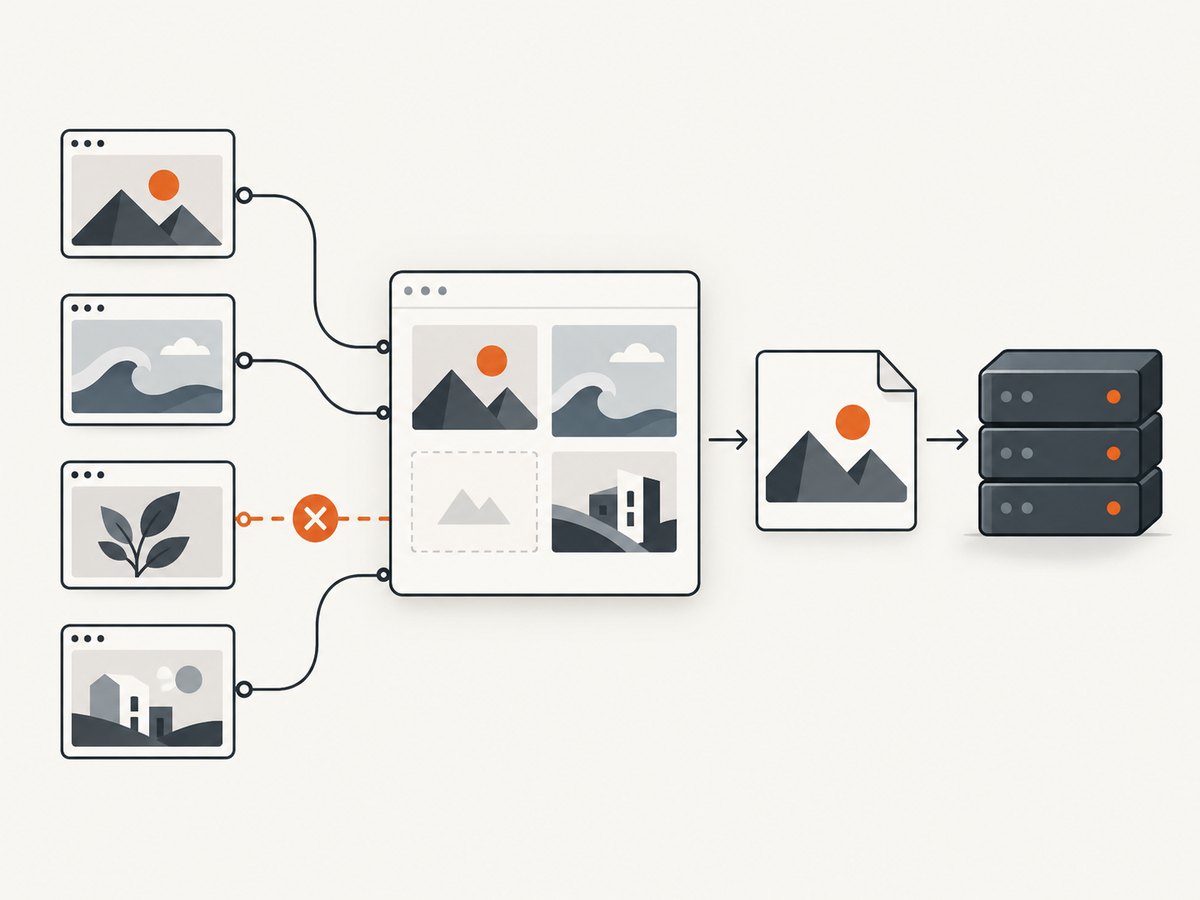
Incomplete loading is still worth diagnosing. A lazy image that has not entered the viewport, an image whose request failed, or a CSS background that is still downloading can be absent even in a browser that supports the rendering path.
async function waitForImages(root) {
  const images = [...root.querySelectorAll('img')];

  await Promise.all(images.map(async (img) => {
    // Start lazy images that have not been requested yet.
    if (img.loading === 'lazy') img.loading = 'eager';

    if (img.complete && img.naturalWidth > 0) return;

    await new Promise((resolve) => {
      const done = () => {
        img.removeEventListener('load', done);
        img.removeEventListener('error', done);
        resolve();
      };
      img.addEventListener('load', done, { once: true });
      img.addEventListener('error', done, { once: true });
    });
  }));

  // Fonts can affect layout and therefore the serialized result.
  if (document.fonts?.ready) await document.fonts.ready;
}

const node = document.querySelector('#capture');
await waitForImages(node);
// Continue with dom-to-image only after this point.
For lazy-loaded content, scroll the target into view first or explicitly load the images in your application. Treat an error event as a diagnosis signal; it does not mean the resulting screenshot is complete.
3. Inspect image and background URLs
Check both markup and computed styles. The library embeds image URLs, so a URL that returns an error, requires credentials, redirects unexpectedly, or is blocked by browser policy can produce a missing image.
function listImageSources(root) {
  const sources = [];

  for (const img of root.querySelectorAll('img')) {
    sources.push({ type: 'img', url: img.currentSrc || img.src });
  }

  for (const element of root.querySelectorAll('*')) {
    const background = getComputedStyle(element).backgroundImage;
    if (background && background !== 'none') {
      sources.push({ type: 'background', url: background });
    }
  }

  return sources;
}

console.table(listImageSources(document.querySelector('#capture')));
Open each URL directly in the browser’s network panel. Verify the final response status, redirects, authentication requirements, and whether the response is an image. A CSS background-image is subject to the same loading and origin constraints as an <img>.
4. Check cross-origin images and tainted canvases
A canvas becomes tainted when it has drawn pixels from an origin that did not grant read access. Reading it with toDataURL() or similar APIs then fails. The project documentation also warns that a canvas already present inside the captured node must not be tainted.
function assertCanvasReadable(canvas) {
  try {
    // Reading one pixel is enough to detect a tainted canvas.
    canvas.getContext('2d').getImageData(0, 0, 1, 1);
    return true;
  } catch (error) {
    console.error('Canvas is not readable:', error);
    return false;
  }
}

document.querySelectorAll('#capture canvas').forEach(assertCanvasReadable);
For images hosted on another origin, the server must send an appropriate CORS header and the image must be requested with compatible credentials settings. Even when all images are embedded successfully, Safari’s unsupported foreignObject path remains unresolved.
5. Use dom-to-image-more diagnostics when applicable
dom-to-image-more exposes options for external resource loading, including an HTTP timeout and an optional placeholder for failed or timed-out resources. These settings help identify or contain failed requests; they do not add Safari support.
import domtoimage from 'dom-to-image-more';

const node = document.querySelector('#capture');

try {
  const png = await domtoimage.toPng(node, {
    // Choose values appropriate for your application.
    imagePlaceholder: 'data:image/svg+xml,%3Csvg xmlns="http://www.w3.org/2000/svg" width="1" height="1"/%3E',
    httpTimeout: 15000
  });
  document.querySelector('#result').src = png;
} catch (error) {
  console.error('Capture failed:', error);
}
If placeholders appear, inspect the failed resource URL and timeout rather than treating the placeholder as a Safari fix.
6. The documented Safari workaround: SVG first, rasterize on a server
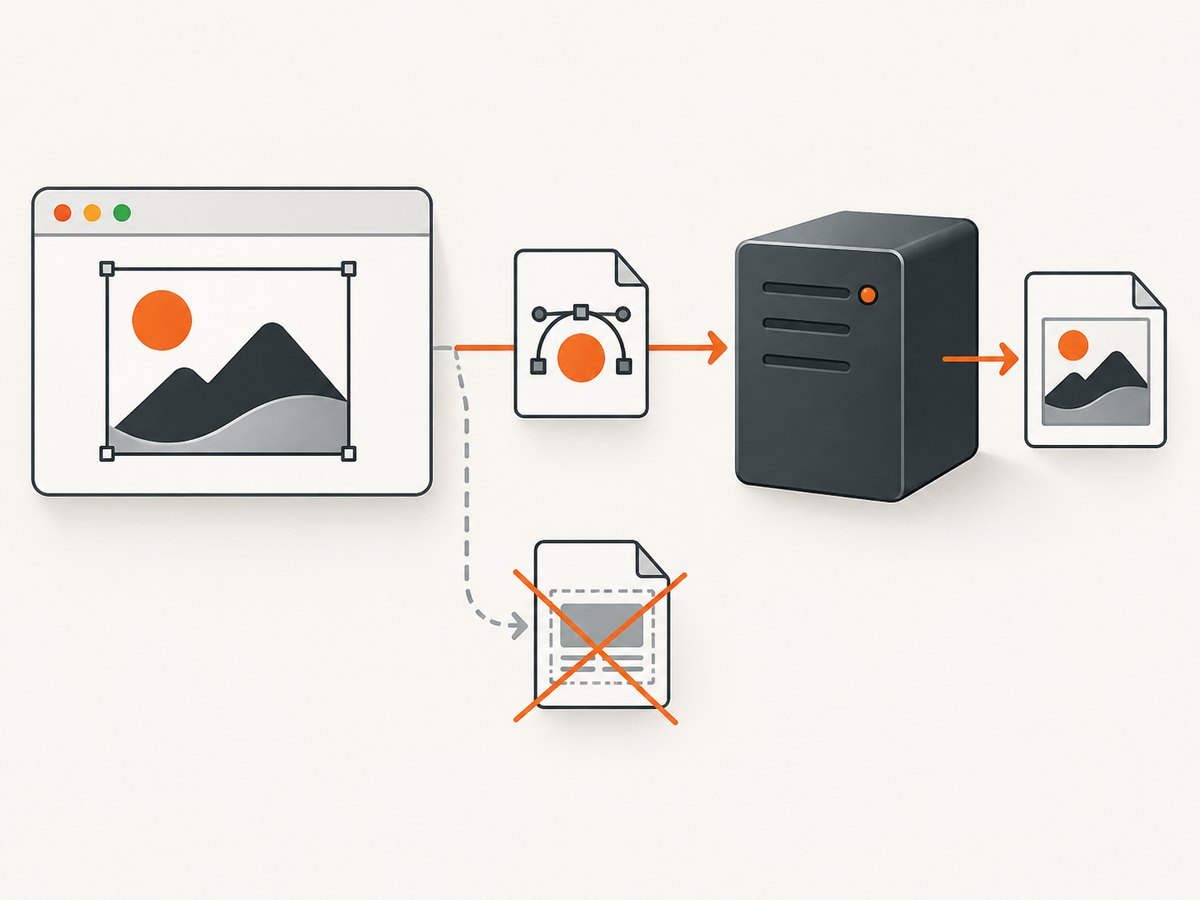
Keep DOM cloning in the browser, but stop before the browser tries to rasterize the SVG. Generate SVG with toSvg, send it to an endpoint you control, and use a server-side renderer to produce PNG or JPEG if needed. The project documentation describes this server path without prescribing a particular renderer or hosting provider.
import domtoimage from 'dom-to-image';

async function captureOnServer() {
  const node = document.querySelector('#capture');
  await waitForImages(node);

  const svg = await domtoimage.toSvg(node);
  const response = await fetch('/render-svg', {
    method: 'POST',
    headers: { 'Content-Type': 'image/svg+xml' },
    body: svg
  });

  if (!response.ok) {
    throw new Error(`Server renderer returned ${response.status}`);
  }

  const png = await response.blob();
  document.querySelector('#result').src = URL.createObjectURL(png);
}
Your server endpoint should validate request size, parse only the SVG format you expect, render it in an isolated process, and return the selected image MIME type. If SVG output is acceptable, return the SVG directly and avoid rasterization. If you need PNG or JPEG, perform that conversion on the server where the browser’s foreignObject restrictions do not control the rendering step.
7. A practical troubleshooting sequence
- Reproduce with one image. If one image works and several fail, compare each URL, loading state, and origin.
- Wait for all images and fonts. Include lazy images; do not infer readiness from the DOM alone.
- Inspect network responses. Fix 4xx/5xx responses, redirects, authentication, and incorrect content types.
- Inspect CSS backgrounds. They are separate resources and are easy to overlook.
- Check origin restrictions. Look for CORS errors and canvases drawn from another origin.
- Check existing canvases. A tainted canvas inside the target can prevent readback.
- Review dom-to-image-more timeout and placeholder output. Use these to identify failed resources.
- Move rasterization to the server for Safari. Export with
toSvgand render there.
8. Common errors and fixes
| Symptom | Likely cause | Fix |
|---|---|---|
| Images are blank in Safari | Unsupported foreignObject behavior, incomplete loading, or blocked resources |
Run the resource checks, then use SVG export and server rendering |
SecurityError when reading a canvas |
The canvas is tainted by cross-origin pixels | Serve the image with compatible CORS headers and request settings, or remove that canvas from the capture |
| Only lazy images are missing | They were not loaded when cloning began | Load them eagerly or wait for their load/error events |
| Some images become placeholders | External request failed or exceeded the configured timeout | Inspect the URL and response; increase the timeout only when the resource is expected to be slow |
| Calling capture twice changes the result | Timing or resource readiness changed between calls | Use explicit readiness checks; repeated capture is not a documented Safari workaround |
9. Performance, reliability, and cost considerations
Each image, font, and background adds work to cloning, embedding, serialization, and rendering. Large full-page nodes increase SVG size and memory use. Waiting for network idle or every image improves completeness but increases latency. Set a bounded resource timeout and report which resources failed so users can distinguish an incomplete capture from a successful one.
Server rendering adds an operational component but gives you a consistent place to control browser version, resource access, memory limits, and output format. Cache identical inputs when your page content permits it. Do not claim a successful screenshot solely because a promise resolved; verify the output dimensions and, where possible, whether expected image resources were present.
Or skip the browser setup
ScreenshotNeo provides a website screenshot API and MCP server. It handles page loading and returns PNG, JPEG, WebP, or PDF from one request. Cookie and consent banners, newsletter popups, and chat widgets are removed before the shot; bot checks, blank pages, failed loads, timeouts, and cache hits are not billed. Responses identify the page verdict and billing status in X-Page-Verdict and X-Billed headers. Its MCP server lets Claude, Cursor, and other MCP clients call take_screenshot, get_page_info, and capture_pdf.
See the ScreenshotNeo API documentation for all options.
curl -G "https://api.screenshotneo.com/v1/shot" -d access_key=YOUR_API_KEY --data-urlencode url=https://example.com -o shot.webpimport requests
r = requests.get("https://api.screenshotneo.com/v1/shot", params={"access_key": "YOUR_API_KEY", "url": "https://example.com"}, timeout=90)
open("shot.webp", "wb").write(r.content)const q = new URLSearchParams({ access_key: 'YOUR_API_KEY', url: 'https://example.com' });
const res = await fetch(`https://api.screenshotneo.com/v1/shot?${q}`);The free plan includes 1,000 screenshots per month with no card. Paid plans start at $5 for 3,000 screenshots, and every feature is available on every plan. Create a free ScreenshotNeo account.
FAQ
Is there a Safari flag that enables dom-to-image?
The project documentation does not provide a Safari flag or supported client-side patch. Its stated workaround is SVG export followed by server-side rendering.
Will embedding images as data URLs solve Safari?
It can remove one external-resource failure mode, but it does not change Safari’s documented foreignObject limitation.
Should I switch from dom-to-image to dom-to-image-more?
The fork adds diagnostics and resource options, but it also documents Safari as unsupported. Choose it for its maintained behavior or diagnostics, not as a guaranteed Safari solution.
Can I keep SVG instead of producing PNG?
Yes. If your consumer accepts SVG, return the result of toSvg and skip rasterization. Use server-side rasterization only when PNG or JPEG is required.


