How to Fix dom2image on iOS, Edge, and Internet Explorer
Fix dom2image browser failures: why IE and iOS Safari break, what Edge supports, and when to move rendering to a server.
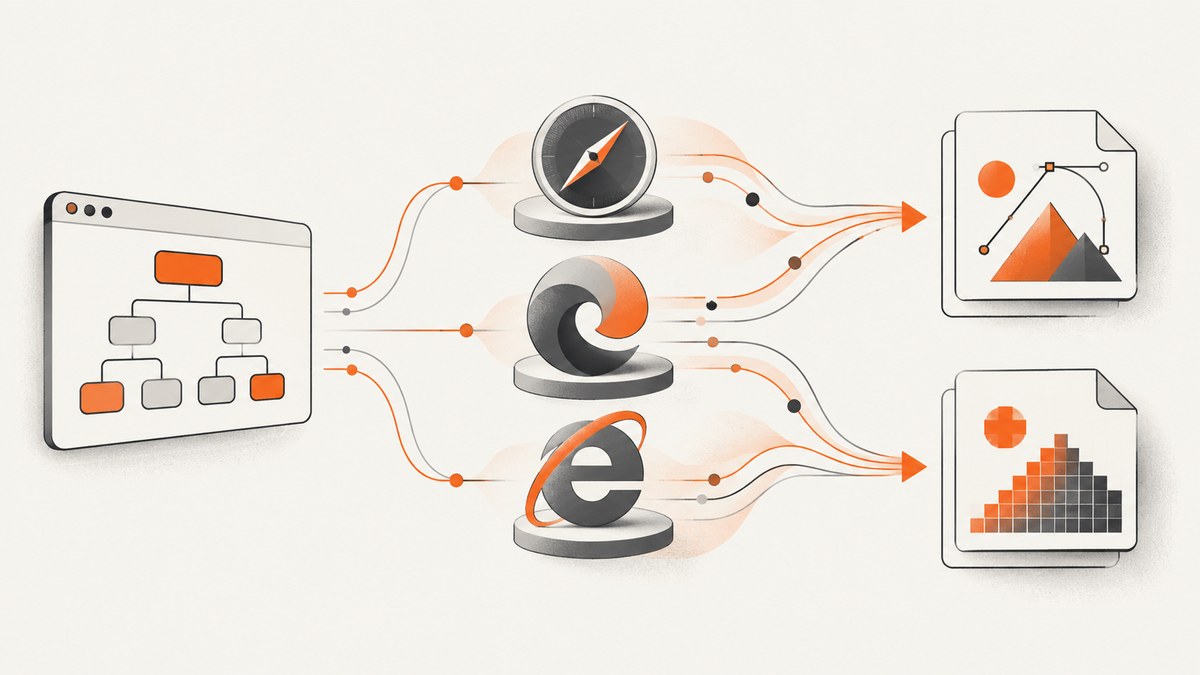
Short answer: dom2image (usually called dom-to-image) depends on SVG <foreignObject>. Internet Explorer cannot support this approach because it has no SVG <foreignObject> support. iOS Safari applies stricter security rules and is not reliable for client-side PNG or JPEG rasterization. Chromium Edge 79 and later is the supported floor documented by the maintained dom-to-image-more fork. For IE and iOS Safari, generate SVG in the browser with toSvg, send it to a server renderer, and return a bitmap when needed.
How dom-to-image works
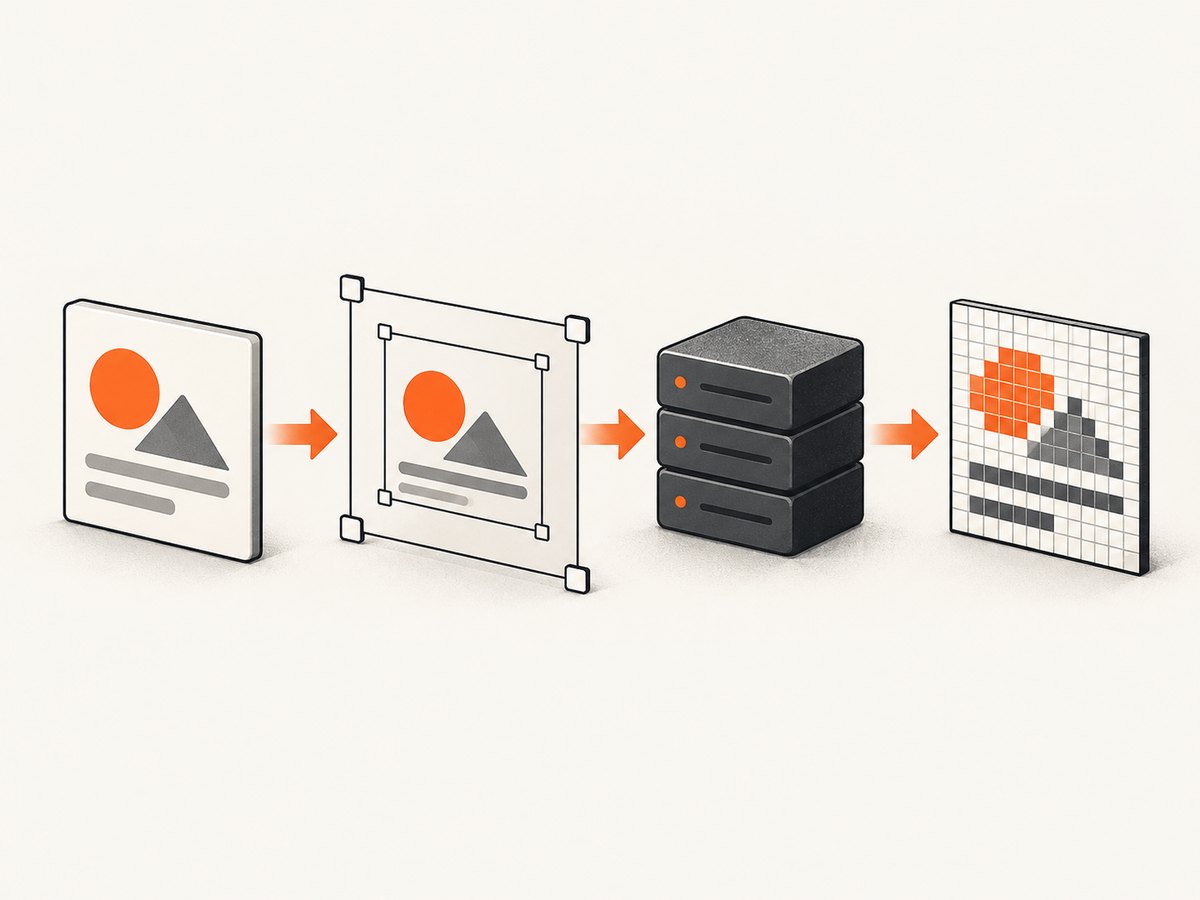
The library clones a DOM subtree, copies computed styles, embeds fonts and images, serializes the clone into SVG, wraps it in foreignObject, and rasterizes that SVG through an off-screen canvas. Browser support therefore depends on three separate capabilities: rendering HTML inside SVG, loading every referenced resource, and drawing the result onto a canvas without violating security rules.
Read the original support notes in the dom-to-image README and the maintained fork’s compatibility notes in dom-to-image-more.
Browser support at a glance
| Browser | What to expect | Recommended path |
|---|---|---|
| Internet Explorer | Unsupported. IE does not implement SVG foreignObject. |
Use a different renderer or server-side generation. |
| iOS Safari | Client-side bitmap output is unreliable because Safari uses a stricter foreignObject security model. |
Call toSvg, upload the SVG, and rasterize on a server. |
| Chromium Edge 79+ | Meets the maintained fork’s documented engine floor. | Use dom-to-image-more, then debug resources, CORS, fonts, and canvas size. |
| Legacy EdgeHTML | No support promise in the reviewed documentation. | Treat it as unverified and provide a fallback. |
Fix sequence
- Identify the engine. Do not spend time trying to polyfill IE’s missing
foreignObject. Detect iOS Safari separately from Chromium browsers. - Choose the output path. Use direct PNG/JPEG only on browsers that pass your test matrix. Use SVG handoff plus server rasterization for iOS Safari and IE.
- Make resources renderable. Wait for fonts and images, inline or authorize cross-origin assets, and avoid tainted canvases.
- Reduce capture pressure. Lower the captured region, scale, or pixel ratio if the result is blank, clipped, or fails during canvas creation.
- Remove unsupported content. Replace videos with poster images, avoid cross-origin iframes, materialize virtualized lists, and configure WebGL with
preserveDrawingBuffer: truewhen a WebGL canvas must appear.
Complete browser-side example
Install the maintained fork, wait for assets, then select an output method based on the browser. The example uses dom-to-image-more; adapt the import to your bundler.
import domtoimage from 'dom-to-image-more';

const node = document.querySelector('#invoice');

async function waitForAssets(root) {
  if (document.fonts?.ready) await document.fonts.ready;
  const images = [...root.querySelectorAll('img')];
  await Promise.all(images.map(img => {
    if (img.complete) return Promise.resolve();
    return new Promise(resolve => {
      img.addEventListener('load', resolve, { once: true });
      img.addEventListener('error', resolve, { once: true });
    });
  }));
}

async function capture() {
  await waitForAssets(node);
  const isIE = /Trident\//.test(navigator.userAgent);
  const isIOS = /iPad|iPhone|iPod/.test(navigator.userAgent) && /WebKit/.test(navigator.userAgent);

  if (isIE || isIOS) {
    const svg = await domtoimage.toSvg(node, { cacheBust: true });
    const response = await fetch('/render-svg', {
      method: 'POST',
      headers: { 'Content-Type': 'image/svg+xml' },
      body: svg
    });
    if (!response.ok) throw new Error(`Server renderer returned ${response.status}`);
    const blob = await response.blob();
    return URL.createObjectURL(blob);
  }

  return domtoimage.toPng(node, {
    cacheBust: true,
    bgcolor: '#ffffff',
    width: node.scrollWidth,
    height: node.scrollHeight,
    style: { transform: 'none' }
  });
}

capture().then(url => {
  document.querySelector('#preview').src = url;
}).catch(console.error);
The server endpoint is an architectural choice: it can rasterize SVG with a server renderer and return PNG or JPEG. Keep that renderer separate from browser detection so you can replace it without changing the client.
Making fonts, images, and CSS survive the clone
Fonts
Call document.fonts.ready before capture. If a font is loaded from another origin, configure its CORS headers or self-host it. A missing font can change line wrapping and make an otherwise successful image look wrong.
Images and CORS
Use same-origin images or resources that explicitly permit your origin. Set crossOrigin="anonymous" before assigning an image URL when the server supports CORS. A cross-origin image or canvas can taint the output canvas and make toPng or toJpeg fail.
const image = new Image();
image.crossOrigin = 'anonymous';
image.src = 'https://static.example.com/chart.png';
await image.decode();
document.querySelector('#invoice').append(image);
Pseudo-elements and computed styles
The clone relies on computed styles. Verify that generated content, CSS variables, web fonts, and background images resolve in the captured subtree. If a design depends on external stylesheets that are blocked by policy, copy the required styles into the page or inline them for the capture.
Options that commonly affect output
| Option or input | Use | Failure it helps diagnose |
|---|---|---|
cacheBust |
Adds cache-busting to resource URLs. | Stale images or fonts. |
bgcolor |
Sets a solid background. | Unexpected transparency or black backgrounds. |
width, height |
Controls the cloned capture dimensions. | Clipping or an unexpectedly small image. |
style |
Temporarily overrides styles on the clone. | Transforms, overflow, or responsive layout changes. |
| Scale or pixel ratio | Controls output resolution in wrappers that expose it. | Blank canvases or memory errors at large sizes. |
Library forks and wrappers expose slightly different option names. Check the version you installed before copying an option from another project.
Common errors and fixes
| Symptom | Likely cause | Fix |
|---|---|---|
| “Nothing renders” in IE | Missing SVG foreignObject support. |
Use a server renderer or a rendering architecture that does not depend on foreignObject. |
| Blank PNG on iPhone or iPad | Safari’s stricter foreignObject security model. |
Call toSvg and rasterize on a server. |
| Edge output is blank | Legacy EdgeHTML, blocked resources, CORS, or an oversized canvas. | Confirm Chromium Edge 79+, inspect network requests, fix CORS, then lower dimensions or scale. |
| Images are missing | Images have not loaded or are cross-origin without permission. | Wait for load/decode and serve images with suitable CORS headers. |
| Text uses the wrong font | Web fonts were not ready or could not be embedded. | Await document.fonts.ready and make font URLs accessible. |
| Long page is clipped | The selected element’s scroll dimensions differ from its visible box. | Capture the correct element and pass explicit width and height; split very large documents. |
| Video or iframe is empty | Cross-origin frames and live video are not safely cloned. | Use a poster image, same-origin snapshot, or a server-side browser capture. |
| WebGL canvas is absent | Drawing buffers were discarded before capture. | Create the WebGL context with preserveDrawingBuffer: true, accepting its performance cost. |
| Virtualized rows are missing | Only visible rows exist in the DOM. | Render all rows before capture or capture pages in chunks. |
Testing strategy for Edge and mobile Safari
Documentation gives capability guidance, not a pass/fail matrix for every iOS Safari or legacy Edge release. Build a small matrix that records browser engine and version, output type, fonts, same-origin and cross-origin images, pseudo-elements, SVG, canvas, iframe, video, and the largest capture size your application needs.
- Save the generated SVG as an artifact when PNG conversion fails.
- Log the first resource that fails to load, including its origin and response headers.
- Compare dimensions and text wrapping against a reference screenshot.
- Test both cold-cache and warm-cache runs.
- Run the same case through the server fallback before shipping a browser-specific workaround.
Performance, reliability, and cost
Client-side capture consumes the user’s memory and CPU. Large full-page clones multiply DOM, image, font, SVG, and canvas memory. Capture only the required element when possible, lower scale for previews, and split very long pages. Waiting for every image and font improves fidelity but increases latency, so set an application timeout and show a retry state.
Server rendering gives you a consistent engine and avoids Safari and IE’s client restrictions, but it adds a request, queue capacity, and resource-isolation work. Limit input size, constrain navigation, and cache deterministic captures where your content allows it.
Or skip the browser setup
ScreenshotNeo provides a website screenshot API and MCP server. One request captures a URL as PNG, JPEG, WebP, or PDF, so your application does not need to ship a browser-specific foreignObject workaround.

See the ScreenshotNeo API documentation for all parameters. cURL:
curl -G "https://api.screenshotneo.com/v1/shot" -d access_key=YOUR_API_KEY --data-urlencode url=https://stripe.com -o shot.webpPython:
import requests
r = requests.get("https://api.screenshotneo.com/v1/shot", params={"access_key": "YOUR_API_KEY", "url": "https://stripe.com"}, timeout=90)
open("shot.webp", "wb").write(r.content)
Node.js:
const q = new URLSearchParams({ access_key: 'YOUR_API_KEY', url: 'https://stripe.com' });
const res = await fetch(`https://api.screenshotneo.com/v1/shot?${q}`);
ScreenshotNeo accepts cookie and consent banners before capture and removes more than 60 known consent platforms, newsletter popups, and chat widgets. Bot checks, blank pages, failed loads, timeouts, and cache hits are not billed as clean shots; the response reports the result with X-Page-Verdict and X-Billed headers. Its MCP server provides take_screenshot, get_page_info, and capture_pdf for AI agents such as Claude and Cursor. The Free plan includes 1,000 screenshots each month with no card, and paid plans start at $5 for 3,000 shots. Create a free ScreenshotNeo account.
FAQ
Can a polyfill make dom-to-image work in Internet Explorer?
No. The missing SVG foreignObject capability is part of the rendering engine, so use another renderer or a server path.
Should I use the original library or dom-to-image-more?
Use the maintained fork when its documented browser floor and your project requirements match. It still cannot remove Safari’s security restriction or add IE support.
Is SVG always better than PNG?
SVG preserves the serialized structure for a server renderer and is the practical handoff format for iOS Safari. PNG or JPEG is simpler for consumers but requires a successful rasterization step.
Why does a screenshot work locally but fail in production?
Production often changes origins, CSP, font hosts, image permissions, caching, and page size. Compare resource response headers and the final computed styles in both environments.


