How to Fix ERR_BLOCKED_BY_ORB in Puppeteer
ERR_BLOCKED_BY_ORB comes from Chromium’s response checks, not Puppeteer itself. Find the exact request, inspect its response, and fix the underlying cause.

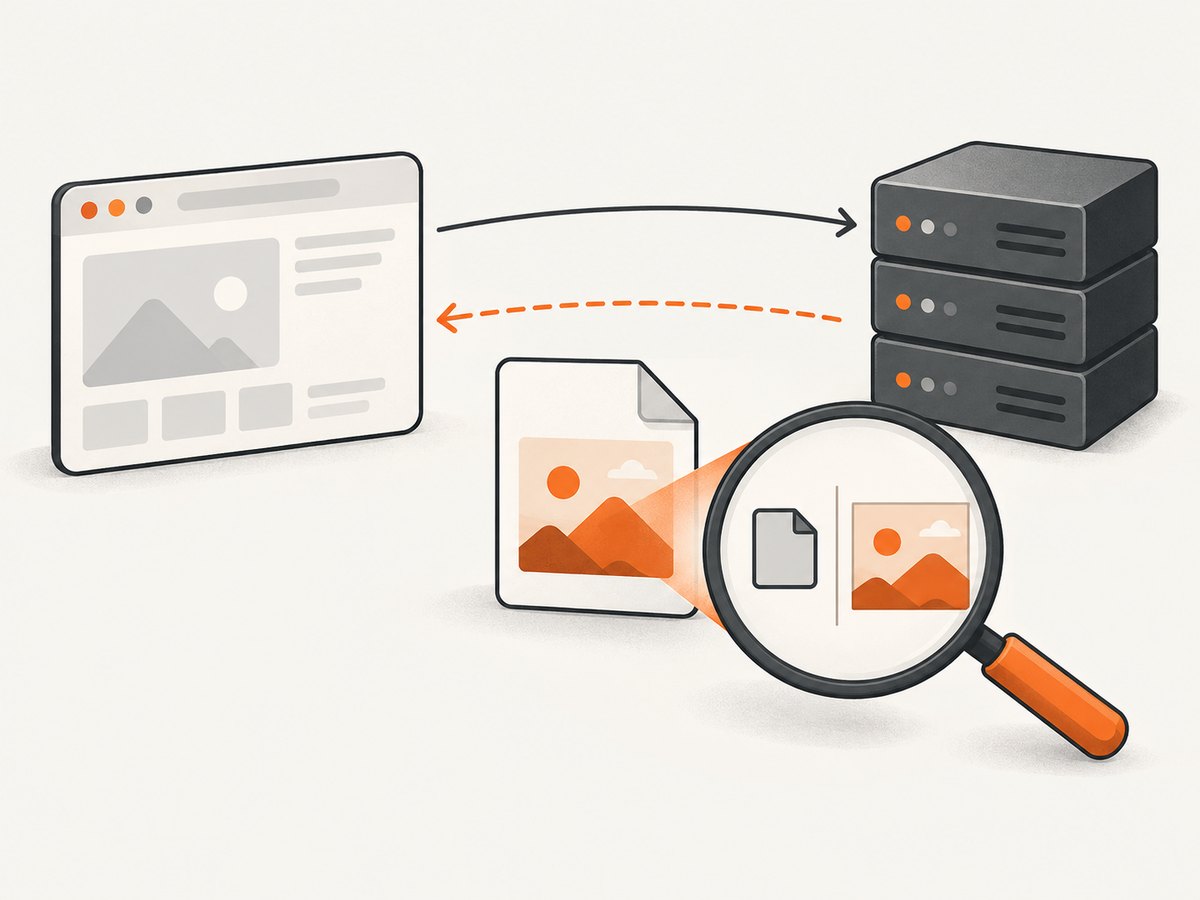
net::ERR_BLOCKED_BY_ORB means Chromium blocked a response under its Opaque Response Blocking (ORB) checks. Puppeteer controls Chromium; it does not independently create this network policy. The fix depends on the particular request and response, so start by finding the failing URL and inspecting its status, headers, redirects, and body. A common lead is a resource served with a misleading Content-Type, such as an HTML error or login page returned where an image is expected.
Do not treat this as a generic Puppeteer launch problem or disable browser security as a routine workaround. ORB protects cross-origin data in qualifying no-cors request contexts. Fix the response or request design once you know what Chromium received.
1. What ERR_BLOCKED_BY_ORB means
ORB is a Chromium network security mechanism in the family of protections that prevent pages from exposing sensitive cross-origin responses through contexts that do not apply the same-origin policy in the usual way. It evaluates qualifying no-cors requests and whether there is positive evidence that the response matches its intended data type. A correct MIME type can count as evidence; a wrong one can count against the response. Chromium summarizes this with: “A ‘correct’ MIME type is good enough evidence.” Chromium’s ORB documentation explains the mechanism.
The URL extension alone does not prove what the server returned. A request for photo.png might receive a proxy error page, authentication redirect, or HTML login screen. Inspect the actual response before deciding whether the resource is mislabeled, unavailable, or being requested in the wrong mode.
Also distinguish ORB from other network errors. Puppeteer’s troubleshooting guide discusses net::ERR_BLOCKED_BY_CLIENT in Chrome’s HTTPS-first warning flow; that is a different error with a different diagnosis. Puppeteer troubleshooting should not be read as saying that every ERR_BLOCKED_* message has one cause.
2. Capture the exact failing request
First record the URL and enough context to reproduce the request: whether it is a document or subresource, the page origin, the request destination and mode if available, and the Chrome/Chromium build. Puppeteer’s request and response events expose useful details. The following CommonJS script launches Puppeteer, logs matching request failures and response metadata, then saves a page screenshot. Install Puppeteer with npm install puppeteer before running it.
const puppeteer = require('puppeteer');

(async () => {
  const browser = await puppeteer.launch({ headless: true });
  try {
    const page = await browser.newPage();

    page.on('request', request => {
      if (request.url().includes('suspect-resource')) {
        console.log('REQUEST', {
          url: request.url(),
          method: request.method(),
          resourceType: request.resourceType(),
          headers: request.headers(),
        });
      }
    });

    page.on('requestfailed', request => {
      console.log('FAILED', {
        url: request.url(),
        resourceType: request.resourceType(),
        error: request.failure()?.errorText,
      });
    });

    page.on('response', async response => {
      if (response.url().includes('suspect-resource')) {
        console.log('RESPONSE', {
          url: response.url(),
          status: response.status(),
          headers: response.headers(),
          fromCache: response.fromCache(),
        });
      }
    });

    const response = await page.goto('https://example.com', {
      waitUntil: 'domcontentloaded',
      timeout: 30000,
    });
    console.log('Navigation status:', response?.status());
    console.log('Browser version:', await browser.version());
    await page.screenshot({ path: 'diagnostic.png', fullPage: true });
  } finally {
    await browser.close();
  }
})();
Replace https://example.com with the page that triggers the issue and suspect-resource with a distinctive part of the failing URL. A request failure event may not include a response object because the browser can reject a resource before a usable response is exposed. In that case, use DevTools Network logging or server/CDN logs to inspect what was sent. Puppeteer’s requestfailed event is not proof that the origin server itself returned an error.
3. Inspect the response, not just the error label
For the precise failing resource, compare these facts:
- Status and redirects: Did the URL return the expected status, or redirect to a sign-in page, block page, or different host?
Content-Type: Does the declared media type match the bytes in the body? An image served astext/htmlis a strong lead to investigate.X-Content-Type-Options: Isnosniffpresent? This affects how browsers interpret type metadata and is relevant when the declaration is wrong.- Body: Is it actually the expected image, font, script, or media, or is it HTML, JSON, an access-denied message, or an empty response?
- Request context: Is it a cross-origin subresource requested in a
no-corscontext? Does the code need to read the response from JavaScript?
Do not dump sensitive response bodies into shared CI logs. If a body needs inspection, save a small, access-controlled sample or inspect it locally. Avoid logging authorization headers, cookies, or signed query parameters; redact them before sharing a reproduction.
4. Fix the cause that the evidence shows
Correct a wrong MIME type at the source
If the body is an image but the server, CDN, or proxy labels it text/html or another incorrect type, configure that response to use the MIME type that matches the actual bytes. Verify the final response after redirects and at the edge cache, not only the origin configuration. Chromium developer guidance specifically calls out an actual image mislabeled text/html with X-Content-Type-Options: nosniff as a case where a block can occur, and recommends correcting Content-Type. See Chrome developer guidance for the response-header diagnosis.
Do not “fix” this by changing the file extension or adding a client-side header if the response served by the origin is still wrong. The browser evaluates the response it receives. Check intermediary transformations, error handlers, object storage metadata, and CDN rules where those apply.
Stop returning an HTML challenge or login page for the asset URL
If the response body is a sign-in page, bot challenge, or access-denied document, determine why the asset request is unauthenticated or redirected. Correct the route, access policy, or asset URL so the browser receives the intended resource. A page-level screenshot tool cannot repair a server response that is not the requested asset.
Use CORS when page JavaScript must read cross-origin data
If application JavaScript genuinely needs to inspect the cross-origin response, use a CORS-enabled request and configure the server’s Access-Control-Allow-Origin policy for the intended origin. A no-cors fetch produces an opaque response that JavaScript cannot read as ordinary response data. Changing to CORS is appropriate only if the resource server supports the required policy; Puppeteer cannot grant the origin permission on its own. See the ORB documentation for the distinction between request contexts.
Reproduce on the intended browser build
Puppeteer normally downloads a Chrome for Testing version matched to its API. Record browser.version(), the Puppeteer package version, and the executable path when using a custom browser. The Puppeteer configuration documentation allows an alternate executable path; ensure the reproduction is using the browser you intend. A version comparison improves reproducibility but is not an established ORB remedy. Puppeteer configuration describes browser configuration.
5. Confirm whether the failure is site-side or browser-specific
- Open the same page and resource in a normal Chrome session using the same Chrome build, profile conditions, and network where practical.
- In DevTools Network, preserve the log, select the failed resource, and note its request mode/destination when available, status, redirect chain, response headers, and preview/body.
- Compare the response from the origin and any CDN or proxy. Verify that the body and declared type agree at the final URL.
- Repeat with a current Chrome/Chromium build and note exact versions. Change one variable at a time so the result remains interpretable.
- If the metadata and body are correct, but the current browser still blocks the request, prepare a minimal reproduction with the request URL, sanitized headers and body evidence, page origin, request context, and browser version. Chromium’s developer guidance recommends reporting suspected incorrect blocks with headers and body.
Historical implementation notes are not guarantees for every current request path. A 2023 Blink-dev intent-to-ship post described ORB v0.2 error reporting and a compatibility carve-out at that stage; use the browser behavior you can reproduce rather than assuming historical details still define current behavior.
6. Approaches that usually waste time
- Changing launch flags at random: The reviewed Puppeteer documentation does not establish a launch flag as a fix for ORB. A diagnostic experiment is not a production remediation.
- Disabling browser security: This weakens the protection and can hide the server defect. Do not use it as a general fix. Chromium’s developer page documents a CORB-disable flag for confirming CORB behavior; that older diagnostic flag is not an ORB fix.
- Upgrading Puppeteer without evidence: Keep Puppeteer and its bundled browser versions recorded, but a package upgrade does not correct a wrong response header or HTML body.
- Confusing installation failures with network policy: If Puppeteer cannot find its browser, that is a separate install/configuration issue. Puppeteer documents
npx puppeteer browsers installfor installing the expected browser; it does not resolve a response blocked by ORB.
7. Troubleshooting common cases
| Symptom | Likely lead | Next action |
|---|---|---|
Image request receives text/html |
Wrong metadata or an HTML error/login response | Inspect the body and redirect chain; fix the origin/CDN route and set the correct media type. |
| Resource returns 401/403 or redirects | Authentication, authorization, or challenge flow | Verify intended access and the final response. Do not assume the URL extension reflects the body. |
| Failure appears only in Puppeteer | Browser build, profile, request timing, proxy, or network differs | Record exact versions and compare the same resource in the same Chromium build and network. |
| Failure appears in normal Chrome too | Likely response or site configuration issue | Inspect status, headers, body, and request mode; report a suspected browser bug only if those are sound. |
ERR_BLOCKED_BY_CLIENT, not ORB |
Different Chrome/Puppeteer condition | Follow the specific HTTPS-first warning diagnosis in Puppeteer troubleshooting; do not apply MIME fixes blindly. |
| Puppeteer says browser executable is missing | Browser install script or configuration issue | Install the expected browser with Puppeteer’s documented command or correct the configured executable path. |
| No response headers appear in event logs | Request was rejected before a response was available, or URL filter missed it | Broaden URL matching and inspect DevTools Network or proxy/server logs. |
8. Reliability, performance, and cost considerations
For reliable diagnosis, save a small structured record per failure: sanitized URL, resource type, initiator/page origin, error text, response status when available, selected headers, browser version, Puppeteer version, and timestamp. Redact cookies, authorization values, tokens, and private query parameters. Keep a minimal reproduction with one page and one failing resource; large traces make it harder to spot a redirect or mislabeled body.
There is no source-backed success rate or frequency figure for ORB failures. Do not estimate one from a handful of pages. A page with many resources can surface several independent failures, so fix and verify the exact resource rather than treating the entire navigation as failed. Avoid retry loops for deterministic bad headers or access responses: retries add latency and load without changing the response. Retries may help only when evidence points to a transient origin or network failure, which should be distinguished from ORB itself.
In CI, capture only the diagnostics needed to resolve failures and avoid storing full response bodies by default. Browser installation and launch failures have separate cost and reliability implications from response blocking; keep those signals distinct in logs. For remote screenshot workflows, check the request’s verdict and billing semantics rather than assuming every failed navigation has the same cause.
9. Or skip the browser setup
If your goal is to capture a page screenshot rather than debug a particular asset for your own web application, ScreenshotNeo provides a website screenshot API and MCP server. Puppeteer remains useful when you need to inspect or change a page’s browser behavior directly; a screenshot API is a simpler path when the output you need is an image or PDF.

One GET request captures a URL. See the ScreenshotNeo API documentation for request options.
curl -G "https://api.screenshotneo.com/v1/shot" -d access_key=YOUR_API_KEY --data-urlencode url=https://stripe.com -o shot.webpFor a screenshot, pass the target page URL. ScreenshotNeo removes cookie/consent banners, newsletter popups, and chat widgets before capture; each step can be turned off. Bot checks/CAPTCHAs, blank pages, timeouts, failed loads, and cache hits cost nothing, and responses identify the page verdict and billing status in headers. Its MCP server provides take_screenshot, get_page_info, and capture_pdf tools for Claude, Cursor, and other MCP clients. The free plan includes 1,000 shots per month with no card; paid plans start at $5 for 3,000 shots.
Sign up free for 1,000 screenshots a month, with no card required.
10. FAQ
Does Puppeteer cause ERR_BLOCKED_BY_ORB?
Puppeteer drives Chromium, where ORB is implemented. The browser’s handling of a particular request and response determines the block.
Can I fix ORB with CORS headers on my Puppeteer page?
No page-side header can grant access to a server response. The resource server must provide an appropriate CORS policy if JavaScript needs to read the response cross-origin.
Should I turn off ORB to take screenshots?
Not as a general solution. It can conceal a bad response and removes a browser protection; diagnose and fix the response or request design.
Does reinstalling Puppeteer help?
Only if the separate problem is a missing or misconfigured browser executable. Reinstallation does not correct server response metadata.
11. Short checklist
- Identify the exact failed URL and whether it is a subresource.
- Record browser and Puppeteer versions and the page origin.
- Inspect status, redirects,
Content-Type,nosniff, and actual body. - Verify whether the request is cross-origin and
no-cors, and whether application code needs readable data. - Fix MIME metadata, access routing, or CORS at the responsible server when indicated by evidence.
- Retest in the intended Chromium build; report a suspected browser defect with a minimal, sanitized reproduction.


