How to Fix “Execution Context Was Destroyed” Errors in Puppeteer
Understand why Puppeteer loses its execution context and fix navigation, redirect, reload, selector, and response timing bugs with reliable patterns.

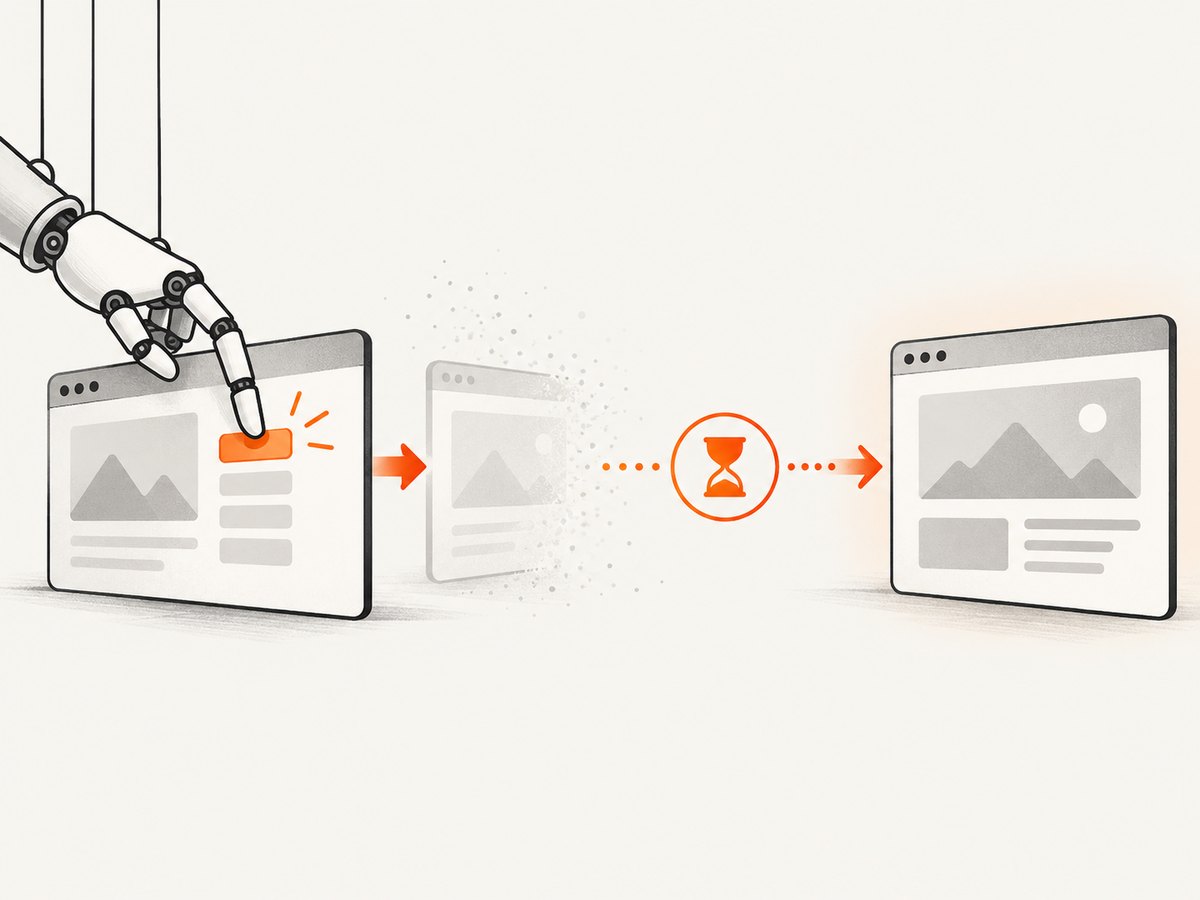
“Execution context was destroyed, most likely because of a navigation” means Puppeteer tried to run JavaScript in a document context that Chrome had already replaced or disposed. The usual cause is a click, form submission, redirect, reload, or client-side transition that changes the page while your code still uses the old context.
Fix it by synchronizing the action with the event it causes. For a navigation you expect, start page.waitForNavigation() before the click or submit, usually with Promise.all. After the new document is ready, query selectors and evaluate scripts again. If the action does not navigate, wait for the selector, request, or response that represents readiness instead.
1. What the error means
An execution context is the JavaScript environment associated with a particular page document (and, in some cases, a frame). Puppeteer creates and disposes these contexts as Chrome reports document and frame lifecycle changes. When navigation replaces the document, handles and evaluations tied to the previous context can no longer run.
A typical race looks like this:
await page.click('a.checkout');
await page.evaluate(() => document.title);
The click can start navigation before the second line executes. The evaluation then targets a context that no longer exists. Redirects and reloads can produce the same result. Issue reports in the Puppeteer tracker show this pattern in specific navigation scenarios; treat those reports as examples rather than proof that every site fails identically.
The error does not necessarily mean Puppeteer is broken. It means your script’s next operation was scheduled against the wrong document lifecycle.
2. The correct pattern for expected navigation
Register the navigation wait before triggering the action. Starting the wait after an awaited click can miss a fast navigation event.
const [response] = await Promise.all([
  page.waitForNavigation({ waitUntil: 'domcontentloaded' }),
  page.click('a.checkout'),
]);

// This query runs in the new document.
await page.waitForSelector('.checkout-page');
const heading = await page.$eval('.checkout-page h1', el => el.textContent.trim());
console.log({ url: page.url(), heading, status: response?.status() });
Promise.all starts both promises in the same turn: Puppeteer begins listening, then performs the click. The waitUntil value should match the next operation:
| Value | Use it when | What it does not guarantee |
|---|---|---|
domcontentloaded |
The document structure is enough for the next step. | Images, widgets, or application API data being ready. |
load |
The next step depends on load-event resources. | Late API calls or JavaScript-rendered content. |
networkidle0 |
The page should have no active network connections for the idle window. | That a page with polling or analytics will ever become idle. |
networkidle2 |
A small amount of continuing traffic is expected. | That the specific data you need has arrived. |
Even after navigation resolves, wait for the application-specific state required by your next operation:
const [navigation] = await Promise.all([
  page.waitForNavigation({ waitUntil: 'domcontentloaded' }),
  page.click('button.continue'),
]);

await page.waitForSelector('[data-test="account-ready"]', { visible: true });
await page.evaluate(() => window.scrollTo(0, document.body.scrollHeight));
3. When navigation is uncertain
Many clicks do not replace the document. A single-page application may update the URL with the History API, render a component, or send an XHR while keeping the same document. In those cases, waitForNavigation() may time out or wait for an event that never occurs. Wait for the narrow signal your next step actually needs.
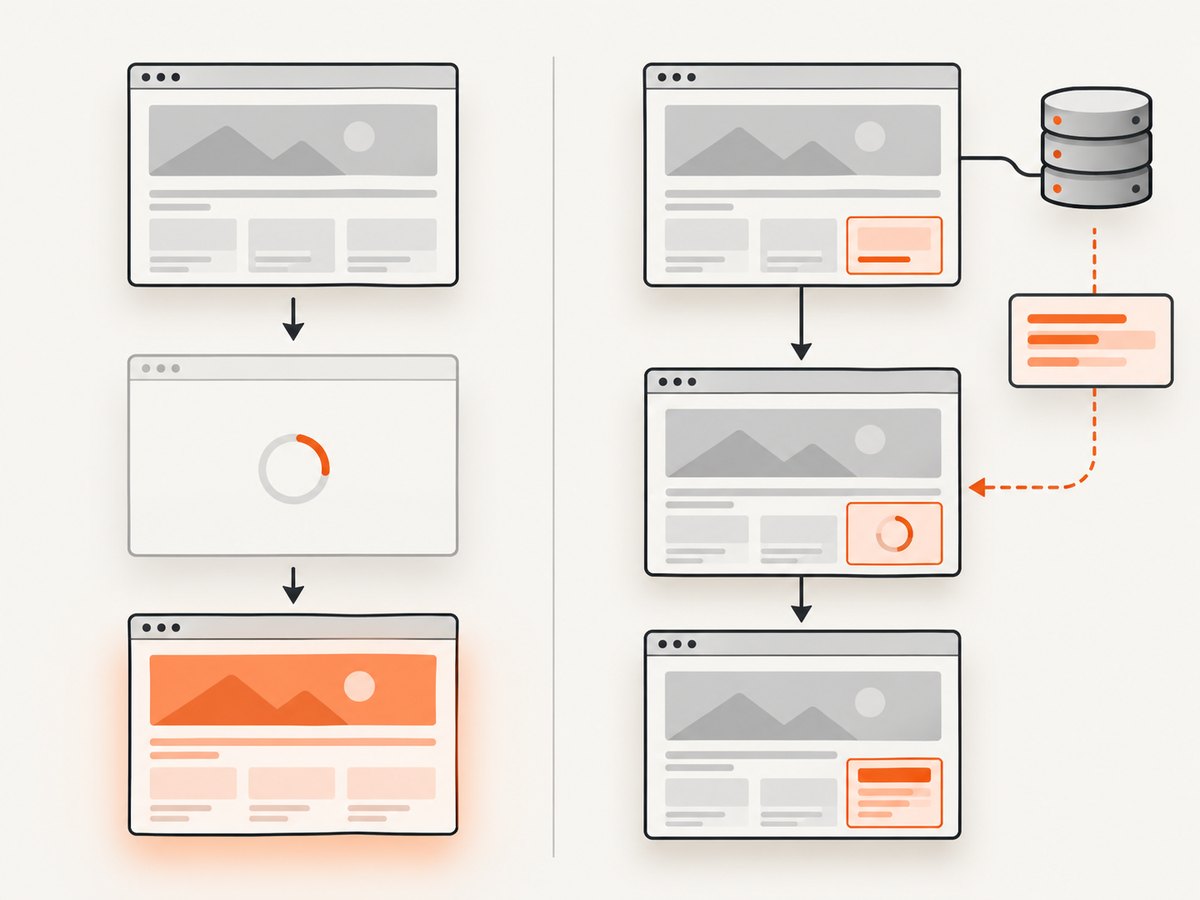
Wait for a selector
await page.click('button.submit');
await page.waitForSelector('.success-message', { visible: true });
const message = await page.$eval('.success-message', el => el.textContent.trim());
Wait for a response
Register the response wait before the action and match the URL, method, and status closely enough to exclude unrelated traffic.
const [response] = await Promise.all([
  page.waitForResponse(res =>
    res.url().endsWith('/api/orders') &&
    res.request().method() === 'POST' &&
    res.status() === 201
  ),
  page.click('button.place-order'),
]);

const order = await response.json();
console.log(order.id);
Wait for a request
waitForRequest() proves that a request was sent, not that the server accepted it. Use it when the request itself is the required milestone.
const [request] = await Promise.all([
  page.waitForRequest(req =>
    req.url().includes('/search') && req.method() === 'GET'
  ),
  page.type('#query', 'puppeteer'),
]);
console.log(request.url());
Wait for a URL change
await page.click('a.profile');
await page.waitForFunction(() => location.pathname === '/profile');
await page.waitForSelector('[data-test="profile"]');
Use the smallest observable condition that makes the following operation safe. A broad network-idle wait often adds latency and can still miss application state.
4. Element handles and evaluations after navigation
Element handles belong to the document from which they were obtained. Do not keep one across a navigation, reload, or frame replacement.
const oldButton = await page.$('button.next');

const [response] = await Promise.all([
  page.waitForNavigation({ waitUntil: 'domcontentloaded' }),
  oldButton.click(),
]);

// Reacquire from the new document. Do not reuse oldButton.
const newHeading = await page.$eval('h1', el => el.textContent.trim());
If the click itself might detach the element, a selector click is often simpler because Puppeteer resolves it at action time:
const [response] = await Promise.all([
  page.waitForNavigation({ waitUntil: 'domcontentloaded' }),
  page.click('button.next'),
]);
The same rule applies to page.evaluate(). Keep evaluations short, avoid holding references to DOM nodes in Node.js, and run the evaluation only after the destination document or component is ready.
5. Forms, redirects, and reloads
Form submission
await page.goto('https://example.com/login', { waitUntil: 'domcontentloaded' });
await page.type('#email', process.env.EMAIL);
await page.type('#password', process.env.PASSWORD);

const [response] = await Promise.all([
  page.waitForNavigation({ waitUntil: 'domcontentloaded' }),
  page.click('button[type="submit"]'),
]);

await page.waitForSelector('[data-test="dashboard"]');
Redirect chains
A single navigation wait covers the navigation operation, including redirects, but the final page may still need a selector wait. Check page.url() after the wait instead of assuming the first target URL is final.
await Promise.all([
  page.waitForNavigation({ waitUntil: 'domcontentloaded' }),
  page.goto('https://example.com/start'),
]);

console.log('final URL:', page.url());
await page.waitForSelector('main');
Reload
await Promise.all([
  page.waitForNavigation({ waitUntil: 'load' }),
  page.reload(),
]);

await page.waitForSelector('#content');
6. A robust helper for navigation actions
Centralize the ordering and timeout policy so every navigation action follows the same lifecycle.
async function clickAndWaitForNavigation(page, selector, options = {}) {
  const {
    waitUntil = 'domcontentloaded',
    timeout = 30_000,
  } = options;

  return Promise.all([
    page.waitForNavigation({ waitUntil, timeout }),
    page.click(selector, { timeout }),
  ]);
}

await clickAndWaitForNavigation(page, 'a.checkout');
await page.waitForSelector('.checkout-page', { timeout: 30_000 });
Use a separate helper for uncertain navigation rather than forcing every action through this one:
async function clickAndWaitForSelector(page, clickSelector, readySelector, options = {}) {
  const timeout = options.timeout ?? 30_000;
  await Promise.all([
    page.waitForSelector(readySelector, { visible: true, timeout }),
    page.click(clickSelector, { timeout }),
  ]);
}
7. Troubleshooting checklist
| Symptom | Likely cause | Fix |
|---|---|---|
| Error immediately after a click | The click navigated and the next operation targeted the old context. | Start waitForNavigation() before the click with Promise.all. |
| Navigation wait times out | The action changed application state without a document navigation. | Wait for a selector, URL condition, request, or response instead. |
| Works locally, fails on a slower run | A race is hidden by timing. | Register waits before actions and wait for the exact readiness condition. |
| Old handle is detached or context destroyed | The document or frame was replaced. | Discard handles and reacquire selectors after navigation. |
networkidle0 never resolves |
Polling, analytics, sockets, or other persistent traffic. | Use domcontentloaded plus a specific selector or response. |
| Response wait resolves on the wrong call | Predicate is too broad. | Match URL path, method, status, and, where useful, request data. |
| Selector wait times out | Wrong selector, frame, visibility state, or failed preceding action. | Confirm the action ran, inspect the current URL, and target the correct frame and state. |
| Retries repeat the same failure | Retrying does not repair an event that never occurs. | Diagnose navigation versus SPA state, then choose the matching wait. |
Instrument the lifecycle
page.on('framenavigated', frame => {
  console.log('navigated:', frame.url());
});
page.on('requestfailed', request => {
  console.log('request failed:', request.url(), request.failure()?.errorText);
});
page.on('console', message => {
  console.log('browser console:', message.type(), message.text());
});

console.log('before action:', page.url());
await page.click('button.submit');
console.log('after action:', page.url());
When debugging, capture the current URL, frame URL, selector state, and the exact operation that failed. Do not assume that increasing a timeout fixes a missing event.
8. Frames and multiple pages
An iframe has its own execution context. A navigation in a frame can invalidate handles created in that frame while the top-level page remains unchanged. Locate the current frame after navigation and reacquire its elements.
const frame = page.frames().find(f => f.url().includes('/checkout'));
if (!frame) throw new Error('Checkout frame not found');

await frame.waitForSelector('#card-number');
await frame.type('#card-number', '4242424242424242');
For popups, wait for the new page before using it:
const [popup] = await Promise.all([
  new Promise(resolve => page.once('popup', resolve)),
  page.click('a.open-window'),
]);
await popup.waitForLoadState?.('domcontentloaded');
await popup.waitForSelector('main');
If your Puppeteer version does not provide the same convenience method, use the popup’s normal navigation and selector waits; the lifecycle rule is unchanged.
9. Performance and reliability
- Prefer
domcontentloadedplus one precise readiness check over a blanket idle wait. - Match response predicates tightly to avoid resolving on unrelated requests.
- Keep timeouts proportional to the page and environment; a larger timeout cannot make an impossible condition occur.
- Use bounded retries only for transient browser or network failures. Re-run the complete action-and-wait pair so each attempt has a fresh lifecycle.
- Close pages and browsers in
finallyblocks to prevent resource leaks. - Record the Puppeteer version, browser version, URL, wait type, and final URL when diagnosing environment-specific behavior.
let browser;
try {
  browser = await puppeteer.launch({ headless: true });
  const page = await browser.newPage();
  await page.goto('https://example.com', { waitUntil: 'domcontentloaded' });
  await clickAndWaitForNavigation(page, 'a.next');
} finally {
  await browser?.close();
}
10. Or skip the browser setup
If your goal is a clean image or PDF rather than browser automation itself, ScreenshotNeo provides a single screenshot request. It handles the capture lifecycle for you, including full-page shots, selectors, waits, custom CSS and JavaScript, device settings, headers, cookies, blocking rules, caching, PDFs, and other options documented at the ScreenshotNeo API documentation.
cURL
curl -G "https://api.screenshotneo.com/v1/shot" -d access_key=YOUR_API_KEY --data-urlencode url=https://stripe.com -o shot.webpPython
import requests

r = requests.get(
    "https://api.screenshotneo.com/v1/shot",
    params={"access_key": "YOUR_API_KEY", "url": "https://stripe.com"},
    timeout=90,
)
r.raise_for_status()
open("shot.webp", "wb").write(r.content)
Node.js
const q = new URLSearchParams({ access_key: 'YOUR_API_KEY', url: 'https://stripe.com' });
const res = await fetch(`https://api.screenshotneo.com/v1/shot?${q}`);
if (!res.ok) throw new Error(`Screenshot failed: ${res.status}`);
const fs = await import('node:fs/promises');
await fs.writeFile('shot.webp', Buffer.from(await res.arrayBuffer()));
ScreenshotNeo removes cookie and consent banners, newsletter popups, and chat widgets before capture. Bot checks, blank pages, timeouts, failed loads, and cache hits are not billed; response headers identify the page verdict and whether the shot was billed. Its MCP server lets Claude, Cursor, and other MCP clients call take_screenshot, get_page_info, and capture_pdf. The Free plan includes 1,000 screenshots per month without a card; paid plans start at $5 for 3,000.
Create a free ScreenshotNeo account and start with 1,000 screenshots per month at no charge.
11. FAQ
Does every click require waitForNavigation()?
No. Use it only when a document navigation is expected. For SPA updates, wait for the selector, URL, request, or response that proves readiness.
Why does Promise.all matter?
It starts the event listener before the action can trigger a fast navigation, preventing a missed event.
Can I reuse an element handle after reload?
No. A reload replaces the document context. Reacquire the element after the reload and required readiness wait.
Is a longer timeout a fix?
Only when the expected condition is real but slow. It cannot fix a selector that never appears or a navigation that never occurs.
Should I always wait for network idle?
No. Pages with polling or analytics may never become idle. A targeted selector or response is usually faster and more reliable.
What if the page redirects several times?
Wait for the navigation operation, then inspect page.url() and wait for a destination-specific selector.


