How to Fix Screenshot Capture for Failed Test Cases
Troubleshoot missing failure screenshots in Cypress, Playwright, and pytest, and make sure CI preserves the images your team needs to debug failures.
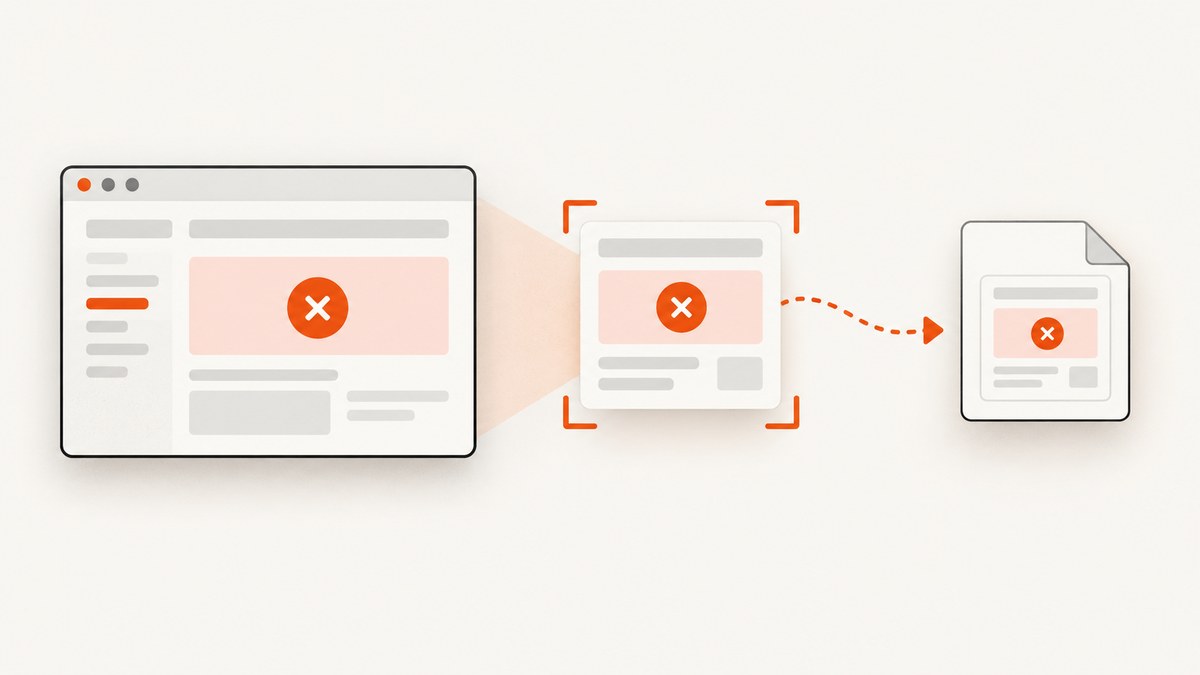
If a failed browser test has no useful screenshot, first check the framework and how the test was run. Cypress captures failures automatically with cypress run, but not automatically with cypress open. Playwright Test can capture and attach an image from an afterEach hook. With pytest, use pytest_runtest_makereport to identify a failed test call and capture the browser before its fixture closes. In CI, also make sure the output is retained as an artifact or exposed through a report.
This guide covers those fixes, how to handle setup and teardown failures, and why a screenshot saved during a job may still be unavailable after the job ends.
1. Diagnose the capture path before changing code
Trace the whole artifact path, from failure to a place where a person can view it:
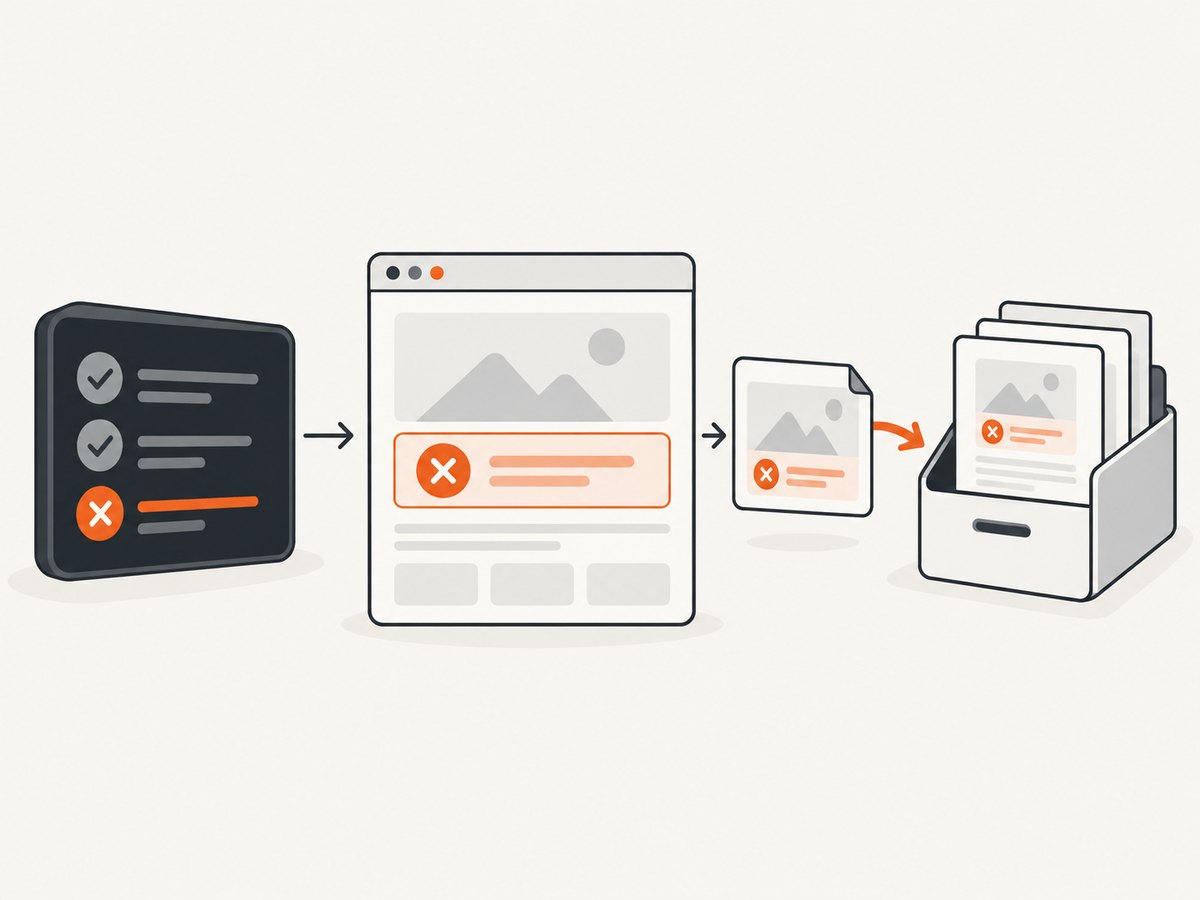
- Trigger: Does the framework take a screenshot automatically, or does your test need a hook?
- Capture timing: Is the browser page still open when the screenshot call runs?
- Save or attach: Is the image written to disk or attached to the test report?
- Publish: Does the CI job keep the output after its worker is discarded?
- Display: Does the report or artifact browser show the image?
A file can be captured correctly yet appear to be missing because it was written to an unexpected directory, cleared at the start of the next run, or never uploaded from CI. Conversely, a report may show an attachment slot without a useful image if capture ran after the page had already closed.
| Framework | Failure screenshot behavior | Where to look |
|---|---|---|
| Cypress | Automatic on test failure with cypress run; not automatic with cypress open. |
cypress/screenshots by default, Cypress Cloud, or CI artifacts. |
| Playwright Test | Capture and attach explicitly, commonly in afterEach. |
The configured reporter’s test attachments. |
| pytest with a browser | Use a report hook and project-specific fixture access. | The path your hook writes, plus retained CI artifacts. |
2. Fix Cypress screenshots that are missing
Confirm the execution mode
Cypress automatically takes screenshots on failure during cypress run, including CI runs. It does not automatically capture failures during cypress open. If you are debugging interactively, invoke a screenshot explicitly or reproduce the failure in run mode. See the Cypress screenshots and videos guide.
npx cypress runCheck the screenshot setting and output folder
The screenshotOnRunFailure setting defaults to enabled. Check both project configuration and any call to Cypress.Screenshot.defaults() for an override that disables it. Cypress writes screenshots to cypress/screenshots by default. The screenshots folder is cleared before a run unless trashAssetsBeforeRuns is disabled. That cleanup can make an image from an earlier run disappear when you start another one. Refer to the Cypress screenshot API for settings and behavior.
// cypress.config.js
const { defineConfig } = require('cypress');

module.exports = defineConfig({
  screenshotsFolder: 'cypress/screenshots',
  screenshotOnRunFailure: true,
  trashAssetsBeforeRuns: true,
});
Keep trashAssetsBeforeRuns enabled for a clean run unless you have a specific reason to accumulate output. A more reliable CI pattern is to upload the current run’s screenshot directory before the job ends rather than depend on old local files.
Preserve screenshots in CI
A screenshot on a temporary test worker is not automatically available to a developer. Configure the CI provider to retain the screenshot output as an artifact, or use Cypress Cloud where applicable. Cypress documents viewing failure screenshots in Cypress Cloud and exporting them through a CI provider’s artifact mechanism. Make the upload step run even when tests fail; a normal success-only upload step can silently discard the evidence you need most.
Account for asynchronous capture
Cypress screenshot capture is asynchronous and takes around 100 ms. The page or command log may change after the failure is raised and before the image is captured, so the screenshot may not show the exact instant of failure. If the defect depends on a transition, animation, or rapidly changing state, consider whether a video would provide context. Cypress videos are off by default, can be enabled separately, and are recorded per spec under cypress run. Full-page screenshots scroll and stitch the page; fixed or sticky elements can appear multiple times. These limitations are described in the Cypress screenshot API and screenshots and videos guide.
3. Attach a screenshot to a failed Playwright test
Playwright Test provides testInfo.attach to add an image to the test result. In an afterEach hook, compare the actual status with the expected status, capture the page, then attach the resulting bytes with the image content type. This also identifies unexpected passes if your suite marks a test as expected to fail.
// tests/fixtures.ts
import { test as base } from '@playwright/test';

export const test = base;

test.afterEach(async ({ page }, testInfo) => {
  if (testInfo.status !== testInfo.expectedStatus) {
    const screenshot = await page.screenshot();
    await testInfo.attach('failure-screenshot', {
      body: screenshot,
      contentType: 'image/png',
    });
  }
});
Import this configured test in test files so the hook applies. If you put the hook in a single spec file, it only applies where that hook is registered. The status and expectedStatus values are available after the test finishes in afterEach; testInfo.attach copies attachments to a location accessible to reporters. See the Playwright TestInfo API.
Check reporter visibility and page availability
Attaching a screenshot and displaying it are separate steps. Confirm the reporter you use exposes test attachments and that you are opening the report for the same run. If the page fixture is unavailable or closed at hook time in your setup, capture from the project’s still-live page or browser fixture instead, and ensure the hook runs before teardown closes it. If the hook itself throws, it can add noise to the original test failure; inspect the test result for both the original error and any capture error.
4. Capture a failed browser test with pytest
pytest does not define a universal browser screenshot fixture. The documented pytest_runtest_makereport hook lets a plugin inspect each test phase. Use the call-phase report and its failed flag to capture only failures from the test body, then adapt browser access and artifact storage to the fixtures your project actually uses. The pytest hook example demonstrates this report pattern.
One maintainable approach is to expose the active browser page through a fixture and make it available to the hook through a plugin or a small project-specific registry. The following example illustrates the hook decision and capture operation; get_page_for_item is deliberately an integration point your suite must implement for its browser fixture.
# conftest.py
import pytest

@pytest.hookimpl(hookwrapper=True)
def pytest_runtest_makereport(item, call):
    outcome = yield
    report = outcome.get_result()

    if report.when == 'call' and report.failed:
        page = get_page_for_item(item)  # Implement for your browser fixture
        if page is not None:
            path = f"artifacts/{item.nodeid.replace('/', '_')}.png"
            page.screenshot(path=path)
            report.user_properties.append(('failure_screenshot', path))
Create the artifacts directory before writing, sanitize node IDs so paths are valid on your operating system, and ensure your report or CI upload step uses the recorded path. If the failure occurs during fixture setup, there may be no page yet. If it occurs during teardown, the page may already have been closed. Those phases need explicit project handling; filtering to report.when == 'call' avoids pretending they are ordinary call failures.
5. Make CI artifacts survive a failed job
Local success does not prove a CI artifact is configured. Run a deliberate failure and check that the resulting image can be opened from the CI run after completion. Verify all of these:
- The screenshot path is relative to the job’s working directory or otherwise known to the upload step.
- The upload step runs on failure as well as success.
- The artifact name distinguishes concurrent jobs, browser projects, or retries where needed.
- The retention period is long enough for your team’s debugging process.
- Report links point to the same run and attempt that produced the failed test.
For Playwright, attachments should be available to reporters through testInfo.attach; confirm the report generated in CI includes the attachment. For Cypress, upload the screenshots directory or use Cypress Cloud. For pytest, publish the paths your hook writes. Do not assume a local directory on an ephemeral worker will remain available after the job.
6. Troubleshooting common failure modes
| Symptom | Likely cause | Fix |
|---|---|---|
| No Cypress image after clicking through tests interactively | cypress open does not automatically capture failure screenshots. |
Use an explicit screenshot or reproduce with cypress run. |
| Cypress stopped producing images in run mode | screenshotOnRunFailure was disabled in config or defaults. |
Set it to true and inspect Cypress.Screenshot.defaults(). |
| Old Cypress image vanished | The screenshots folder is cleared before a run by default. | Save or upload the run output before starting another run; adjust trashAssetsBeforeRuns only if needed. |
| Screenshot exists locally but not in CI results | CI did not upload the directory, or upload ran only after success. | Configure artifact upload to run after failed tests and point it at the actual output path. |
| Playwright test failed but report has no image | No hook attached it, hook did not run for that test, or reporter view omits attachments. | Register the hook in the imported test fixture, compare status to expected status, and inspect reporter attachment support. |
| Playwright screenshot hook throws | The page may already be closed, or capture failed while handling the original error. | Capture while the page fixture remains live and inspect both the original failure and hook error. |
| pytest hook sees no browser page | The browser fixture is not exposed to the hook or setup failed before page creation. | Implement fixture-to-hook access and handle absent pages explicitly. |
| pytest image path is recorded but file is absent | Directory missing, path invalid, or capture ran after teardown. | Create the directory, sanitize the node ID, and capture before browser teardown. |
| Image appears to show the wrong state | Capture is asynchronous or occurs after the page changes. | Capture as close to the failure as the framework permits; use video or logs when a single frame cannot establish sequence. |
7. Improve screenshot performance and reliability
Capture only when the test result warrants it. Taking images for every passing test increases artifact volume and can slow a large suite; failure-only capture keeps the normal path smaller. In Playwright and pytest, keep the hook narrow, avoid retrying a screenshot indefinitely, and make capture errors visible without obscuring the test’s original error.

Use deterministic names that include a test identifier and, where relevant, a retry or browser project. Keep artifacts grouped by run rather than writing all failures into a shared directory that concurrent workers can overwrite. Retain only the period your team needs and avoid uploading unrelated files. A screenshot is a point-in-time visual record, not a complete explanation of application state: pair it with test logs and, for timing issues, a video or trace if your framework setup supports them.
Full-page capture can cost more time and produce larger files than a viewport image. In Cypress, full-page capture scrolls and stitches, so fixed headers or sticky elements may repeat. Choose a viewport shot when the failure is local to the visible screen; use full-page evidence when content below the fold is relevant.
8. Or skip the browser setup
For a screenshot of a page from a test workflow or debugging task, ScreenshotNeo offers a single HTTP request. This does not replace an in-process browser hook when you need the exact transient state of a failing test, but it can simplify captures of reachable pages when setting up and maintaining browser capture code is not the goal.
One GET request returns an image or PDF. The example below saves a WebP response; replace the URL with the page you want to capture and provide your API key. See the ScreenshotNeo API documentation for request options.
curl -G "https://api.screenshotneo.com/v1/shot" \
  -d access_key=YOUR_API_KEY \
  --data-urlencode url=https://stripe.com \
  -o shot.webp
import requests
r = requests.get(
"https://api.screenshotneo.com/v1/shot",
params={"access_key": "YOUR_API_KEY", "url": "https://stripe.com"},
timeout=90,
)
open("shot.webp", "wb").write(r.content)const q = new URLSearchParams({
access_key: 'YOUR_API_KEY',
url: 'https://stripe.com'
});
const res = await fetch(`https://api.screenshotneo.com/v1/shot?${q}`);
if (!res.ok) throw new Error(`Screenshot request failed: ${res.status}`);
await Bun.write('shot.webp', res);- Cookie banners are accepted and 60+ known consent platforms, newsletter popups, and chat widgets are removed before capture; each step can be turned off.
- Bot checks, blank pages, timeouts, failed loads, and cache hits cost nothing. Response headers identify the page verdict and billing status.
- An MCP server provides
take_screenshot,get_page_info, andcapture_pdftools for Claude, Cursor, and other MCP clients. - The free plan includes 1,000 screenshots per month with no card. Paid plans start at $5 for 3,000 screenshots; every feature is on every plan.
Sign up for ScreenshotNeo free: 1,000 screenshots a month, no card.
ScreenshotNeo is a website screenshot API and MCP server by Yorker Media. Learn more at screenshotneo.com.
9. FAQ
How do I take a screenshot when a test case fails?
Use your framework’s failure path: Cypress run mode captures automatically, Playwright Test can attach in an afterEach hook, and pytest can inspect the failed call report and capture through project-specific browser fixture access.
Why is Cypress not taking screenshots on failure?
Check whether you ran cypress open instead of cypress run, whether screenshotOnRunFailure was disabled, and whether the screenshots directory was cleared or not uploaded from CI.
How do I attach a screenshot to a failed Playwright test?
Capture with page.screenshot() in a hook, then pass the bytes and image/png content type to testInfo.attach. Confirm the reporter displays attachments.
Why does a screenshot fail to prove the exact moment of a test failure?
Capture is a snapshot and may occur after the page changes. Cypress documents asynchronous capture; use logs or video when the order of events matters.


