How to Fix Flaky Button Clicks in Playwright
Fix flaky Playwright button clicks by using durable locators, condition-based waits, actionability diagnostics, and the right timeout scope.

Flaky button clicks usually come from one of four causes: the locator matches the wrong element, the button is not ready, another element intercepts the pointer event, or the timeout being changed does not belong to the failing operation. The reliable repair is to use a semantic locator, let locator.click() perform its actionability checks, assert real prerequisite and result states, and inspect the call log or trace when a click still fails.
Do not begin with a fixed sleep, force: true, or retries. Those can hide the condition that made the test intermittent. Playwright documents that it performs actionability checks before actions, and that locators are the foundation of its auto-waiting and retry behavior.
1. What Playwright waits for before a click
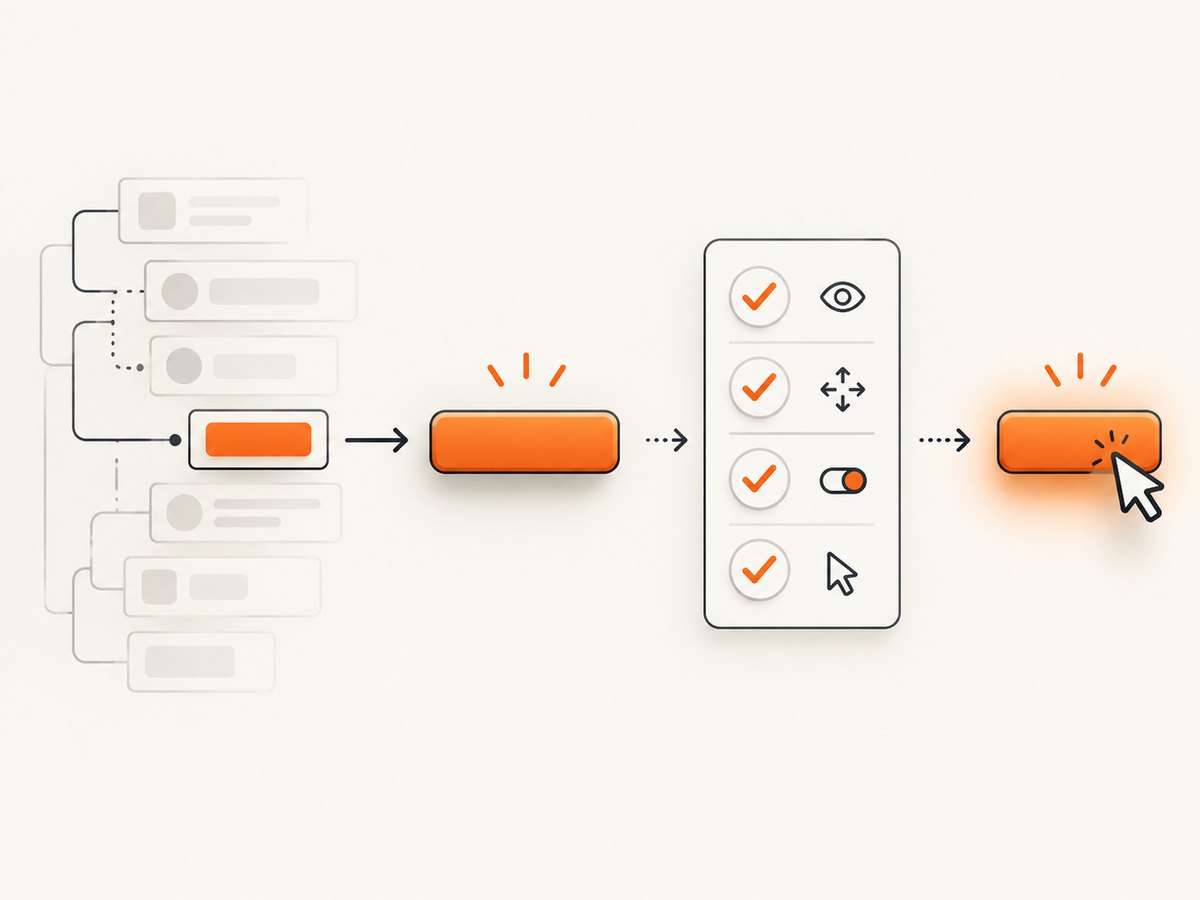
Before locator.click() runs, Playwright waits for the locator to resolve to exactly one element and checks that the element is visible, stable, enabled, and able to receive pointer events. Stable means its bounding box remains unchanged for at least two consecutive animation frames. Playwright also scrolls the element into view before issuing the mouse click.
| Check | What a failure suggests | Where to look |
|---|---|---|
| Exactly one match | Ambiguous or incorrect locator | Accessible name, scope, duplicated controls |
| Visible | Hidden panel, responsive layout, or delayed render | Viewport, CSS state, rendering condition |
| Stable | Animation or layout movement | Transitions, skeletons, reflowing content |
| Enabled | Async work has not completed | Disabled attribute and application readiness state |
| Receives events | Overlay or another element is on top | Consent dialog, modal, tooltip, sticky header |
A timeout only says that the required checks did not pass within the applicable timeout. It does not identify which application state or selector condition caused the wait. Read the call log before changing configuration.
2. Start with a locator that describes the intended button
Prefer user-facing locators such as getByRole() and getByText(). They survive many DOM refactors because they express how a user identifies the control. Long CSS and XPath ancestry chains bind a test to page structure and tend to break when markup changes.
import { test, expect } from '@playwright/test';

test('saves the profile', async ({ page }) => {
  await page.goto('/profile');

  const saveButton = page.getByRole('button', { name: 'Save' });
  await expect(saveButton).toBeEnabled();
  await saveButton.click();

  await expect(page.getByRole('status')).toHaveText('Saved');
});
The locator must still be unique. If a page has several Save buttons, scope it to the dialog, form, card, or row that owns the action.
const settingsDialog = page.getByRole('dialog', { name: 'Settings' });
const saveButton = settingsDialog.getByRole('button', { name: 'Save' });
await saveButton.click();
For a repeated list, filter by content that identifies the right item instead of relying on a position:
const projectRow = page.getByRole('row').filter({ hasText: 'Website redesign' });
await projectRow.getByRole('button', { name: 'Save' }).click();
Use a test ID when the product has an explicit testing contract and no stable accessible name. Avoid positional selectors such as buttons.nth(2) unless order itself is what the test is verifying.
3. Wait for application state, then click and verify the outcome
Actionability waiting answers “can Playwright safely dispatch this click now?” It does not prove that the business operation succeeded. Add an auto-retrying assertion for a meaningful prerequisite and another for the observable result.
const submit = page.getByRole('button', { name: 'Submit order' });

// Prerequisite: the form has finished validation and the action is available.
await expect(submit).toBeEnabled();

await submit.click();

// Postcondition: adapt this to the real user-visible result.
await expect(page.getByRole('status')).toHaveText('Order submitted');
Assertions retry until they pass or the assertion timeout expires. This is preferable to reading a value once and immediately branching on it. If the click starts navigation, assert the eventual URL or page state rather than sleeping for an assumed duration.
await Promise.all([
  page.waitForURL('**/checkout/complete'),
  page.getByRole('button', { name: 'Pay now' }).click(),
]);
Use the application’s real readiness signal when possible: an enabled control, a visible “loaded” region, a completed progress indicator, or a response-driven status. A generic delay such as waitForTimeout(1000) can be too short on a busy runner and unnecessarily slow on a fast one.
4. Diagnose the exact reason a click is flaky
- Read the operation in the error. Confirm whether the failure occurred at locator resolution, actionability, navigation, an assertion, or the overall test timeout.
- Inspect the call log. It often names the condition Playwright was waiting on: visibility, stability, enabled state, or event reception.
- Check the locator in the report. An ambiguous match points to selector scope. A detached element suggests that the UI replaced the node during the action.
- Open a trace for the failed attempt. Correlate the screenshot, DOM snapshot, action log, and timing with the condition reported by the click.
Playwright Test’s HTML report can filter failed and flaky tests and show each step and error. Configure trace retention, commonly on retry, so an intermittent CI failure leaves evidence for investigation.
5. Fix the common obstruction and readiness cases
Overlay or intercepting element
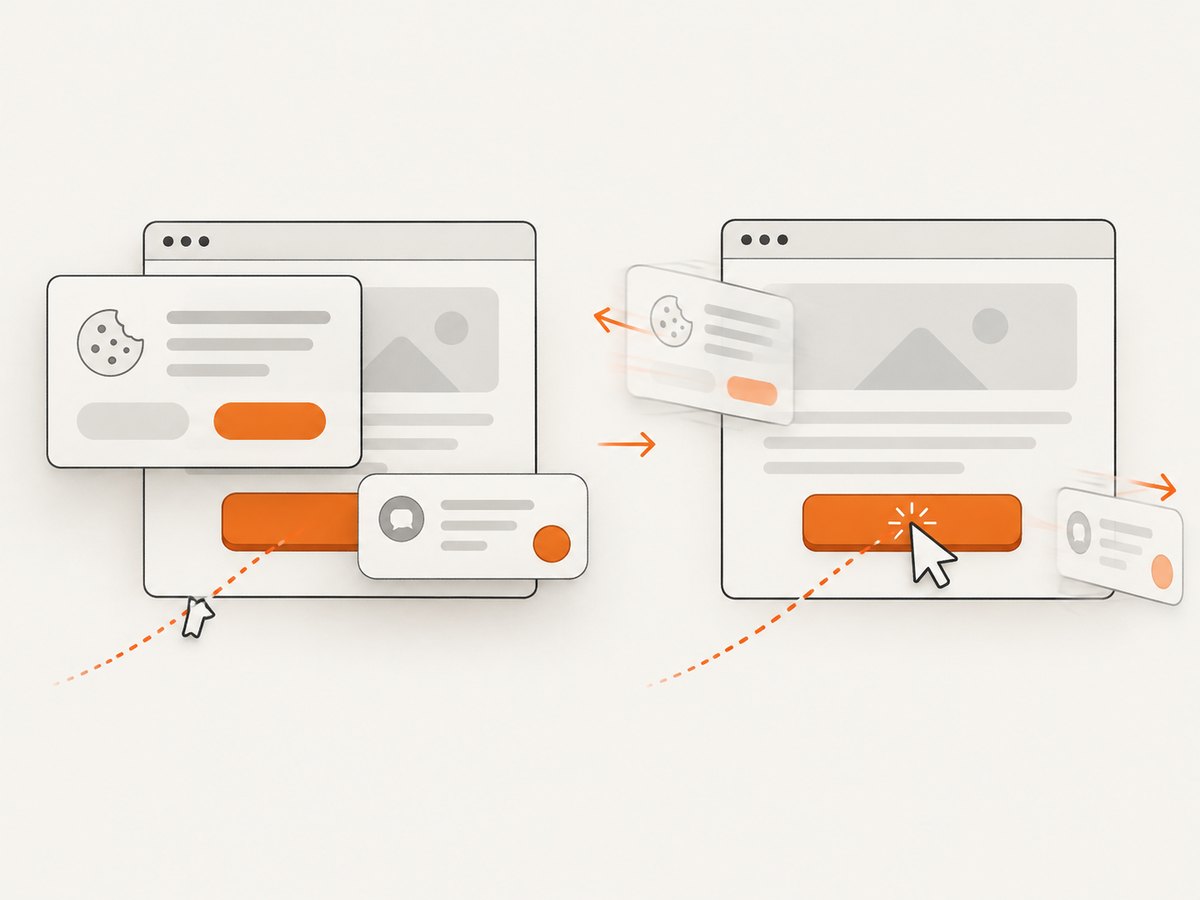
The “receives events” check verifies that the target is the hit target at the click point. A consent dialog, modal backdrop, tooltip, chat widget, or sticky layer can capture the event. Find out why the layer is still present and interact with the interface in its intended order.
const consent = page.getByRole('dialog', { name: 'Cookie preferences' });
await consent.getByRole('button', { name: 'Accept all' }).click();

await page.getByRole('button', { name: 'Continue' }).click();
Do not use force: true just to suppress the error. Force mode bypasses non-essential checks, including event reception, and can turn a real user-visible defect into a passing test.
Animation or layout movement
Playwright already waits for the target’s bounding box to stop moving. If the element never settles, inspect transitions, expanding validation messages, lazy content, and layout shifts. Removing unintended animation in a test environment can be reasonable when that matches the team’s test policy; it should not replace understanding why the production UI moves.
Button enabled after asynchronous work
Assert the real readiness state and then click. The click still performs its own checks, so the explicit assertion documents the prerequisite and produces a clearer failure.
await expect(page.getByTestId('data-loaded')).toBeVisible();
const refresh = page.getByRole('button', { name: 'Refresh' });
await expect(refresh).toBeEnabled();
await refresh.click();
Dynamic lists
A locator remains live, while locator.all() does not wait for matching elements and can produce unpredictable results while a list is changing. Wait for the list’s meaningful completion condition, then target the desired member through a locator.
const rows = page.getByRole('row');
await expect(rows).toHaveCount(10);
await rows.filter({ hasText: 'Invoice 1042' }).getByRole('button', { name: 'Open' }).click();
6. Understand Playwright timeout scopes
Playwright Test documents separate timeout mechanisms:
| Timeout | Documented default | Controls |
|---|---|---|
| Test timeout | 30 seconds | The complete test, including hooks |
| Assertion timeout | 5 seconds | Auto-retrying assertions such as toBeVisible |
| Action timeout | No timeout unless configured | Actions such as click |
These are configurable defaults, not universal recommendations. Increase only the timeout whose operation legitimately needs more time after checking the locator and UI state.
import { defineConfig } from '@playwright/test';

export default defineConfig({
  timeout: 30_000,
  expect: { timeout: 5_000 },
  use: { actionTimeout: 10_000 },
});
If an assertion fails after five seconds, changing the action timeout will not fix it. If the whole test reaches 30 seconds, first determine which operation consumed the time. A slow test can be a symptom of a locator that never becomes actionable, not a reason to raise every limit.
7. Retries are evidence, not a repair
Retries are disabled by default. When enabled, a test that fails initially and passes on retry is reported as flaky. Keep retries for resilience and reporting, but investigate the original failure with its trace and call log.
import { defineConfig } from '@playwright/test';

export default defineConfig({
  retries: process.env.CI ? 2 : 0,
  use: {
    trace: 'on-first-retry',
  },
});
A retry can distinguish an intermittent timing problem from a deterministic failure, but it does not remove an overlay, repair an ambiguous locator, or make an application state transition faster.
8. A practical repair checklist
- Does the locator resolve to exactly one intended button?
- Can the locator use an accessible role and name or a scoped test ID?
- Is the button visible, stable, and enabled when the action runs?
- Is a dialog, consent layer, tooltip, header, or chat widget intercepting the click?
- Have you asserted the prerequisite state with an auto-retrying assertion?
- Have you asserted the user-visible result after the click?
- Are you waiting for a URL or application state instead of a fixed delay?
- Does the changed timeout match the failing operation?
- Does the trace show a detached node or layout movement?
- Are retries preserving evidence rather than masking the cause?
9. Performance and reliability considerations
Condition-based waits usually improve suite speed because they finish as soon as the state is ready. Fixed sleeps impose the same delay on fast and slow runs and still fail when the delay is insufficient. Narrow locators also reduce ambiguity and make failures easier to diagnose.
Keep post-click assertions focused on the contract a user can observe. Waiting for unrelated network activity can lengthen tests and couple them to implementation details. For navigation, wait for the destination or a stable page signal. For an in-place update, assert the changed text, status, row, or enabled state.
In CI, retain traces on retry, review the first failed attempt, and track recurring failure conditions. A test that passes only after retry should remain visible as flaky until its locator, readiness, or interception cause is addressed.
10. Or skip the browser setup
If your goal is to capture a page for a visual report, documentation, or an AI workflow rather than interact with it, ScreenshotNeo provides a direct screenshot request. Its capture pipeline accepts consent banners and removes more than 60 known consent platforms, newsletter popups, and chat widgets before the shot; each step can be turned off. Bot checks or CAPTCHAs, blank pages, timeouts, failed loads, and cache hits are not billed, and the response identifies the result with X-Page-Verdict and X-Billed headers. ScreenshotNeo also provides an MCP server with take_screenshot, get_page_info, and capture_pdf tools for Claude, Cursor, and other MCP clients.
See the ScreenshotNeo API documentation for all options. Basic calls are:
cURL
curl -G "https://api.screenshotneo.com/v1/shot" \
  -d access_key=YOUR_API_KEY \
  --data-urlencode url=https://stripe.com \
  -o shot.webp
Python
import requests

r = requests.get(
    "https://api.screenshotneo.com/v1/shot",
    params={"access_key": "YOUR_API_KEY", "url": "https://stripe.com"},
    timeout=90,
)
r.raise_for_status()
open("shot.webp", "wb").write(r.content)
Node.js
const q = new URLSearchParams({
  access_key: 'YOUR_API_KEY',
  url: 'https://stripe.com'
});
const res = await fetch(`https://api.screenshotneo.com/v1/shot?${q}`);
if (!res.ok) throw new Error(`Screenshot failed: ${res.status}`);
const data = Buffer.from(await res.arrayBuffer());
require('node:fs').writeFileSync('shot.webp', data);
You can request PNG, JPEG, WebP, or PDF and configure full-page capture, lazy-image loading, CSS-element capture, dark mode, device presets, custom viewports, retina scale, paper size, margins, page ranges, custom CSS or JavaScript, clicks, selector waits, delays, network idle, blocked ads or trackers, headers, cookies, user agents, authorization, timezone, geolocation, transparent backgrounds, resizing, caching TTLs, signed links, asynchronous jobs with signed webhooks, bulk capture for up to 100 URLs per call, and usage reporting. Every feature is available on every plan.
Free usage includes 1,000 shots per month with no card. Paid plans start at $5 for 3,000 shots; yearly billing gives two months free. Create a free ScreenshotNeo account to try it.
11. Troubleshooting reference
| Symptom | Likely cause | Fix |
|---|---|---|
| “strict mode violation” | Locator matches multiple elements | Scope by dialog, row, or accessible name; avoid positional guessing |
| “element is not receiving pointer events” | Overlay or another layer intercepts the click | Handle or wait for the legitimate layer; inspect the trace |
| “element is not stable” | Animation or layout shift | Find the moving content and wait for its settled state |
| “element is disabled” | Async prerequisite is incomplete | Assert enabled state or the real readiness signal |
| Detached element | Framework replaced the node | Use a live locator and wait for the rendered state instead of storing a stale handle |
| Assertion timeout | Postcondition never became true within assertion timeout | Verify the expected result and adjust assertion timeout only if the behavior is legitimately slower |
| Whole test timeout | Combined operations exceeded test timeout | Identify the slow operation before changing the test timeout |
| Passes only on retry | Intermittent readiness, interception, or data race | Use the retry trace and repair the underlying condition |
12. FAQ
Should I always call waitForTimeout before clicking?
No. Wait for a state such as enabled, visible, a URL, or a status message. A fixed delay does not track the application’s actual readiness.
When is force: true appropriate?
Only when bypassing an actionability check is an intentional part of the test contract. It is not a general flakiness fix because it can ignore a real obstruction.
Why does a successful click still produce a failing test?
The event may have been dispatched while the application action failed, was rejected, or had not completed. Assert the resulting URL, status, content, or other user-visible postcondition.
Should I increase the 30-second test timeout?
Only after identifying a legitimate end-to-end operation that needs more time. A timeout increase cannot fix an ambiguous locator or an overlay.
Do retries make a test reliable?
They make intermittent failures easier to classify and can keep a suite moving, but a fail-then-pass result is evidence that the test still needs investigation.


