How to Fix Font Switching Issues in iText 7 HTML-to-PDF Conversion
Stop unexpected font changes in iText 7 PDFs by registering the right faces, controlling fallback, and checking CSS, glyphs, and versions.
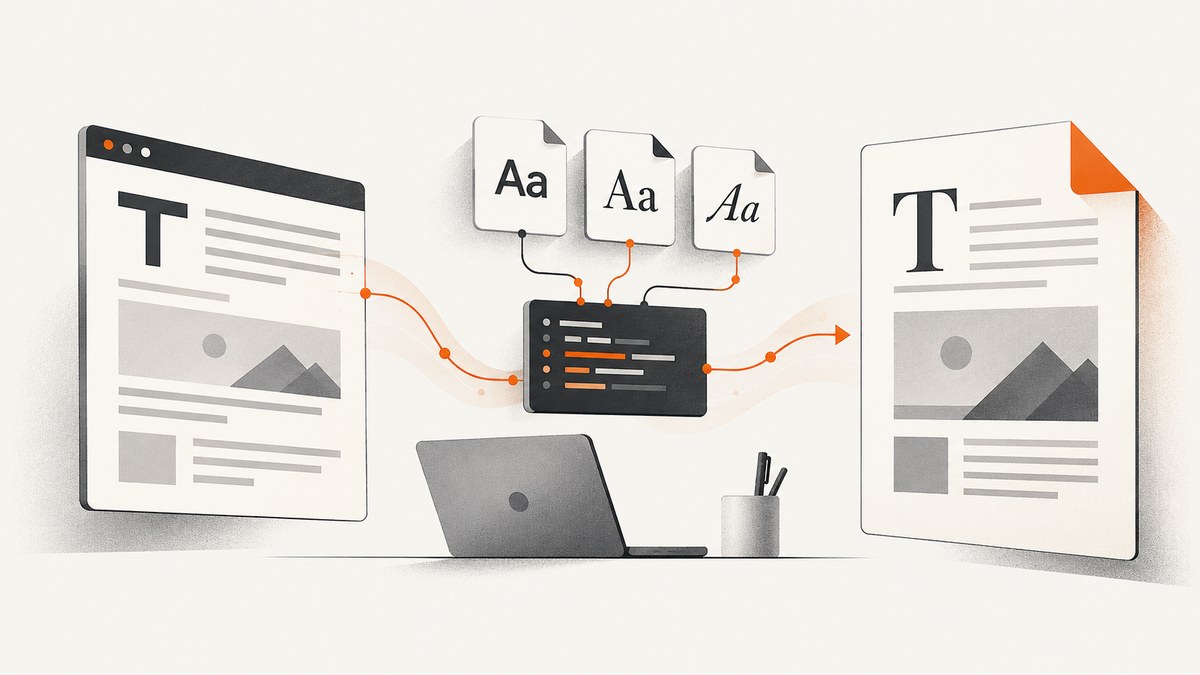
Font switching in an iText 7 HTML-to-PDF conversion usually means pdfHTML could not select the physical face requested by your CSS, or that the selected font could not render a character. The converter then searches the fonts registered with its font provider and uses the first font that can draw the glyph. Fix the problem by checking computed CSS, registering the actual regular, bold, and italic files, controlling provider contents and order, and testing the glyphs that trigger fallback.
This guide focuses on iText 7 with pdfHTML. The current documented feature matrix for pdfHTML 6.3.3 with iText Core 9.7.0 supports font-family, font-weight, and font-style. Several advanced font properties, including variable-font settings and font-synthesis, are listed as unsupported, so verify the matrix for the version installed in your project.
Why pdfHTML uses a different font
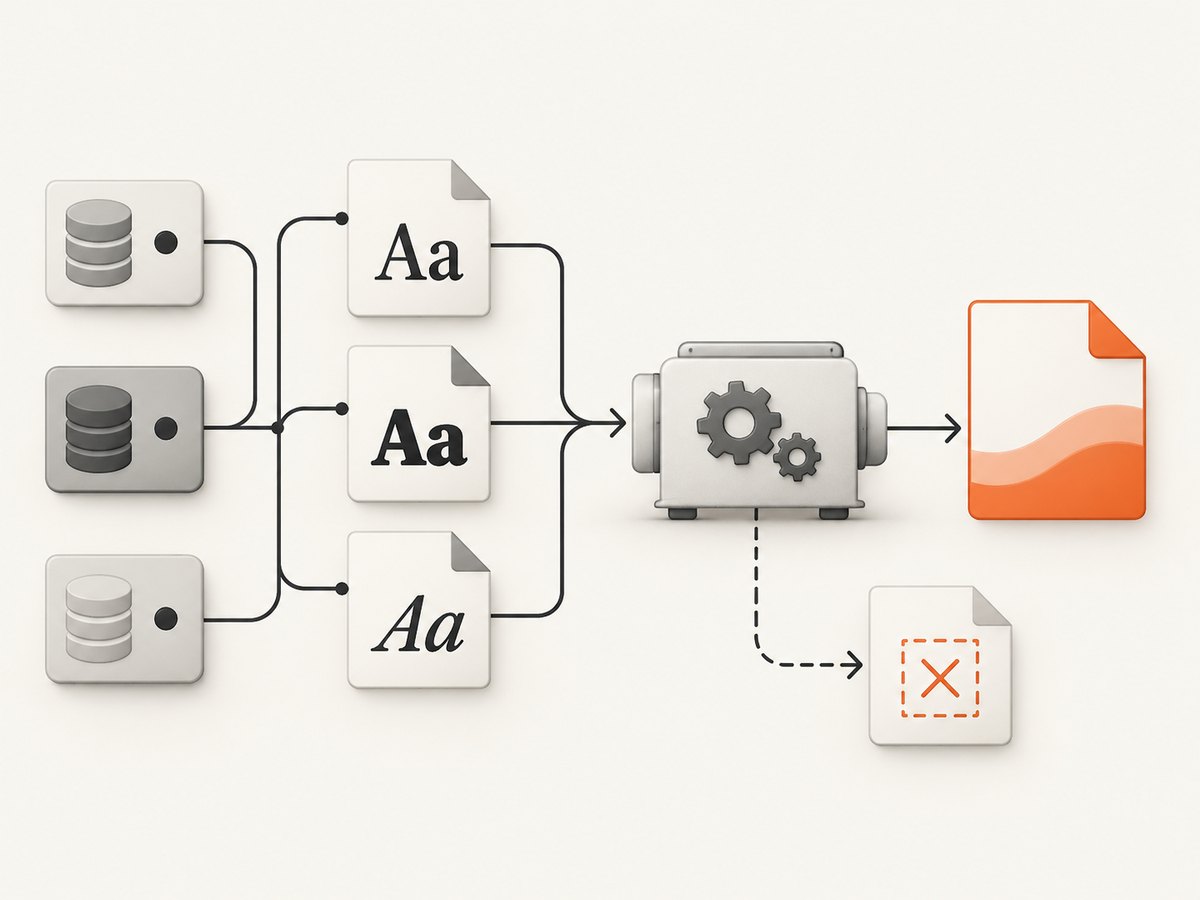
pdfHTML does not search your operating system in the same way a browser does. It resolves named families and faces through a configured font provider. The documented default setup registers standard PDF fonts and fonts shipped with pdfHTML; it does not automatically select every system font. A CSS declaration such as font-family: 'Acme Sans' cannot work if the provider does not contain a file whose family metadata matches that request.
Even when the family is present, a separate physical file may be required for each style. If the HTML asks for weight 700 and only a regular file is registered, the provider may choose another registered family that has a usable bold face. Italic text can switch for the same reason. Fallback also happens inside a line: a font can cover Latin characters but lack a symbol, punctuation mark, emoji, or non-Latin glyph. pdfHTML searches registered fonts in registration order until it finds one that can render that character.
The official iText Knowledge Base describes this behavior in Chapter 6: Using fonts in pdfHTML. The practical consequence is that provider contents and order are part of your rendering configuration.
A reliable diagnostic sequence
- Reduce the case. Create a small HTML file containing one affected element and the exact text that changes appearance. This removes layout and unrelated CSS from the investigation.
- Inspect computed CSS. In the source or browser developer tools, record the final
font-family,font-weight, andfont-style. Confirm that the stylesheet containing those rules is loaded by the converter and that a later selector is not overriding it. - Map names to files. Check the family and style metadata in each TTF or OTF file. A filename such as
Acme-Bold.ttfdoes not guarantee that its internal family name is “Acme Sans”. - List provider fonts. Confirm that the files are added to the provider before conversion. Do not assume a host’s installed fonts are visible to a container, serverless function, or CI runner.
- Add missing faces. Register the real regular, semibold, bold, italic, and bold-italic files used by your CSS. If the exact face does not exist, decide whether a controlled approximation is acceptable.
- Test glyph coverage. Include accented letters, currency symbols, smart quotes, dashes, mathematical symbols, and representative characters from every script in your input.
- Inspect the PDF. Open the document properties or use a PDF inspection utility to see which fonts and subsets were embedded. A viewer may substitute a display font, so inspect the PDF’s embedded resources rather than relying only on screen appearance.
Register fonts explicitly in Java
A controlled provider is the most repeatable solution. The exact provider class varies by iText release. Older examples use DefaultFontProvider; the current .NET API reference marks that name deprecated in favor of BasicFontProvider. Check the API for your language and installed version before copying a sample.
import com.itextpdf.html2pdf.ConverterProperties;
import com.itextpdf.html2pdf.HtmlConverter;
import com.itextpdf.html2pdf.resolver.font.DefaultFontProvider;
import java.io.File;

public class HtmlToPdfWithFonts {
    public static void main(String[] args) throws Exception {
        DefaultFontProvider provider = new DefaultFontProvider(true, true, false);

        provider.addFont("fonts/AcmeSans-Regular.ttf");
        provider.addFont("fonts/AcmeSans-Bold.ttf");
        provider.addFont("fonts/AcmeSans-Italic.ttf");
        provider.addFont("fonts/AcmeSans-BoldItalic.ttf");
        provider.addFont("fonts/NotoSansSymbols2-Regular.ttf");

        ConverterProperties properties = new ConverterProperties();
        properties.setFontProvider(provider);

        HtmlConverter.convertToPdf(
            new File("input.html"),
            new File("output.pdf"),
            properties
        );
    }
}
The three boolean arguments in this commonly documented setup are (true, true, false). They control registration of standard PDF fonts, fonts shipped with pdfHTML, and system fonts. If you need a different policy, use the constructor and provider options documented for your release. The important part is that the provider passed to HtmlConverter is the one containing your selected files.
Use CSS that matches the registered faces
@font-face {
  font-family: 'Acme Sans';
  src: url('fonts/AcmeSans-Regular.ttf') format('truetype');
  font-weight: 400;
  font-style: normal;
}

@font-face {
  font-family: 'Acme Sans';
  src: url('fonts/AcmeSans-Bold.ttf') format('truetype');
  font-weight: 700;
  font-style: normal;
}

@font-face {
  font-family: 'Acme Sans';
  src: url('fonts/AcmeSans-Italic.ttf') format('truetype');
  font-weight: 400;
  font-style: italic;
}

.invoice-title {
  font-family: 'Acme Sans', sans-serif;
  font-weight: 700;
  font-style: normal;
}
Keep the CSS family name consistent across all declarations. If you use a numeric weight such as 600, register a face that represents that weight or map the value intentionally to an available face. Do not rely on browser behavior that synthesizes a style unless your pdfHTML version supports the relevant property and you have verified the output.
Choosing a font-loading strategy
| Strategy | Control | Repeatability | Operational notes |
|---|---|---|---|
| Selected local files | Highest | High | Package approved files and review their embedding licenses. iText documents this as the fastest option. |
| Controlled directory | High | High if curated | Useful when a directory contains only the fonts your application permits. Preserve predictable registration order. |
| All system fonts | Low | Low | Hosts differ, directory order is hard to control, and restricted fonts can cause exceptions. |
| Remote WOFF assets | Depends on network | Variable | pdfHTML can download WOFF resources referenced by HTML, but network access adds latency and another failure point. |
For production conversion, selected local files normally provide the clearest deployment contract. Store them with the application or in an approved asset package, use stable paths, and fail the deployment if a required file is missing. A broad system-font directory can make a problem disappear on one machine and reappear on another because the fallback order changed.
Handling missing bold and italic faces
A browser may synthesize bold or oblique text. In pdfHTML, the safest approach is to register the real physical variants. iText also documents Layout API techniques for simulating bold or italic when a physical face is unavailable. Treat simulation as an approximation: stroke thickness, spacing, and glyph shapes may differ from a designer-provided face. Validate it against your actual pdfHTML pipeline and representative text.
Do not silently substitute a different family for a missing variant when brand consistency matters. Either package the required file, change the CSS to an available weight, or make the approximation an explicit, reviewed decision.
Glyph fallback and international text
Font switching that affects only a few characters is usually a coverage issue. Add a fallback font with the required Unicode ranges and register it deliberately. Test punctuation and symbols as well as letters; invoices often expose missing currency signs, legal documents expose smart quotes and section marks, and generated reports expose mathematical operators.
For Arabic, Hebrew, and Indic text, font files alone may not be sufficient. The iText font guidance says pdfCalligraph is needed for the special typography processing required by these scripts. Confirm the licensing and version requirements, then test shaping, direction, ligatures, and line breaking with real text.
Remote fonts, WOFF, and resource resolution
If your HTML references a WOFF or WOFF2 asset, conversion depends on the converter being able to resolve that URL. Check the base URI, TLS trust, authentication, redirects, and network egress from the runtime. A browser that can load the stylesheet on your laptop does not prove that a locked-down server can reach it.
When conversion speed and reliability matter, download approved font files during the build and register them locally. iText notes that explicitly selected local fonts are faster than relying on automatic downloading. This also makes a failed font deployment visible during startup instead of halfway through a request.
Version-sensitive properties and APIs
Verify the feature matrix for the exact pdfHTML version in your build. The documented 6.3.3 matrix with iText Core 9.7.0 lists font-family, font-weight, and font-style as supported. It lists font-feature-settings, font-kerning, font-stretch, font-synthesis, font-variant, and variable-font settings as unsupported. Unsupported declarations may be ignored, leaving the provider to resolve a different face.
API names also change. If a sample references DefaultFontProvider but your release exposes BasicFontProvider, follow the installed version’s reference and migration notes. Keep iText Core and pdfHTML versions aligned as recommended by iText.
Common errors and fixes
| Symptom | Likely cause | Fix |
|---|---|---|
| Everything becomes a standard-looking font | The custom family was never registered or the provider was not attached to ConverterProperties. |
Add the files and pass the configured properties to the conversion overload. |
| Only bold text changes family | The bold file is absent or its metadata does not match the CSS family. | Register the physical bold face and verify its internal family/style metadata. |
| One symbol changes font | The primary font lacks that glyph. | Add a fallback font with coverage for the symbol and test the complete character set. |
| Output differs between machines | System-font collections or registration order differ. | Use selected local files or a curated directory and keep provider order stable. |
| Conversion throws a font exception | A restricted font cannot be embedded or the file is corrupt. | Check embedding permissions, replace the file with a licensed asset, and inspect startup logs. |
| Web font works locally but not in production | Remote WOFF access, base URI, credentials, or TLS differs. | Package the font locally or fix network and resource-resolution settings. |
| Arabic or Indic text has broken shaping | Special typography processing is missing. | Evaluate pdfCalligraph and test with native-language samples. |
| CSS seems correct but the PDF still differs | The installed pdfHTML version does not support an advanced font property. | Check the versioned matrix and replace unsupported declarations with registered faces. |
Performance, reliability, and cost considerations
Font work affects conversion in three places: loading assets, resolving each requested face, and embedding subsets in the PDF. Local, explicitly selected files reduce network latency and make cold-start behavior more predictable. Avoid scanning every system font on each request; initialize a curated provider once when your application architecture allows it, while ensuring that the provider is safe to share across concurrent conversions.
Cache the font package with your application image or deployment artifact. Record the iText Core and pdfHTML versions, font filenames, hashes, and license information so a changed output can be traced to a concrete asset change. Add a regression document containing every required weight, script, and symbol. Compare embedded font names and representative rendered pages after dependency upgrades.
There is no universal benchmark for font-loading overhead because it depends on file count, network conditions, PDF size, and runtime. Measure your own workload if latency is a requirement. The qualitative rule from iText is clear: selected local fonts are the fastest option, while remote downloads and large uncontrolled directories add work and variability.
Or skip the browser setup
If your goal is a clean image or PDF of an HTML page for documentation, previews, or QA, ScreenshotNeo provides a one-call capture API. It accepts a URL and returns PNG, JPEG, WebP, or PDF, with options for full-page capture, a CSS-selected element, custom CSS and JavaScript, device and viewport settings, dark mode, waiting conditions, headers, cookies, user agents, blocking rules, and PDF paper settings.
curl -G "https://api.screenshotneo.com/v1/shot" -d access_key=YOUR_API_KEY --data-urlencode url=https://stripe.com -o shot.webpimport requests
r = requests.get("https://api.screenshotneo.com/v1/shot", params={"access_key": "YOUR_API_KEY", "url": "https://stripe.com"}, timeout=90)
open("shot.webp", "wb").write(r.content)const q = new URLSearchParams({ access_key: 'YOUR_API_KEY', url: 'https://stripe.com' });
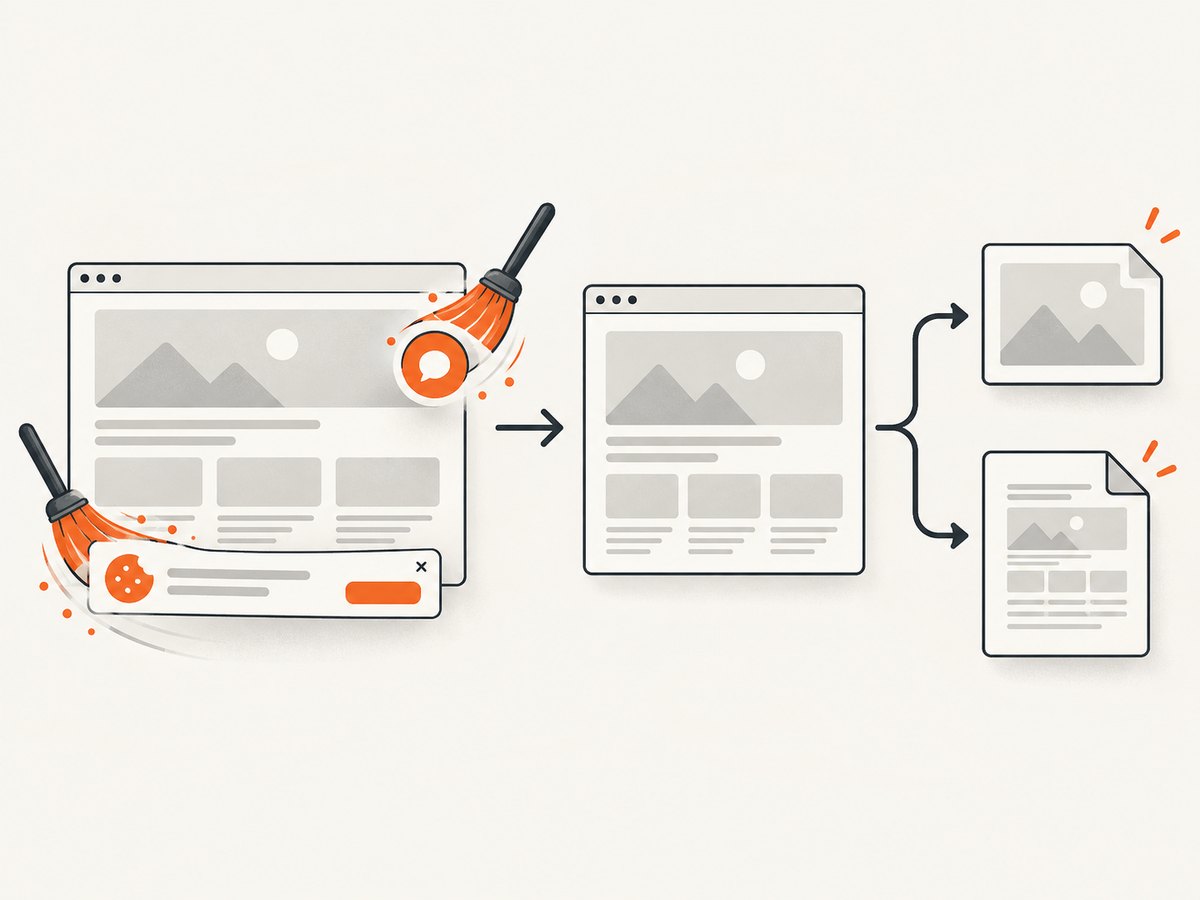
const res = await fetch(`https://api.screenshotneo.com/v1/shot?${q}`);See the ScreenshotNeo documentation for the complete parameter list. Cookie and consent banners are accepted and removed before capture, along with more than 60 known consent platforms, newsletter popups, and chat widgets; each step can be disabled. Bot checks, blank pages, timeouts, failed loads, and cache hits are not billed, and response headers identify the page verdict and whether the request was billed. ScreenshotNeo also has an MCP server with take_screenshot, get_page_info, and capture_pdf tools for Claude, Cursor, and other MCP clients.
The Free plan includes 1,000 screenshots each month with no card. Paid plans start at $5 for 3,000 shots, and every feature is available on every plan. Create a free ScreenshotNeo account to get started.
FAQ
Why does only one word use a different font?
That word probably contains a glyph missing from the primary font. Add a fallback font with coverage for that character and register it in a controlled order.
Should I register the whole system font directory?
Use it for experimentation only. Host differences and uncontrolled order make output less reproducible. Selected files or a curated directory are safer for production.
Can CSS alone force the exact font?
No. CSS names a family and style; the provider must contain matching physical files. Register the files and confirm their metadata.
What should I check after upgrading iText?
Check the pdfHTML feature matrix, provider API names, dependency compatibility, and a regression PDF containing every required weight, script, and symbol.
Can a PDF viewer make the font look wrong?
Yes. Inspect embedded fonts and subsets in the PDF itself before concluding that pdfHTML selected the wrong face.


