How to Fix Background Colors Missing From FOP HTML-to-PDF Output
Trace the HTML-to-FO conversion, inspect generated XSL-FO, and isolate Apache FOP before changing PDF color settings.
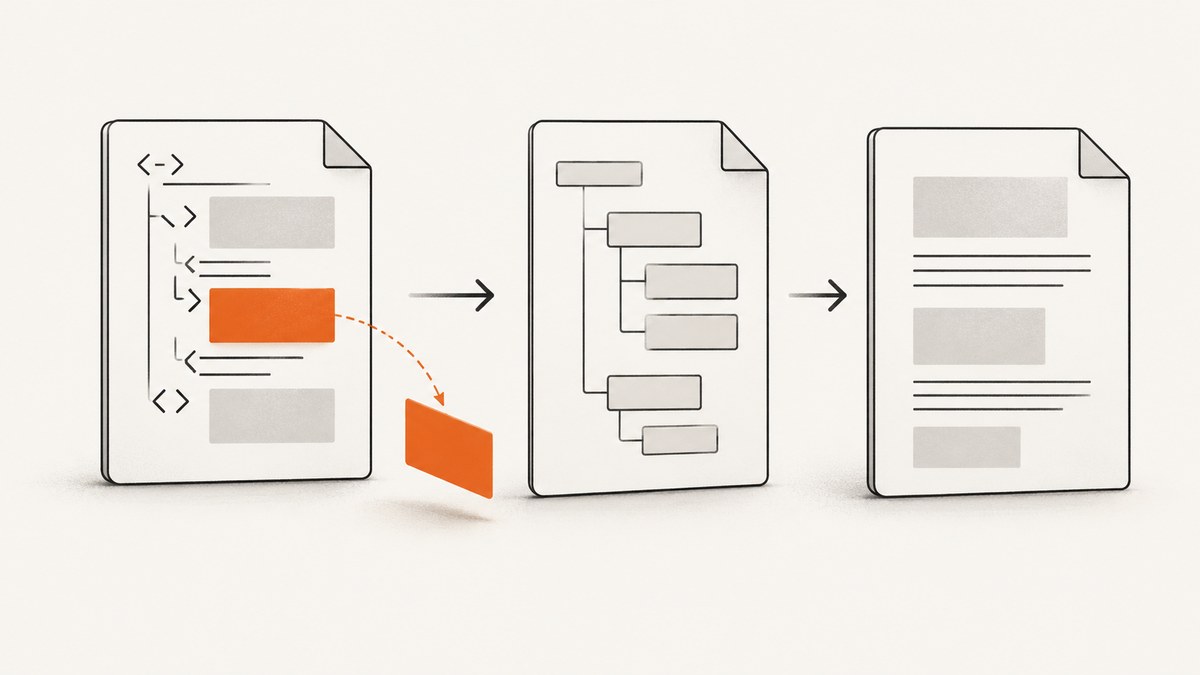
Direct answer: inspect the generated XSL-FO before changing Apache FOP settings. FOP formats XSL-FO; it does not provide general browser-style HTML and CSS rendering. If the generated fo:block, table cell, or other formatting object does not contain the expected background-color, fix the HTML/XHTML-to-FO converter or stylesheet. If the property is present, reproduce the same structure in a minimal FO file with the exact deployed FOP version. Only investigate PDF color management when the isolated FO example shows a color-space or conformance symptom.
Apache FOP’s compliance table lists XSL-FO background-color as supported across the documented releases, including 2.9, 2.10, and development builds. That support does not guarantee that an upstream CSS converter maps a web background into FO. See the FOP compliance table and the official FOP FAQ.
1. Understand the pipeline
Most failures occur at a stage boundary. Map your process before editing code:
- HTML or XHTML is parsed.
- A converter, template, or XSLT stylesheet produces XSL-FO.
- Apache FOP formats that FO into PDF.
- A PDF viewer displays the result.
FOP accepts XSL-FO as input. HTML-to-FO conversion is a separate step, and generic XHTML conversion may not preserve the information needed for publishing-grade output. Apache recommends transforming source XML directly into XSL-FO when possible; the FAQ explains why a generic web-to-print transformation can be inadequate.
| Symptom | Most useful boundary to inspect | Likely action |
|---|---|---|
No fill in the PDF and no background-color in FO |
HTML/CSS-to-FO conversion | Fix the converter, CSS mapping, or XSLT stylesheet |
| Property exists in FO but fill is absent | FOP formatting stage | Build a minimal reproduction with the deployed FOP version |
| Solid fill works but an image background does not | Background image and positioning rules | Check image URI, repeat, and position support |
| Colors differ across viewers or output profiles | PDF rendering and color configuration | Inspect profiles, PDF/A or PDF/X settings, and viewer behavior |
2. Inspect the generated FO first
Save the intermediate FO instead of piping it directly into FOP. Search for the affected object and verify that the property survived parsing and conversion.

<fo:block
  xmlns:fo="http://www.w3.org/1999/XSL/Format"
  background-color="#e8f0ff"
  padding="8pt"
  color="#111111">
  A block with a solid background
</fo:block>
Useful checks include:
- Is the affected element represented by an
fo:block, table cell, or another FO object? - Is the property exactly
background-color, rather than a CSS shorthand that your converter discards? - Did the color value survive CSS parsing? Test a simple named color or hexadecimal value while diagnosing.
- Is the property attached to the object that actually paints the area?
- Did a later stylesheet rule, conditional branch, or template override it?
If the property is missing, changing FOP’s PDF renderer options cannot restore it. Correct the upstream transformation or create a tailored stylesheet. The FOP quick start guide shows the XML-to-XSL-FO-to-PDF chain.
3. Create a minimal FO reproduction
Use a tiny FO document to separate conversion problems from formatter problems. Save this as background-test.fo:
<?xml version="1.0" encoding="UTF-8"?>
<fo:root xmlns:fo="http://www.w3.org/1999/XSL/Format">
  <fo:layout-master-set>
    <fo:simple-page-master master-name="page"
      page-width="210mm" page-height="297mm"
      margin="20mm">
      <fo:region-body/>
    </fo:simple-page-master>
  </fo:layout-master-set>
  <fo:page-sequence master-reference="page">
    <fo:flow flow-name="xsl-region-body">
      <fo:block background-color="#e8f0ff" padding="10pt">
        Solid background-color test
      </fo:block>
      <fo:table table-layout="fixed" width="100%" space-before="12pt">
        <fo:table-column column-width="100%"/>
        <fo:table-body>
          <fo:table-row>
            <fo:table-cell background-color="#ffe8e8" padding="10pt">
              <fo:block>Table-cell background-color test</fo:block>
            </fo:table-cell>
          </fo:table-row>
        </fo:table-body>
      </fo:table>
    </fo:flow>
  </fo:page-sequence>
</fo:root>
Run it with the same FOP installation and version used in production:
fop -fo background-test.fo -pdf background-test.pdfIf both fills render, FOP can format these basic cases and the original defect is probably in conversion, FO structure, or a context-specific rule. If the minimal file fails, preserve the exact FOP version, command, logs, and PDF for further investigation.
4. Fix the upstream HTML-to-FO conversion
When the FO omits the fill, inspect the converter and stylesheet rather than the PDF renderer.
CSS mapping
Some converters support only a subset of CSS. Try an explicit background-color declaration on the source element and verify the generated FO. Avoid assuming that gradients, shorthand declarations, pseudo-elements, or browser-only layout rules have an FO equivalent.
FO object selection
A web element may become a different FO object than expected. A background on an HTML container might need to be applied to the generated fo:block or fo:table-cell. Inspect the actual object and move the property in the stylesheet if necessary.
Intermediate representations
For repeatable publishing output, transform structured source XML directly into FO with a stylesheet designed for print. This avoids asking a generic HTML converter to infer pagination and print semantics from a document designed for browsers.
5. Distinguish solid colors from background images
A “missing background color” report may actually describe a missing image or an image-positioning issue. Confirm which property is involved.
background-colorpaints a solid fill.background-imagerequires a resolvable image URI and appropriate resource access.- Background positioning and repetition have partial support. FOP documents cases where positions can be ignored when the background repeats in specified ways; verify the exact combination rather than treating it as a solid-color failure.
Test a solid color first. Then add the image, URI, repeat, and position one at a time.
6. Review PDF color configuration last
FOP’s PDF renderer configuration includes PDF/A, PDF/X, output profiles, and sRGB color-space options. These settings affect conformance and color handling, but the configuration guide does not present them as switches that add or suppress an element’s FO background fill. Do not make color-management changes your first fix for a property missing from generated FO.
Once a minimal FO example works, compare production configuration with the reproduction: FOP version, renderer settings, output profile, conformance mode, and viewer. Keep the smallest change that explains the difference.
7. A repeatable troubleshooting checklist
- Record the HTML/XHTML-to-FO converter, stylesheet, FOP version, Java runtime, and renderer configuration.
- Save the generated FO from a failing document.
- Locate the affected formatting object.
- Confirm whether
background-coloris present and valid. - Render a minimal FO file using the deployed FOP version.
- Test a solid color before testing images, gradients, or positioning.
- Compare the resulting PDF in more than one viewer if colors appear different rather than absent.
- Only then inspect PDF/A, PDF/X, profiles, and sRGB settings.
8. Common errors and fixes
| Error or symptom | Cause | Fix |
|---|---|---|
| CSS contains a background, FO does not | Converter does not map that CSS rule | Use a supported explicit declaration or update the conversion stylesheet |
| FO has shorthand only | Shorthand was not expanded | Emit explicit background-color in FO |
| Block fill works, table fill does not | Property landed on the wrong table object | Apply it to the relevant fo:table-cell or generated block |
| Solid fill works, image does not | Unresolvable URI or positioning/repetition limitation | Test the URI and image support separately |
| Only one viewer shows the problem | Viewer or color-profile interpretation | Compare viewers and inspect output-profile settings |
| Minimal FO fails on production only | Version or renderer configuration differs | Reproduce with the exact deployed binary and configuration |
9. Performance, reliability, and maintenance
Save intermediate FO only for diagnostics or controlled build artifacts; retaining it makes regressions much easier to localize. Keep a minimal FO fixture in your build checks so an FOP upgrade can be compared against a known solid-color case. Pin the deployed FOP version and configuration, because a reproduction made with a different release may hide the production problem.
For large documents, fix conversion omissions once in the stylesheet instead of adding per-document workarounds. Separate conversion logs from FOP logs so failures can be assigned to the correct stage.
10. Or skip the browser setup
If your goal is a rendered page image for visual checks, documentation, or a debugging artifact rather than a paginated PDF, ScreenshotNeo provides a direct screenshot API. It accepts a URL and returns PNG, JPEG, WebP, or PDF; its PDF options include paper size, margins, landscape mode, and page ranges.
See the ScreenshotNeo API documentation for all options. A basic request is:
curl -G "https://api.screenshotneo.com/v1/shot" -d access_key=YOUR_API_KEY --data-urlencode url=https://stripe.com -o shot.webpimport requests
r = requests.get("https://api.screenshotneo.com/v1/shot", params={"access_key": "YOUR_API_KEY", "url": "https://stripe.com"}, timeout=90)
open("shot.webp", "wb").write(r.content)const q = new URLSearchParams({ access_key: 'YOUR_API_KEY', url: 'https://stripe.com' });
const res = await fetch(`https://api.screenshotneo.com/v1/shot?${q}`);Cookie and consent banners, newsletter popups, and chat widgets are removed before the shot. Bot checks, blank pages, failed loads, timeouts, and cache hits are not billed, and response headers identify the page verdict and billing result. An MCP server provides take_screenshot, get_page_info, and capture_pdf tools for Claude, Cursor, and other MCP clients. The free plan includes 1,000 screenshots a month with no card; paid plans start at $5 for 3,000 shots. Create a free ScreenshotNeo account.
11. FAQ
Does FOP render HTML and CSS directly?
No. FOP formats XSL-FO. HTML or XHTML must be converted to FO first.
Should I upgrade FOP immediately?
Not before inspecting generated FO and testing a minimal file with the deployed version. The compliance table already documents support for background-color in the listed releases.
Can PDF/A settings restore a missing fill?
They are not documented as controls for adding an absent FO property. Treat them as a later color and conformance investigation.
Why does a background image fail while a color works?
Image resource resolution and partial positioning or repetition support introduce additional failure points. Test those properties independently.
What artifact should I attach to a bug report?
Include the source HTML, generated FO, exact FOP version, renderer configuration, command, logs, and minimal PDF reproduction.


