How to Fix Form Submission Not Working in WebKit Playwright
Find exactly why a WebKit Playwright form click does nothing, then fix locators, hydration, waits, network errors, and result assertions.
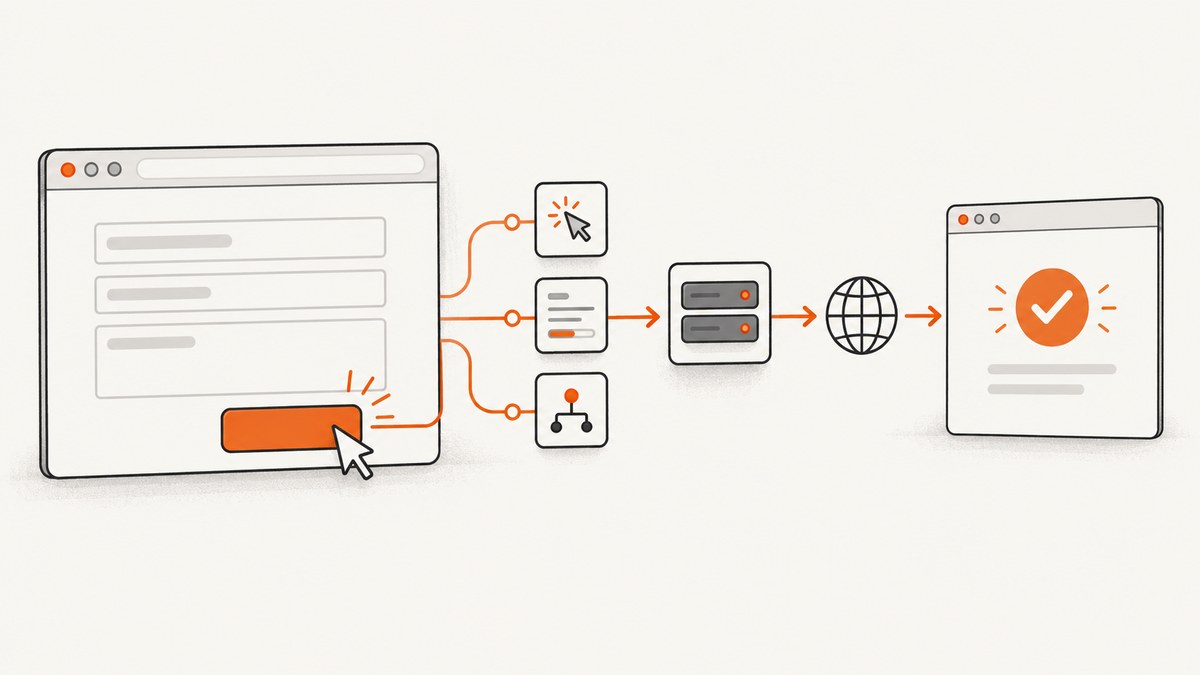
A WebKit Playwright form submission usually fails at one of five stages: Playwright cannot perform the click, the page has not finished hydrating, client-side validation prevents submission, the request is sent but receives an error, or the request succeeds without the UI state your test expects. Diagnose those stages in order. A missing navigation does not prove that no request occurred, and a 404 or 503 is not a Playwright transport failure.
The reliable pattern is:
- Use a user-facing locator and inspect its actionability.
- Make sure the application has attached its event handlers.
- Register request or URL waits before clicking.
- Separate transport failures from HTTP error responses.
- Assert the actual result: a URL, response, success message, or validation error.
1. Start with a diagnostic test
Use a small test that records the click, request, response, and page errors. This tells you which stage failed instead of encouraging random timeout increases.
import { test, expect } from '@playwright/test';

test('submits the form in WebKit', async ({ page }) => {
  page.on('requestfailed', request => {
    console.log('REQUEST FAILED', request.method(), request.url(), request.failure());
  });

  page.on('response', response => {
    if (response.request().method() === 'POST') {
      console.log('POST RESPONSE', response.status(), response.url());
    }
  });

  page.on('pageerror', error => console.log('PAGE ERROR', error.message));

  await page.goto('https://example.test/contact');

  const submit = page.getByRole('button', { name: 'Submit' });
  await expect(submit).toHaveCount(1);
  await expect(submit).toBeVisible();
  await expect(submit).toBeEnabled();

  const requestPromise = page.waitForRequest(request =>
    request.method() === 'POST' && request.url().includes('/submit')
  );

  await submit.click();
  const request = await requestPromise;
  console.log('SUBMISSION REQUEST', request.url(), request.postData());

  await expect(page.getByRole('status')).toHaveText(/submitted/i);
});
Replace the URL, accessible name, endpoint fragment, and success state with your application’s contract. The request wait must be created before the click, because a fast request can otherwise complete before the test starts listening. Playwright’s official event guidance demonstrates this ordering: Page API.
2. Verify the submit locator and actionability
locator.click() does more than dispatch a DOM event. Playwright requires the locator to resolve to exactly one element and checks that the element is visible, stable, enabled, and able to receive pointer events. A timeout therefore identifies a problem with the target or its surroundings: an ambiguous locator, an overlay, an animation, a disabled control, or a button that never appeared.
Prefer role and label locators
const submit = page.getByRole('button', { name: 'Submit' });
await expect(submit).toHaveCount(1);
await submit.click();
For a native submit input, use an appropriate role or label:
await page.getByRole('button', { name: /send message/i }).click();
// or, when the control is an input with a label:
await page.getByLabel('Submit form').click();
Check the rendered controls when the name is uncertain:
console.log(await page.getByRole('button').allTextContents());
console.log(await page.locator('button[type="submit"], input[type="submit"]').count());
Investigate overlays and instability
If a consent dialog, modal, sticky header, or animation covers the button, Playwright may report that the element does not receive events. Close the overlay through its real control and wait for the UI to settle. Avoid treating force: true as the fix:
// Diagnostic experiment only; it skips some actionability checks.
await submit.click({ force: true });
A forced click can prove that an overlay is involved, but it can also hide the reason a real user cannot submit. Likewise, dispatchEvent('click') tests an element event without reproducing normal pointer interaction. Use both only to isolate a hypothesis, then repair the page or locator and return to a normal click. See Playwright’s actionability documentation.
3. Wait for client-side hydration before interacting
A button can look enabled before the framework has attached its submit listener. In that state Playwright performs a valid click, but the application does nothing. This is a hydration race, not a WebKit-only click defect. The Playwright navigation guide describes the same case: an enabled button can be clicked before listeners are installed, so the click has no effect. The application should keep interactive controls disabled until it is ready: Playwright navigation and hydration guidance.
Application-side fix
export function SubmitButton({ ready, children }) {
  return (
    <button type="submit" disabled={!ready}>
      {children}
    </button>
  );
}
Set ready only after the component has mounted, required data has loaded, and the submit handler is attached. A visible “Loading” or “Preparing form” state gives both users and tests a meaningful synchronization point.
Test-side synchronization
Prefer a state that represents readiness over an arbitrary sleep:
await page.getByTestId('form-ready').waitFor();
await expect(page.getByRole('button', { name: 'Submit' })).toBeEnabled();
await page.getByRole('button', { name: 'Submit' }).click();
If no readiness signal exists, wait for the relevant API response or a stable piece of hydrated UI. A short page.waitForTimeout() can help reproduce a race while investigating, but it is a fragile permanent synchronization method.
4. Choose the wait that matches the form’s behavior
There is no universal “submission wait.” A traditional form may redirect, while a JavaScript form may stay on the same URL and update a status region. Assert the signal the user is supposed to see.
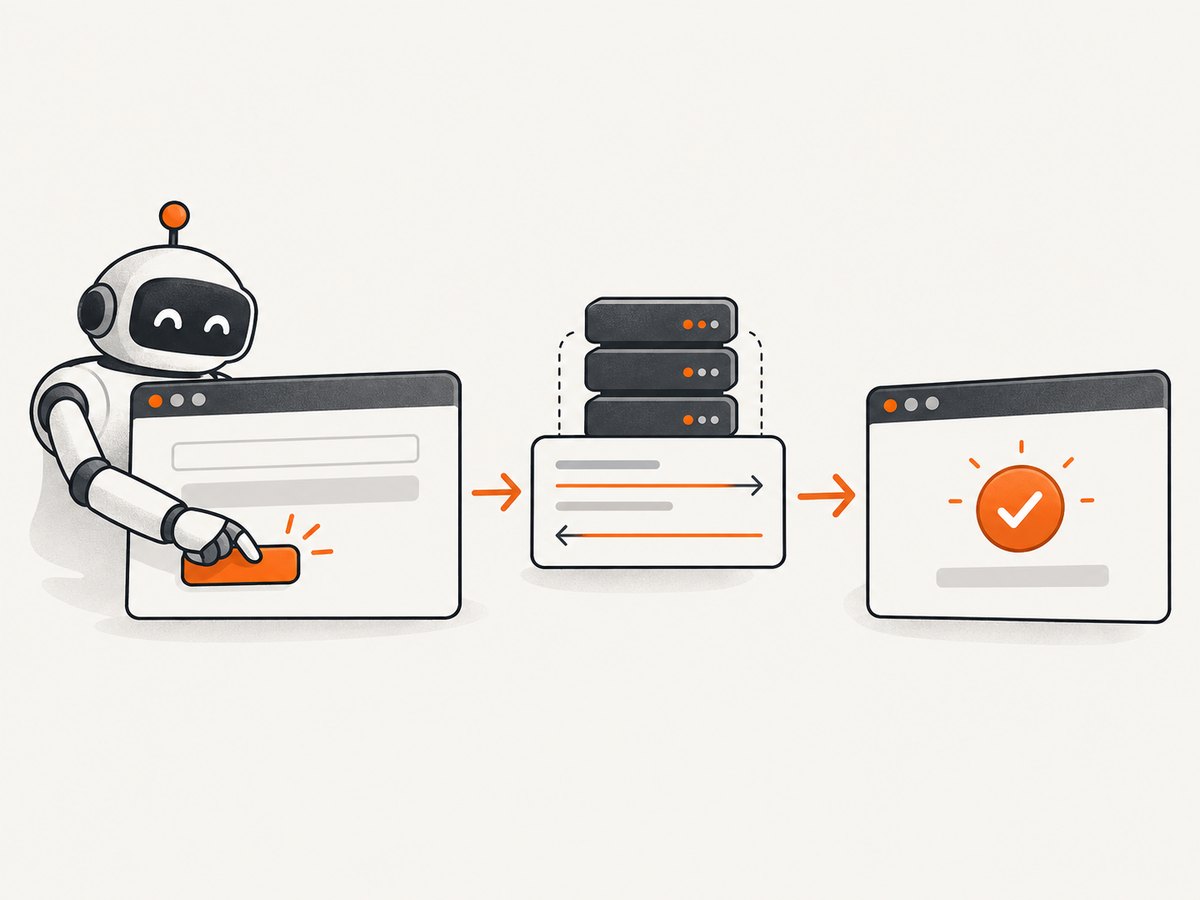
| Form behavior | What to wait for | Example |
|---|---|---|
| Redirect after POST | Specific destination URL | page.waitForURL('**/thanks') |
| AJAX or fetch, no navigation | Request/response plus success UI | waitForRequest and status assertion |
| Invalid client-side data | Validation message and no submission request | toHaveText() |
| Download or file result | Download event | page.waitForEvent('download') |
Redirecting form
const destination = page.waitForURL('**/account/complete');
await page.getByRole('button', { name: 'Create account' }).click();
await destination;
await expect(page).toHaveURL(/\/account\/complete$/);
Register the URL wait before clicking. Use a specific URL or predicate rather than an unscoped navigation wait. Playwright documents waitForNavigation as inherently racy and recommends waitForURL: Page API.
AJAX form
const responsePromise = page.waitForResponse(response =>
  response.request().method() === 'POST' &&
  response.url().includes('/api/contact')
);
await page.getByRole('button', { name: 'Send' }).click();
const response = await responsePromise;
expect(response.status()).toBe(200);
await expect(page.getByRole('status')).toHaveText(/message sent/i);
Do not wait only for a response. A 200 response can still produce a broken UI if the client cannot parse it or does not render the success state. Assert both the protocol result and the visible outcome when both matter.
Invalid form
const requestPromise = page.waitForRequest({
  url: '**/api/contact',
  method: 'POST',
  timeout: 1500
}).catch(() => null);
await page.getByRole('button', { name: 'Send' }).click();
await expect(page.getByText('Enter a valid email')).toBeVisible();
expect(await requestPromise).toBeNull();
A client-side validation branch may correctly make no network request. Test that contract rather than declaring the click broken.
5. Interpret request failures and HTTP errors correctly
requestfailed means Playwright could not obtain an HTTP response, typically because of a DNS error, connection refusal, aborted request, certificate problem, or other transport failure. A server response with status 404, 422, 500, or 503 is still an HTTP response. It completes normally and should be inspected through the response status and body. Playwright states this distinction in the Page API.
page.on('requestfailed', request => {
  console.log(request.url(), request.failure()?.errorText);
});

const responsePromise = page.waitForResponse(response =>
  response.url().includes('/api/contact')
);
await submit.click();
const response = await responsePromise;
console.log('status:', response.status());
console.log('body:', await response.text());
Use the evidence to narrow the defect:
- No matching click or request: inspect the locator, overlays, hydration, validation, and endpoint predicate.
- Request exists with 4xx: inspect payload, CSRF token, authentication, validation rules, and server logs.
- Request exists with 5xx: investigate the server or dependency; do not label it a WebKit click failure.
- Successful response but no confirmation: inspect response parsing, client exceptions, state updates, and the assertion’s selector.
requestfailedfires: investigate DNS, TLS, proxy, blocked resources, or an aborted request.
6. WebKit-specific checks that are still general debugging
WebKit can expose timing, cookie, storage, and compatibility assumptions that Chromium happens to mask. Compare traces and console output across engines, but keep the diagnosis tied to evidence.
- Run with a trace and inspect the action, DOM snapshot, network, and console timeline.
- Check that the form’s action URL, method, and encoded fields are the same in WebKit.
- Verify cookies, local storage, and authentication state in the WebKit context.
- Look for JavaScript exceptions before the click; one initialization error can prevent the handler from registering.
- Check whether a third-party script, consent layer, or iframe owns the submit control.
- Confirm that your request predicate matches the actual URL after redirects, query parameters, or a relative action.
import { test } from '@playwright/test';

test('capture a WebKit trace around submission', async ({ page, context }) => {
  await context.tracing.start({ screenshots: true, snapshots: true, sources: true });
  await page.goto('https://example.test/form');
  await page.getByRole('button', { name: 'Submit' }).click();
  await context.tracing.stop({ path: 'webkit-form-trace.zip' });
});
Do not change browser engines, disable checks, or increase every timeout before you know which stage failed. The sources establish interaction and event behavior, but they do not establish a universal WebKit regression or one WebKit-specific repair.
7. Common errors and fixes
| Observed error | Likely cause | Fix |
|---|---|---|
| “strict mode violation” | Locator matches multiple controls | Use a role, name, label, or form-scoped locator; assert count is one. |
| “element is not receiving pointer events” | Overlay or another element covers it | Close the overlay, wait for it to disappear, or fix z-index/layout. |
| Click timeout while button is visible | Disabled, unstable, or hidden state | Assert enabled and stable readiness; inspect animations and disabled attributes. |
| Click passes, no request | Hydration race, validation, wrong handler, or wrong predicate | Wait for readiness, inspect console errors, and verify validation and endpoint matching. |
| Request returns 422 | Server rejected fields or token | Log payload safely, compare required fields, and check CSRF/authentication. |
| Request returns 503 | Server or upstream unavailable | Inspect response body and service logs; this is not requestfailed. |
| Navigation wait times out | Form submits in place or URL predicate is wrong | Wait for the request and success UI, or correct the expected URL. |
| Success response but assertion times out | UI update failed or selector is wrong | Check page errors, response parsing, and the actual accessible status. |
8. Reliability and performance practices
- Use web-first assertions. Assertions such as
toBeVisible,toBeEnabled, andtoHaveTextretry while the application changes. - Wait narrowly. Match the exact endpoint, method, or destination. Broad waits slow tests and can resolve on an unrelated request.
- Keep test data deterministic. Use unique addresses or IDs where the server rejects duplicates, and reset state between tests.
- Preserve evidence on failure. Save traces, screenshots, console errors, request URLs, status codes, and response snippets without logging secrets.
- Control external dependencies. Mock unstable third-party calls only when the test is about your form logic; keep a separate integration test for the real service.
- Use realistic timeouts. A larger timeout can accommodate a slow environment, but it cannot repair a missing listener or wrong expectation.
- Run the same test in multiple engines. A passing Chromium run does not prove that WebKit has the same storage, event, or timing behavior.
9. Capture a reproducible page while debugging
When a failure depends on a live page changing between runs, a screenshot of the exact state helps document whether an overlay, disabled control, validation message, or success state was visible. You can capture the page yourself with Playwright, or use a hosted screenshot endpoint.
Or skip the browser setup
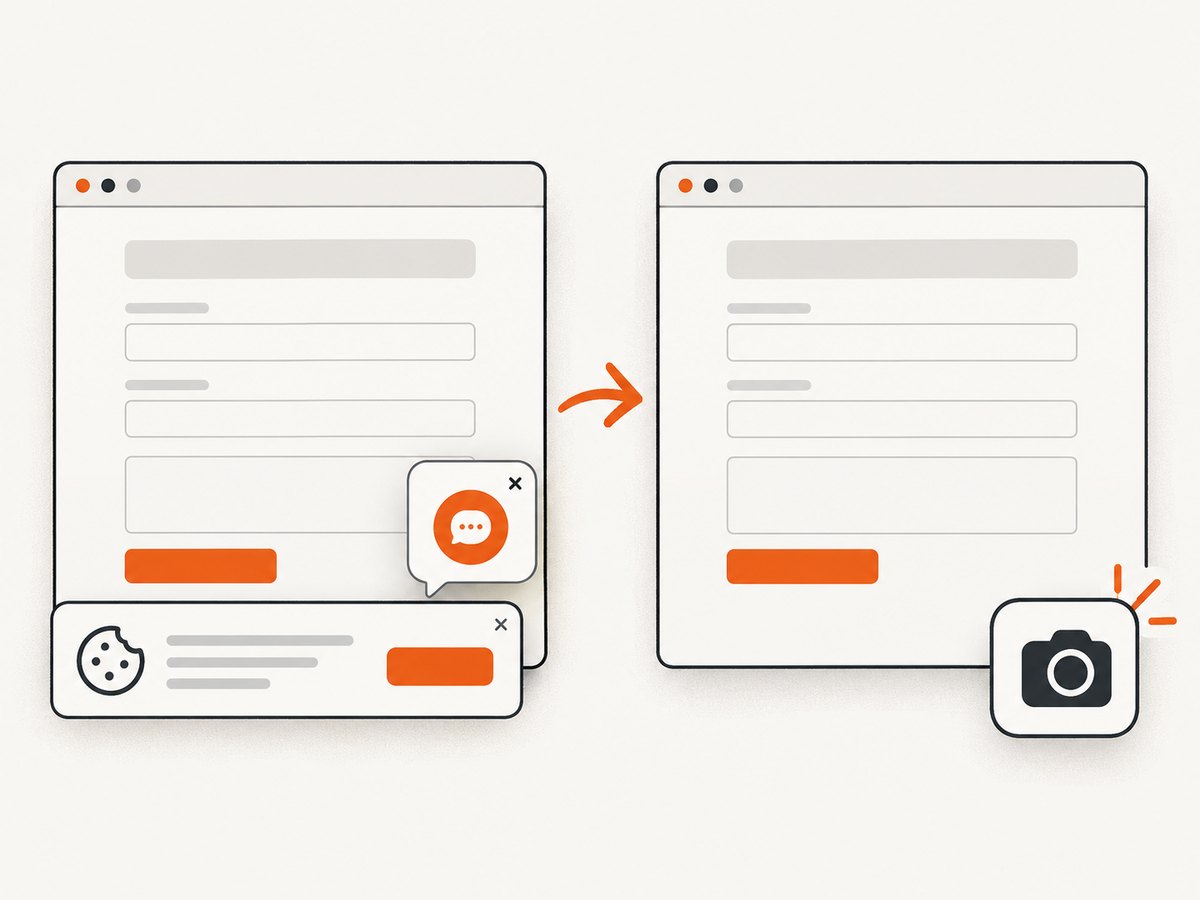
ScreenshotNeo provides a single GET request that returns a PNG, JPEG, WebP, or PDF. Its clean capture accepts cookie and consent banners before the shot and removes more than 60 known consent platforms, newsletter popups, and chat widgets; each step can be turned off. Bot checks, blank pages, timeouts, failed loads, and cache hits are not billed, and the response identifies the result with X-Page-Verdict and X-Billed headers. The API also supports custom CSS and JavaScript, waiting for a selector, a delay, or network idle, custom headers and cookies, user agents, authorization, timezone and geolocation, full-page or element capture, dark mode, device presets, retina scale, blocking rules, caching, signed links, asynchronous jobs, bulk capture, and PDFs.
See the ScreenshotNeo API documentation for all options. A minimal request is:
curl -G "https://api.screenshotneo.com/v1/shot" -d access_key=YOUR_API_KEY --data-urlencode url=https://stripe.com -o shot.webpimport requests
r = requests.get("https://api.screenshotneo.com/v1/shot", params={"access_key": "YOUR_API_KEY", "url": "https://stripe.com"}, timeout=90)
open("shot.webp", "wb").write(r.content)const q = new URLSearchParams({ access_key: 'YOUR_API_KEY', url: 'https://stripe.com' });
const res = await fetch(`https://api.screenshotneo.com/v1/shot?${q}`);ScreenshotNeo also includes an MCP server with take_screenshot, get_page_info, and capture_pdf tools for Claude, Cursor, and other MCP clients. The free plan includes 1,000 screenshots per month with no card; paid plans start at $5 for 3,000. Create a free ScreenshotNeo account.
10. A repeatable debugging checklist
- Can the locator resolve to exactly one submit control?
- Is it visible, enabled, stable, and receiving events?
- Has the application hydrated and attached its listener?
- Are required fields, CSRF tokens, cookies, and authentication present?
- Did you register the request or URL wait before clicking?
- Does the predicate match the real method and endpoint?
- Did a request fail at transport level, or did it return an HTTP error?
- What result does the product promise: redirect, response, validation, or status message?
- Do console errors or traces identify a client-side exception?
- Can the failure be reproduced with the same data and WebKit context?
FAQ
Why does Playwright say the click succeeded when the form did nothing?
The click action can be valid even when hydration has not attached the application handler. Wait for a readiness state or have the application keep the control disabled until it is interactive.
Should I use force: true in WebKit?
Use it only as a diagnostic experiment. It bypasses important actionability checks and can conceal an overlay, disabled state, or layout defect.
Does a 500 response trigger requestfailed?
No. A 500 is an HTTP response. Inspect its status and body; requestfailed is for failures to obtain a response.
What should I wait for when the URL never changes?
Wait for the submission request or response, then assert the success message, status region, updated content, or other user-visible result.
Is this always a WebKit bug?
No. The same symptoms commonly come from locator actionability, hydration timing, validation, endpoint matching, server errors, or client-side response handling. Compare evidence across engines before assigning the cause to WebKit.


