How to Fix Gaps Between Tables in Puppeteer PDFs
Find the real cause of whitespace between tables in Puppeteer PDFs and fix margins, print CSS, page breaks, and PDF geometry safely.
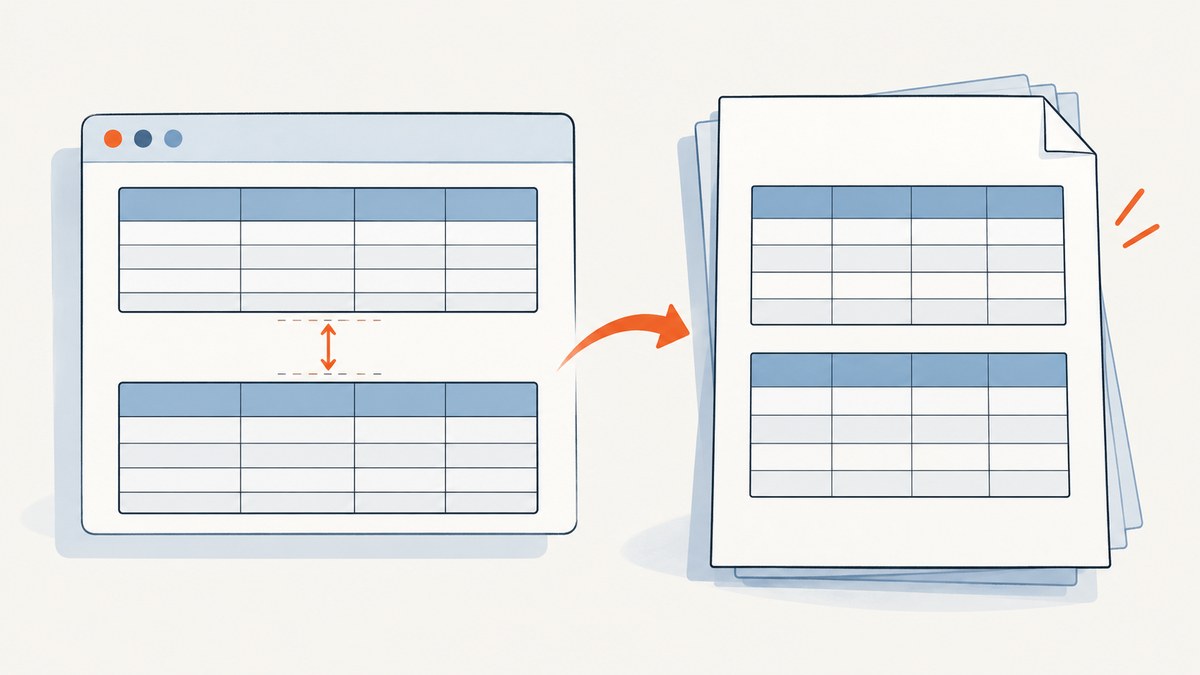
Unexpected whitespace between tables in a Puppeteer PDF usually comes from one of two places: a same-page element gap caused by margins, padding, wrappers, or print-only CSS; or whitespace at a page boundary caused by fragmentation rules, page size, or PDF margins. Identify which kind you have before changing table styles.
Direct fix: inspect computed styles under print media, normalize the margins on both tables and their wrappers, then review break-*, @page, and Puppeteer PDF options together. Do not use border-spacing to fix space between separate table elements; it controls spacing between cells in the separate-border table model.
1. Reproduce the PDF with its real print conditions
page.pdf() uses print CSS media by default. A screen preview can therefore look correct while the PDF receives different margins, padding, display rules, or page-break declarations. Puppeteer documents selecting screen media before PDF generation when that is intentional or useful for diagnosis: page.emulateMediaType() and page.pdf().
import puppeteer from 'puppeteer';

const browser = await puppeteer.launch();
const page = await browser.newPage();
await page.goto('http://localhost:3000/report', { waitUntil: 'networkidle0' });

// Diagnostic only: compare this output with the default print-media output.
await page.emulateMediaType('screen');
await page.pdf({
  path: 'report-screen-media.pdf',
  format: 'A4',
  printBackground: true
});

await browser.close();
If the gap disappears when using screen media, inspect every @media print rule before changing the HTML. Keeping screen media in production is a design decision: it changes which styles are used throughout the document.
2. Determine whether the gap is inside a page or at a page boundary
Open the generated PDF and classify the whitespace:
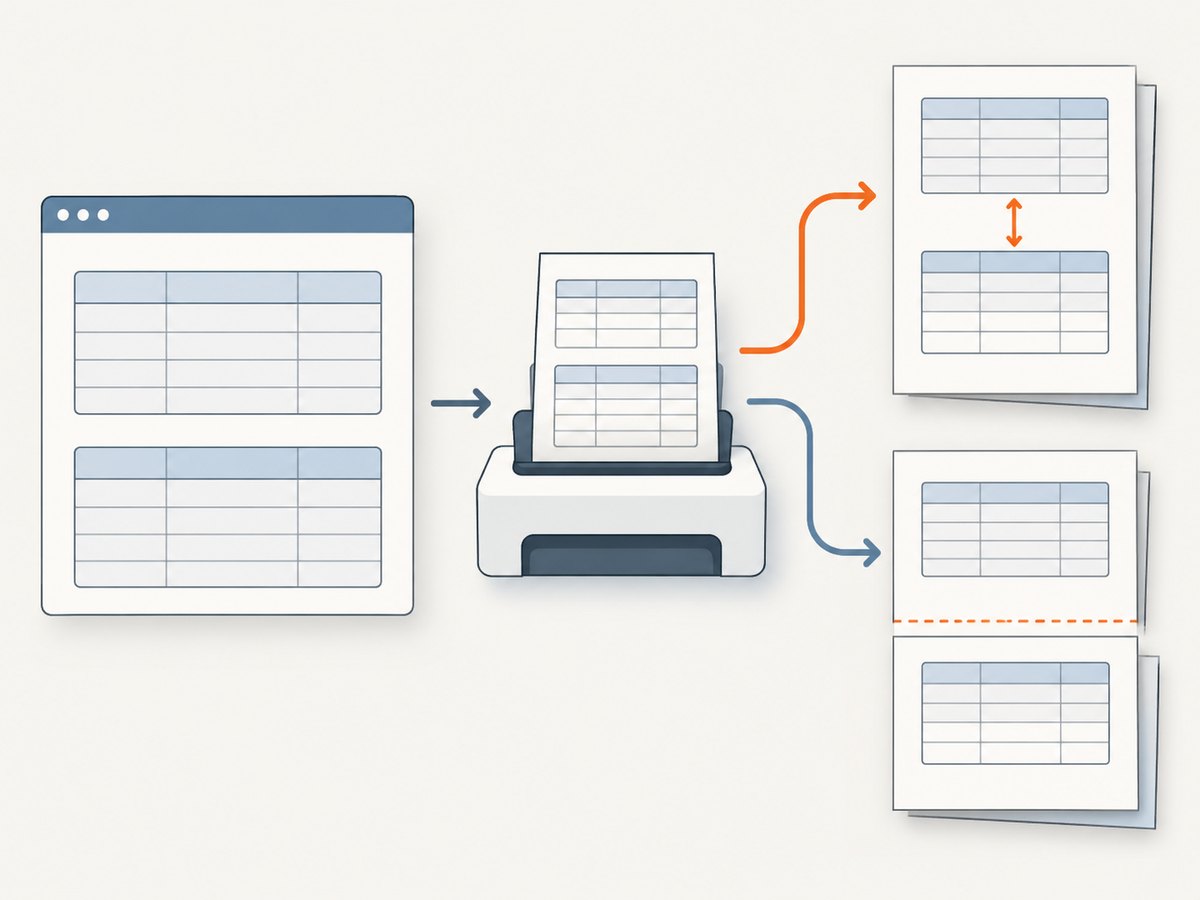
- Same-page gap: both tables are visible on one page with space between them. Check margins, padding, collapsed wrappers, and print overrides.
- Page-boundary gap: the first table ends, a new page starts, and the top of the next table appears lower than expected. Check forced or avoided breaks, page margins, paper size, and the containing section.
- Cell gap: the visible space is between cells inside one table. Check
border-spacing, cell padding, and whether the table uses separate or collapsed borders.
A quick browser-side diagnostic prints the computed values that matter:
const details = await page.evaluate(() => {
  return [...document.querySelectorAll('table')].map((table, index) => {
    const style = getComputedStyle(table);
    const rect = table.getBoundingClientRect();
    const previous = table.previousElementSibling;
    const previousStyle = previous ? getComputedStyle(previous) : null;
    return {
      index,
      className: table.className,
      top: rect.top,
      bottom: rect.bottom,
      marginTop: style.marginTop,
      marginBottom: style.marginBottom,
      paddingTop: style.paddingTop,
      paddingBottom: style.paddingBottom,
      borderSpacing: style.borderSpacing,
      previousMarginBottom: previousStyle?.marginBottom,
      previousPaddingBottom: previousStyle?.paddingBottom
    };
  });
});
console.table(details);
Run this after setting the same media type, viewport, and content state used for the PDF. The values you see are the values Chromium is laying out, including print-only overrides.
3. Fix same-page gaps from margins, padding, and wrappers
Start with the table elements and their immediate containers. Vertical margins belong to block boxes and can appear to be owned by a wrapper rather than by the table itself. Normalize only the declaration responsible for the unwanted space:
@media print {
  .report-table {
    margin-block: 0;
  }

  .report-table + .report-table {
    margin-block-start: 0;
  }

  .table-wrapper {
    padding-block: 0;
  }
}
This is a diagnostic starting point, not a universal reset. If a heading, caption, or explanatory paragraph intentionally separates sections, keep that spacing and target the wrapper that introduces the accidental gap.
Margins on adjacent blocks
Two block margins can collapse in normal flow. In paged media, margin handling at a page break has additional rules, so a gap can change when the second table moves to another page. Inspect the computed margin on the table, its previous sibling, and every wrapper between them. A wrapper with a print-only min-height, padding, or flex/grid alignment can also reserve space.
Table cell spacing is a different problem
border-spacing applies to adjoining cell borders when the table uses the separate border model. It does not control the distance between two distinct <table> elements. Use border-collapse: collapse or adjust border-spacing only when the unwanted whitespace is inside one table. See the CSS Tables specification.
4. Fix gaps caused by page breaks
When the whitespace marks a new page, inspect break declarations on the previous element, the next element, and their containing section. Fragmentation decisions can consider break-after on the previous box, break-before on the next box, and break-inside on the container. Forced breaks can take precedence over an avoidance rule; an avoid declaration is not a guarantee that content will fit on the current page.
@media print {
  .table-section {
    break-inside: avoid-page;
  }

  .new-table-page {
    break-before: page;
  }

  .table-section + .table-section {
    break-before: auto;
  }
}
Use break-before: page only when a new page is required. Use break-inside: avoid-page for a section that should stay together when it can fit. If the section is taller than a page, Chromium must still fragment it, and trying to keep it unbroken can produce surprising placement.
The older page-break-inside: avoid remains an alias for the modern property, but new styles should use the break-* vocabulary. MDN documents the relationship in its break-inside reference.
5. Align CSS page size, PDF margins, and Puppeteer options
A layout can appear to have a gap when the real issue is page geometry. Review these settings as one group:
@page { size: ...; margin: ...; }in your print stylesheet.- Puppeteer
format,width, andheight. - Puppeteer
marginoptions. preferCSSPageSize, which defaults tofalse.
When CSS should own the paper dimensions, set preferCSSPageSize: true and avoid conflicting API dimensions:
@page {
  size: A4;
  margin: 12mm 14mm;
}

@media print {
  html, body {
    margin: 0;
  }
}
await page.pdf({
  path: 'report.pdf',
  printBackground: true,
  preferCSSPageSize: true,
  displayHeaderFooter: false
});
If the API supplies a different format or explicit margins, compare the resulting content box with the CSS page box. Puppeteer’s PDFOptions documentation describes the margin and preferCSSPageSize behavior. Chrome’s explanation of print page boxes and @page is also useful: Print CSS and page layout.
6. A complete Puppeteer example
The following example waits for the report, applies deliberate print rules, preserves table semantics, and writes a PDF. Adapt selectors and page geometry to your document.
import puppeteer from 'puppeteer';

const browser = await puppeteer.launch({
  headless: true,
  args: ['--font-render-hinting=none']
});

try {
  const page = await browser.newPage();
  await page.setViewport({ width: 1280, height: 900, deviceScaleFactor: 1 });
  await page.goto('http://localhost:3000/report', {
    waitUntil: 'networkidle0',
    timeout: 60000
  });
  await page.waitForSelector('.report-table');

  await page.addStyleTag({ content: `
    @media print {
      @page { size: A4; margin: 12mm 14mm; }
      html, body { margin: 0; }
      .report-table { margin-block: 0; }
      .table-wrapper { padding-block: 0; }
      .table-section { break-inside: avoid-page; }
      .new-table-page { break-before: page; }
    }
  ` });

  await page.pdf({
    path: 'report.pdf',
    printBackground: true,
    preferCSSPageSize: true,
    tagged: true
  });
} finally {
  await browser.close();
}
Do not add display: block to <table>, <thead>, <tbody>, or rows as a blanket fix. A community report describes that workaround helping one row-break case while also losing repeated headers and damaging column structure. Treat it as an experiment for a minimal reproduction, not a general Puppeteer rule. Test repeated headers, column widths, borders, and multi-page output if you try it.
7. Troubleshooting checklist
The screen looks correct, but the PDF has a gap
Cause: print media applies different rules. Fix: inspect @media print and compare a diagnostic PDF made after page.emulateMediaType('screen').
Removing border-spacing did nothing
Cause: the gap is between separate tables or wrappers. Fix: inspect table and wrapper margins and padding; reserve border-spacing for cell-to-cell spacing.
The next table always starts on a new page
Cause: a forced break-before, break-after, legacy page-break-* rule, or an oversized unbreakable section. Fix: search all ancestors and adjacent elements for break rules, then remove or narrow the forced rule.
There is a large blank area before a table
Cause: a wrapper requests break-inside: avoid but cannot fit in the remaining space, so Chromium moves the whole section. Fix: apply avoidance to a smaller section, allow the table to split, or force a deliberate page break before the section.
CSS page size is ignored
Cause: preferCSSPageSize is false or API dimensions conflict with @page. Fix: set preferCSSPageSize: true when CSS should control size and remove conflicting format, width, or height.
Headers stop repeating after a workaround
Cause: changing table parts to block-level elements removes table layout semantics. Fix: restore native table display values and solve the break or margin issue directly.
The gap changes between runs
Cause: fonts, images, asynchronous content, or viewport dimensions are not stable. Fix: wait for the required selector and network state, load fonts before capture, set a fixed viewport, and avoid measuring before late content finishes.
8. Performance and reliability considerations
PDF layout is sensitive to content height. Large tables, web fonts, high-resolution images, and scripts that mutate rows can change pagination. For repeatable output:
- Pin the Puppeteer and browser versions used in production.
- Set explicit viewport and page dimensions.
- Wait for the report’s data selector, fonts, and images rather than relying on a short arbitrary delay.
- Keep print CSS small and scoped to report components.
- Generate a multi-page fixture in CI and inspect page count, header repetition, and table boundaries.
- Log the URL, PDF options, browser version, and a content identifier when a layout regression occurs.
Use waitUntil: 'networkidle0' only when the page can become idle; dashboards with polling or analytics may never reach that state. In those cases, wait for a specific application-ready selector and use a bounded timeout.
9. Or skip the browser setup
If your goal is a clean capture of a rendered report or web page rather than maintaining Chromium yourself, ScreenshotNeo provides a one-call screenshot API and PDF capture. Its cleanup step accepts cookie or consent banners and removes more than 60 known consent platforms, newsletter popups, and chat widgets; each step can be disabled. Bot checks, blank pages, timeouts, failed loads, and cache hits are not billed, and the response identifies the result with X-Page-Verdict and X-Billed headers. ScreenshotNeo also offers an MCP server for Claude, Cursor, and other MCP clients.

See the ScreenshotNeo API documentation for all options. A PDF request can use the same endpoint and PDF parameters described there:
curl -G "https://api.screenshotneo.com/v1/shot" \
  -d access_key=YOUR_API_KEY \
  --data-urlencode url=https://stripe.com \
  -d format=pdf \
  -o report.pdf
import requests
r = requests.get(
"https://api.screenshotneo.com/v1/shot",
params={
"access_key": "YOUR_API_KEY",
"url": "https://stripe.com",
"format": "pdf"
},
timeout=90
)
r.raise_for_status()
open("report.pdf", "wb").write(r.content)const q = new URLSearchParams({
access_key: 'YOUR_API_KEY',
url: 'https://stripe.com',
format: 'pdf'
});
const res = await fetch(`https://api.screenshotneo.com/v1/shot?${q}`);
if (!res.ok) throw new Error(`ScreenshotNeo returned ${res.status}`);
const data = await res.arrayBuffer();
await import('node:fs/promises').then(fs => fs.writeFile('report.pdf', Buffer.from(data)));You can also set paper size, margins, landscape mode, page ranges, custom CSS and JavaScript, wait conditions, headers, cookies, authentication, timezone, geolocation, blocking rules, caching TTL, signed links, asynchronous webhooks, and bulk capture. The API accepts parameter names used by other screenshot APIs, which helps when switching.
Free accounts include 1,000 screenshots per month with no card. Paid plans start at $5 for 3,000 shots; yearly billing gives two months free, and every feature is available on every plan. Create a free ScreenshotNeo account.
10. FAQ
Should I use screen media for every PDF?
No. Use print media when you maintain print-specific layout rules. Screen media is useful for diagnosis or when your intended output deliberately matches the screen.
Can break-inside: avoid-page guarantee a table stays together?
No. It is an avoidance request. If the content cannot fit, Chromium may split or move it.
Why does a table move even after I set zero margins?
Check forced breaks, ancestor rules, page margins, CSS page size, and the remaining usable page height. The apparent gap may be the space left by pagination.
Is changing table elements to display:block supported?
It can alter layout enough to help a narrow reproduction, but it can also break repeated headers and column structure. Preserve semantic table display values unless you have tested the tradeoffs.
What should I include in a bug report?
Include a minimal HTML/CSS reproduction, Puppeteer and browser versions, PDF options, relevant print CSS, viewport, and the generated PDF showing whether the gap is same-page or at a page boundary.


