How to Fix Helvetica Not Working in wkhtmltopdf
When wkhtmltopdf ignores Helvetica, check the conversion host’s installed fonts, CSS usage, and fontconfig paths. Use this step-by-step guide to find and fix the cause.

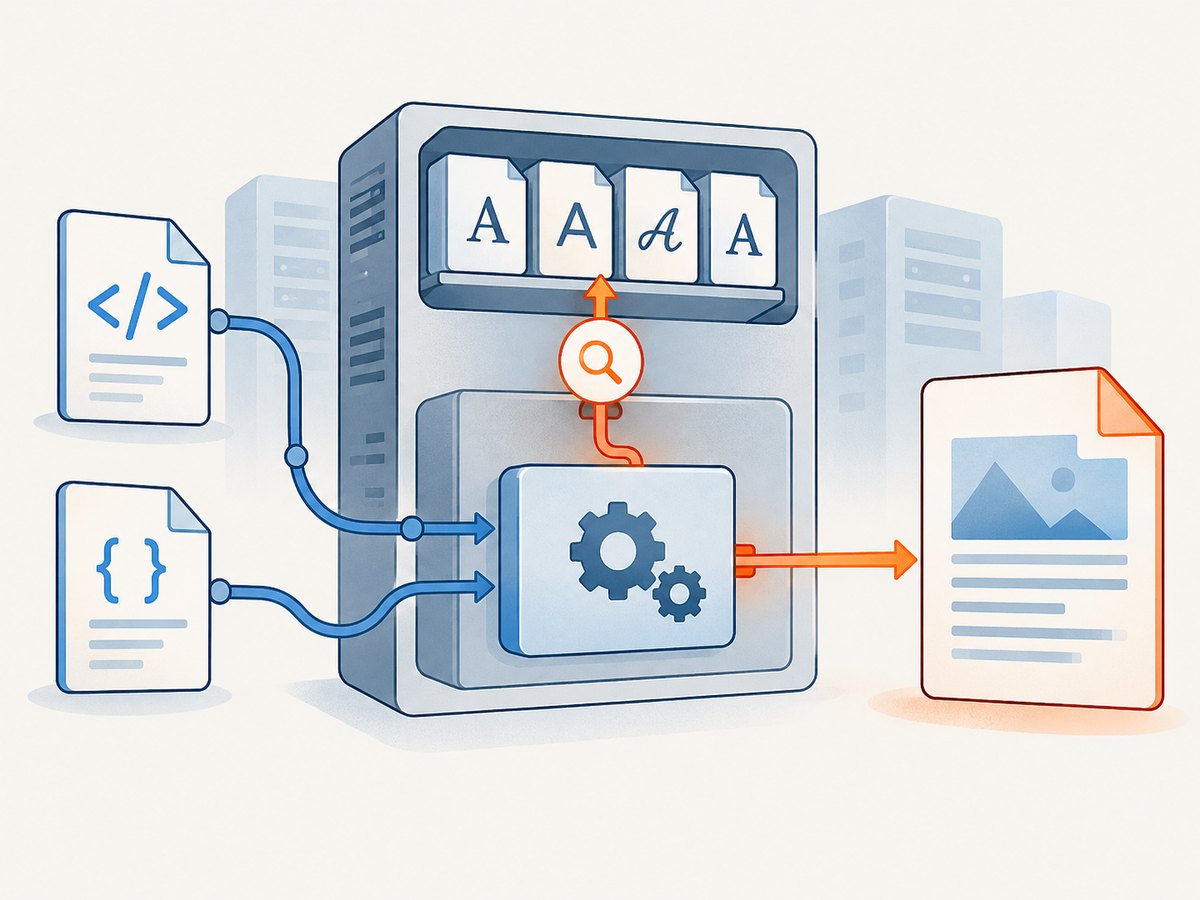
If Helvetica is not showing up in a PDF made with wkhtmltopdf, the first thing to check is whether the machine running wkhtmltopdf can actually find that font. A CSS declaration such as font-family: Helvetica selects a family; it does not install it. Then check that the rendered elements use that family and that fontconfig can see the font files in the production runtime. Linux, containers, serverless bundles, macOS, and Windows can resolve fonts differently.
The reliable fix is to diagnose the environment that generates the PDF, not just the browser or workstation where the HTML was authored. If the exact Helvetica face is unavailable, install or bundle a font you are licensed to use, or choose an acceptable fallback. Validate the resulting PDF using the same wkhtmltopdf package and runtime you deploy.
1. Identify where the PDF is actually generated
Start by recording the operating system or container image, wkhtmltopdf version and build, and the command or service that launches the conversion. Run all font checks inside that environment. A font installed on your laptop does not automatically exist in a CI runner, production VM, Docker image, or serverless package.
Check the executable and version:
wkhtmltopdf --version
which wkhtmltopdf
On Windows, use the equivalent executable path and version check in the shell used by your application. For containers, run the commands in the built image or in a container started from it. If a job queue or serverless function creates PDFs, inspect that runtime rather than the web server that accepts the request.
2. Check whether the runtime can see Helvetica
On Linux systems with fontconfig utilities installed, list matching family names:
fc-list : family | sort -u | grep -i helveticaTo inspect a specific font file and its reported family, use:
fc-scan /path/to/font-file.ttfThese commands are diagnostic examples; the fontconfig utilities may need to be installed in your image. If the search returns nothing, wkhtmltopdf cannot select an installed Helvetica face through that font configuration. Add a suitable font to the actual runtime and refresh the font cache using the command appropriate for your Linux distribution. Rebuild and redeploy the image or package afterward.
Font names can differ from filenames. Use the family name reported by the system or font metadata in your CSS. Helvetica may also refer to a particular family or face that is not bundled with the operating system. Confirm that the specific font file and weight you need are present, rather than assuming a file with a similar name is equivalent.
3. Confirm the HTML applies the intended family
First test a small HTML file without application templates or complicated stylesheets:
<!doctype html>
<html>
<head>
  <meta charset="utf-8">
  <style>
    body { font-family: Helvetica, Arial, sans-serif; }
    h1, p { font-family: Helvetica, Arial, sans-serif; }
  </style>
</head>
<body>
  <h1>Helvetica rendering check</h1>
  <p>The conversion runtime must resolve the declared family.</p>
</body>
</html>
Save it as font-check.html and convert it:
wkhtmltopdf font-check.html font-check.pdfIf this minimal document works but your application PDF does not, inspect the generated HTML and CSS. Check for a more specific selector overriding the family, inline styles, inherited styles, or a different stylesheet loaded by the production page. Ensure the actual text element has the intended computed family. Declaring a family or an @font-face rule alone does not make the rendered elements use it.
4. Install or bundle a font when it is missing
When Helvetica is absent, there are two common deployment approaches:
| Approach | When it fits | Things to verify |
|---|---|---|
| Install a font in the host or image | You control the machine or container image and can manage its packages. | Font license, package availability, font cache, and the exact family name reported at runtime. |
| Bundle font files with the application | You need a self-contained deployment or a serverless package. | License and redistribution rights, fontconfig paths, cache behavior, and file access from the conversion process. |
| Use a permitted substitute | The exact Helvetica face is unavailable or not required by the document specification. | Layout differences, glyph coverage, weights, and output consistency across platforms. |
After adding font files to Linux, rebuild the font cache using your distribution’s fontconfig tooling. Then verify discovery again with fc-list. Make sure the wkhtmltopdf process runs as a user that can read the font files and configuration. A font can exist in the image yet remain unavailable because it is stored in an unexpected directory or the process uses a different fontconfig configuration.
Do not assume that a generic substitute will have the same width, kerning, or line breaks as Helvetica. If pagination and layout matter, choose the font deliberately and regenerate representative documents after a font change.
5. Use @font-face only when the font resource is reachable
A CSS-embedded or referenced font can be useful, but the declaration must be both reachable to wkhtmltopdf and applied to the content. A minimal pattern looks like this:
@font-face {
  font-family: "ReportHelvetica";
  src: url("file:///app/fonts/HelveticaLike-Regular.ttf") format("truetype");
  font-weight: 400;
  font-style: normal;
}

body {
  font-family: "ReportHelvetica", sans-serif;
}
Replace the example path and family with a real font file and the family identifier you intend to use. Ensure the conversion process can read the file. If the HTML is loaded from a URL, relative font URLs resolve in relation to that document and may fail when the renderer has no network access, authentication, or permission to fetch local files. Some wkhtmltopdf configurations restrict local-file access; use its documented options only when appropriate for your input and security model.
Base64 embedding is another community-reported workaround. It makes the HTML larger and still requires the font to be correctly declared, selected by the rendered elements, and legally embeddable. Test it with the exact installed wkhtmltopdf build; do not treat it as a universal fix.
6. Configure fontconfig in packaged and serverless deployments
wkhtmltopdf’s project documentation identifies installed fonts, fontconfig, and FreeType as runtime dependencies. Packaged deployments therefore need more than the executable: they need compatible shared libraries, font files, and configuration paths.
The project’s AWS Lambda example bundles a distribution package and sets FONTCONFIG_PATH=/opt/fonts for that specific package layout. That path is an example for the documented setup, not a universal value. Adapt the path to your bundle and verify that it contains the expected fontconfig configuration and that the configured directories contain the fonts. The project recommends distribution-specific packages where available because generic Linux binaries have system-library compatibility constraints.
When diagnosing a packaged runtime, check the process environment and filesystem from inside the deployed artifact. Compare the output of fc-list locally and in the runtime. If font discovery differs, fix the bundle or configuration path instead of changing the CSS family repeatedly.
7. Compare the PDF output and the environments
When a PDF looks different from one environment to another, record these details for each conversion:

- Operating system and distribution, including container base image.
- wkhtmltopdf version, build source, and relevant system libraries.
- Font family, face, and version installed or bundled.
- fontconfig configuration and paths, including
FONTCONFIG_PATHwhere set. - Input HTML, stylesheets, font URLs, and conversion flags.
- Observed PDF font information and a rendered-page comparison.
Issue reports describe differences between macOS and Ubuntu and between Linux and Windows, but they are historical reports, not a complete compatibility matrix. Treat a successful desktop conversion as a useful comparison point, not proof that production has the same fonts or runtime configuration.
8. Troubleshooting common failures
| Symptom | Likely cause | Fix |
|---|---|---|
| Helvetica silently becomes another font | The family is not installed or fontconfig resolves a fallback. | Check fc-list on the conversion host; install or bundle a permitted face and verify its reported name. |
| It works on a laptop but not in production | The server/container has a different font set, package build, or fontconfig setup. | Run diagnostics in the deployed image and align the font files and runtime configuration. |
@font-face has no effect |
The rule is unused, the URL cannot be fetched, or the process cannot read the resource. | Apply the declared family to the text elements and verify the URL/path from the conversion process. |
| Only some weights look correct | The requested bold or italic face is missing, or the font family has only a regular file. | Bundle/install the required face variants and declare matching weight and style values. |
| Fonts work locally but not in Lambda | The package omits fonts or fontconfig files, or its configured path differs from the bundle. | Inspect the deployed archive, libraries, and environment; adapt the documented Lambda example to the actual layout. |
| Layout shifts after adding a substitute | The substitute has different metrics or glyph coverage. | Choose a closer permitted face, test all weights and representative text, and review pagination. |
| Font files are present but undiscovered | Font cache is stale, path is outside configured directories, or process permissions block access. | Refresh the cache, verify fontconfig paths, and check file permissions as the conversion user. |
9. Performance, reliability, and cost considerations
Font troubleshooting is usually a deployment consistency problem. Installing the font in a reusable container image or bundling it with a controlled runtime makes conversions more predictable than manually changing individual hosts. A bundle adds files and may enlarge a serverless artifact; embedded fonts can also increase HTML payload size. The research sources do not provide performance benchmarks, so measure conversion time and output size in your own workload if these constraints matter.
For reliability, include font discovery and a representative PDF in deployment validation. Recheck after changing the base image, wkhtmltopdf package, font files, or fontconfig configuration. Keep a fallback family in CSS when acceptable, but understand that fallback protects against missing glyphs or unavailable families by changing appearance. Review font licensing before installation, bundling, or redistribution.
The wkhtmltopdf GitHub repository is archived and read-only as of January 2, 2023, according to the cited repository issue pages. For a long-lived document pipeline, account for that maintenance status and validate any renderer choice against your requirements; the reports do not establish a universal replacement or compatibility result.
10. Or skip the browser setup
If your goal is a clean screenshot of a rendered website rather than a PDF generated by wkhtmltopdf, ScreenshotNeo is a website screenshot API and MCP server. It does not fix Helvetica in a wkhtmltopdf PDF; it offers a separate way to capture web pages without managing a browser runtime. See the ScreenshotNeo API documentation.
curl -G "https://api.screenshotneo.com/v1/shot" \
  -d access_key=YOUR_API_KEY \
  --data-urlencode url=https://stripe.com \
  -o shot.webp
import requests
r = requests.get(
"https://api.screenshotneo.com/v1/shot",
params={"access_key": "YOUR_API_KEY", "url": "https://stripe.com"},
timeout=90,
)
open("shot.webp", "wb").write(r.content)const q = new URLSearchParams({ access_key: 'YOUR_API_KEY', url: 'https://stripe.com' });
const res = await fetch(`https://api.screenshotneo.com/v1/shot?${q}`);ScreenshotNeo removes cookie banners, popups, and chat widgets before the shot. Bot checks, blank pages, and failed loads are never billed. Its MCP server lets AI agents take screenshots. The free plan includes 1,000 screenshots a month with no card; paid plans start at $5 for 3,000. Sign up free and get 1,000 screenshots a month with no card.
FAQ
Does setting font-family: Helvetica install the font?
No. CSS requests a family; the conversion environment must provide it through an installed or reachable font resource.
Can I use Arial or another substitute?
Yes, if the document requirements and font license allow it. Expect possible changes in text width, line breaks, and pagination, and validate the output.
Is base64 font embedding guaranteed to work?
No. It is a reported workaround, and still depends on a valid font declaration, element usage, the deployed build, and embedding rights.
Why does the same HTML render differently on different operating systems?
The installed fonts, fontconfig matching, libraries, and wkhtmltopdf builds can differ. Compare those runtime details alongside the HTML and CSS.
What should I capture when reporting a font bug?
Include the OS or image, wkhtmltopdf build, font family and face, fontconfig paths, relevant CSS and resource URLs, and a sample PDF or reproduction HTML.
Sources
- wkhtmltopdf project downloads and runtime guidance: fontconfig, FreeType, installed fonts, distribution packages, and Lambda setup.
- Helvetica troubleshooting Q&A: community guidance on font availability, CSS application, and embedding.
- wkhtmltopdf issue tracker: historical platform-specific reports; not a compatibility guarantee.


