How to Fix Hidden Form Labels in the Cypress Test Runner
Learn why Cypress finds hidden labels, how to test visible text correctly, and how to verify accessible names for intentionally hidden labels.
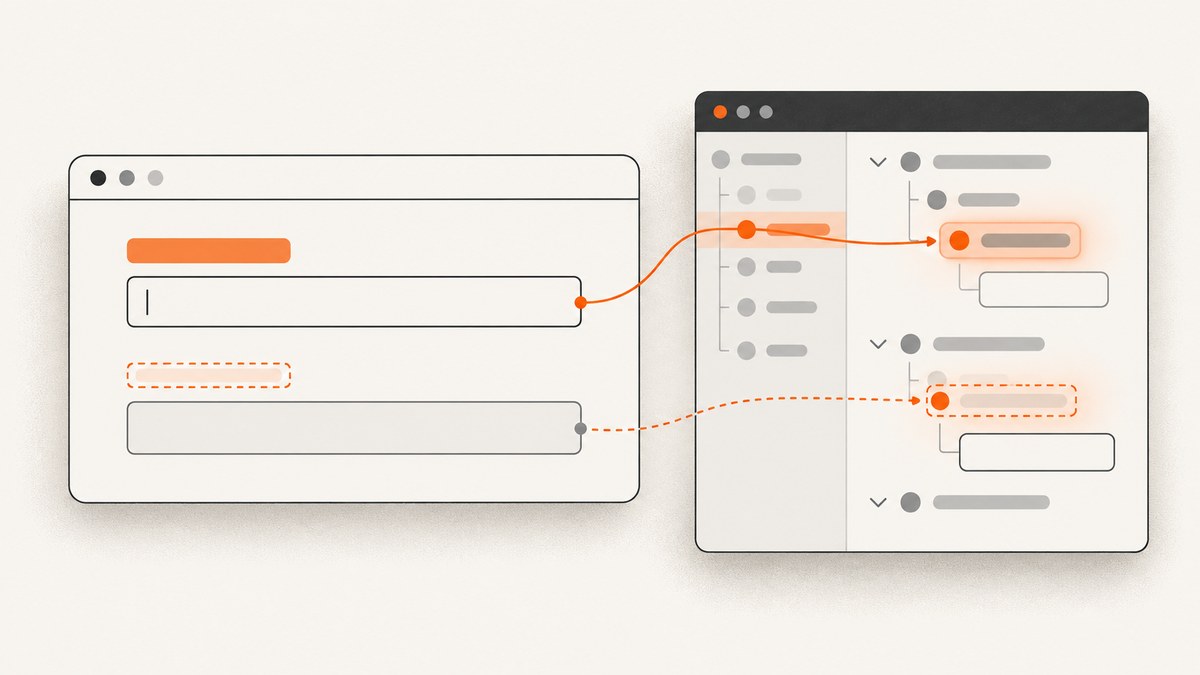
Direct answer: decide whether the label must be visible to sighted users or only provide an accessible name. For a visible label, query it and assert visibility: cy.contains('label', 'Email').should('be.visible'). For an intentionally visually hidden label, do not assert visibility; verify that the input has the correct accessible name and label association instead.
Cypress can find text inside an element styled with display: none, so finding a label does not prove that a user can see it. Cypress 16 uses the browser’s modern Element.checkVisibility()-based algorithm for visibility checks by default. That algorithm considers conditions such as zero dimensions, hidden or collapsed visibility, display: none on the element or an ancestor, certain content-visibility states, and zero opacity.
1. Identify what “hidden label” means
| Situation | What the product requires | Best Cypress assertion |
|---|---|---|
| Label should be readable on the page | Visible rendered text | .should('be.visible') |
| Label is intentionally visually hidden | Correct accessible name for the control | Label-aware or accessibility assertion |
| Label is missing or not associated | Semantic association with the input | Check for/id or accessible-name output |
| Several matching labels exist | The specific field in a specific form | Scope with cy.get(), within(), or a stable data-cy |
These are separate guarantees. A visible string can still be disconnected from its input, and an accessible name can be correct even when no label text is visible.
2. Test a label that must be visible
Use an explicit selector and visibility assertion:

describe('profile form', () => {
  it('shows the email label', () => {
    cy.visit('/profile')

    cy.contains('label', 'Email')
      .should('be.visible')
  })
})
cy.contains() retries the query and assertion until they pass or the command times out. Do not add a fixed wait to compensate for a label that is not yet in the required state. Assert the state you actually need.
Scope the query when text is duplicated
cy.get('[data-cy="account-form"]').within(() => {
  cy.contains('label', 'Email')
    .should('be.visible')
})
A dedicated test attribute is usually more stable than a CSS class used for layout:
<form data-cy="account-form">
  <label data-cy="email-label" for="email">Email</label>
  <input id="email" name="email" type="email" />
</form>
cy.get('[data-cy="email-label"]')
.should('be.visible')
.and('contain.text', 'Email')When Cypress yields a different element than expected
Cypress documents element-preference rules for cy.contains(). In a matching structure it can prefer a <label> over a deeper matching <span>. If the subject matters, pass a selector or query the control directly:
cy.contains('label', 'Email').should('be.visible')
// Or target the field when the field is the real subject:
cy.get('#email').should('be.visible')See the Cypress cy.contains() documentation and the Cypress assertions reference.
3. Diagnose why a visible-label assertion fails
- Open the failing page in the Cypress runner and inspect the label.
- Inspect the label’s ancestors, because an ancestor can hide the label.
- Check computed
display,visibility,content-visibility, andopacity. - Check the rendered width and height.
- Compare the result with the installed Cypress version and its versioned documentation.
Common causes include:
| Cause | Typical markup or CSS | Fix |
|---|---|---|
| Element removed from layout | display: none |
Render the label when the field is meant to be visible. |
| Element or ancestor hidden | visibility: hidden or visibility: collapse |
Remove the unintended rule or correct the component state. |
| Transparent text | opacity: 0 |
Use a visible style for a sighted-user label. |
| No rendered area | Zero width or height, or clipping from layout | Correct layout and sizing rather than forcing the test. |
| Content deferred or virtualized | Label is not rendered until a state change | Trigger the state that should display it, then assert visibility. |
| Wrong matching element | Several “Email” strings | Scope the query or use data-cy. |
Cypress 16’s modern visibility strategy differs from older behavior around clipping, scrolling, and coverage. The documented visibilityStrategy setting and legacy mode are deprecated migration aids. Check the documentation for the version in your project before changing configuration.
4. Test an intentionally visually hidden label
Many accessible form patterns hide the label visually while keeping it available to assistive technology. A typical pattern is:
<label class="sr-only" for="search">Search</label>
<input id="search" name="search" type="search" />.sr-only {
position: absolute;
width: 1px;
height: 1px;
padding: 0;
margin: -1px;
overflow: hidden;
clip: rect(0, 0, 0, 0);
white-space: nowrap;
border: 0;
}Do not write cy.contains('label', 'Search').should('be.visible') for this intentional design. Instead, use the label-aware query available in your testing setup. With Testing Library:
import '@testing-library/cypress/add-commands'
describe('search form', () => {
it('exposes Search as the input accessible name', () => {
cy.visit('/search')
cy.findByLabelText('Search').should('exist')
})
})The Cypress accessibility guidance recommends verifying that form fields have correct labels and expected HTML elements. The user-focused Cypress accessibility article describes findByLabelText as a field locator based on the user-facing label. If your project uses a different accessibility library, use its accessible-name query and keep the assertion focused on the input’s name.
Verify explicit association without a plugin
cy.get('label[for="email"]')
.should('contain.text', 'Email')
cy.get('#email')
.should('have.attr', 'id', 'email')This checks the HTML association, but an accessibility-aware query is stronger because it tests how the control is named from a user’s perspective.
5. Avoid masking the defect with force
{ force: true } can bypass Cypress’s actionability checks for actions such as clicking. It does not make a label visible and should not be used to make a visibility expectation pass. If the requirement is that a sighted user sees the label, fix the application markup or CSS and keep the visibility assertion.
6. Complete Cypress example
The following spec covers both interpretations and can be saved as cypress/e2e/form-labels.cy.js:
describe('form labels', () => {
beforeEach(() => {
cy.visit('/account')
})
it('requires the visible Email label', () => {
cy.get('[data-cy="account-form"]').within(() => {
cy.get('[data-cy="email-label"]')
  .should('be.visible')
  .and('contain.text', 'Email')
})
})
it('keeps the visually hidden Search label accessible', () => {
cy.findByLabelText('Search').should('exist')
})
it('targets the intended field when labels repeat', () => {
cy.get('[data-cy="billing-form"]').within(() => {
cy.contains('label', 'Email').should('be.visible')
cy.get('input[name="email"]').should('be.visible')
})
})
})7. Troubleshooting checklist
| Symptom | Cause | Fix |
|---|---|---|
cy.contains() passes but the label is not visible |
Queries can yield hidden elements | Add .should('be.visible') when visibility is required. |
be.visible fails immediately |
CSS, ancestor state, zero size, or deferred rendering | Inspect computed styles and render the intended state before asserting. |
| The wrong label is returned | Duplicate text or Cypress element preference | Pass 'label', scope with within(), or use a stable selector. |
| Hidden-label test fails with a visibility assertion | The label is intentionally visually hidden | Assert the control’s accessible name instead. |
| Input has no accessible name | Missing or mismatched for/id, or an empty label |
Connect the label to the input and query it by its expected name. |
| Behavior differs after a Cypress upgrade | Visibility algorithm changed | Check the installed version and current visibility documentation before changing config. |
| A fixed wait makes the test flaky | Timing is being guessed instead of state being observed | Wait for the relevant selector, request, or rendered state and then assert. |
8. Performance, reliability, and maintenance
- Prefer semantic queries: label-aware queries describe the behavior users depend on and survive layout-class changes.
- Use stable selectors for visual contracts: add
data-cyto the exact label or form container when text is duplicated. - Keep assertions narrow: assert visibility on the label and accessibility on the input instead of relying on one assertion to prove both.
- Let Cypress retry: retryable queries and assertions are more reliable than arbitrary sleeps.
- Test the right layer: component tests can catch CSS and markup regressions quickly; an end-to-end test should cover the integrated form state.
- Keep version assumptions explicit: visibility behavior depends on the Cypress version installed in the project.

Or skip the browser setup
If you need a screenshot of the rendered form for a bug report, visual review, or CI artifact, ScreenshotNeo returns a screenshot or PDF from one GET request. Its cleanup steps accept cookie banners and remove 60+ known consent platforms, newsletter popups, and chat widgets before capture; each step can be turned off. Bot checks, blank pages, timeouts, failed loads, and cache hits are not billed, and the response identifies the result with X-Page-Verdict and X-Billed headers. It also provides an MCP server with take_screenshot, get_page_info, and capture_pdf tools for AI agents.
See the ScreenshotNeo API documentation for all options.
curl -G "https://api.screenshotneo.com/v1/shot" -d access_key=YOUR_API_KEY --data-urlencode url=https://stripe.com -o shot.webpimport requests
r = requests.get("https://api.screenshotneo.com/v1/shot", params={"access_key": "YOUR_API_KEY", "url": "https://stripe.com"}, timeout=90)
open("shot.webp", "wb").write(r.content)const q = new URLSearchParams({ access_key: 'YOUR_API_KEY', url: 'https://stripe.com' });
const res = await fetch(`https://api.screenshotneo.com/v1/shot?${q}`);Free accounts include 1,000 screenshots a month with no card. Paid plans start at $5 for 3,000 shots. Create a free ScreenshotNeo account.
FAQ
Why does Cypress find a label that users cannot see?
cy.contains() searches matching content and can yield hidden elements. Add .should('be.visible') when the requirement is visual visibility.
Should every label be visible?
No. Labels may be intentionally visually hidden while still naming a control for assistive technology. Test the accessible name in that case.
Is opacity: 0 considered hidden?
For Cypress visibility assertions under the modern algorithm, zero opacity is one of the documented hidden conditions.
Can I use force: true?
It can bypass actionability checks for an action, but it does not prove that a label is visible and should not replace a visibility assertion.
What should I do when multiple labels contain the same text?
Scope the query to the intended form, pass an explicit element selector such as label, or add a stable data-cy attribute.


