How to Fix Hidden Table Cell Borders in Puppeteer PDFs
Make table borders render reliably in Puppeteer PDFs by fixing print CSS, collapsed-border conflicts, media emulation, and PDF options.
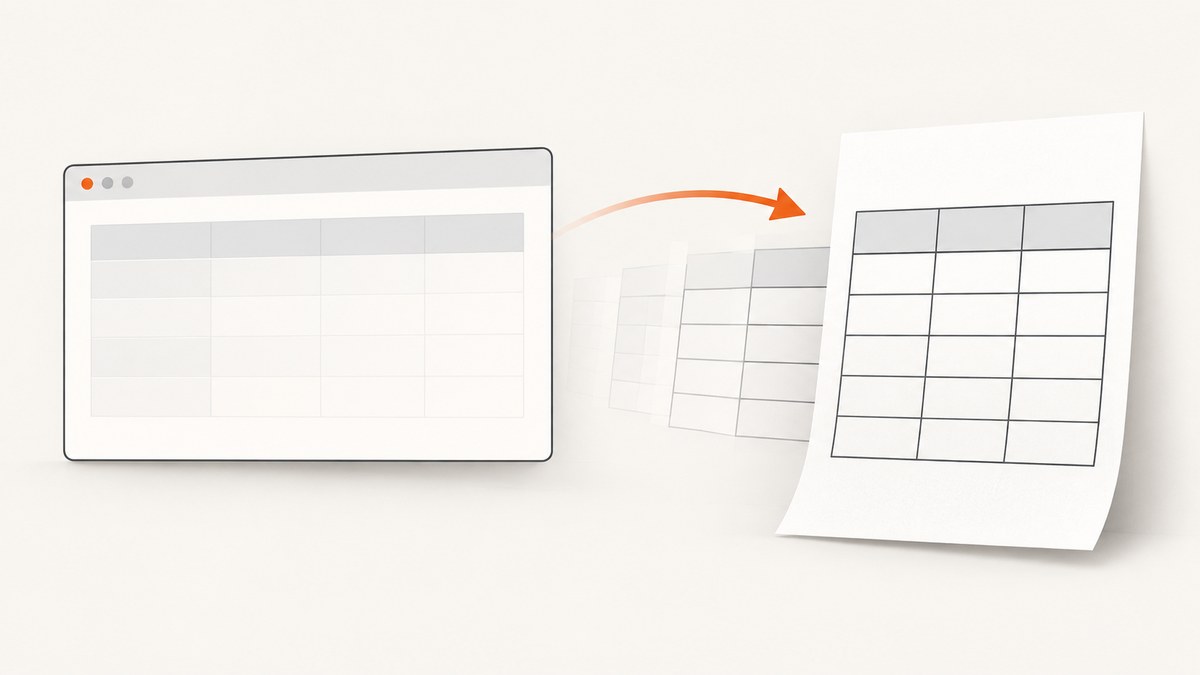
When table borders appear in a browser but disappear from a Puppeteer PDF, check print CSS first, then inspect the collapsed-border conflict rules. page.pdf() uses the print media type by default, so screen-only borders may never reach the PDF. In a collapsed table, a declaration with border-style: hidden suppresses every competing border at that shared edge. Define an explicit visible border in the print cascade, verify computed styles with print media active, and only then tune PDF options such as printBackground or page sizing.
The smallest useful baseline is:
@media print {
  table {
    border-collapse: collapse;
  }

  th,
  td {
    border: 1px solid #333;
  }
}
This article explains why that works, how to diagnose exceptions, and how to build a repeatable Puppeteer PDF pipeline.
Why borders disappear in Puppeteer PDFs
Puppeteer documents that Page.pdf() generates a PDF with the print CSS media type. A stylesheet such as @media screen, a framework rule that only styles the screen, or a print reset that removes borders can therefore produce a correct browser view and a borderless PDF.
There is a second issue when border-collapse: collapse is enabled. Cell edges are shared. The browser resolves competing declarations from the table, column groups, rows, and cells. CSS 2.1’s collapsed-border conflict rules give hidden special priority: a hidden border suppresses all borders at that location. none has the lowest priority and behaves differently.
That means a visible rule on td can still lose to a more specific rule such as tr:last-child td { border-bottom: hidden; }, or to an inline style injected by a component library. Width and color declarations cannot revive a border whose style is still hidden or none; set the style explicitly.
A complete Puppeteer fix
The following script loads an HTML page, waits for fonts and application content, checks the print cascade, injects a deterministic print rule, and writes a PDF. Replace the URL and readiness selector with your own page.
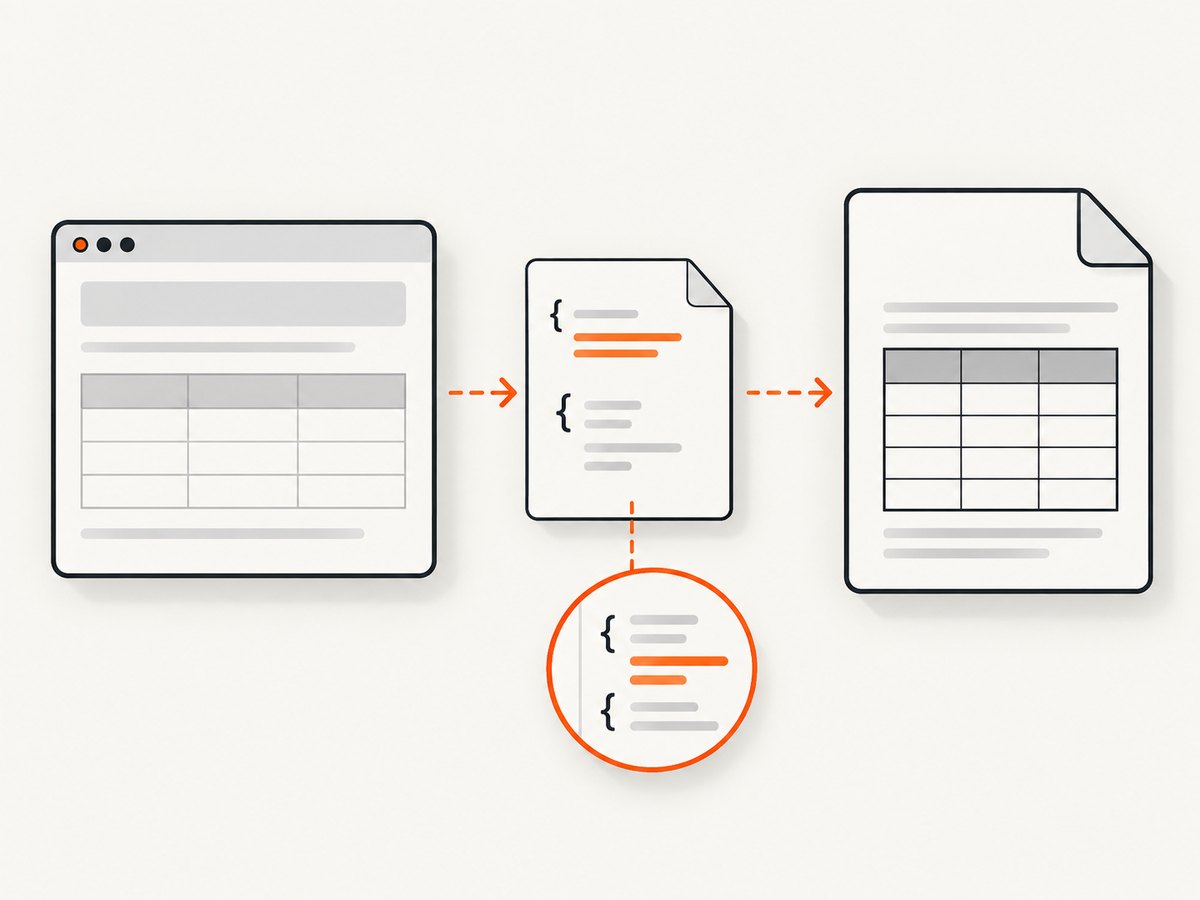
import puppeteer from 'puppeteer';

const browser = await puppeteer.launch({
  headless: true,
});

try {
  const page = await browser.newPage();
  await page.setViewport({ width: 1440, height: 1000, deviceScaleFactor: 1 });
  await page.goto('https://example.com/report', {
    waitUntil: 'networkidle0',
    timeout: 60000,
  });

  // Wait for application data or a render-ready marker when needed.
  await page.waitForSelector('[data-report-ready]', { timeout: 30000 });
  await page.evaluate(() => document.fonts.ready);

  // page.pdf() uses print media. Inspect the values that will be printed.
  const before = await page.evaluate(() => {
    const cell = document.querySelector('table th, table td');
    if (!cell) return null;
    const style = getComputedStyle(cell);
    return {
      borderTopStyle: style.borderTopStyle,
      borderTopWidth: style.borderTopWidth,
      borderTopColor: style.borderTopColor,
      borderBottomStyle: style.borderBottomStyle,
      media: matchMedia('print').matches,
    };
  });
  console.log('print styles before override:', before);

  await page.addStyleTag({
    content: `
      @media print {
        table {
          border-collapse: collapse;
        }
        th, td {
          border: 1px solid #333 !important;
        }
      }
    `,
  });

  const after = await page.evaluate(() => {
    const cell = document.querySelector('table th, table td');
    if (!cell) return null;
    const style = getComputedStyle(cell);
    return {
      borderTopStyle: style.borderTopStyle,
      borderTopWidth: style.borderTopWidth,
      borderTopColor: style.borderTopColor,
      borderBottomStyle: style.borderBottomStyle,
    };
  });
  console.log('print styles after override:', after);

  await page.pdf({
    path: 'report.pdf',
    format: 'A4',
    printBackground: true,
    preferCSSPageSize: true,
    margin: {
      top: '16mm',
      right: '14mm',
      bottom: '16mm',
      left: '14mm',
    },
  });
} finally {
  await browser.close();
}
The !important in this diagnostic override is intentional. Once the output is correct, replace it with a normal rule where possible and remove conflicting declarations from the source stylesheet. Keep the override if third-party component CSS is outside your control.
Print media versus screen media
Use a print stylesheet when the PDF is a document intended for printing or archiving. It lets you hide navigation, change colors, control page breaks, and use print-specific borders deliberately. For example:
@media print {
  .navigation,
  .chat-widget,
  .no-print {
    display: none !important;
  }

  table {
    width: 100%;
    border-collapse: collapse;
  }

  thead {
    display: table-header-group;
  }

  tr {
    break-inside: avoid;
  }

  th,
  td {
    border: 1px solid #333;
    padding: 6pt 8pt;
  }
}

@page {
  size: A4 portrait;
  margin: 16mm 14mm;
}
If the PDF must match the screen styling exactly, call page.emulateMediaType('screen') before page.pdf(), as described in the Puppeteer API documentation. This is useful for a visual snapshot, but it can also retain screen-only navigation, colors, and responsive rules that are unsuitable for paper.
await page.emulateMediaType('screen');
await page.pdf({ path: 'screen-style.pdf', printBackground: true });
Collapsed and separated table borders
Choose the border model deliberately.
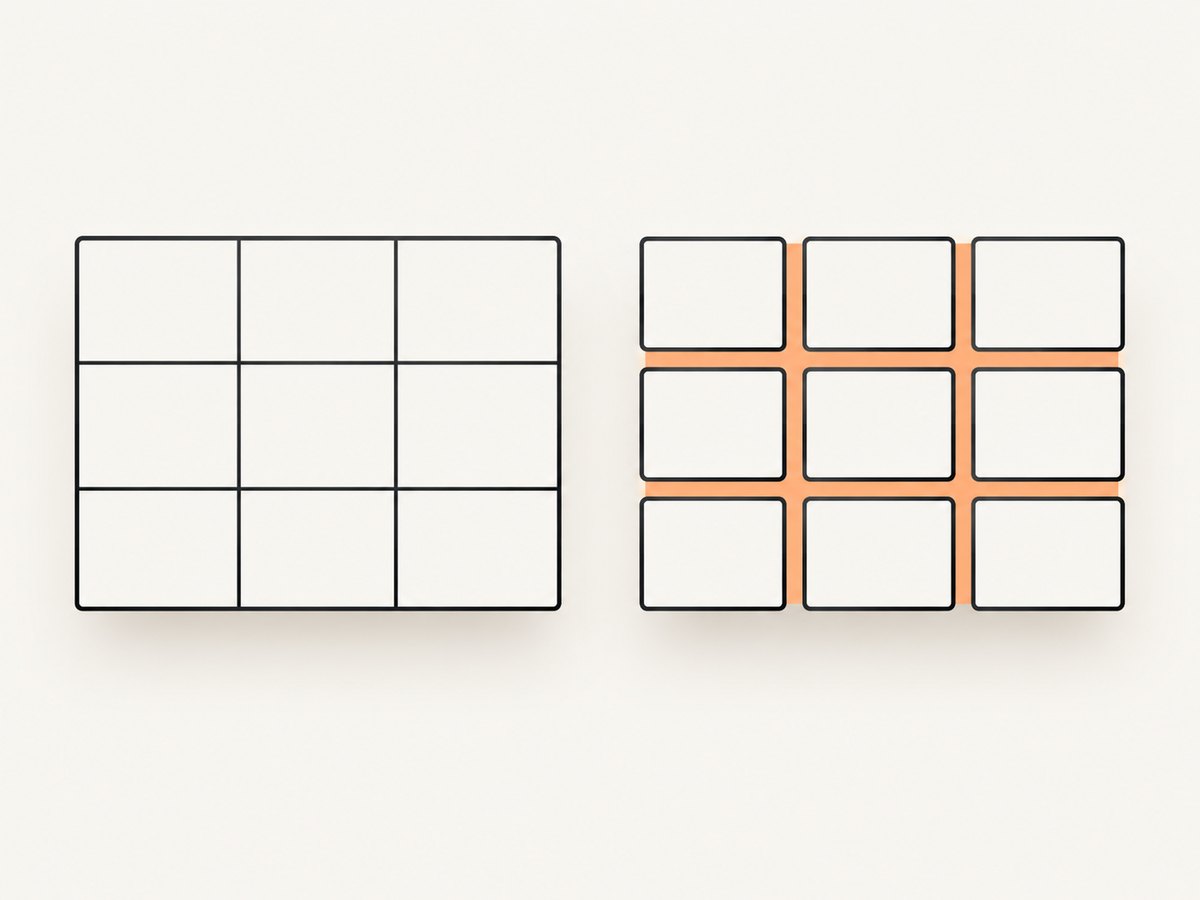
| Model | How edges work | Typical use | Failure mode |
|---|---|---|---|
collapse |
Adjacent cells share an edge and competing borders are resolved. | Compact spreadsheet-like grids. | hidden or a stronger declaration removes a shared line. |
separate |
Each cell keeps its own border; spacing is controlled separately. | Cards, invoices, and designs with gaps. | Double lines or unexpected gaps when spacing is not set. |
For a separated layout:
@media print {
  table {
    border-collapse: separate;
    border-spacing: 0 2mm;
  }

  th,
  td {
    border: 1px solid #333;
  }
}
Do not mix a collapsed table with assumptions from the separated model. In a collapsed table, inspect the declarations on table, thead, tbody, tr, th, and td, including logical properties such as border-inline-end.
Diagnostic workflow
- Confirm the PDF media type. Remember that
page.pdf()selects print media. Temporarily logmatchMedia('print').matchesandgetComputedStyle()values. - Inspect every contributor. Search source CSS, generated styles, and inline attributes for
border: hidden,border-right: hidden,border-style: none, and print selectors with greater specificity. - Check style, width, and color separately. A computed width such as
1pxis not enough if the computed style isnoneorhidden. - Apply a baseline rule. Set
border: 1px solid #333on both headers and cells inside@media print. - Check page breaks. A border may be present but split across pages. Use
thead { display: table-header-group; }andtr { break-inside: avoid; }where appropriate. - Inspect the PDF at normal and high zoom. Hairline borders can look absent in a viewer even when they exist.
- Only then tune PDF options. Options cannot recreate a border removed by the cascade.
PDF options that affect the result
printBackground
The documented default is false. Set printBackground: true when row fills, colored headers, or background graphics are part of the design. It does not create missing borders and cannot override border-style: hidden.
preferCSSPageSize
When true, CSS @page size takes priority over API paper settings. When false, Puppeteer can scale the page to the selected format. Scaling can make a thin line appear faint, so keep page size rules and API options consistent.
Paper size, margins, landscape, and ranges
await page.pdf({
  path: 'invoice.pdf',
  format: 'Letter',
  landscape: false,
  pageRanges: '1-3',
  margin: {
    top: '12mm',
    right: '12mm',
    bottom: '15mm',
    left: '12mm',
  },
  printBackground: true,
  preferCSSPageSize: true,
});
Use either format or explicit width/height when possible. Verify the resulting scale in the PDF viewer before changing border widths.
Ready-state, fonts, and dynamic tables
A correct CSS rule cannot help if the table is replaced after PDF generation. Wait for the application’s own marker, data promise, or network condition. Puppeteer waits for document fonts by default during PDF generation, but application-specific CSS, images, and data still need an explicit readiness condition.
await page.goto(url, { waitUntil: 'domcontentloaded' });
await page.waitForFunction(() => window.reportReady === true);
await page.evaluate(() => document.fonts.ready);
await page.waitForSelector('table[data-final="true"]');
Common errors and fixes
| Symptom | Likely cause | Fix |
|---|---|---|
| Borders show in Chrome but not PDF | Border exists only in screen CSS. | Add an explicit @media print rule or emulate screen media deliberately. |
| One edge disappears between cells | A competing collapsed-border declaration is hidden. |
Find the declaration on table, row, or cell and set a visible style on the intended edge. |
| Width and color are computed, but no line appears | Computed style remains none or hidden. |
Set border-style: solid explicitly. |
| Colored table header loses its appearance | printBackground is false. |
Set printBackground: true; this affects fills, not border creation. |
| Lines look intermittent at page boundaries | Rows split across pages or the viewer is showing a hairline at low zoom. | Use break-inside: avoid where practical and inspect at high zoom. |
| Table is unexpectedly scaled | CSS @page size and API paper settings disagree. |
Set preferCSSPageSize intentionally and align the dimensions. |
| PDF captures an old table | Data or styles load after navigation. | Wait for a render-ready selector or application flag before calling page.pdf(). |
| PDF generation times out | Page scripts, fonts, or network requests never settle. | Use a realistic timeout, wait for a specific condition, and remove nonessential requests. |
Performance and reliability
Browser startup is usually more expensive than writing the PDF. Reuse one browser process for multiple pages, create isolated pages per job, and close pages in a finally block. Avoid waiting for unlimited network idle on applications that keep analytics or websocket connections open; a page-specific ready marker is more predictable.
Keep print CSS deterministic. Injecting one small override is easier to reason about than repeatedly changing viewport size, device scale, and media type while debugging. Capture at the final viewport and paper size, because responsive breakpoints can change column widths and cause a border to land on a page edge.
For repeatable output, pin the Puppeteer and Chromium versions used by your deployment, record the PDF options with the job, and retain a minimal HTML fixture that exercises collapsed borders, print overrides, and page breaks. If a line is extremely thin, test a practical print width such as 1px or 0.5pt and compare viewers; a historical report involving old Puppeteer and Chrome versions is not evidence of current behavior.
Or skip the browser setup
ScreenshotNeo provides a website screenshot API and PDF capture endpoint when you do not want to maintain a browser process. It can accept cookie and consent banners before capture and remove more than 60 known consent platforms, newsletter popups, and chat widgets. Each step can be turned off. Bot checks, blank pages, timeouts, failed loads, and cache hits are not billed, and responses identify the result with X-Page-Verdict and X-Billed headers.
For PDF work, configure paper size, margins, landscape mode, and page ranges through the API. You can also provide custom CSS and JavaScript, wait for a selector, delay, or network idle, set headers and cookies, choose a timezone or geolocation, block resource types, and use caching with a TTL you choose. The MCP server exposes take_screenshot, get_page_info, and capture_pdf for Claude, Cursor, and other MCP clients.
See the ScreenshotNeo API documentation for the current parameter names. A one-call example is:
curl -G "https://api.screenshotneo.com/v1/shot" \
  -d access_key=YOUR_API_KEY \
  --data-urlencode url=https://stripe.com \
  -o shot.webp
import requests
r = requests.get(
"https://api.screenshotneo.com/v1/shot",
params={"access_key": "YOUR_API_KEY", "url": "https://stripe.com"},
timeout=90,
)
open("shot.webp", "wb").write(r.content)const q = new URLSearchParams({
access_key: 'YOUR_API_KEY',
url: 'https://stripe.com',
});
const res = await fetch(`https://api.screenshotneo.com/v1/shot?${q}`);The Free plan includes 1,000 screenshots per month with no card. Paid plans start at $5 for 3,000 shots, and every feature is available on every plan. Create a free ScreenshotNeo account.
FAQ
Should I use border-collapse: collapse for invoices?
Use it when you want a seamless grid. Use separate when each cell needs an independent box or visible spacing. The choice changes how adjacent edges are resolved.
Does printBackground: true fix missing borders?
No. It prints background graphics and fills. Missing borders require a surviving border declaration with a visible style.
When should I emulate screen media?
Use page.emulateMediaType('screen') when the PDF must match screen CSS. For documents intended to print, a dedicated print stylesheet is usually easier to control.
Why does a border disappear only on one side?
That usually indicates a conflict on one shared edge, often a directional declaration such as border-right: hidden or a more specific selector. Inspect both neighboring cells and their table ancestors.
Can a PDF viewer hide a real border?
Yes, very thin lines can be difficult to see at low zoom. Inspect at normal and high zoom and test a sturdier print width after confirming the computed style.


