How to Fix HTML-to-Image Errors with ImageKit and Wkhtmltoimage on CentOS Rails Servers
A practical diagnostic guide for IMGKit, wkhtmltoimage, ImageKit and CentOS Rails deployments, including dependency checks, fixes and safer alternatives.
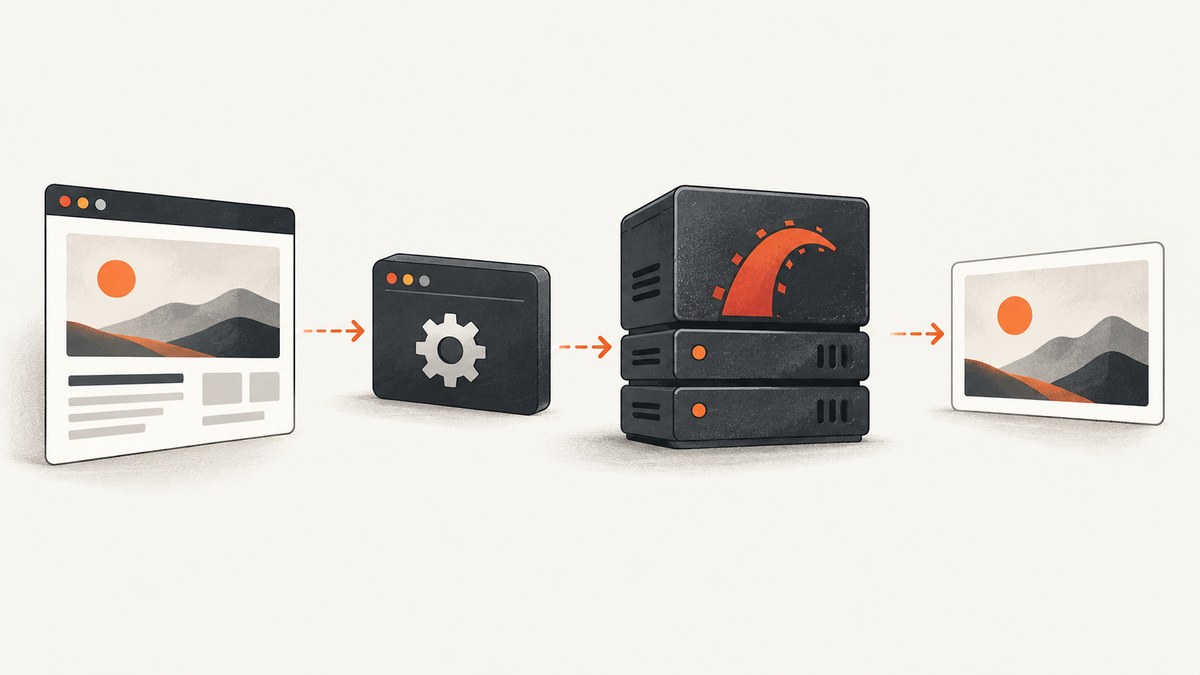
HTML-to-image failures in a Rails production process usually come from a boundary between components, not from one mysterious ImageKit setting. IMGKit is a Ruby wrapper that invokes the separately installed wkhtmltoimage executable. ImageKit’s Rails gem handles hosted delivery, transformations and Active Storage integration. It does not automatically run wkhtmltoimage.
Fix the failure by identifying where it occurs, running the renderer under the same CentOS service account as Rails, verifying the binary and its shared libraries, then checking HTML resources and ImageKit configuration separately. The exact error text, CentOS release, CPU architecture, gem versions and package origin determine the final fix.
1. Identify the failing boundary first
There are three different paths that are often described as “the ImageKit screenshot error”:
- Local rendering: Rails calls IMGKit, which launches
wkhtmltoimageand produces PNG or JPEG bytes. - Application glue: Rails receives those bytes, stores them, uploads them or returns them from a controller.
- ImageKit delivery: the browser or API client requests an ImageKit URL and receives a transformation, authentication or delivery error.
Capture the exception class and message, the generated command, standard error, exit status, request ID and whether an output file exists. A missing executable, a renderer crash and an invalid ImageKit URL need different fixes.
2. Understand the two products
IMGKit accepts HTML, a URL or a file and delegates rendering to a local executable. Its README documents output methods such as to_png, to_jpg and to_file, plus explicit configuration of the wkhtmltoimage path. Read the IMGKit documentation for options supported by your installed gem.
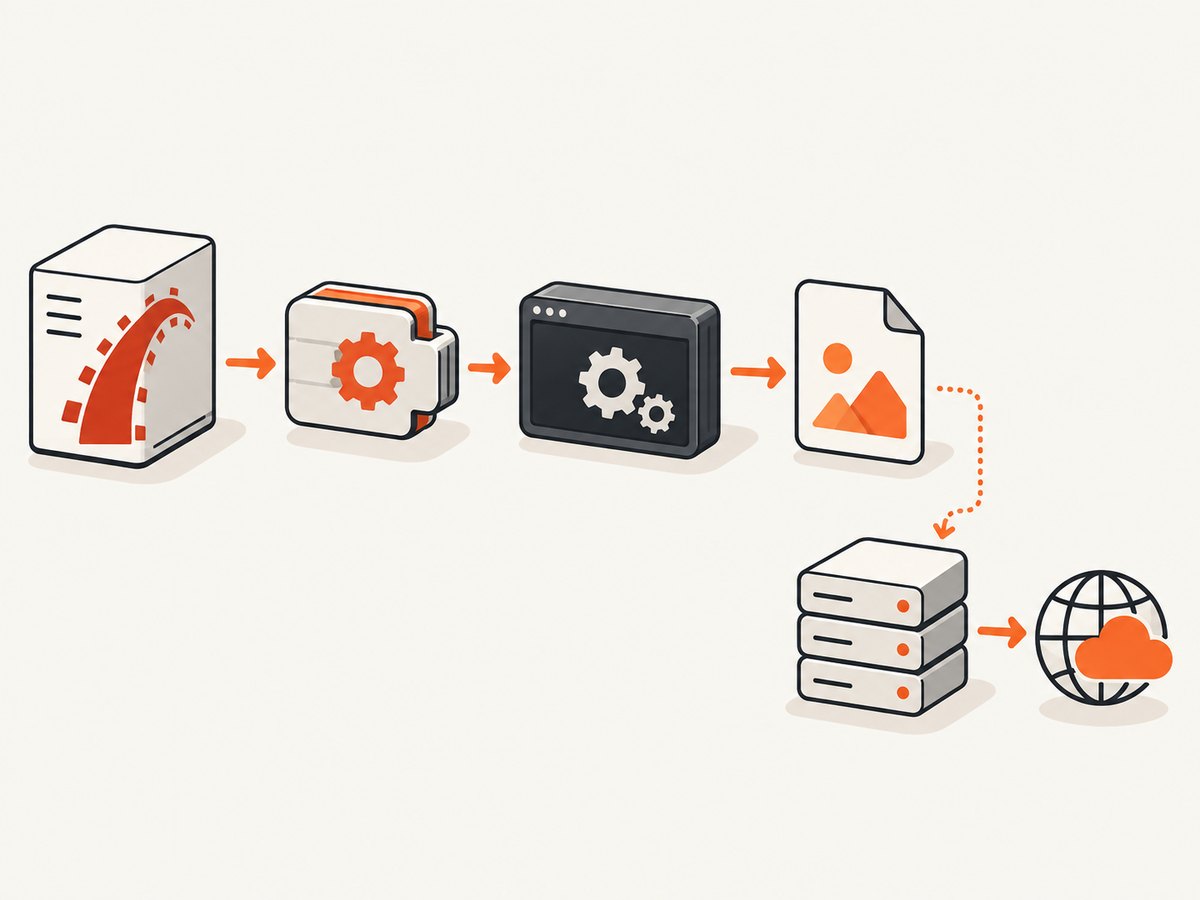
ImageKit’s Rails integration uses the imagekitio-rails gem, an endpoint, a public key and a private key. It provides URL helpers, hosted transformations and storage integration; it does not install or execute a local HTML renderer. Follow the ImageKit Rails integration documentation for the version you use.
3. Check IMGKit and wkhtmltoimage independently
Run these commands on the production host, not only on a laptop or development container:
command -v wkhtmltoimage
wkhtmltoimage --version
ls -l /usr/local/bin/wkhtmltoimage
file /usr/local/bin/wkhtmltoimage
ldd /usr/local/bin/wkhtmltoimage
Replace the path with the one actually deployed. Confirm that the file is executable and that every parent directory can be traversed by the Rails user. Then run a minimal render:
cat > /tmp/neo-test.html <<'EOF'
<html><body><h1>Renderer test</h1><p>CentOS host</p></body></html>
EOF
sudo -u rails bundle exec wkhtmltoimage file:///tmp/neo-test.html /tmp/neo-test.png
file /tmp/neo-test.png
Use the actual service identity in place of rails. If the direct command fails, IMGKit cannot succeed until the executable or its runtime is fixed. If it succeeds, reproduce the same command from a Rails task or console and compare the environment: PATH, working directory, temporary directory, locale, fonts and network access often differ between an interactive shell and a systemd, Passenger or Puma process.
4. Install a package that matches CentOS and CPU architecture
The wkhtmltopdf downloads page lists the stable 0.12.6 series, released June 11, 2020, with CentOS 7 and CentOS 6 package rows and different architecture coverage. Check that page again before installing because package availability and compatibility can change. Match the deployed CentOS major version and CPU architecture; do not substitute an arbitrary Ubuntu .deb or an unrelated generic binary.
The project describes these builds as static in important respects, but “static” does not mean dependency-free. System packages, fonts, fontconfig and freetype2 remain runtime factors. Inspect missing libraries with ldd, install the required packages through your distribution’s repositories, and verify that the production image contains the fonts your page needs.
cat /etc/centos-release
uname -m
fc-list | head
fc-match Arial
ldd "$(command -v wkhtmltoimage)" | grep 'not found' || true
Keep the binary and its dependencies in the same image or deployment artifact. A path that exists on a build host but not in the runtime container produces a successful deploy followed by a rendering failure.
5. Configure IMGKit explicitly in Rails
Do not rely on an inherited shell PATH. Configure the absolute executable path in an initializer and fail early when it is absent:
# config/initializers/imgkit.rb
require "imgkit"

WKHTMLTOIMAGE = ENV.fetch("WKHTMLTOIMAGE", "/usr/local/bin/wkhtmltoimage")

abort("Missing wkhtmltoimage at #{WKHTMLTOIMAGE}") unless File.executable?(WKHTMLTOIMAGE)

IMGKit.configure do |config|
  config.wkhtmltoimage = WKHTMLTOIMAGE
end
Use the exact setting name supported by your IMGKit version. A controller action can render a view to a string and send the resulting bytes:
class PreviewsController < ApplicationController
  def show
    html = render_to_string(
      template: "previews/show",
      formats: [:html],
      assigns: { record: PreviewRecord.find(params[:id]) }
    )
    image = IMGKit.new(html, quality: 90).to_png
    send_data image, type: "image/png", disposition: "inline"
  end
end
For a file-based workflow, use to_file and check the return value and file permissions. Keep rendering outside the request thread for large pages by using a job, and give the job a bounded timeout.
6. Reduce the HTML until the renderer works
Start with a local, self-contained document. Add your Rails layout, stylesheets, images, web fonts and JavaScript one category at a time. This distinguishes a renderer process failure from an incomplete page.
- Use absolute URLs or a reachable internal hostname for remote resources.
- Verify DNS, firewall and TLS trust from the CentOS host.
- Check that authentication cookies or headers needed by private assets are passed to the renderer.
- Wait for JavaScript-driven content only when necessary; an early capture can look blank even though the process exited successfully.
- Confirm that CSS and font files return the expected content type and status.
IMGKit accepts stylesheet and JavaScript options for HTML input. Add them incrementally, and save the generated HTML to a temporary file so you can inspect what Rails actually sent to the renderer.
7. Check ImageKit only after local rendering is healthy
If to_png or to_jpg returns valid bytes, inspect the ImageKit boundary. Confirm the imagekitio-rails gem version, endpoint, public key and private key for the current environment. Verify the generated URL and the HTTP response status from a server-side request.
# config/initializers/imagekit.rb
ImageKitIo.configure do |config|
  config.url_endpoint = ENV.fetch("IMAGEKIT_URL_ENDPOINT")
  config.public_key = ENV.fetch("IMAGEKIT_PUBLIC_KEY")
  config.private_key = ENV.fetch("IMAGEKIT_PRIVATE_KEY")
end
Use the initializer shape required by your installed gem version and keep secrets in environment variables or a secret manager. ImageKit’s key documentation recommends keeping private keys confidential and outside application source code; restricted keys can limit permissions. Never paste a private key into logs or an issue report.
For an ImageKit URL failure, record the URL path, transformation parameters, response status and request ID, while redacting signatures and credentials. A successful local PNG followed by a 401, 403 or transformation error is an ImageKit configuration problem, not a wkhtmltoimage problem.
8. Common errors and fixes
| Symptom | Likely cause | Fix |
|---|---|---|
No such file or directory |
Wrong path or missing runtime loader | Use an absolute configured path; run file and ldd as the Rails user. |
| Permission denied | Binary or parent directory is not executable | Correct ownership and mode, then test under the service account. |
| Works in SSH, fails in Rails | Different PATH, environment, HOME or temp directory |
Log the process environment and configure the absolute path and writable temp directory. |
| Process exits with code 1 | Renderer argument, malformed HTML or missing dependency | Run the exact generated command directly and inspect stderr. |
| Blank or partial image | Resources blocked, JavaScript unfinished or page timeout | Test a minimal document, then add resources; increase a bounded wait only after checking network access. |
| Missing glyphs or wrong font | Fonts or fontconfig absent in the server image | Install required fonts, run fc-cache as appropriate and verify with fc-match. |
| ImageKit 401 or 403 | Wrong endpoint, key, signature or environment settings | Compare deployed variables with the ImageKit project settings and regenerate a request without exposing secrets. |
| ImageKit URL works, local render fails | Two independent paths are being conflated | Fix IMGKit and wkhtmltoimage first; ImageKit delivery cannot repair a failed local renderer. |
9. Reliability, performance and operating cost
Renderer startup is expensive compared with ordinary Ruby string rendering. Reuse a job queue, limit concurrency to the CPU and memory available, and delete temporary files after each job. Set a process timeout and kill children that exceed it. Record render duration, output size, exit status and stderr so recurring failures can be correlated with a deployment.
Cache deterministic pages using a content or record version. Cache invalidation should include CSS, fonts and external assets, not only the URL. If pages load third-party resources, an upstream outage can make a previously reliable render slow or incomplete; self-host critical assets when possible.
Run a small health check after deployment: render a local HTML fixture, render a page with one known font, and exercise the ImageKit URL path separately. This catches missing packages and environment variables before a user request does.
10. Security boundary for HTML rendering
The wkhtmltopdf project warns against processing untrusted HTML or JavaScript without sanitization because it can lead to complete server takeover. Treat markup and resource URLs as code executed by a privileged process.
- Sanitize user-provided HTML and restrict tags, scripts and URLs.
- Run the renderer as a dedicated unprivileged user with a minimal filesystem view.
- Restrict outbound network access where business requirements allow it.
- Do not enable broad local-file access merely to make a broken asset load.
- Keep private credentials out of page HTML, renderer arguments and debug logs.
11. Or skip the browser setup
If your goal is a clean screenshot rather than maintaining a CentOS browser-rendering stack, ScreenshotNeo provides a website screenshot API and MCP server. The request is a single GET; PNG, JPEG, WebP and PDF output are supported.

See the ScreenshotNeo API documentation for the full option list. A minimal cURL request is:
curl -G "https://api.screenshotneo.com/v1/shot" -d access_key=YOUR_API_KEY --data-urlencode url=https://stripe.com -o shot.webpPython:
import requests
r = requests.get("https://api.screenshotneo.com/v1/shot", params={"access_key": "YOUR_API_KEY", "url": "https://stripe.com"}, timeout=90)
open("shot.webp", "wb").write(r.content)
Node.js:
const q = new URLSearchParams({ access_key: 'YOUR_API_KEY', url: 'https://stripe.com' });
const res = await fetch(`https://api.screenshotneo.com/v1/shot?${q}`);
ScreenshotNeo removes cookie and consent banners, newsletter popups and chat widgets before capture; each step can be turned off. Bot checks, CAPTCHAs, blank pages, timeouts, failed loads and cache hits are not billed, and response headers identify the page verdict and whether it was billed. Its MCP server exposes take_screenshot, get_page_info and capture_pdf for Claude, Cursor and other MCP clients.
It also supports full-page captures with lazy images, CSS-element capture, dark mode, device presets, custom viewports, retina scale, PDF paper and page options, custom CSS and JavaScript, clicks, waits, request blocking, headers, cookies, user agents, authorization, timezone, geolocation, transparent backgrounds, resizing, TTL caching, signed links, asynchronous jobs with signed webhooks, bulk capture of 100 URLs and a usage API. The Free plan includes 1,000 shots per month with no card; paid plans start at $5 for 3,000 shots.
Create a free ScreenshotNeo account and use the API when maintaining a local renderer is not the right tradeoff.
12. FAQ
Does installing the IMGKit gem install wkhtmltoimage?
No. IMGKit is a wrapper. Install, locate and configure the executable separately.
Why does a static binary still need packages?
The project documents remaining system requirements, including fontconfig, freetype2, fonts and compatible runtime libraries.
Should ImageKit replace IMGKit?
They solve different problems. IMGKit renders HTML locally; ImageKit delivers and transforms hosted images. Use both only when your architecture needs both paths.
What should I include in a bug report?
Include the exact error, CentOS release, architecture, gem and binary versions, configured path, service account, stderr and whether a minimal local HTML render succeeds. Redact keys, cookies and signed URLs.
Can I render user-submitted HTML?
Only with strict sanitization, isolation and resource controls. The renderer executes HTML and JavaScript and must be treated as a security boundary.


